BLOGS · OVERCLOCKING
PUBLISHED
READING20 min
Intel Xeon E5440 review, overclocking, and express testing + bonus Xeon W3520 test
Intel Xeon E5440 express test: compatibility issues, overpriced, better alternatives exist. Includes a bonus Xeon W3520 test.
Initially, I planned to include the Intel Xeon E5440 chip in our full-fledged test section. However, after several hours of performance analysis and uncovering some peculiarities of the CPU, it became clear that a complete article from this benchmark session wasn't feasible. Besides, the Xeon E5440 simply has no real competition. At least, the Core i5-2500K, Xeon X3450, X3470, W3520, X5550, X5570, X5660, E5-2643, and E5-2630L v3 processors in our test lab are all significantly faster than the E5440. Its desktop counterparts, the Core 2 Quad Q9400 and Q6600, are roughly on par, while simpler CPUs like the Core 2 Duo E8400 and Athlon II X3 440/450 are noticeably weaker. For these reasons, instead of a full test, I decided to run an express test and write a shorter blog post, saving a considerable amount of time and effort.
 ⤢ ВІДКРИТИ
Still, I couldn't leave the Xeon E5440 without a rival. I chose the ultra-budget Xeon W3520 chip (an exact desktop equivalent of the Intel Core i7-920) designed for the LGA 1366 platform.
Yes, it has 4 cores and 8 threads, so the comparison might not seem entirely fair. But trust me, even by opting for the "poorest" LGA 1366 chip and the aforementioned platform, you'll come out ahead. And by "ahead," I don't just mean financially, but also by saving yourself a lot of frustration.
But first, let's break it down.
First, high-end X48 and X38 chipset motherboards don't support Xeon E5xxx chips. Second (and most frustrating), even if your board does "boot" a Xeon E5440, there's no guarantee it will function correctly:
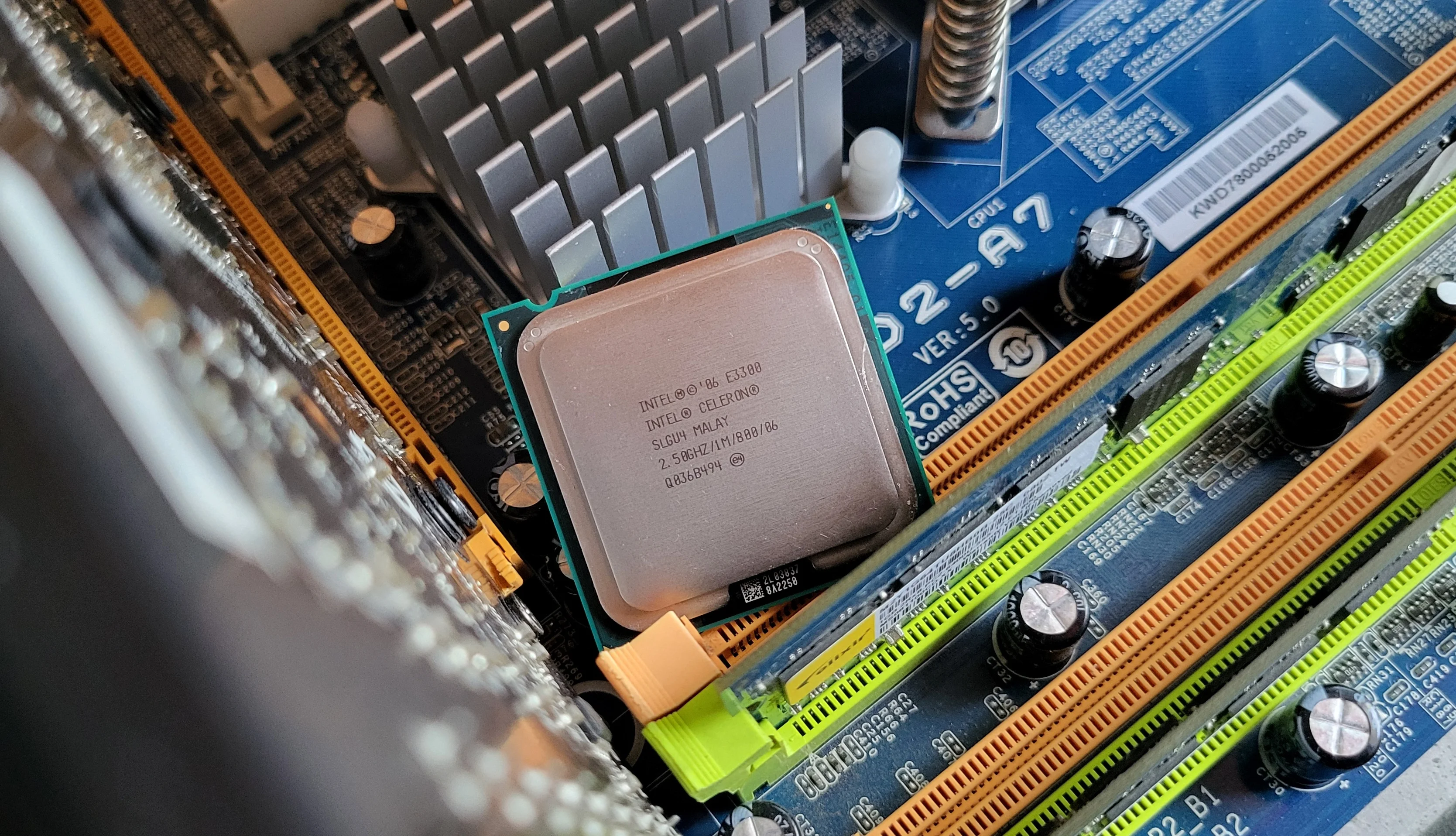
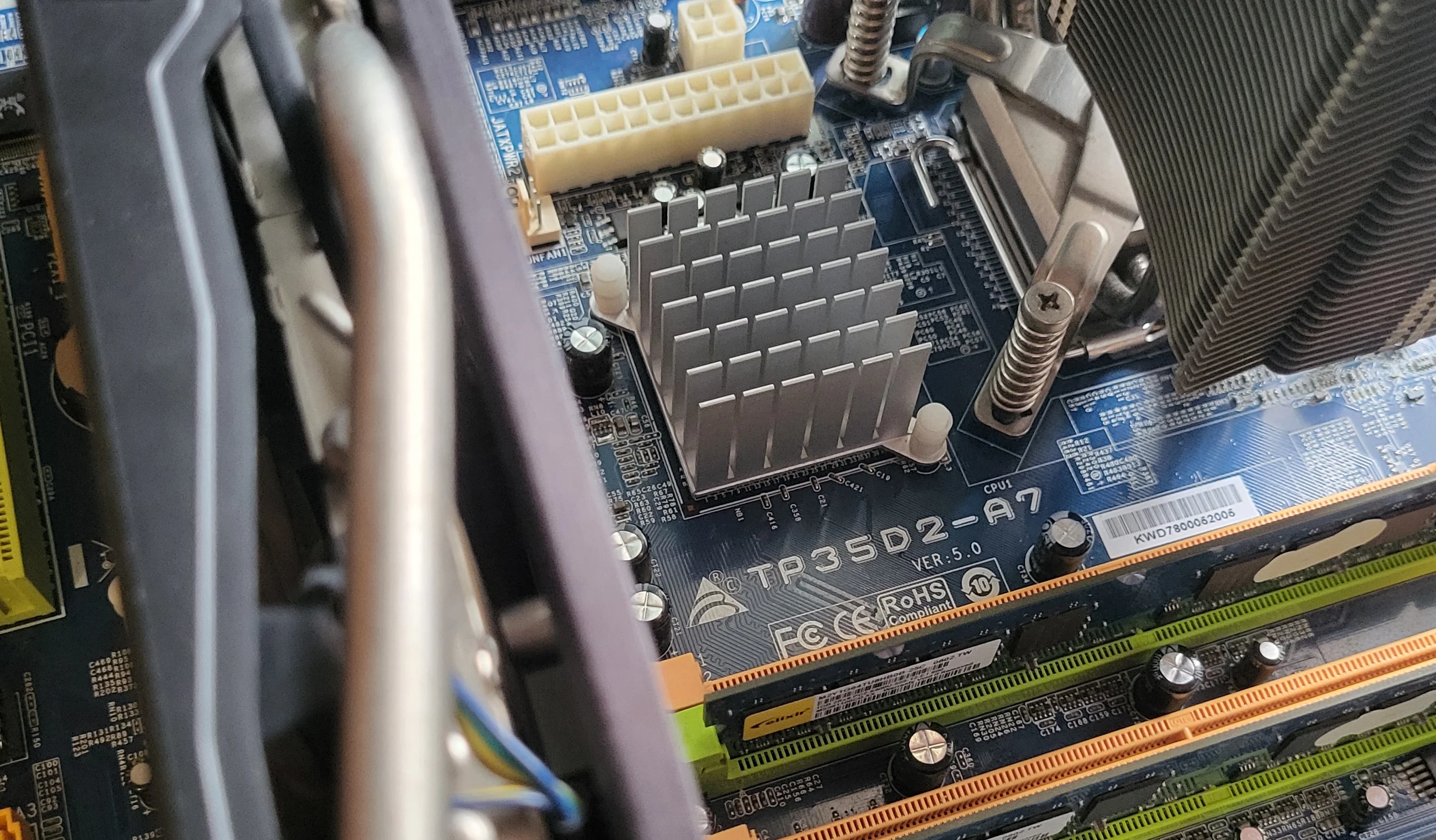
On our LGA 775 test motherboard, Biostar P35D2-A7, with MSI Afterburner monitoring (performance overlay) enabled, the Xeon E5440 processor couldn't run Unreal Engine 4-based games properly. The game would simply crash! This happened both at stock speeds and when overclocked, and with both the stock BIOS and a modified firmware for LGA 771 Xeon CPU support.
The processor easily passed various stability tests: LinX, AIDA64, OCCT, MemTest... I even tried the classic S&M program, but the CPU hammered through that "heater" for hours without issue.
Initially, I suspected the motherboard itself was the problem. Just to check, I first installed a Core 2 Duo E8400, then a Core 2 Quad Q9400. Neither of these CPUs exhibited any issues—"Fortnite" and "Remnant: From the Ashes" ran flawlessly with MSI Afterburner monitoring enabled.
Then I thought Windows 10, with its "Spectre" and "Meltdown" vulnerability patches, might be the culprit. But after installing Windows 7 on another drive, I got the same result: Unreal Engine 4 games ("Fortnite" and "Remnant") crashed to the desktop when MSI Afterburner's monitoring was enabled.
Next, I delved into BIOS settings: enabling/disabling virtualization and power-saving features, changing or even completely disabling the HPET Timer (x86/x64/OFF), and switching storage modes between AHCI/IDE—and that's just off the top of my head. None of these changes helped prevent the crashes.
Ultimately, I got so frustrated that I decided to swap motherboards. But replacing the Biostar P35D2-A7 with an MSI P35 Neo Combo also yielded no positive results: with both DDR2 and DDR3 RAM, Unreal Engine 4 games still crashed to desktop when MSI Afterburner monitoring was active.
It's important to note: without the MSI Afterburner monitoring (overlay) active, games ran perfectly normally, without significant lag or freezes, and with what felt like a reasonably adequate framerate. But as soon as I enabled monitoring, they crashed. So, I couldn't properly benchmark them.
I can't rule out the possibility that I simply received a faulty processor. However, if any of you have encountered a similar situation and managed to resolve it, please share your solution in the comments. If the problem can be fixed, I'll definitely re-test, as the E5440 chip will remain in our test lab for a long time.
Given all of the above, right now, I can't recommend buying a Xeon E5440 (or its siblings) in any way. But this is just my personal opinion, based on the frustrating experience I had after acquiring this chip for testing.
So, remember what I wrote in the first paragraph of this piece? "Run an express test and write a short blog post, saving a considerable amount of time and effort." As you've probably guessed, that didn't quite work out.
And third (remember? We're still counting), the E5440 processor costs almost four times more than the W3520. It's worth noting that the W3520 is no longer sold on AliExpress, having lost its relevance back in 2017. However, the Chinese marketplace is full of much faster alternatives to the processor I chose: the E5620, W3550, and W3565. Each of these costs no more than $5:
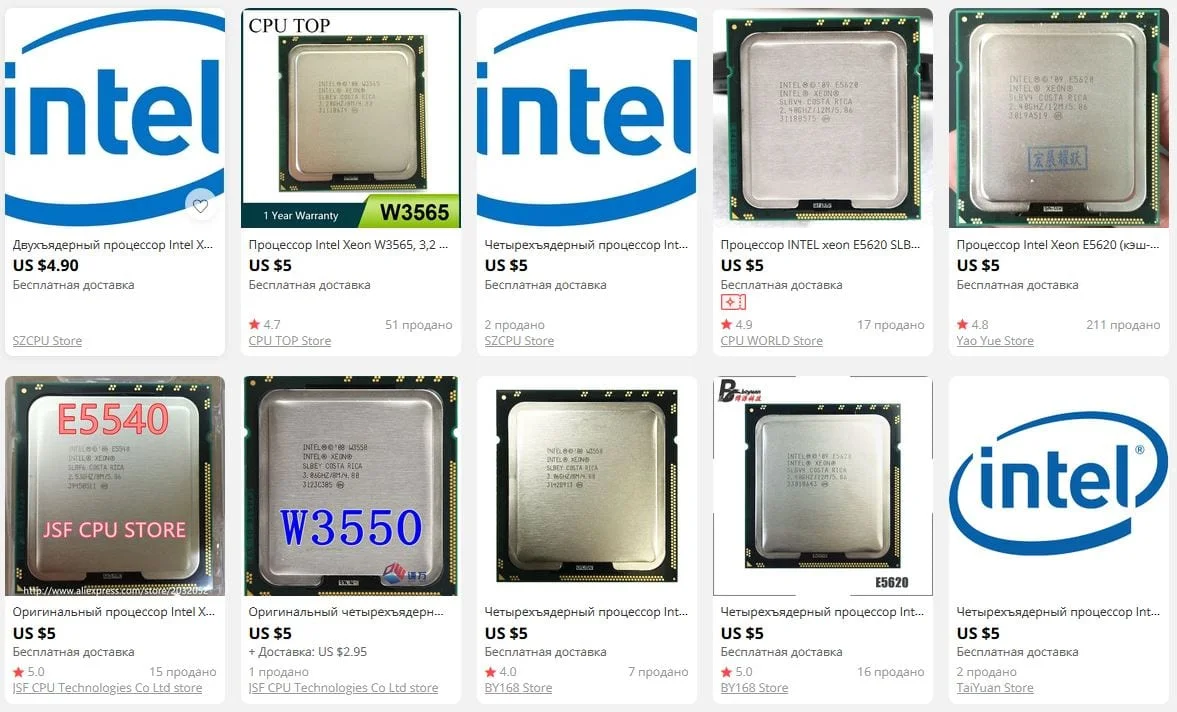 ⤢ ВІДКРИТИ
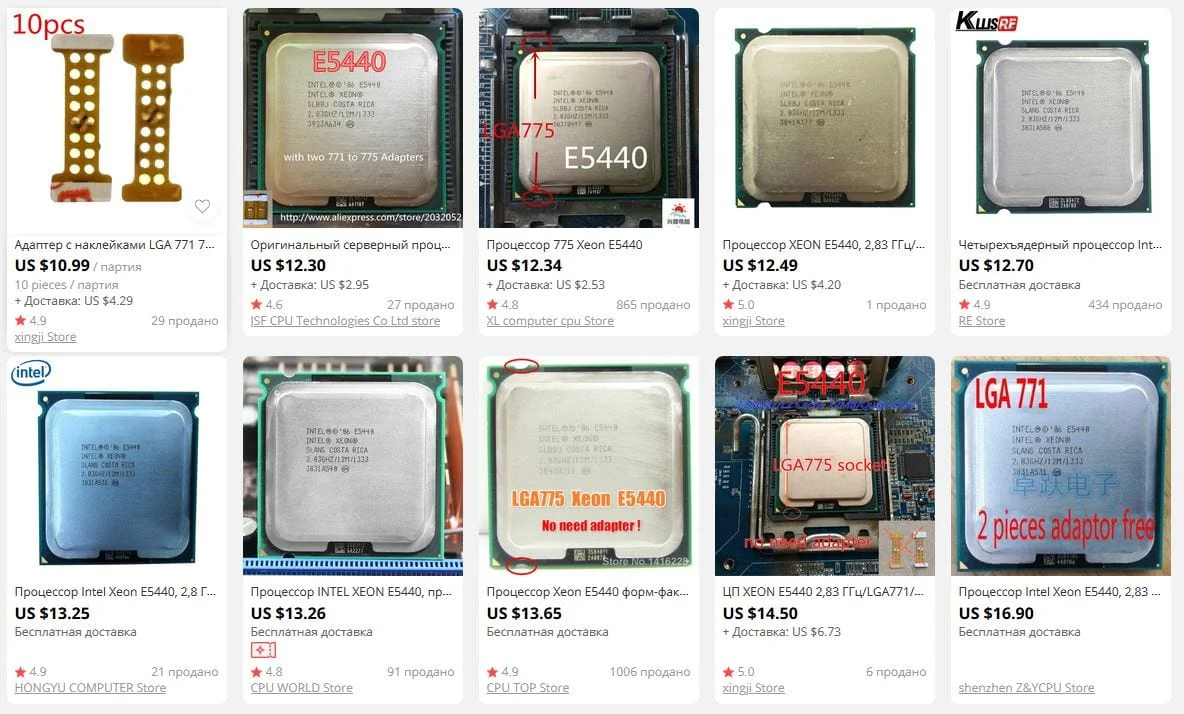
Now compare that to what Chinese sellers are asking for the star of today's article:
 ⤢ ВІДКРИТИ
The minimum price is $12, which is almost two and a half times the cost of the much faster Xeon E5620, W3550, and W3565! The remaining $7 (along with the money from selling your LGA 775 board and DDR2 memory) could be invested in an LGA 1366 motherboard, which starts at $36, and DDR3 RAM, which has dropped below $10 for 4GB (far less than the price of a decent 4GB DDR2 stick).
This, to me, defines an "ultra-budget build"—not some convoluted hack with old LGA 775, ancient DDR2, and LGA 771 processors. Frankly, for a true budget build, I'd even recommend LGA 2011/LGA 2011 v3, but that's a more contentious point. Not everyone has the funds for those platforms, and first-gen AMD Ryzen chips also fall into that category. But that's a story for another time...
With the colossal introduction finally out of the way (totally didn't take much time or effort, right?), let's move directly to the processor itself:
Xeon E5440
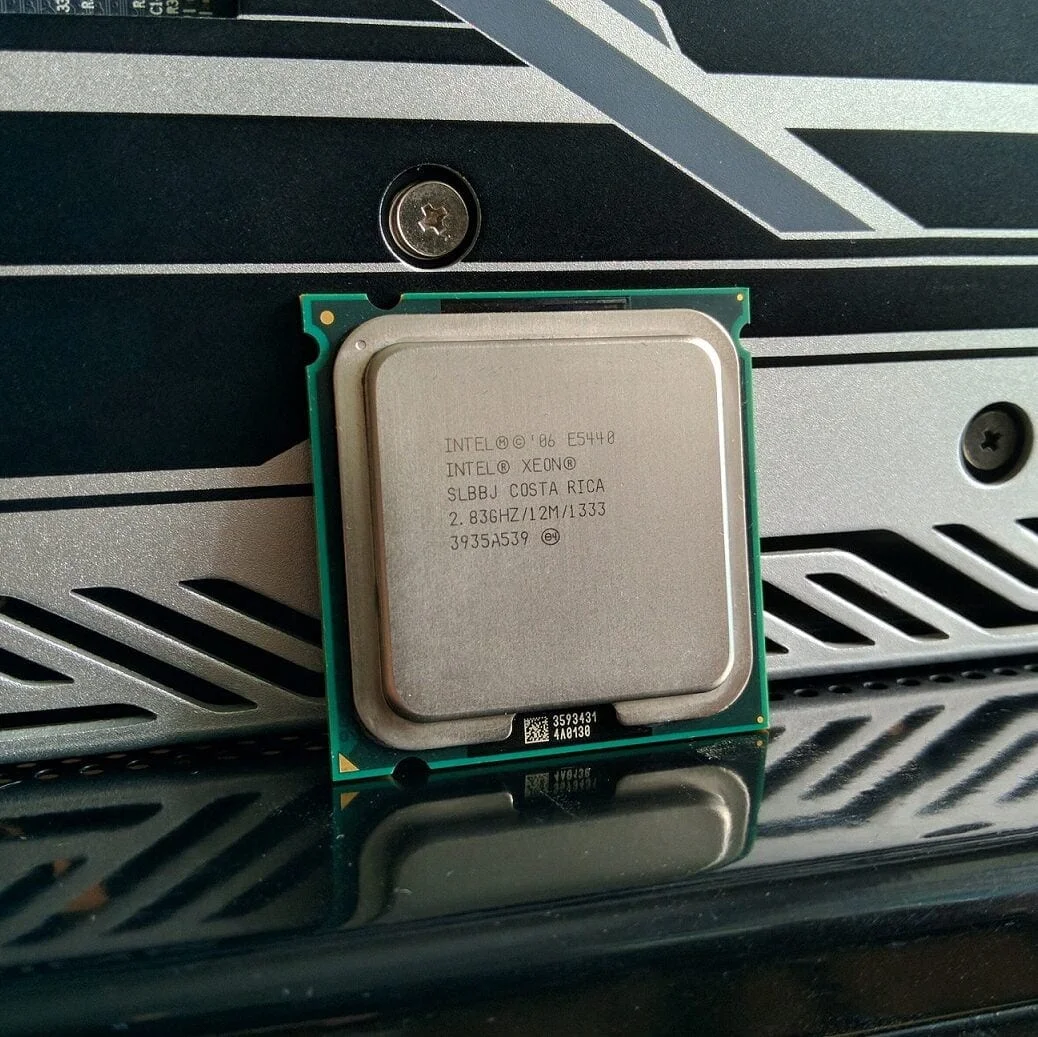
The sample under review is marked SLBBJ, manufactured in Costa Rica. Production of SLBBJ-marked chips began in early 2007, and they entered the OEM sector in the fall of 2008.
As you can see from the photo above, our test sample already has the necessary adapter (LGA 775 adapter) and modifications ("cutouts") for seamless installation of an LGA 771-compatible processor into an LGA 775 socket. This was taken care of by the Chinese web store.
If your sample lacks the adapter and cutouts, you'll have to perform these modifications manually, which can be a significant hassle.
The Xeon E5440 chip's codename is Harpertown (Penryn architecture). However, under its integrated heat spreader, this CPU actually houses two dual-core 45nm Wolfdale dies. This type of processor arrangement is colloquially known as a "chiplet." Our test sample is revision E0, which is good news as E0 is the best possible revision (referring to overclocking potential and power consumption. Besides E0, there's B1, the worst, and C0, which is relatively decent).
The Xeon E5440 features four cores with a nominal frequency of 2830MHz (8.5 multiplier, 333MHz FSB, 1333MHz effective FSB). The chip has 6MB of L2 cache per die (12MB total), and its stock voltage is set at 1.200 volts, which is why the E5440's TDP doesn't exceed 80 watts.
Due to the peculiarities of the LGA 775 platform, the Xeon E5440 supports both DDR2 and DDR3. This is because the memory controller resides in the northbridge, not the CPU itself. In our case, that's the P35. This chipset can work with both RAM standards, but our test motherboard specifically has DDR2 slots.
Thus, for our testing, we used four 2GB Kingston RAM sticks, totaling 8GB. The final "stock" frequency was 800MHz with 5-5-5-20 1T timings.
Among the E5440 processor's clear drawbacks is its lack of support for SSE4.2, an instruction set that's minimally required today. And believe me, that's a serious drawback, as this limitation can simply prevent the chip from even launching a game or application you need.
Xeon W3520
When first photographed three years ago, our Xeon W3520 test sample looked like this (back when our project was called "UmTale_OC"):
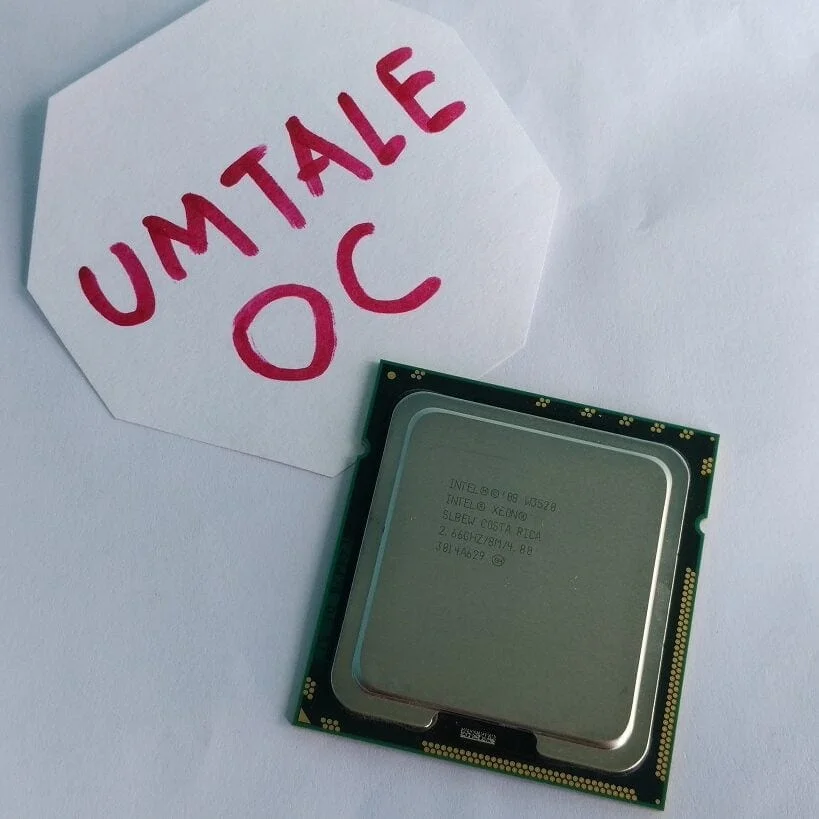 ⤢ ВІДКРИТИ
However, the quality of its heat spreader raised many questions (it was convex, at minimum), hindering adequate cooling for an already not-so-cool chip. So, we decided to lap it, and now the test sample looks like this:
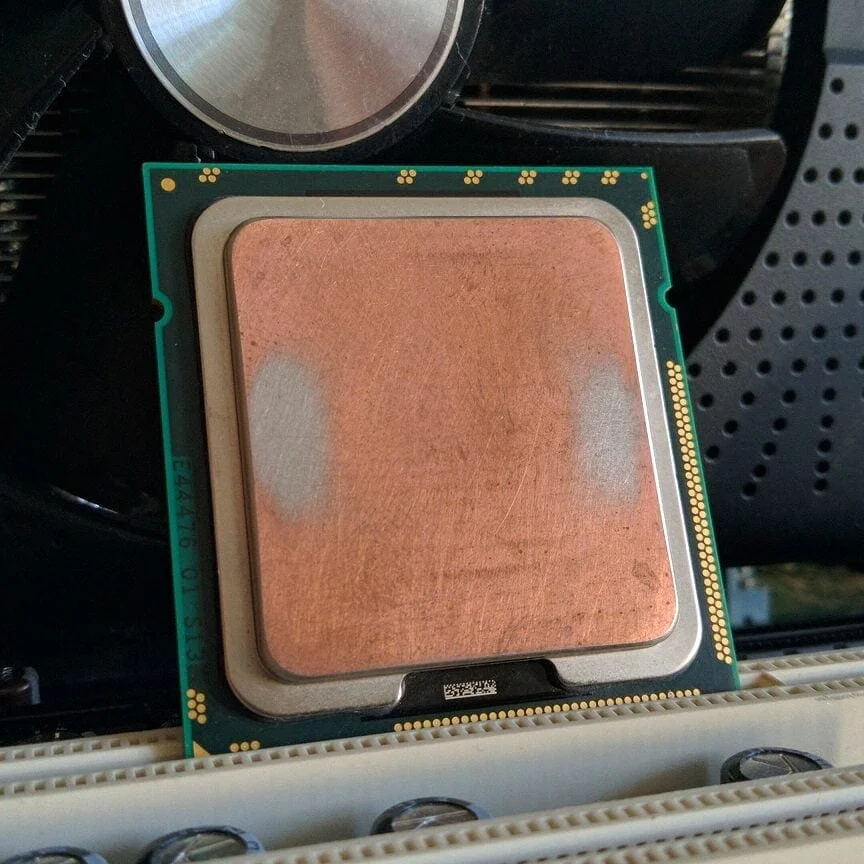 ⤢ ВІДКРИТИ
Our Xeon W3520 sample is marked SLBEW, manufactured in Costa Rica.
So, we're looking at a complete analog of the Core i7-920 chip. The only exception is the Xeon W3520's full support for error-correcting memory (DDR3 ECC, not to be confused with DDR3 ECC REG).
The Xeon W3520 is based on the 45nm Bloomfield D0 revision core (Nehalem architecture), featuring 4 cores and 8 threads operating at a base frequency of 2660MHz. The maximum all-core frequency is a modest 2800MHz. The chip has 8 megabytes of L3 cache and a triple-channel RAM controller, with their frequencies tied together at 2133MHz.
The W3520's maximum supported RAM speed is only 1066MHz. This is important to consider, as newer processors (X5550/X5570/X5660, etc.) support faster 1333MHz memory.
Among the W3520's notable features is its support for the currently essential SSE4.2 instruction set.
Although the DELL T3500 test motherboard supports triple-channel RAM, we limited ourselves to dual-channel memory. The reason is that most Chinese motherboards, like those from Huanan, only have two (sometimes four) DDR3 slots. This allows Chinese manufacturers to significantly save costs during production, but it restricts them to dual-channel operation.
This way, you'll be able to clearly assess the performance a Xeon W3520 chip can deliver when paired with dual-channel memory and an inexpensive Chinese motherboard.
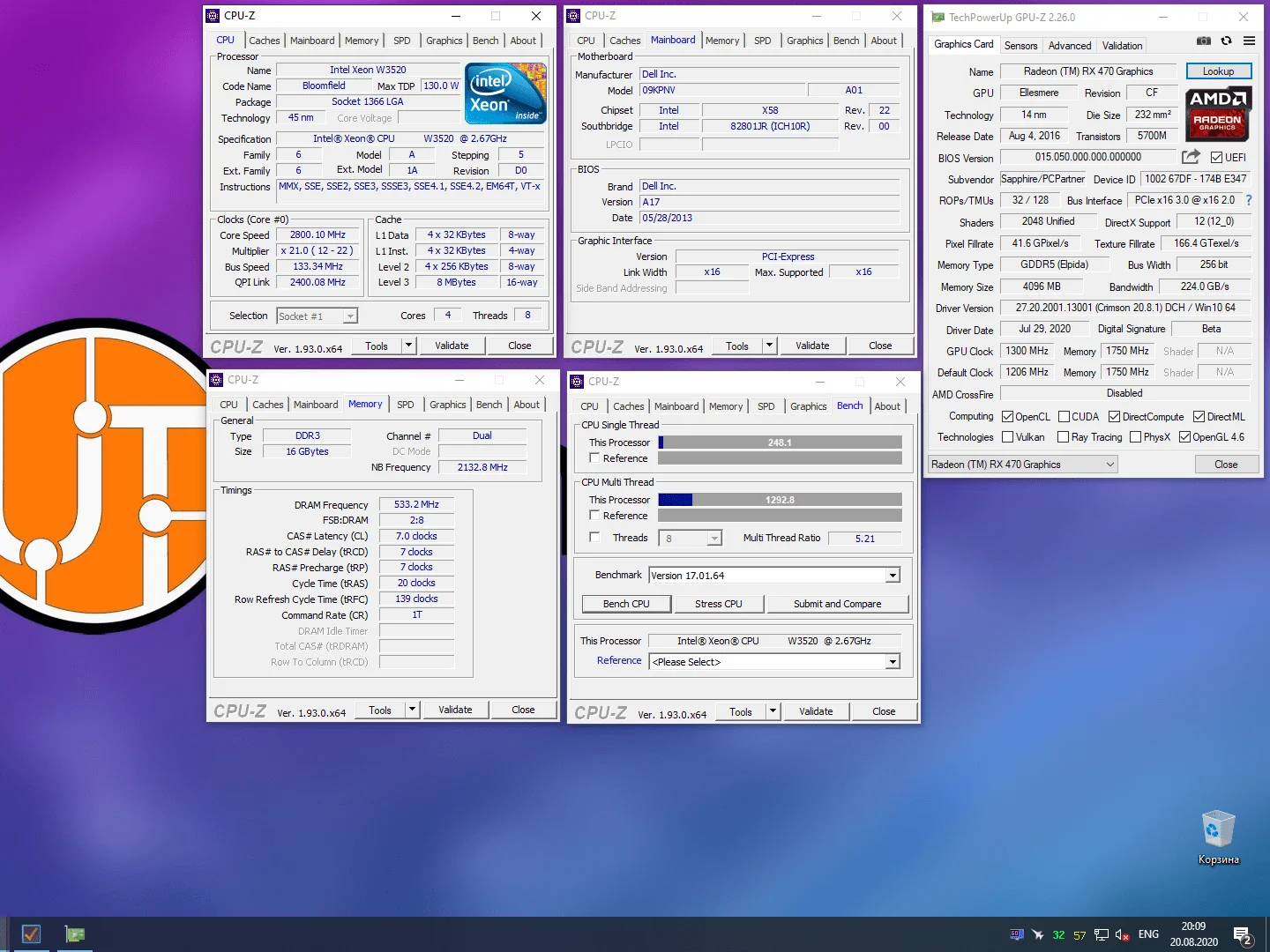 ⤢ ВІДКРИТИ
processor comparison table:
Processor | Xeon E5440 | Xeon W3520 |
Socket | LGA 775 (LGA 771) | LGA 1366 |
Base clock | 2830МГц | 2660МГц |
Max clock | 2830МГц | 2926МГц |
Max all-core clock | 2830МГц | 2800МГц |
Cores/modules | 4 | 4 |
Threads | 4 | 8 |
Process node | 45нм | 45нм |
L2 cache (per core) | ~3МБ | 256КБ |
L2 cache (per die) | 6МБ | 1МБ |
L2 cache(total) | 12МБ | 1МБ |
L3 cache | - | 8МБ |
L3/IMC/FSB clock | 1333МГц | 2133МГц |
TDP | 80 ватт | 130 ватт |
Memory controller | 2-канальний | 3-канальний |
Multiplier | Locked | Locked |
test rig:
Processors — Xeon E5440 and Xeon W3520
Cooling — Cooler Master Hyper 212 Black Edition (RR-212S-20PK-R1)
LGA 775 RAM - 4x 2GB Kingston (99U5429-007.A00LF 34CC2E04) for a total of 8GB
LGA 1366 RAM — 2x 8GB HyperX Genesis Na’Vi Edition (KHX16C9C2K2/8) for a total of 16GB
LGA 775 motherboard - Biostar P35D2-A7 with a modified BIOS from TP35D2-A7 and built-in support for Xeon E5xxx chips for the LGA 771 platform
LGA 1366 motherboard — DELL T3500 (09KPNV)
Graphics card — Sapphire NITRO Radeon RX470 (1300/7000MHz, Power Limit 150%)
SSD — KINGSTON 120GB SA400S37120G (Windows 10/applications)
HDD — Seagate 2TB ST2000DM008-2FR102 (games)
PSU — Chieftec GPS-1250C
software:
Windows 10 Pro v1909 x64
CPU-z v1.93.0 x64
AIDA64 v6.10.5200
AMD Adrenalin 2020 Edition 20.8.1
Cinebench R15.38
Cinebench R20.060
xNormal 3.19.3.39669 x64 (NM Map smoothing x4, AO Map smoothing x1)
HWBot x265 Benchmark v2.0.0
WinRar v5.91 x64
7-Zip v20.02 alpha x64
games:
Counter-Strike: Global Offensive (FPS Benchmark v1.01 from the Steam Workshop)
Destiny 2 (custom Gambit map)
Division 2 (benchmark)
For Honor (benchmark)
xeon E5440 overclocking
To start, overclocking any LGA 775-compatible processor heavily depends on the quality and potential of the installed RAM. While DDR3 offers a lot of headroom (relatively easy 4GHz), with DDR2 (which most of these motherboards use), overclocking can end before it even begins.
In our case, the relatively high 333MHz (1333MHz effective) system bus frequency further complicates matters, severely limiting the available RAM divider options.
But that's all theory; let's see what happens in practice:
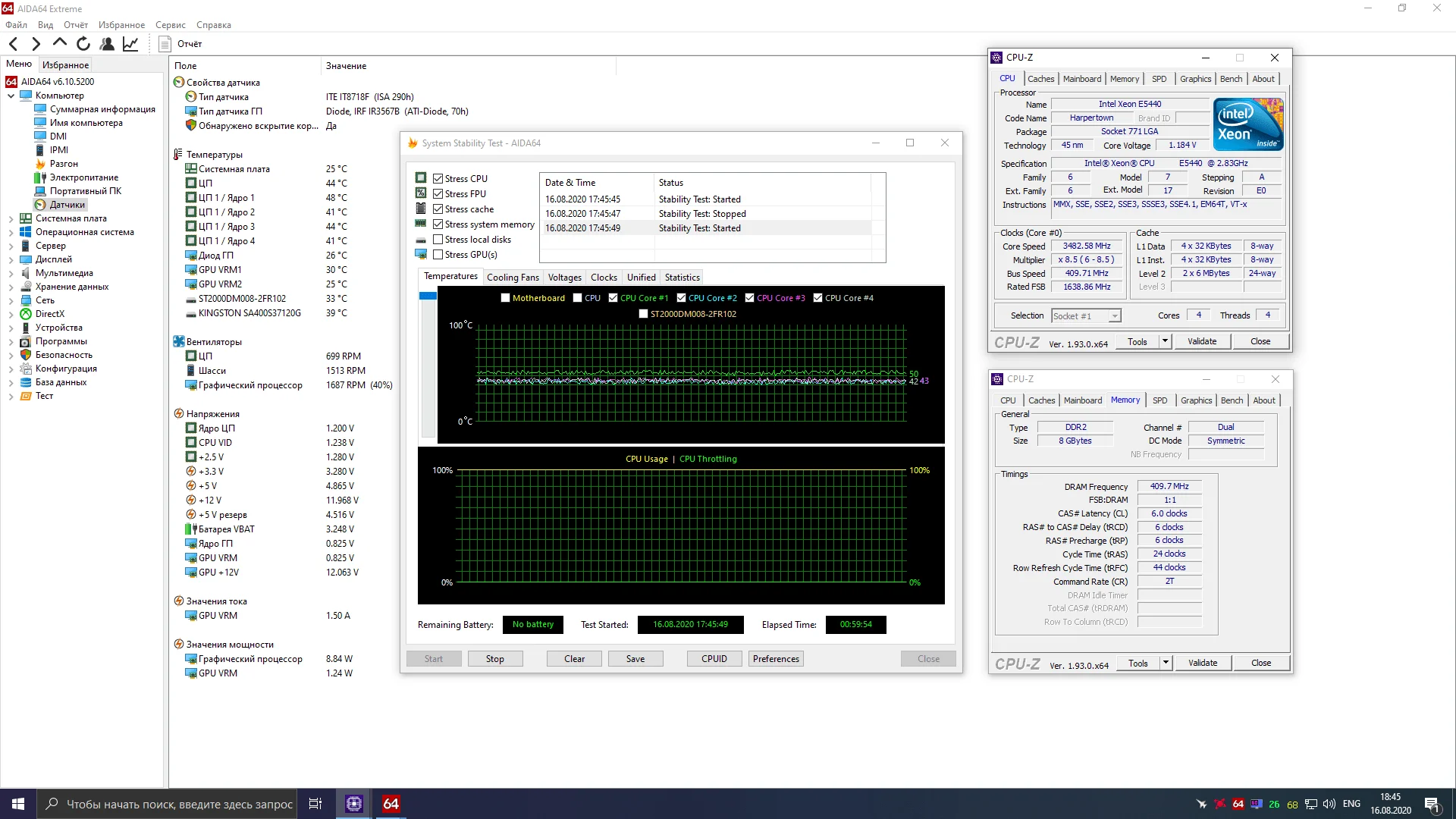
First, I left all voltages at stock and set a target FSB of 400MHz, resulting in a 3400MHz CPU frequency. With these settings, the chip easily completed an hour-long AIDA64 stress test, which wasn't particularly surprising. Next, I again left all voltages at stock and set the system bus frequency to 410MHz. The chip once again proved perfectly stable:
 ⤢ ВІДКРИТИ
However, at 420MHz FSB, the E5440 couldn't even manage 5 minutes of stress testing. At this point, I was sure it was time to increase core voltage. After adding 0.075 volts to the base voltage, the chip lasted 16 minutes of stress testing before crashing with a blue screen. So, I then made the first voltage increase to the FSB (and by extension, the P35 northbridge) to 1.350 volts. But that didn't help. The processor still crashed around the 15-20 minute mark of the stress test. Increasing core voltage to 1.350 volts (+0.150) also yielded nothing — just more blue screens.
I was baffled but didn't give up. After several hours of tweaking settings and fruitless attempts to get the processor stable at 420MHz FSB, I intentionally pushed all supply voltages to their reasonable maximums: vCore – 1.400v, FSB – 1.450v, SB – 1.450v, vDDR2 – 2.200v, but even that didn't help!
And frankly, there was little point, as the Core 2 Quad Q9400 in our test lab comfortably hit 3900MHz with the same BIOS settings.
Based on my research, I concluded that our current motherboards are poorly suited for overclocking LGA771-compatible CPUs.
Nevertheless, I continued: By slightly lowering the system bus frequency to 414MHz, dropping the CPU voltage to 1.260 volts, and the northbridge voltage to 1.350 volts, I managed to achieve a stable 3520MHz:
E5440 overclocking settings in BIOS:
FSB frequency - 414MHz
RAM frequency - 667MHz
PCIe frequency - 101
CPU voltage - +0.075v (1.260v)
Northbridge voltage - 1.350v
RAM voltage - 2.000v
And this is, to put it mildly, "not much." Given the E5440's relatively high multiplier, I was hoping for at least 3900MHz. But, apparently, it wasn't meant to be.
It's time to check the performance gains from the overclock. Let's get to it.
xeon E5440 and W3520 application benchmarks:
 ⤢ ВІДКРИТИ
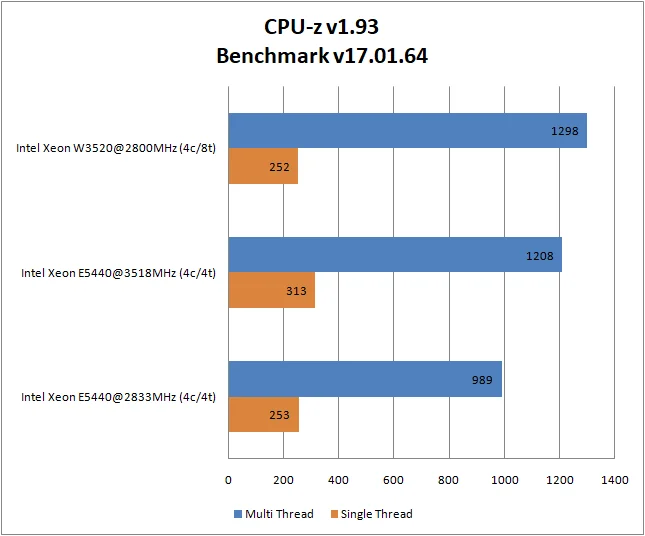
The CPU-z benchmark exclusively demonstrates "raw" computational CPU power (I'd even say in a vacuum). In this test, the overclocked E5440 came very close to the W3520 but couldn't surpass it. However, it's worth noting that, in theory, 4-threaded applications should perform slightly better on the forced E5440 than on the stock W3520. We'll find out if that's the case in subsequent benchmarks:
 ⤢ ВІДКРИТИ
 ⤢ ВІДКРИТИ
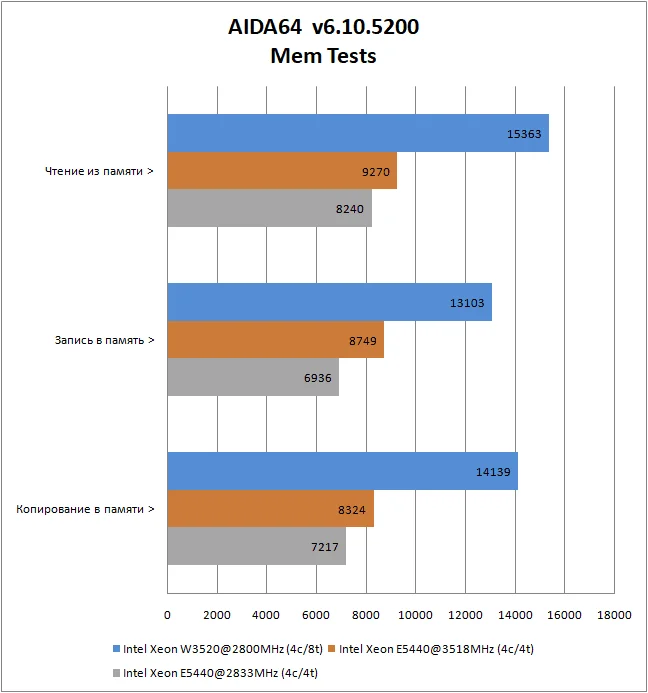
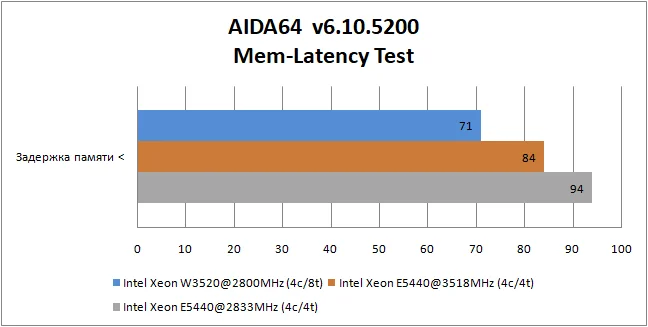
In the AIDA64 memory subsystem test, the Xeon W3520 predictably wins (even with 2-channel memory instead of 3-channel), leaving the E5440 no chance. After all, an integrated memory controller is a significant advantage in bandwidth tests.
 ⤢ ВІДКРИТИ
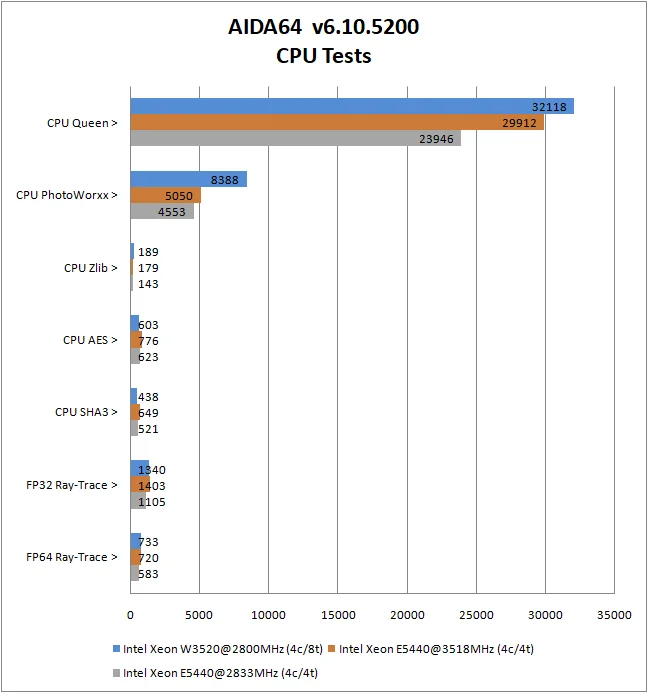
In AIDA64's compute sub-tests, the situation isn't as clear-cut. For instance, in encryption (CPU AES), virtual processor threads (Hyper Threading) aren't utilized, making the overclocked Xeon E5440's higher frequency more advantageous than the W3520's eight threads. The same applies to the hashing algorithm (CPU SHA3), which also doesn't benefit much from virtual threads.
In other sub-tests, the processors were either evenly matched (referring to the overclocked E5440 and stock W3520), or the W3520 slightly outperformed the E5440.
 ⤢ ВІДКРИТИ
 ⤢ ВІДКРИТИ
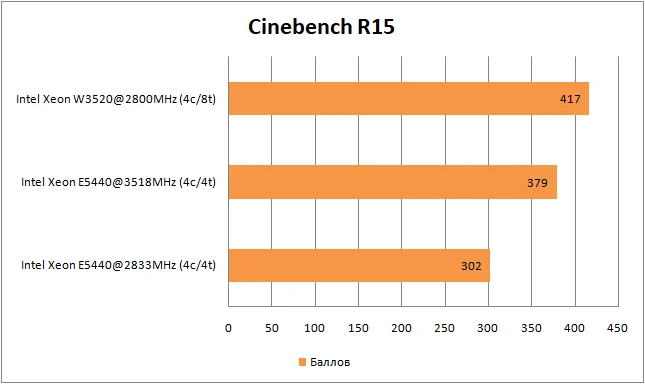
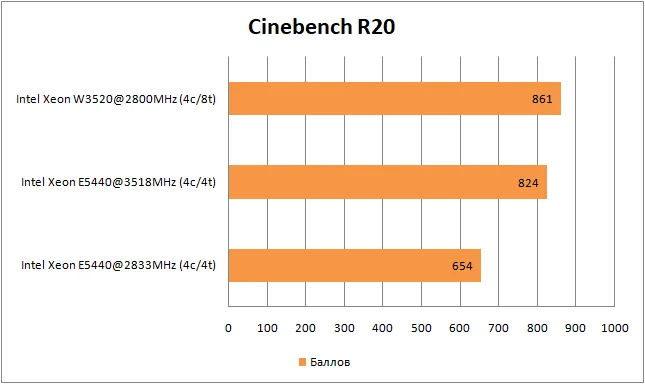
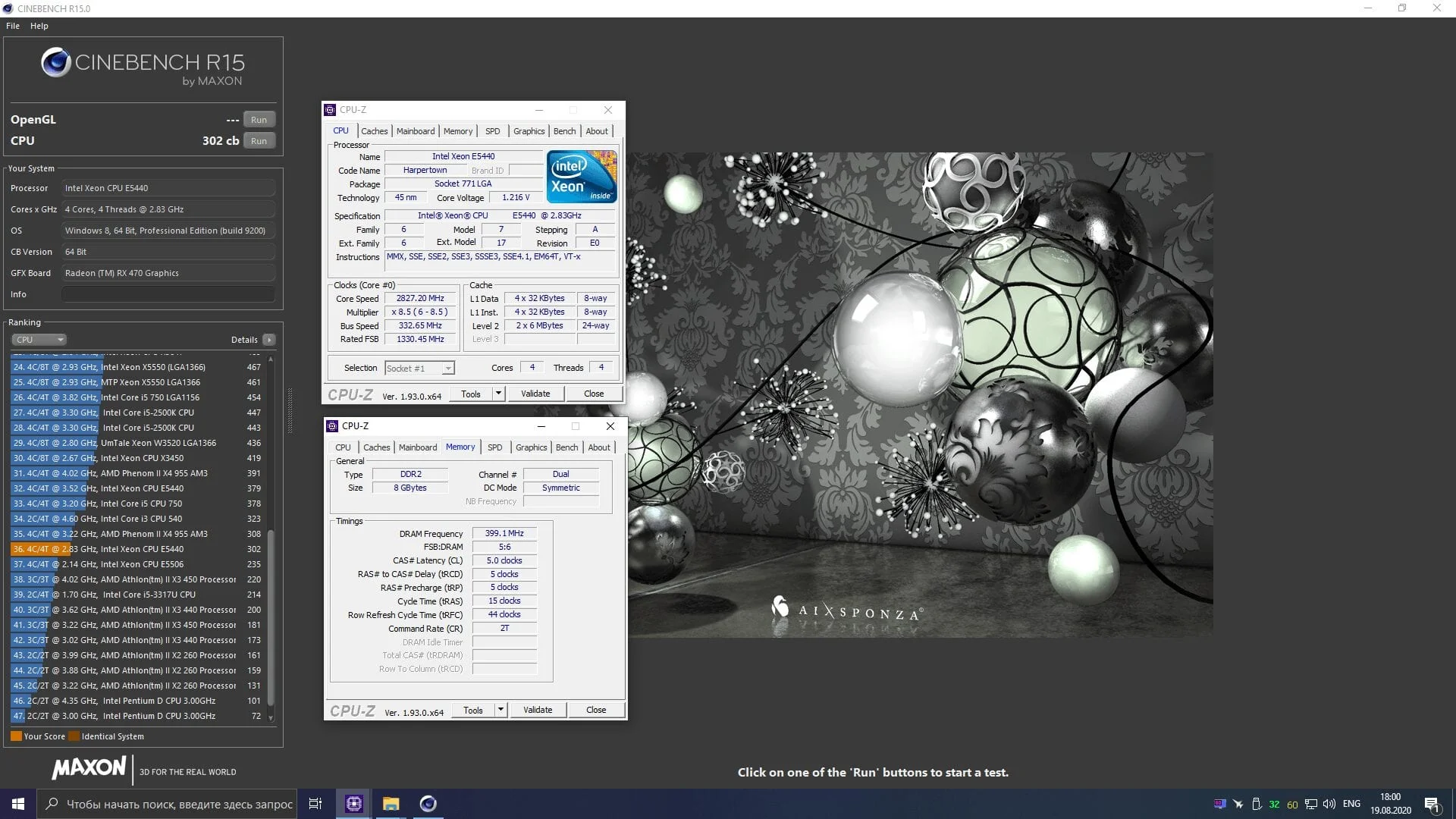
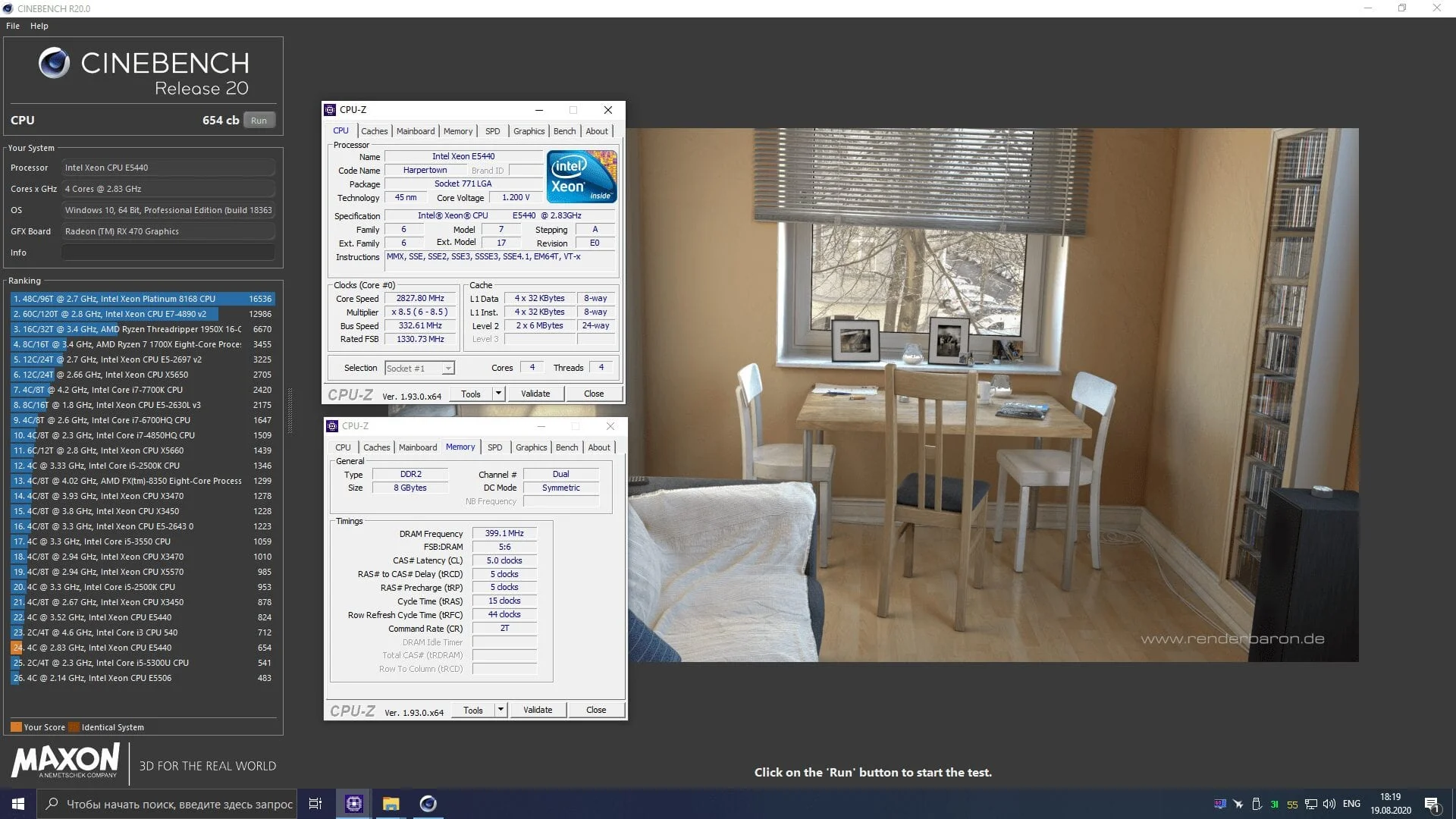
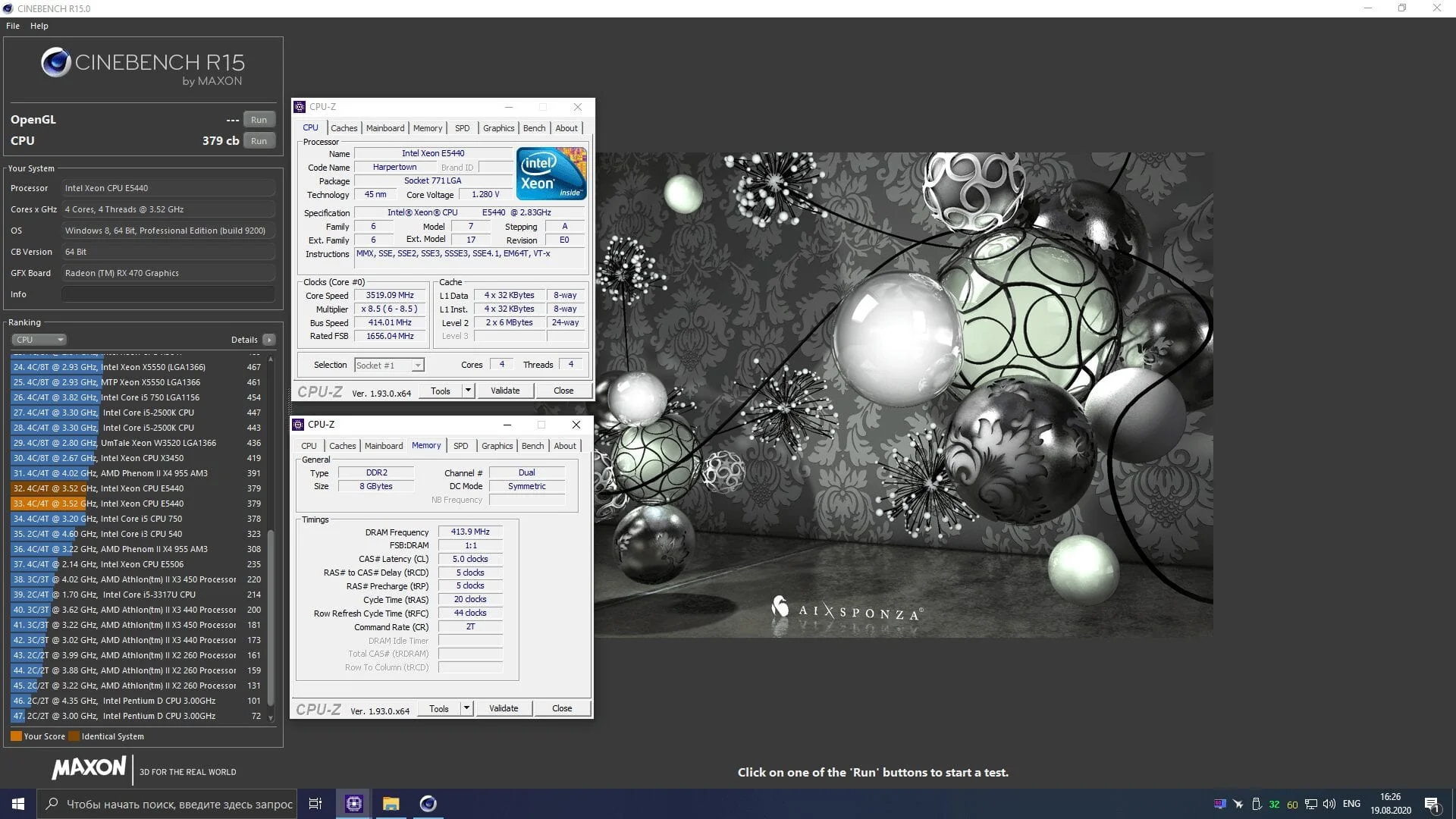
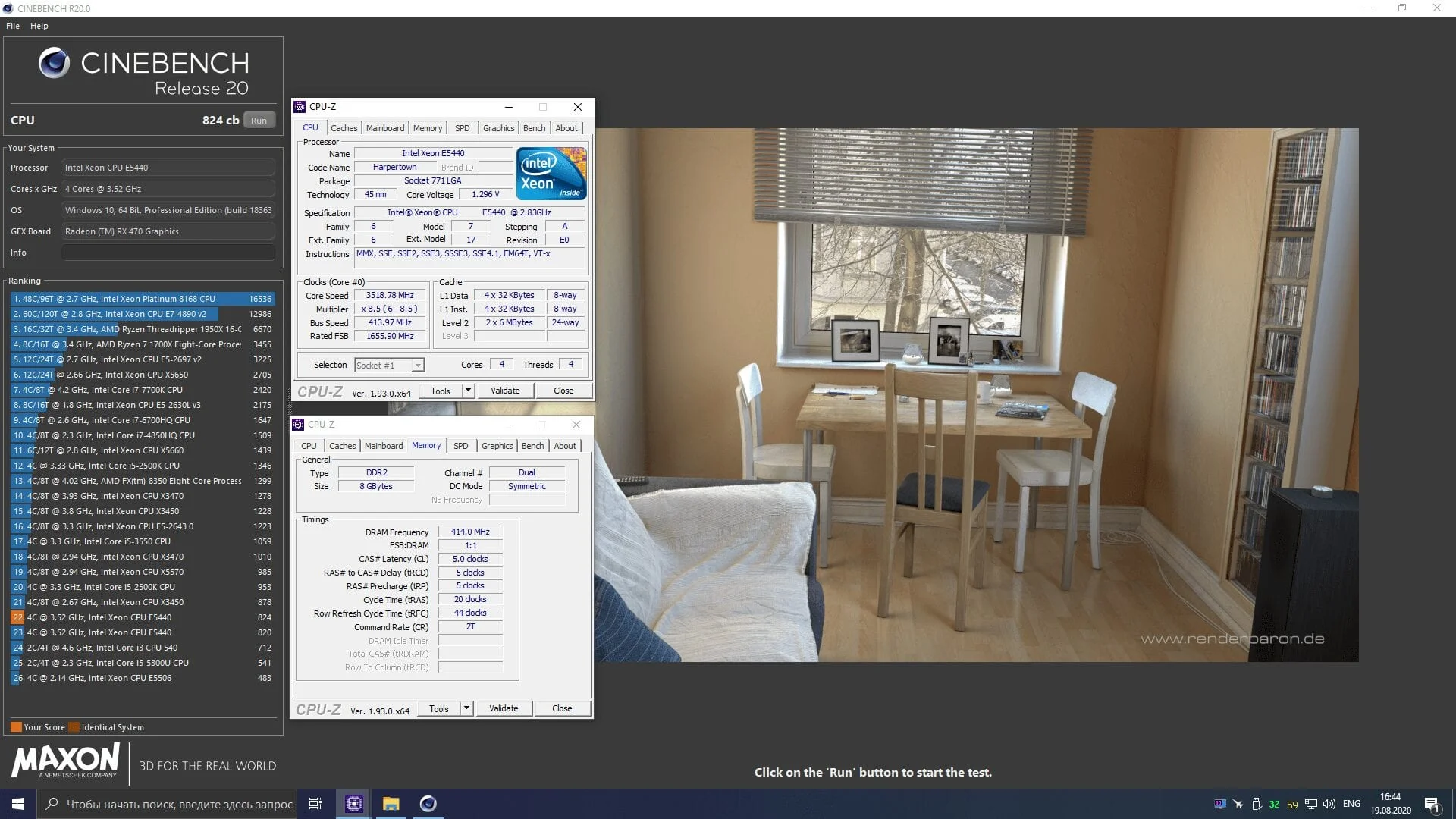
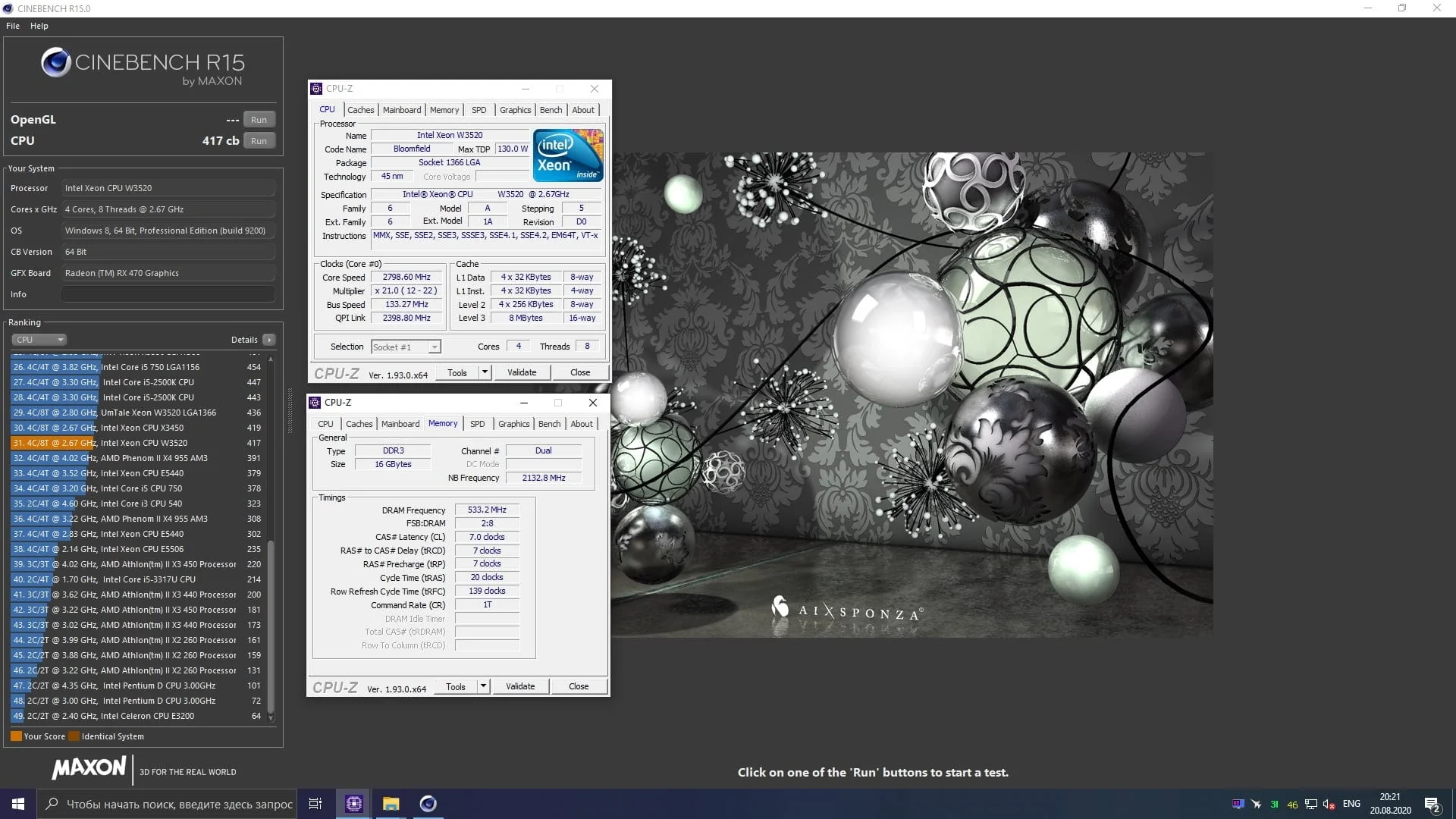
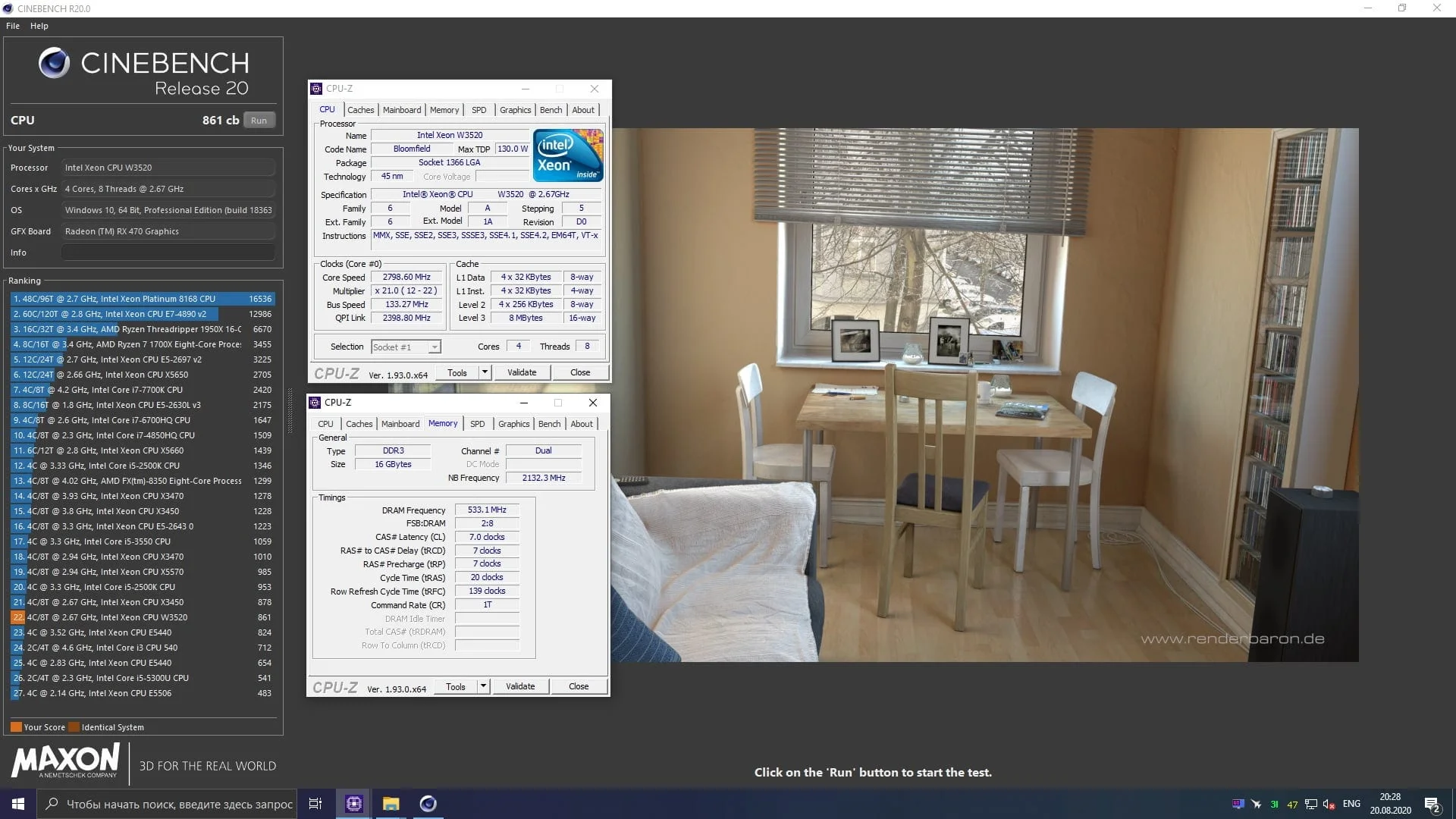
The aging Cinebench R15 clearly shows that even when overclocked to 3520MHz, the E5440 chip significantly lags behind the W3520. However, the modern version of the benchmark tells a different story. In the current Cinebench R20, the boosted E5440 nearly caught up to the stock W3520, which frankly surprised me immensely.
Theoretically, 8 threads and the highly relevant SSE4.2 extension set should have given the W3520 a much larger lead than in Cinebench R15. But apparently, the developers of Cinema 4D don't see it that way.
 ⤢ ВІДКРИТИ
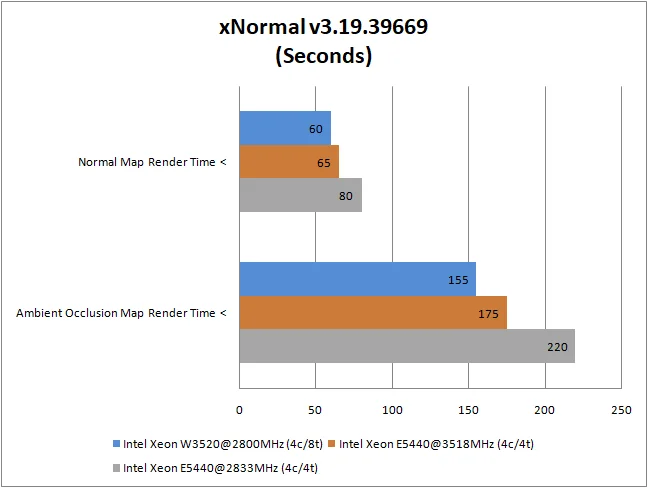
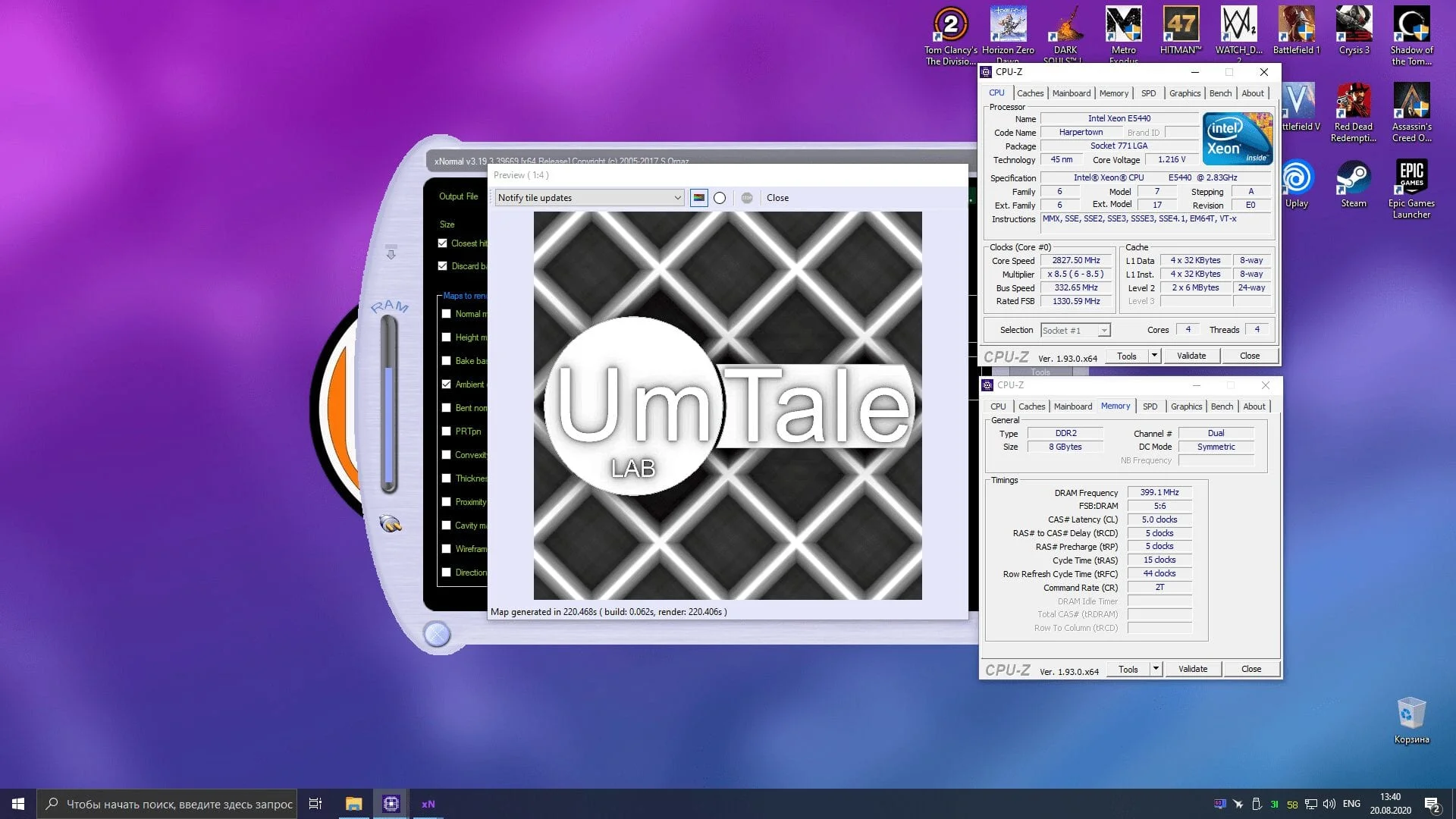
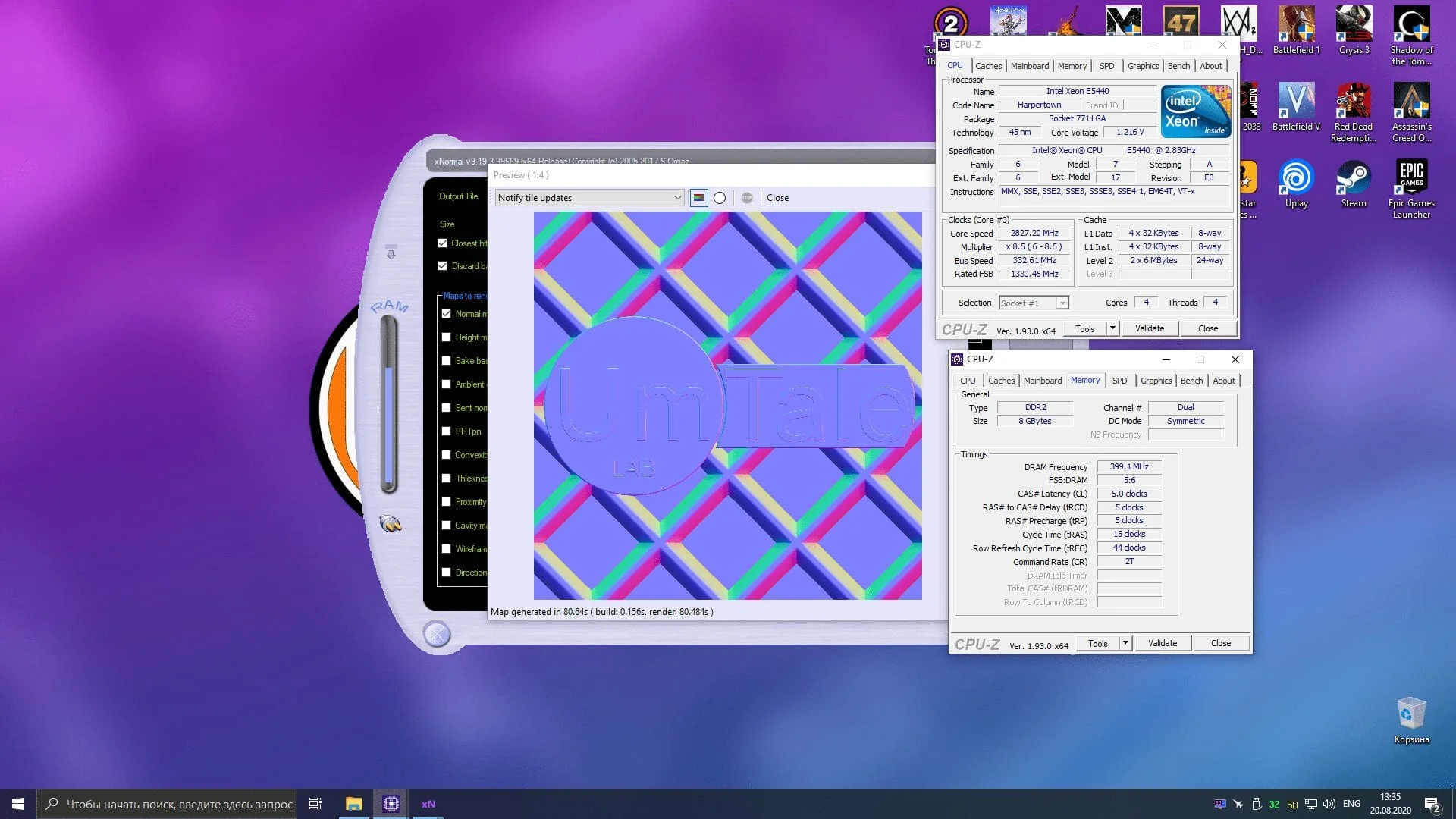
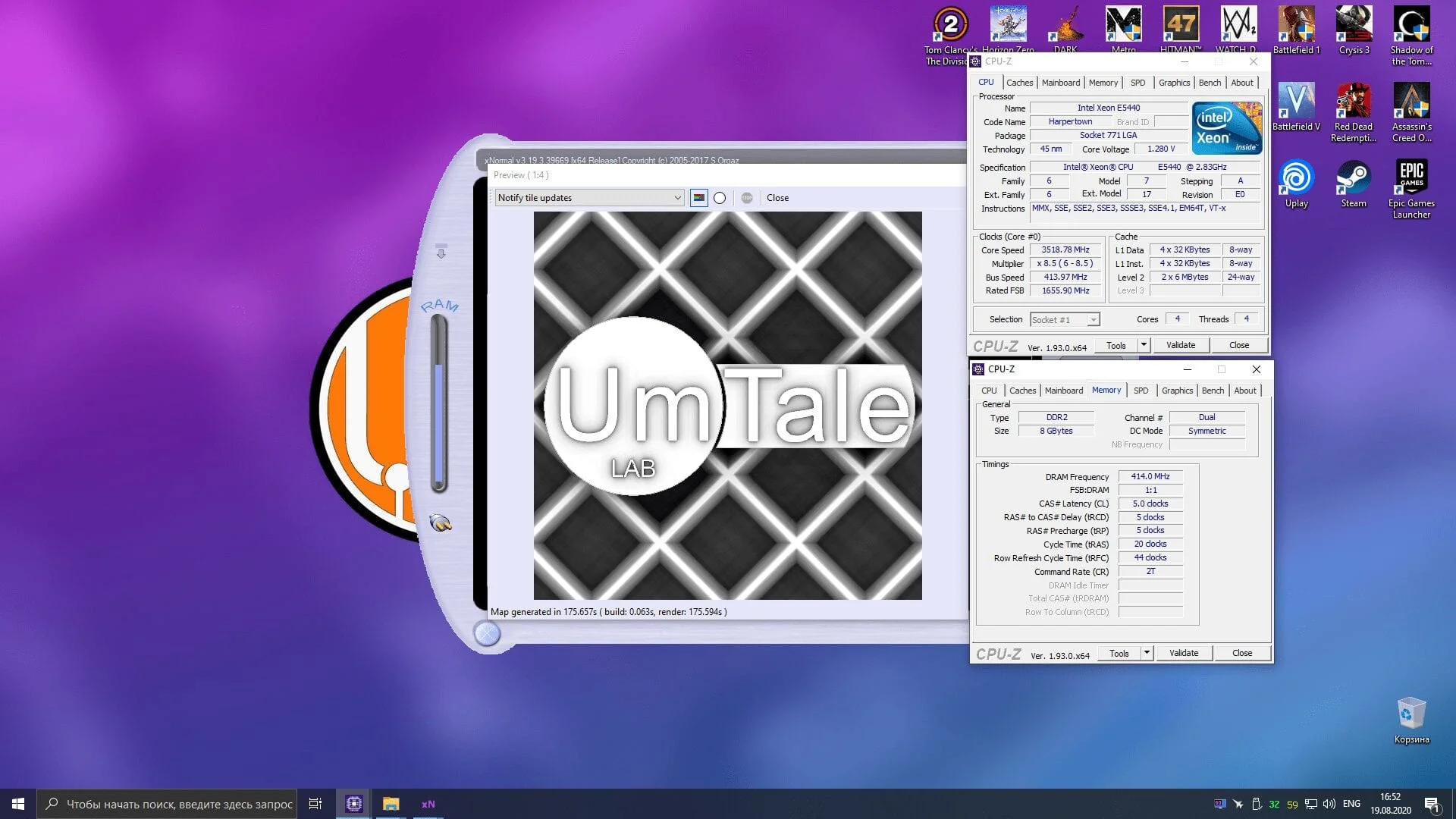
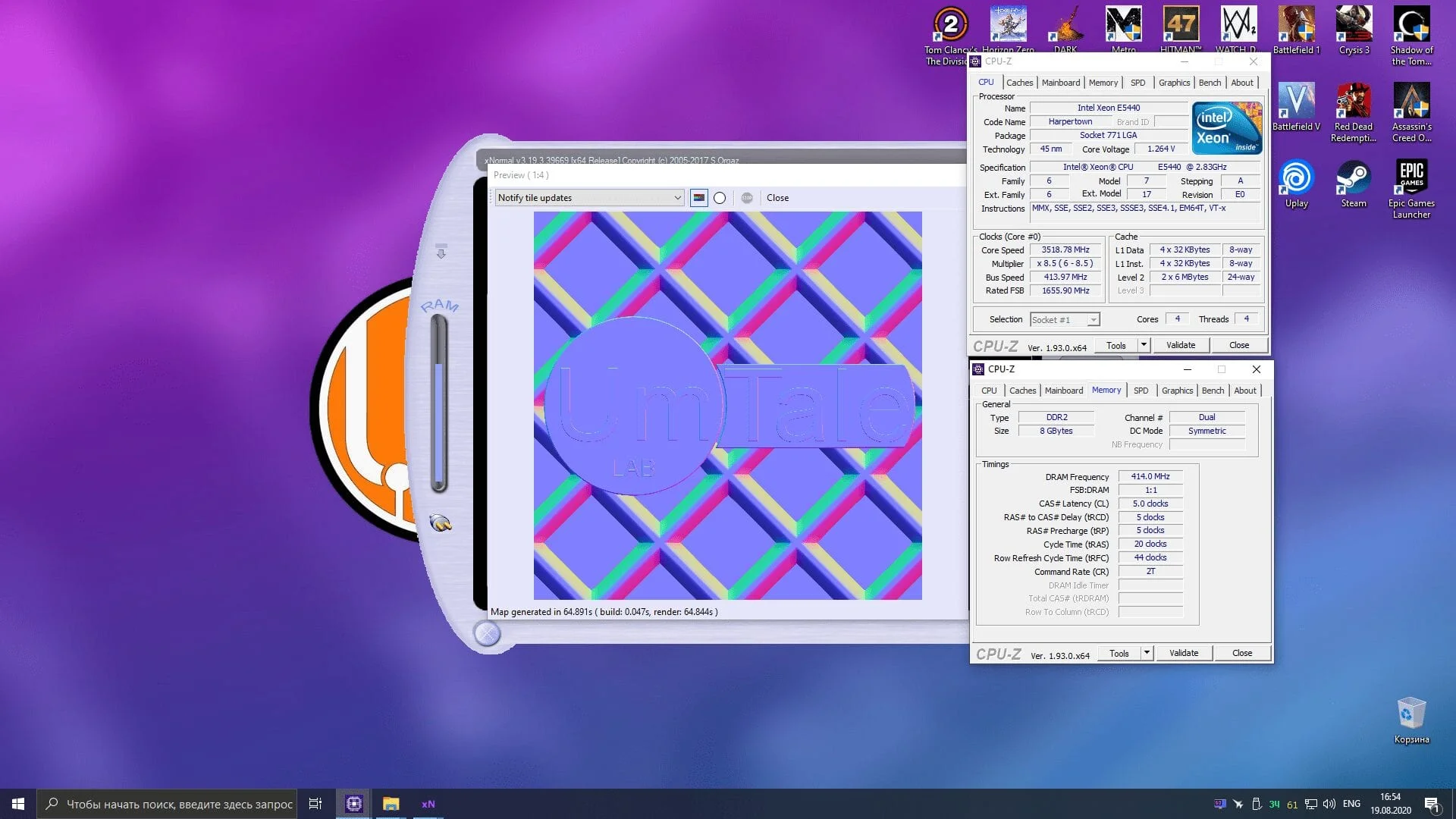
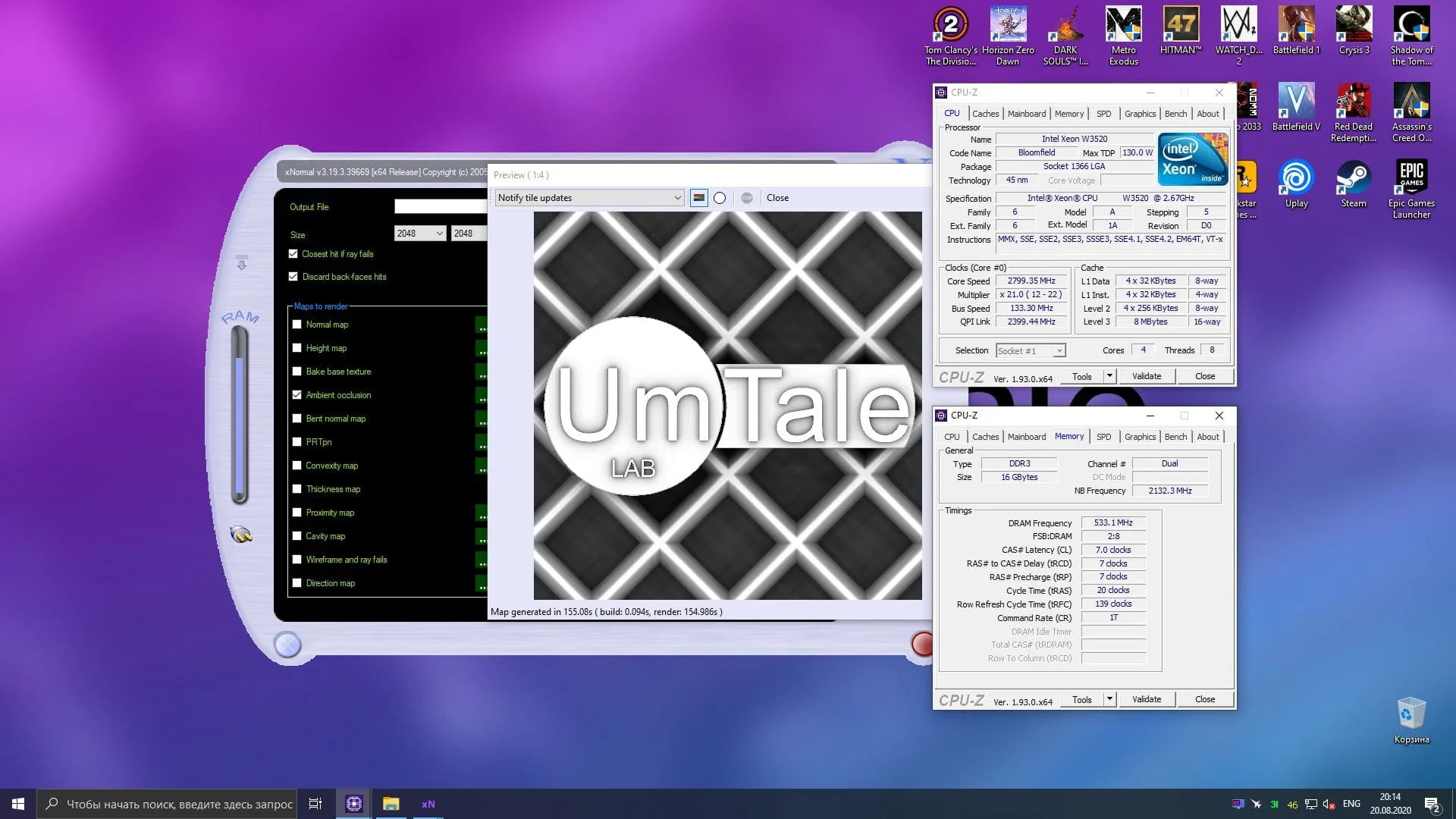
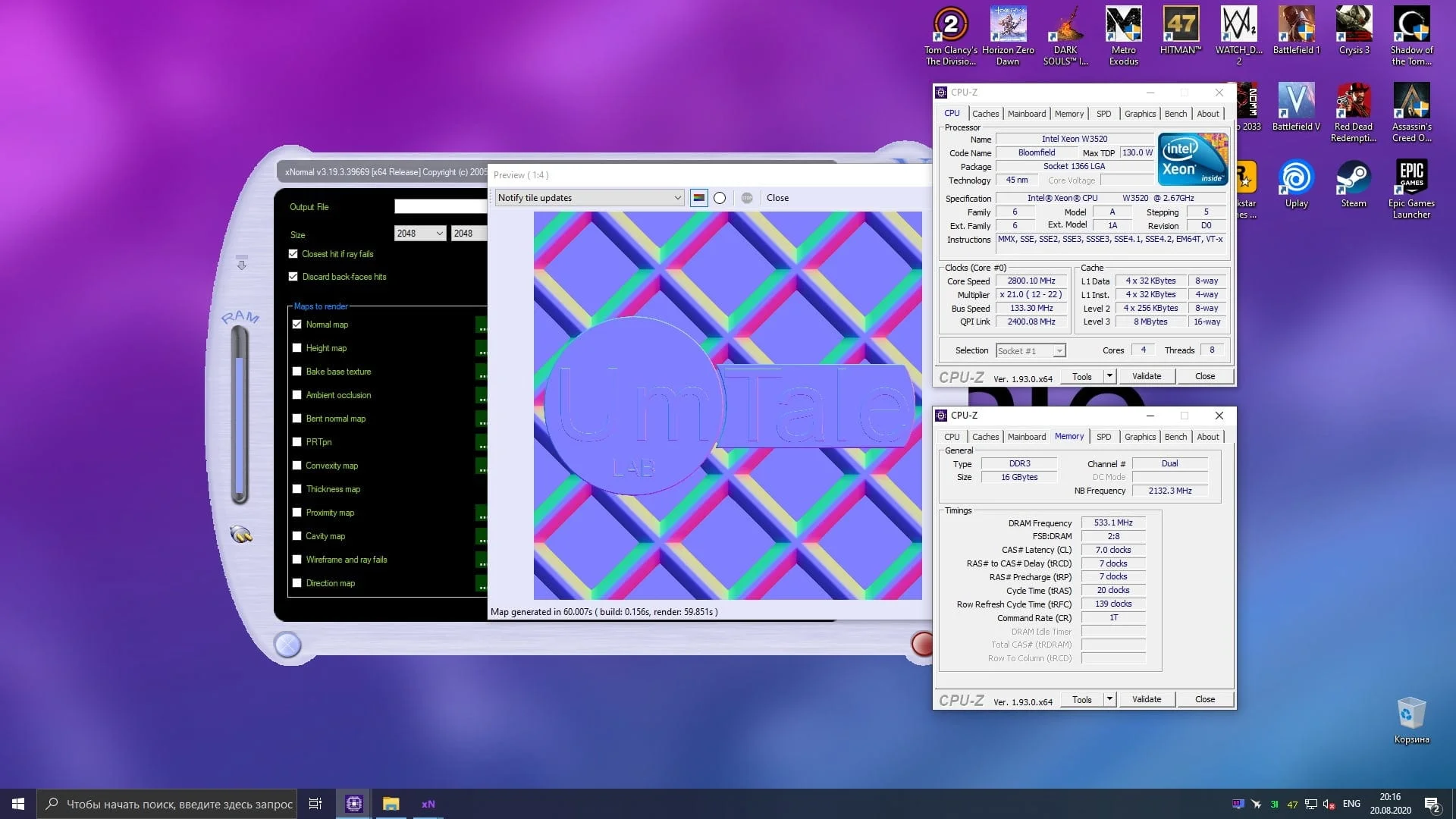
However, in xNormal, the most popular texture baking software among 3D artists, the 8-threaded W3520 processor's advantage is only truly noticeable over the stock E5440. When overclocked, the LGA775 platform chip performs quite well, essentially nipping at the heels of the more powerful chip.
 ⤢ ВІДКРИТИ
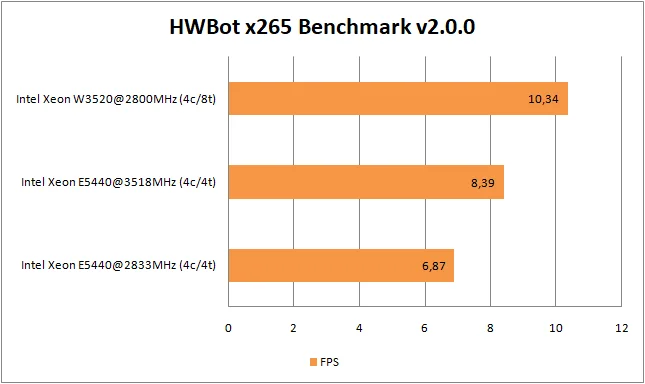
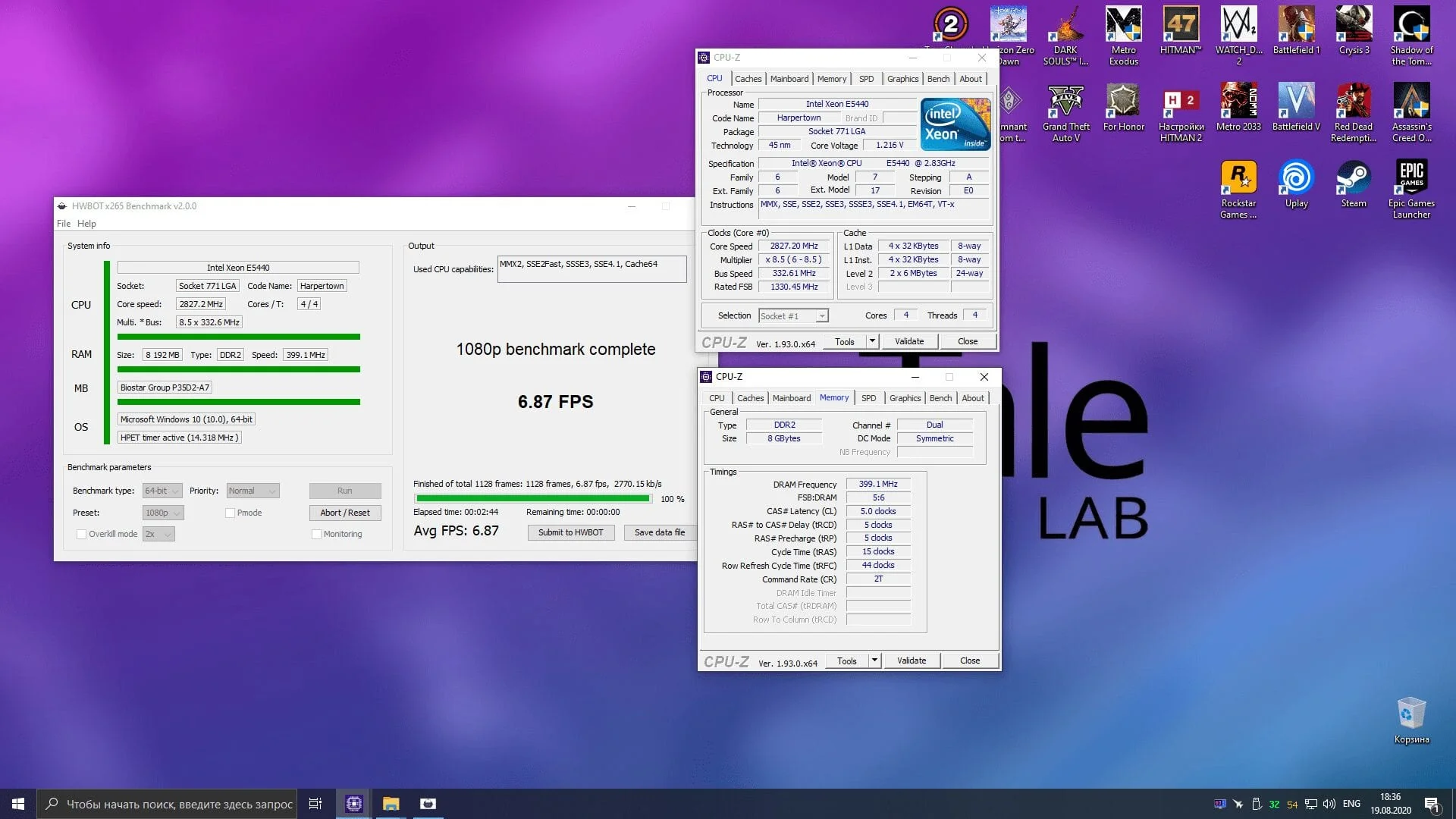
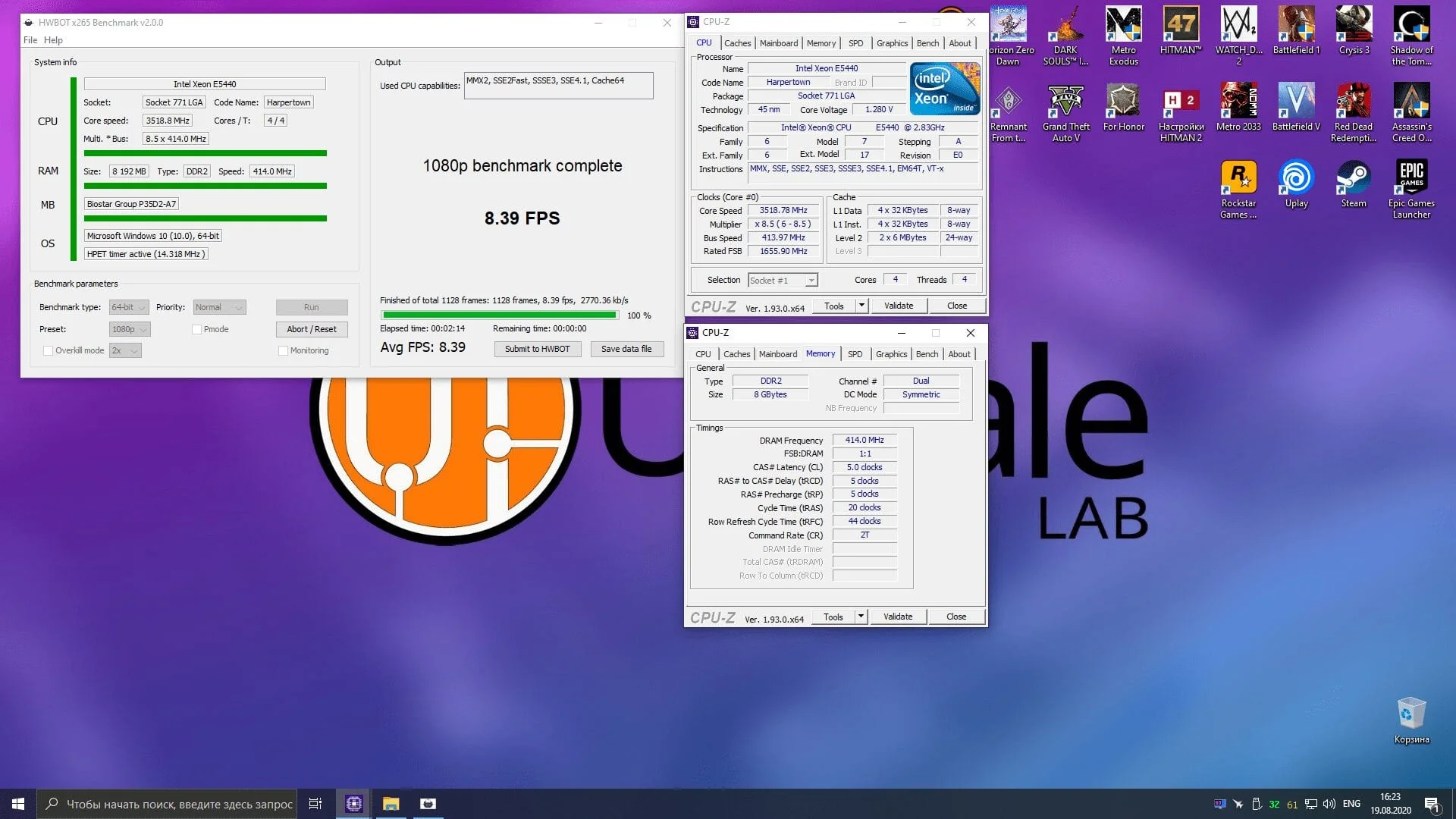
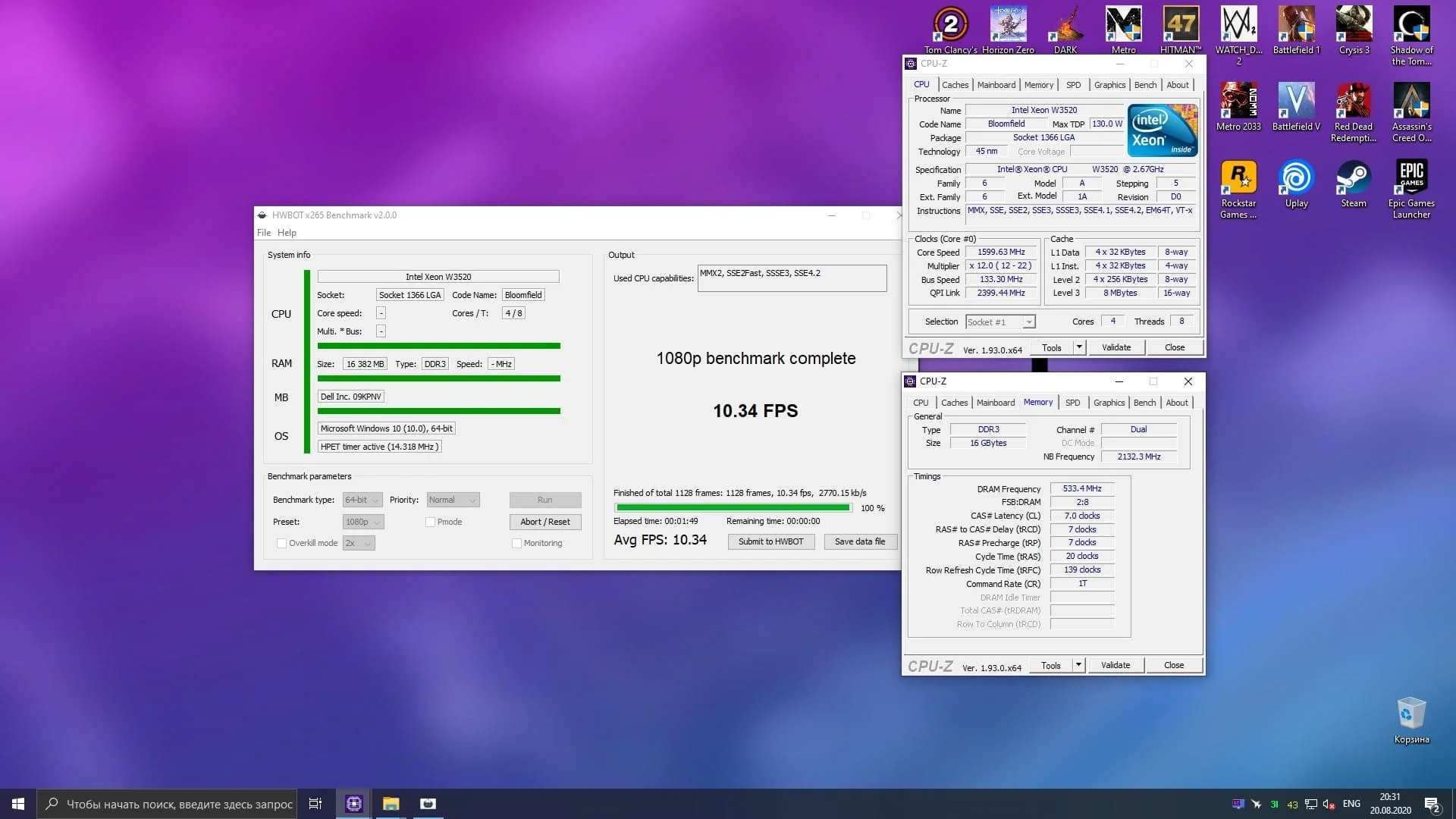
The same cannot be said for video encoding in the HWBot x265 Benchmark. Here, the W3520 chip remains out of reach for the E5440 at any frequency.
 ⤢ ВІДКРИТИ
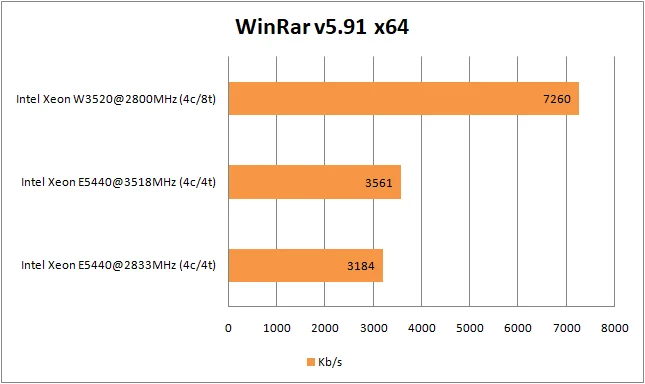
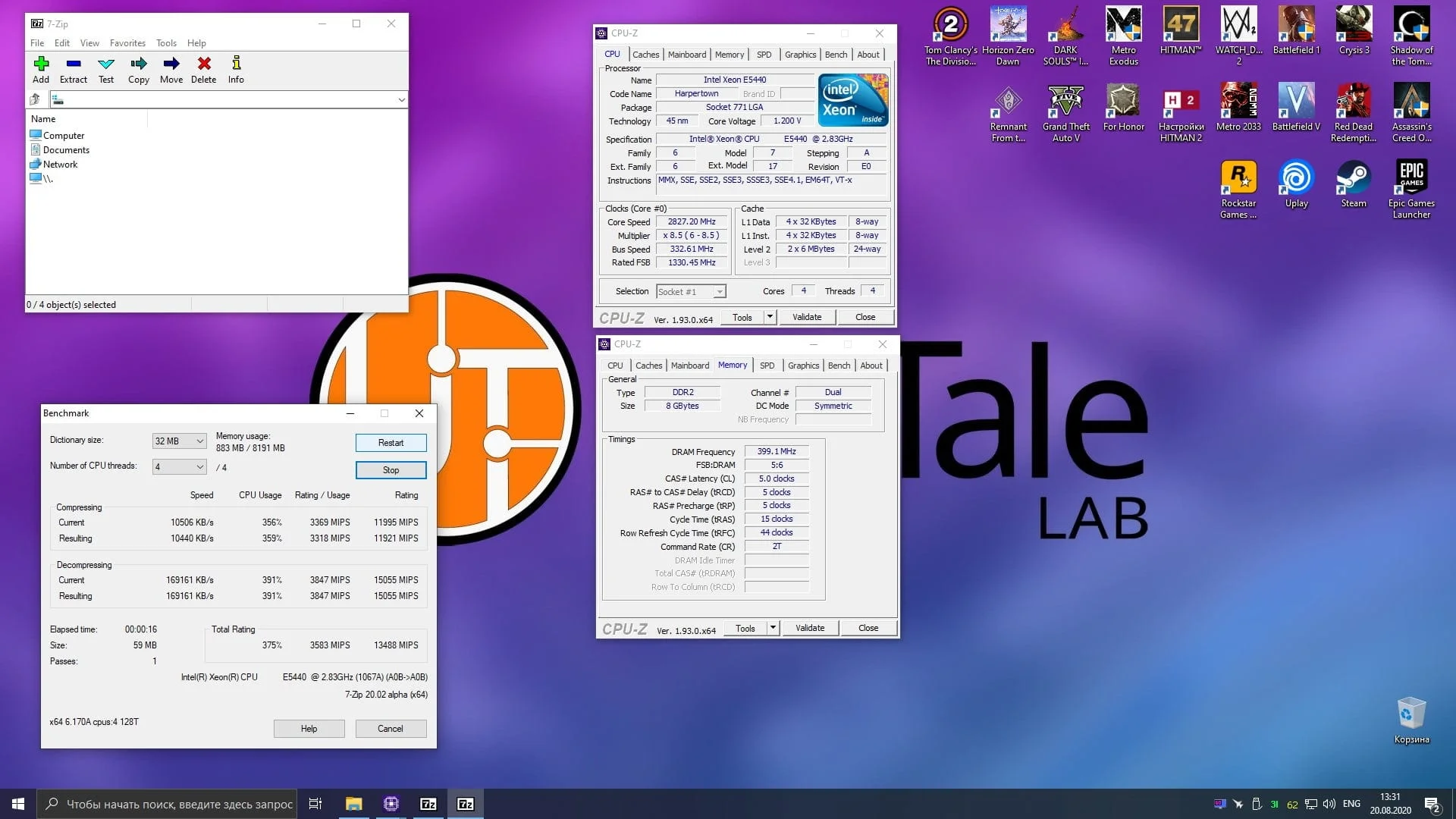
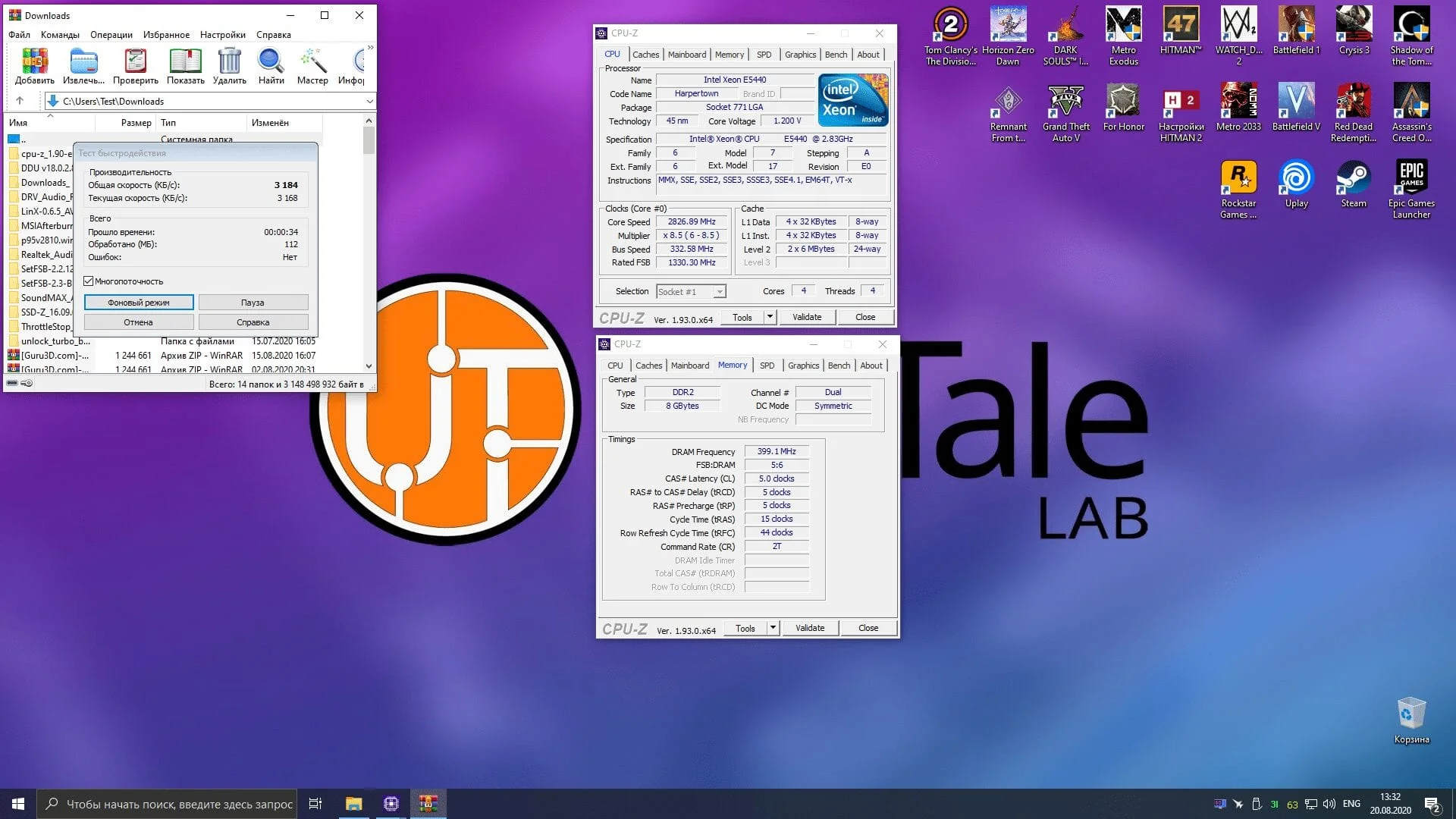
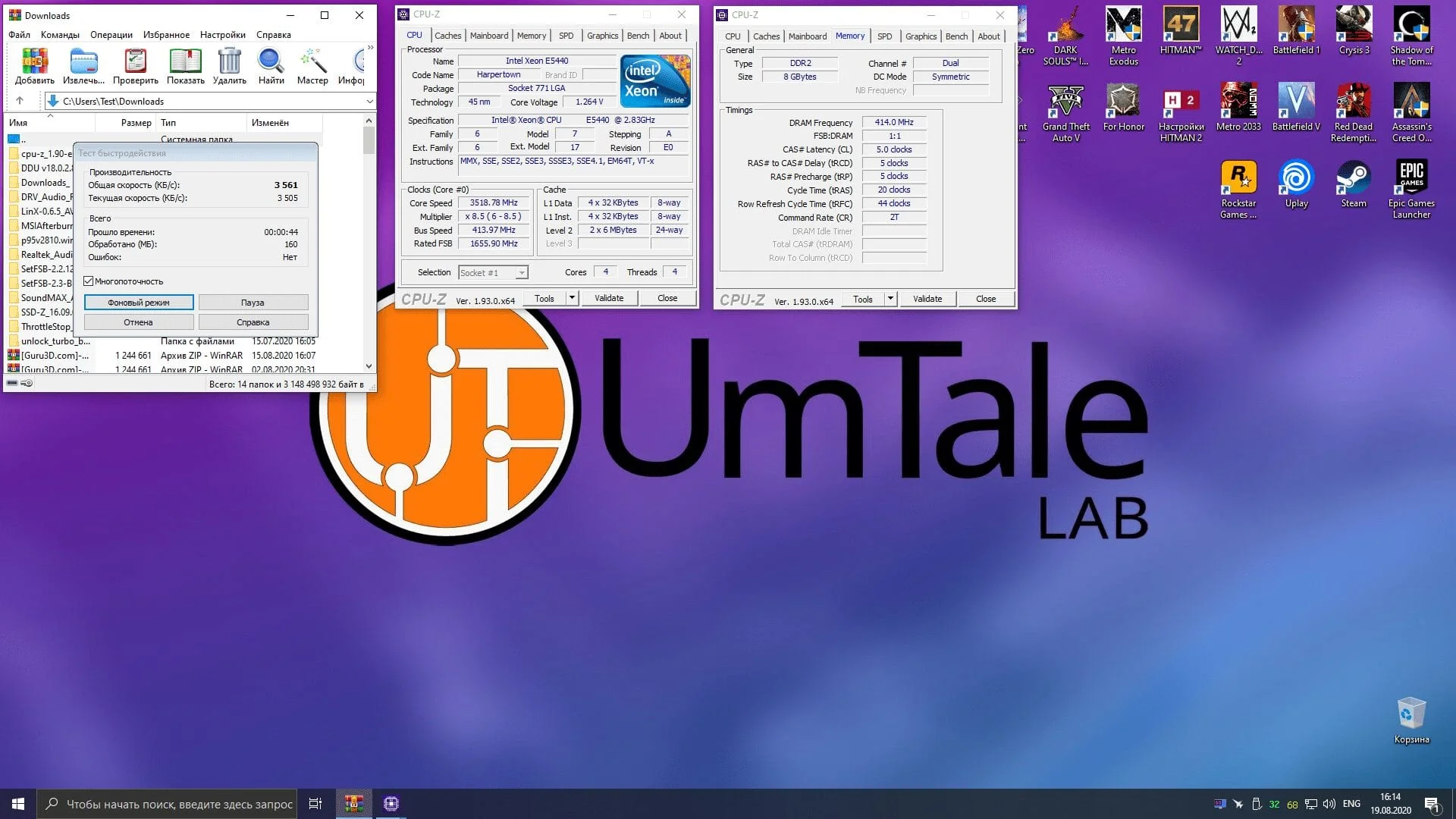
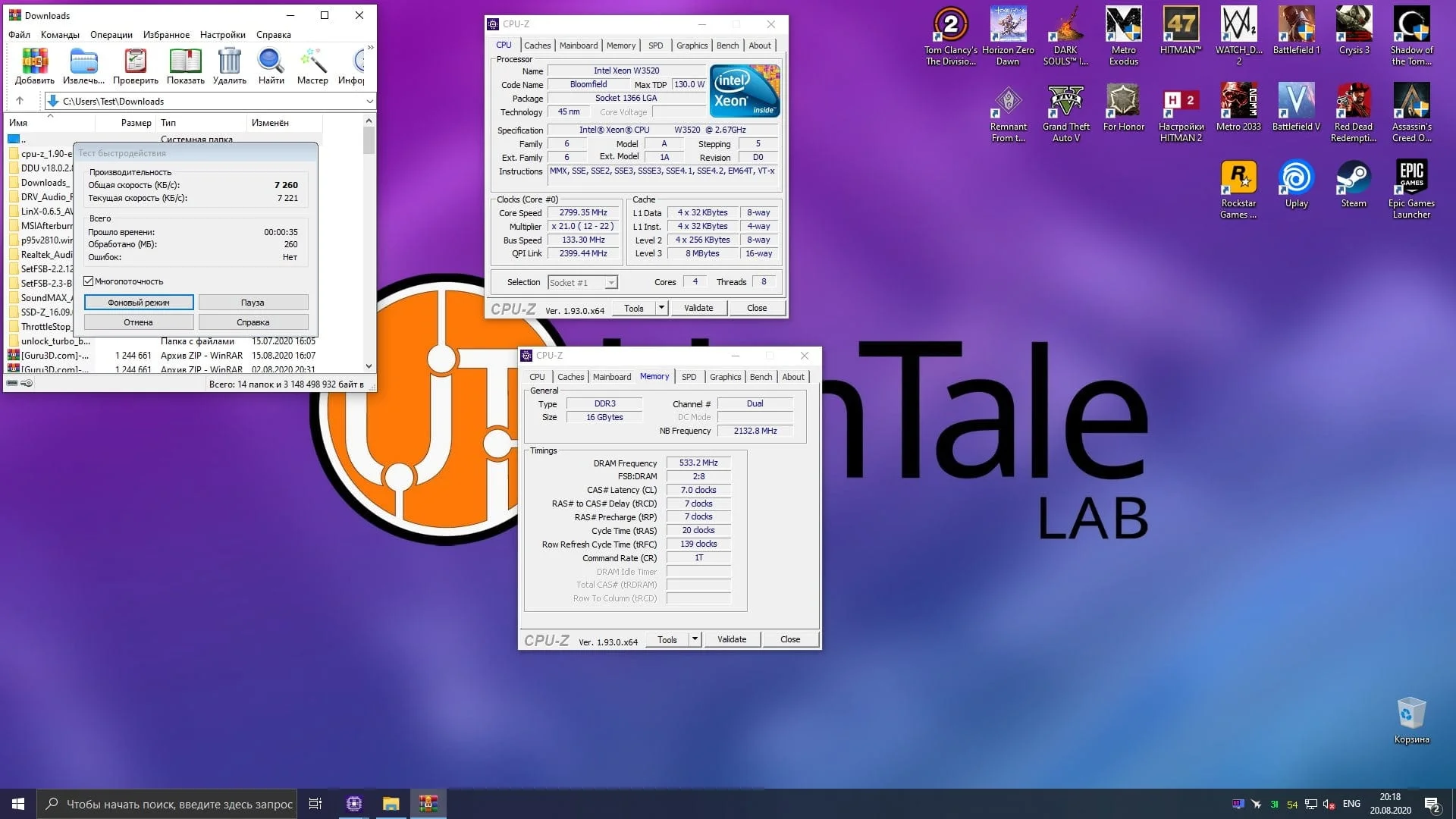
The results from WinRar are simply astonishing: the W3520 chip proved to be literally twice as fast as the overclocked E5440! This is despite the RAM frequency (which provides the largest performance boost in this program) only being one divider higher for the W3520—1066MHz versus 800MHz!
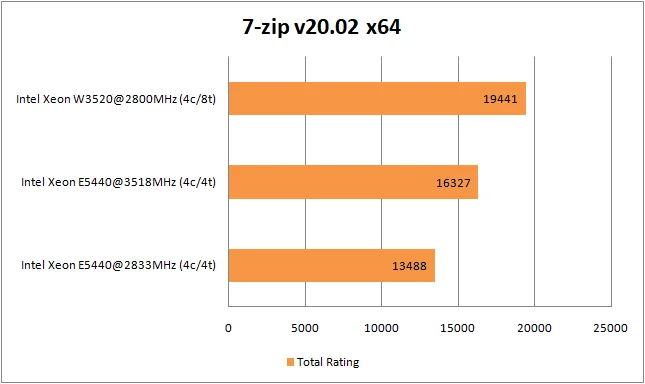
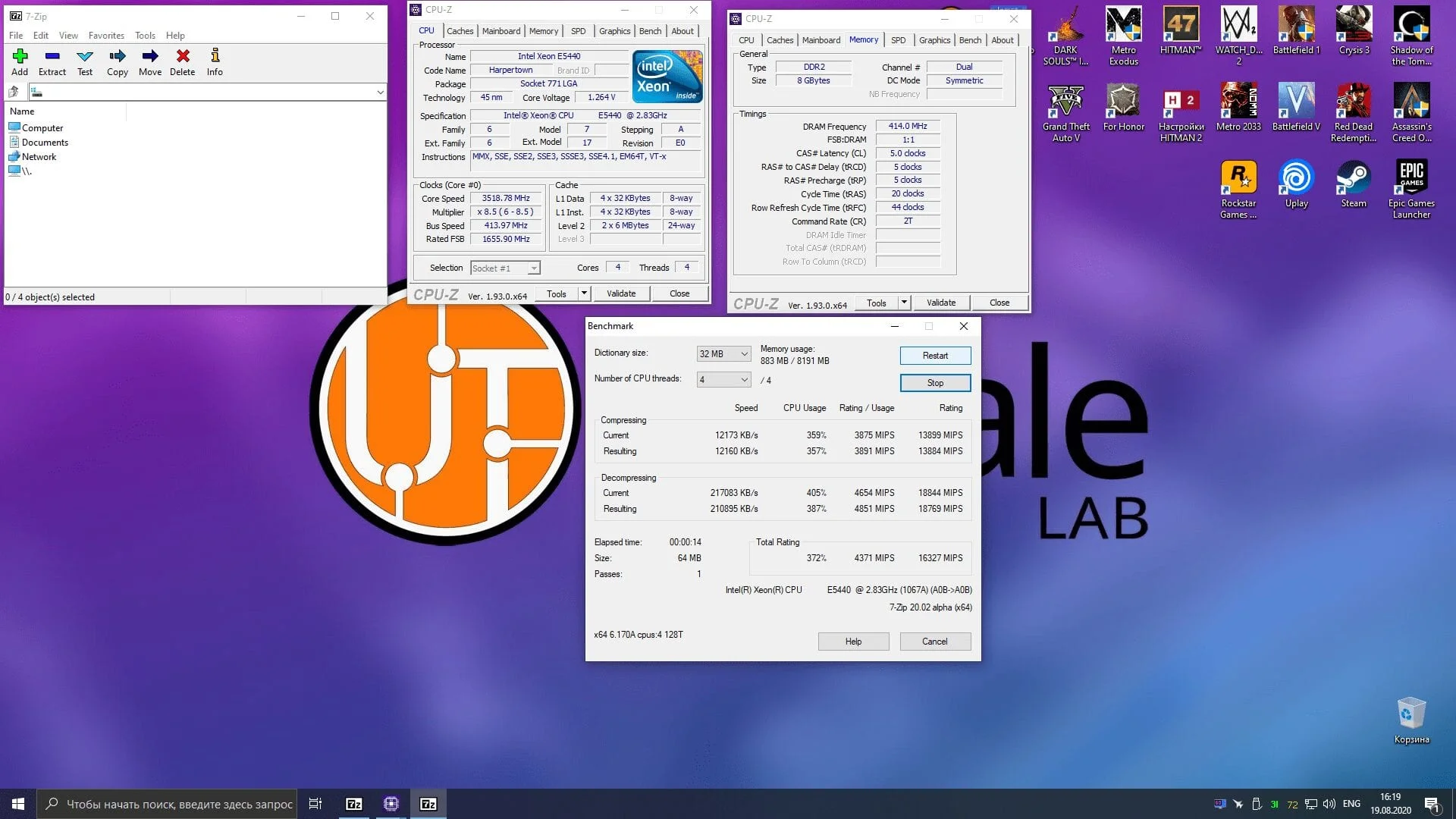
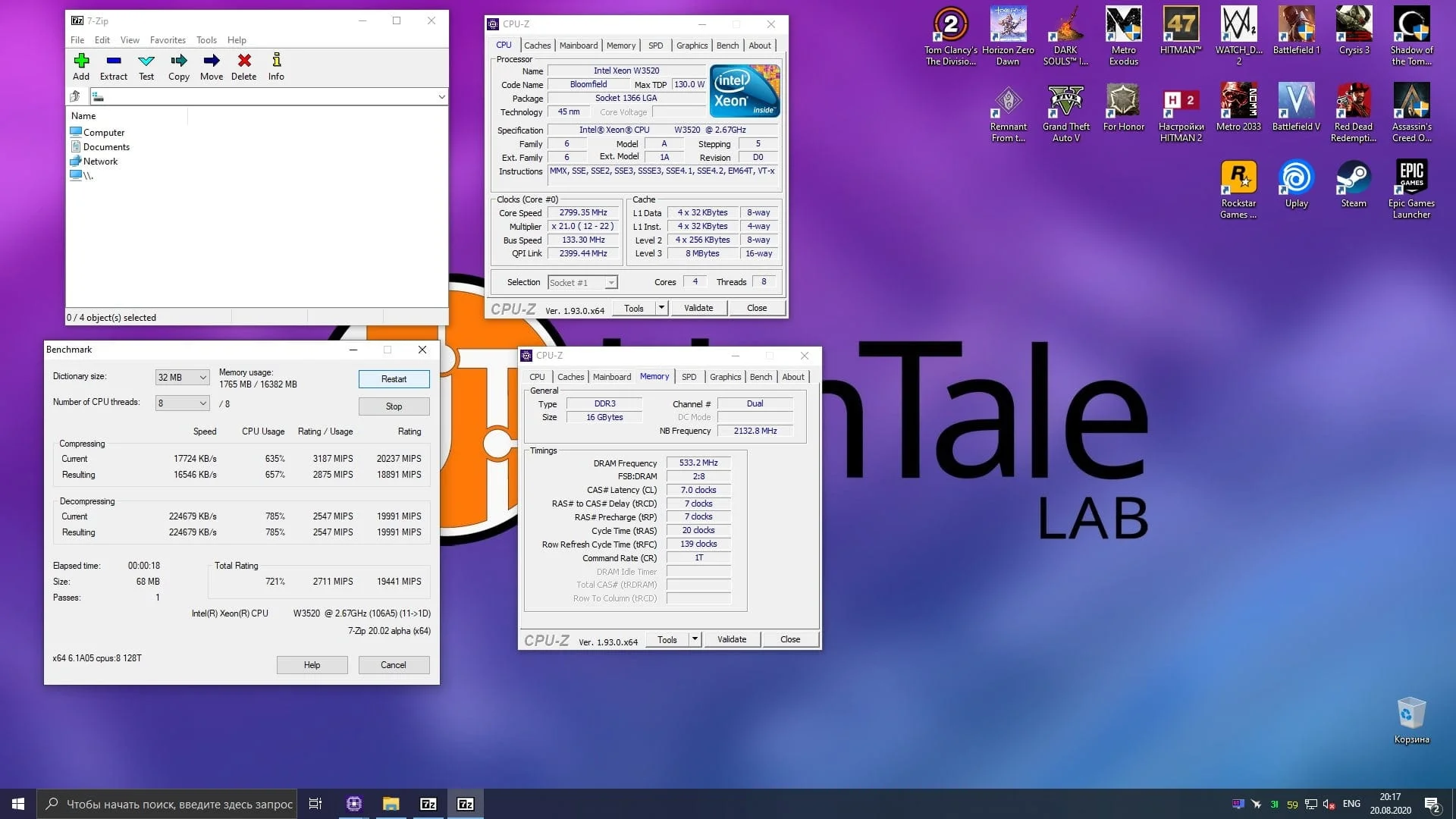
However, some details need clarifying here: the algorithms used by WinRar's developers are currently criticized and no longer considered standard. For example, take a look at what a free alternative can do:
 ⤢ ВІДКРИТИ
The 7-Zip archiver clearly demonstrates that alternative algorithms are not only not worse, but significantly better than WinRar's dogmatic approach.
Let's move on to the remaining gaming tests.
in-game graphics settings:
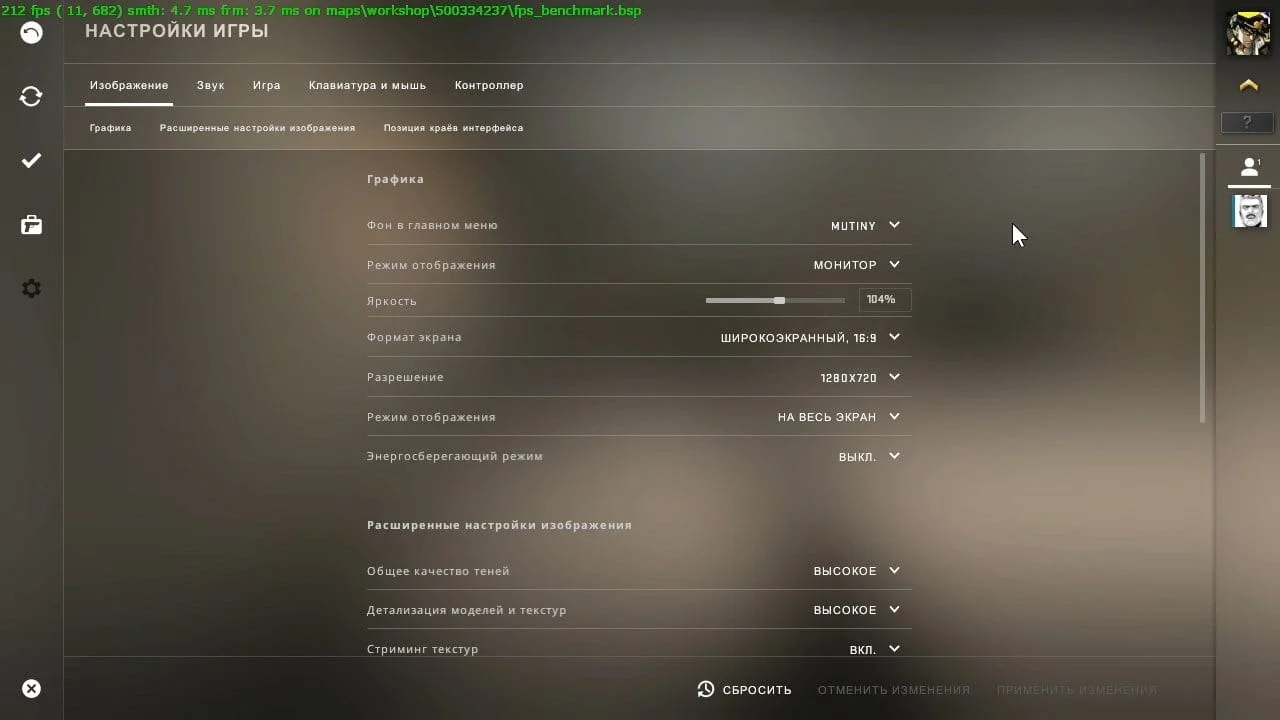
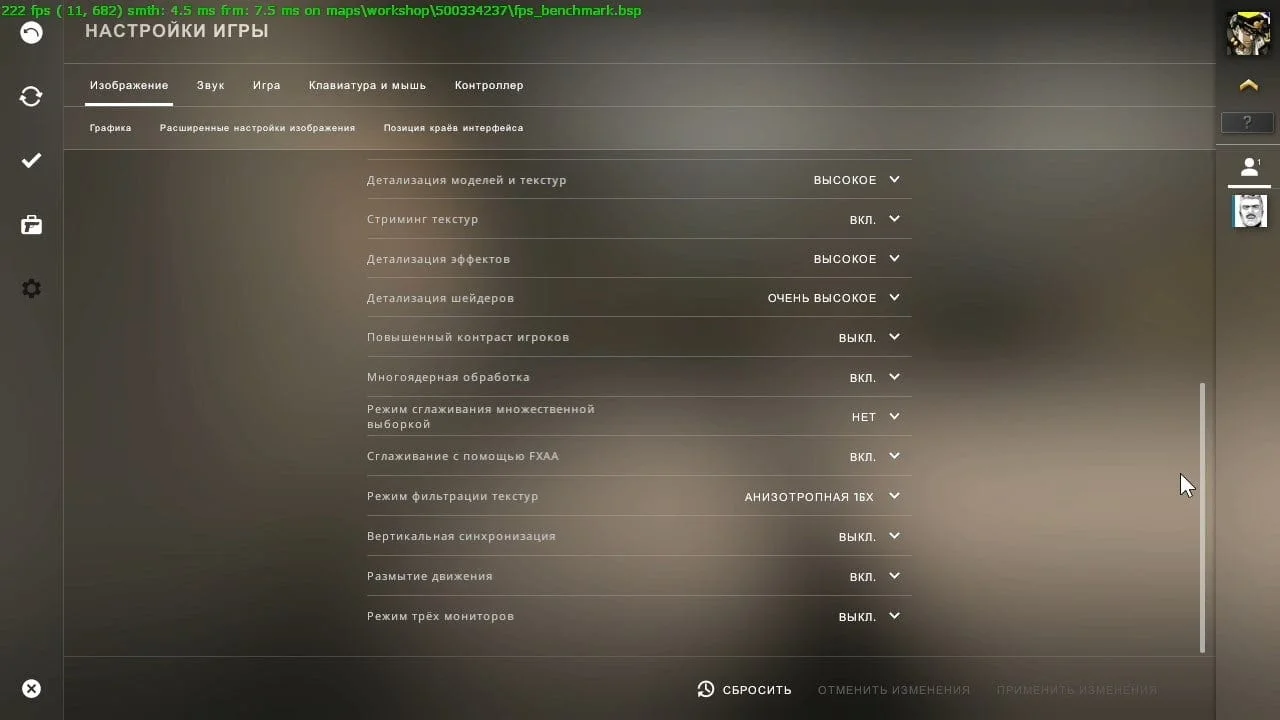
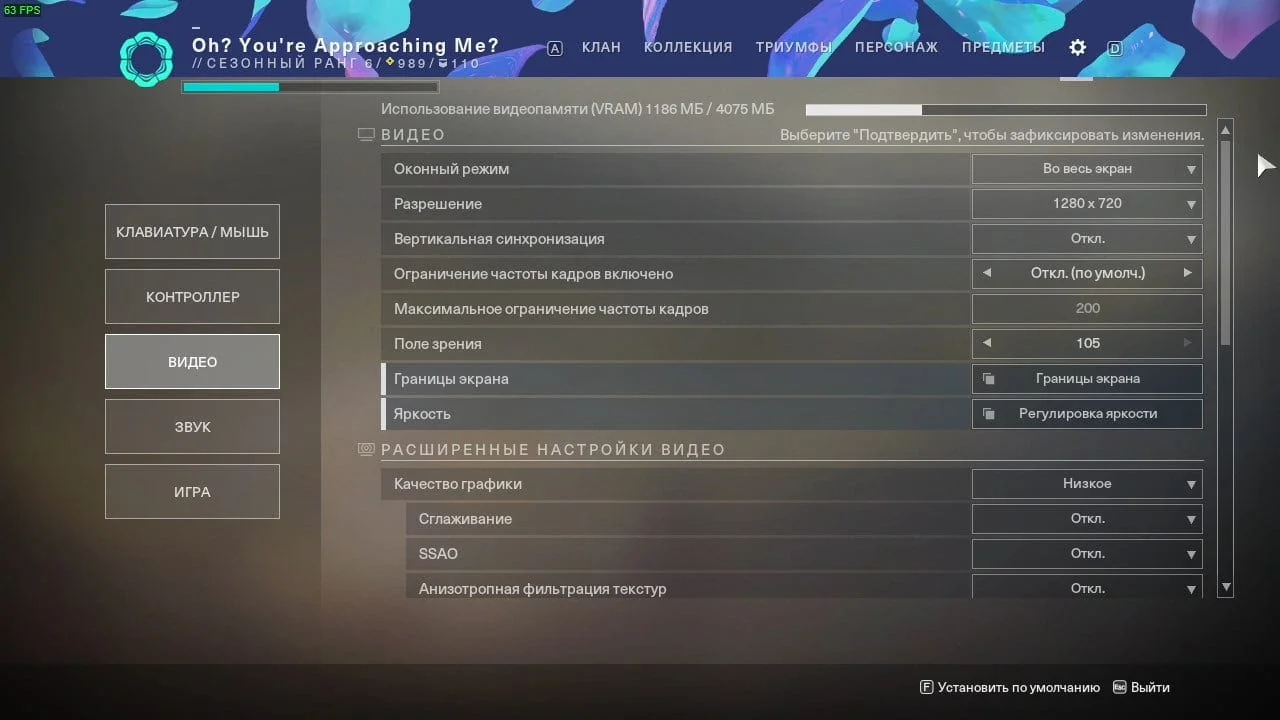
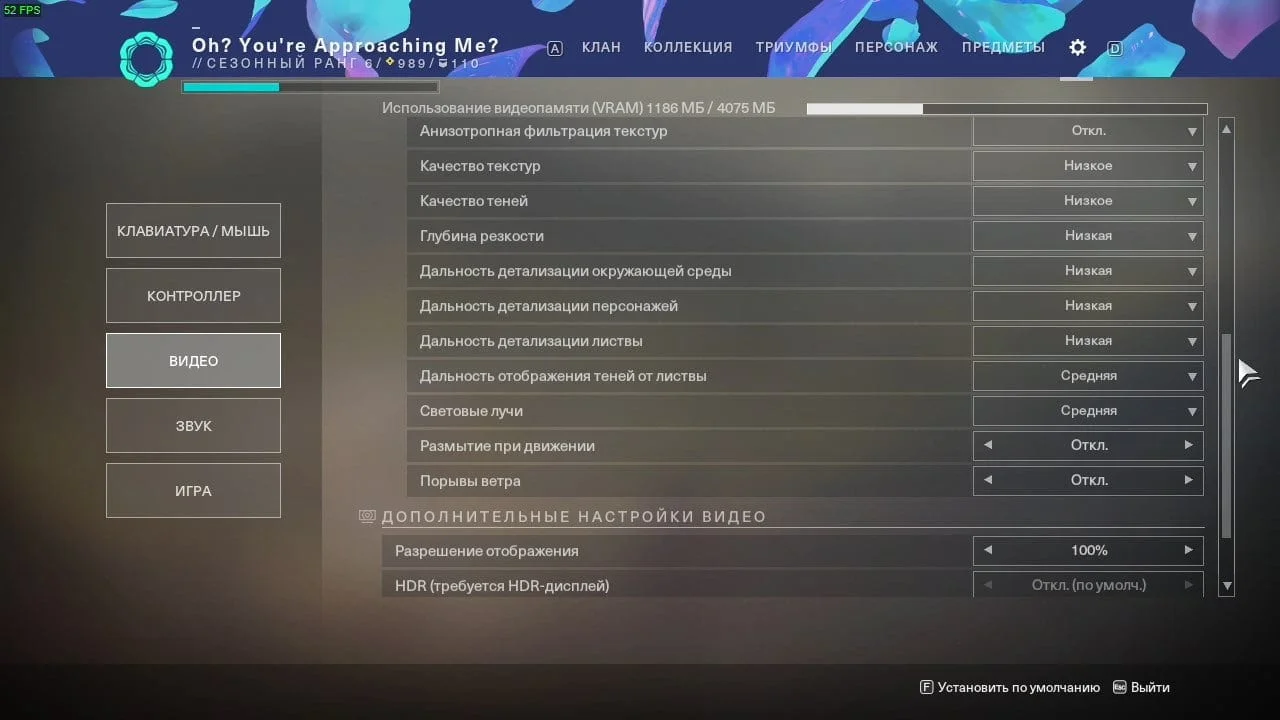
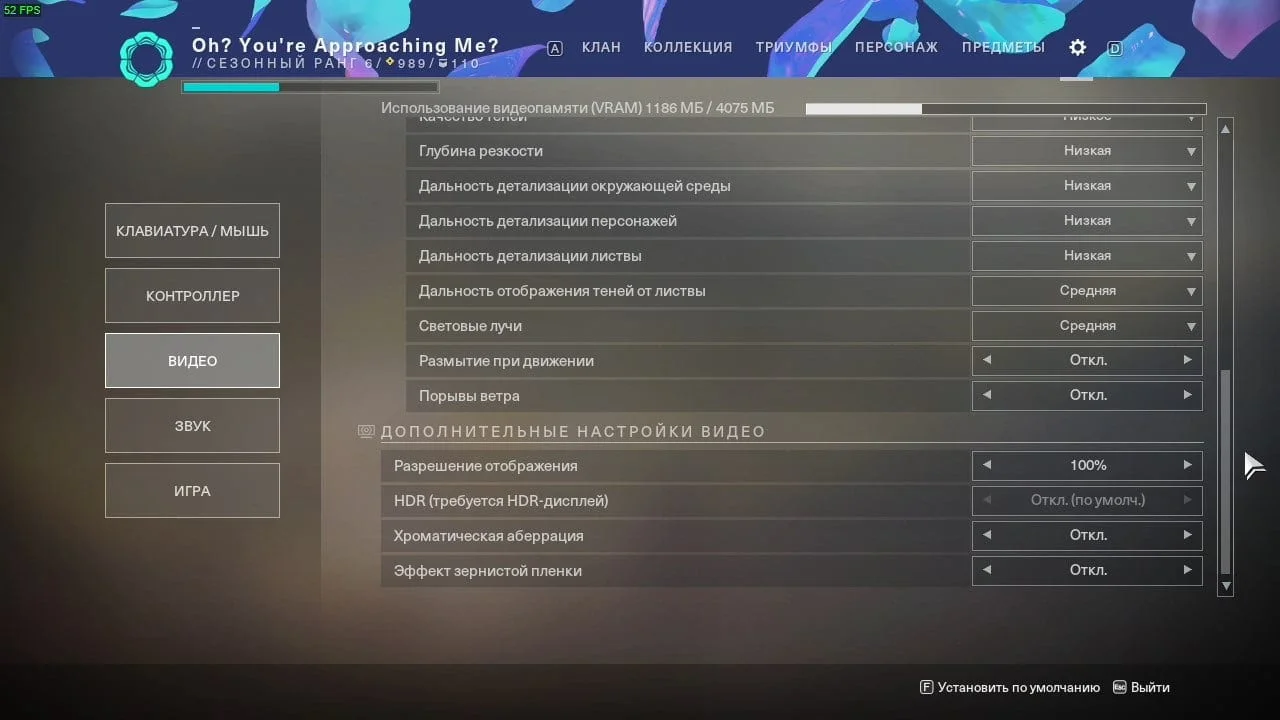
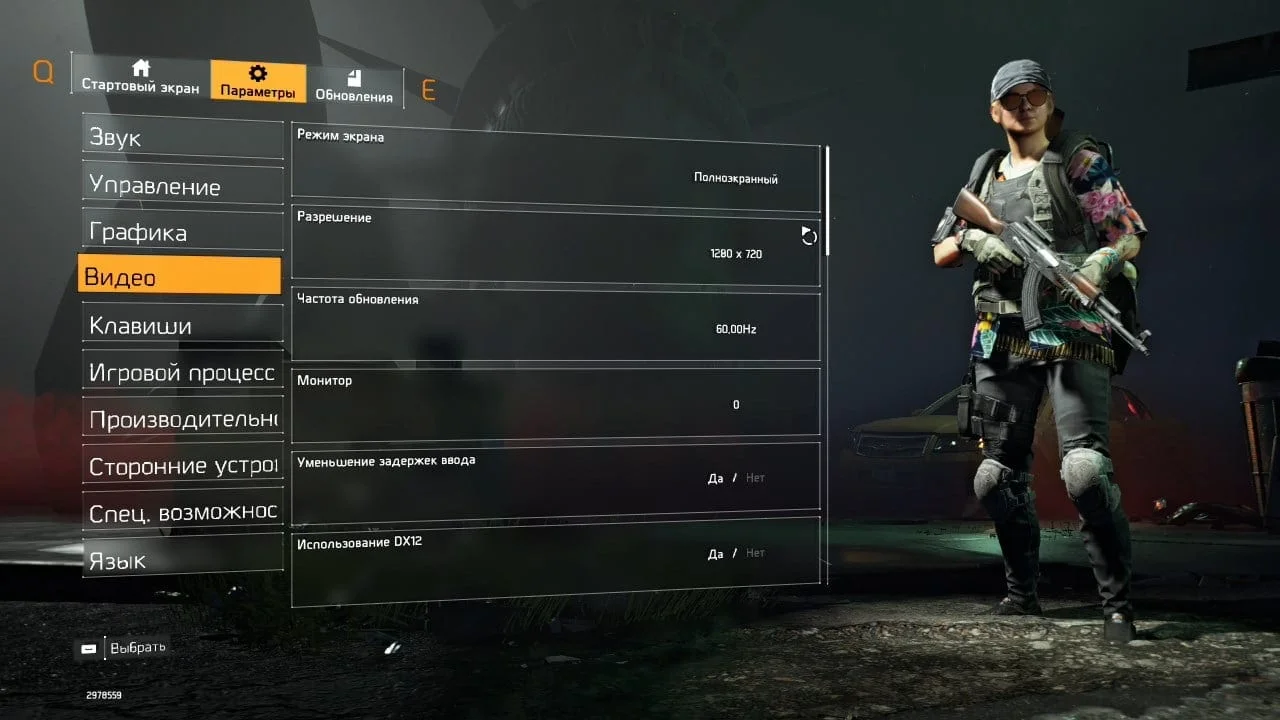
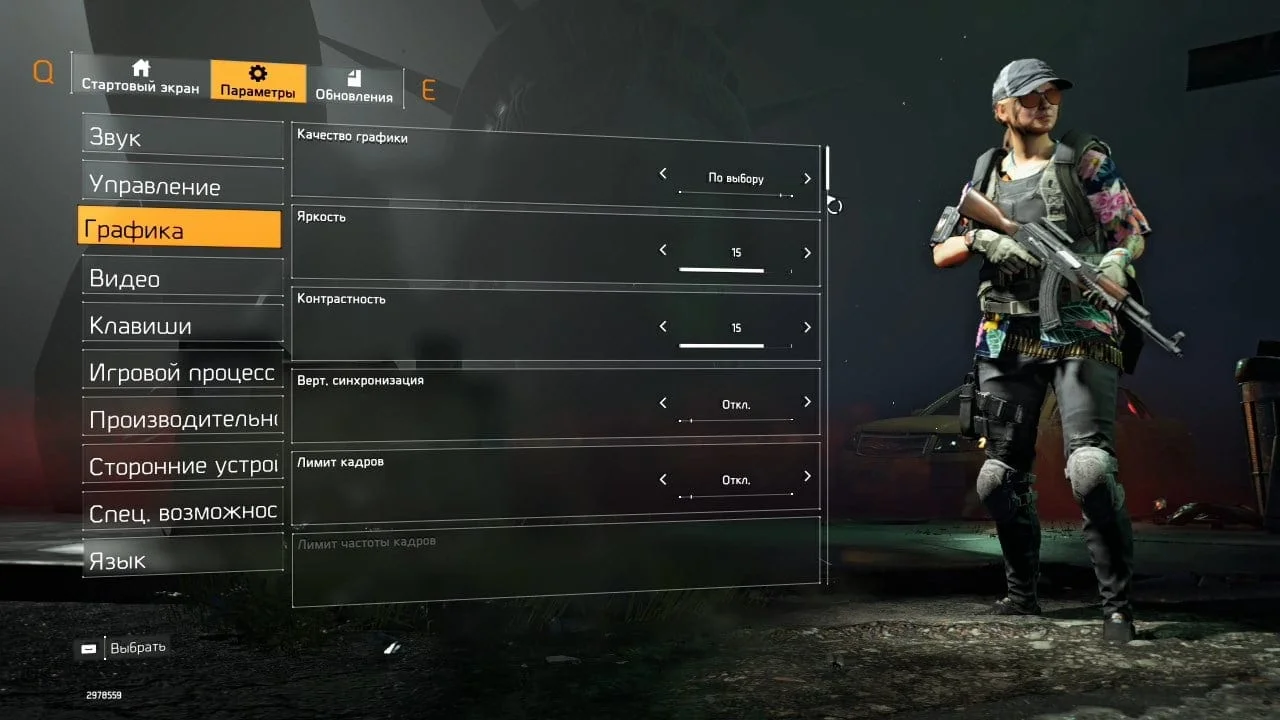
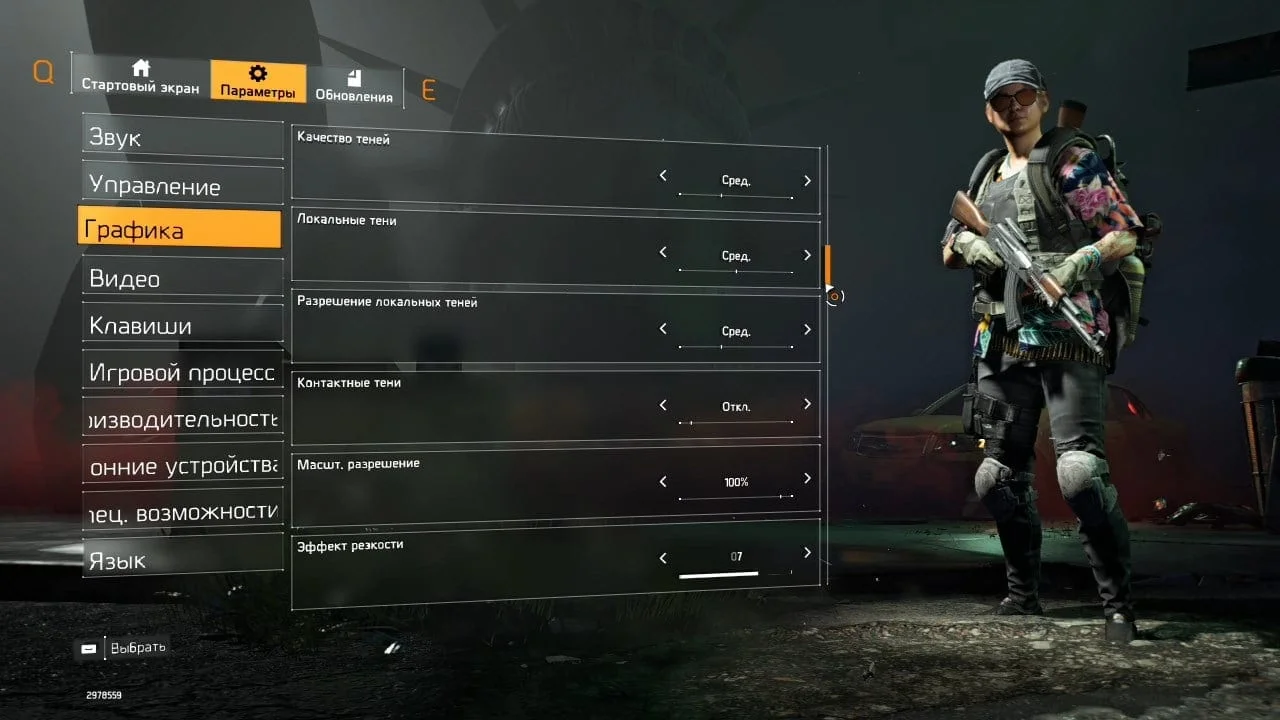
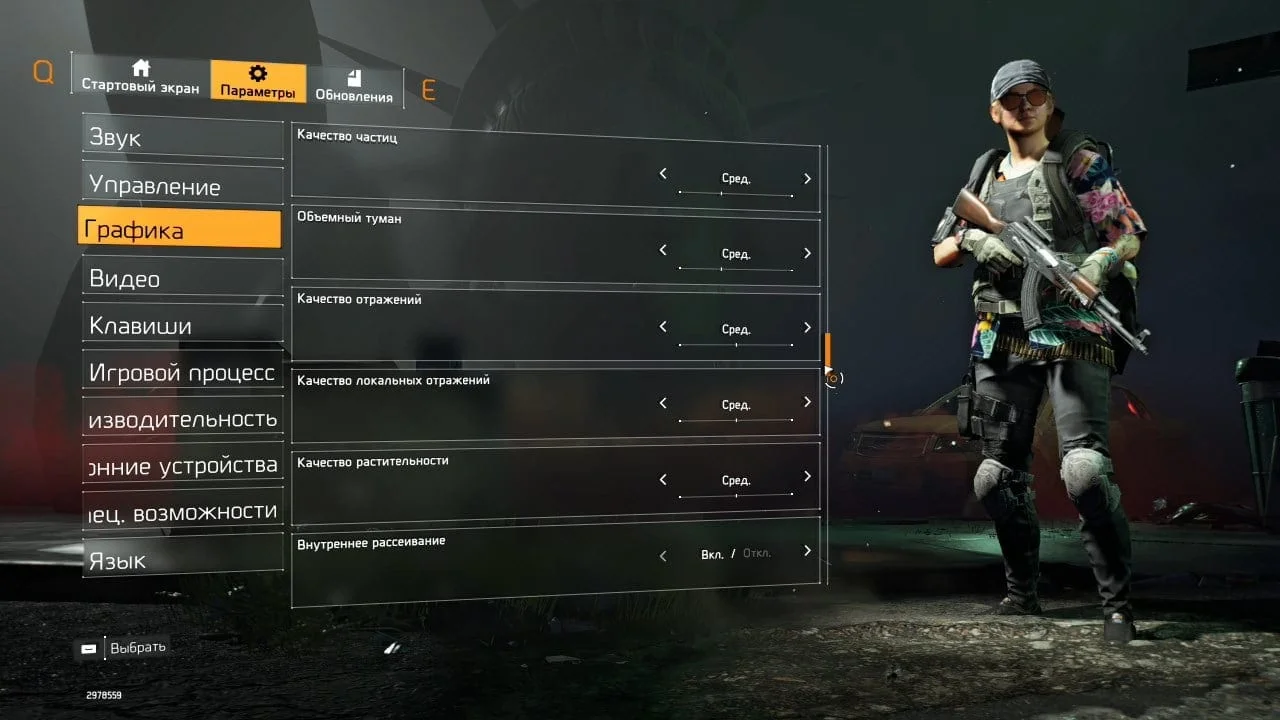
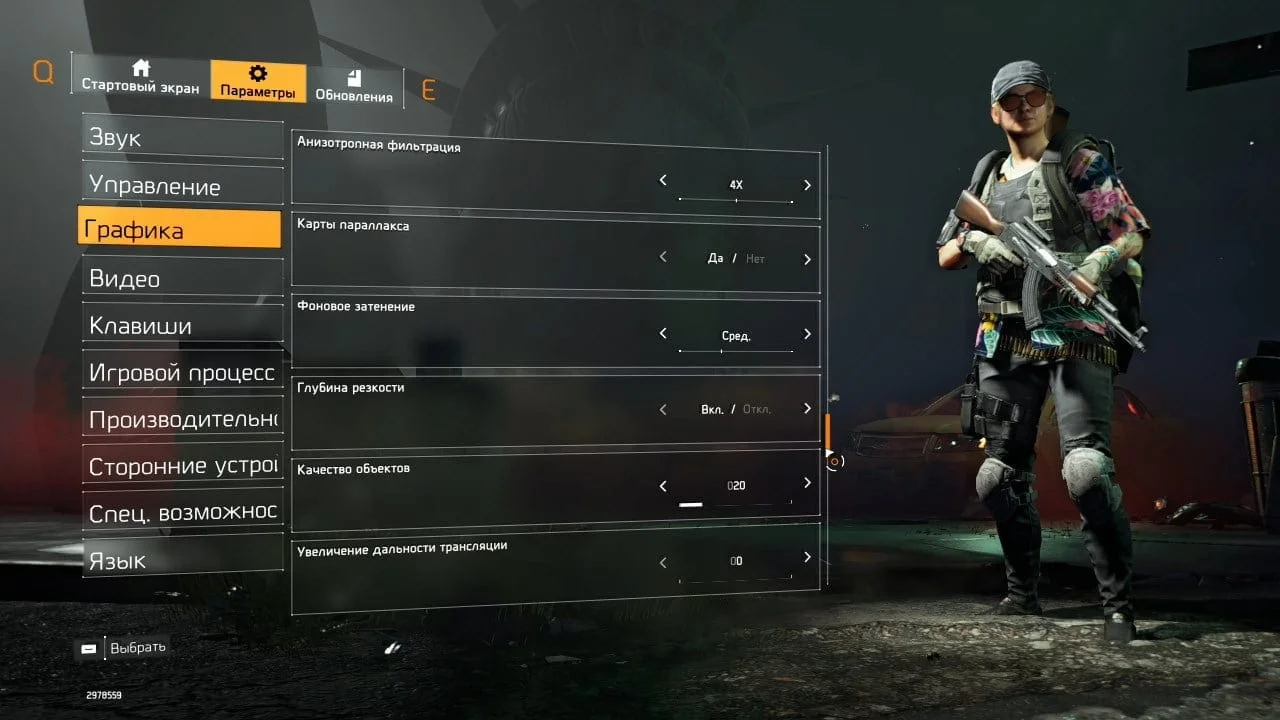
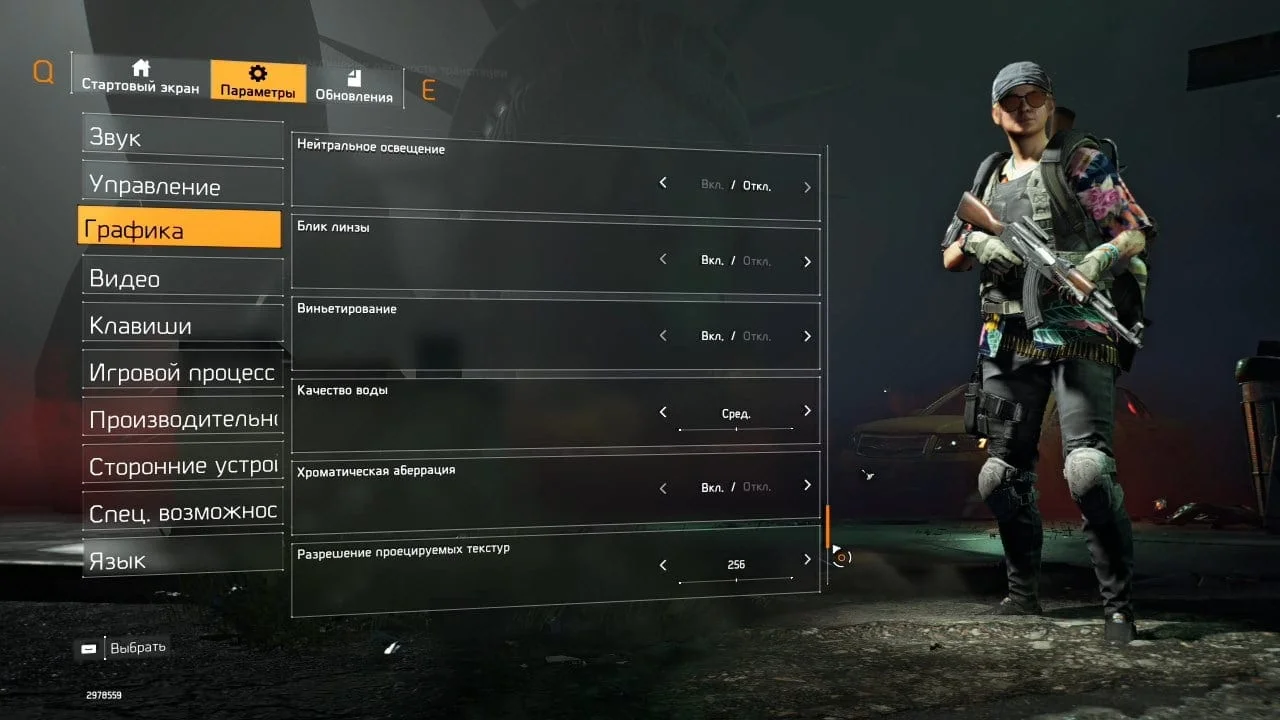
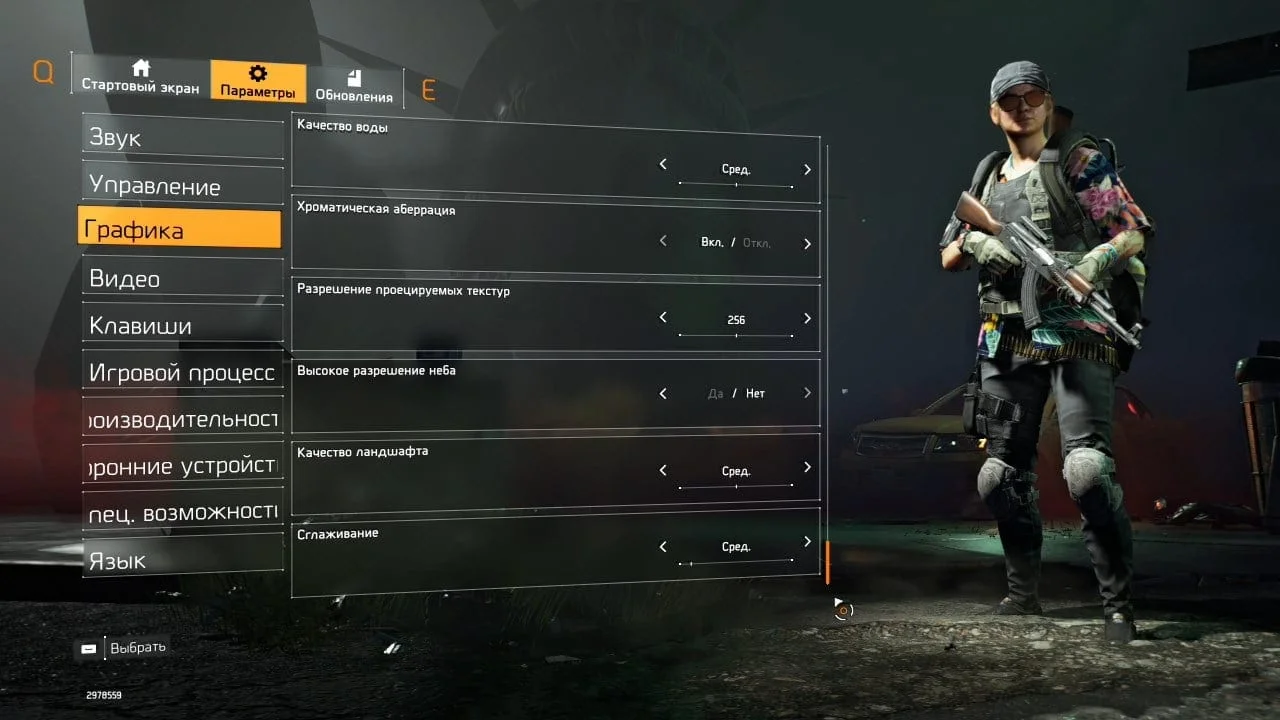
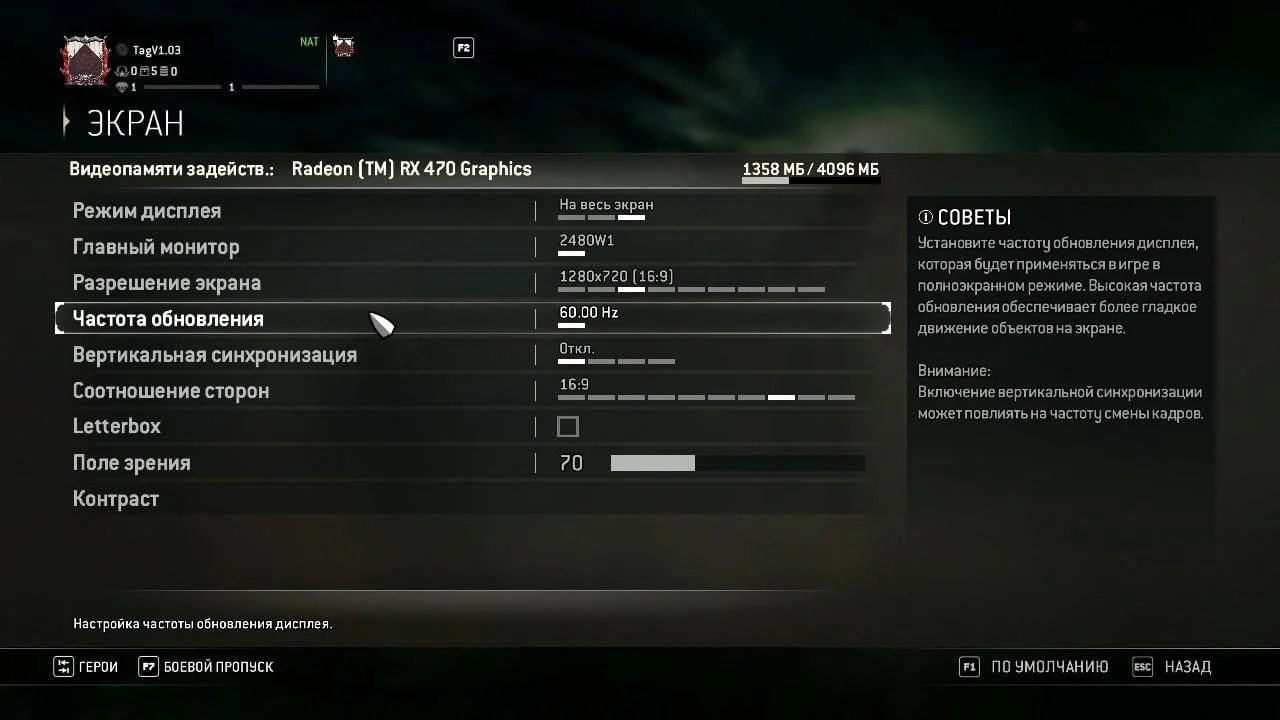
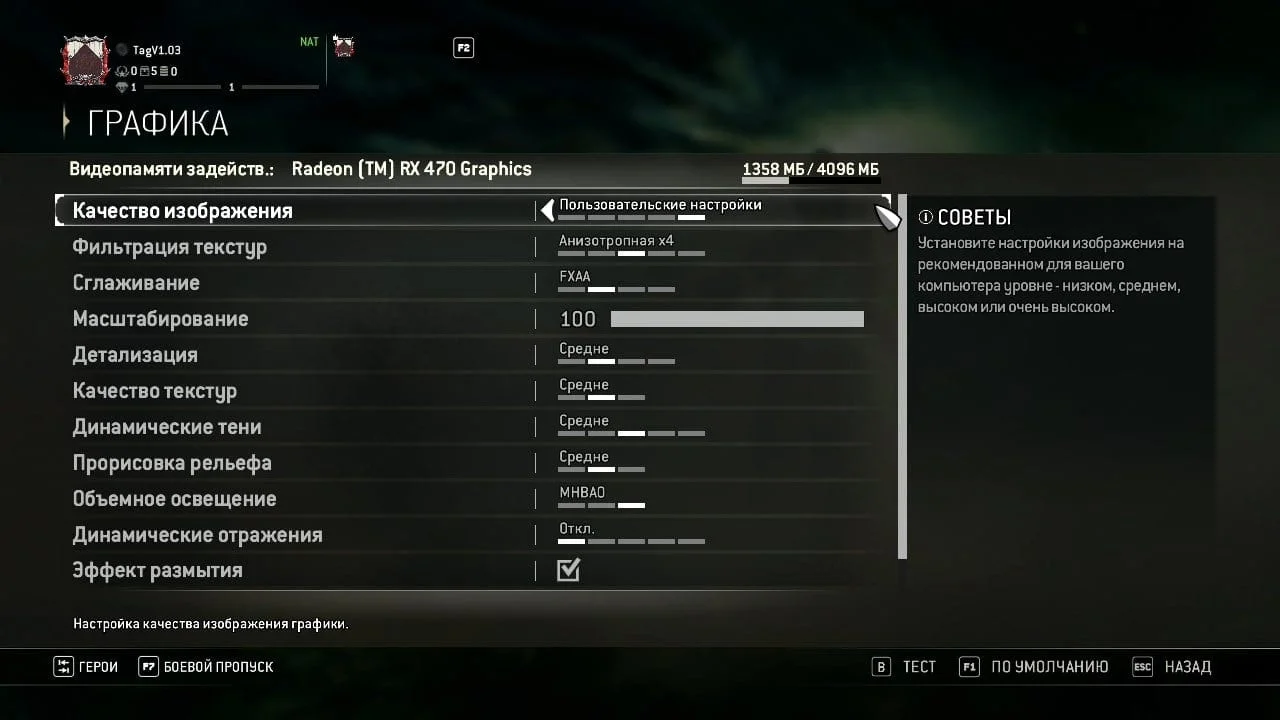
xeon E5440 and W3520 in-game benchmarks:
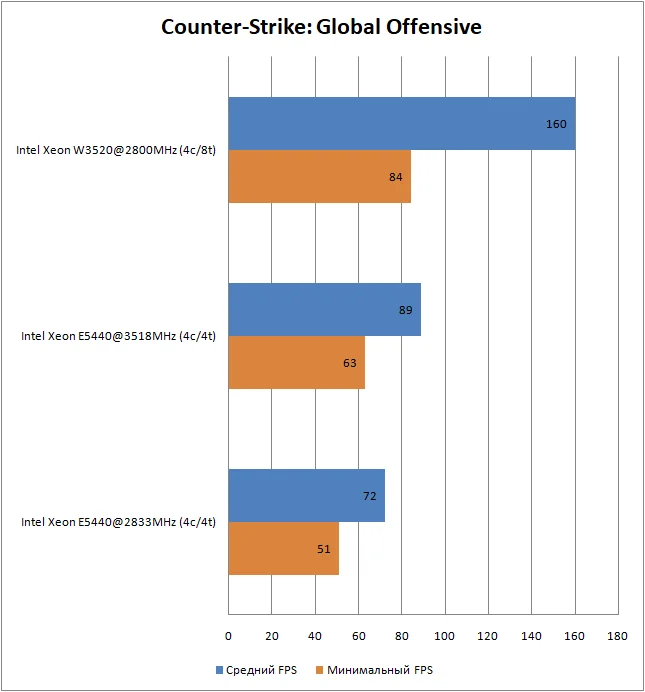 ⤢ ВІДКРИТИ
In the very first game, CS:GO, the Xeon E5440 chip demonstrates that even at stock frequencies, it can provide the minimum necessary framerate for comfortable gameplay. However, even when overclocked to 3520MHz, it can't catch up to the 8-threaded Xeon W3520 processor.
Nevertheless, it's worth noting that outside the benchmark (on playlist maps), the game runs much faster and smoother.
 ⤢ ВІДКРИТИ
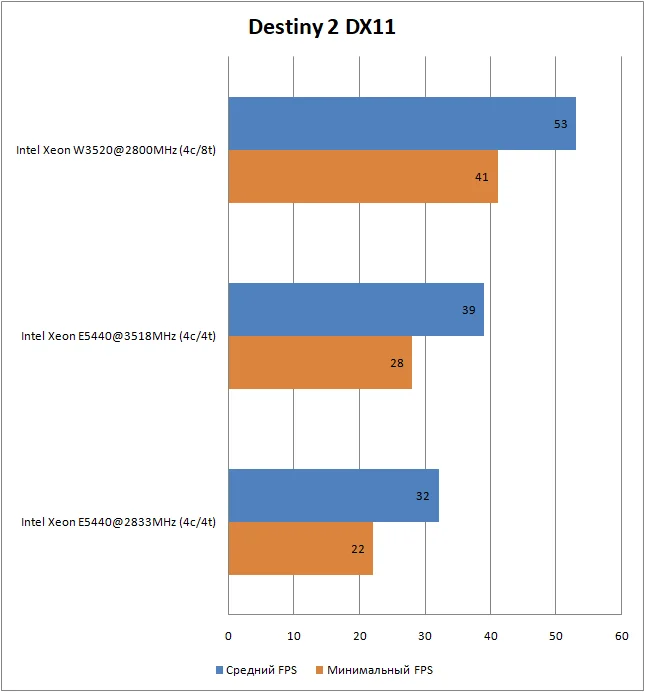
The same cannot be said for Destiny 2. Just like with the Athlon II X3, Bungie's game loads extremely slowly (it's often difficult to even enter some competitive modes, as the player gets thrown back to orbit), runs unstably and sluggishly, and features noticeable, though rare, micro-stutters during gameplay.
Against the E5440's meager performance, the Xeon W3520 chip's results look simply fantastic. Destiny loads quite quickly, entering any competitive mode poses no difficulties, and gameplay doesn't suffer from annoying micro-stutters. The W3520's only significant drawback is its relatively low FPS. With such a framerate, PvP in "The Crucible" will be extremely challenging.
 ⤢ ВІДКРИТИ
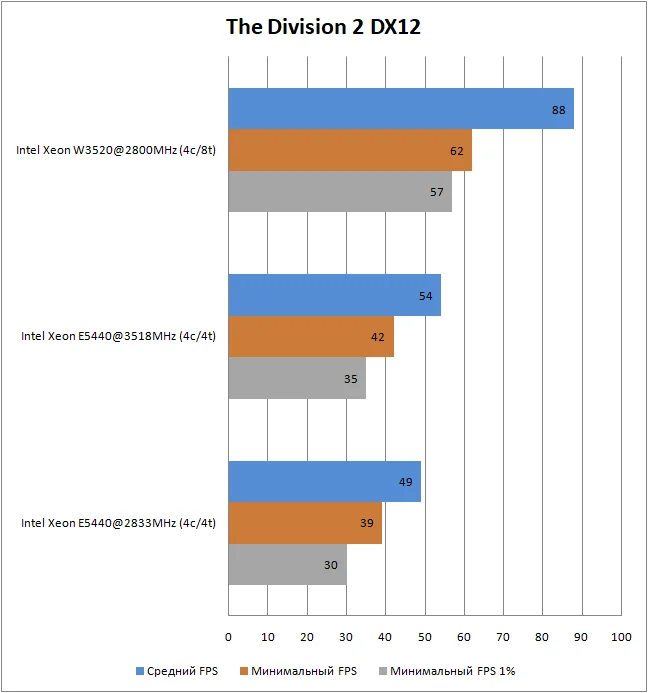
To my surprise, The Division 2 is actually playable even on a stock Xeon E5440. Of course, the frame rate itself isn't particularly impressive, but the gameplay feels relatively smooth. Overclocking the E5440 allows for a bit more FPS and a slightly more comfortable gaming experience, but it's still not enough to compete with the 8-threaded Nehalem architecture chip. Compared to the E5440, the W3520 chip looks incredibly powerful: its 1% low framerate is noticeably higher than the average framerate of the stock E5440!
 ⤢ ВІДКРИТИ
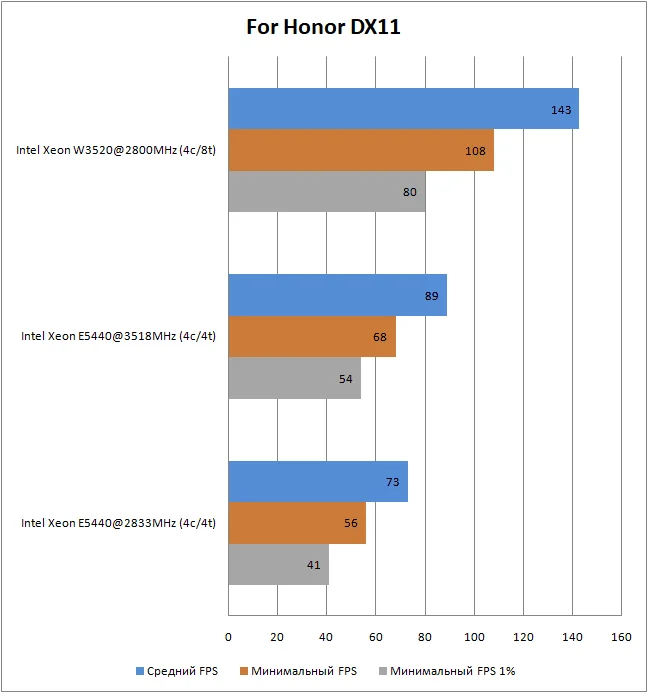
Ubisoft's second project, and the last game in this article, also runs great on the stock E5440. Overclocking it to 3520MHz only solidifies the quad-core's respectable performance. And, as expected, the W3520 chip faces no competition.
In the video below, you can clearly see the framerate performance of the E5440 processor. But remember that recording video with AMD's "ReLive" software consumes a significant portion of the computing resources. Therefore, the CPU's results are slightly lower during video recording.
YouTube
By loading, you allow content from YouTube (cookies may be set).
Pay attention to The Division 2 benchmark run. When recording video, the stock E5440 can't load "large" 3D models fast enough, which actually results in higher FPS during some segments. However, without video recording, these issues aren't present: models load on time, and FPS aligns with the values shown in the graphs.
conclusion
It's tough to draw definitive conclusions about a processor without testing it across a full suite of games and applications. Still, even considering the pitfalls encountered and the frankly insane amount of time spent trying to work around them, the Xeon E5440 chip isn't bad on its own. That's even accounting for its struggles with Destiny 2. But let's be honest: what CPU this old can handle it? In other tested titles, the E5440 performed admirably. Moreover, judging by the xNormal tests, the Xeon E5440 could still serve for a while as an additional budget "render machine." However, keep in mind that high-polygon 3D models demand a considerable amount of RAM, which is quite challenging to achieve on the LGA 775 platform.
Otherwise, I hope to resolve the MSI Afterburner overlay conflict with the Xeon E5440 and re-test this chip again.
Happy overclocking, and see you in the next article!