BLOGS · GAME BLOGS
PUBLISHED
READING3 min
RPCS3: Patch installation for The Last of Us, Uncharted, and many other games
This guide covers installing patches for the RPCS3 emulator, boosting performance in The Last of Us, Uncharted, and other games. We'll detail both the modern and older methods.
First off, it's worth noting that patches for the RPCS3 emulator aren't a silver bullet. The RPCS3 developers primarily use them as workarounds for issues that haven't been fully resolved yet. Still, these "workarounds" can often provide a noticeable performance boost or even get previously unplayable or crash-prone games up and running.
We created this guide to avoid constantly reiterating the routine, monotonous patch installation method in future tutorials. Now, we can simply link back to this post.
That's the intro out of the way. Let's dive into patch installation:
September 15, 2020 update:
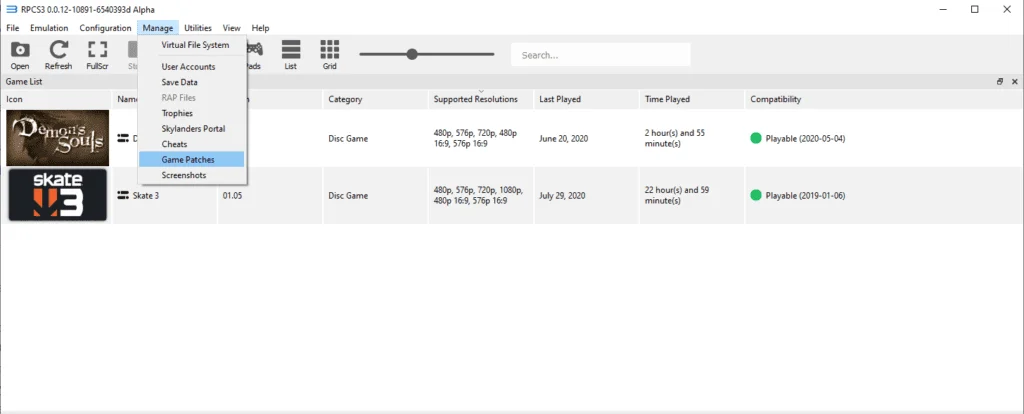
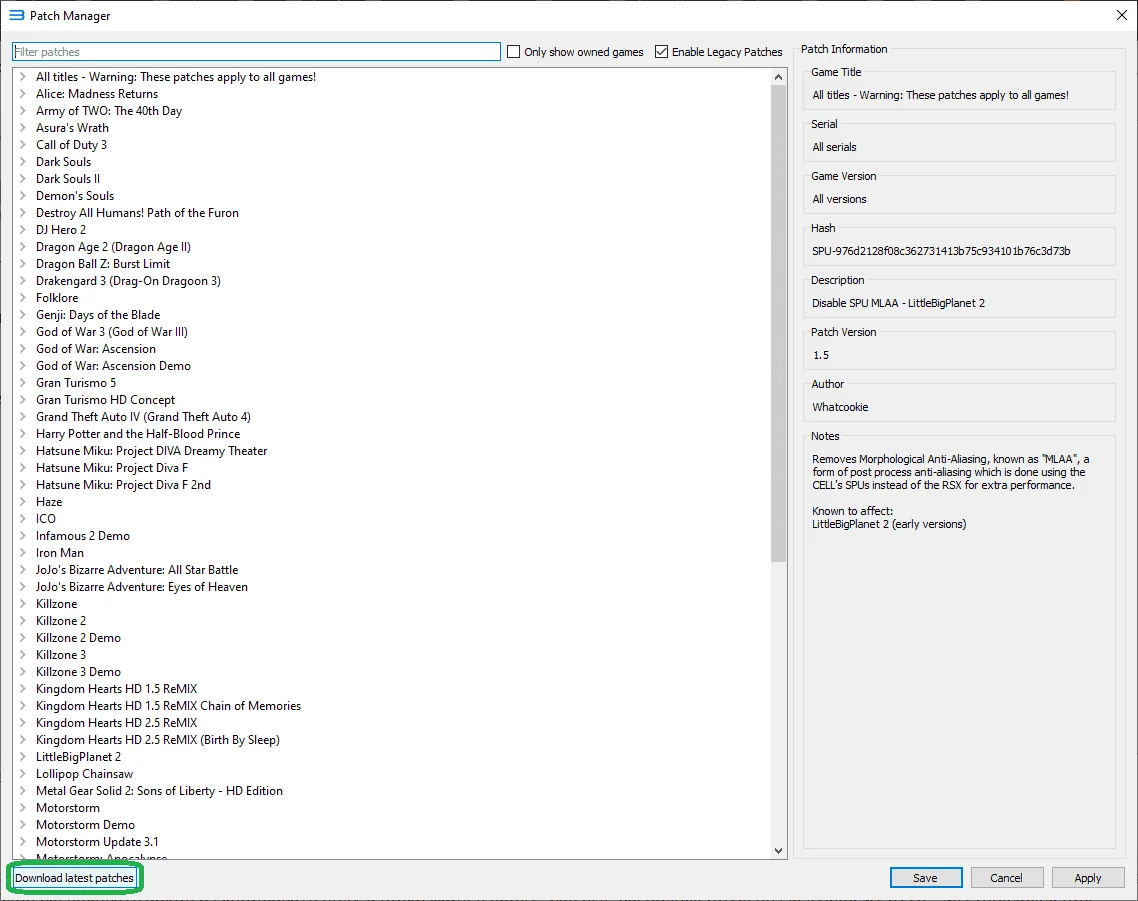
As of RPCS3 emulator version v0.0.12-10891-6540393d Alpha | HEAD, installing patches is a breeze. To download the latest patches, follow these steps: Launch the emulator, navigate to the "Manage" menu, and then select "Game Patches":
 ⤢ ВІДКРИТИ
Then click the "Download latest patches" button at the bottom of the window:
 ⤢ ВІДКРИТИ
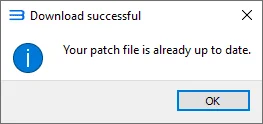
If you've followed the steps correctly, you'll then see a message like this:
 ⤢ ВІДКРИТИ
This means everything went smoothly. The patches have downloaded, and you can now proceed to apply them.
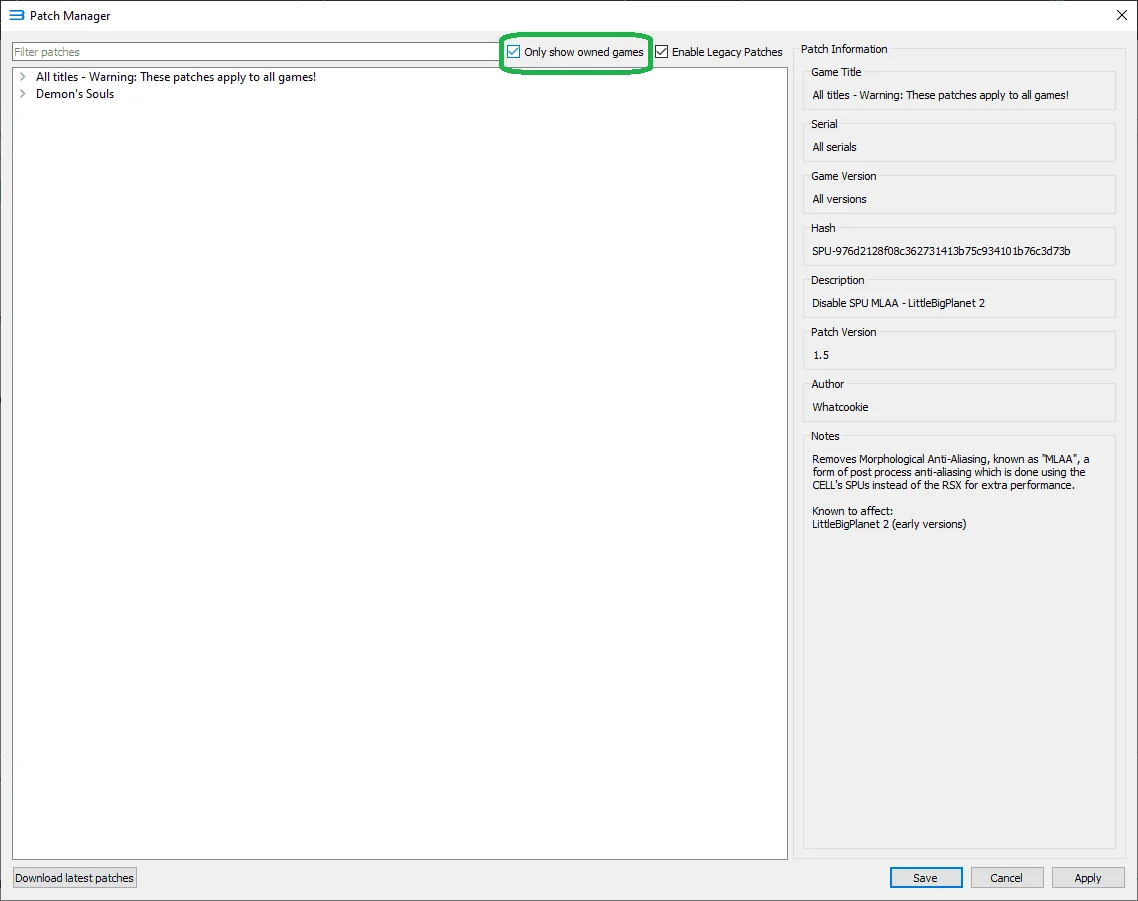
Additionally, if you're overwhelmed by the sheer number of available fixes, just check the "Only shows owned games" option. This will filter the patch list to only show games installed on your emulator:
 ⤢ ВІДКРИТИ
Older method:
Patch 1.2 was tested on RPCS3 emulator version v0.0.11-10694-609182b1 Alpha. This is a crucial detail, as patch 1.2 might not work with older or even newer RPCS3 releases. Keep this in mind, and remember that the emulator's developers frequently update its codebase. If the patch below doesn't work with your emulator version (assuming your RPCS3 release is newer than the one mentioned), please leave a comment on this post, and I'll update the guide.
You can download patch 1.2 via the link below:
patch1.2Download
Update from September 5, 2020. A new version, patch 1.3, is now available:
patch1.3Download
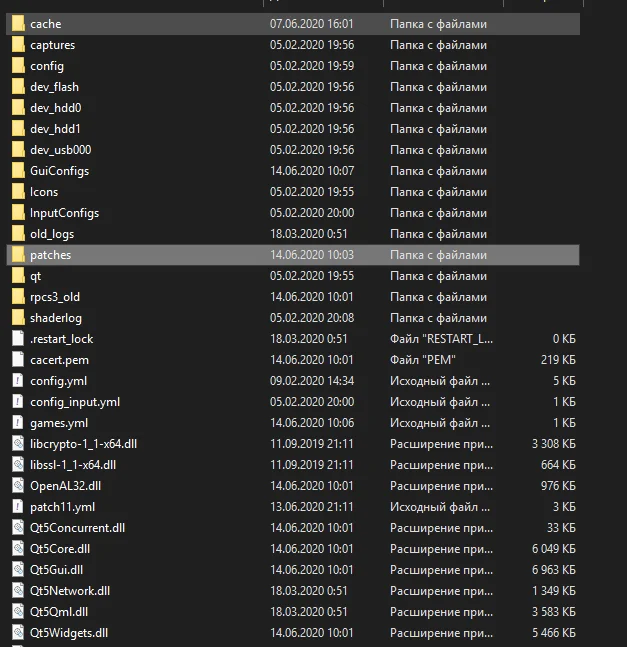
After downloading, you'll need to extract the archive and copy the resulting file into the "patches" folder, located at: "Emulator Location\RPCS3\patches"
 ⤢ ВІДКРИТИ
Next, launch the emulator and navigate to the "Manage" tab => "Game Patches":
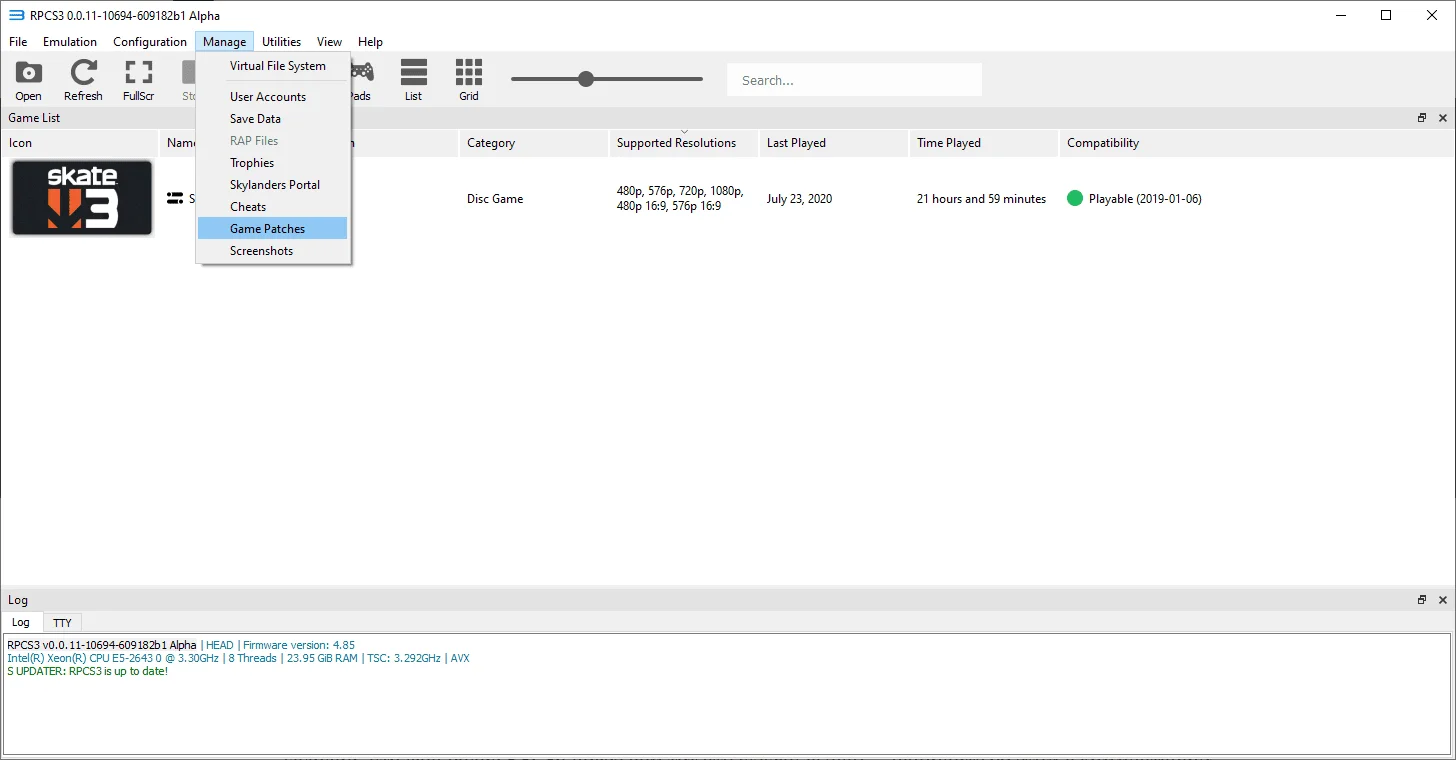 ⤢ ВІДКРИТИ
You'll then need to identify your game's BCES/BLES code and version, and select it in the "Patch Manager" window that opens:
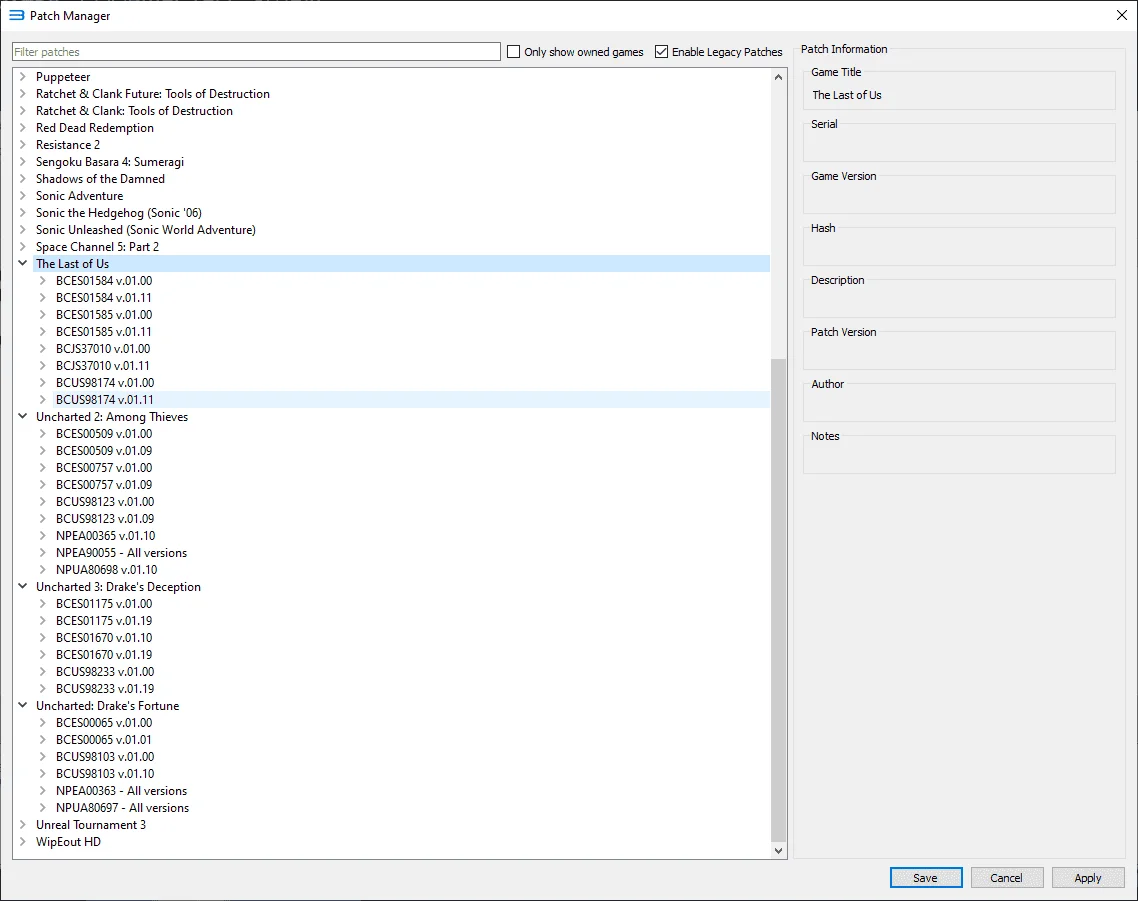 ⤢ ВІДКРИТИ
If you've done everything correctly, you now have access to additional settings and optimizations for games like The Last of Us, Uncharted: Drake’s Fortune, Uncharted 2: Among Thieves, Uncharted 3: Drake’s Deception, as well as many other titles! For instance, the "Game Patches" section lets you uncap the framerate for projects like NieR Replicant and Demon’s Souls.
In upcoming posts, I'll briefly cover patch configurations for The Last of Us and the Uncharted series. Stay tuned!