![Uncapping the framerate and skipping intros in Demon’s Souls [RPCS3 Emulator]](/_next/image?url=https%3A%2F%2Fumtale-media.s3.eu-central-1.amazonaws.com%2Fimages%2Fcontent%2Fec041881-be12-4335-8f8f-daaf5db8d614.webp&w=3840&q=75)
BLOGS · GAME BLOGS
PUBLISHED
READING2 min
Uncapping the framerate and skipping intros in Demon’s Souls [RPCS3 Emulator]
Learn how to uncap the FPS (60/120) and skip intro sequences in Demon's Souls on the RPCS3 emulator using patches.
In a previous blog post, I covered how to get Hidetaka Miyazaki's first "Souls" game up and running without common issues like black screens. However, I forgot to mention the "Unlock FPS Patch"—a fix that lets you run Demon’s Souls at 60 or even 120 frames per second without the annoying gameplay speed-up. Well, let's fix that. Uncapping the framerate is quick and easy, so let's dive in:
Update November 21, 2020:
The patch installation guide has moved to a dedicated post. Download and install the latest version of the patches, then come back here and jump to the patch configuration section below.
Patch configuration:
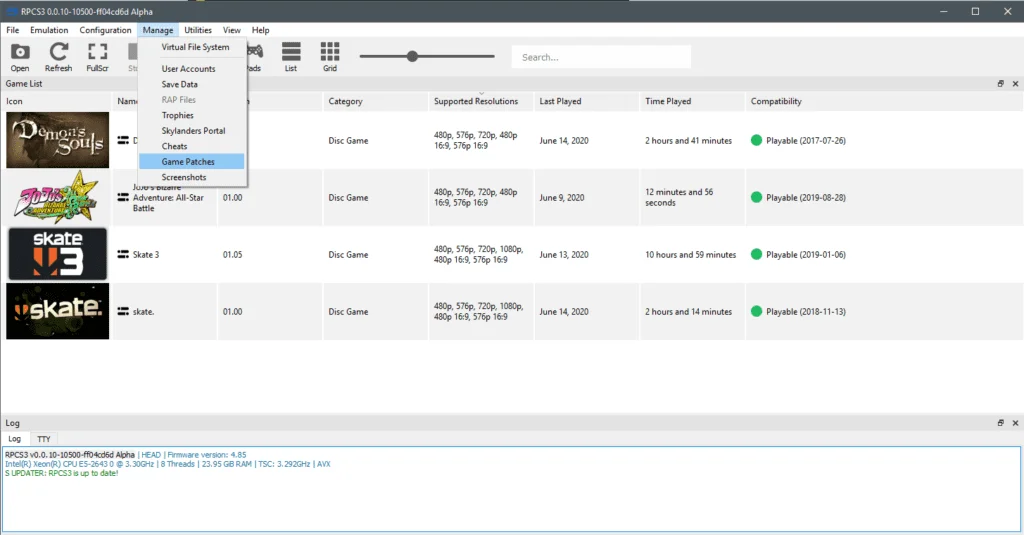
Launch RPCS3 and head to the "Manage" => "Game Patches" tab:
 ⤢ ВІДКРИТИ
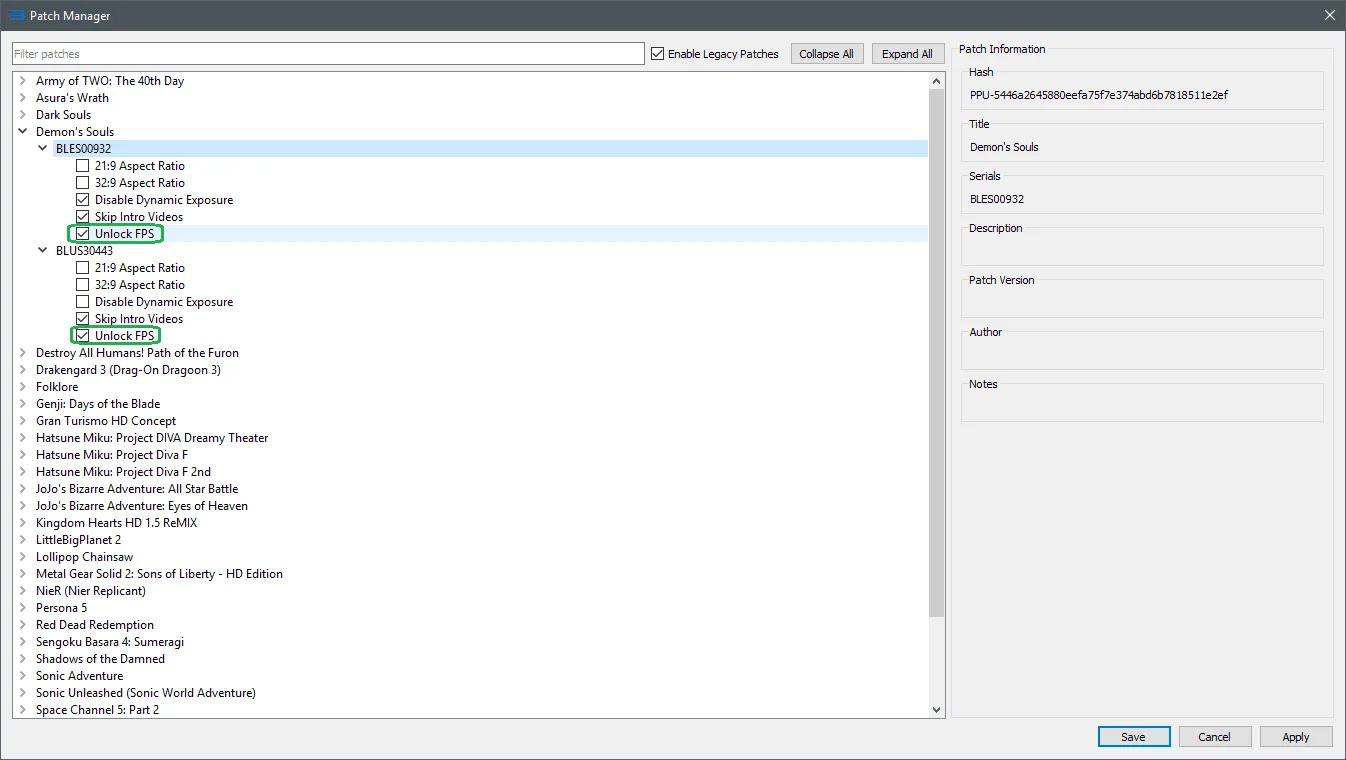
Next, expand your Demon's Souls release and enable the checkboxes as shown in the image below:
 ⤢ ВІДКРИТИ
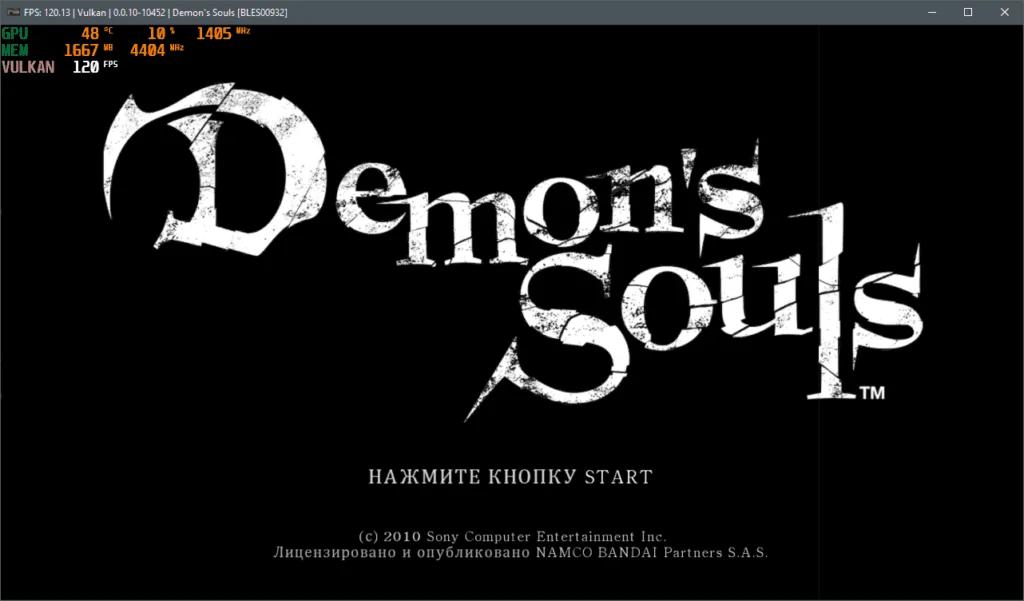
This will push the framerate cap to 60 FPS. If you want to hit 120 FPS (assuming your hardware can handle it), that's also an option:
 ⤢ ВІДКРИТИ
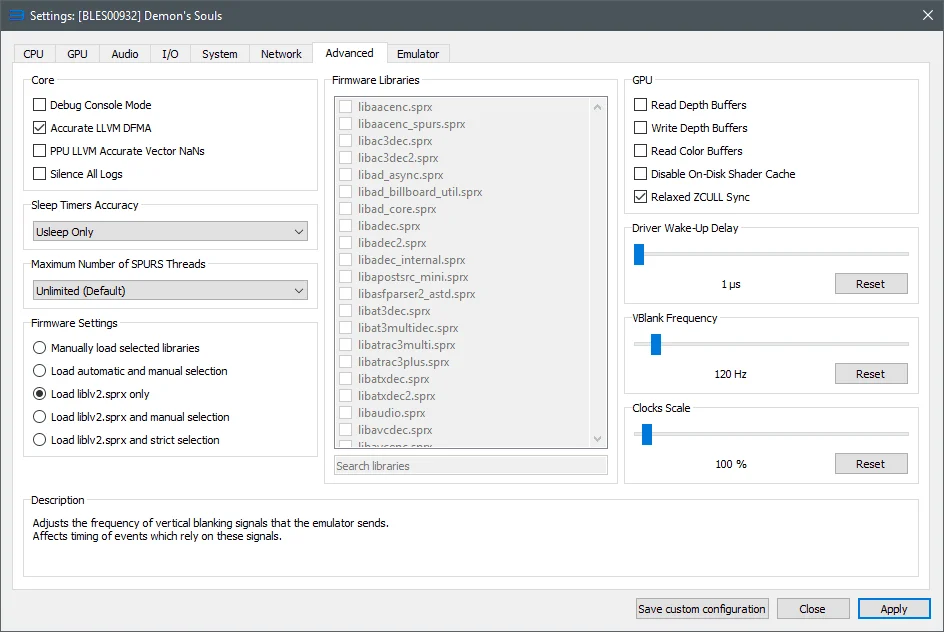
Right-click the Demon's Souls icon on your emulator's main screen, then select "Change custom configuration" from the dropdown menu. Next, go to the "Advanced" tab and set the "VBlank Frequency" slider to 120 Hz:
 ⤢ ВІДКРИТИ
That's it! If your hardware can push 120 FPS, the game will now run at that framerate without any speed-up or other annoying bugs.
June 14, 2020 update (RPCS3 v0.0.10-10500-ff04cd6d Alpha+): physics issues may occur at 120 FPS.
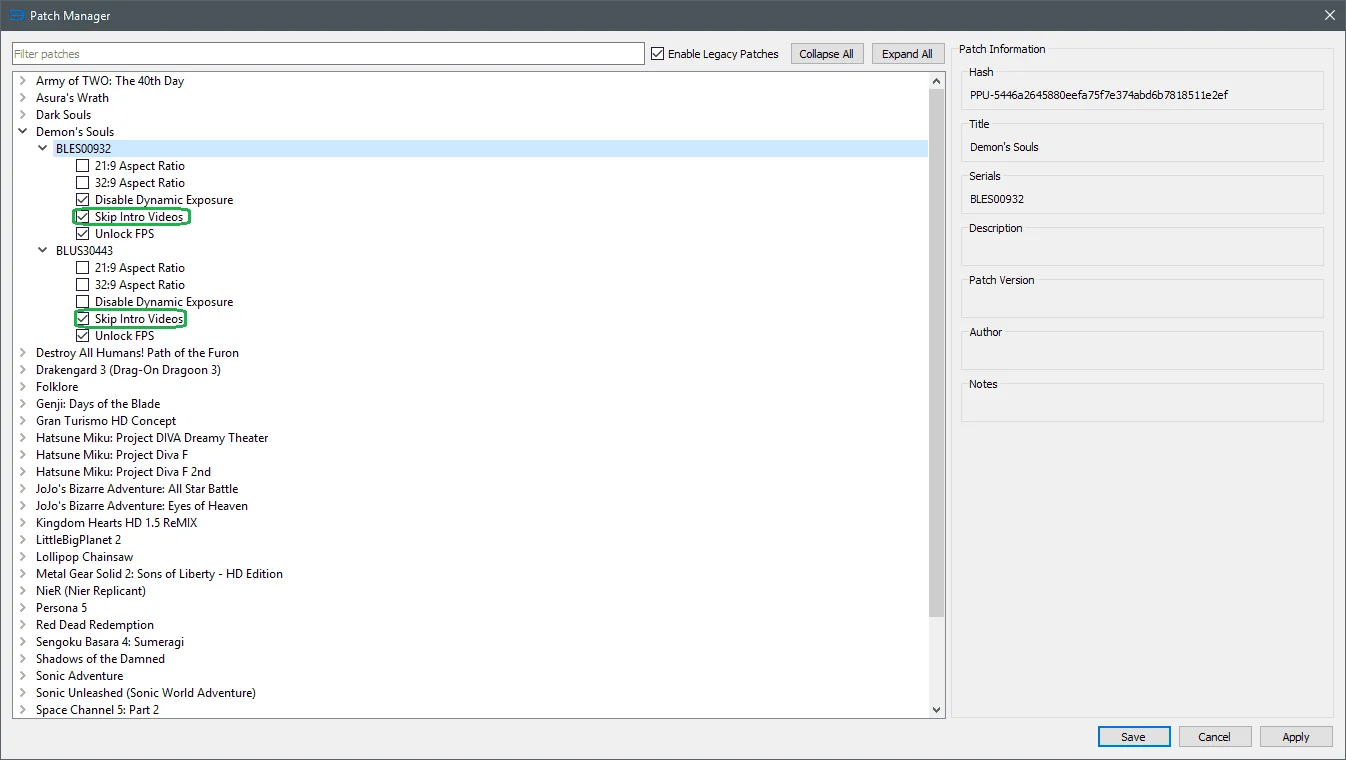
What's more, new patch configurations also let you ditch those tedious and time-consuming "From Software" and "Sony Computer Company" intro sequences.
Simply check the boxes as marked below:
 ⤢ ВІДКРИТИ
That's all for now. If you have any more questions about Demon's Souls emulation, feel free to ask in the comments.
Beyond this RPCS3 setup guide, I'm planning to benchmark several processors within the emulator and compare their performance. If that sounds interesting, let me know your thoughts in the comments below.
Thanks for reading, and see you in the next blog!