BLOGS · GAME BLOGS
PUBLISHED
READING4 min
Setting up the RPCS3 emulator for online play in Demon’s Souls
A guide to setting up the RPCS3 emulator for online play in Demon’s Souls, including RPCN account creation and in-game settings.
A few days ago, the developers of the PlayStation 3 emulator, RPCS3, enabled online multiplayer (or co-op) for two games: Demon's Souls and Bomberman ULTRA. This thrilled fans of the program.
In this guide, I'll detail how to set up the RPCS3 emulator for proper multiplayer functionality in Demon's Souls.
Updated 15.10.2020.
Keep in mind that this guide specifically applies to RPCS3 emulator version v0.0.12-11014-40558e7a Alpha | HEAD. Newer releases of the program might significantly change the situation, potentially rendering this guide completely obsolete.
Factor this in, and remember that the emulator developers update its code quite frequently. If the guide below doesn't work with your emulator version (assuming your RPCS3 release is newer than the one mentioned above), please let me know in the comments. I'll either update this guide or, if the RPCN connection method changes drastically, write a new one.
Thanks for your understanding.
 ⤢ ВІДКРИТИ
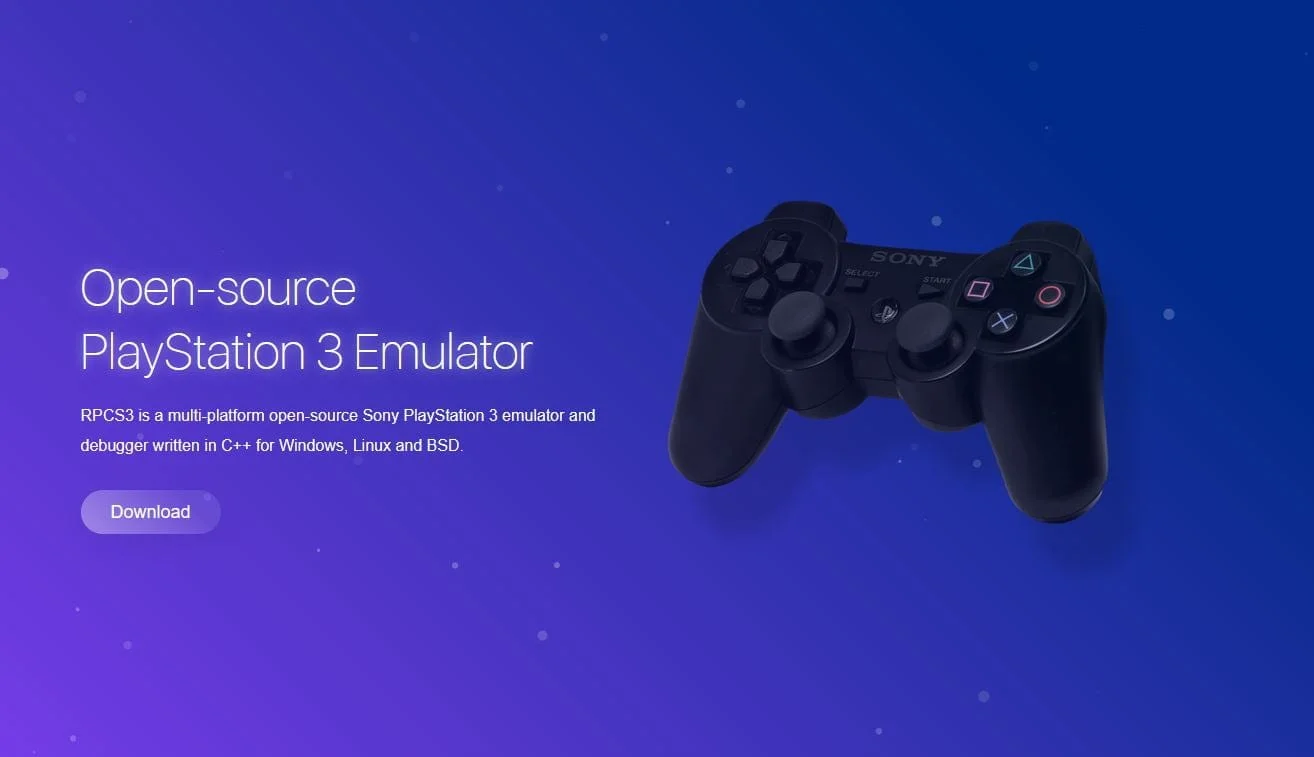
To start, you'll need an RPCN-compatible version of the RPCS3 emulator, specifically v0.0.12-11014-40558e7a Alpha | HEAD (or, *possibly* newer). Here's a crucial point: even if "auto-update emulator" is enabled in your settings, there's no guarantee it will update to the version you need! So, if you want access to online features, you must download the current RPCS3 version with RPCN network support. You can get it from the official RPCS3 emulator website.
Now, let's dive into setting up RPCS3's network.
Configuration
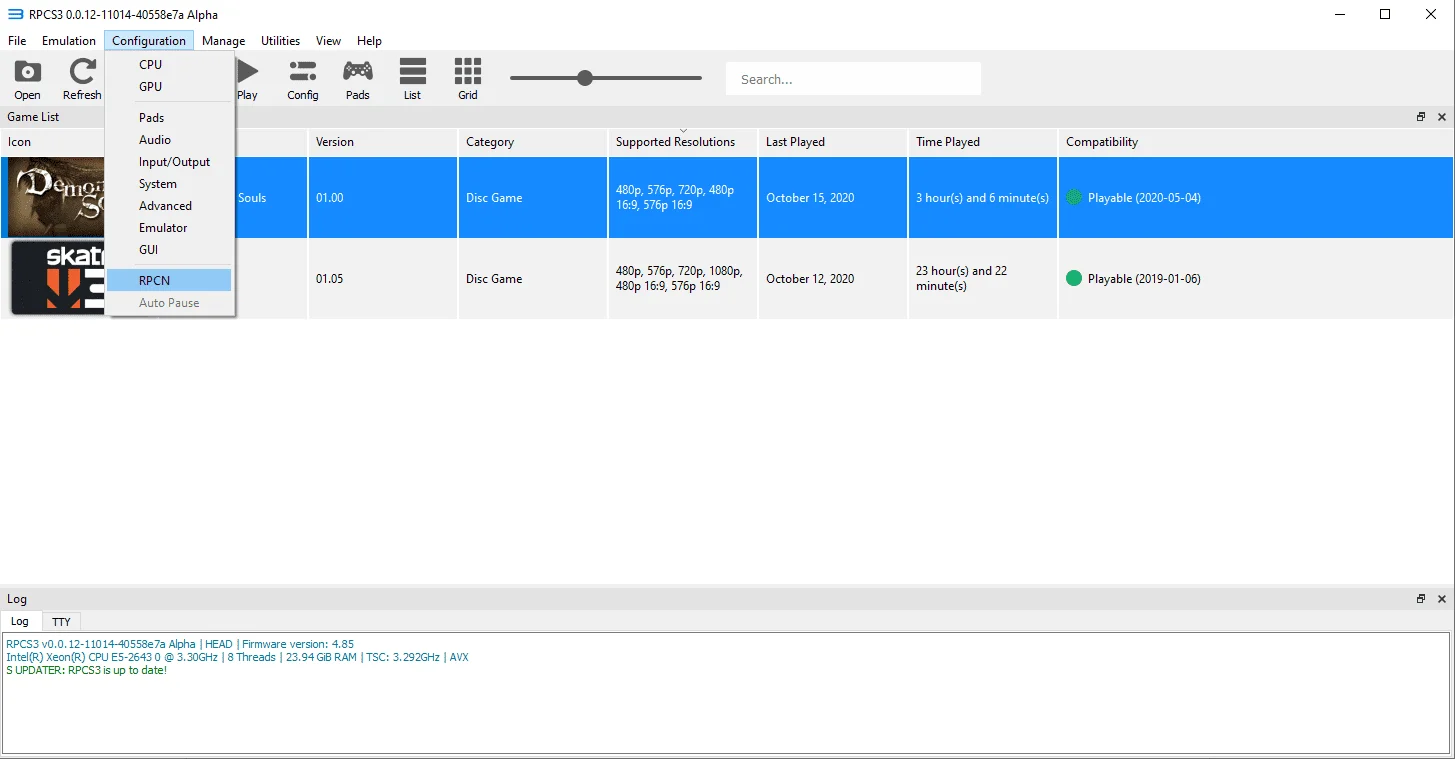
Go to the "Configuration" section, then "RPCN":
 ⤢ ВІДКРИТИ
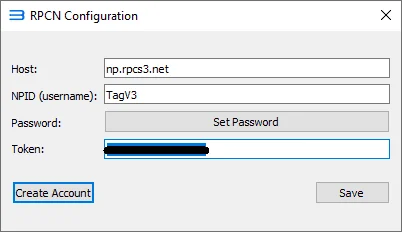
In the "Host" field, type np.rpcs3.net. Then, enter your desired nickname in "NPID" (try to be creative, many usernames are already taken). Next, click the "Set Password" button and enter a password to create your account. It's unclear where the database for these passwords is stored, so be extremely cautious and under no circumstances use a password that's important to you. Create something you haven't used anywhere else.
 ⤢ ВІДКРИТИ
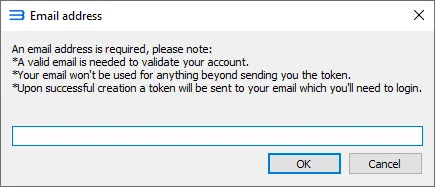
After that, click the "Create Account" button. If you've done everything correctly, a prompt will appear asking for your email address:
 ⤢ ВІДКРИТИ
Enter your email (at your own risk; I'd recommend creating a new one or using an existing throwaway account) and await a 16-digit "token". As you've probably guessed, you'll need to enter this token into the "Token" field. After that, simply click "Save", and if everything went well, your account is created.
Now let's configure the in-game network connection:
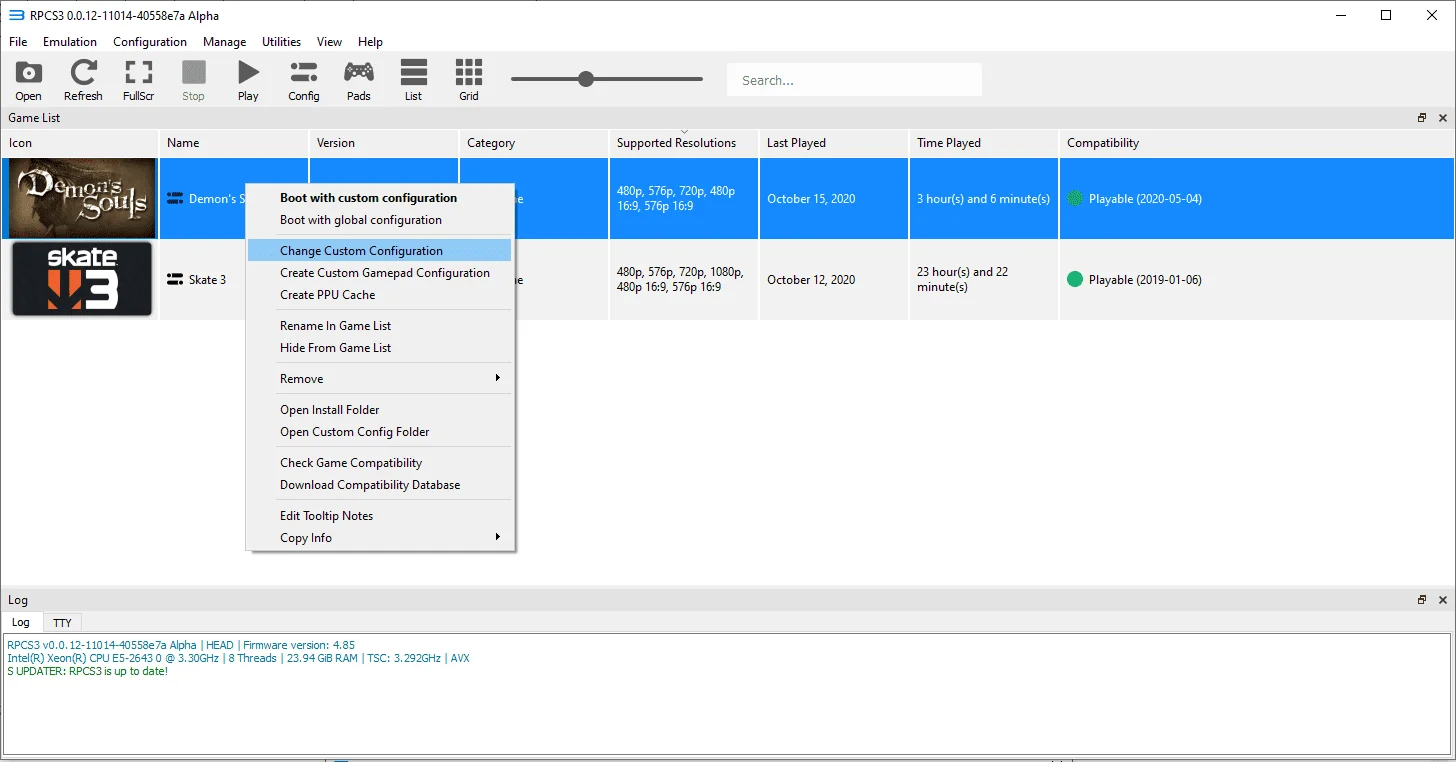
First, right-click the Demon's Souls icon and select «Change Custom Configuration»:
 ⤢ ВІДКРИТИ
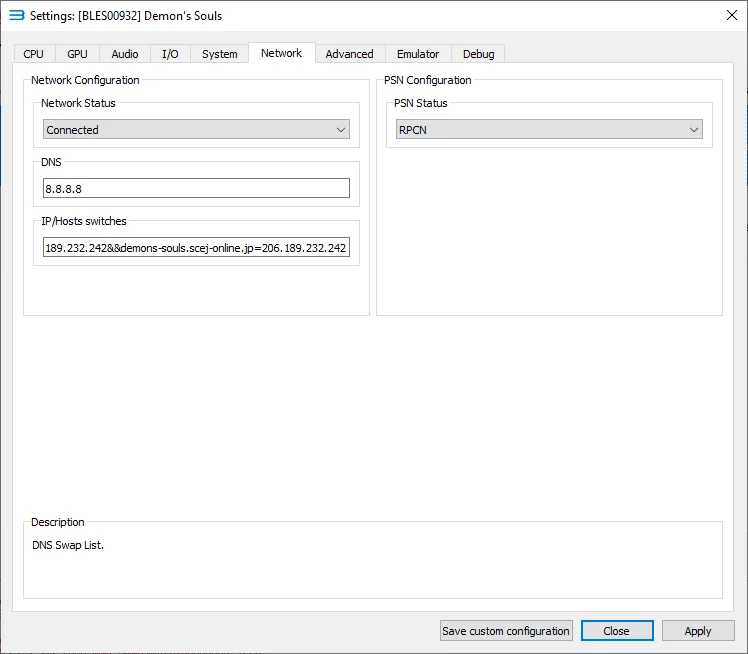
Next, navigate to the "Network" tab:
 ⤢ ВІДКРИТИ
Let's go step by step: First, change the "Network Status" parameter from "Disconnected" to "Connected". Then, in the "PSN Configuration" section, similarly change the "PSN Status" parameter to "RPCN". Also, set the "DNS" field to: 8.8.8.8.
Finally, copy the code below into the "IP/Hosts switches" field:
Bash
ds-eu-c.scej-online.jp=206.189.232.242&&ds-eu-g.scej-online.jp=206.189.232.242&&c.demons-souls.com=206.189.232.242&&g.demons-souls.com=206.189.232.242&&cmnap.scej-online.jp=206.189.232.242&&demons-souls.scej-online.jp=206.189.232.242Save your configured settings using the "Apply" and "Save custom configuration" buttons at the bottom of the window.
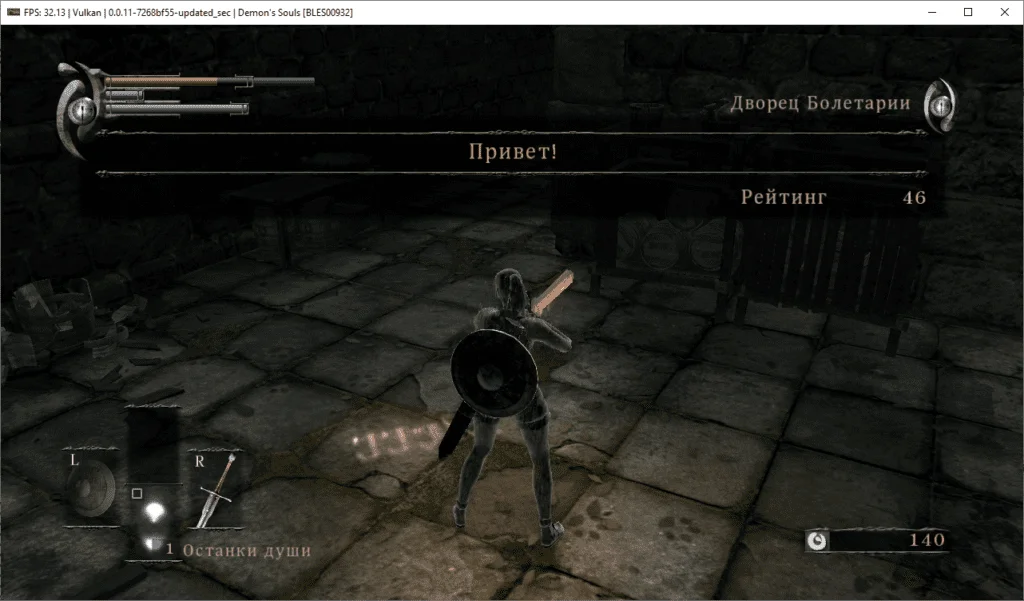
If you've done everything correctly, after launching the game, past the intro screens and the "Start" button prompt, you'll see similar messages:
These messages confirm that you are now connected to the RPCN network and are on the Demon's Souls server. Additionally, the last window will display your achievements in the online component of DS.
From this point on, you can see other players' "ghosts," view "bloodstains," engage in PvP, and play Demon's Souls in cooperative mode!
 ⤢ ВІДКРИТИ
However, remember that online play is currently in its early stages, so the game still has some bugs.
Test the settings above and share your results in the comments. Also, feel free to ask any questions you have. I'll do my best to answer each one.
Happy emulating!