TESTS · CPU · INTEL
PUBLISHED
READING22 min
Intel Xeon X3450 and X3470 review, overclocking, and testing + bonus Xeon X5570 test
We review, overclock, and test the Intel Xeon X3450 and X3470 processors on the LGA 1156 platform, discussing their relevance in 2019. Includes a bonus Xeon X5570 test.
In 2019, the LGA 1156 platform no longer looks promising, even for budget builds, especially when considering Chinese-made motherboards. There are many reasons for this, but the primary one is that these boards often don't support CPU overclocking (some allow RAM frequency changes, but even that's not always smooth). Furthermore, many units feature such weak power delivery that they can't even handle stock 45nm LGA 1156 CPUs. This article is therefore aimed at users who already have an LGA 1156 board and a weaker CPU, like a Core i3.
Stock of reputable motherboards from brands like ASUS and GIGABYTE is simply dwindling due to failures, and their initial numbers were limited since Intel's LGA 1156 platform had a relatively short lifespan. These factors combine to make any surviving motherboards unreasonably expensive.
It's precisely this quirk of the platform that makes its processors cost next to nothing. This mostly applies to Xeon chips, but general users don't mind, as LGA 1156 Xeons are essentially Core i5 and Core i7 CPUs, but with ECC memory support.
Enough with the preamble; let's get to the main topic. Back in late October, our long-awaited package with three processors finally arrived. And as you might have guessed, several were destined for LGA 1156 motherboards.
 ⤢ ВІДКРИТИ
Honestly, kicking off another benchmark session on November 1st brought a warm wave of nostalgia and positive emotions. LGA 1156 was Intel's last socket where you could overclock literally any compatible processor, whether it was a budget Celeron (yes, Celeron CPUs like the G1101 were on LGA 1156!), a Pentium, or a Core series chip. In those days, an unlocked multiplier offered a relatively minor advantage, not the absolute power it grants with modern processors.
This article will cover the most popular LGA 1156 chips: the Xeon X3450 and Xeon X3470. We'll overclock both processors and test them in current and relatively modern games and applications.
We included the third test subject, the Xeon X5570, more for comparative purposes than for an in-depth performance study, and it ultimately took an unexpected turn.
But you'll learn more about that later; for now, let's look at today's test subjects:
The processors
 ⤢ ВІДКРИТИ
 ⤢ ВІДКРИТИ
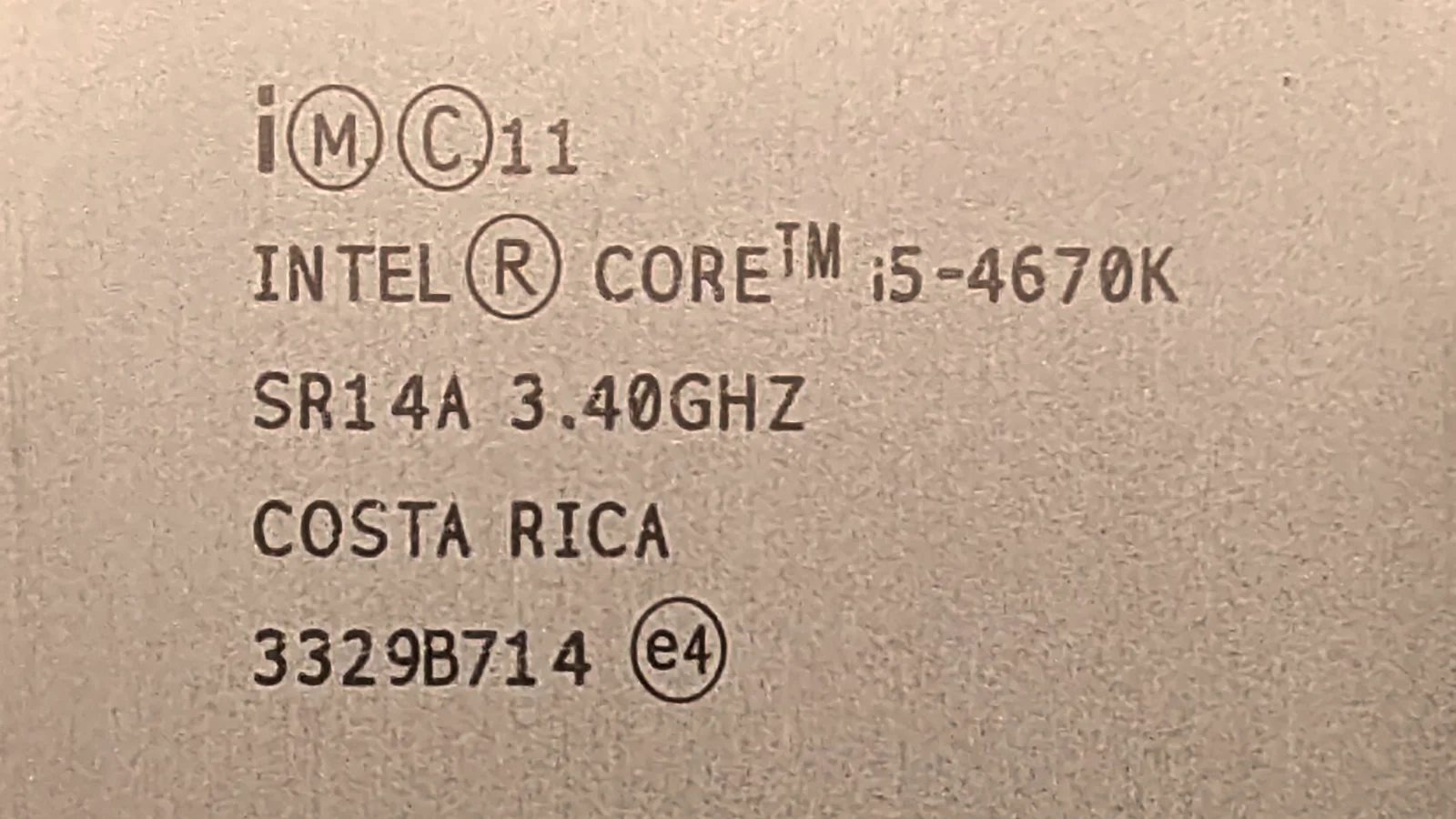
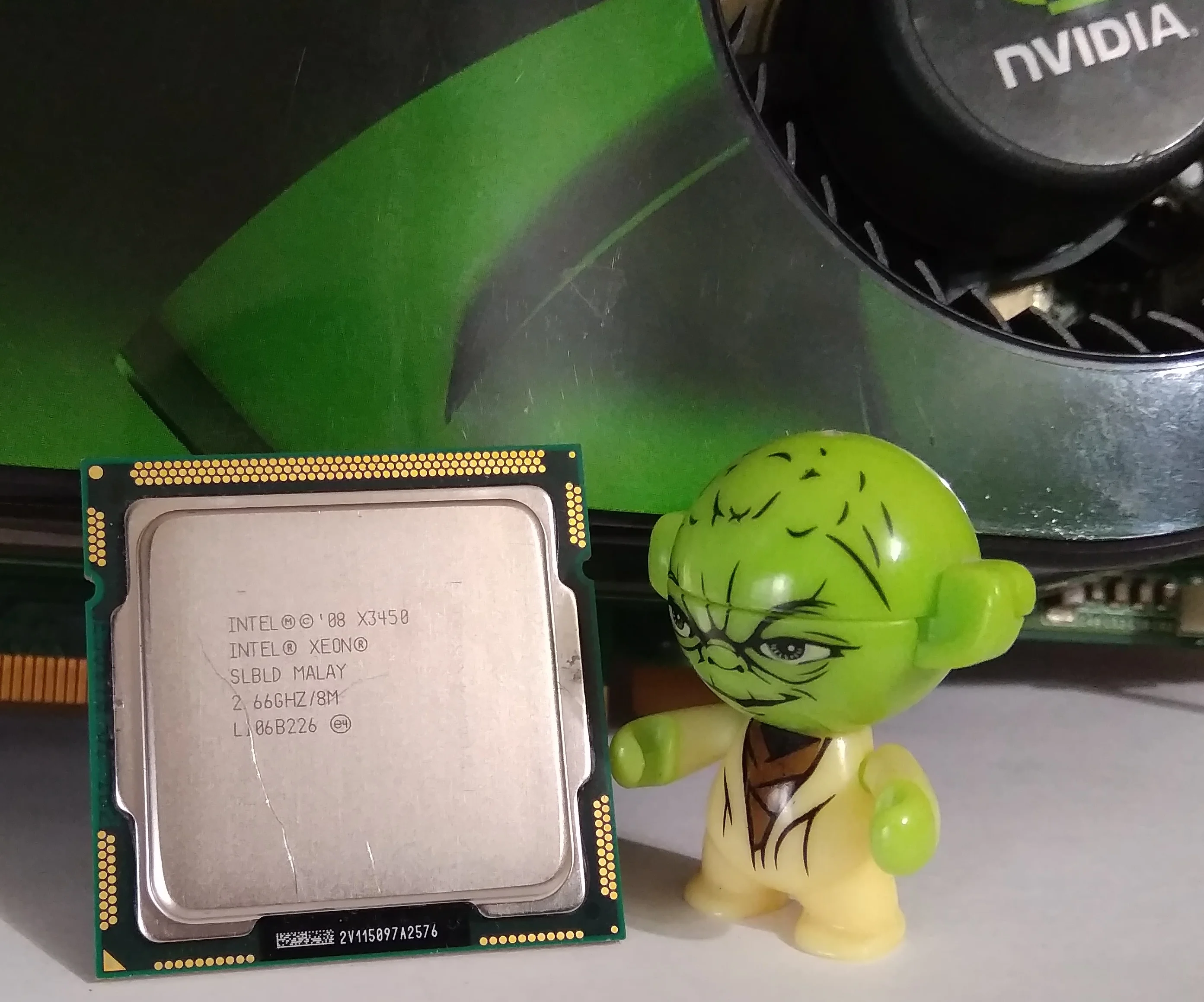
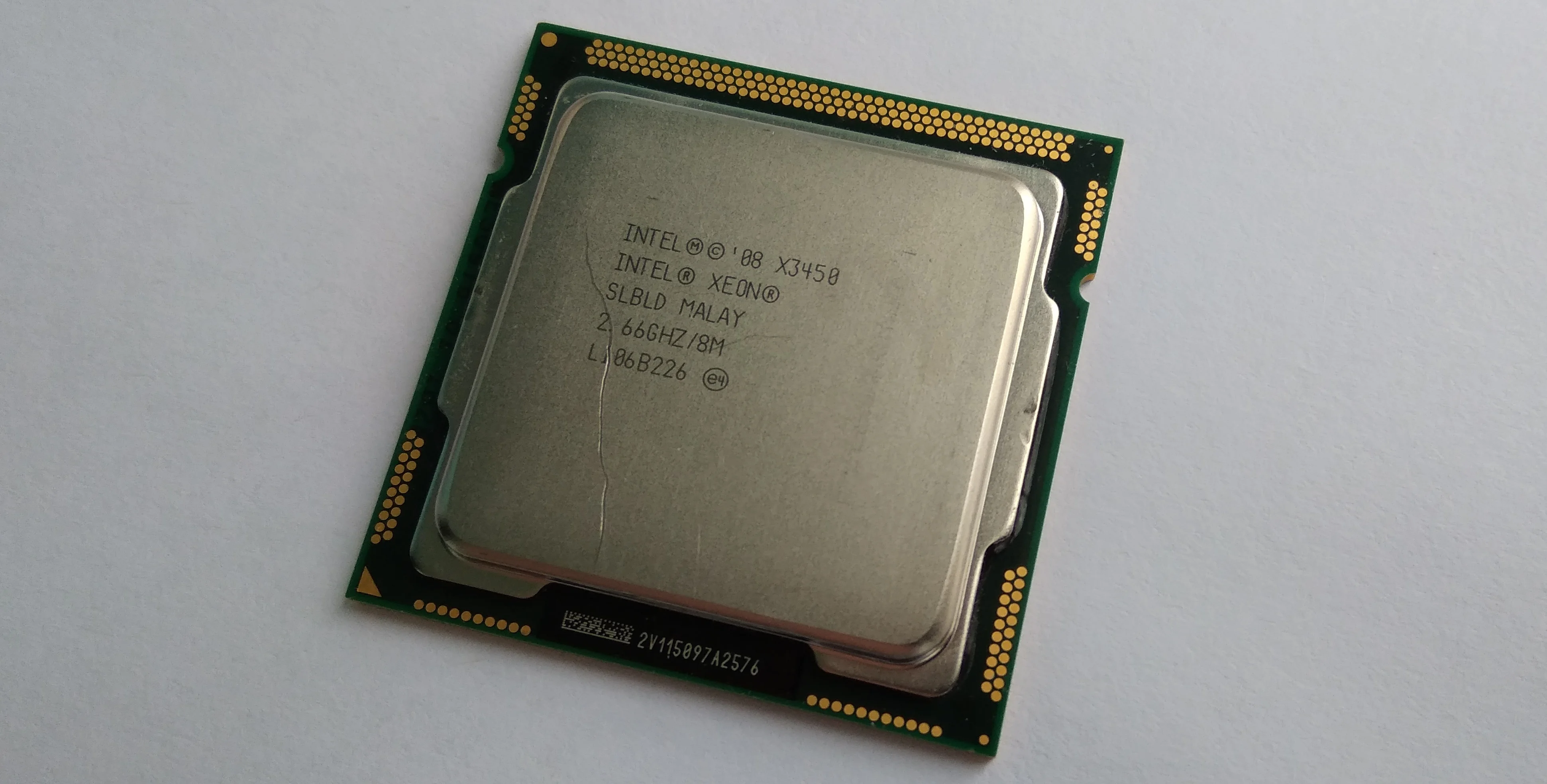
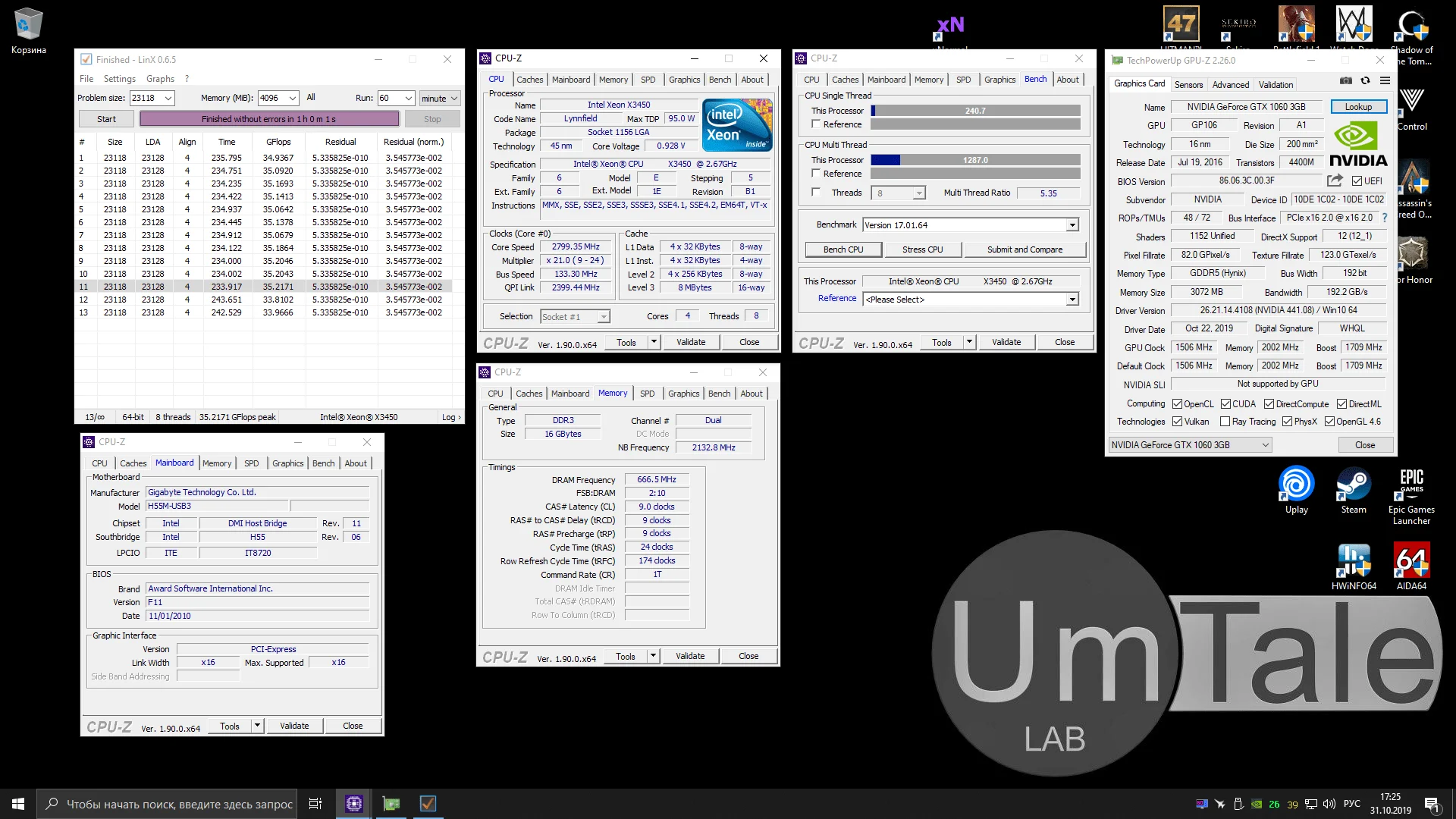
First up is the Xeon X3450, a once super popular 4-core, 8-thread, 45nm chip with a nominal core frequency of 2667MHz. All four cores can reach a maximum of 2800MHz, which isn't particularly impressive, even for a 45nm die.
The Xeon X3450 features 8MB of L3 cache, operating at 2133MHz, the minimum for the Nehalem architecture. It supports 1333MHz DDR3 RAM and has a 95W TDP.
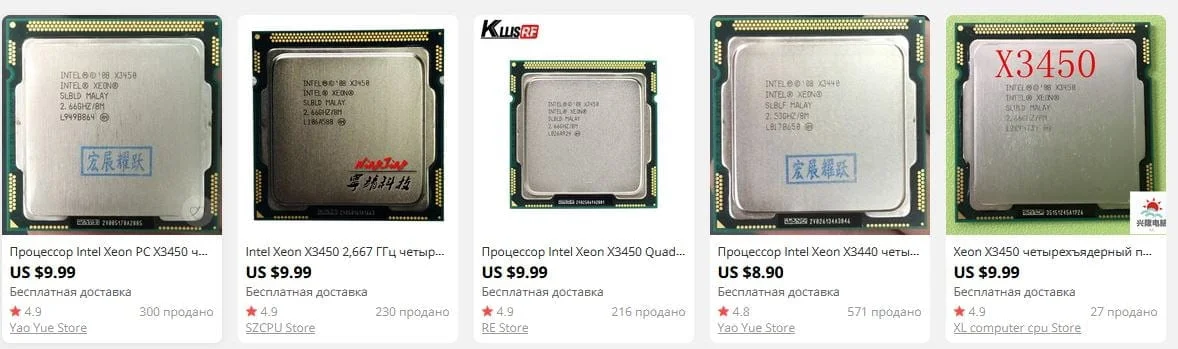
The Xeon X3450 costs around $8-10, which, combined with a functional brand-name motherboard, can still be an excellent deal.
 ⤢ ВІДКРИТИ
 ⤢ ВІДКРИТИ
 ⤢ ВІДКРИТИ
 ⤢ ВІДКРИТИ
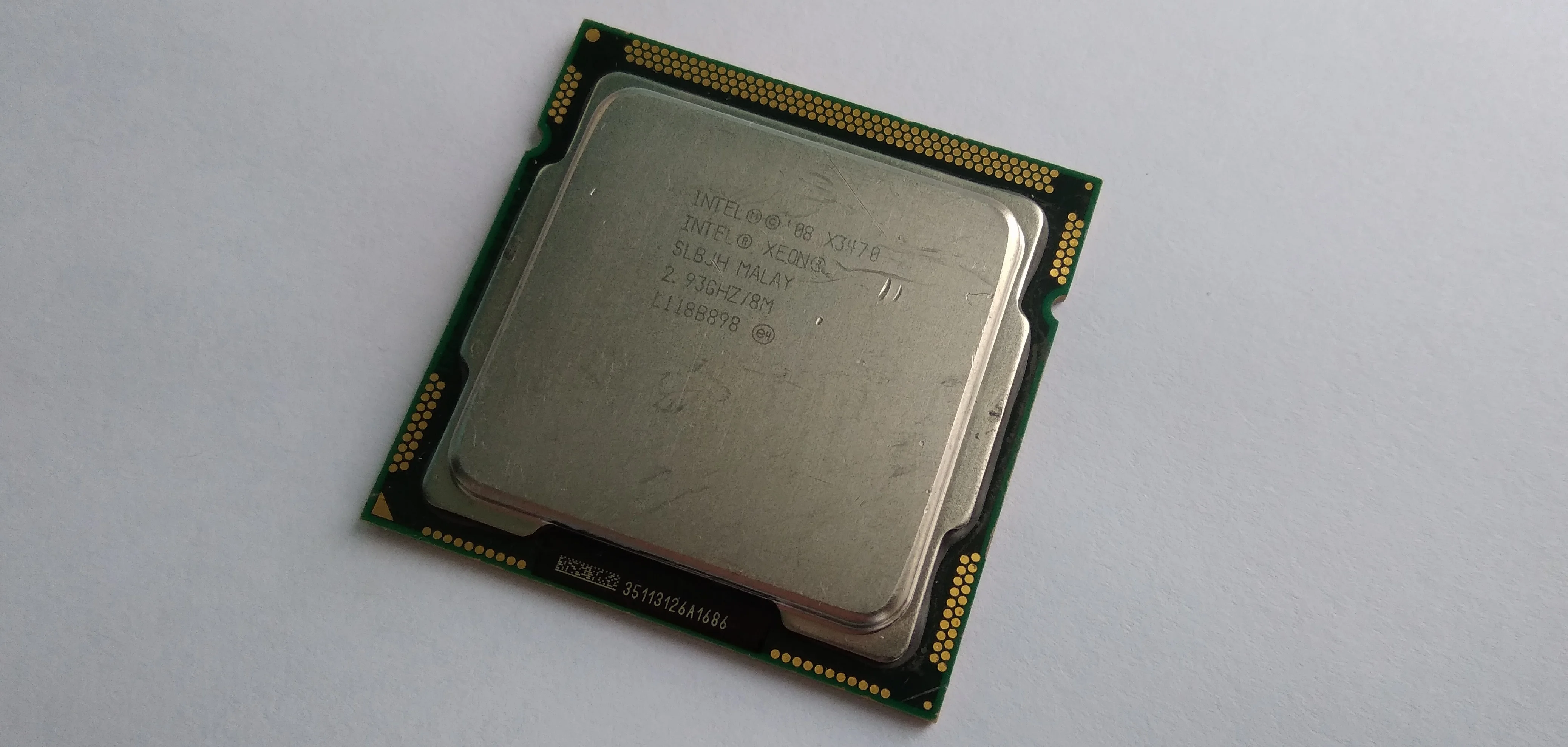
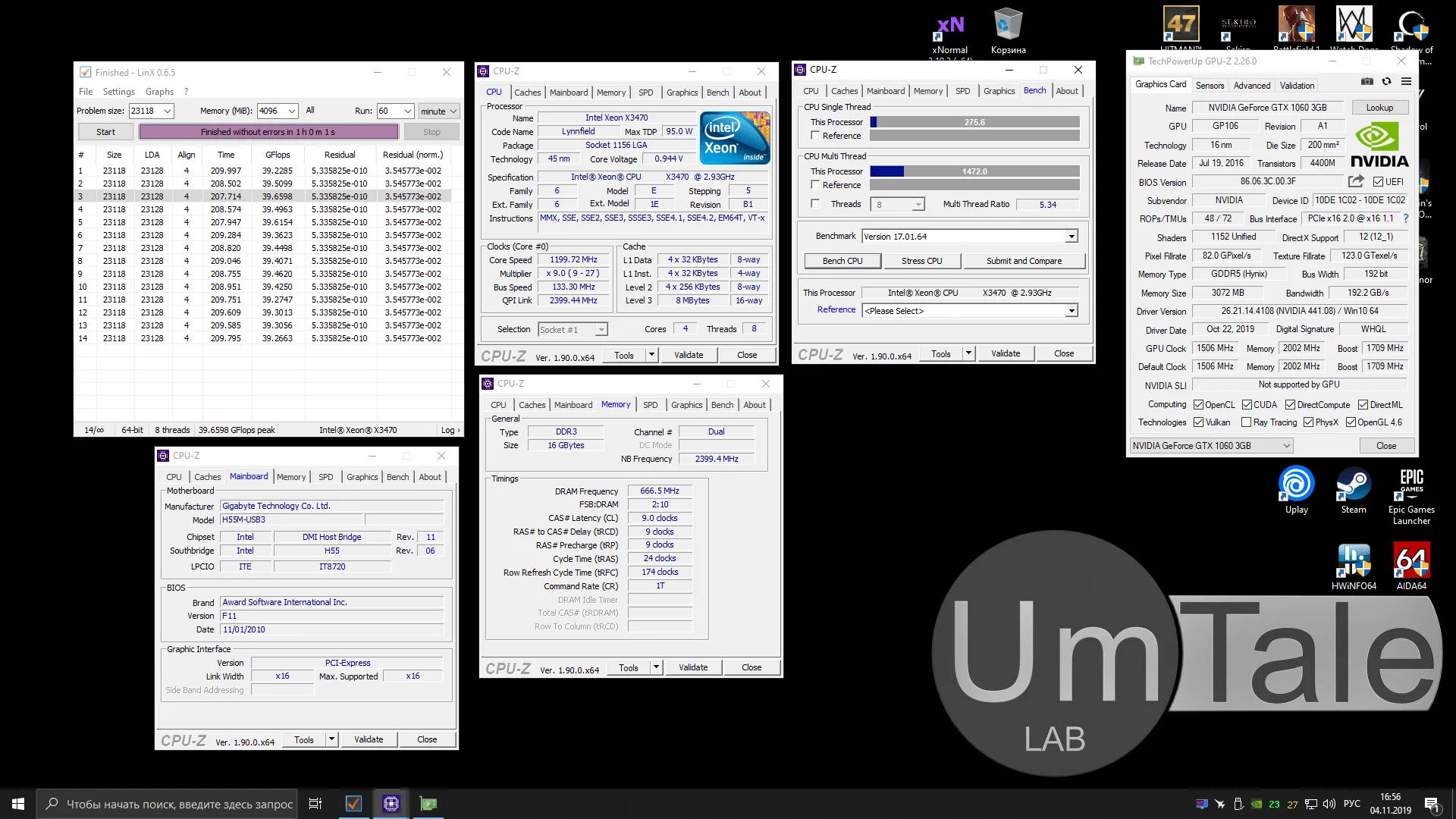
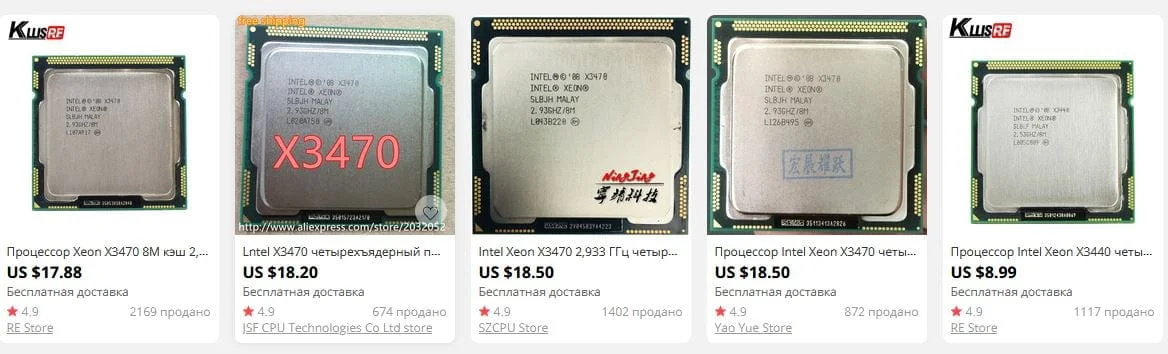
Despite costing nearly twice as much as its younger sibling, the Xeon X3470 piques my interest significantly more than the X3450. This isn't just due to its higher CPU core multiplier, but also its noticeably higher nominal memory controller and L3 cache frequency, set at 2400MHz.
For comparison, the Xeon X3450's frequency is just 2133MHz. As a reminder, the memory controller and L3 cache in first-generation Core i3/i5/i7 processors operate at a single frequency, which is often significantly lower than the CPU core frequency.
Otherwise, we're looking at a typical 4-core, 8-thread Lynnfield die. The chip's nominal frequency is 2933MHz, capable of automatically boosting to a significant 3200MHz.
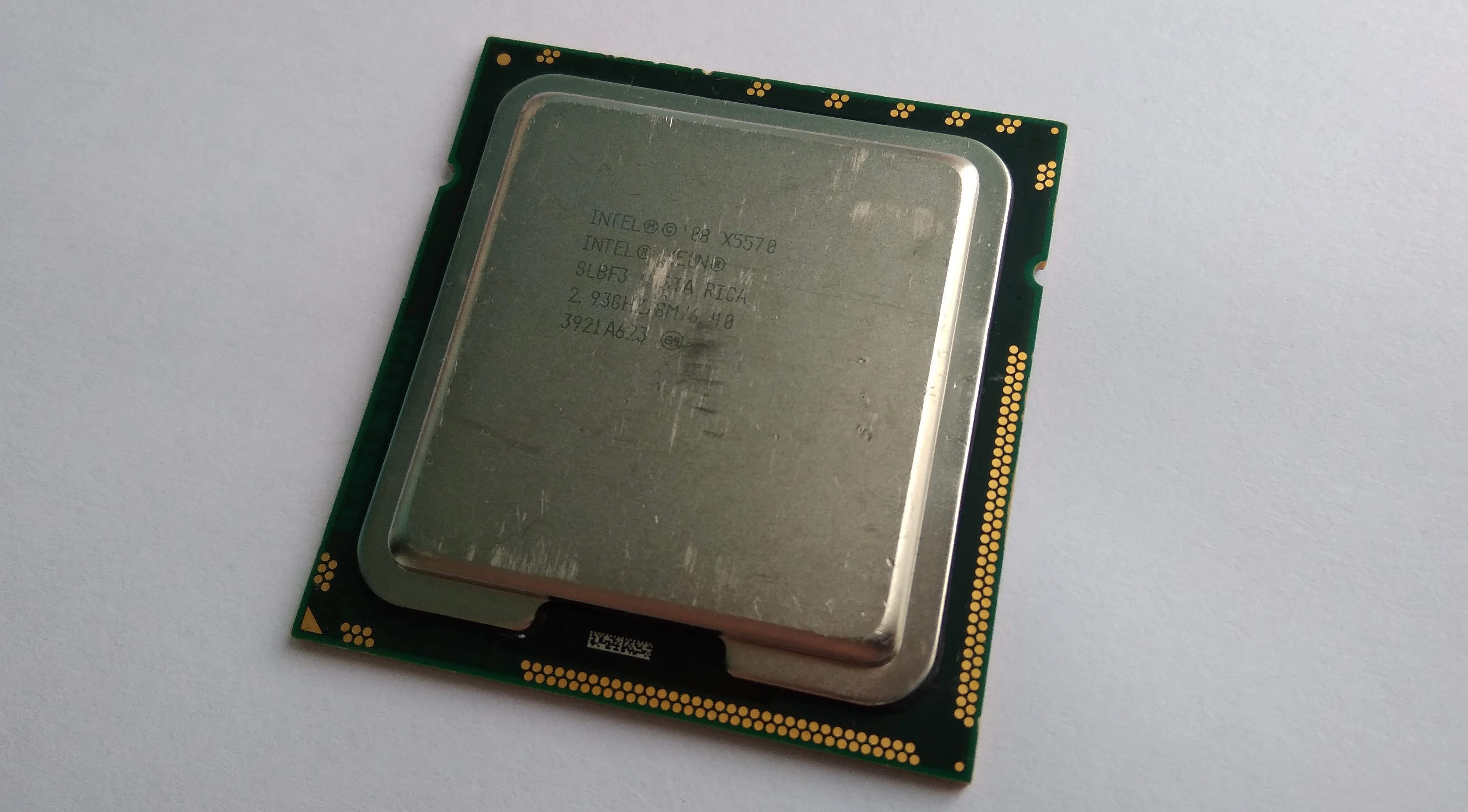
With our main subjects covered, it's finally time for our last, bonus newcomer: the Intel Xeon X5570:
 ⤢ ВІДКРИТИ
 ⤢ ВІДКРИТИ
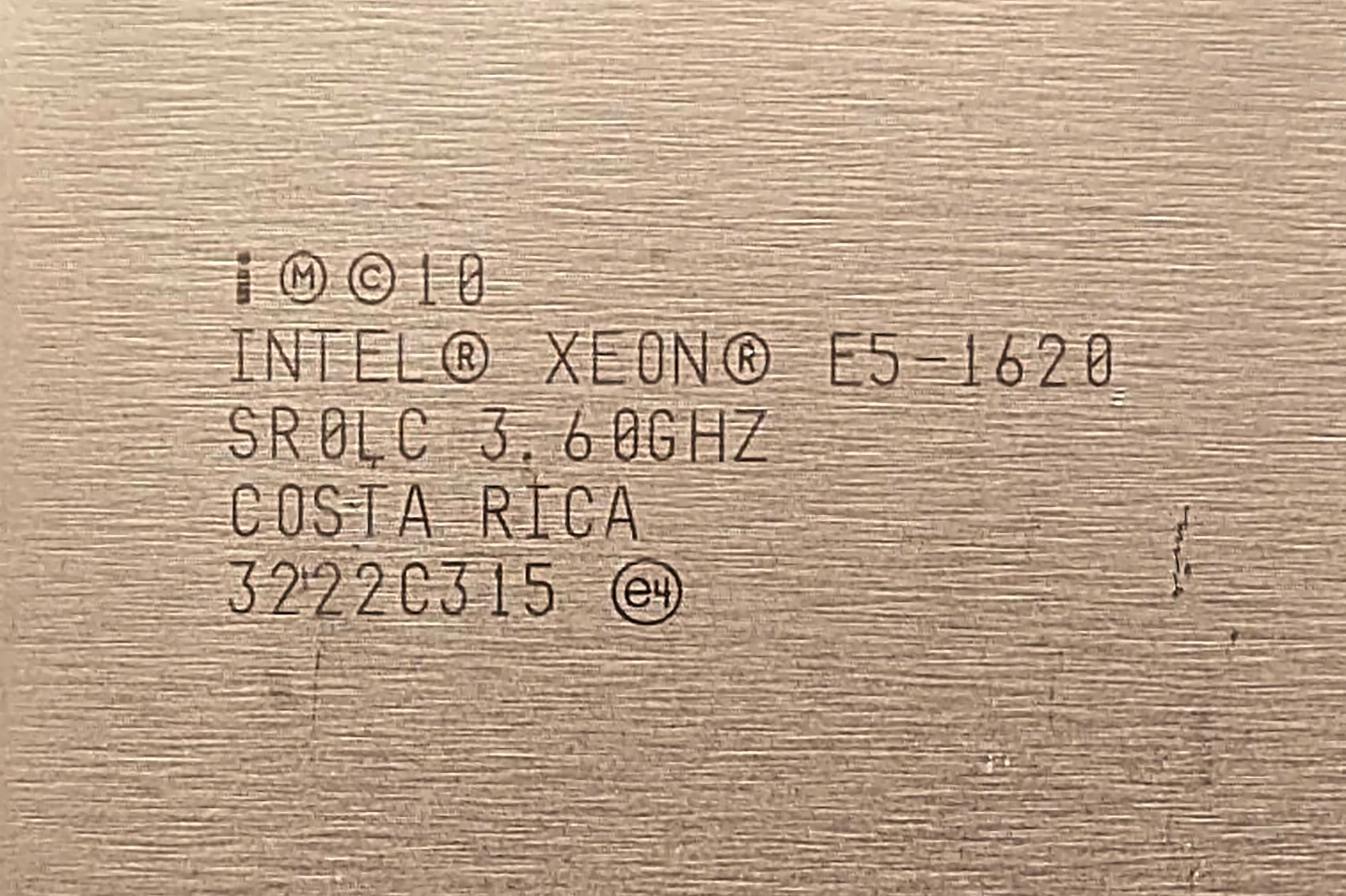
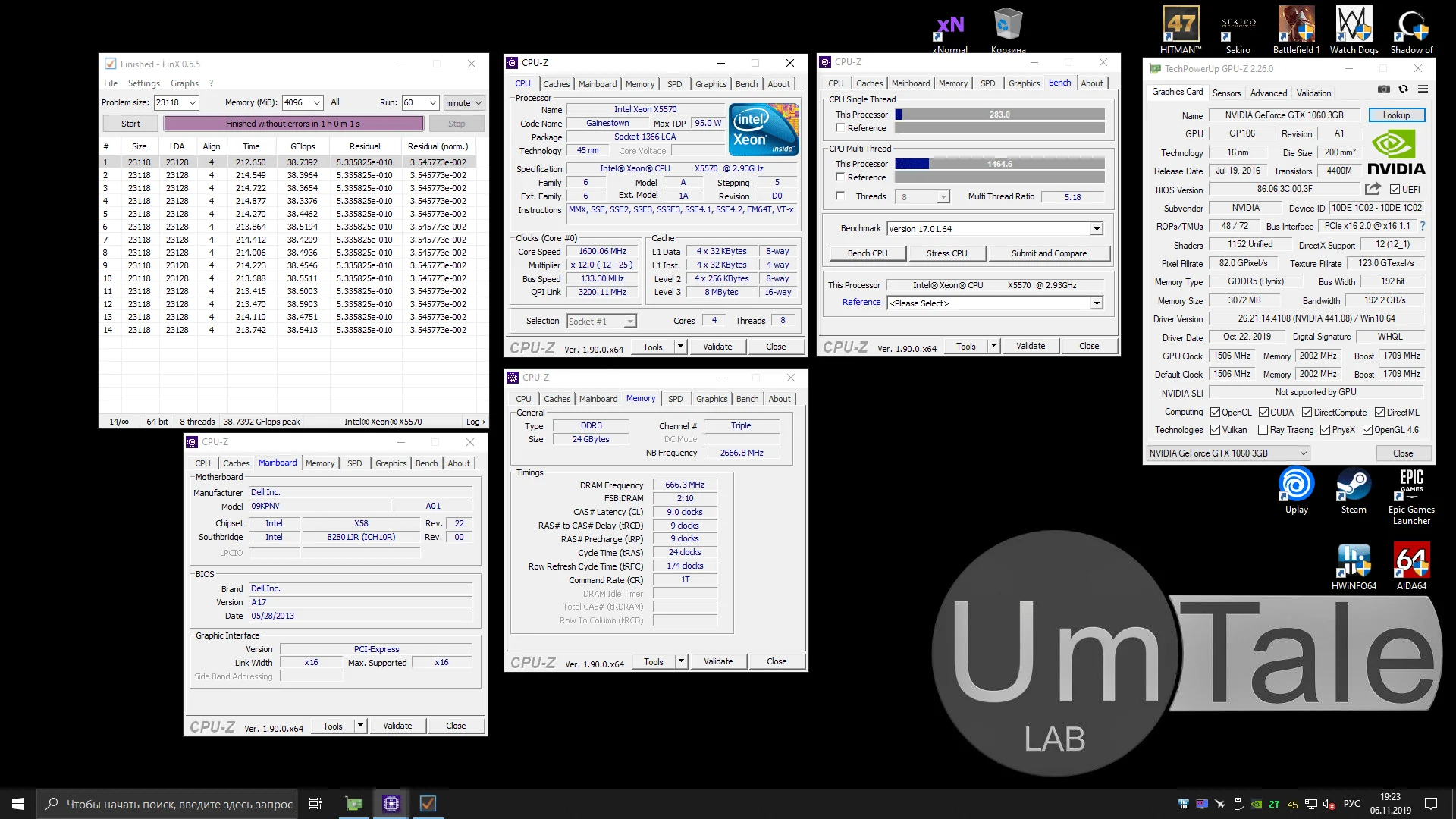
This is, in fact, a Bloomfield-core chip. But due to its specialized role in workstations and small servers, Intel changed its codename to Gainestown. The Xeon X5570 supports dual-processor systems, a capability not found in the Xeon W3500 and Core i7-900 series CPUs, despite also being designed for LGA 1366.
Otherwise, it's a typical 45nm Nehalem architecture chip. Its nominal frequency is 2933MHz, boosting to 3200MHz for all four cores in Turbo Boost mode. The processor features 8MB of L3 cache, a QPI bus frequency of 3200MHz, and, most interestingly, its memory controller operates at 2666MHz.
This is the highest L3 cache and integrated memory controller (IMC) divider Intel used for Nehalem architecture chips and their 32nm Westmere successors.
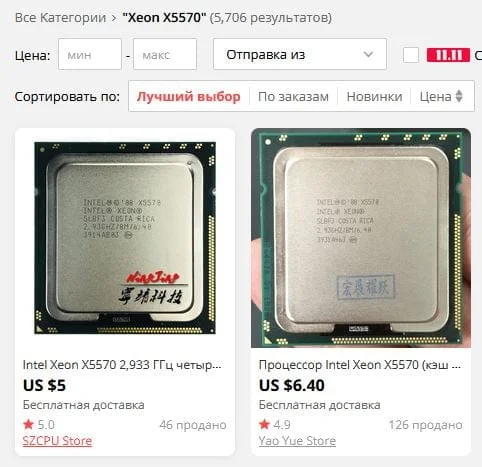
This configuration, coupled with the X5570's support for triple-channel 1333MHz DDR3 RAM, makes it an extremely interesting processor. And considering its $4-7 price tag, it looks like a pretty promising chip on paper.
 ⤢ ВІДКРИТИ
The other two participants should already be familiar from our previous Xeon E5-2670 test. First up is the Core i5-2500K:
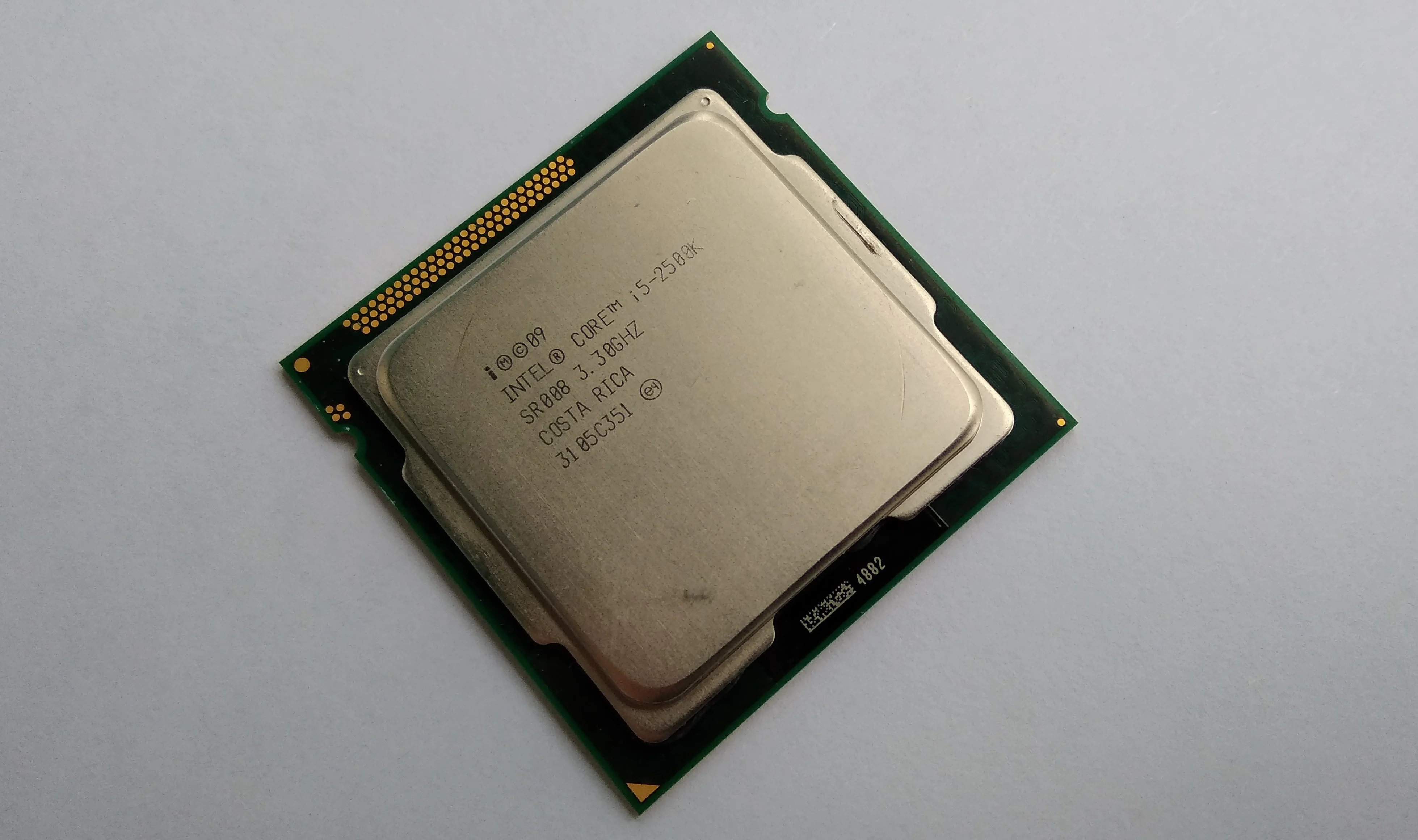 ⤢ ВІДКРИТИ
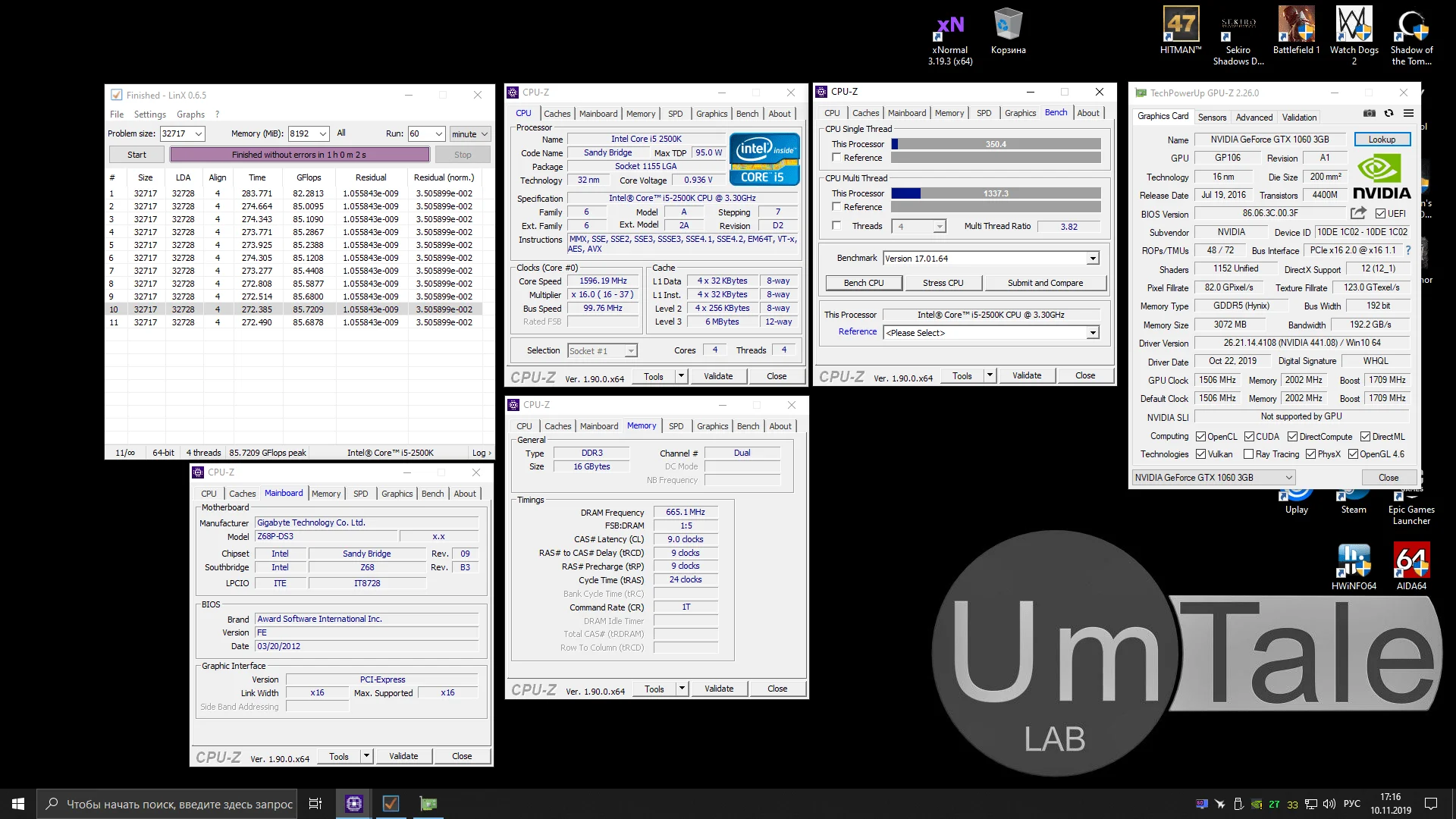 ⤢ ВІДКРИТИ
And second, the old 6-core, 12-thread Xeon X5660:
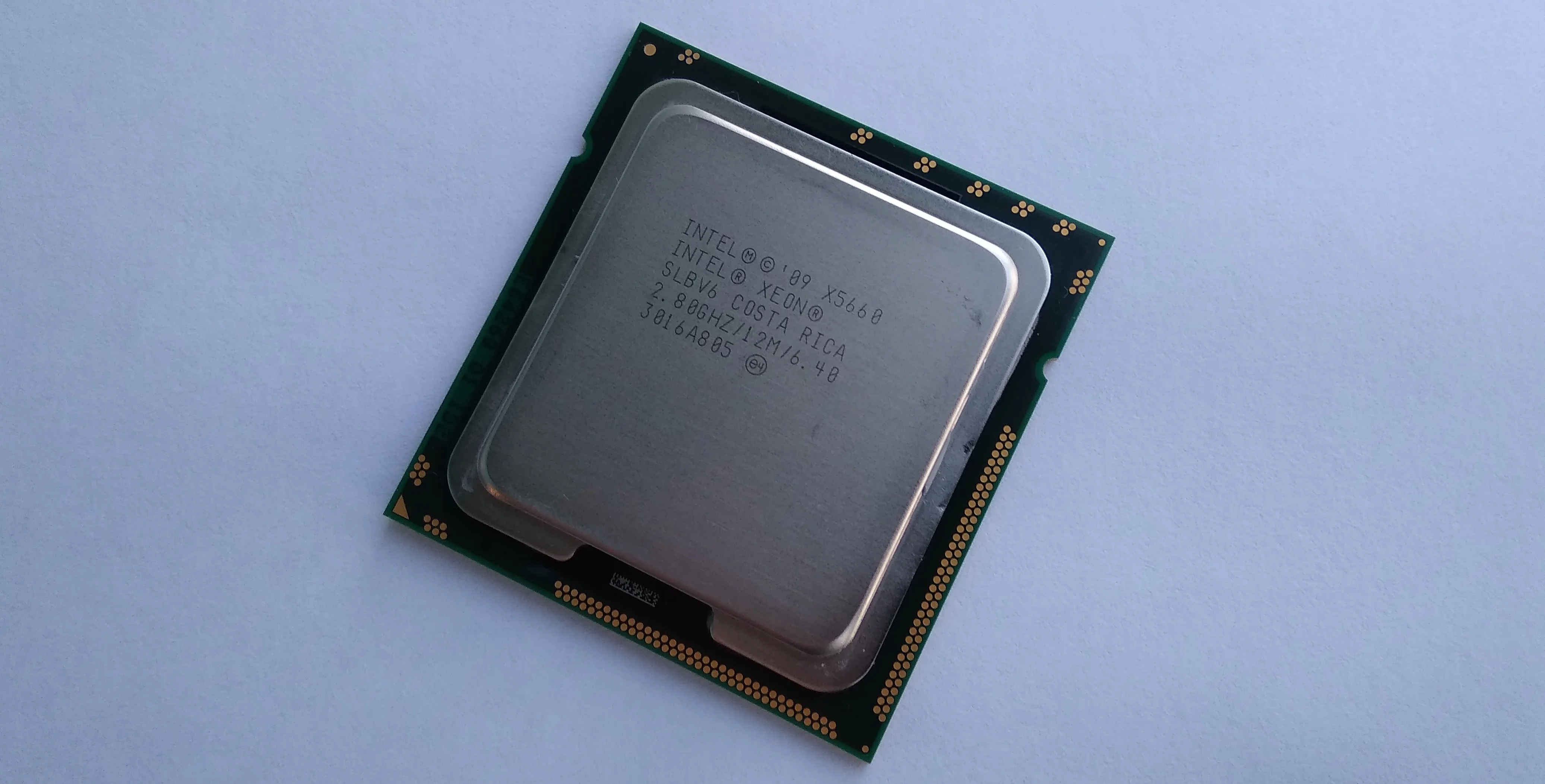 ⤢ ВІДКРИТИ
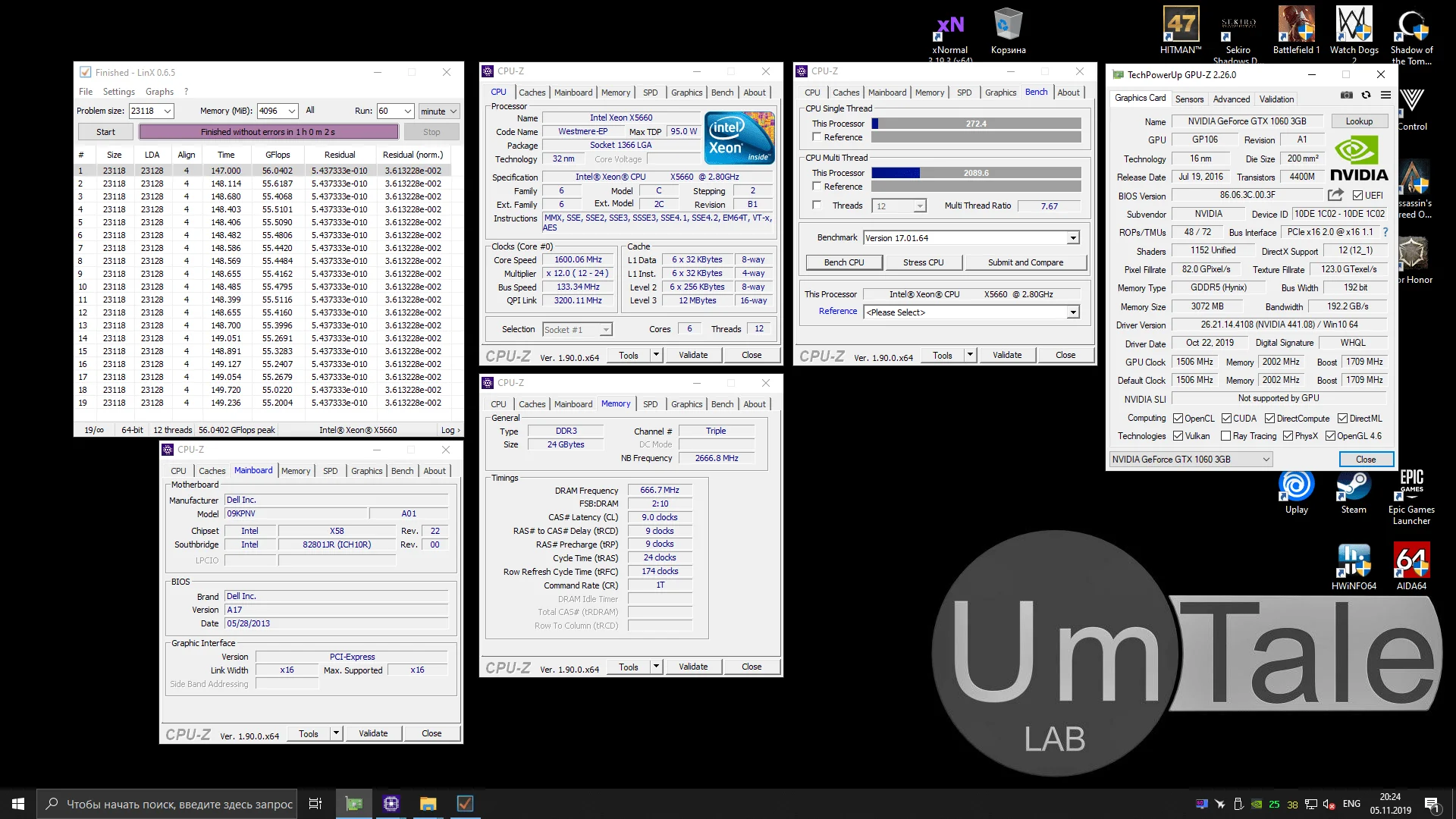 ⤢ ВІДКРИТИ
Processor | Xeon X5660 | Core i5-2500K | Xeon X5570 | Xeon X3450 | Xeon X3470 |
Socket | LGA 1366 | LGA 1155 | LGA 1366 | LGA 1156 | LGA 1156 |
Base frequency | 2800МГц | 3300МГц | 2933МГц | 2667МГц | 2933МГц |
Max frequency | 3200МГц | 3700МГц | 3325МГц | 3200МГц | 3600МГц |
Max all-core frequency | 3066МГц | 3400МГц | 3200МГц | 2800МГц | 3200МГц |
Core count | 6 | 4 | 4 | 4 | 4 |
Thread count | 12 | 4 | 8 | 8 | 8 |
Process node | 32нм | 32нм | 45нм | 45нм | 45нм |
L2 cache (per core) | 256КБ | 256КБ | 256КБ | 256КБ | 256КБ |
L3 cache (total) | 12МБ | 6МБ | 8МБ | 8МБ | 8МБ |
L3/IMC frequency | 2666МГц | Tied to core frequency | 2666МГц | 2133МГц | 2400МГц |
TDP | 95W | 95W | 95W | 95W | 95W |
Memory controller | 3-channel | 2-channel | 3-channel | 2-channel | 2-channel |
Test setup:
Processors — Xeon X3450, Xeon X3470, Xeon X5570, Xeon X5660, and Core i5-2500K
Cooling — Cooler Master Hyper 212 Black Edition (RR-212S-20PK-R1)
RAM for LGA 1366 — 3 x 8GB HyperX Genesis Na’Vi Edition (KHX16C9C2K2/8), 24GB total
RAM for LGA 1155 — 2 x 8GB HyperX Genesis Na’Vi Edition (KHX16C9C2K2/8), 16GB total
RAM for LGA 1156 — 2 x 8GB HyperX Genesis Na’Vi Edition (KHX16C9C2K2/8), 16GB total
LGA 1366 Motherboard — DELL T3500 (09KPNV)
LGA 1155 Motherboard — Gigabyte GA-Z68P-DS3 (rev. 2.0)
LGA 1156 Motherboard — Gigabyte H55M-USB3
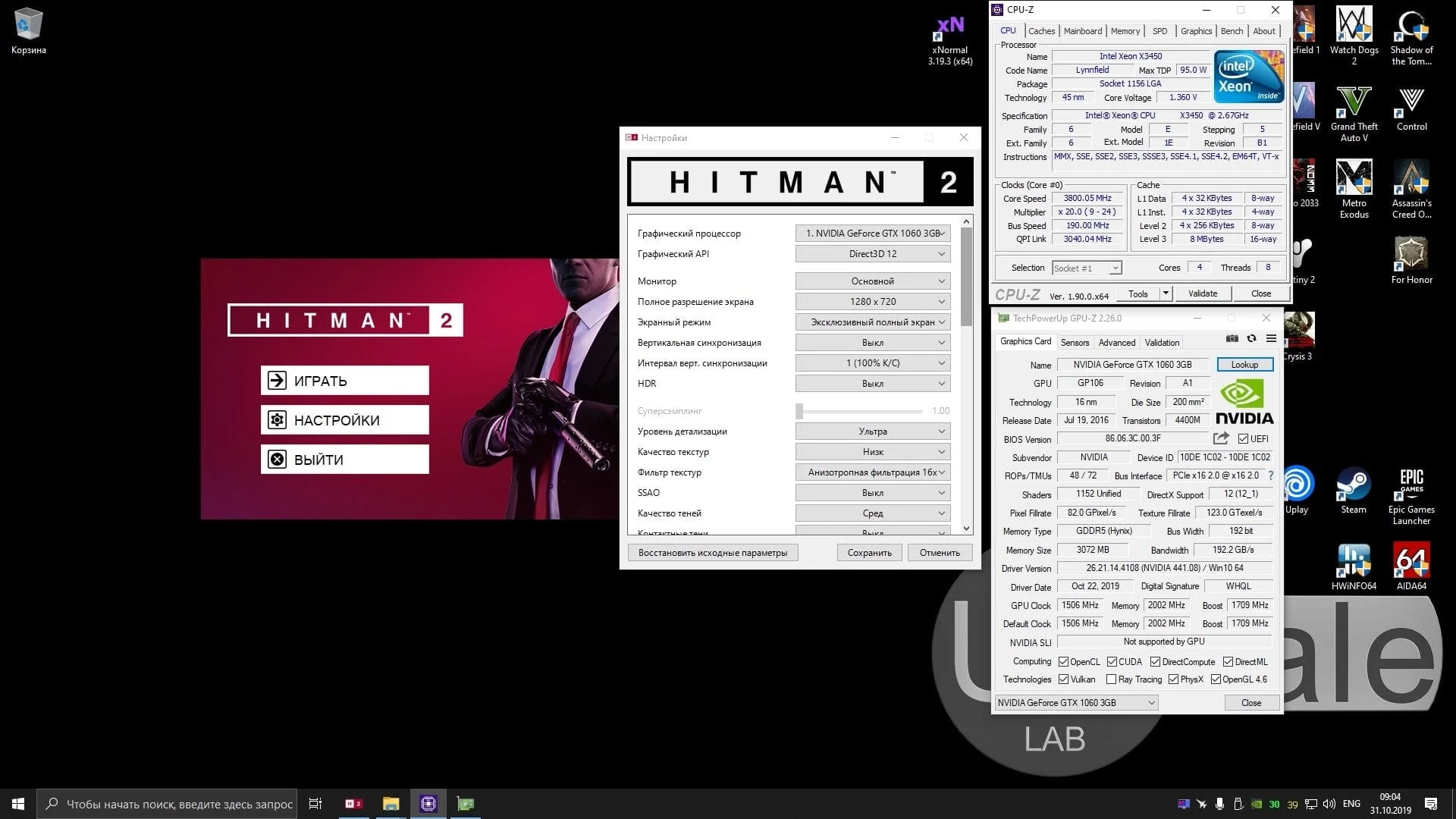
Graphics card — Palit GeForce GTX 1060 DUAL 3GB (1506/1709/8000MHz, Power Limit 115%)
SSD — KINGSTON 120GB SA400S37120G (Windows 10 1903/Applications)
HDD — Seagate 2TB ST2000DM008-2FR102 (Games)
Power Supply — Chieftec GPS-1250C
Software:
Windows 10 Pro v1903 x64
CPU-z v1.90.0 x64
AIDA64 v6.10.5200
NVIDIA GeForce Game Ready Driver 441.08 WHQL
V-Ray Benchmark v4.10.03
Corona Benchmark v1.3
Cinebench R11.5
Cinebench R15.38
Cinebench R20.060
xNormal 3.19.3.39669 x64 (NM Map smoothing x4, AO Map smoothing x1)
HWBot x265 Benchmark v2.0.0
WinRar v5.8 Beta 2 x64
7-Zip v19.0 x64
Processor overclocking
Moving on to overclocking the processors, I was genuinely excited, as LGA 1156 is one of my favorite sockets, primarily due to its extensive settings and solid potential.
The older Xeon X3470 was the first chip installed. I decided to start my experiments with it for a simple reason: the processor has a relatively high multiplier, and hitting the coveted 4GHz on this Lynnfield die seemed trivial. But that wasn't the case.
The processor couldn't budge from its nominal frequencies by even a couple hundred MHz, regardless of the voltage. LinX crashed the system within 30 seconds of starting the test.
“That happens,” I thought, maybe the Chinese vendor slipped in a bad X3470 sample. No big deal, I'll move on to the X3450; it can't be that bad.
Oh, it absolutely could! Just like its older sibling, the Xeon X3450 couldn't move past its nominal frequencies, also crashing the system after 30-35 seconds of LinX testing.
After this, I started suspecting the test motherboard. Though it didn't make much sense, as it had successfully overclocked a Core i5-760 to 3840MHz and a Core i3-540 to 4600MHz.
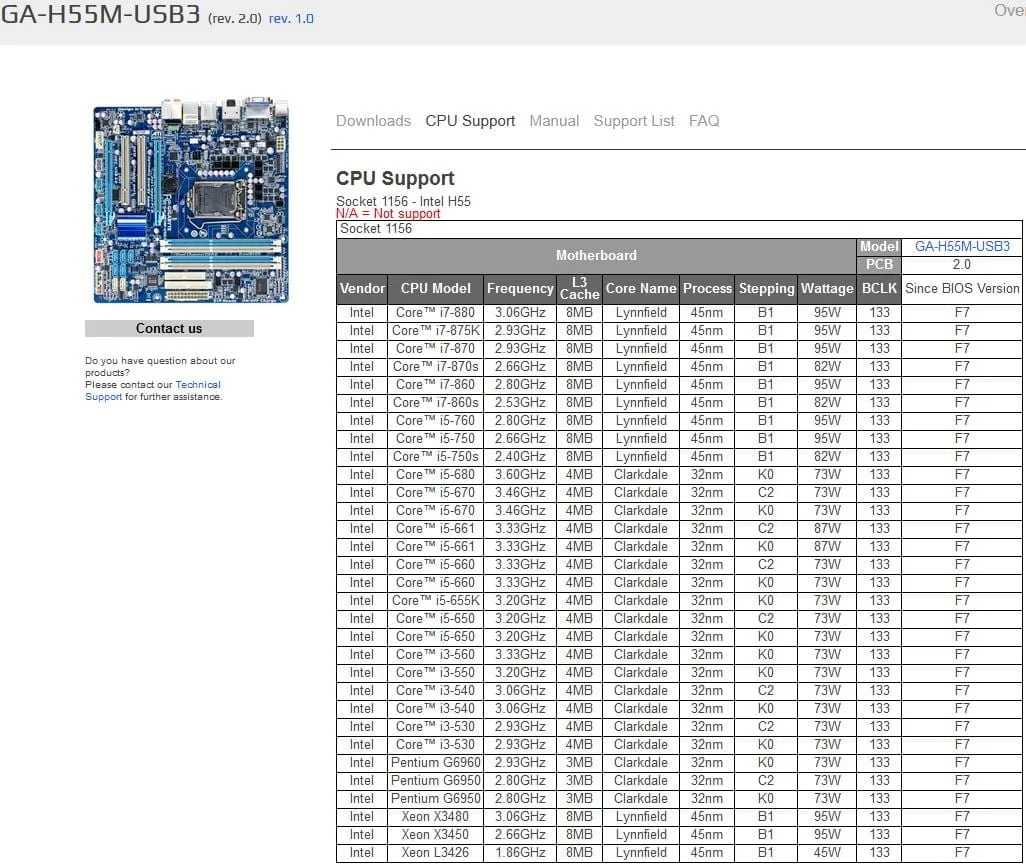
After a dozen unsuccessful attempts to reconfigure the BIOS, I started scouring the internet for a possible solution. However, the test board was rarely used with Xeons, so even knowing the answer beforehand, I checked the manufacturer's official website just in case.
 ⤢ ВІДКРИТИ
The Gigabyte H55M-USB3 shouldn't have any issues with the test processors, as it even supports the top-tier Xeon X3480. So, flashing a modified BIOS wouldn't help.
I dove back into the BIOS settings, and after another 30-40 minutes, I finally found the cause of the stress test crashes:
The problem lay with the enabled LLC (Load-Line Calibration) option. It was supposed to prevent voltage drops under heavy chip loads, but its function was inverted for some reason. As soon as I disabled Load-Line Calibration in the BIOS, it paradoxically started working, and the processor finally began to overclock.
The junior Xeon was installed in the board at the time, so I started my experiments with it.
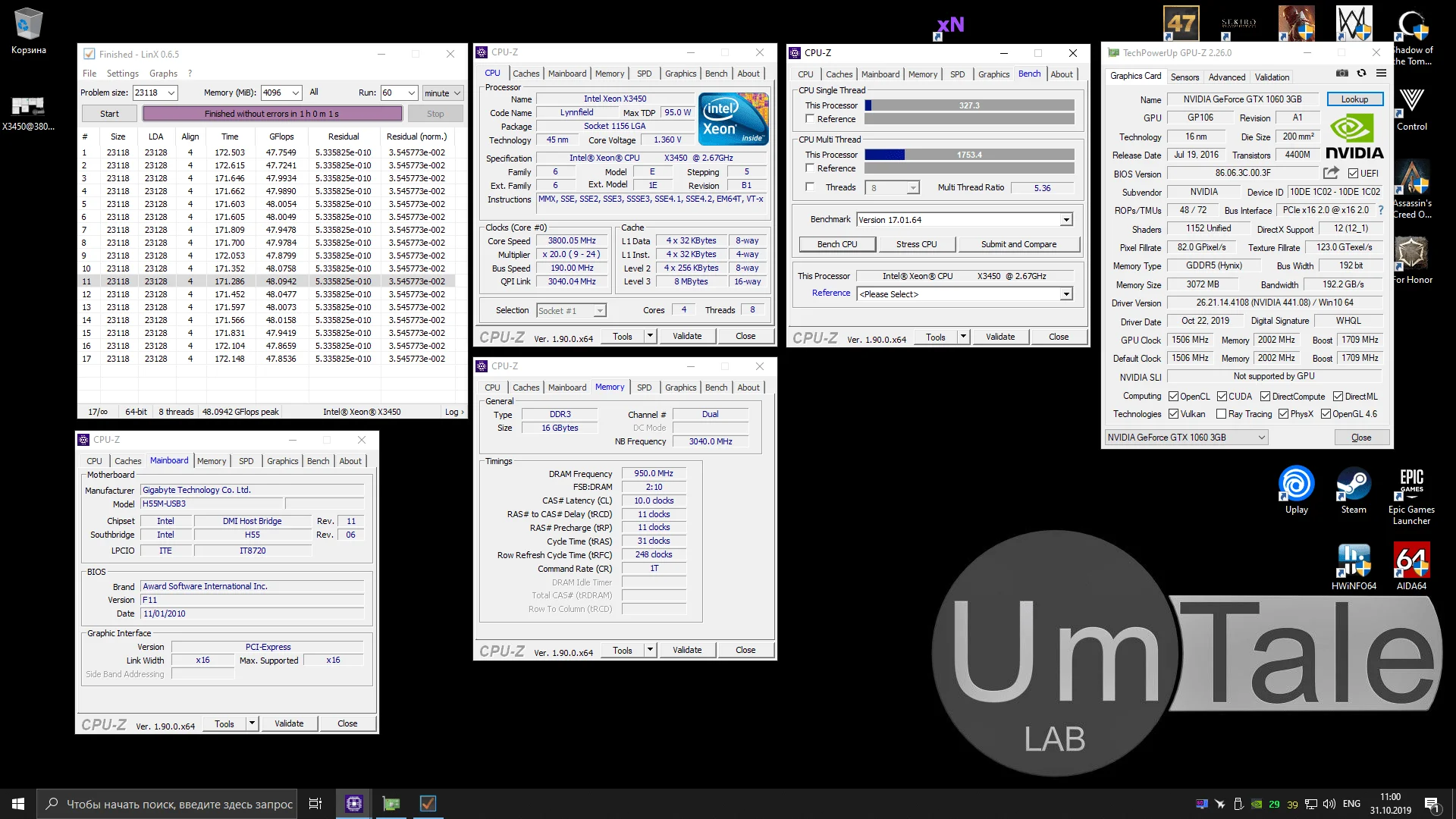
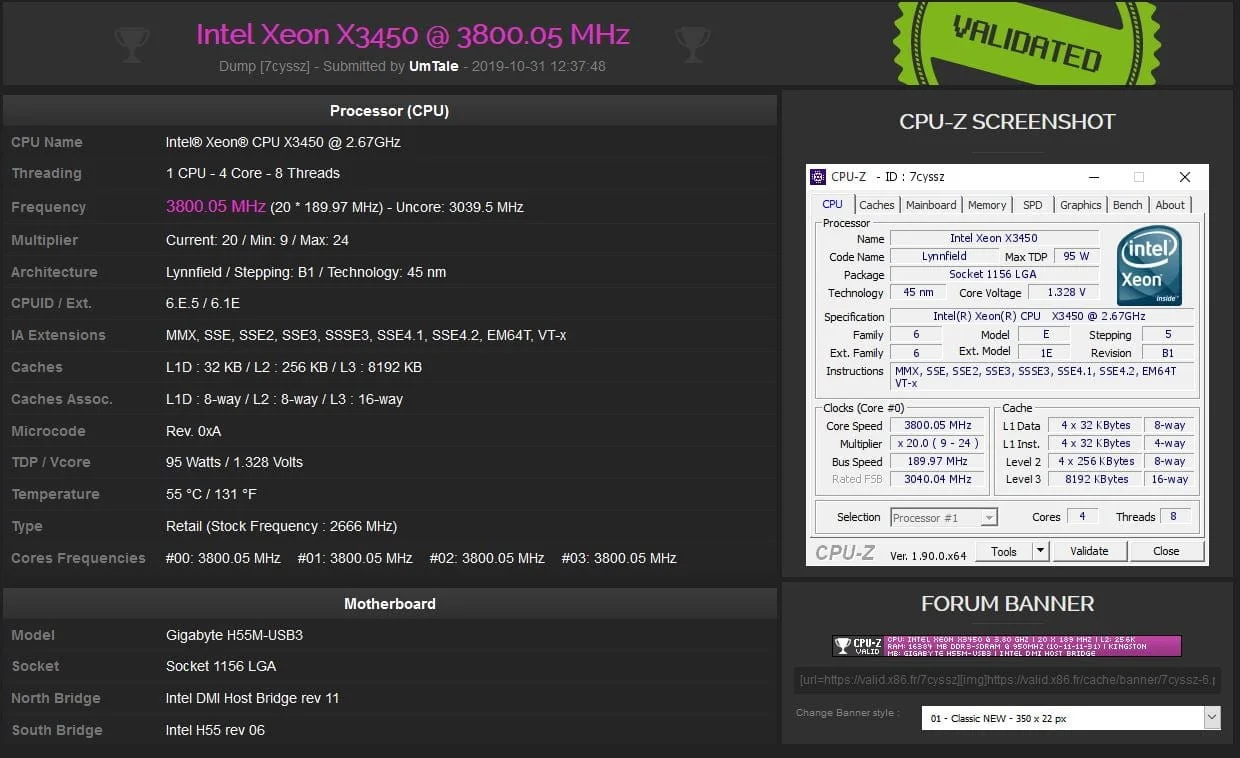
The Xeon X3450 overclocked to a surprisingly modest 3800MHz. This required raising the core voltage to 1.375V and the integrated memory controller (Vtt/IMC) voltage to 1.250V. Further voltage increases didn't help; the processor simply wouldn't hit 4GHz.
Keep these unexpected pitfalls and quirks in mind if you plan on installing any Xeon processors into a Gigabyte H55M-USB3 motherboard.
Xeon X3450 overclocking settings:
BCLK – 190MHz
CPU multiplier – 20
QPI multiplier – 32
CPU Clock Drive – 900mv
CPU vCore – 1.375V
QPI/Vtt Voltage – 1.250V
DRAM Clock – 1900MHz
DRAM Timing – 10-11-11-31
DRAM Voltage – 1.640V
DRAM Termination – 0.9V
 ⤢ ВІДКРИТИ
 ⤢ ВІДКРИТИ
Next up was the Xeon X3470, and as I mentioned, I had high hopes for it. To some extent, it delivered.
It couldn't quite hit 4GHz, though it came very close. The chip completed 34 of 60 minutes in my standard LinX stress test for stability.
Frankly, almost no other program loads a processor as heavily as LinX does. But since I set a one-hour threshold, I'll stick to it.
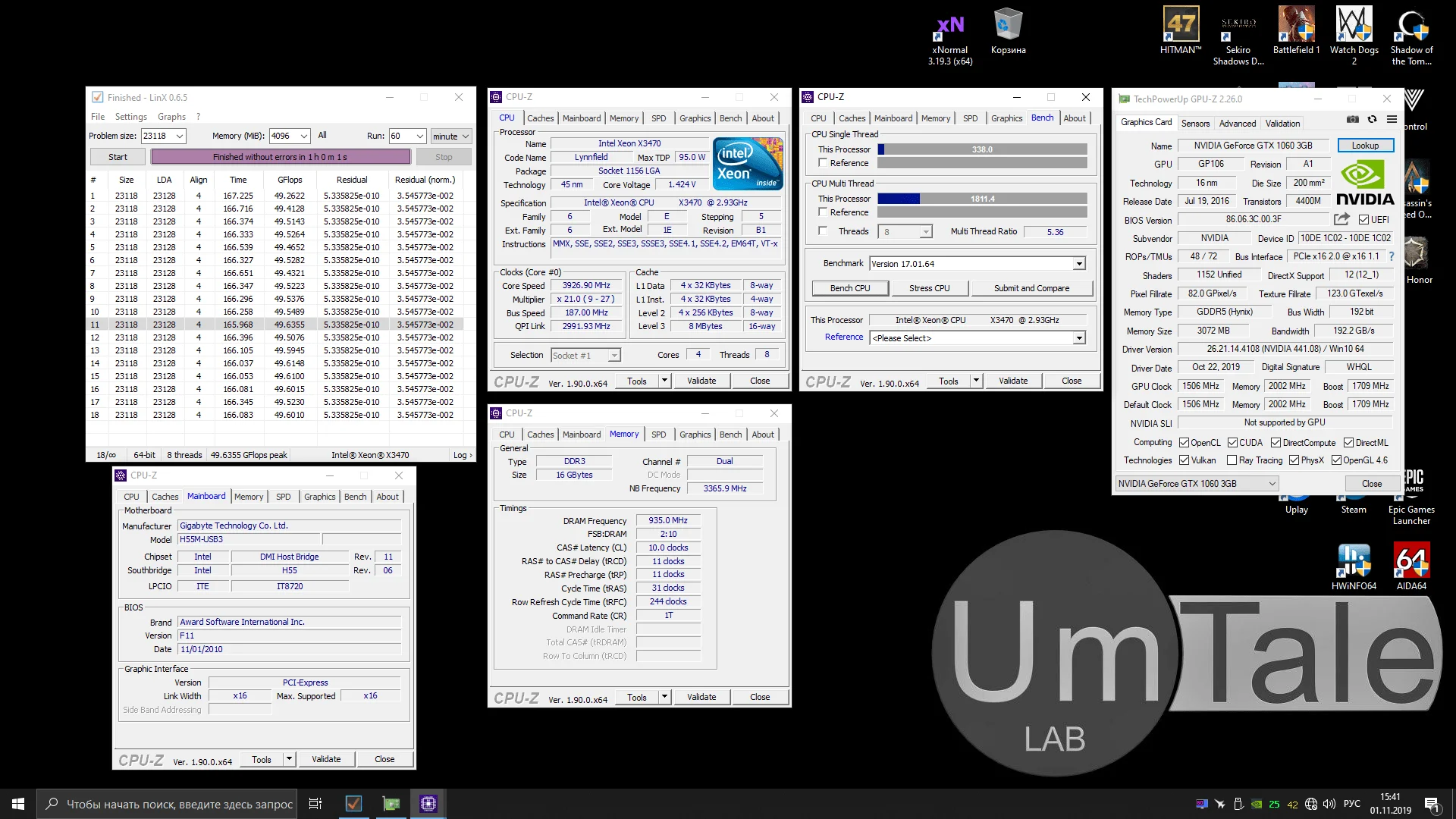
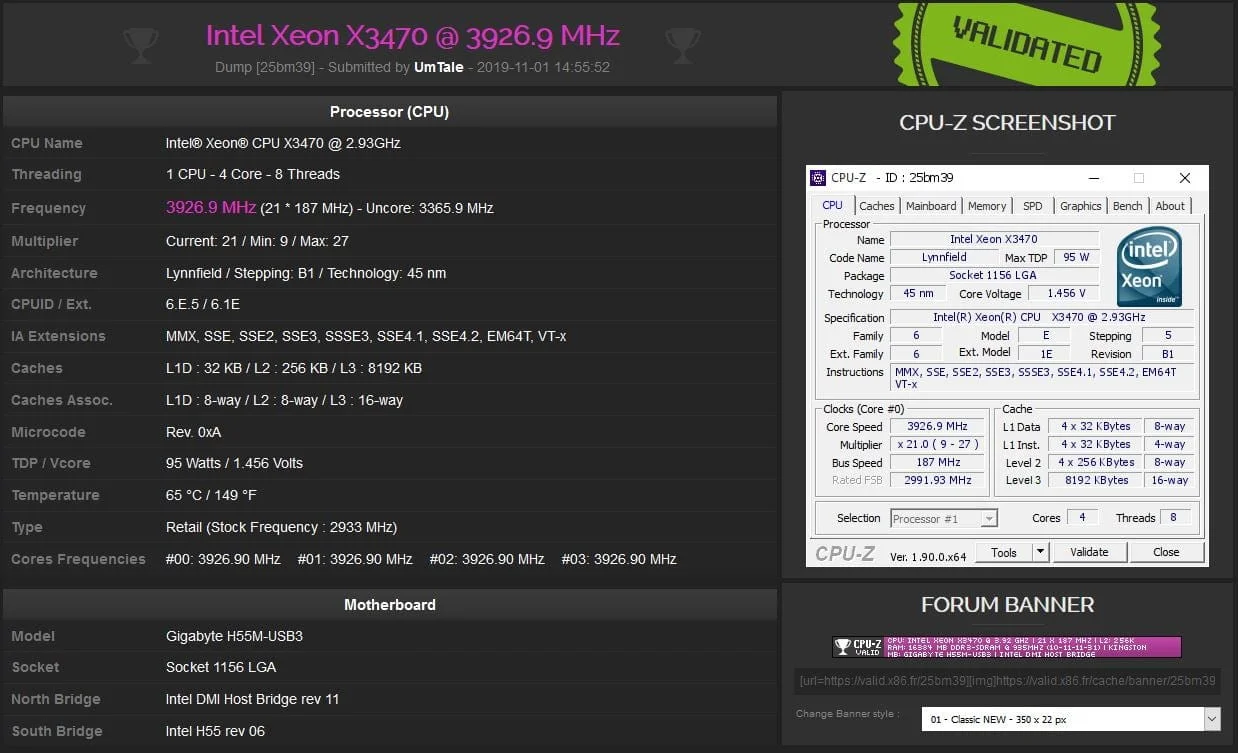
Absolute stability was only achieved at a chip frequency of 3926MHz. Overall, that's not bad, especially considering the average overclocking potential of 4-core, 8-thread Lynnfield CPUs.
In this case, the limiting factors for further overclocking were chip temperatures reaching 92 degrees Celsius on the hottest core, and CPU core voltage exceeding 1.45V.
Xeon X3470 overclocking settings:
BCLK – 187MHz
CPU multiplier – 21
QPI multiplier – 32
CPU Clock Drive – 1000mv
CPU vCore – 1.450V
QPI/Vtt Voltage – 1.290V
DRAM Clock – 1870MHz
DRAM Timing – 10-11-11-31
DRAM Voltage – 1.620V
DRAM Termination – 0.890V
 ⤢ ВІДКРИТИ
 ⤢ ВІДКРИТИ
In principle, this isn't a critical voltage, and we might have pushed it to 1.5V, but the Cooler Master Hyper 212 was already struggling with the processor's heat output. Delidding the CPU could partially solve this, but we don't have time for that right now. If you're interested, I'll definitely cover this topic in a future article, delid the Xeon X3470, and then try to increase its frequency further beyond the results achieved here.
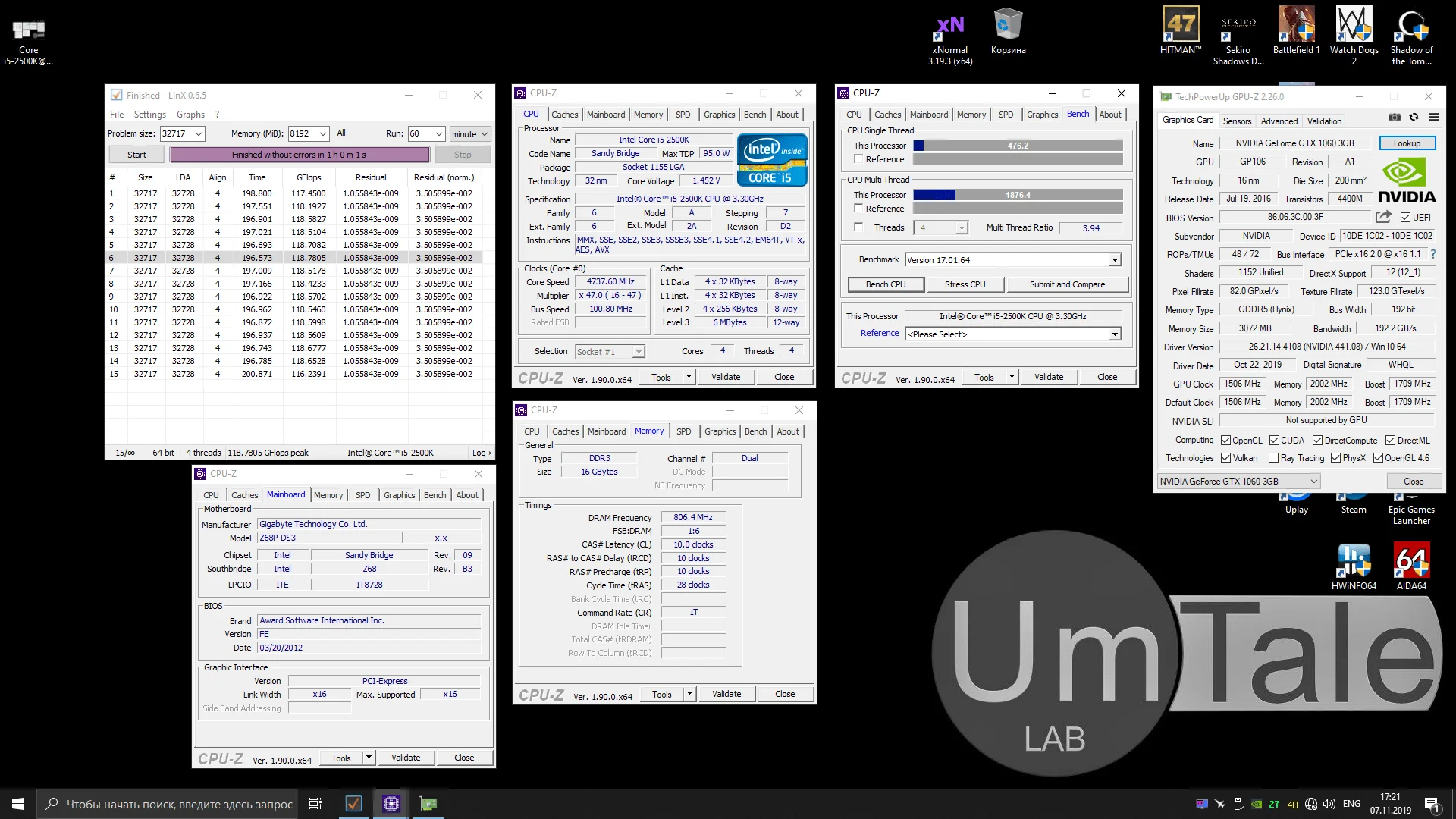
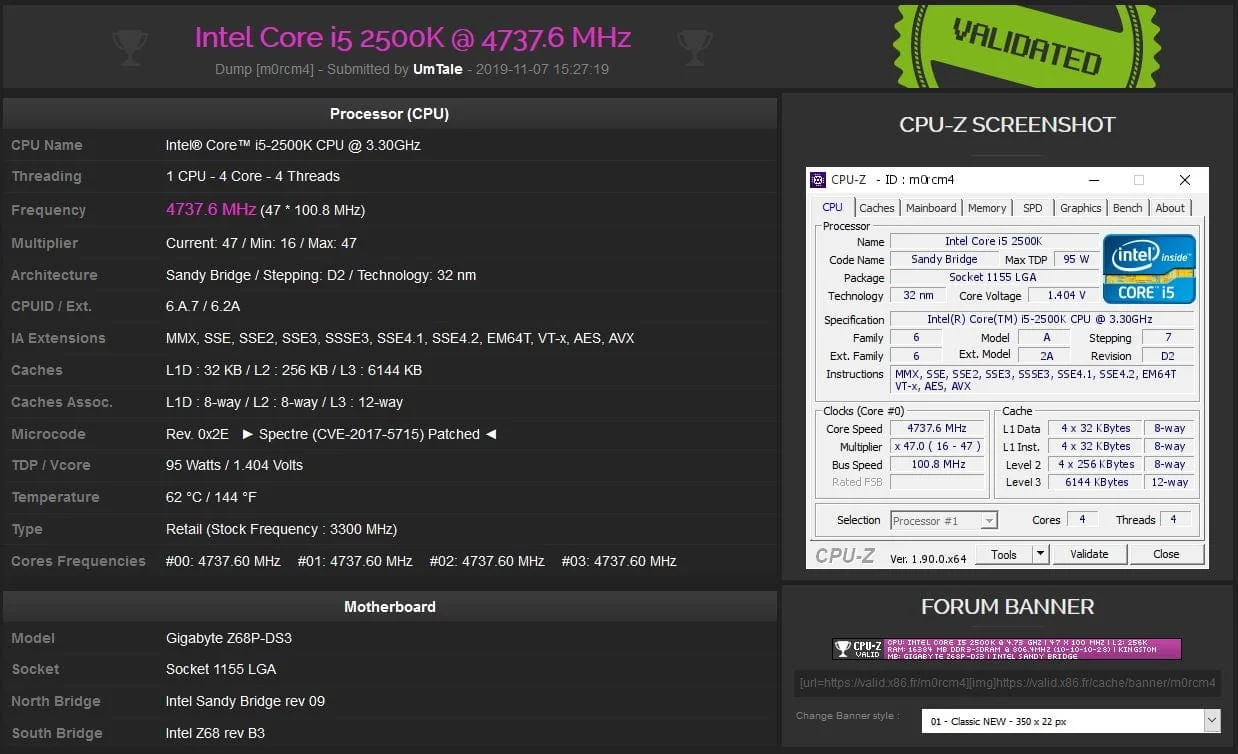
The Core i5-2500K was the last one to be tested. Since the last Xeon E5-2670 article, I managed to squeeze a bit more frequency out of our less-than-ideal sample, resulting in a slightly more impressive 4737MHz. However, nothing changed with the memory. At 1866MHz, with any timings or voltages (I even tried 1.8V), the board entered a boot loop and reset to stock settings after 5-7 reboots. I'll experiment with BIOS versions in the future and hopefully overcome this issue. But for now, unfortunately, the current RAM overclock is only 1616MHz.
Core i5-2500K overclocking settings:
BCLK – 101MHz
CPU multiplier – 47
CPU PLL – 1.8
CPU vCore – 1.452V
QPI/Vtt Voltage – 1.25V
DRAM Clock – 1616MHz
DRAM Timing – 9-9-9-24
DRAM Voltage – 1.5V
 ⤢ ВІДКРИТИ
 ⤢ ВІДКРИТИ
Overclocking the LGA 1366 platform chips wasn't possible for obvious reasons. The DELL T3500 workstation motherboard simply isn't capable of such feats.
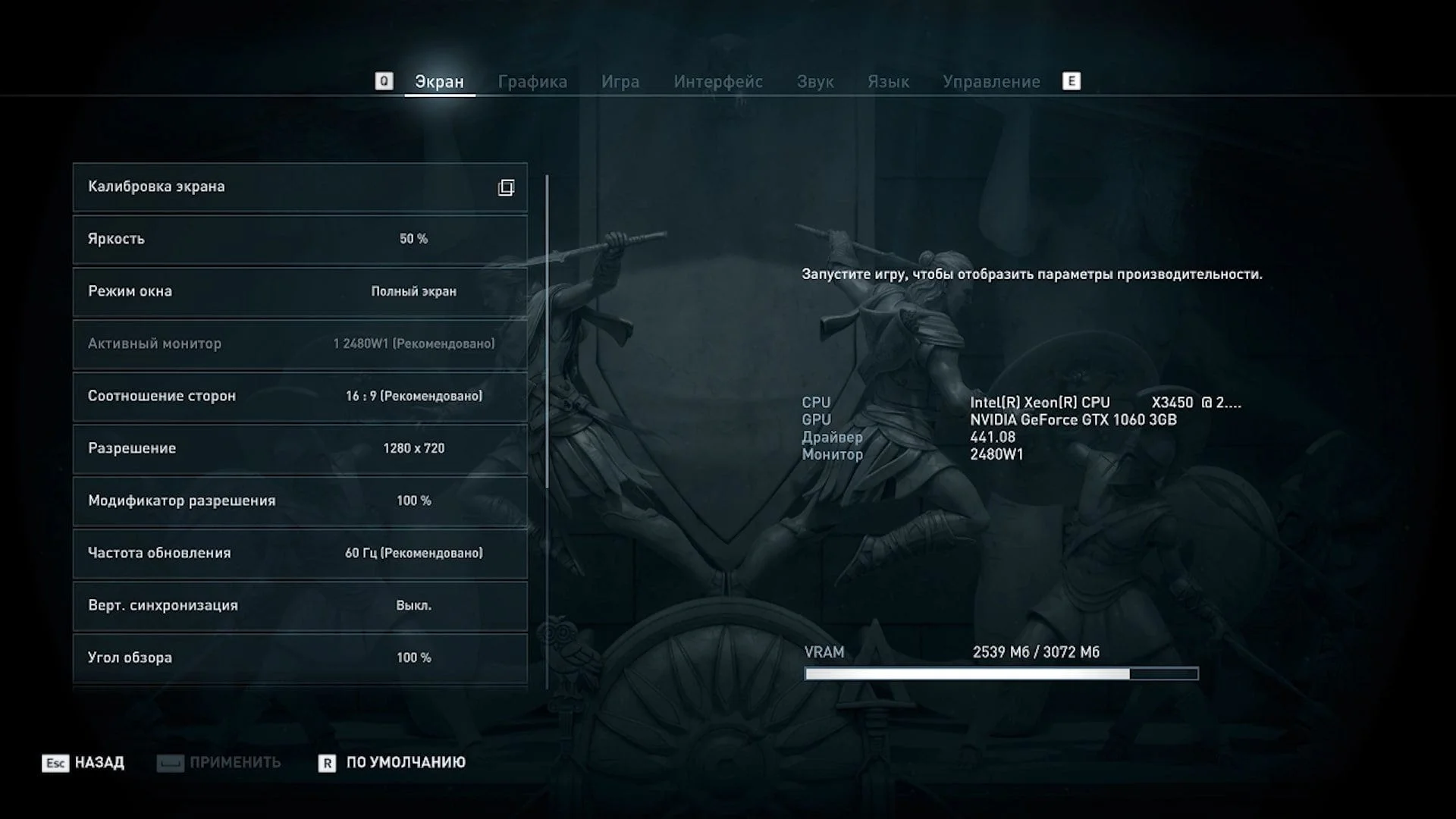
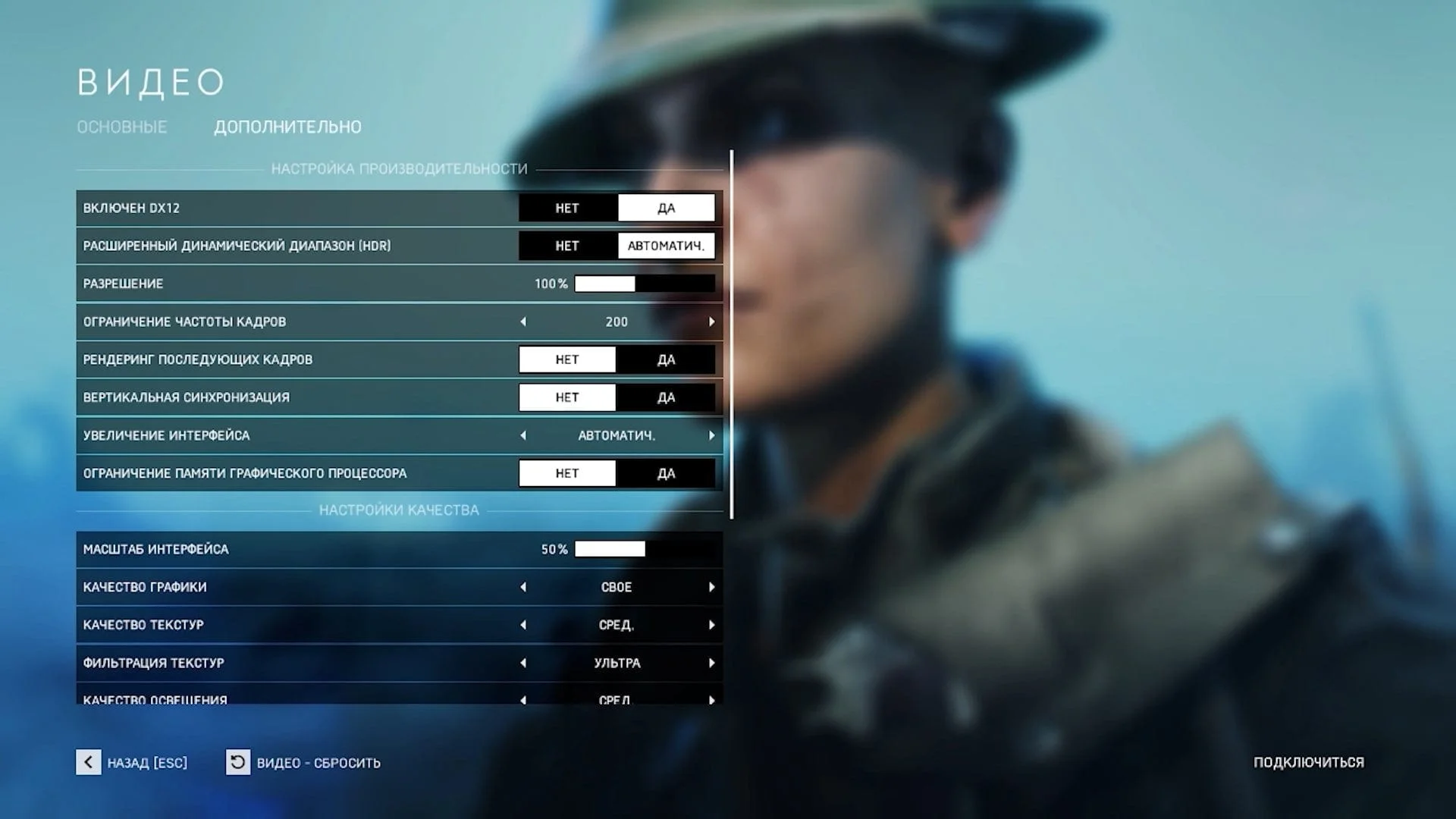
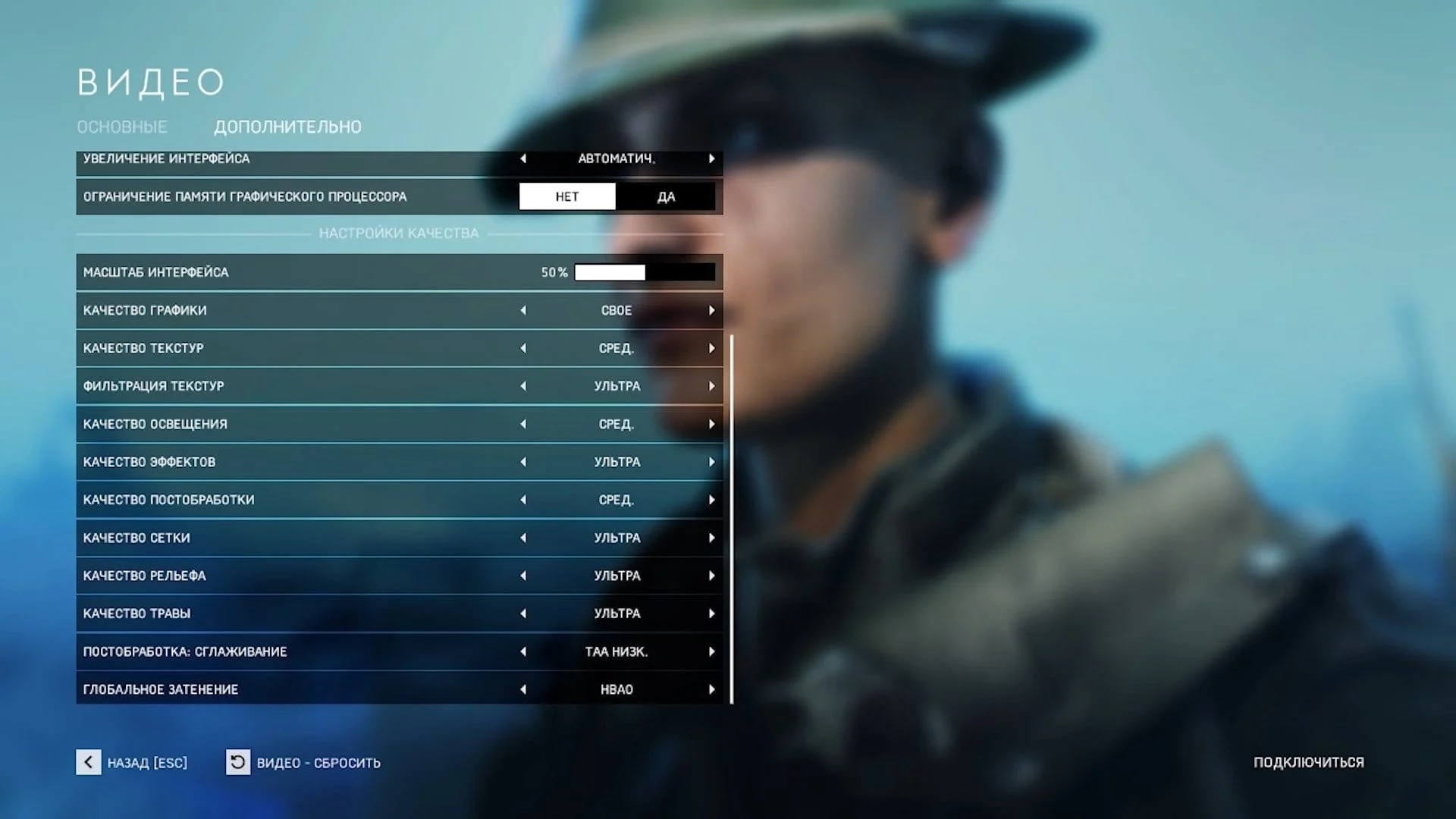
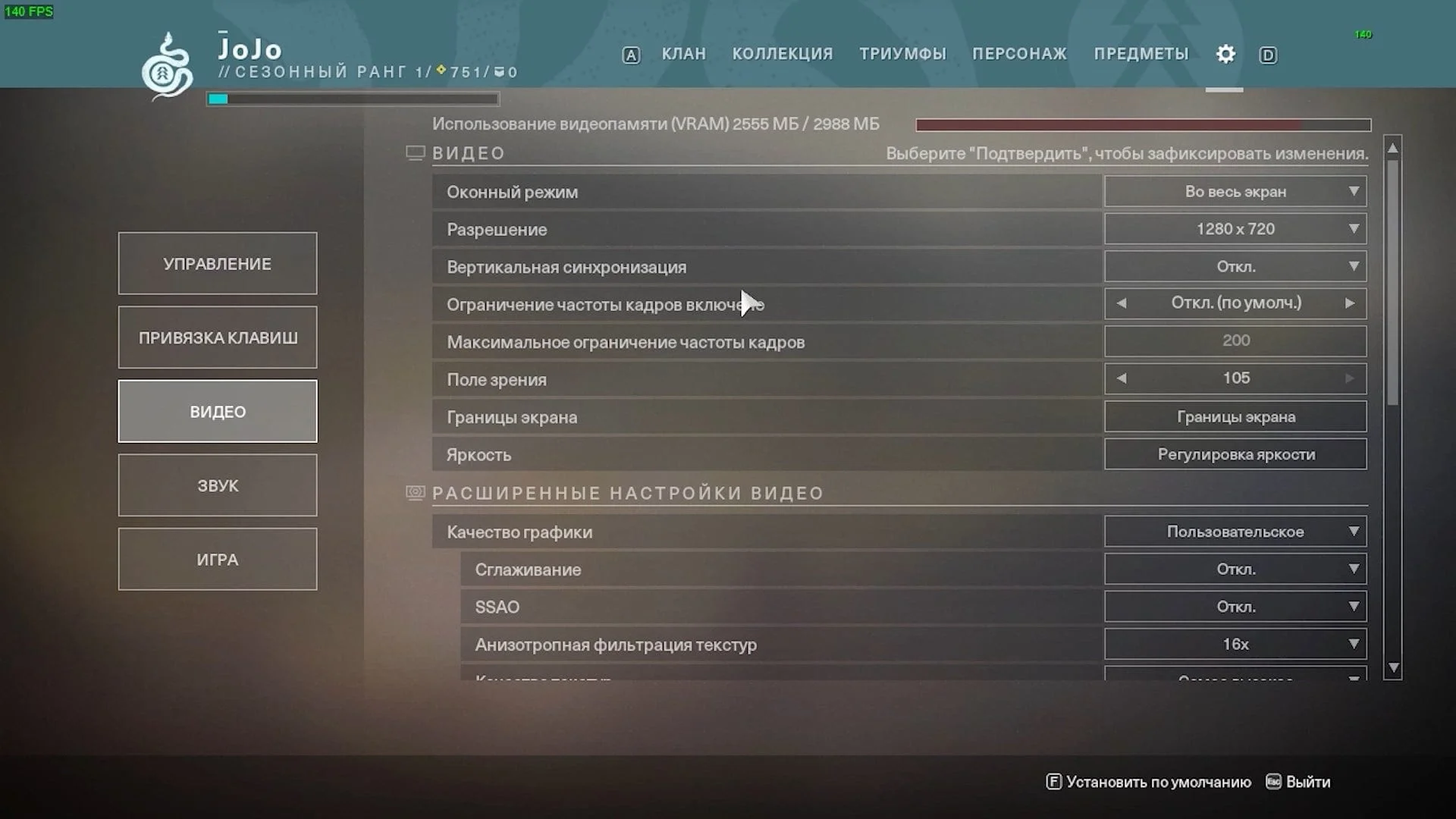
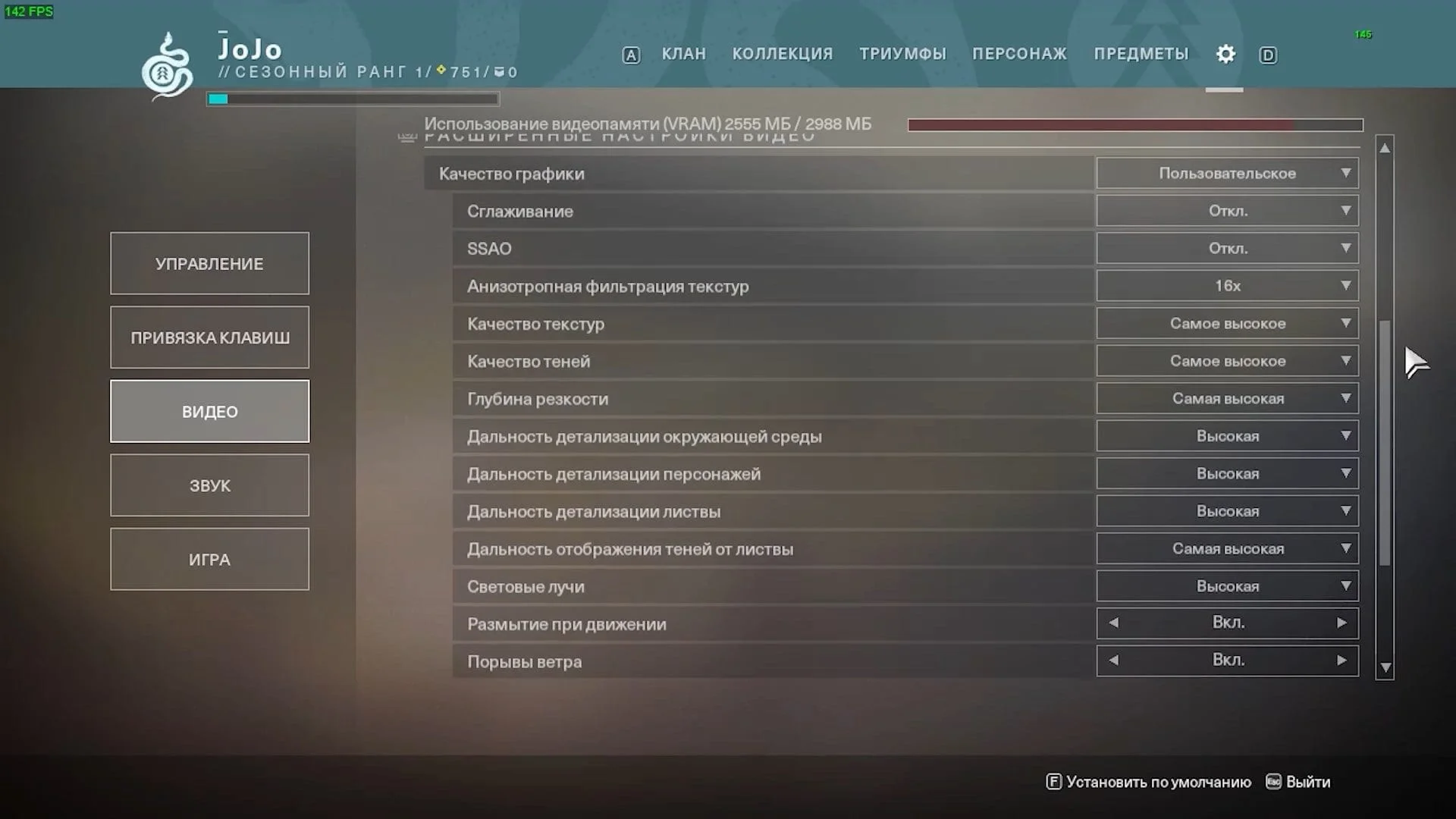
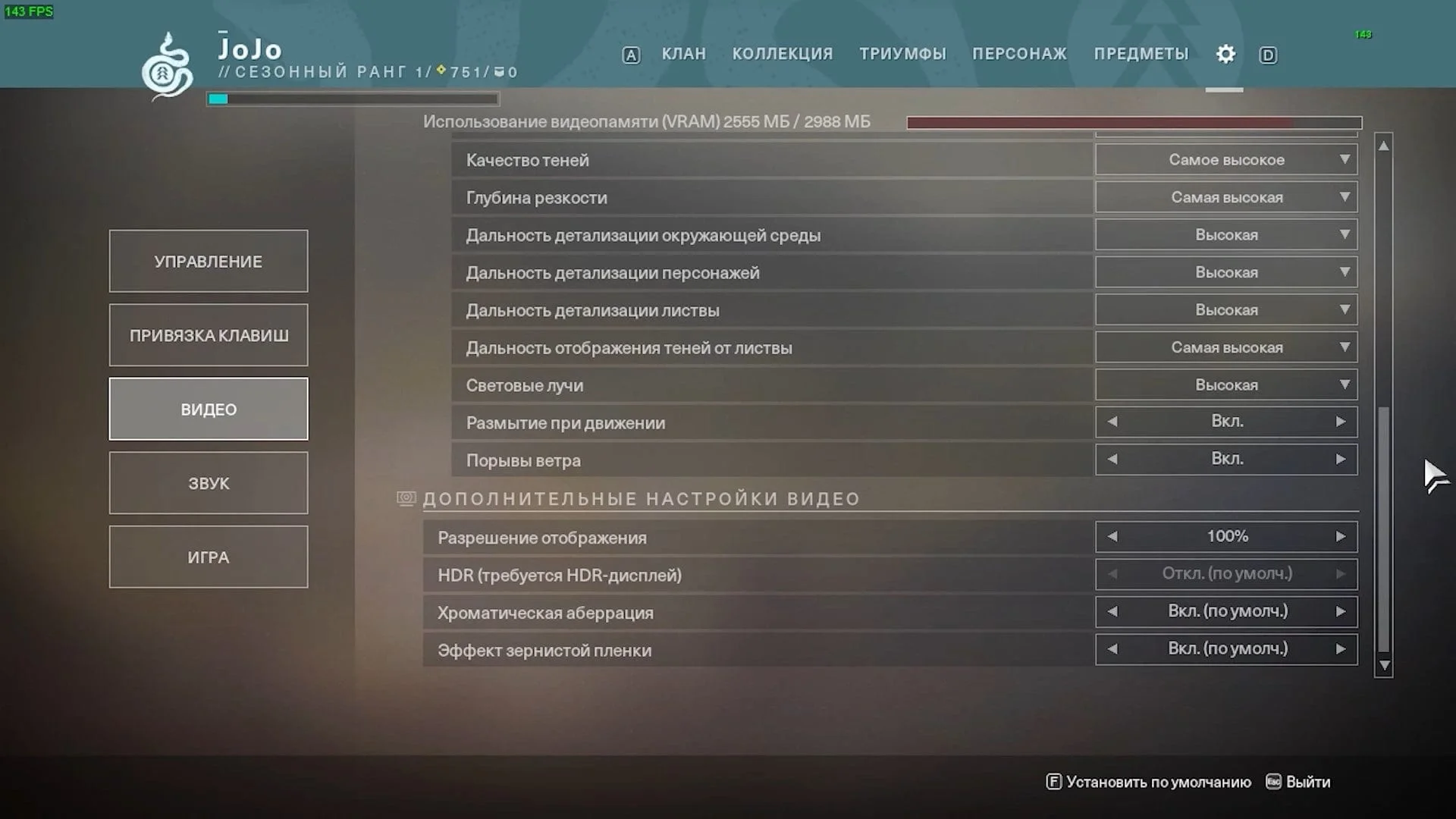
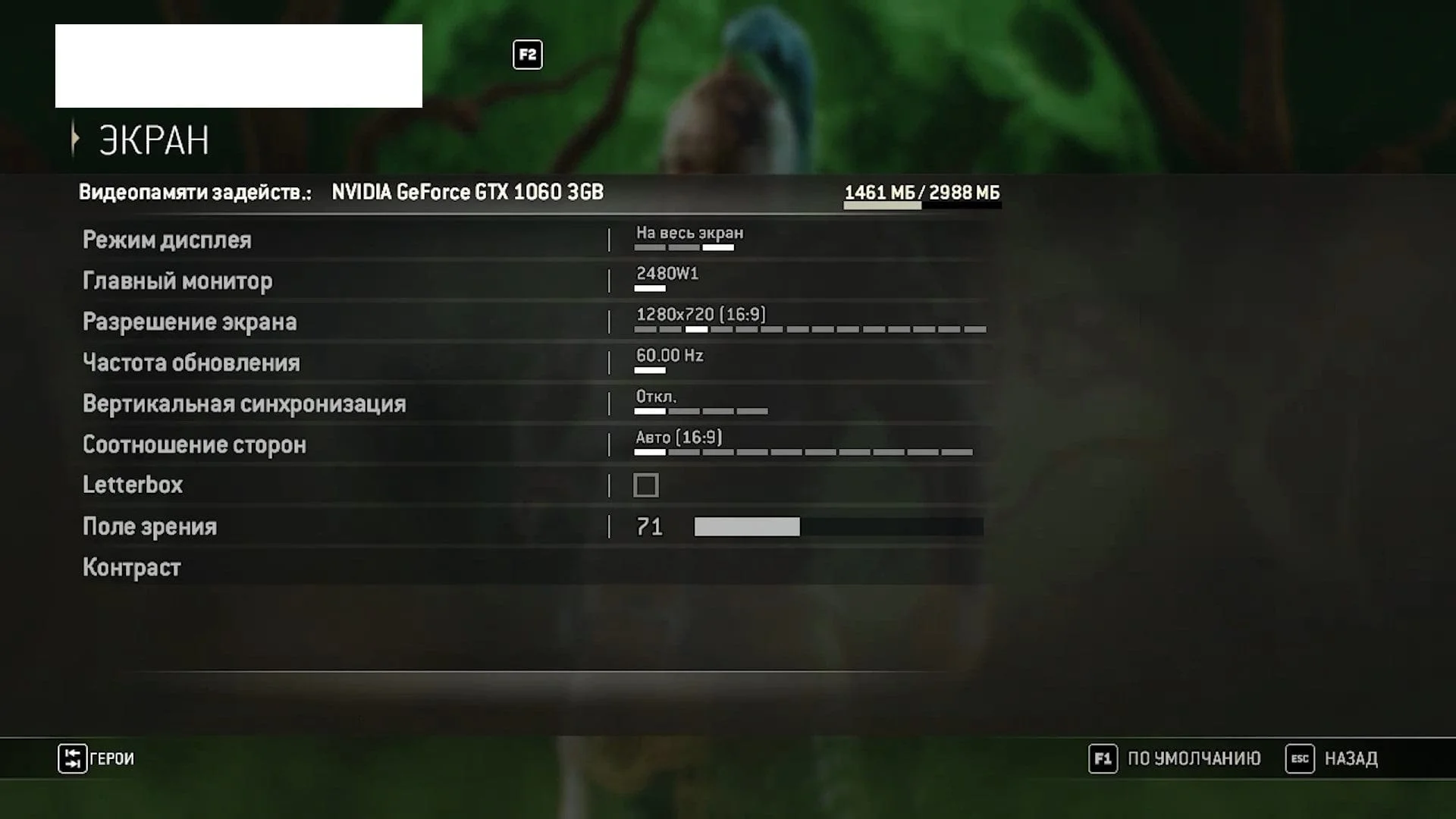
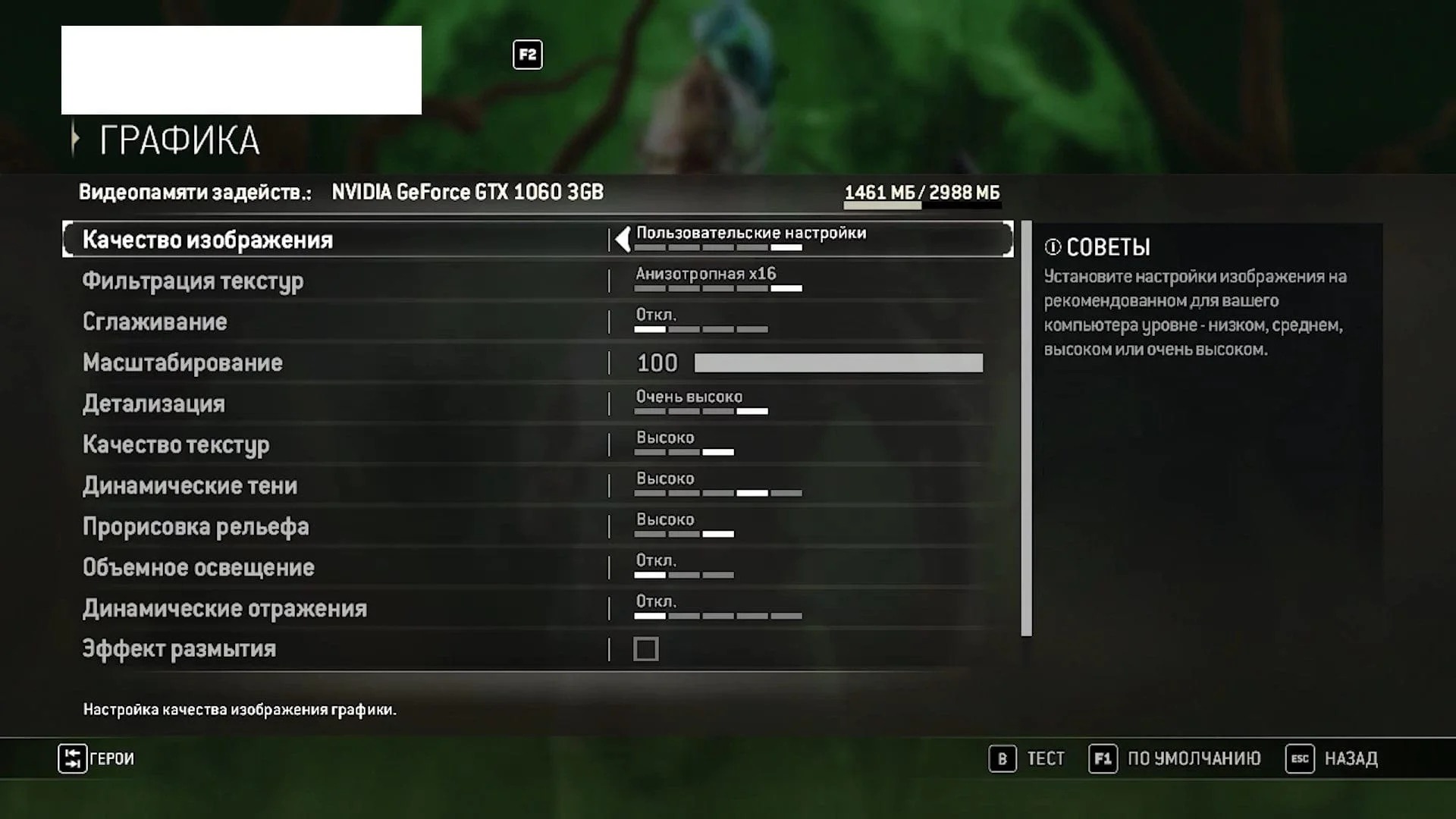
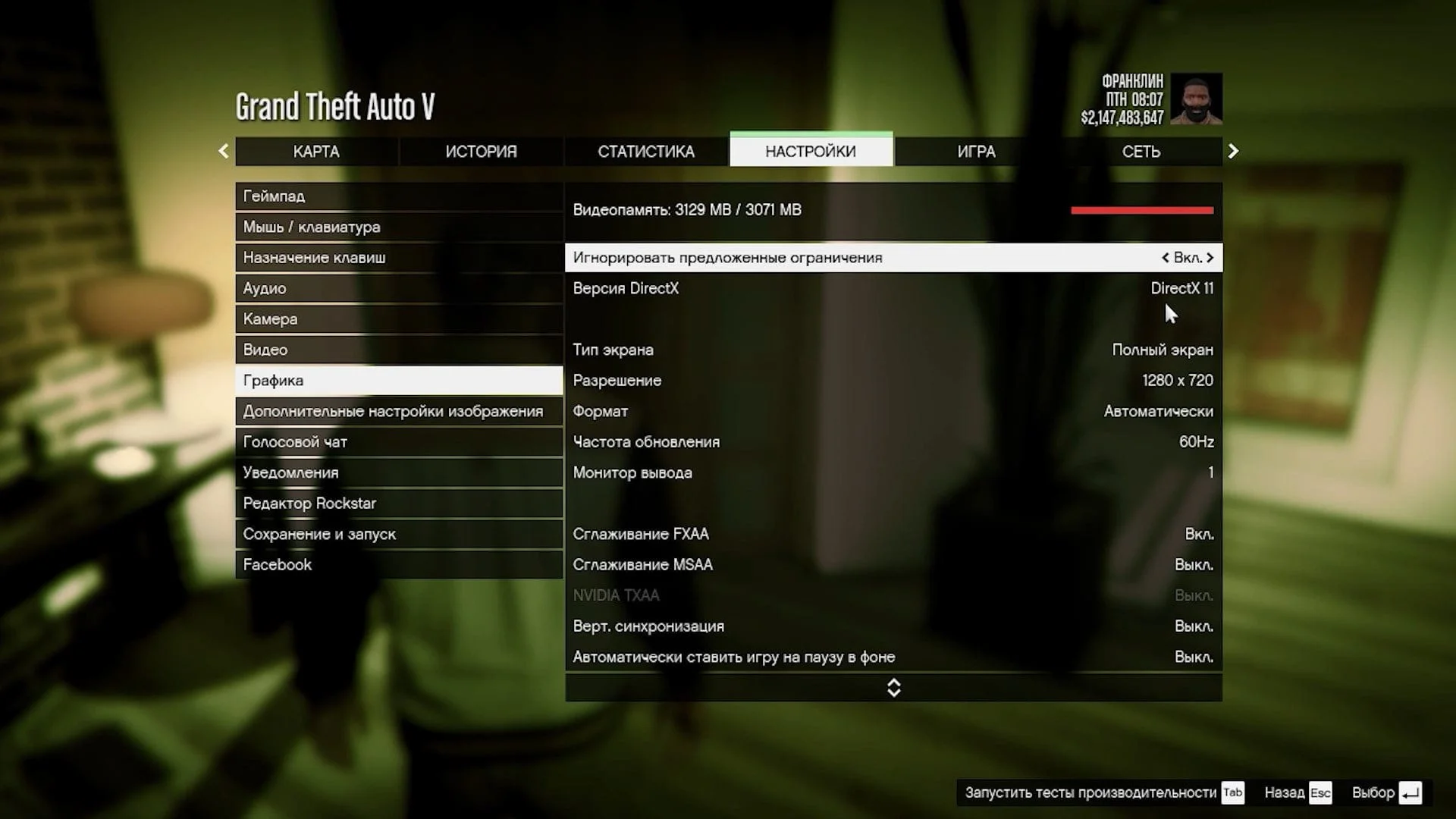
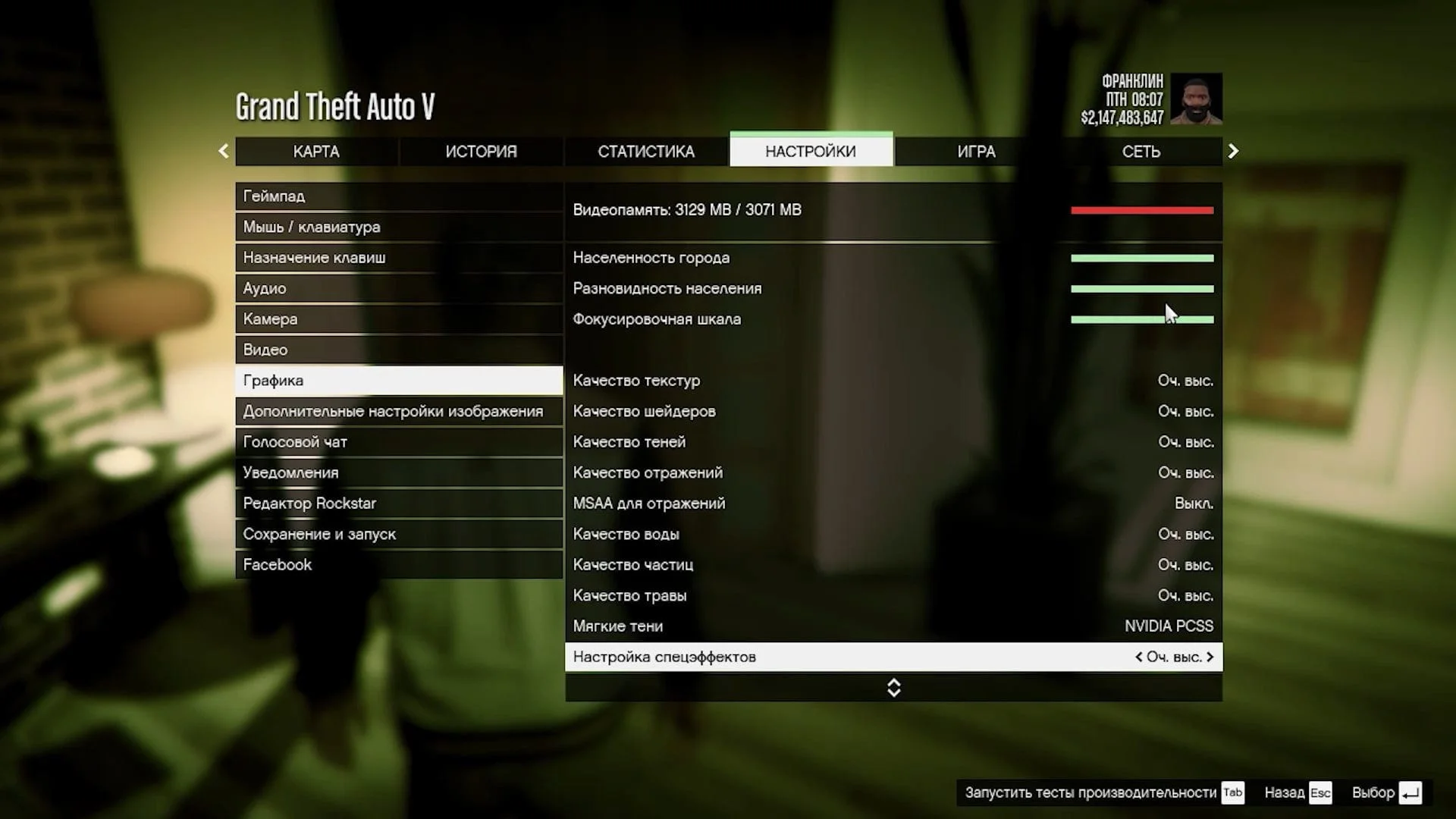
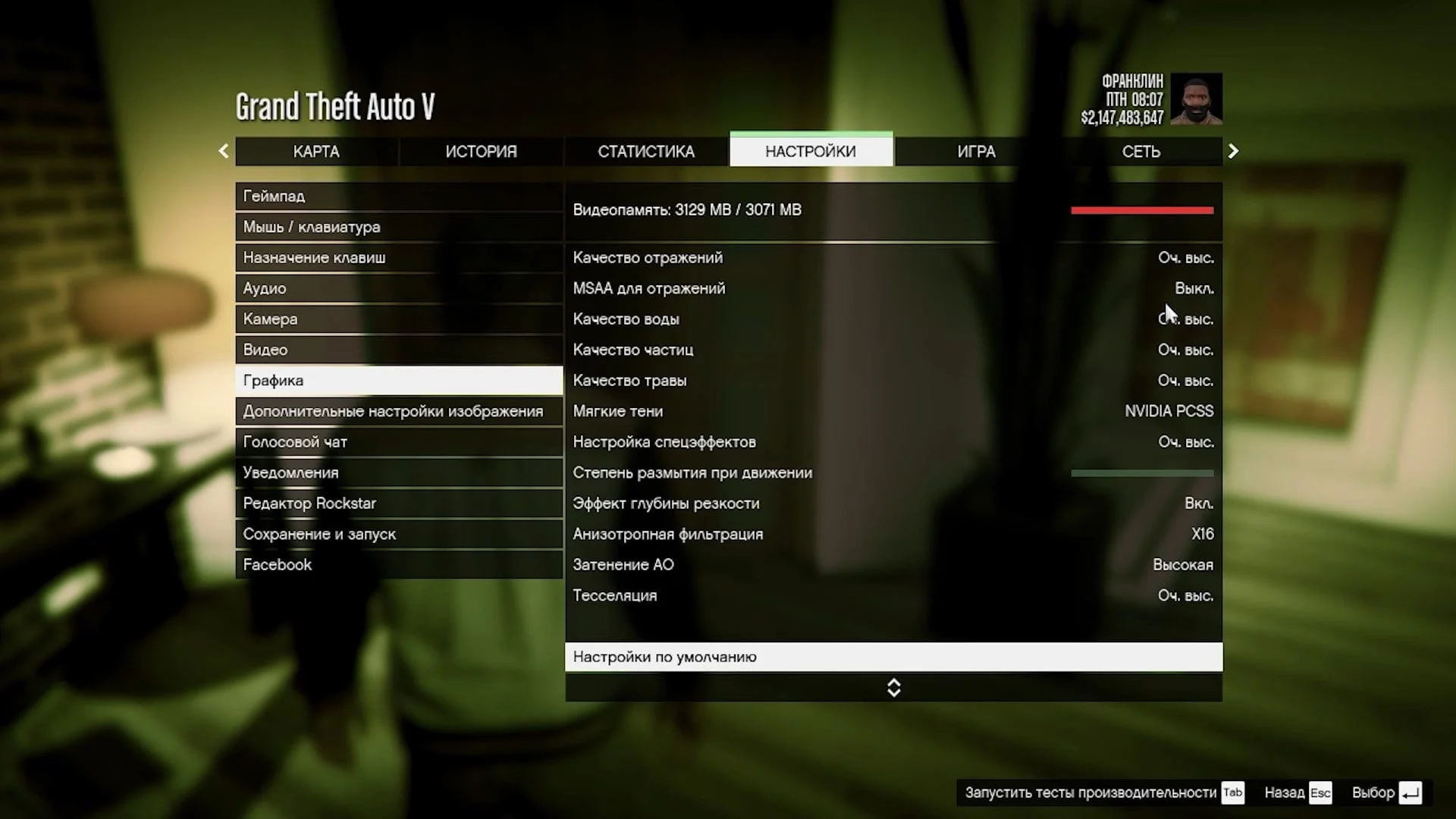
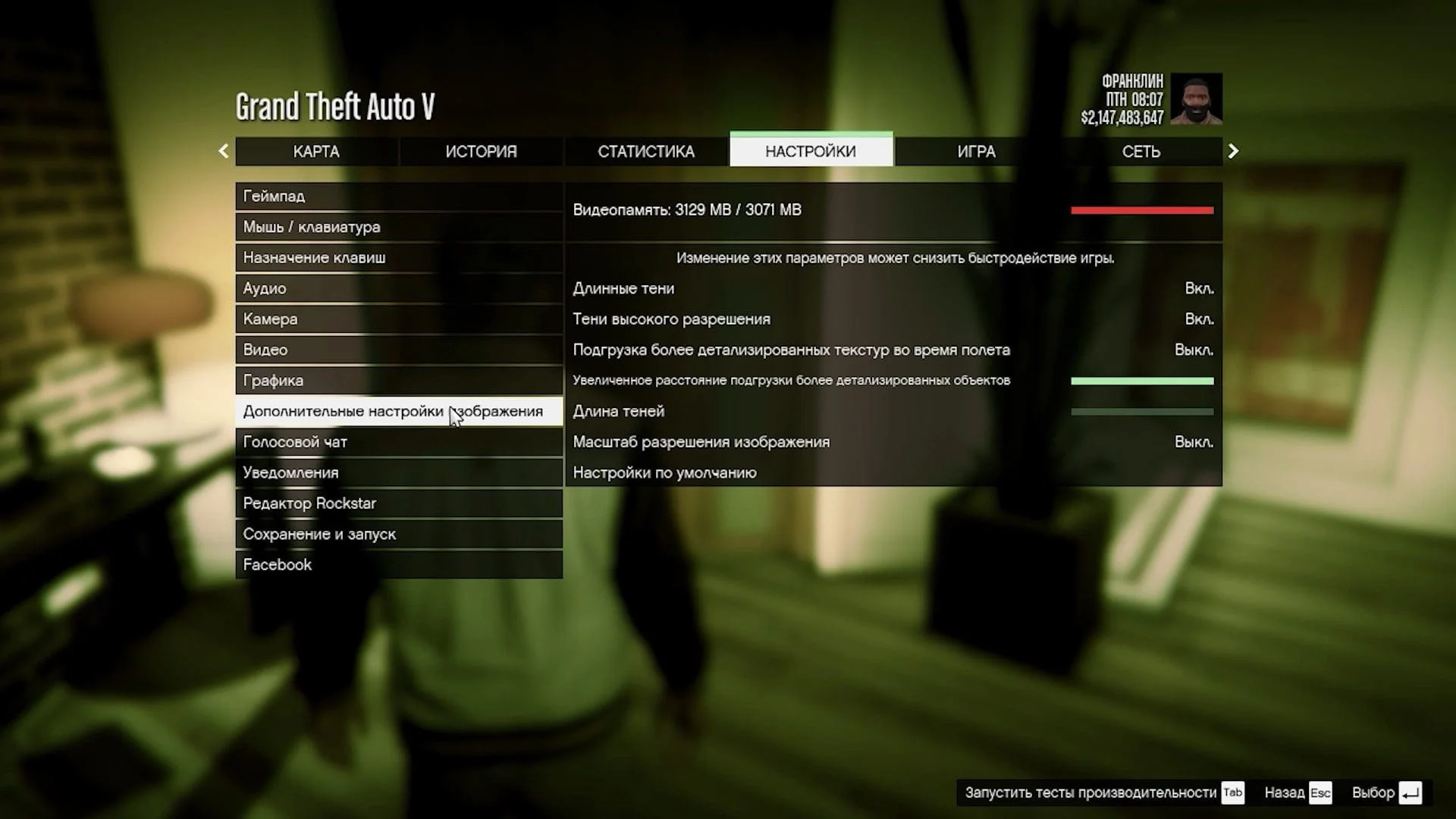
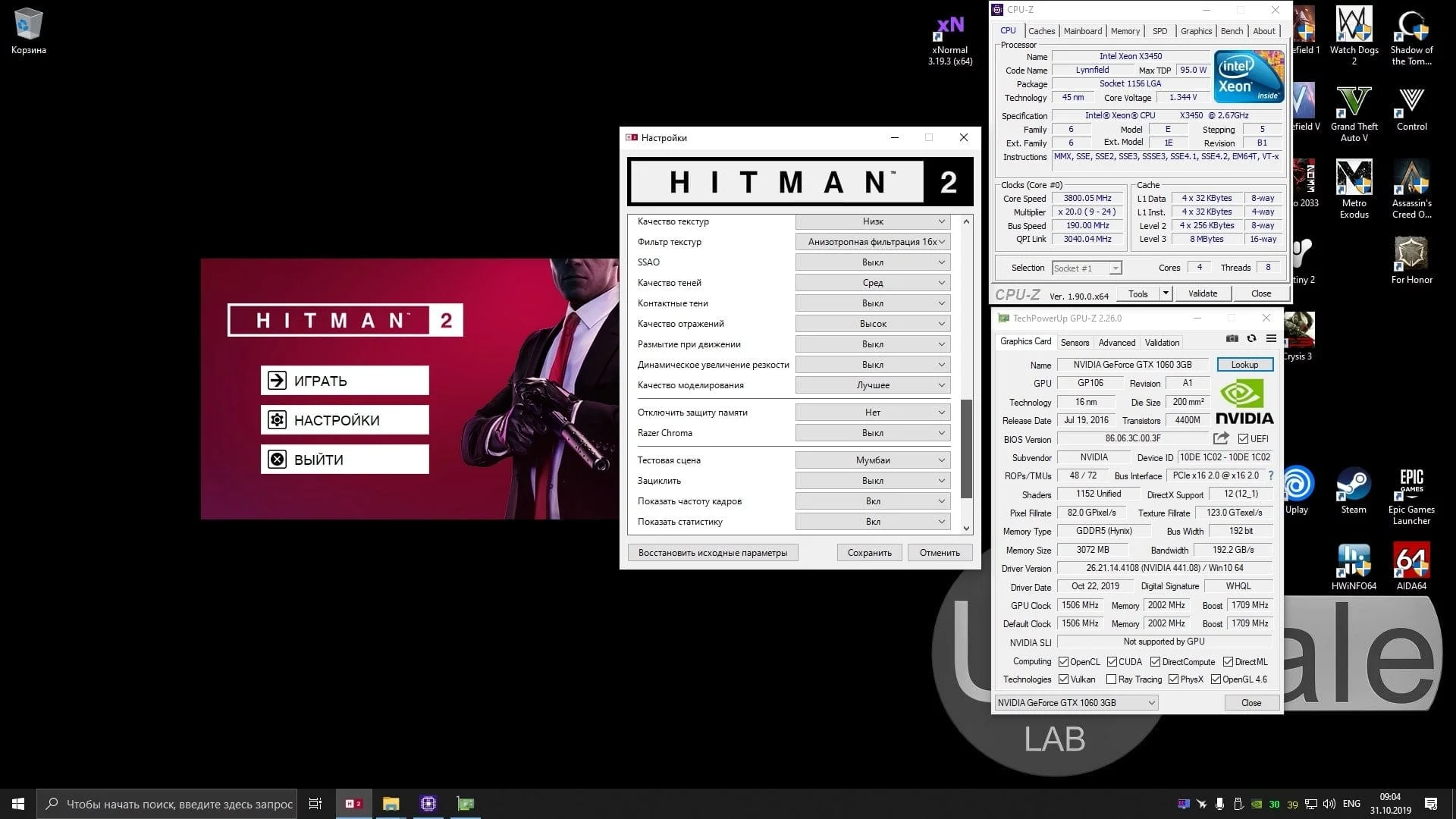
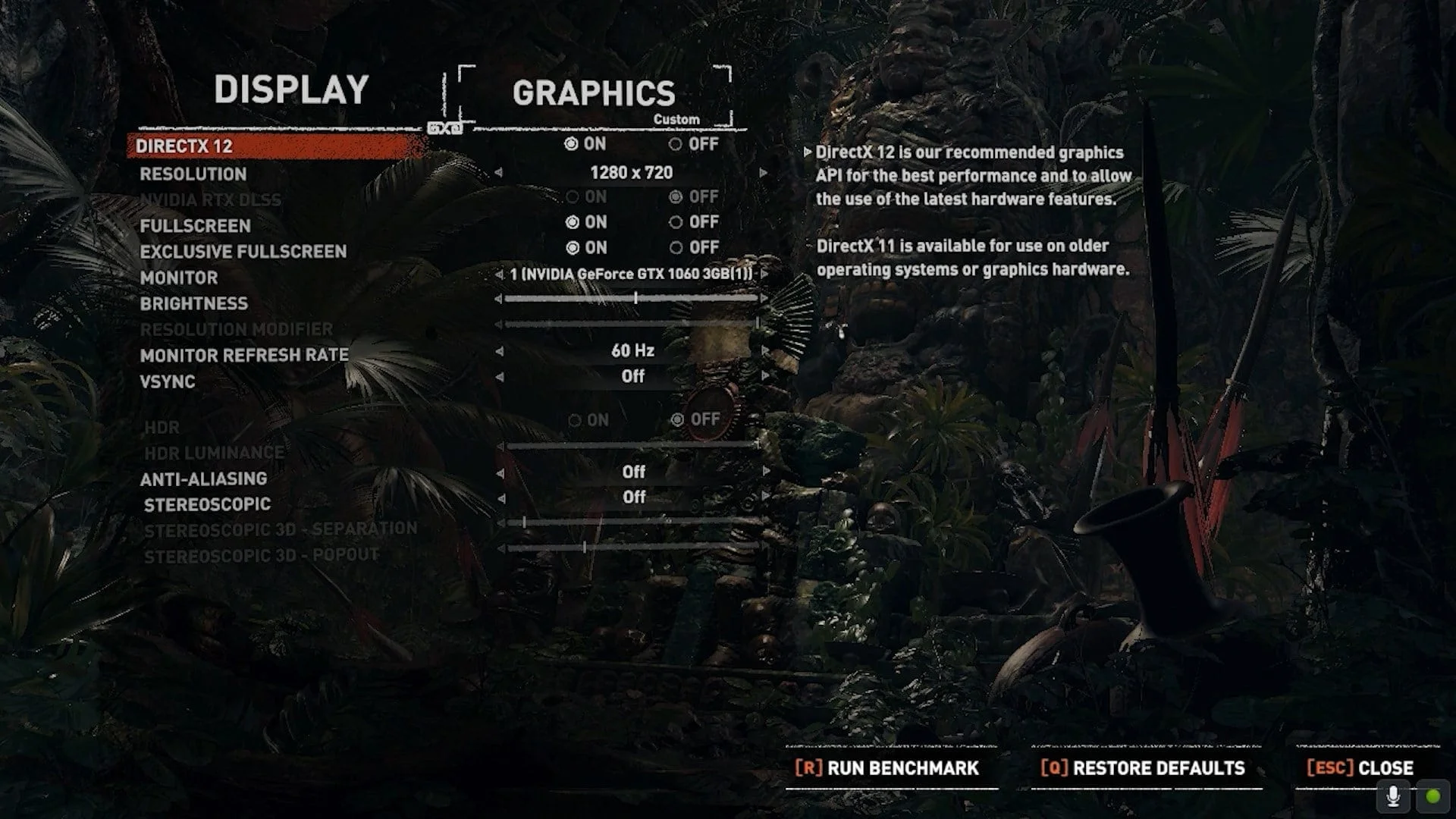
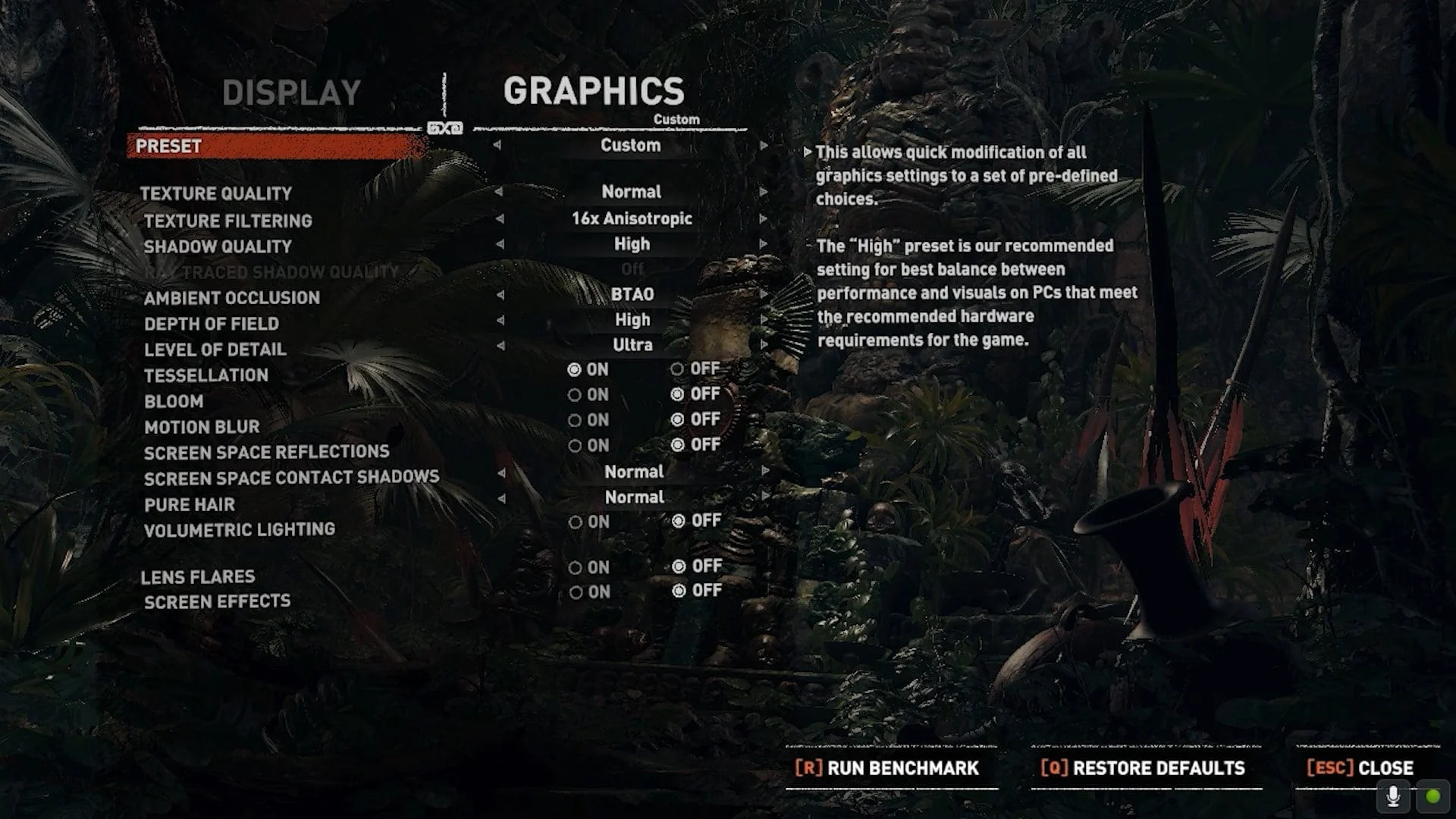
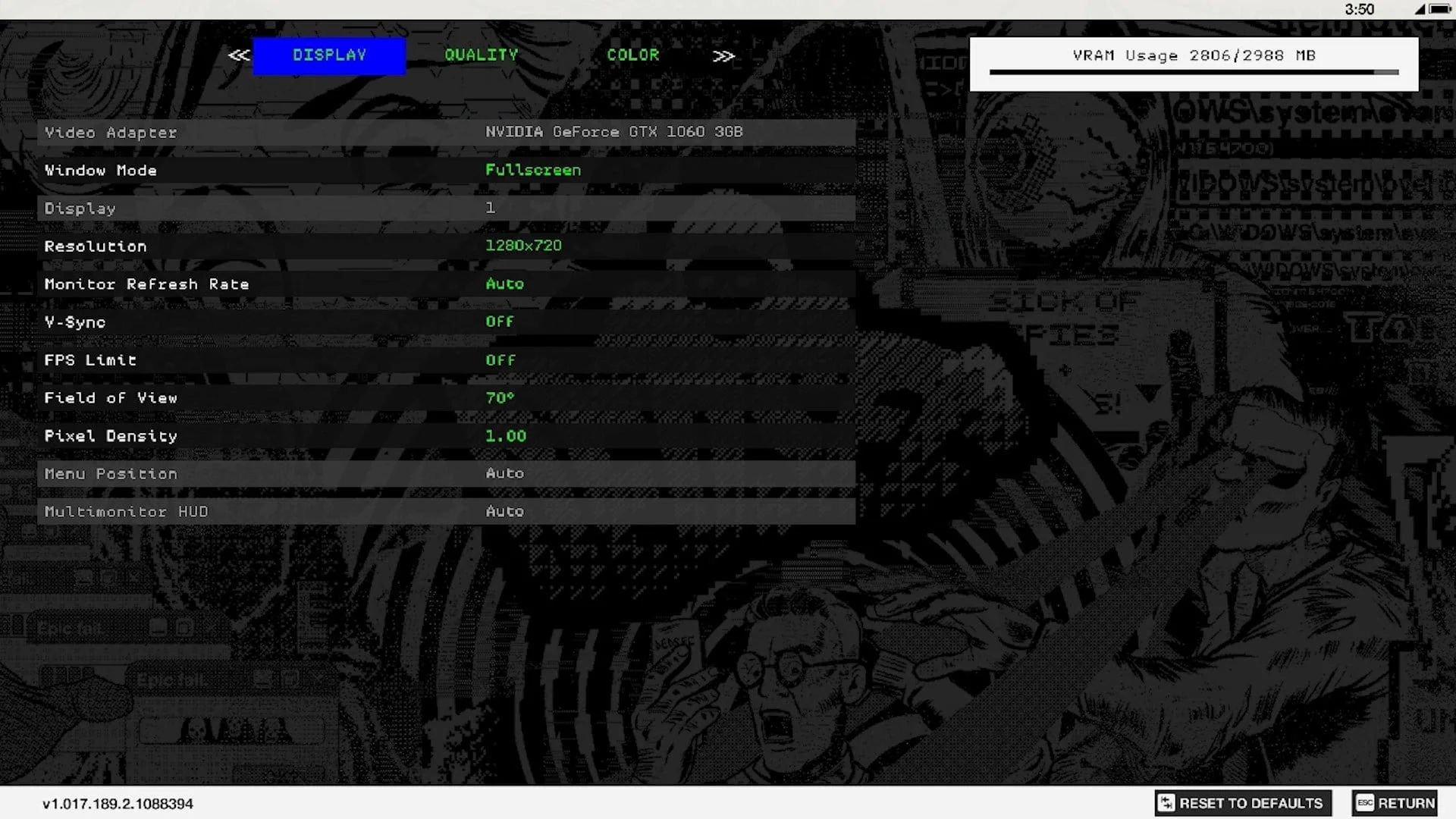
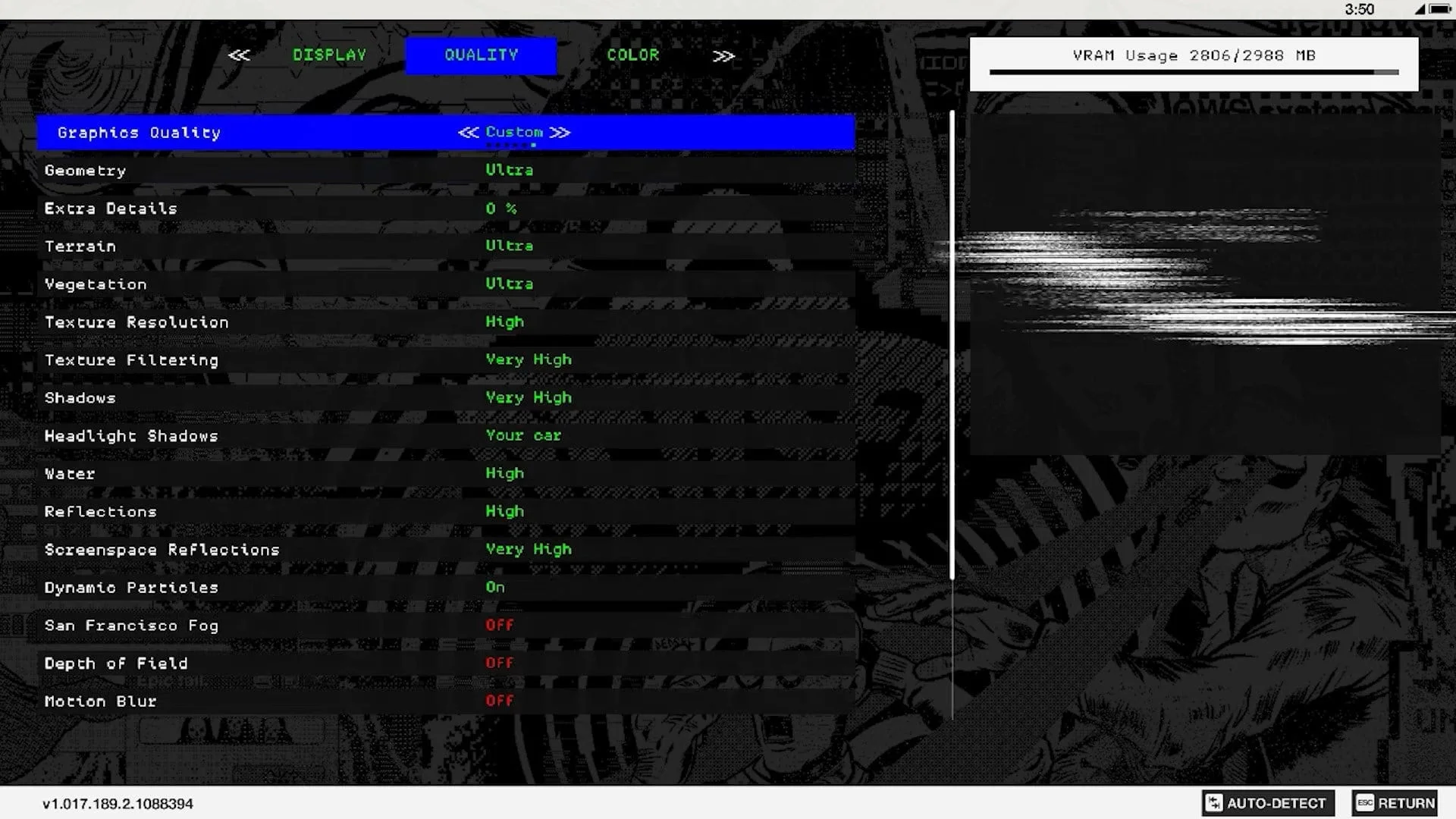
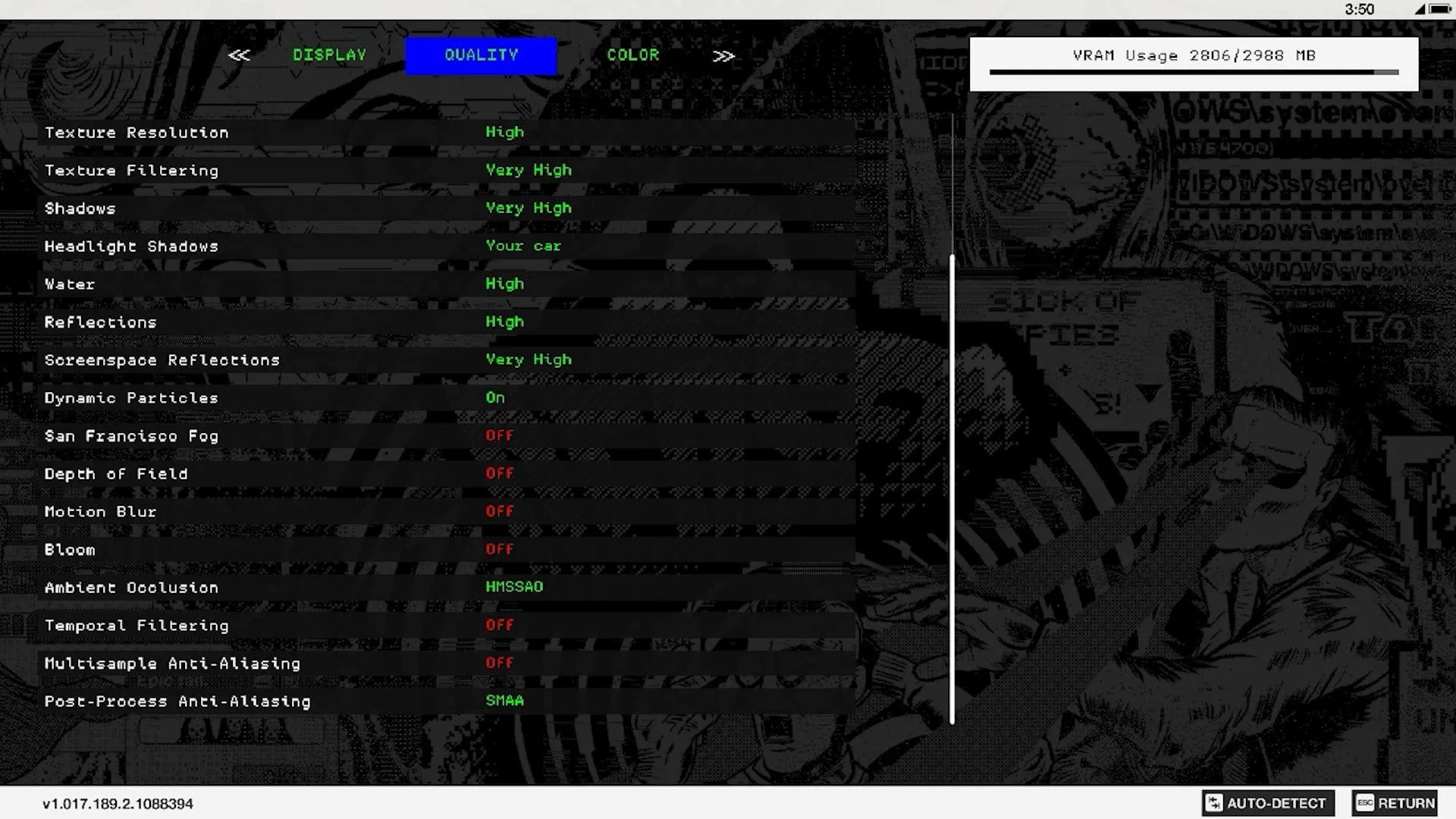
Games and graphics settings:
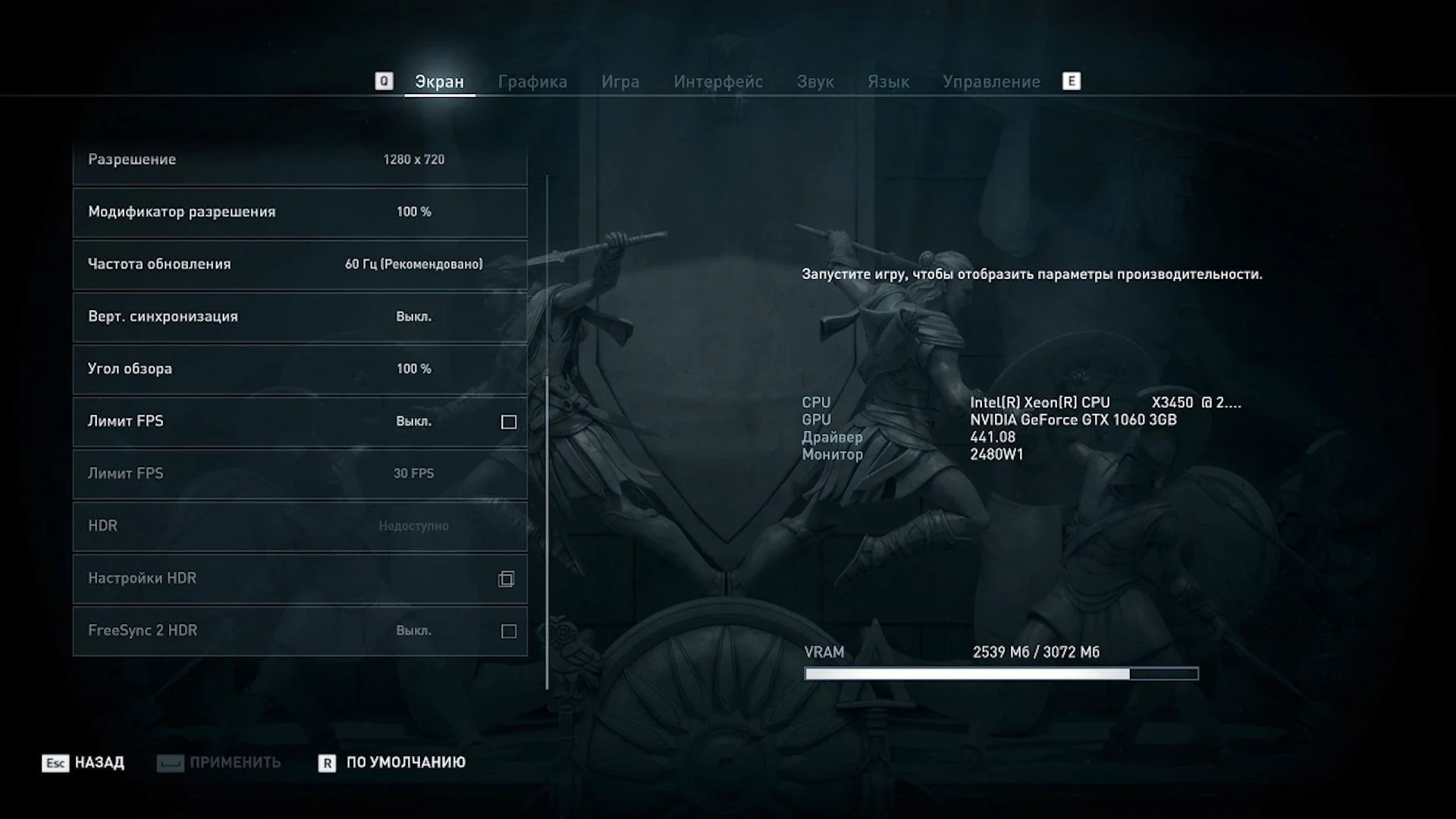
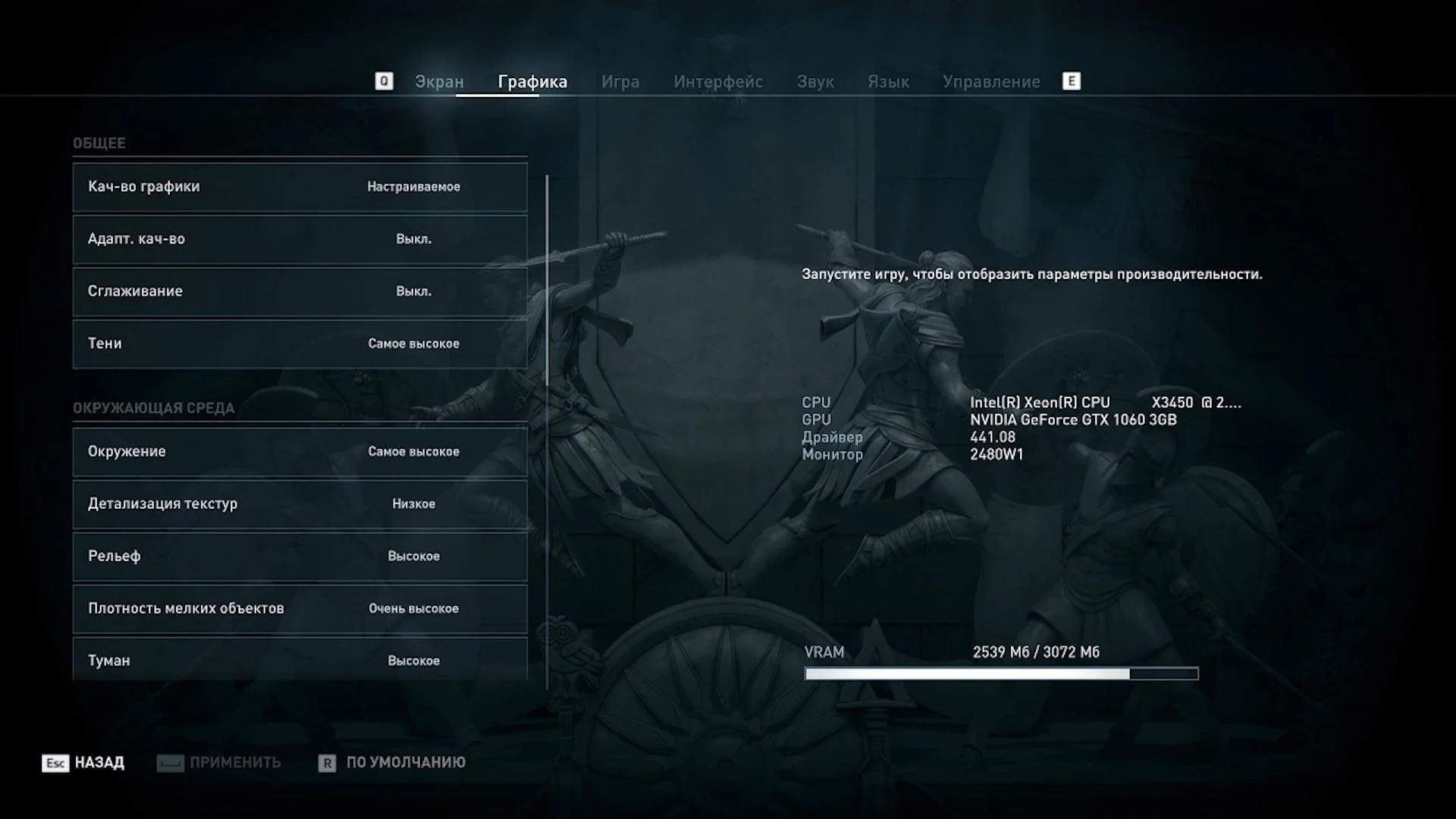
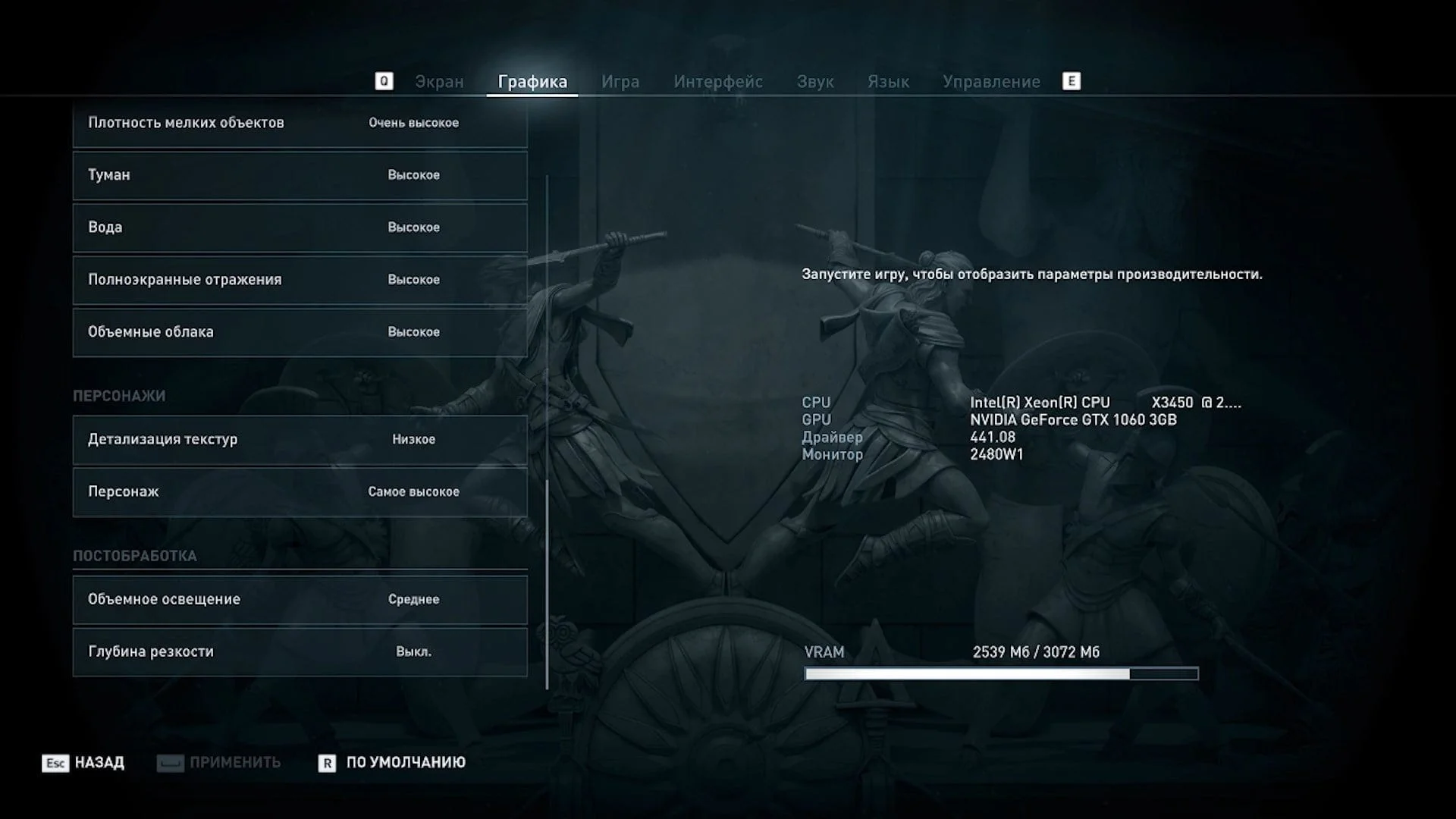
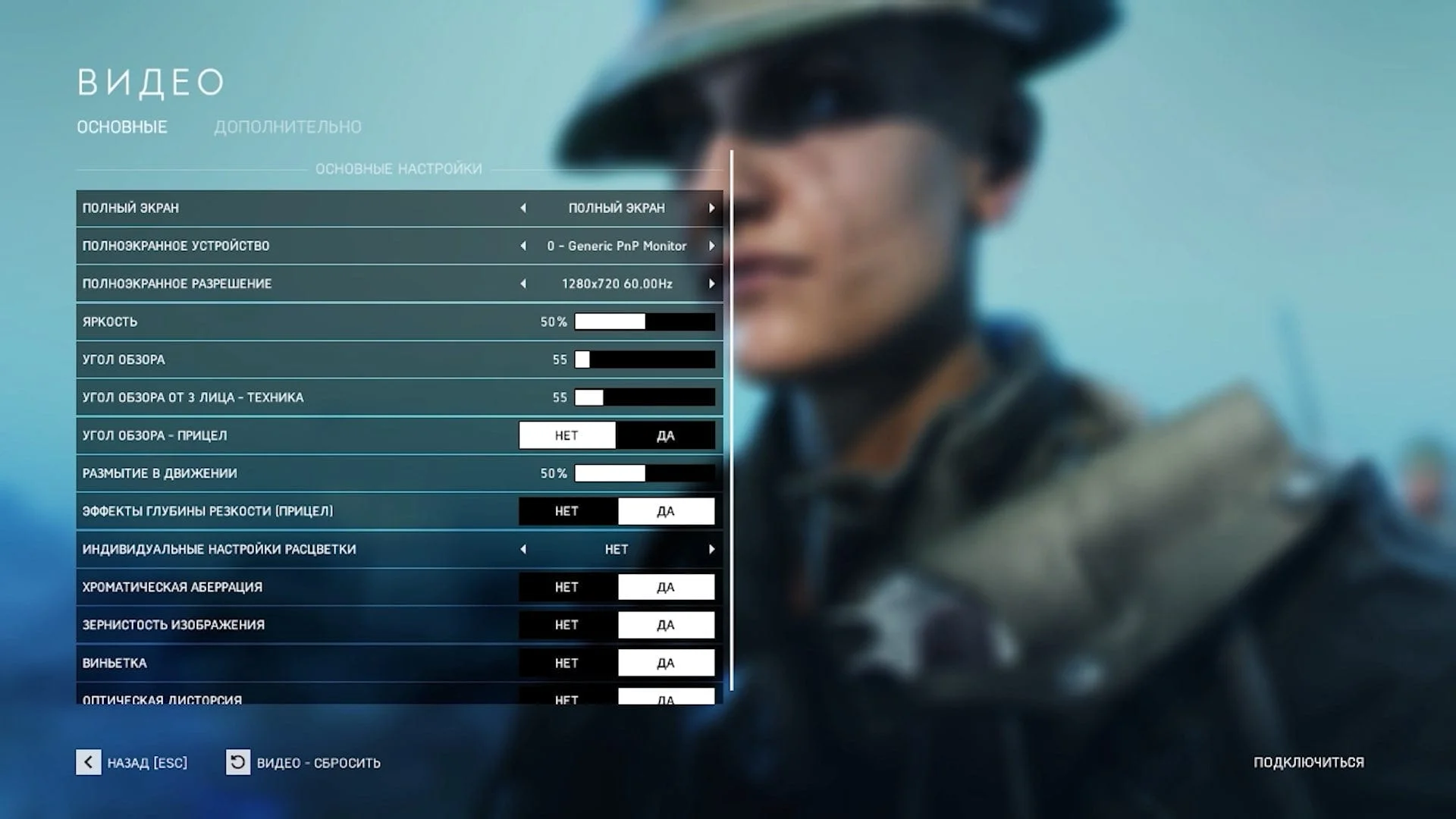
Application testing
Starting with this article, I decided to gradually phase out specific benchmarks and introduce professional applications like xNormal (which bakes normal maps, occlusion maps, and many others). Tens of thousands of 3D artists worldwide use this program. First, it's free, and second, it's a powerful tool in skilled hands.
This benchmark session also included two additional processors not featured in this article, and Cinebench 11 will still appear in their tests. However, I'll stop running this benchmark starting with the next session. It's entirely possible other benchmarks will join it soon. But that depends solely on how quickly I find a relevant replacement for any retired benchmarks.
Let's move on to the testing.
Overall performance
 ⤢ ВІДКРИТИ
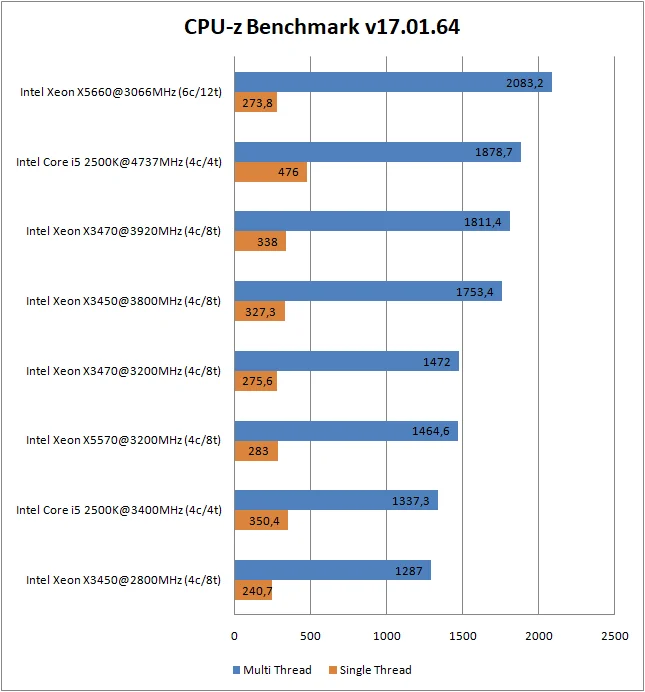
CPU-z doesn't present any big surprises in the single-threaded test, but the multi-threaded benchmark revealed that even at 3920MHz, an 8-thread Lynnfield core can't catch up to a 4-core Sandy Bridge chip overclocked to 4737MHz.
Rendering, synthetics
 ⤢ ВІДКРИТИ
 ⤢ ВІДКРИТИ
 ⤢ ВІДКРИТИ
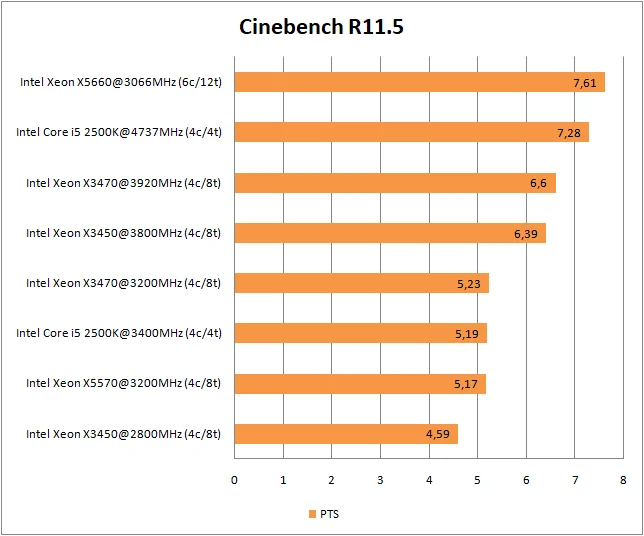
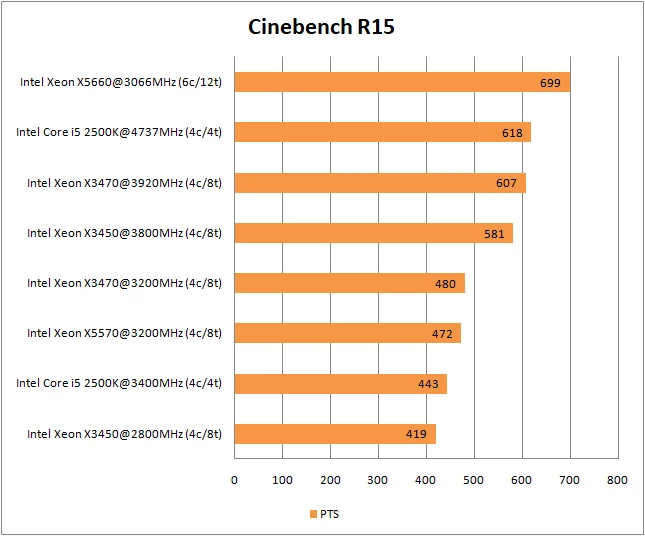
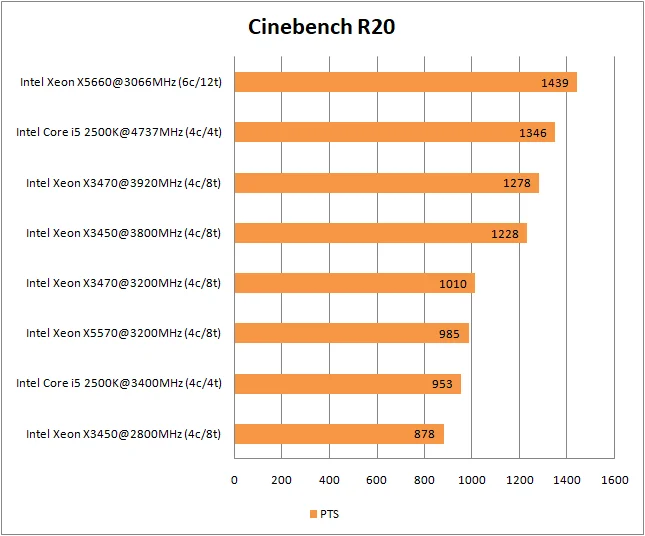
In Cinebench, almost nothing changed, and the X3470 still can't catch the Core i5-2500K. However, remember that when comparing their price, the X3470 looks quite good, and the X5570 performs confidently, though it consistently trails its direct competitor by a fraction of a percent. This is quite strange overall, given the X5570's advantage in a higher memory controller frequency and RAM bandwidth.
Rendering
 ⤢ ВІДКРИТИ
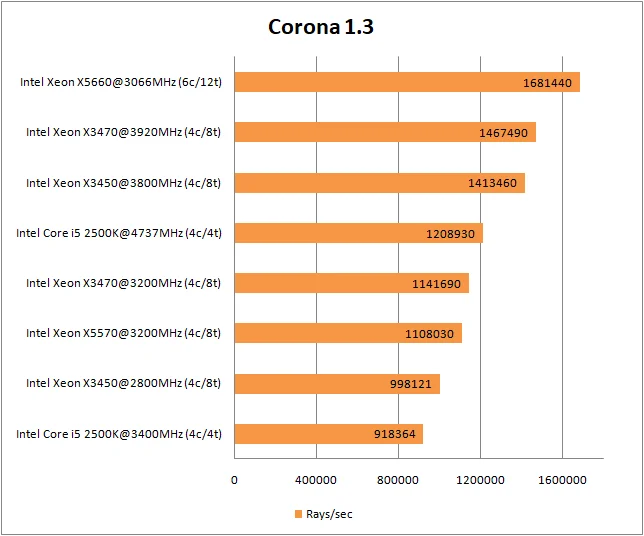
The Corona benchmark hasn't been updated for quite some time and can't reflect the real-world performance of the current renderer. Nevertheless, users are still interested in these test results.
In Corona, the Core i5-2500K can't compete with the overclocked 8-thread chips at any frequency. Here, the X3450 and X3470 perform best, while the X5660 remains an unreachable target for all other contenders.
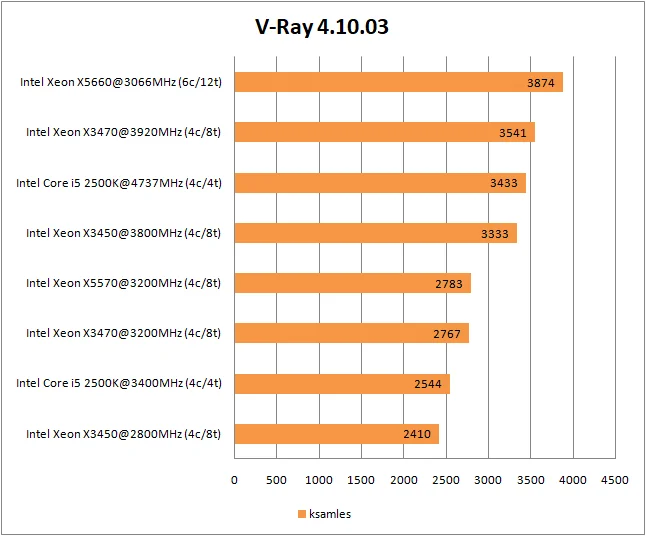 ⤢ ВІДКРИТИ
This trend holds true in V-Ray. Of course, the X3470's lead isn't as impressive as in Corona, but the fact that it exists at all is surprising. V-Ray, on the other hand, updates with enviable regularity, and this benchmark generally reflects real-world performance when using the renderer in compatible programs like 3ds Max, Cinema 4D, Maya, or Blender.
 ⤢ ВІДКРИТИ
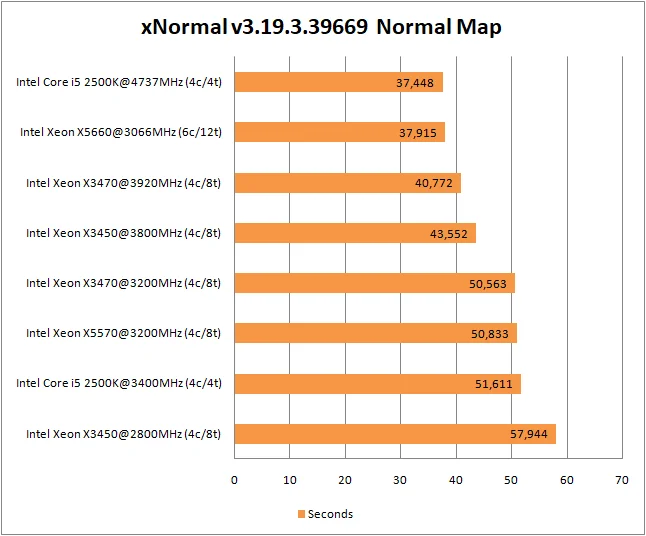
In the incredibly popular texture rendering program xNormal, we see the 6-core, 12-thread monster suffer its first defeat. Surprisingly, it wasn't the overclocked X3470 that surpassed it, but the 4-core Core i5-2500K at 4737MHz. However, this was a relatively light normal map bake. Let's see how the processors handle an ambient occlusion map:
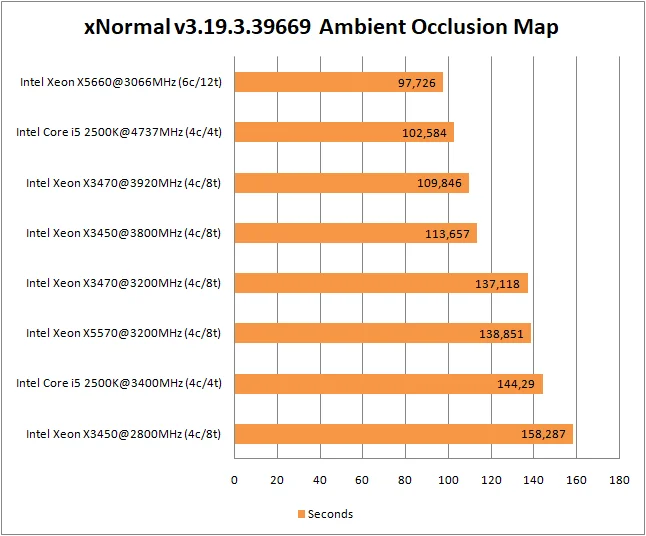 ⤢ ВІДКРИТИ
Here, things returned to normal. However, the 6-core X5660's lead isn't as impressive as in other tests. The Core i5-2500K's surprisingly high performance is due to its AVX instruction set support. All chips except the 2500K lack this feature, which somewhat slows them down.
Video encoding
 ⤢ ВІДКРИТИ
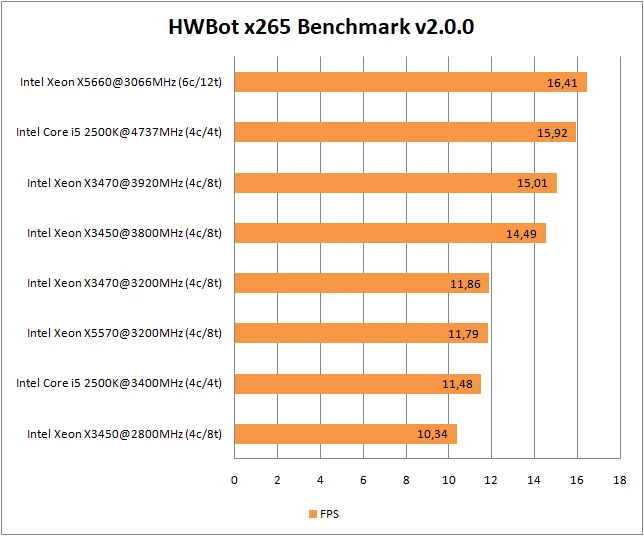
HWBot x265 Benchmark also supports the current AVX extension, and the Core i5-2500K is once again unrivaled. But the X3470 is in close proximity and generally looks like a better value, at least in terms of price/performance.
Archiving
 ⤢ ВІДКРИТИ
 ⤢ ВІДКРИТИ
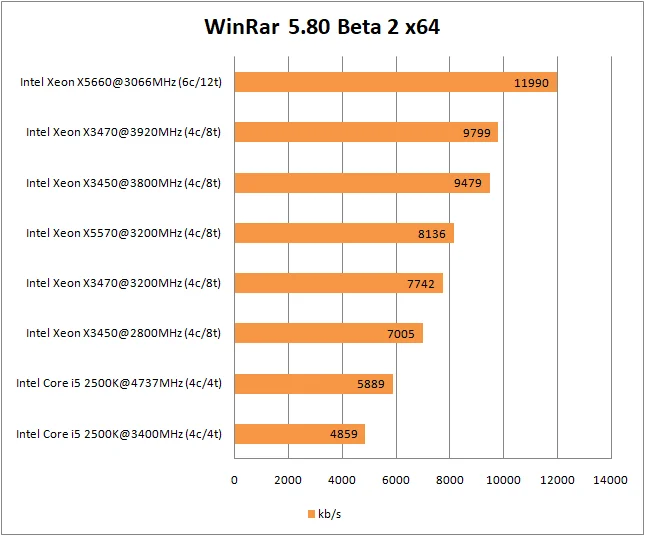
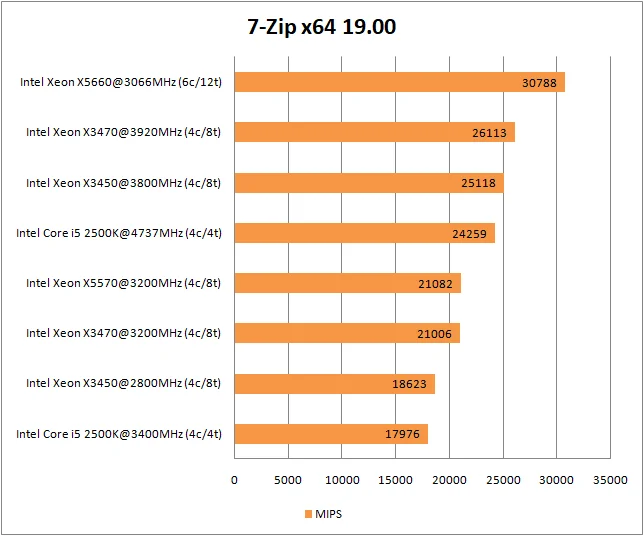
Both archiviers reveal relatively low performance from the 4-core Core i5-2500K. However, WinRar, in contrast to the perfectly adequate 7-Zip, does so rather harshly and strangely. For some inexplicable reason, the 2500K's performance in WinRar is exceptionally low. This can't be blamed on RAM speed, as the stock X3450 operates with the same 1333MHz memory, and the 2500K's memory controller runs at the same frequency as its CPU cores, unlike the X3450's 2133MHz IMC. Mystifying, to say the least.
Seriously, the WinRar developers have been doing some inexplicable things lately, and I'll likely remove this benchmark from future testing.
Gaming benchmarks
 ⤢ ВІДКРИТИ
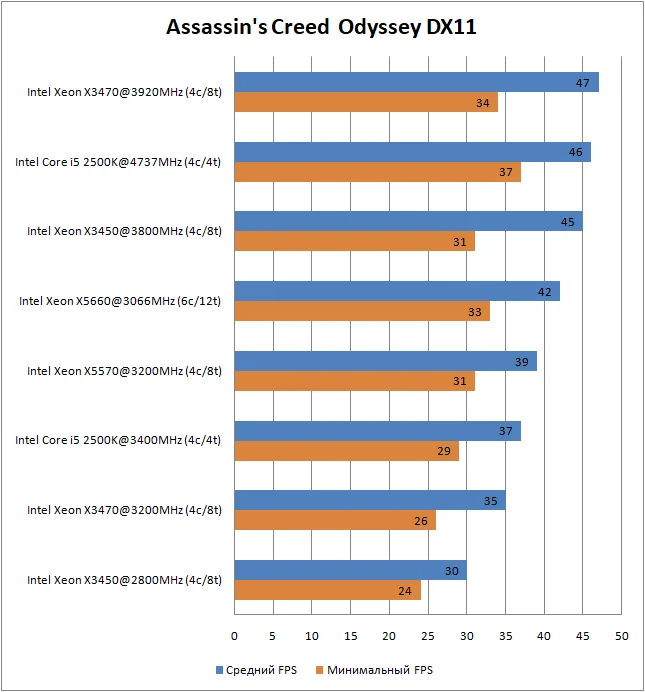
Both LGA 1156 platform representatives perform at a relatively high level in Assassin's Creed Odyssey. But most interestingly, the overclocked Core i5-2500K is unmatched in minimum FPS.
It's also in this game that we first see the X5570's advantage over the stock X3470. As I mentioned at the beginning, the X5570 differs from the X3470 only in its integrated memory controller frequency and triple-channel memory instead of dual-channel.
And perhaps Assassin's Creed specifically demands higher RAM bandwidth. But these aren't all the surprises related to the X5570:
 ⤢ ВІДКРИТИ
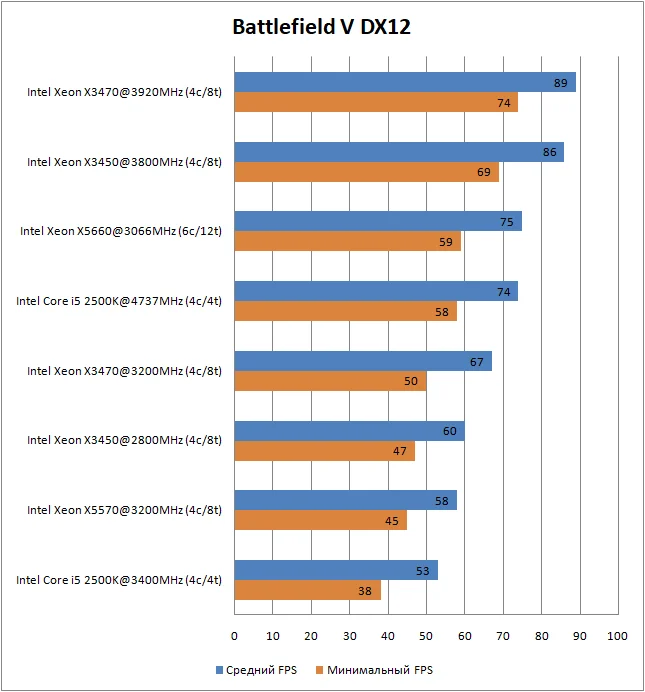
Beyond the significantly noticeable lead of the overclocked X3470, Battlefield 5 also brings us some interesting results for the X5570, which surprisingly managed to lose to the stock X3450. This wasn't a testing error either; I ran the test segment 9 times, 3 of which were after rebooting the test system.
I couldn't determine the reasons for such low performance, but there's a possibility the test motherboard is to blame. However, until an adequate, brand-name LGA 1366 board appears in our lab, we won't be able to confirm if that's truly the case.
I'd also like to point out that in Battlefield 5, the Xeon X5660 was the only processor capable of delivering acceptable frame rates at stock frequencies. The remaining CPUs only managed decent results with overclocking.
 ⤢ ВІДКРИТИ
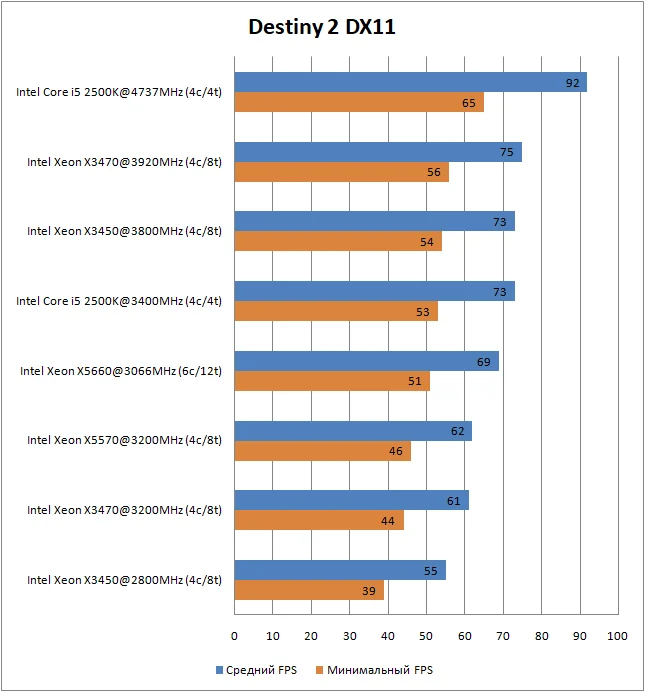
Destiny 2 is a 4-thread project, so the overclocked Core i5-2500K took absolute and undeniable leadership. Following it are both overclocked LGA 1156 representatives, then another 2500K, but this time at stock speeds. Impressive results.
I'd also like to note the Xeon X5660's rather decent performance, as it managed to outperform both the stock X3470 and X5570 (which, in turn, slightly edged out its competitor) despite its lower frequency.
 ⤢ ВІДКРИТИ
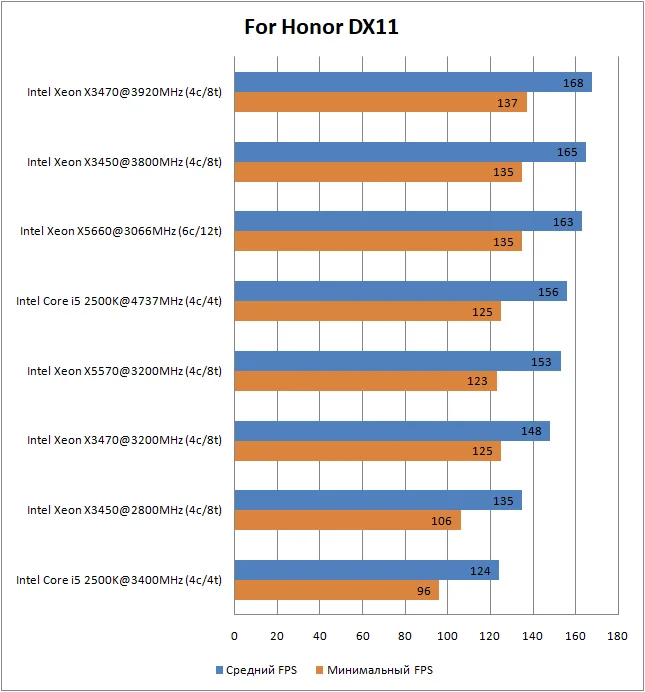
The For Honor medieval action engine can utilize more than 6 threads, which positively impacts multi-core CPU performance. Here, the overclocked LGA 1156 representatives took the lead, followed by the X5660. The Core i5-2500K only takes fourth place, and even its lead over the X5570 can't be called confident.
It's worth noting that all processors show decent performance, perfectly sufficient for comfortable gaming.
 ⤢ ВІДКРИТИ
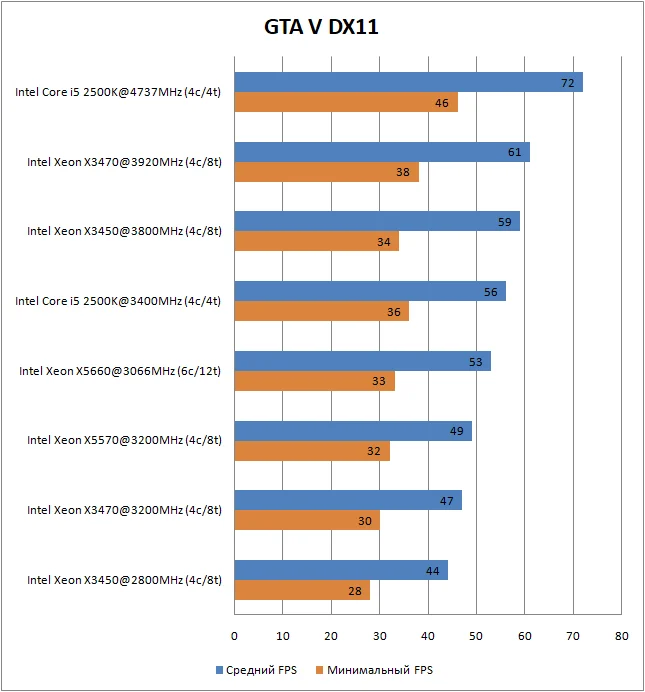
However, none of the CPUs truly handled GTA 5 well. Only the Core i5-2500K approached the coveted minimum 60 frames. But we cranked CPU-dependent settings to maximum; if set to default, almost all tested processors show acceptable FPS.
 ⤢ ВІДКРИТИ
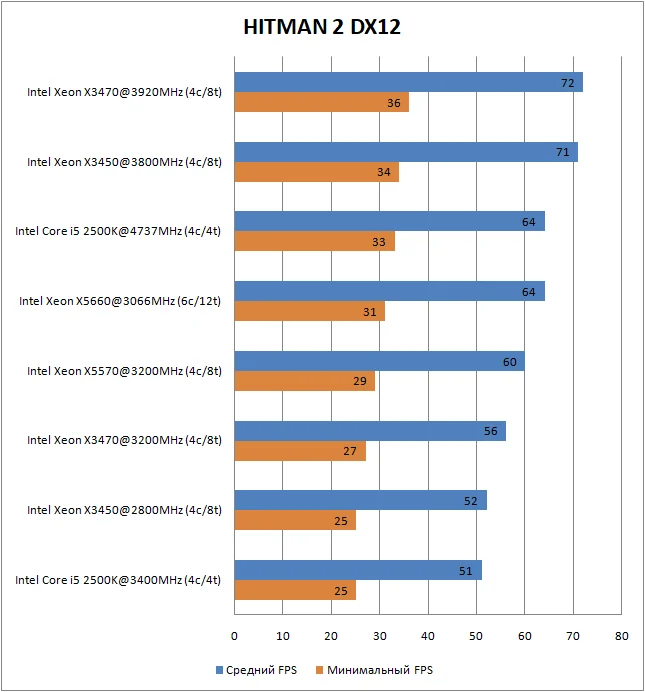
In fact, Hitman isn't a super dynamic project and is perfectly playable at minimum frame rates of 30-40. But even so, none of the stock processors, except for the Xeon X5660, could handle the game. Overclocking somewhat rectifies the situation, allowing the Xeon X3450 and X3470 to show comparatively acceptable FPS.
 ⤢ ВІДКРИТИ
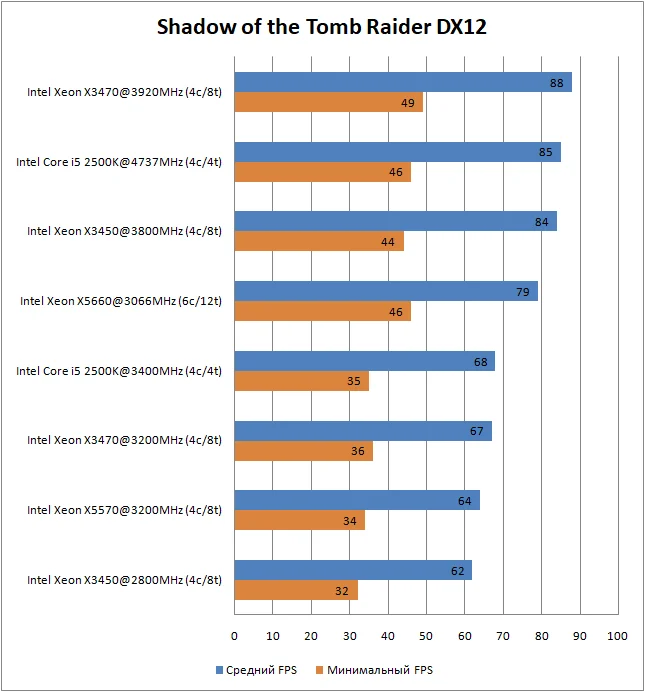
The benchmark for the latest game chronicling the tomb raider's adventures clearly shows the extremely poor adaptability of 4-thread processors to function adequately in the project. A little further down, after all the graphs, you'll have the opportunity to watch a video comparison of the processors and see that graphs aren't always able to accurately reflect the real state of affairs.
Although the 2500K took second place, the actual image quality on it leaves much to be desired.
 ⤢ ВІДКРИТИ
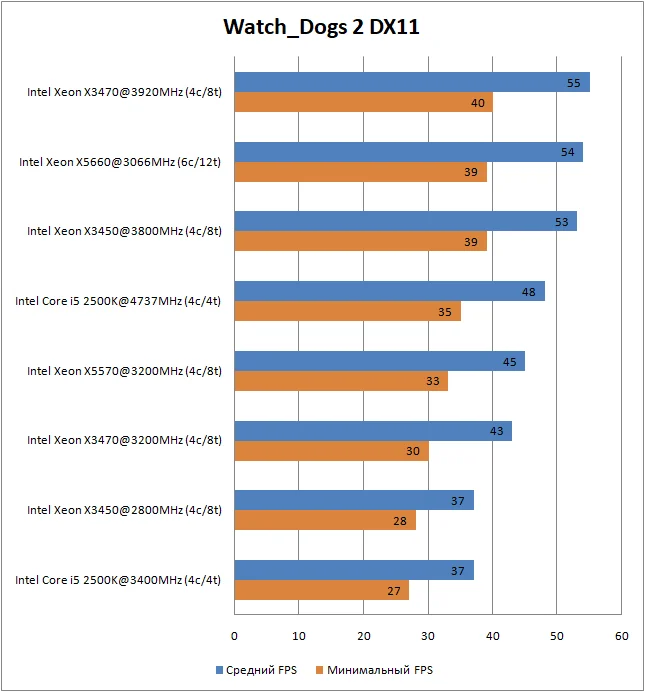
Watch_Dogs 2 is the last game in today's testing, and not by accident. Running experiments in this title is always enjoyable because, to a certain extent, they summarize the entire article. The game reacts to any system change, whether it's CPU frequency, RAM, or the number of active memory controller channels. Whatever you improve, Watch_Dogs 2 will react.
To start, it's worth noting that in the showdown between the similarly clocked X3470 and X5570, the latter won, which is impressive, to say the least. As I mentioned earlier, the only difference between them is the memory controller configuration.
Second, I'd highlight the confident performance of the X5660, especially against the overclocked X3450 and X3470. Only one LGA 1156 representative managed to surpass the 6-core monster: the Xeon X3470 overclocked to 3926MHz.
Frankly, I expected a similar result in Shadow of the Tomb Raider, but there even the overclocked X3450 managed to beat the X5660.
Video of all gaming tests for Xeon X3450, X3470, X5570, X5660, and Core i5-2500K:
YouTube
By loading, you allow content from YouTube (cookies may be set).
Conclusion
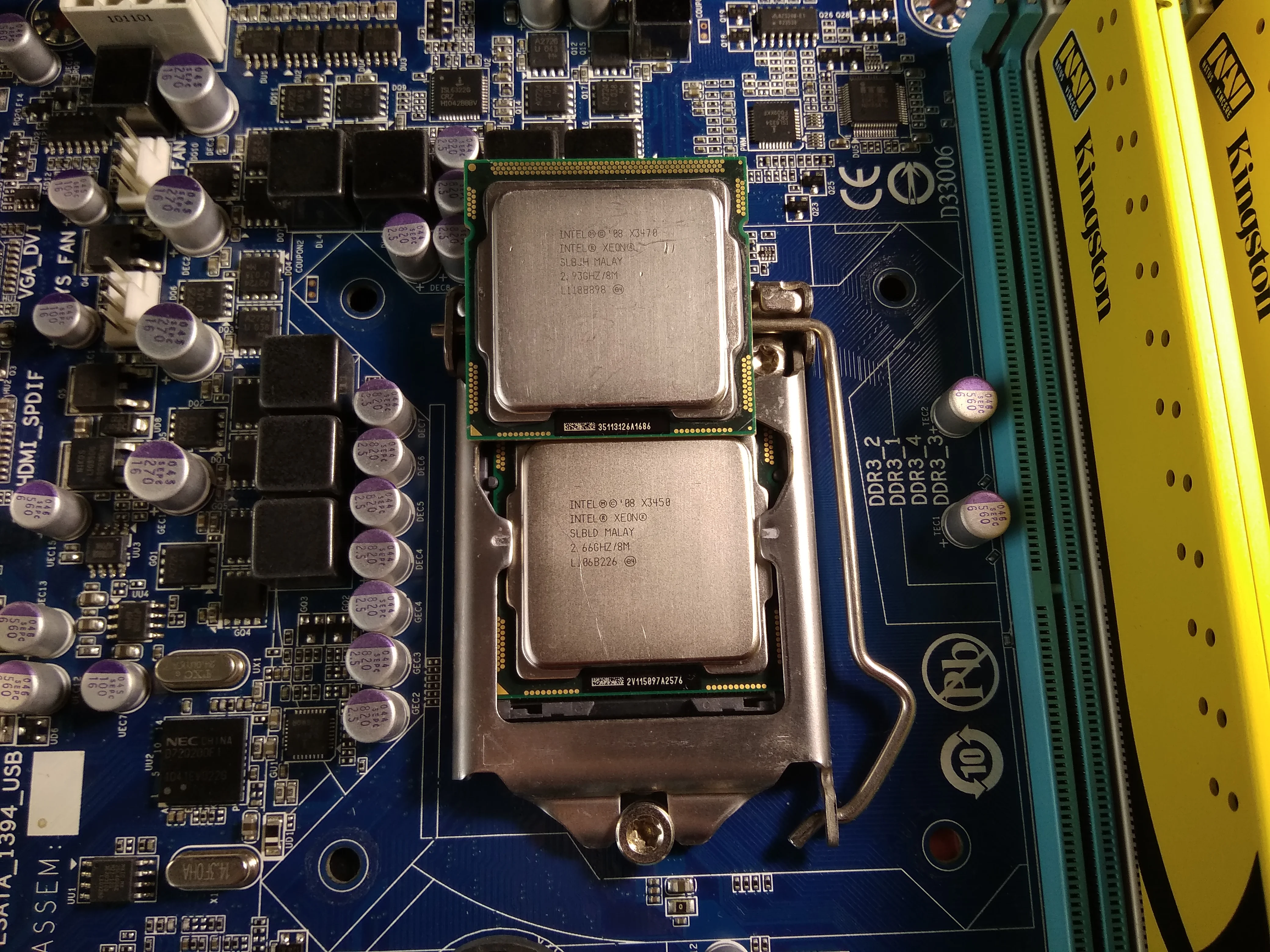
Based on this article, we can draw the following conclusions: among processors operating at stock frequencies, the X5660 chip emerged as the absolute winner. It's far more advantageous than LGA 1156 platform representatives, both in terms of price/performance and motherboard cost. (This refers to boards that don't support overclocking. Even now, overclocking motherboards for the LGA 1366 platform command absurd prices, making them pointless to recommend. However, if you already own a brand-name LGA 1366 compatible board, your choice is obvious: the X5660 and its overclocking potential.)
 ⤢ ВІДКРИТИ
But that's at stock. The situation changes significantly after overclocking. If you already have an overclocking-capable LGA 1156 motherboard, the choice becomes a bit more complicated.
To start, overclocking hot chips like the Xeon X3470 requires at least a Cooler Master Hyper 212-level cooler. For stable 4GHz frequencies, you'll need to shell out for a more expensive Noctua NH-D14 or similar. Even then, the motherboard's power delivery system will be at its limit, and the chip's power consumption will exceed 150W.
In contrast, the 95W Xeon X5660 demands no such sacrifices and can operate stably with almost any cooling solution. It's not uncommon to see this 6-core chip paired with an aluminum stock cooler from old AMD Athlon 64 X2 processors.
Of course, you need to consider the specific use case for an ultra-budget build based on one of these CPUs. For example, in Destiny 2, the Core i5-2500K is clearly the best choice. For budding professionals, the 12-thread X5660 proves to be the most cost-effective investment.
But to sum it up: despite motherboard limitations and other quirks, the overclocked Xeon X3470 still looks more confident than the other test participants. It will remain our LGA 1156 platform representative in future benchmark sessions, at least until I manage to get my hands on a chip capable of stable operation above 4GHz.
I've provided the information; now, I'm off to finish the second and third articles from this benchmark session :)