BLOGS · GAME BLOGS
PUBLISHED
READING3 min
Setting up the RPCS3 emulator for playing Demon's Souls
A guide to setting up the RPCS3 emulator for Demon's Souls, including key tips on emulator version, CPU (TSX), GPU (Vulkan), and audio for a smooth gameplay experience.
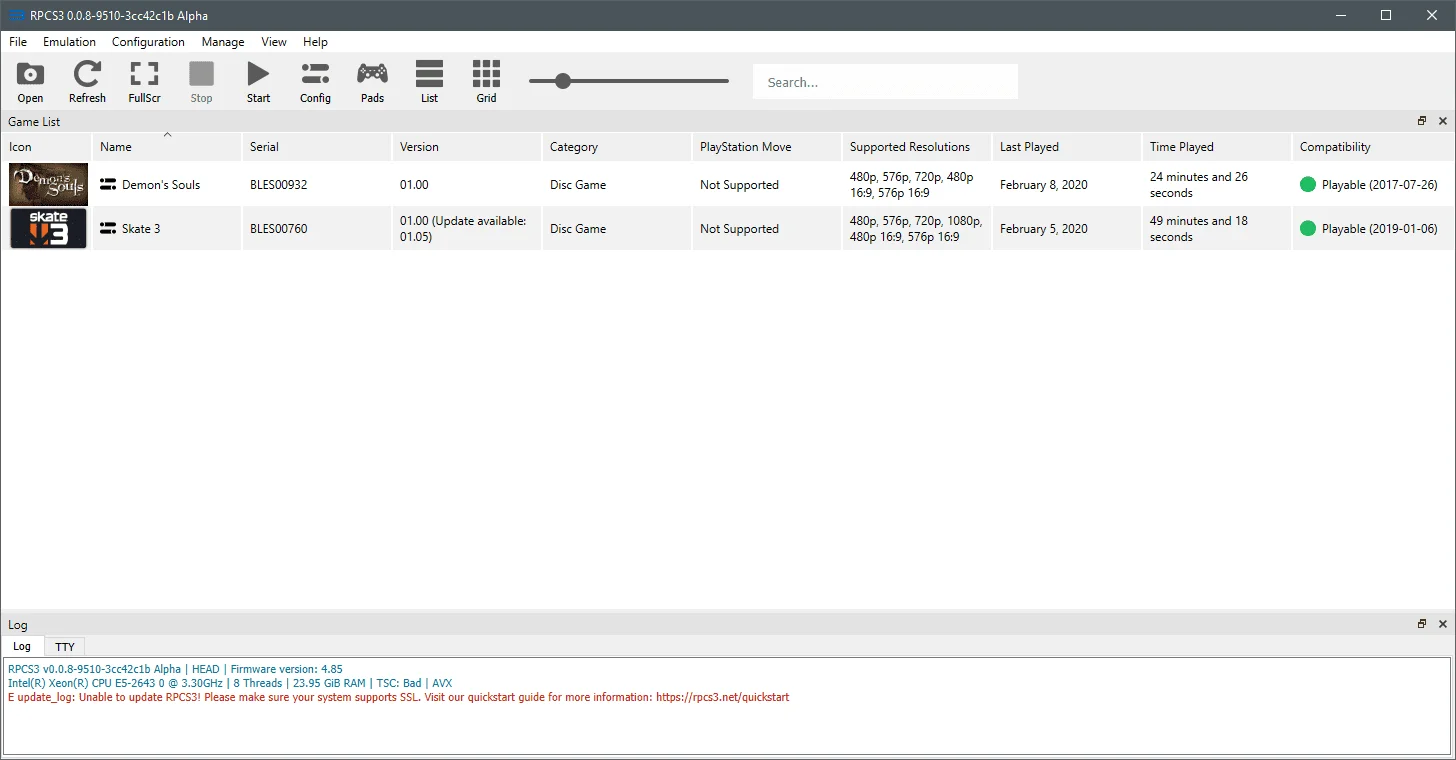
To play From Software's immortal masterpiece, Demon's Souls, you'll need an RPCS3 emulator version no older than v0.0.8-9510-3cc42c1b. This version, along with its predecessor, v0.0.8-9430-1abdee24, brought significant performance improvements to RPCS3, making Demon's Souls (and other games) enjoyable even on CPUs without TSX support. However, for Demon's Souls specifically, TSX-enabled CPUs (like AMD Ryzen or Intel Core 5000 Broadwell; Xeon E5-2600 v4 Broadwell chips could also work in theory) are genuinely necessary for a reasonably smooth experience.
 ⤢ ВІДКРИТИ
You can download the latest emulator version from the developers' official website.
For instance, in the Boletarian Palace area, CPUs without TSX instructions often experience frame rate drops to 10-15 FPS.
Let's move on to the program settings. To get Hidetaka Miyazaki's game to display properly, you should configure your emulator like this:
 ⤢ ВІДКРИТИ
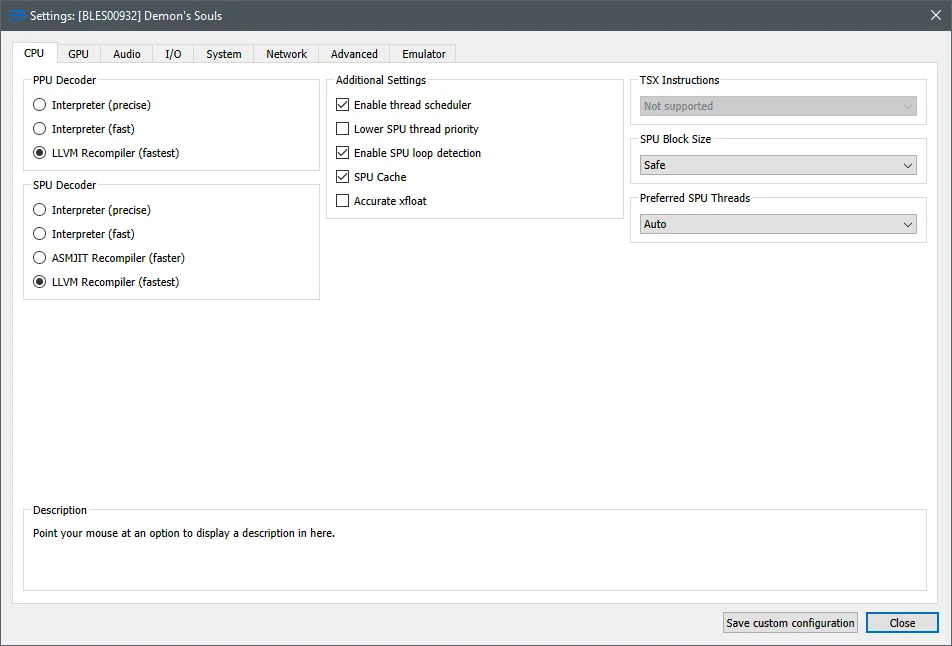
CPU
You don't need to change much in the CPU section. The only thing worth noting here is that in some cases, specifically on older CPUs, 1st, 2nd, and 3rd generation Core CPUs, you might slightly boost performance by disabling Hyper-Threading in your motherboard's BIOS.
 ⤢ ВІДКРИТИ
GPU
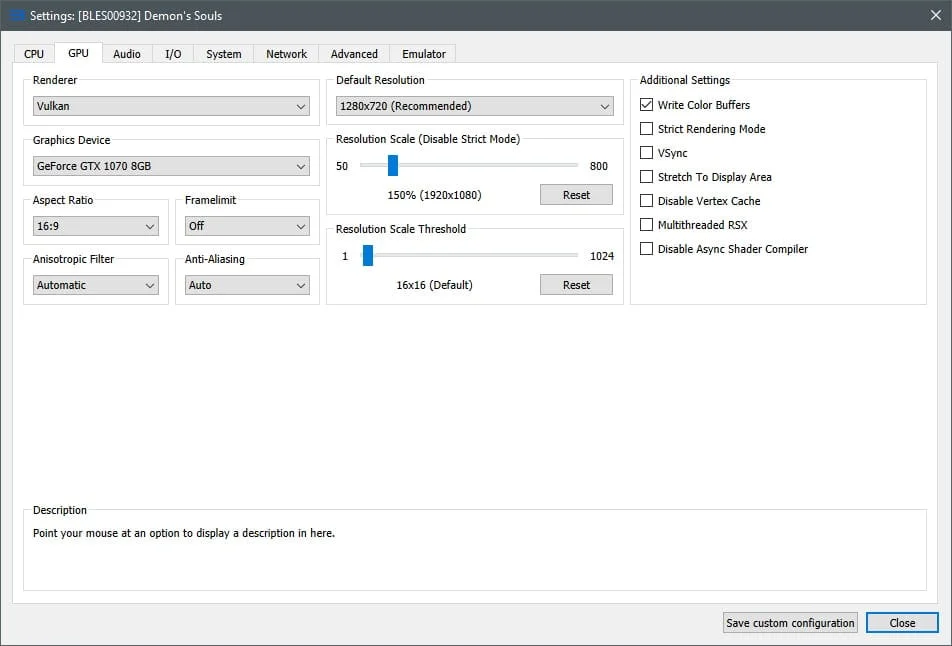
In the GPU settings, change the renderer type from OpenGL to Vulkan. If your graphics card is an NVIDIA GeForce GTX 1050 Ti, an AMD Radeon RX 560, or better, increase the Resolution Scale to 150% (1920×1080 resolution) or higher.
If your graphics card doesn't support Vulkan, you likely won't achieve an acceptable FPS.
Similarly, if you have a relatively weak graphics card (like a GeForce GTX 1030 or Radeon RX 550), try lowering the Resolution Scale parameter to 75% (960×540 resolution).
In addition to all of the above, make sure to check the 'Write Color Buffers' option under 'Additional Settings'; otherwise, you'll encounter a black screen during gameplay.
 ⤢ ВІДКРИТИ
AUDIO
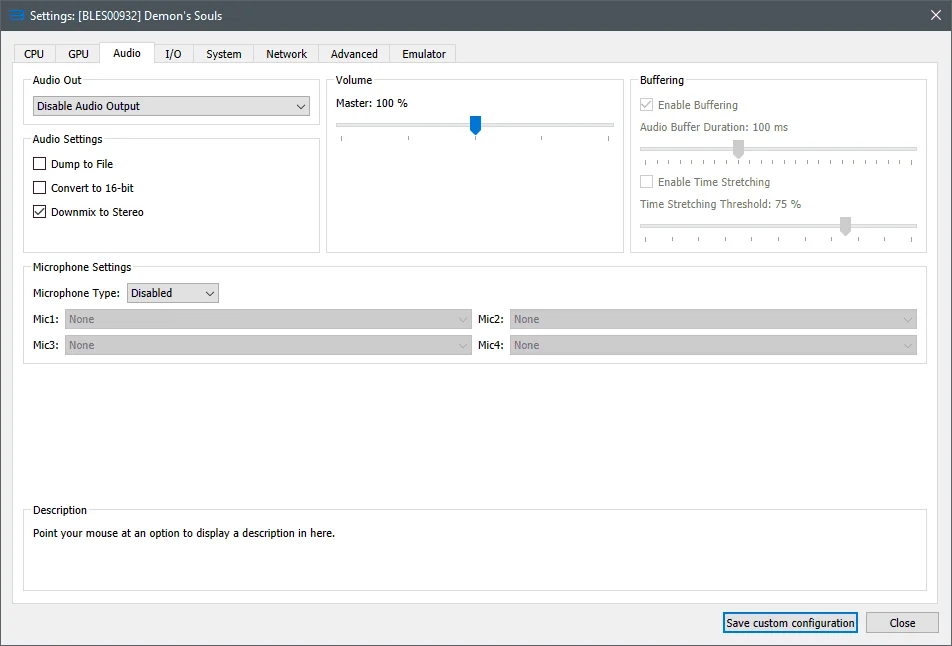
On my specific CPU (Xeon E5-2643), disabling in-game audio yields about a 5-10% performance boost. However, generally speaking, if your CPU supports TSX and has 6 cores or more, you shouldn't need to disable audio.
In other words, leave the Audio tab untouched. If you have an older CPU, try setting the 'Audio Out' option to 'Disable Audio'.
However, audio in Demon's Souls can occasionally 'lag' even on powerful chips, so if you're experiencing issues, try experimenting with the 'Audio Buffer Duration' parameter.
 ⤢ ВІДКРИТИ
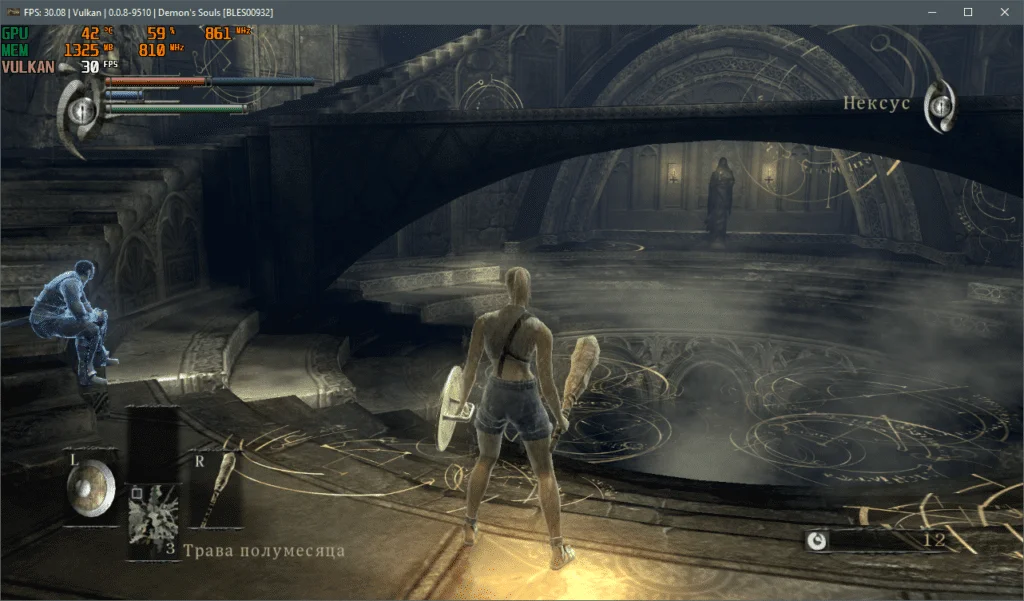
In Demon's Souls, MSI Afterburner's monitoring doesn't show the actual FPS, but everything works fine in the Nexus.
 ⤢ ВІДКРИТИ
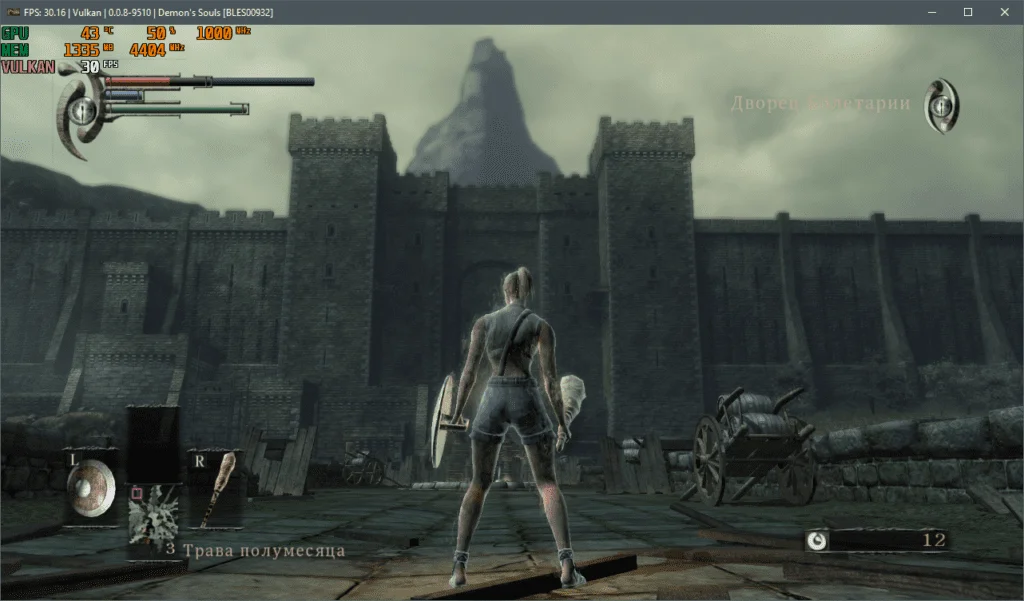
However, in the Boletarian Castle, my Intel Xeon E5-2643 processor experiences noticeable drops to 10-15 frames per second. On more modern chips like AMD Ryzen 1000/2000 or Intel Core 7000/8000, you can expect minimums of 15-20 FPS.
 ⤢ ВІДКРИТИ
And on current Ryzen 3000 and Core 9000 CPUs, you won't encounter any issues playing Demon's Souls.
As soon as the RPCS3 emulator updates to a newer and, most importantly, more optimized version, I'll endeavor to update this guide, if needed, of course.
Test these settings and describe your results in the comments below, and feel free to ask any questions you have.