![Setting up the RPCS3 emulator for JoJo's Bizarre Adventure: All-Star Battle [plus audio fix]](/_next/image?url=https%3A%2F%2Fumtale-media.s3.eu-central-1.amazonaws.com%2Fimages%2Fcontent%2F262909d7-e57d-48d8-a12b-8ed6f40480a0.webp&w=3840&q=75)
BLOGS · GAME BLOGS
PUBLISHED
READING3 min
Setting up the RPCS3 emulator for JoJo's Bizarre Adventure: All-Star Battle [plus audio fix]
A detailed guide to setting up the RPCS3 emulator for JoJo's Bizarre Adventure: All-Star Battle, including audio fixes and optimization.
The fighting game JoJo's Bizarre Adventure: All-Star Battle is based on the incredibly popular manga and anime series "JoJo's Bizarre Adventure," which made the game quite unique and memorable. However, JoJo's Bizarre Adventure: All-Star Battle never made it to PC or even Xbox 360, so many gamers missed out on this fighting gem.
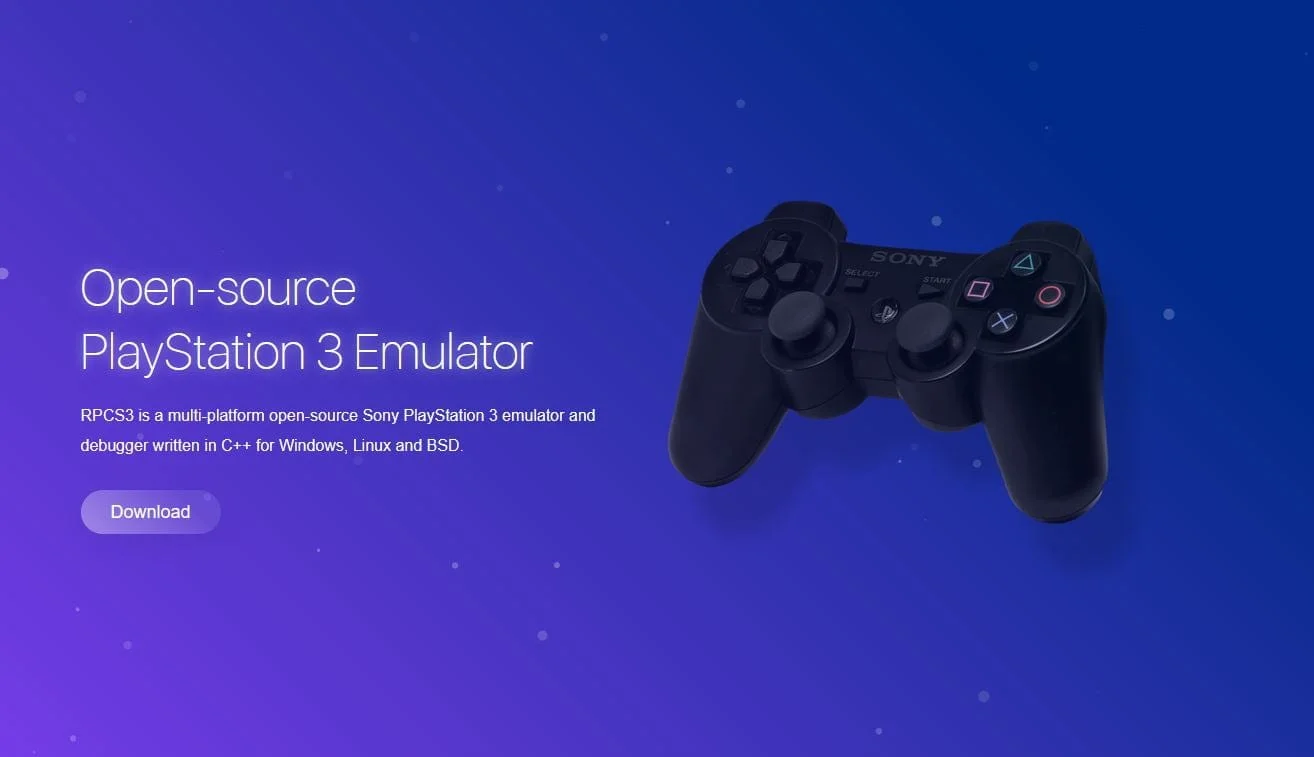
Thanks to the RPCS3 emulator developers, almost everyone can now dive into "JoJo's Bizarre Adventure."
 ⤢ ВІДКРИТИ
You can download the latest version of the emulator from the official developer website.
Today, I'll show you how to run the unique and unforgettable fighting game JoJo's Bizarre Adventure: All-Star Battle using the PlayStation 3 emulator, RPCS3.
Setup
First and foremost, make sure your emulator version is at least RPCS3 v0.0.10-10470-ebbf329b Alpha. Update it if necessary. If your version is significantly newer, some of these settings might already be in place or unnecessary. Try playing the game without additional changes first.
For JoJo's Bizarre Adventure: All-Star Battle to run stably, and most importantly, without graphical or audio issues, follow these steps:
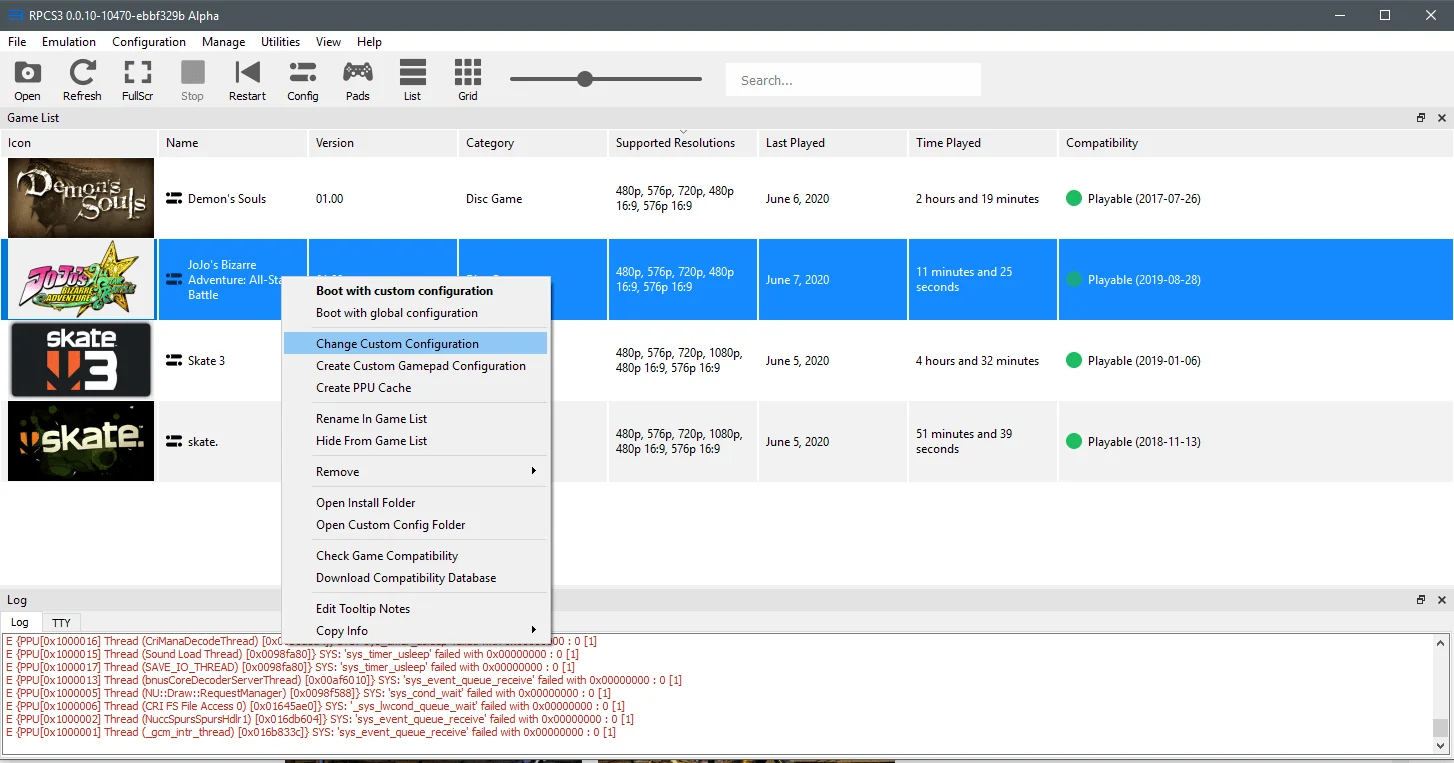
Start by right-clicking the JoJo's Bizarre Adventure: All-Star Battle icon and selecting "Change Custom Configuration":
 ⤢ ВІДКРИТИ
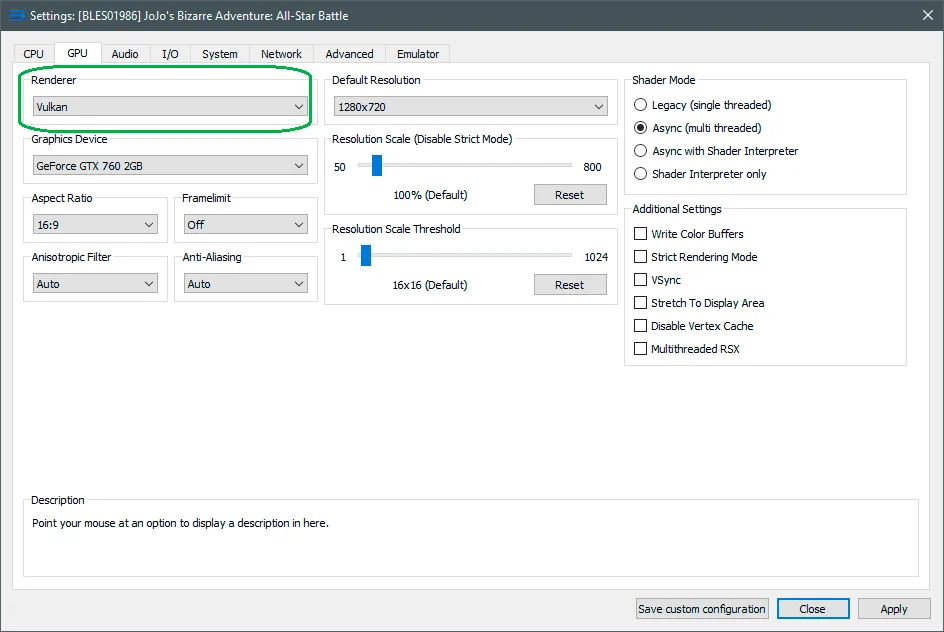
Next, go to the GPU tab and change the "Renderer" parameter from "OpenGL" to "Vulkan."
 ⤢ ВІДКРИТИ
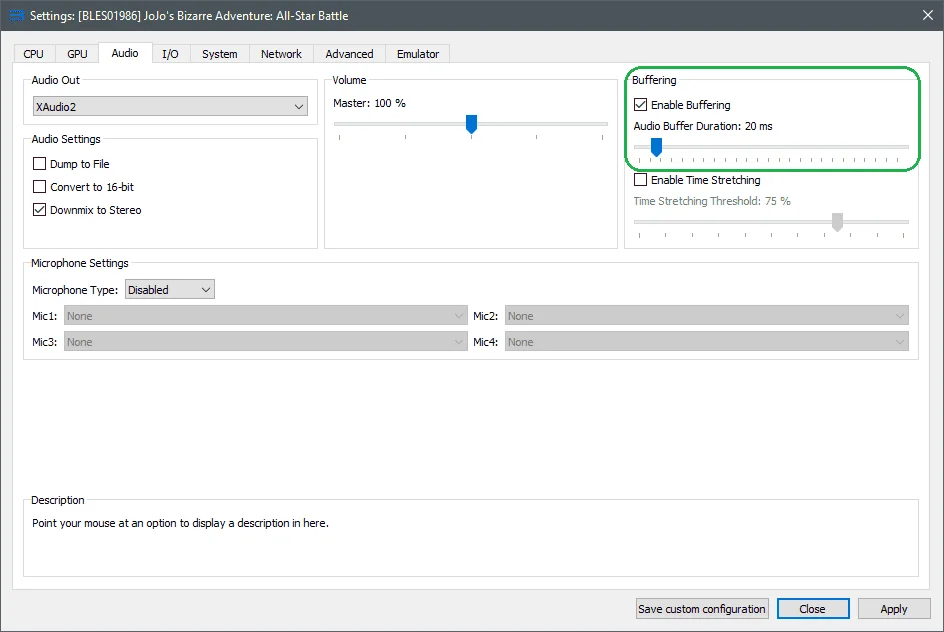
After that, navigate to the Audio tab and roll back the "Audio Buffer Duration" parameter to 20 milliseconds (if it's disabled initially, enable it):
 ⤢ ВІДКРИТИ
Additional Tips
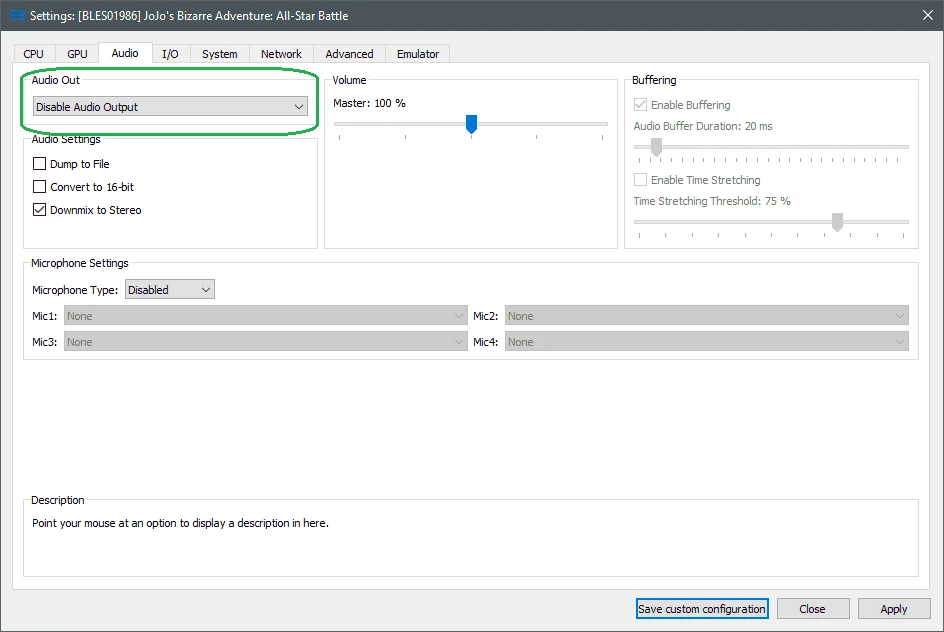
If your frame rate is less than ideal (below 20 FPS) and in-game audio isn't a top priority (ORA ORA ORA / MUDA MUDA MUDA?), you can disable it to gain a few extra frames:
 ⤢ ВІДКРИТИ
That's it! The game is configured. You can leave the other tabs unchanged. However, if your graphics card is powerful enough, you can also increase the "Resolution Scale" parameter on the "GPU" tab to 150% (equivalent to 1920x1080) or 200% (equivalent to 3840x2160). Then, test it out – if the frame rate doesn't drop, great, keep it. Your image quality will be much sharper now!
Performance
JoJo's Bizarre Adventure: All-Star Battle was tested on two systems: one with an Intel Xeon E5-2643 processor (Sandy Bridge, 3400MHz, 4 cores/8 threads – a close equivalent to the Core i7-2600) and another with a Xeon E5-2630L v3 (Haswell, ~2600MHz, 8 cores, HT disabled) paired with a GeForce GTX 760 graphics card (the GPU isn't particularly critical at native 720p resolution). Both chips delivered solid results; frame rates rarely dropped below 30 FPS, even in graphically intensive scenes.
Given the relatively low utilization of 8 threads, even Core i3-level chips can likely handle this, especially processors from the Core i3 8000, 9000, and 10000 series.
Test the aforementioned settings and share your results in the comments, and feel free to ask any questions you have.
Additionally, I plan to benchmark hardware in RPCS3. If you're interested in detailed processor test results for this game's emulation, please share your thoughts in the comments below.
Thanks for reading.