BLOGS · HARDWARE BLOGS
PUBLISHED
READING15 min
Scraping the barrel: Overclocking and benchmarking the GeForce GTX 560 Ti in 2021
This review benchmarks the vintage GeForce GTX 560 Ti graphics card, exploring its overclocking potential and gaming performance across 14 titles in 2021.
It's quite symbolic that just to get our hands on a working GeForce GTX 560 Ti, we again ended up buying an extremely overheated and essentially dead graphics card. This mirrors our experience with the GeForce GTX 470 inone of our previous 'Surviving on the Bottom' series articles.
We bought a Zotac GTX 560 from a flea market, which presented a common issue for the 500-series: die detachment from the substrate. This isn't a problem fixable by simple reflowing or even a reball, which would be futile here. It requires a GPU replacement, and as you might expect, new GF114 chips are no longer available. Consequently, the Zotac reference GTX 560 has found its permanent home on a shelf in our lab.
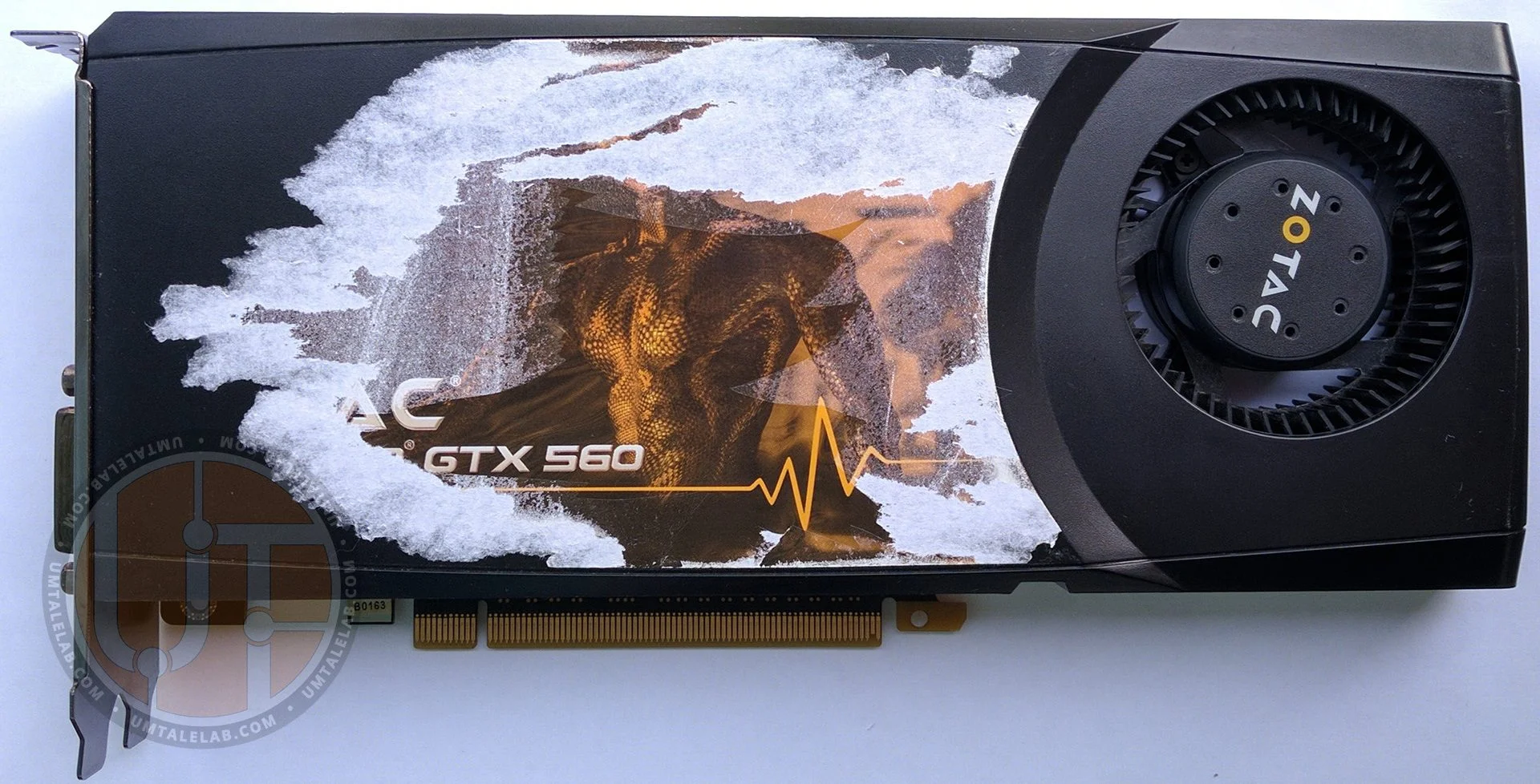
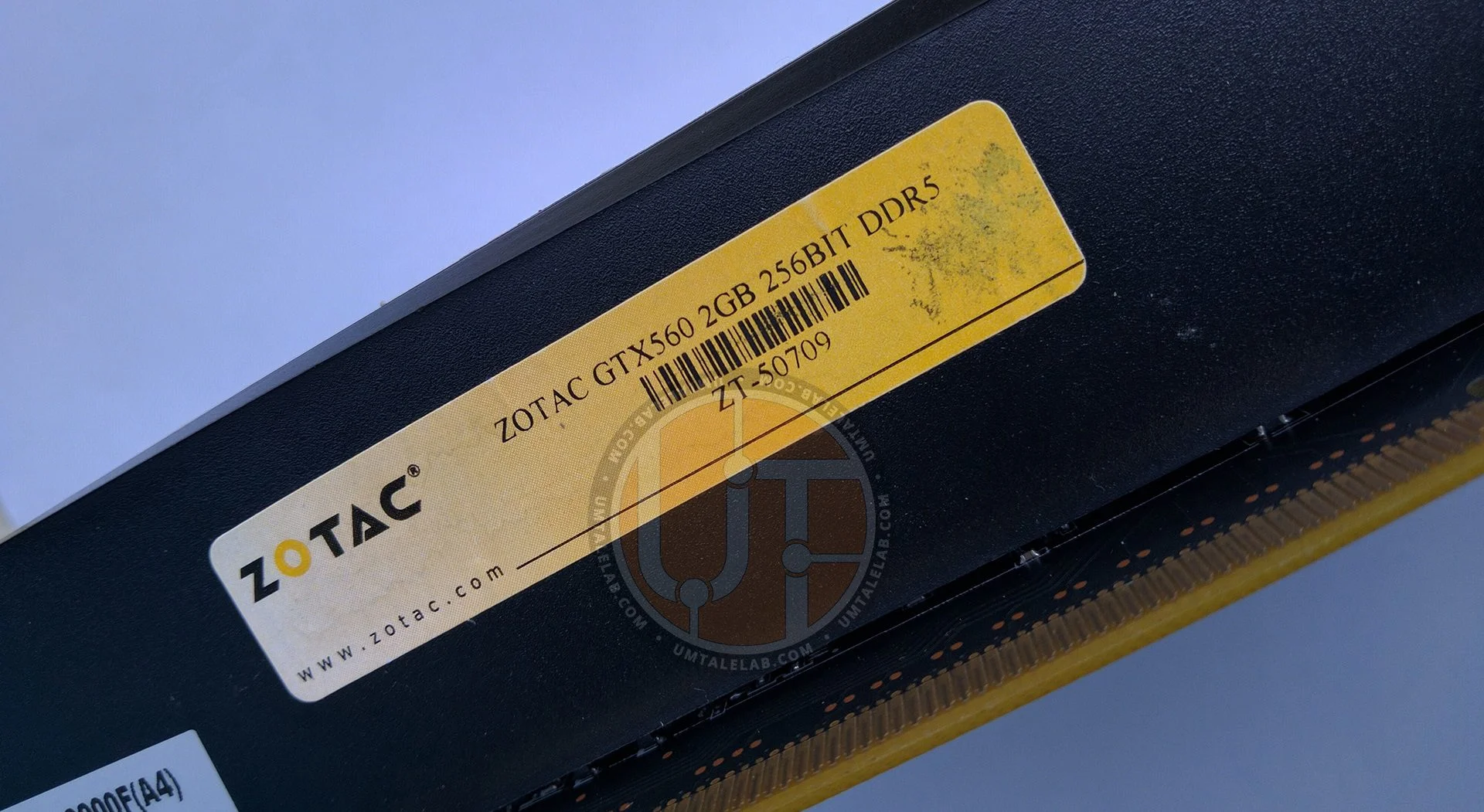
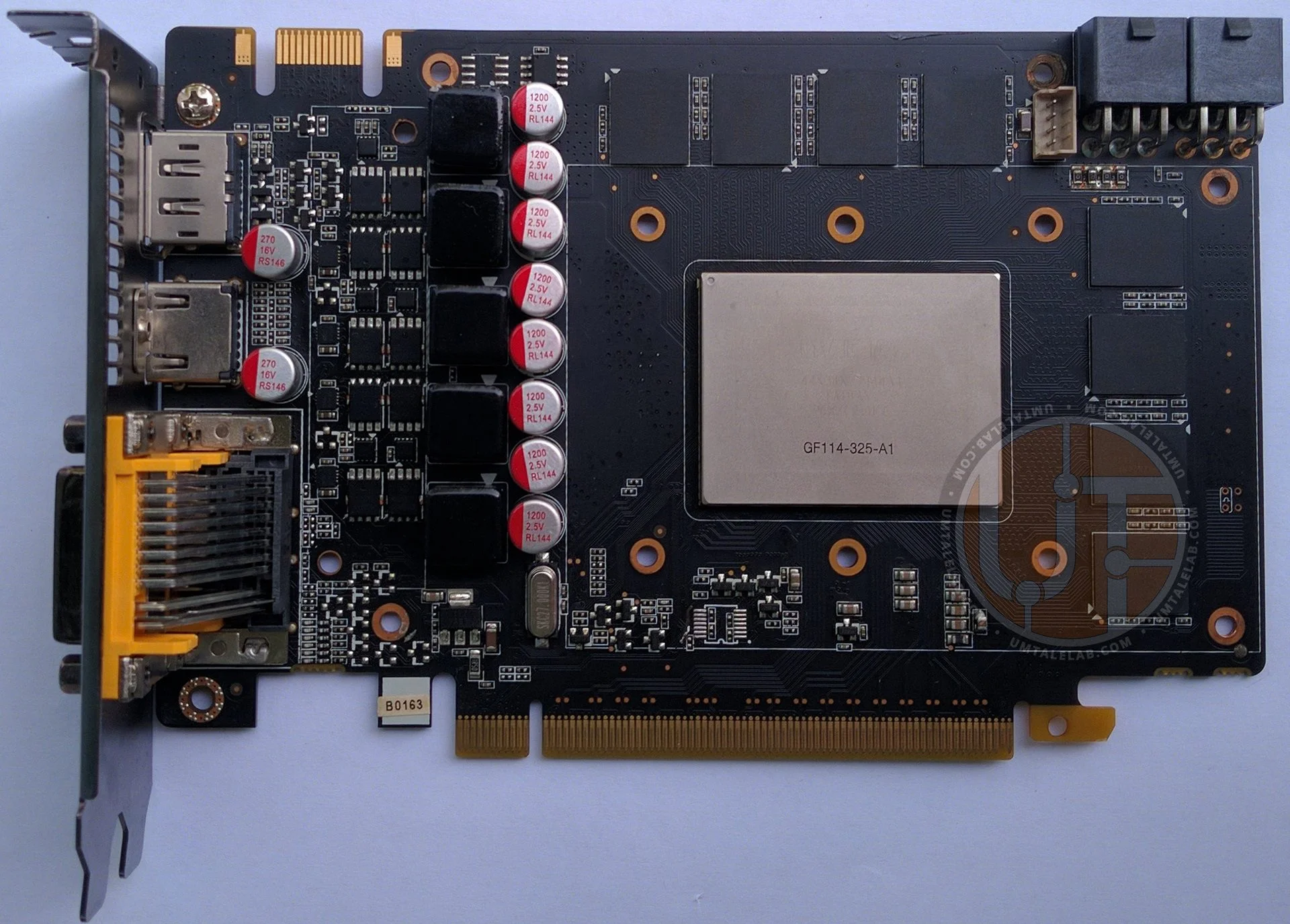
However, its stay there won't be permanent. Since it's a 2GB card, we can eventually salvage its video memory and transplant it onto the working GTX 560 Ti we acquired for this article. But that's a story for another day.
Before diving into the card's review, it's worth noting that picking up a specific GTX 560 Ti or non-Ti model didn't make much difference. In 2021, the variation in Fermi architecture stream processors isn't a significant advantage for either card (unless we're talking about hundreds of processors). Instead, bus width and video memory capacity are the crucial factors.
This article will cover overclocking and testing the GTX 560 Ti across 14 games. Welcome to the third installment of our 'Surviving on the Bottom' series.
The graphics card
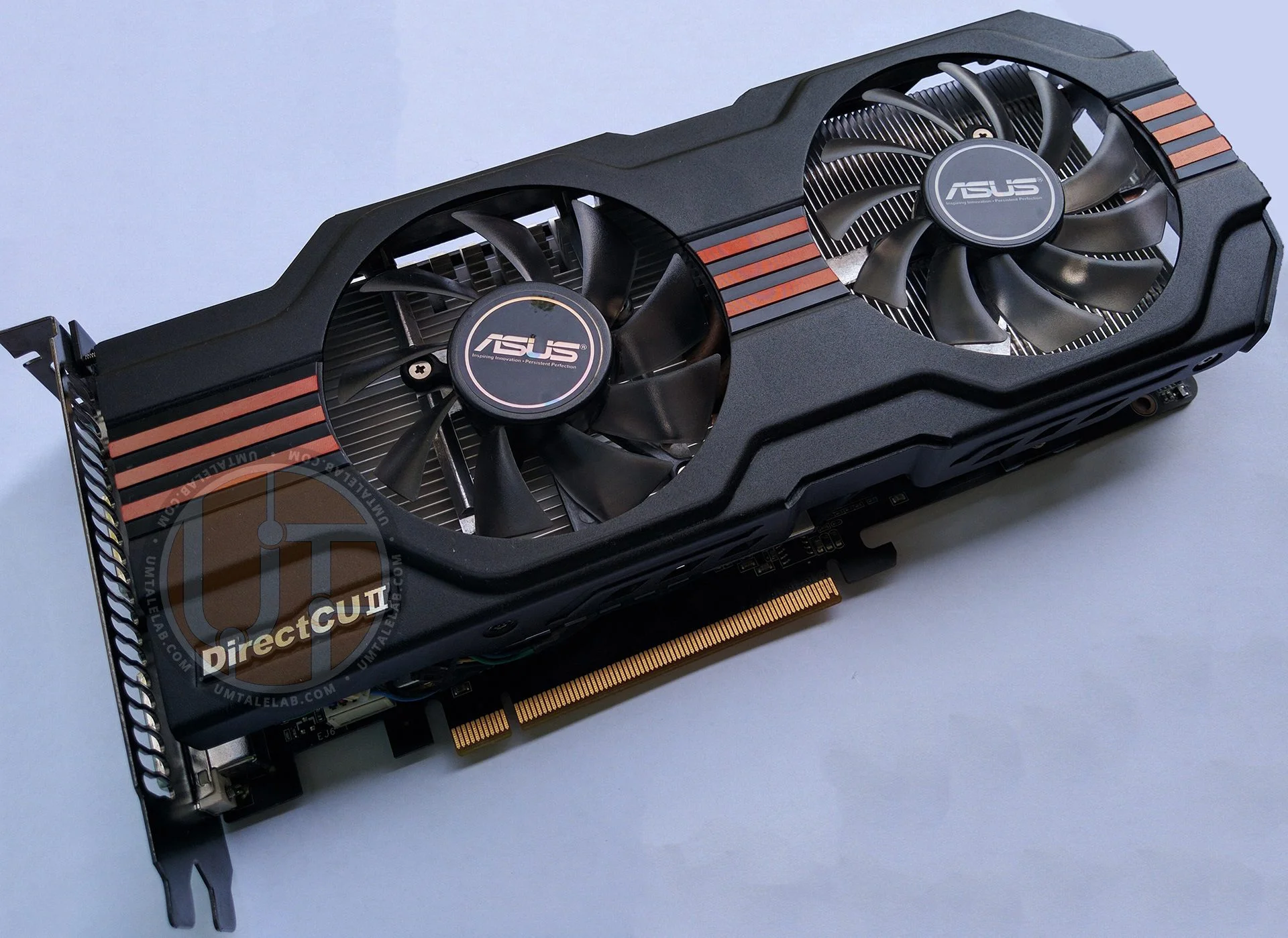
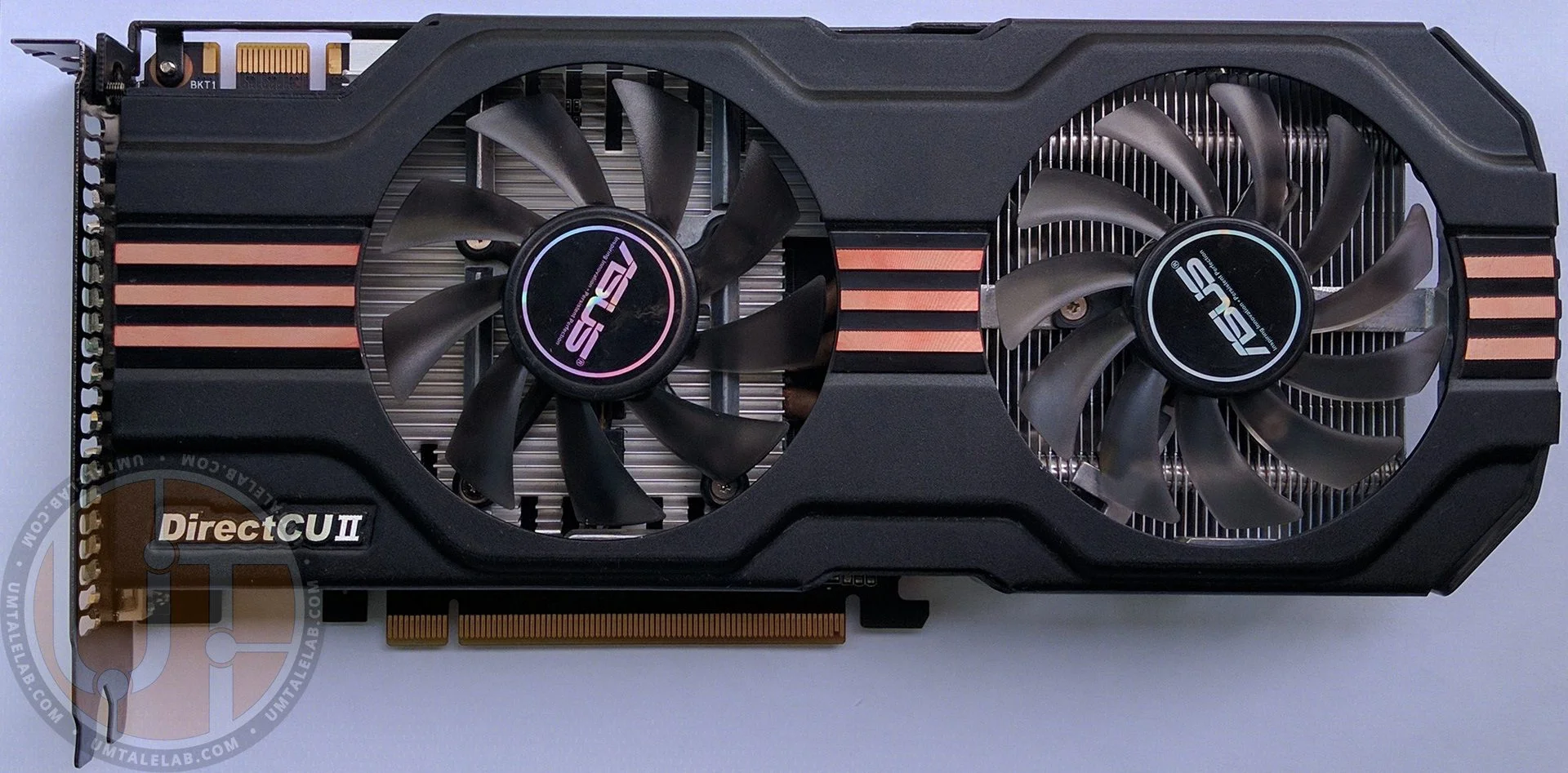
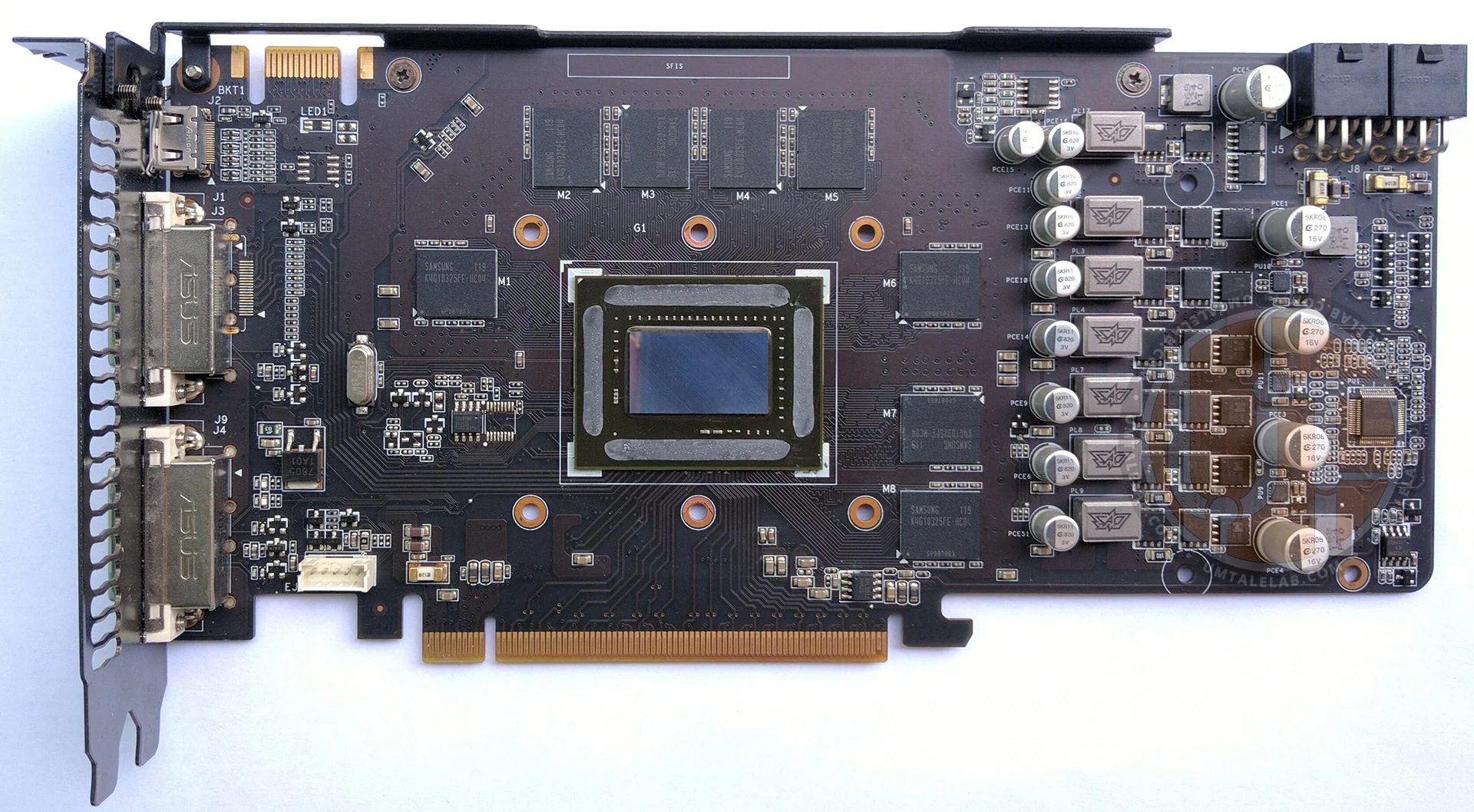
The ASUS ENGTX560 Ti DCII/2DI/1GD5 is a dual-slot graphics card, measuring just over 25 centimeters long (with its cooling system slightly overhanging the PCB). It features a unique, high-quality PCB design. The card draws power from two 6-pin auxiliary power connectors, suggesting its practical power consumption shouldn't exceed 225 watts. Since NVIDIA's official specs rate the GeForce GTX 560 Ti at up to 170 watts, there's ample power headroom for overclocking.
 ⤢ ВІДКРИТИ
The GPU is cooled by a large, two-section aluminum heatsink with three heat pipes, assisted by two 80mm fans of different designs (the left fan's blades are notably taller). Unfortunately, there's no dedicated cooling for the video memory on this card. This oversight could negatively impact its overclocking potential and the longevity of the rather hot GDDR5 chips.
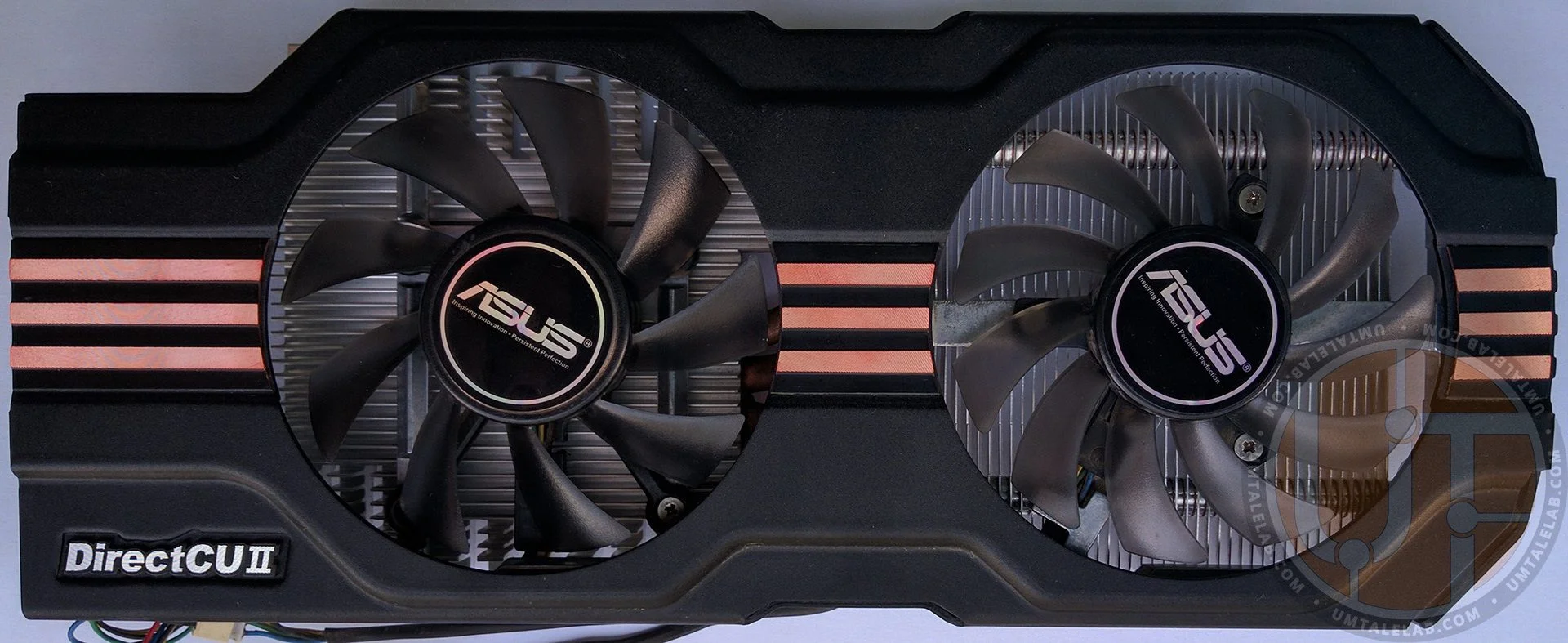
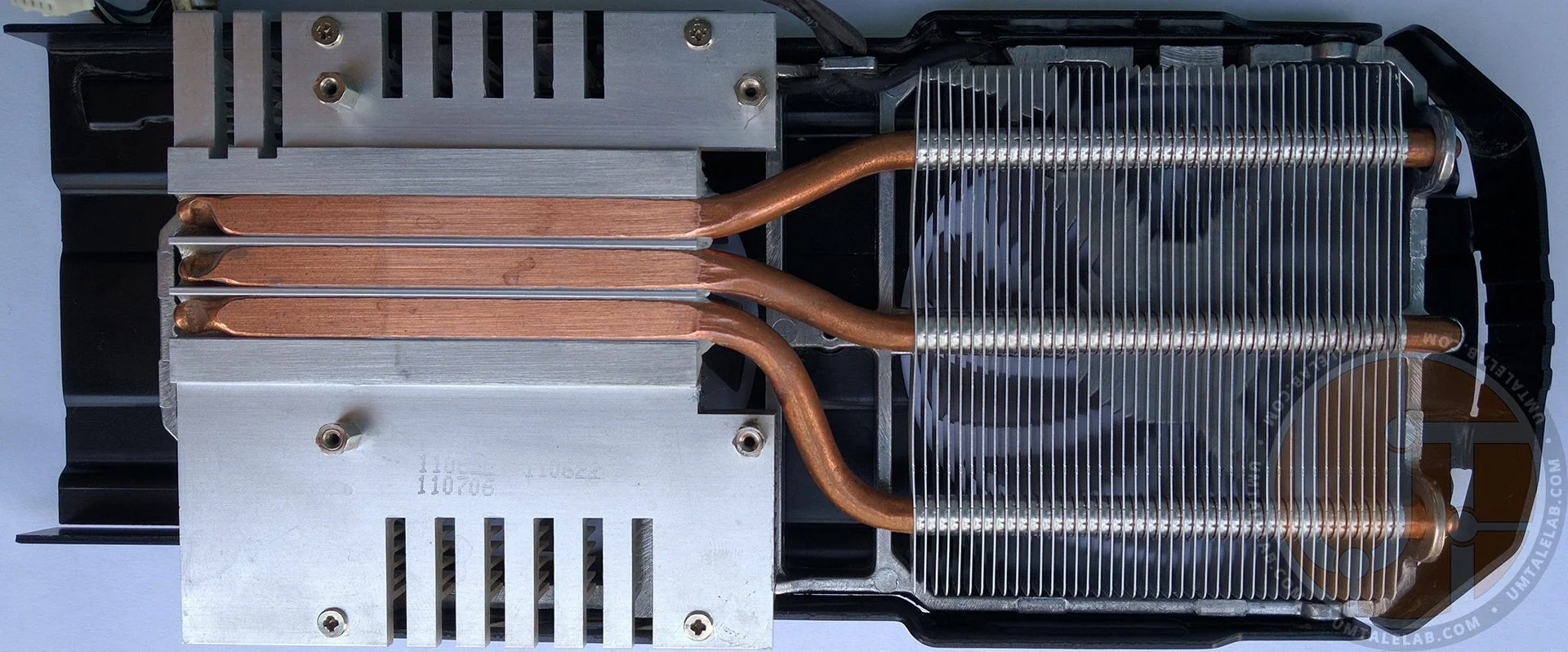
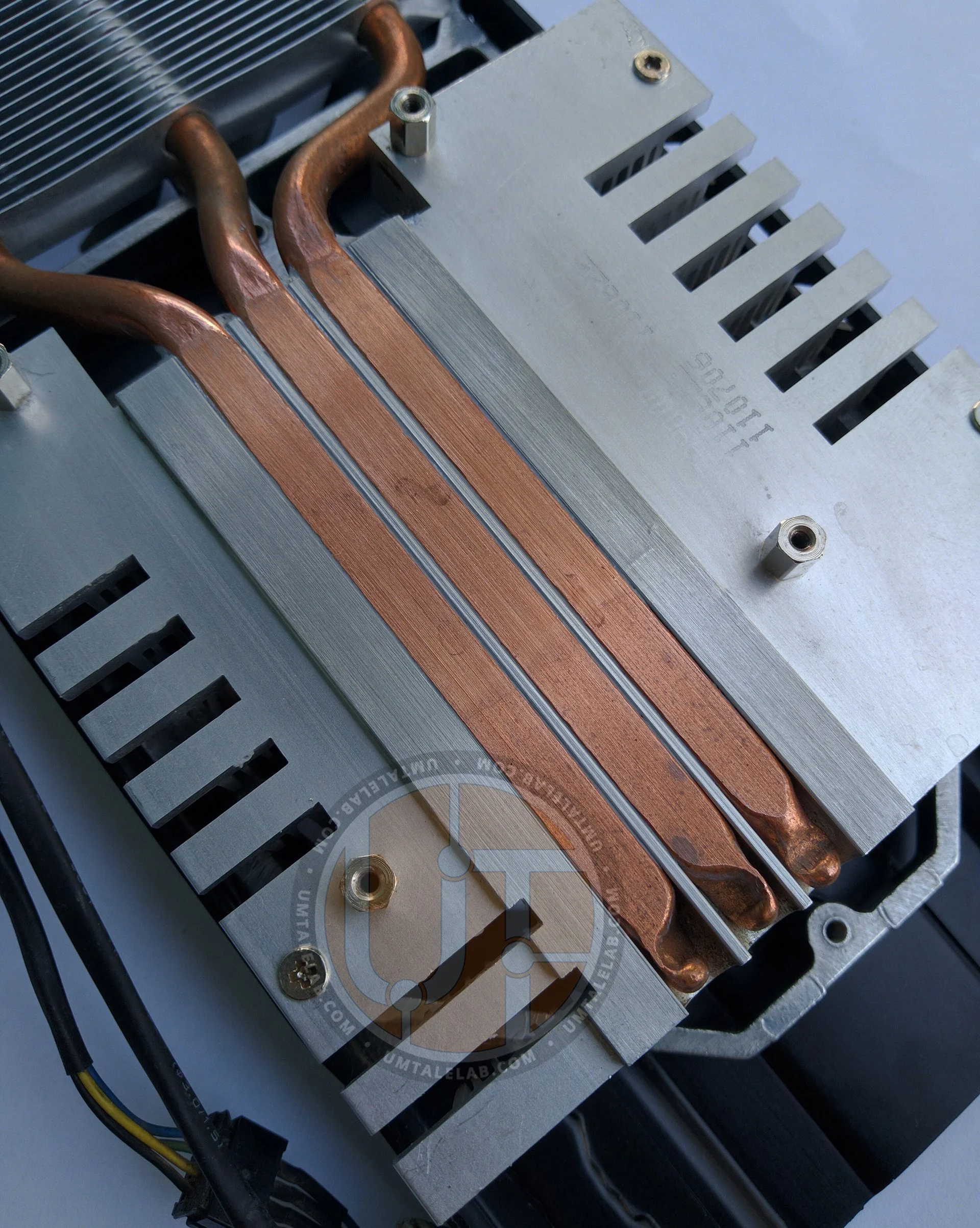
The main heatsink is machined from a solid piece of aluminum and incorporates direct-contact heat pipe technology to draw heat directly from the GPU:
 ⤢ ВІДКРИТИ
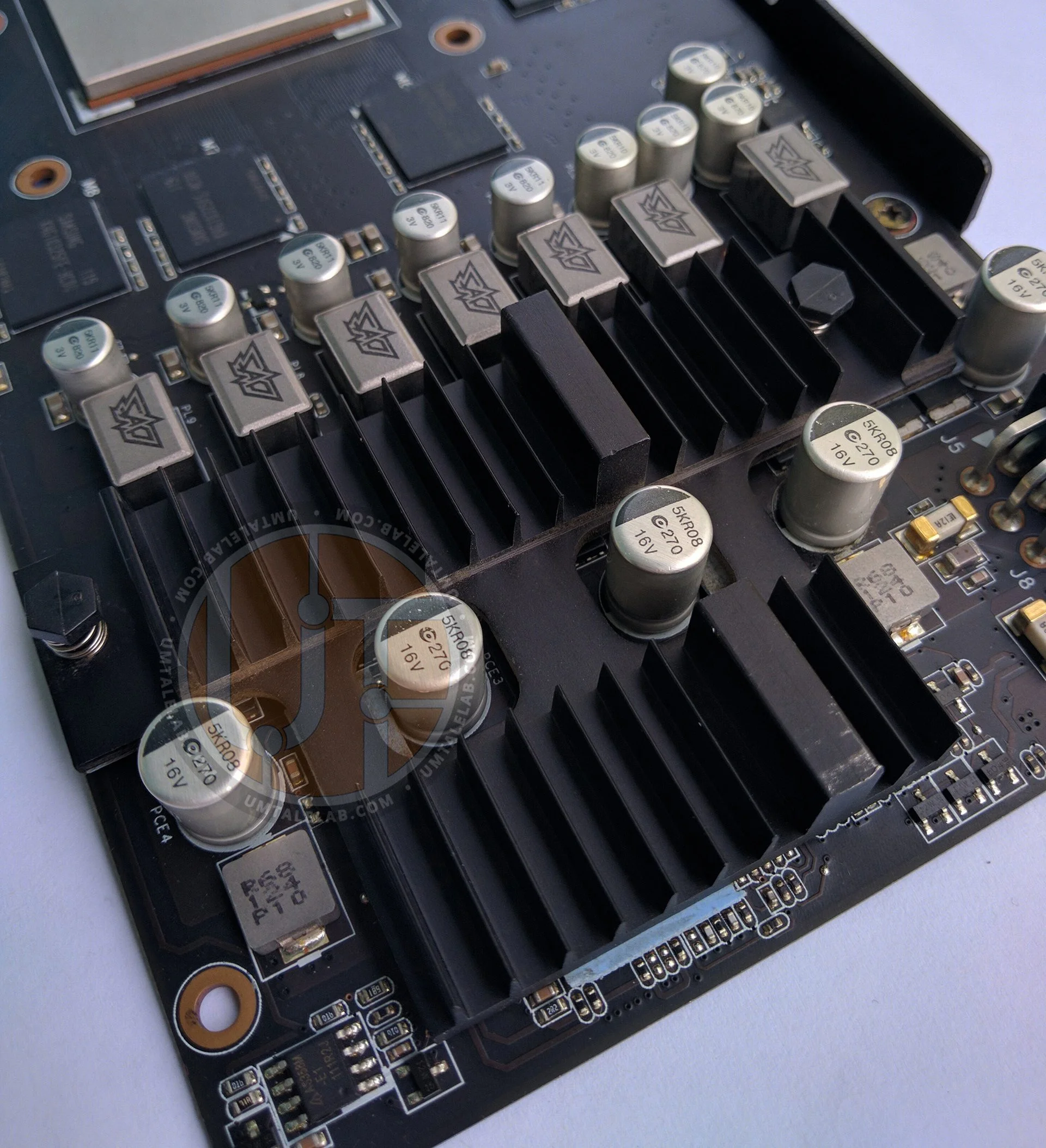
A medium-sized aluminum heatsink handles cooling for the power delivery subsystem, drivers, and PWM controller:
 ⤢ ВІДКРИТИ
PCB and power delivery
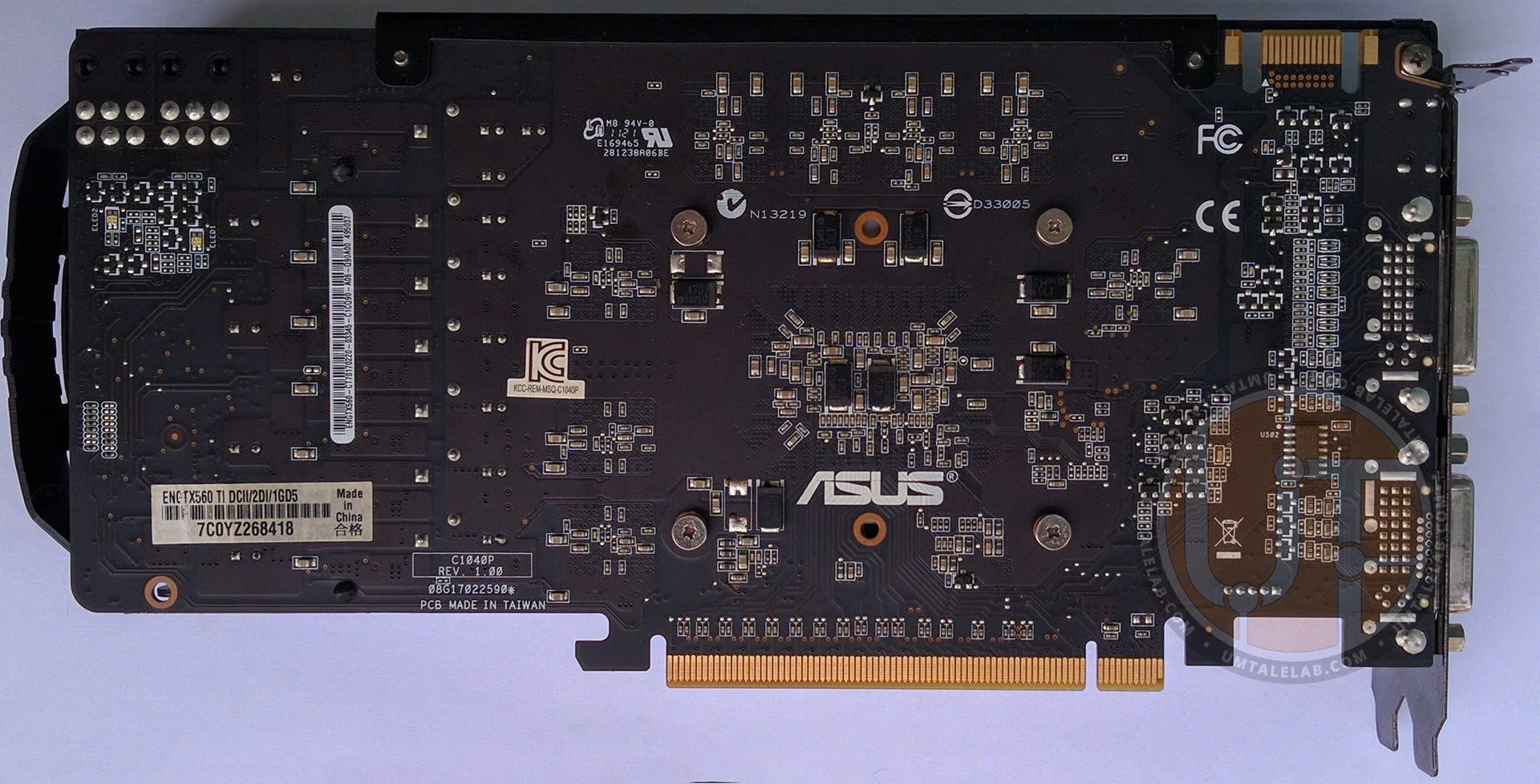
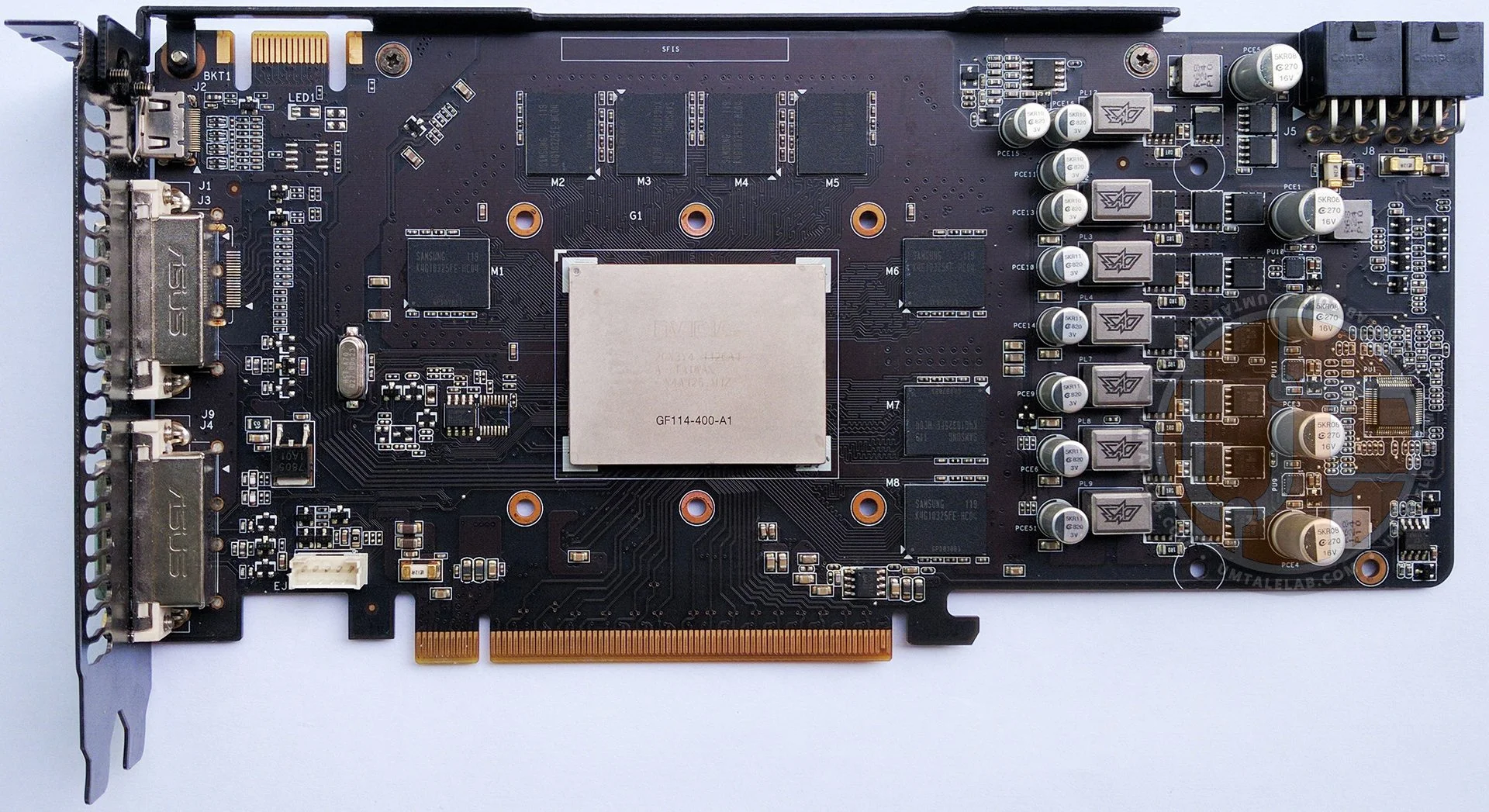
The ENGTX560 Ti DCII/2DI/1GD5 features a surprisingly robust power delivery system for its GPU and VRAM (considering it's a mid-range card). It employs a 6+1 phase design, with six phases dedicated to the GPU and one for the GDDR5 memory.
 ⤢ ВІДКРИТИ
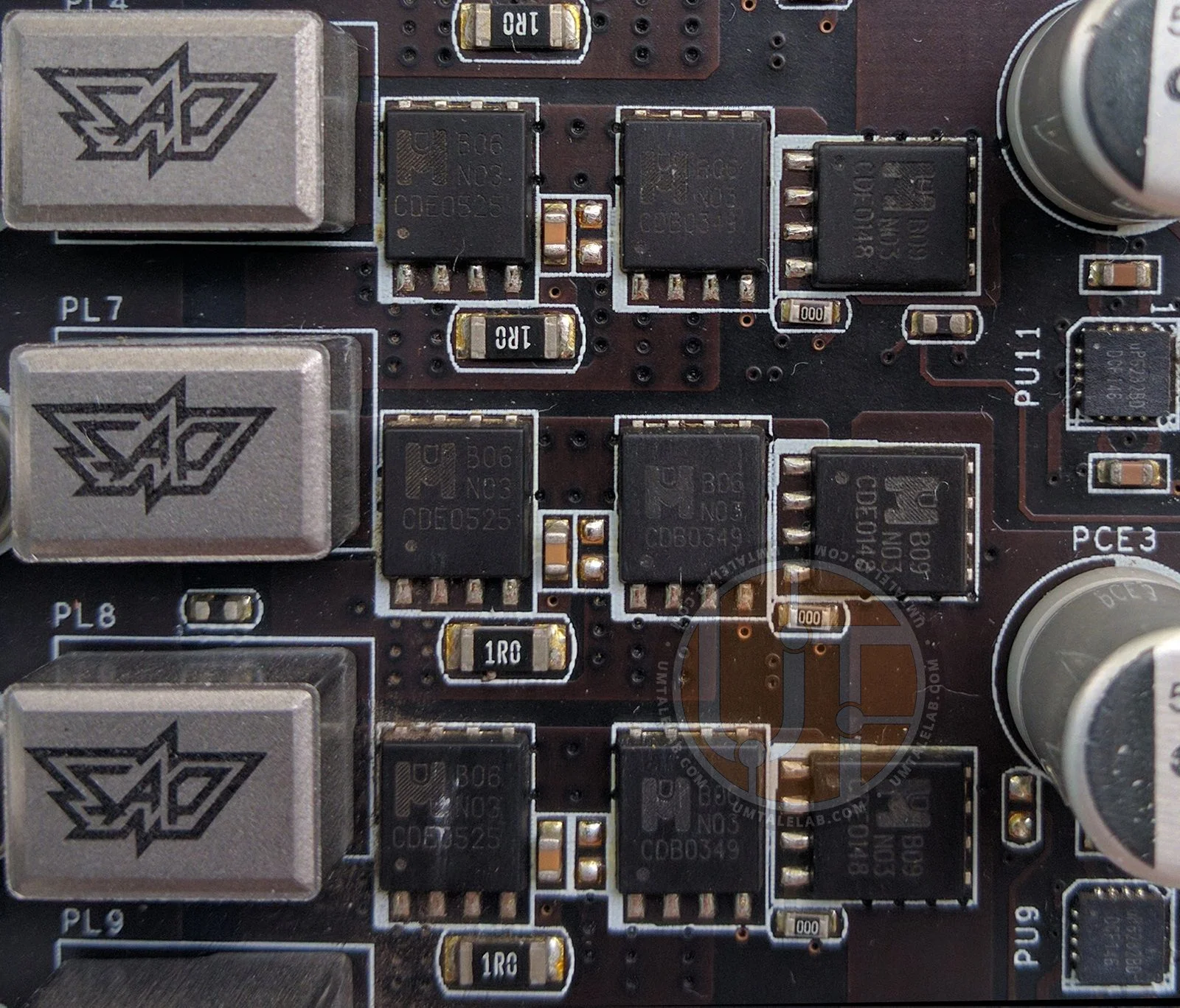
The GPU's power circuitry incorporates 18 MOSFETs from CYStech Electronics: 12 MTB06N03 series and 6 MTB09N03, all managed by uP6282BD drivers.
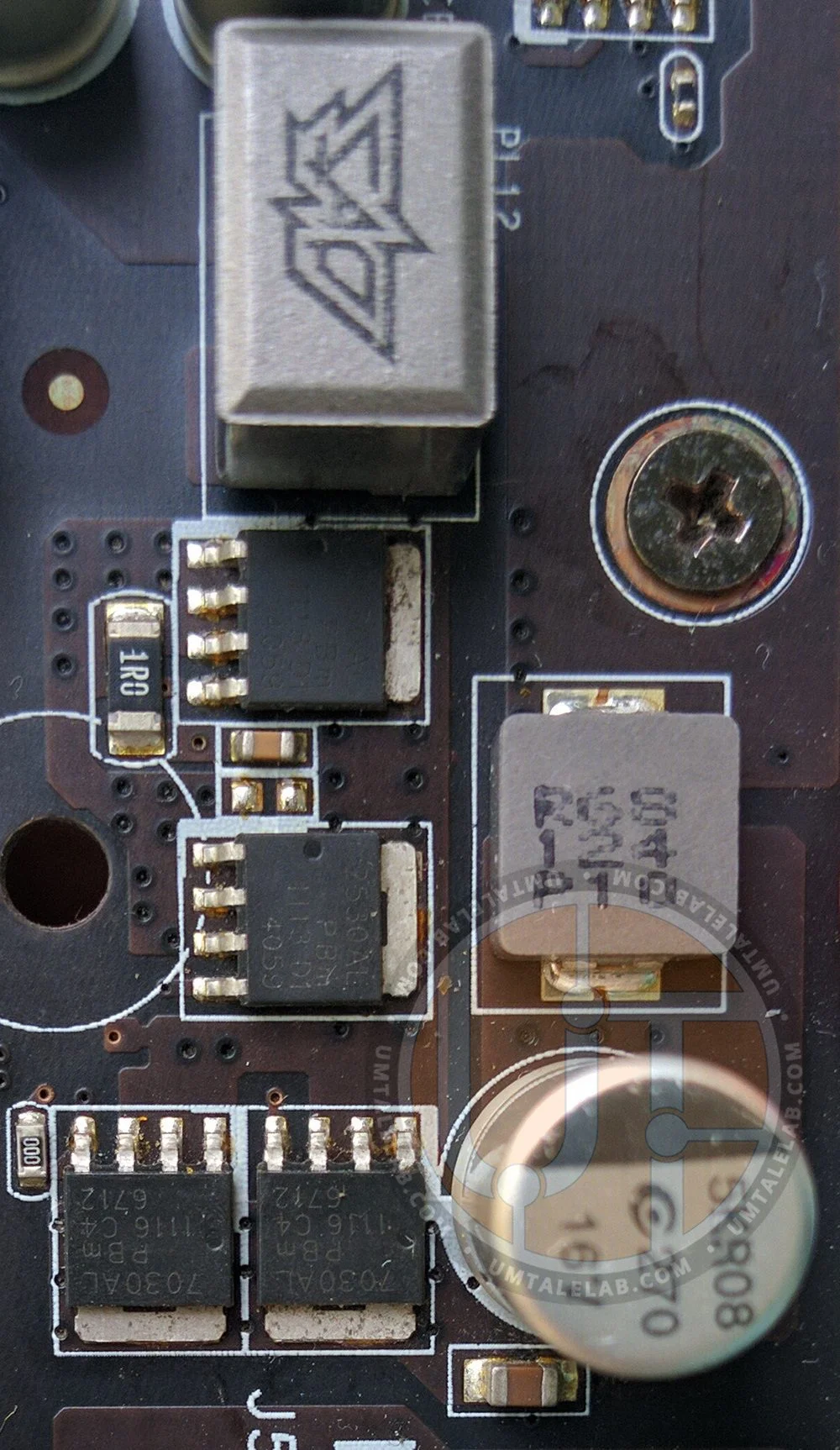
The GDDR5 power circuit utilizes two PH2530AL series and two PH7530AL MOSFETs:
 ⤢ ВІДКРИТИ
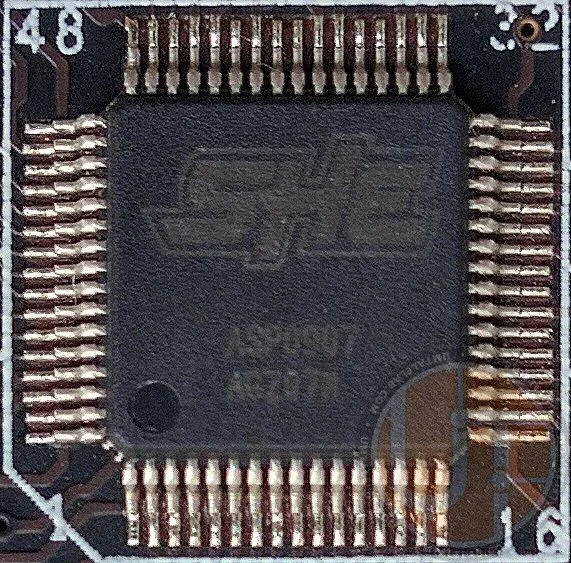
The PWM controller itself is an SHE ASP0907 chip:
 ⤢ ВІДКРИТИ
Most likely, the ASP0907 is a re-branded uP6218, but we can't be entirely sure about this.
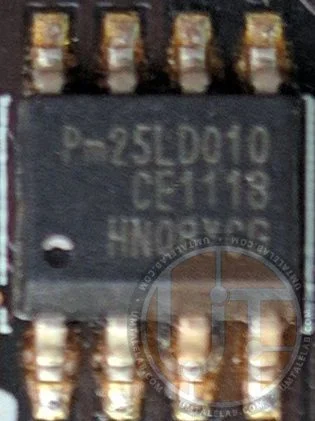
The GTX 560 Ti graphics card uses a 1-megabit (128-kilobyte) Pm25LD010 CE1118 BIOS ROM chip:
 ⤢ ВІДКРИТИ
Graphics processor and memory
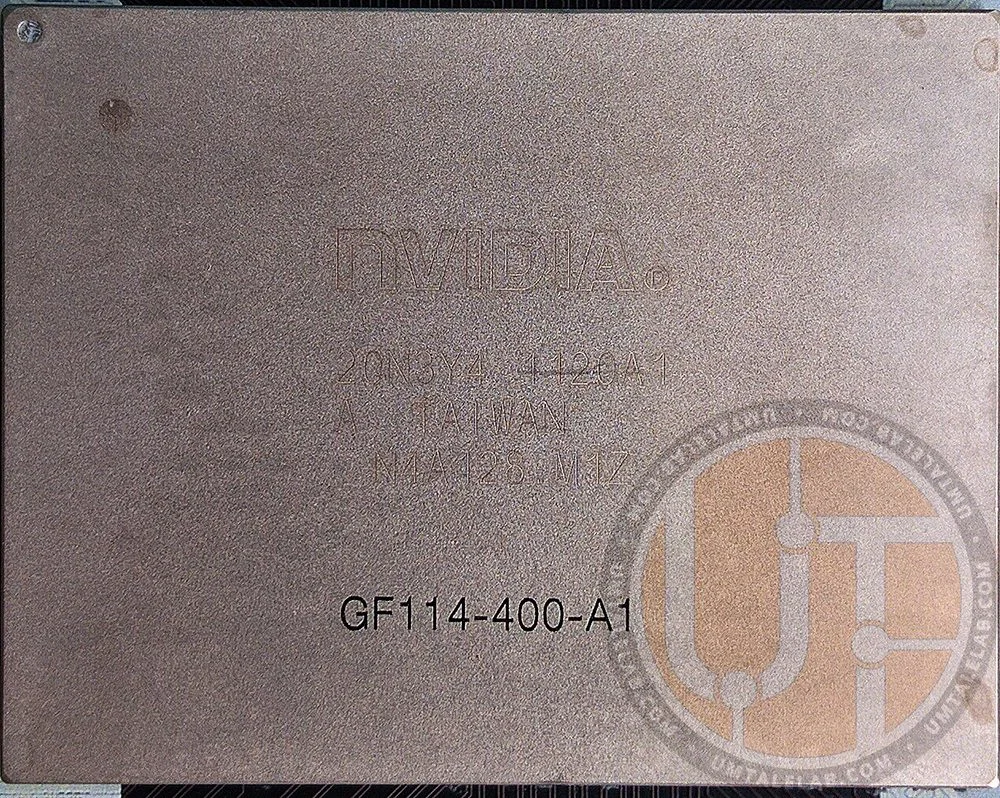
The GTX 560 Ti graphics card features a full 40nm GF114 chip, configured with 32 ROPs, 64 texture units, and 384 stream processors. This is literally twice the count of the previous article's subject, the GeForce GTX 550 Ti.
Our specific card features the GF114-400-A1 GPU:
 ⤢ ВІДКРИТИ
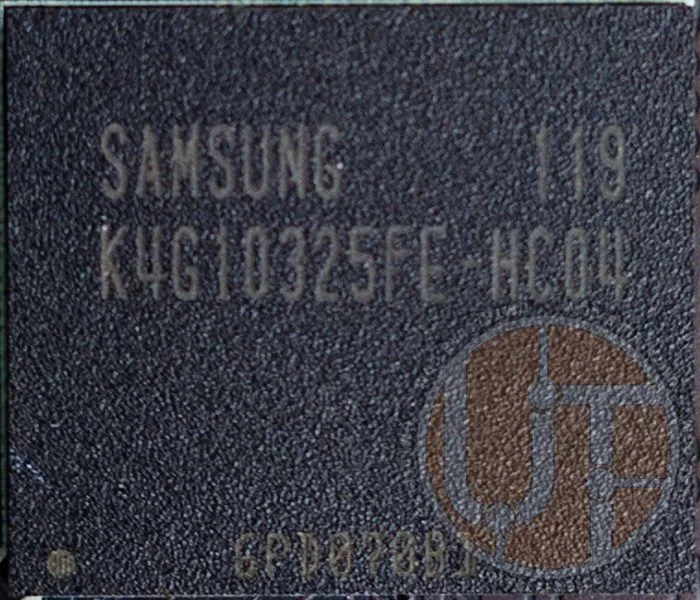
Accompanying the GF114-400-A1 chip is 1024MB of GDDR5 video memory with a 256-bit interface. This memory consists of eight 1-gigabit (128-megabyte) SAMSUNG chips, labeled K4G10325FE-HC04:
 ⤢ ВІДКРИТИ
While these memory chips are rated for 5000MHz, the manufacturer set them to 4000MHz for the GTX 560 Ti. This theoretically leaves room for decent overclocking potential.
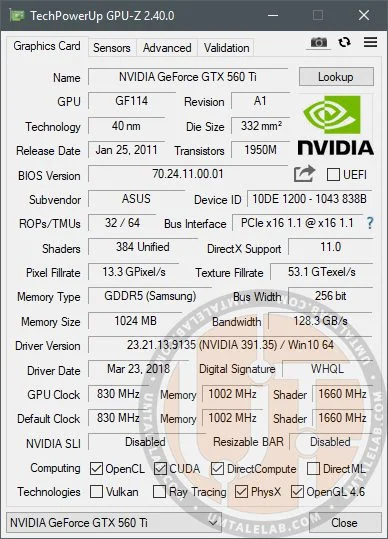
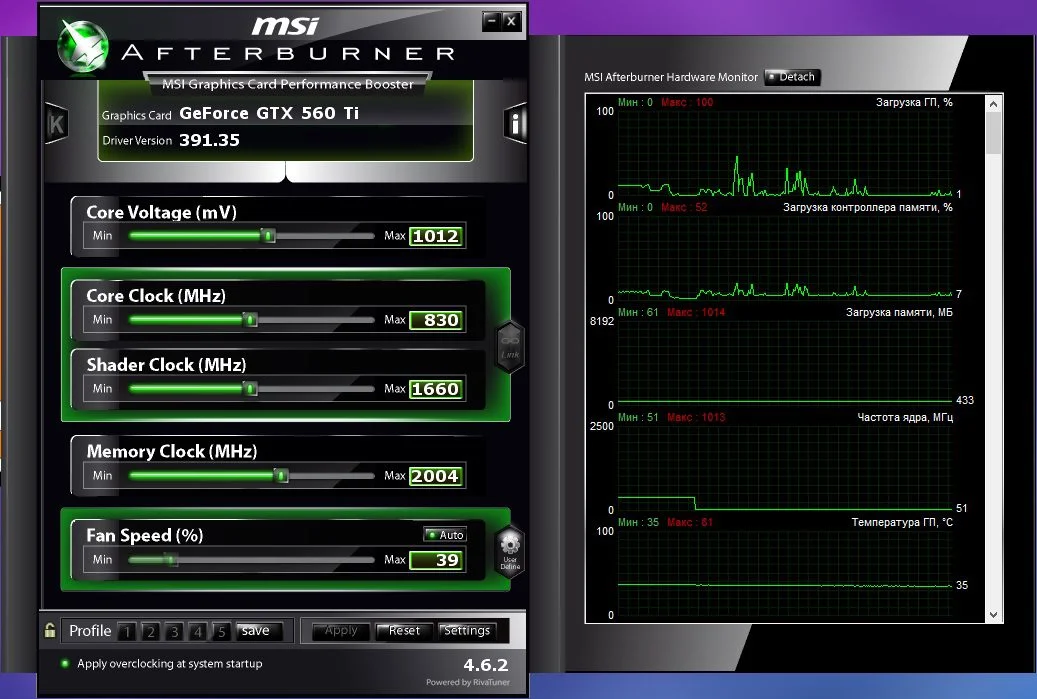
According to NVIDIA's factory specifications, the GeForce GTX 560 Ti should operate at 830/1660MHz for the GPU (core/shader domain) at 1.000 volts, and 4000MHz for the GDDR5 video memory. The ASUS sample featured in this article fully adheres to these specifications:
 ⤢ ВІДКРИТИ
 ⤢ ВІДКРИТИ
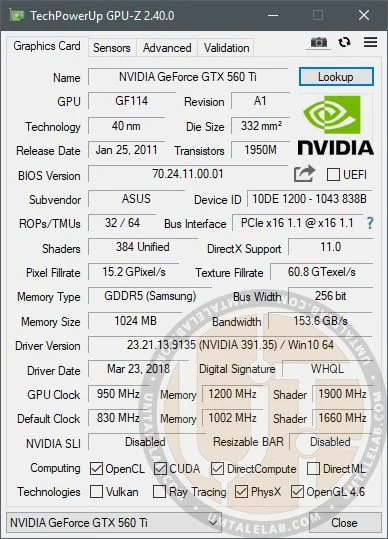
Utilities like GPU-Z and MSI Afterburner confirm all the aforementioned characteristics. They also indicate that the GTX 560 Ti supports technologies such as OpenCL, CUDA, OpenGL 4.6, and PhysX, as well as DirectX 11. However, the DirectX 12 API is not officially supported.
Testing notes
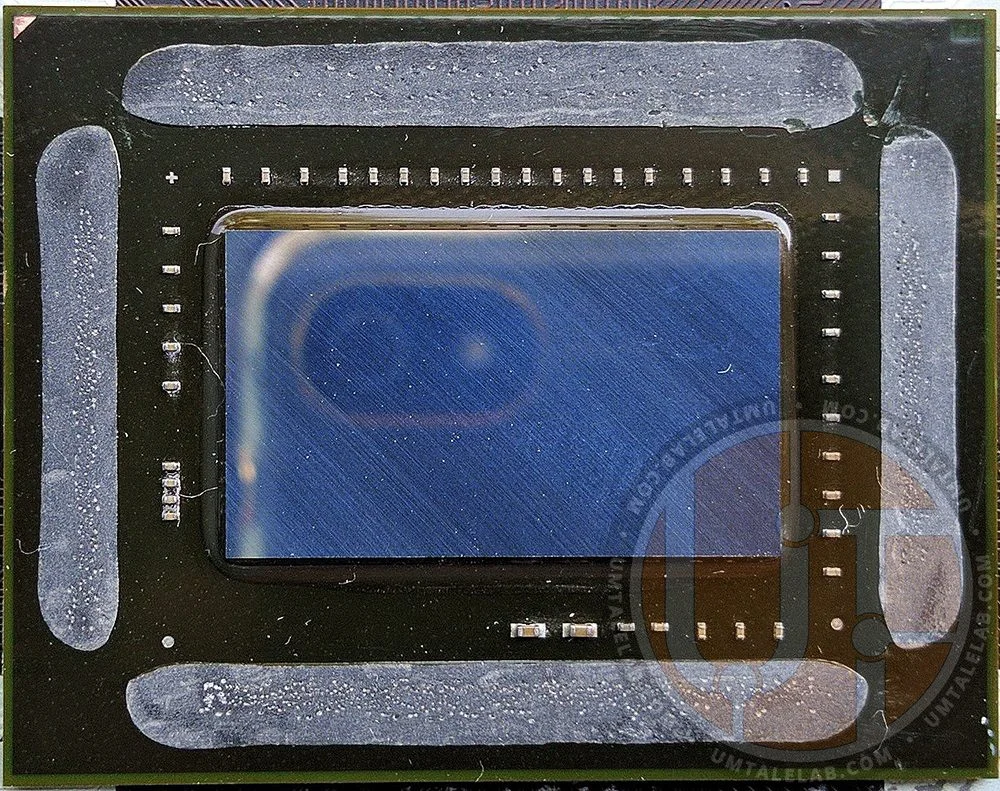
After more than 10 years of the GTX 560 Ti's service, the thermal paste under its GF114 GPU's heat spreader had turned to dust, failing to perform its duties and causing the GPU temperature to reach 95 degrees Celsius. For this reason, we decided to delid the GPU and replace the dried-out thermal interface material.
Thanks to a scalpel, a heat gun, and a plastic card for removing the old sealant, this operation doesn't take much time.
 ⤢ ВІДКРИТИ
 ⤢ ВІДКРИТИ
Nevertheless, we can hardly recommend this procedure to everyone. The potential risk of damaging the GPU is significant. However, for chips like the GF114, replacing the thermal paste under the heat spreader might be the only way to ensure adequate performance in 2021. The temperature difference between a delidded and stock GPU is a substantial ~19 degrees Celsius.
If you do decide to perform the aforementioned operation, remember that you undertake all actions with your hardware at your own risk!
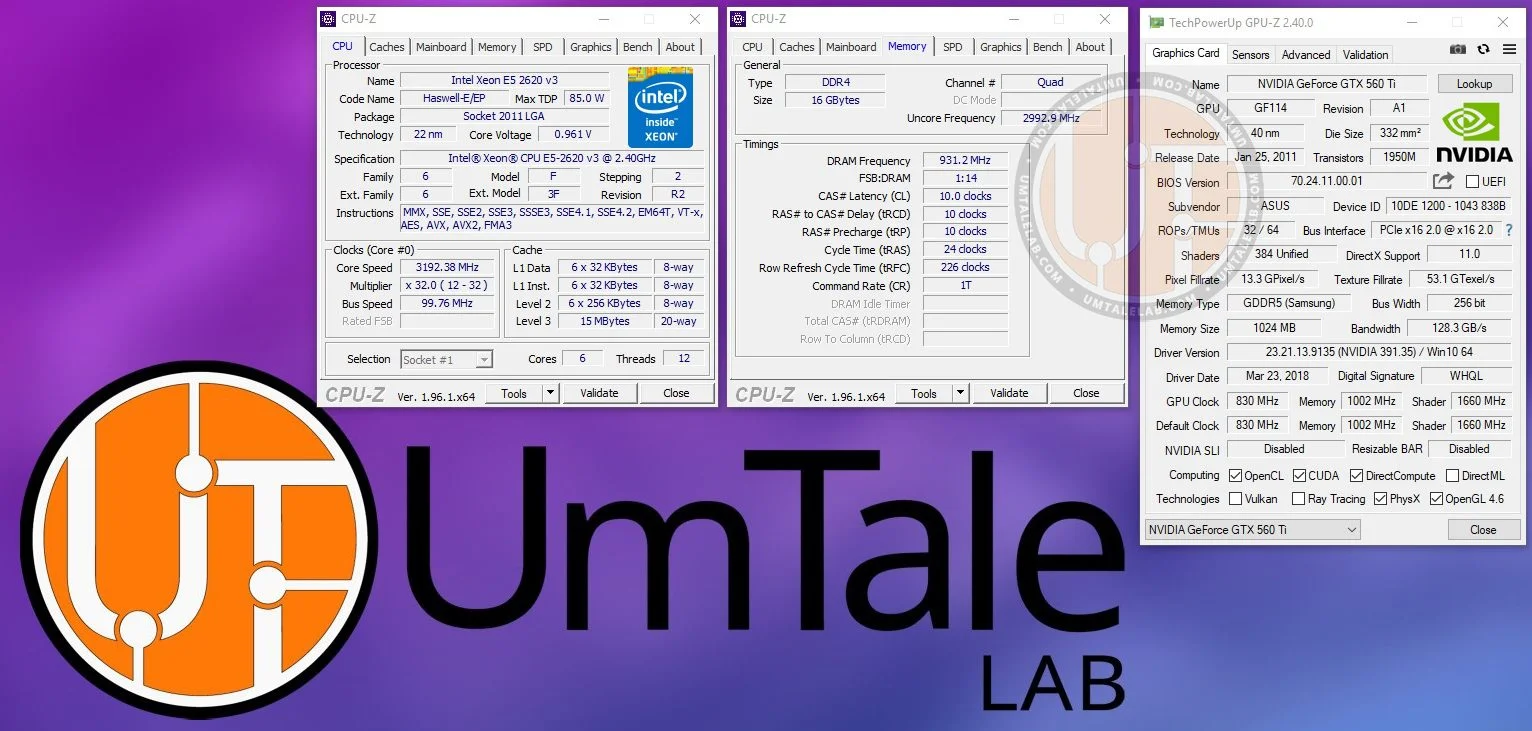
Test bench:
Processor — Xeon E5-2620 v3@3200MHz (unlocked Turbo Boost frequency);
Graphics Card — ASUS ENGTX560 Ti DCII/2DI/1GD5;
Motherboard — Kllisre X99-D8 (AD12) with a modified BIOS to unlock full Turbo Boost frequency;
RAM — G.SKILL DDR4@1866MHz, four 4GB F4-2400C15S-4GNT sticks, totaling 16GB (timings 10-10-10-24);
SSD — KINGSTON 120GB SA400S37120G;
HDD — Seagate 2TB ST2000DM008-2FR102;
Power Supply — Chieftec GPS-1250C.
 ⤢ ВІДКРИТИ
GeForce GTX 560 Ti testing in 14 games:
Apex Legends
 ⤢ ВІДКРИТИ
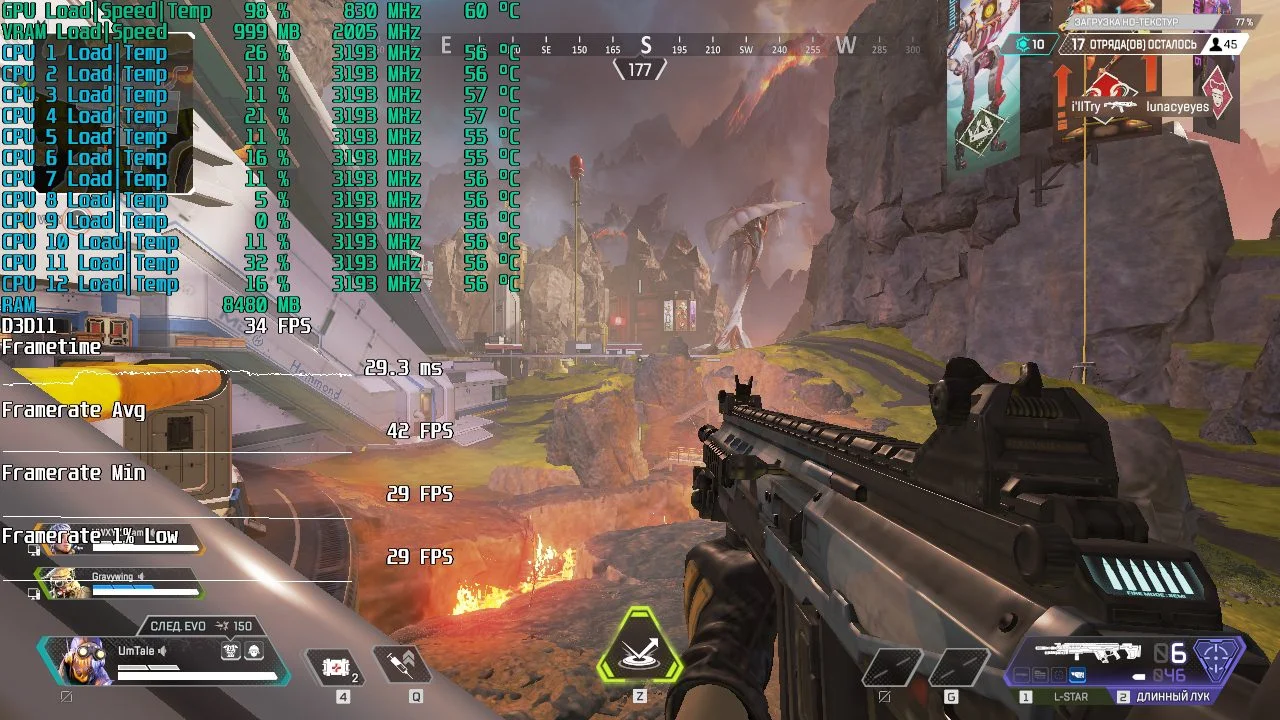
Minimum graphics settings, 1280×720 resolution.
 ⤢ ВІДКРИТИ
The GTX 560 Ti handles the Apex Legends battle royale reasonably well. Across four "drops," the average FPS was 40, and the minimum didn't dip below 28.
However, it's worth noting these FPS figures are unacceptable for competitive play. But if you need something to tide you over during the mining boom, the GTX 560 Ti can still provide the minimum performance required for Apex Legends.
Control
 ⤢ ВІДКРИТИ
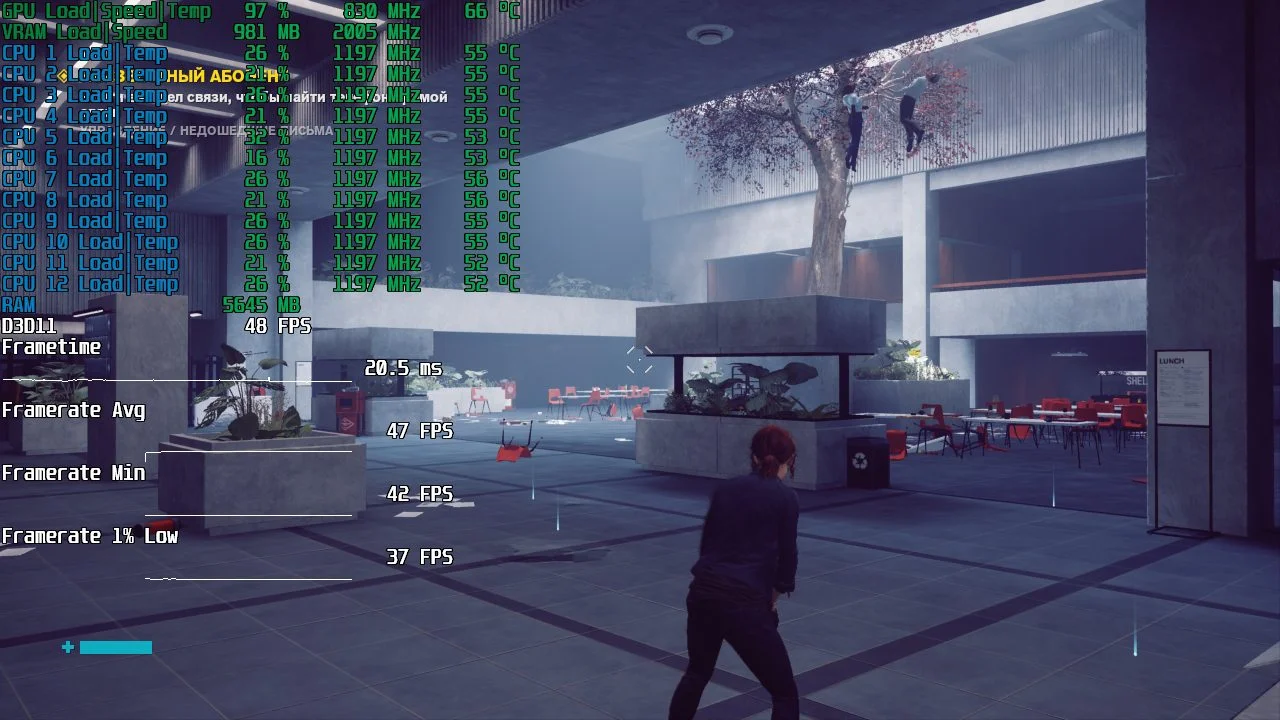
Minimum graphics settings, 1280×720 resolution.
 ⤢ ВІДКРИТИ
Control performs decently on minimum settings. On average, the GTX 560 Ti can deliver 47 frames per second, with the minimum FPS holding at 37.
Counter-Strike: Global Offensive
 ⤢ ВІДКРИТИ
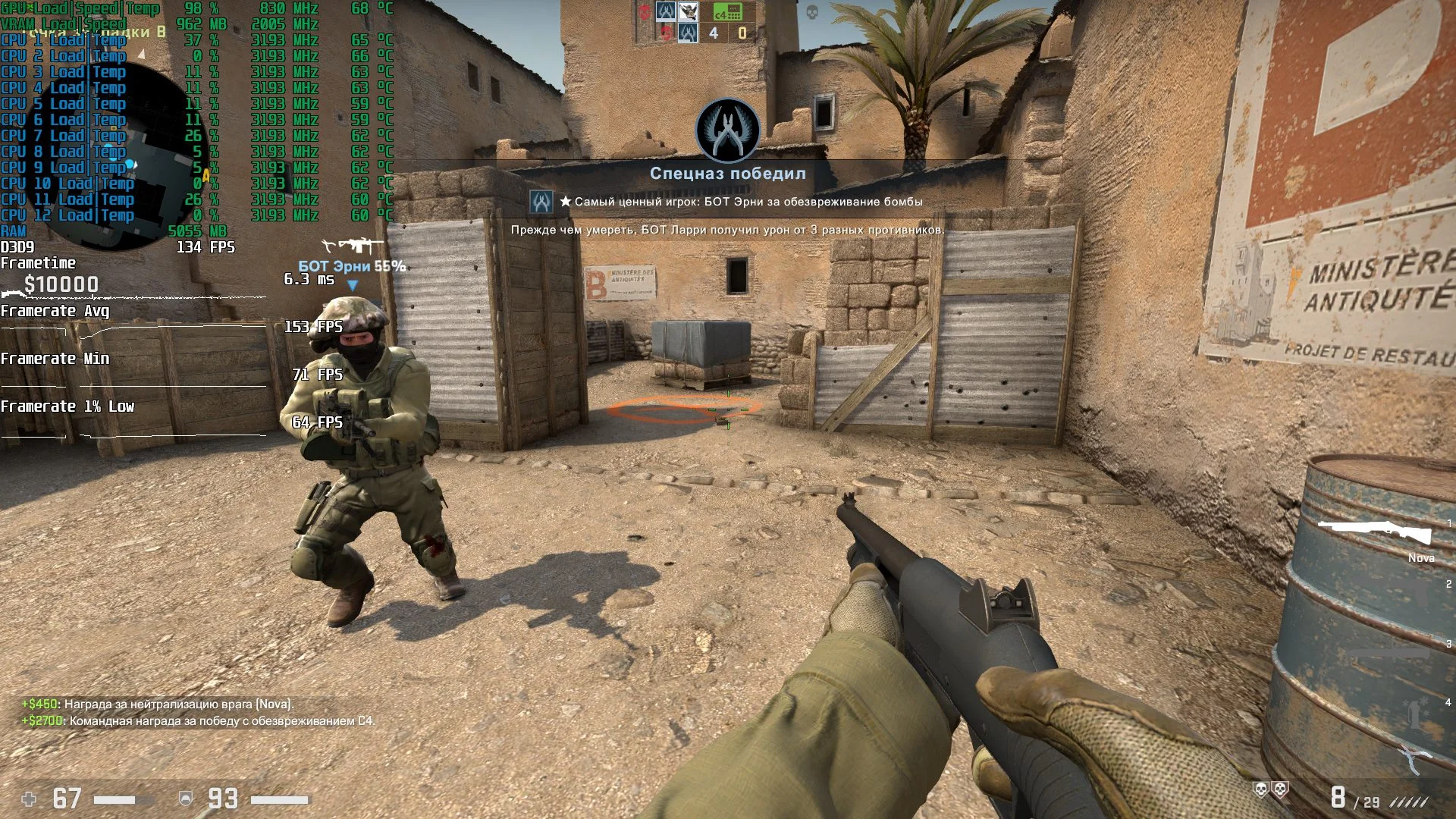
Medium settings, 1920×1080 resolution, MSAA x2 antialiasing.
 ⤢ ВІДКРИТИ
Unlike Apex Legends, Counter-Strike: Global Offensive is graphically less demanding, and the GTX 560 Ti "pulls" this project even at 1920×1080 resolution.
Days Gone
 ⤢ ВІДКРИТИ
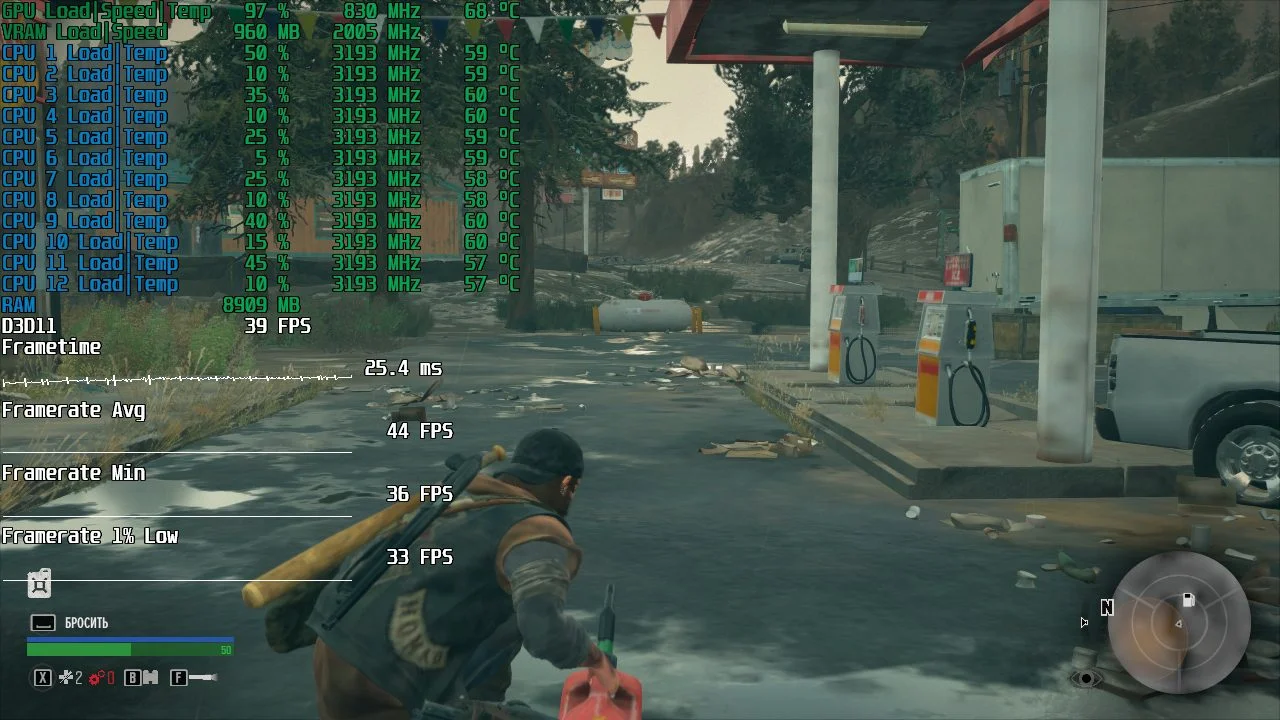
Minimum graphics settings, 1280×720 resolution.
 ⤢ ВІДКРИТИ
Days Gone is also quite playable on the GeForce GTX 560 Ti. On average, the game shows 44 FPS, with rare dips to 33. A great result for a 10-year-old graphics card.
Destiny 2: Beyond Light
 ⤢ ВІДКРИТИ
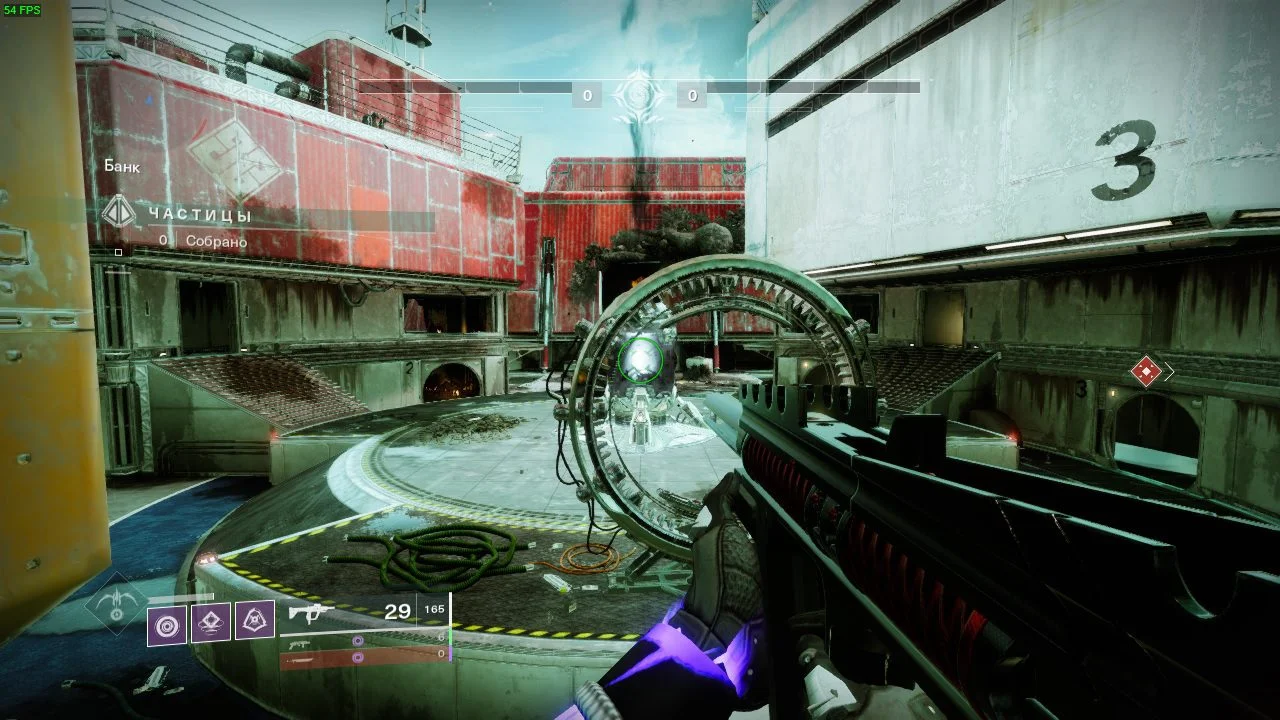
Minimum graphics settings, 1280×720 resolution.
 ⤢ ВІДКРИТИ
Destiny 2 shows similar results. The GTX 560 Ti boasts 54 frames per second on minimum settings (with a minimum FPS of 45), which is perfectly adequate to experience this MMOFPS.
Dota 2
 ⤢ ВІДКРИТИ
Minimum graphics settings, external resolution 1920×1080, render resolution 100%, antialiasing active, textures and shadows medium.
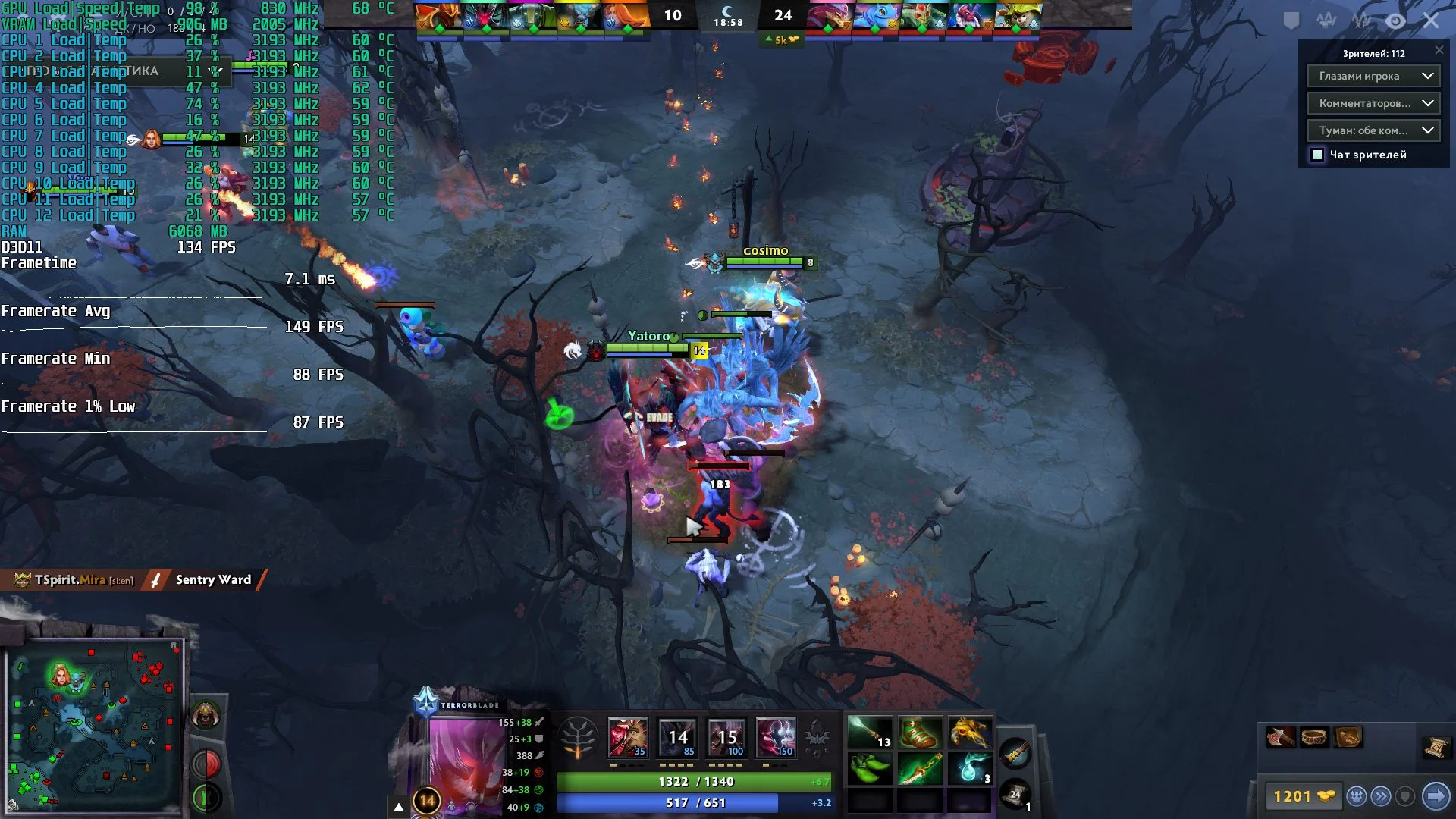 ⤢ ВІДКРИТИ
Another Valve creation, Dota 2, runs simply wonderfully on the GTX 560 Ti. On average, the card's owner can expect 150 FPS, with rare dips to 87.
Far Cry 5
 ⤢ ВІДКРИТИ
Minimum graphics settings, 1280×720 resolution.
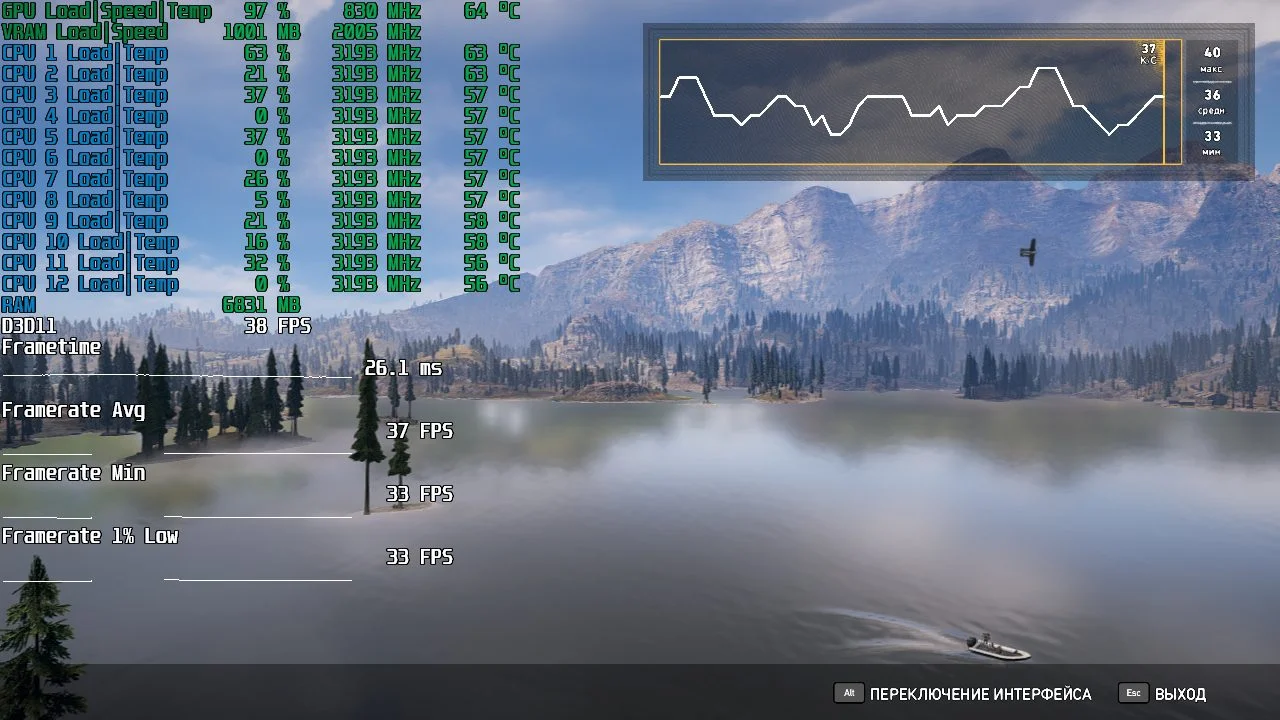 ⤢ ВІДКРИТИ
While Far Cry 5 is relatively playable with a gamepad, those who prefer traditional mouse and keyboard controls might run into some issues with Ubisoft's fifth installment.
Far Cry New Dawn
 ⤢ ВІДКРИТИ
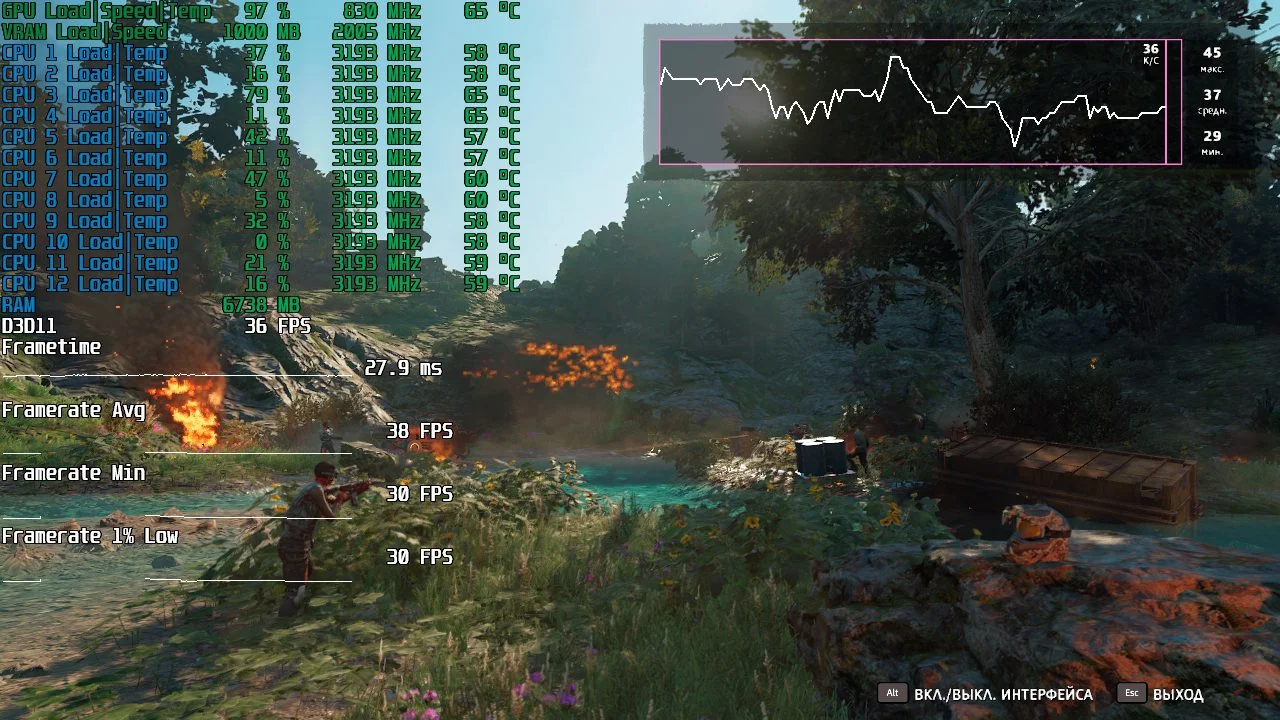
Minimum graphics settings, 1280×720 resolution.
 ⤢ ВІДКРИТИ
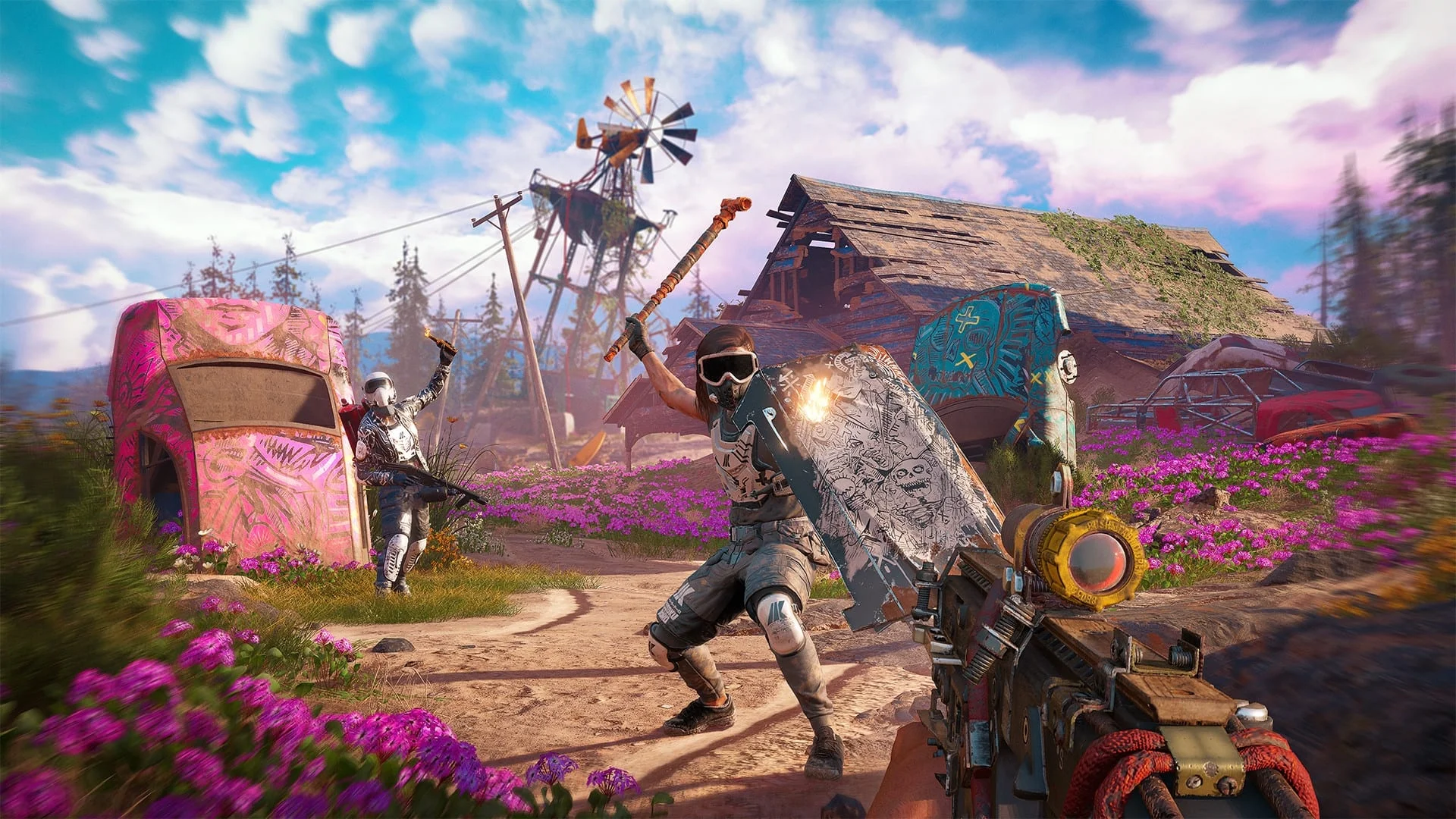
On the GTX 560 Ti, Far Cry New Dawn performs almost identically to its prequel, averaging 38 FPS with dips to 30.
Mafia: Definitive Edition
 ⤢ ВІДКРИТИ
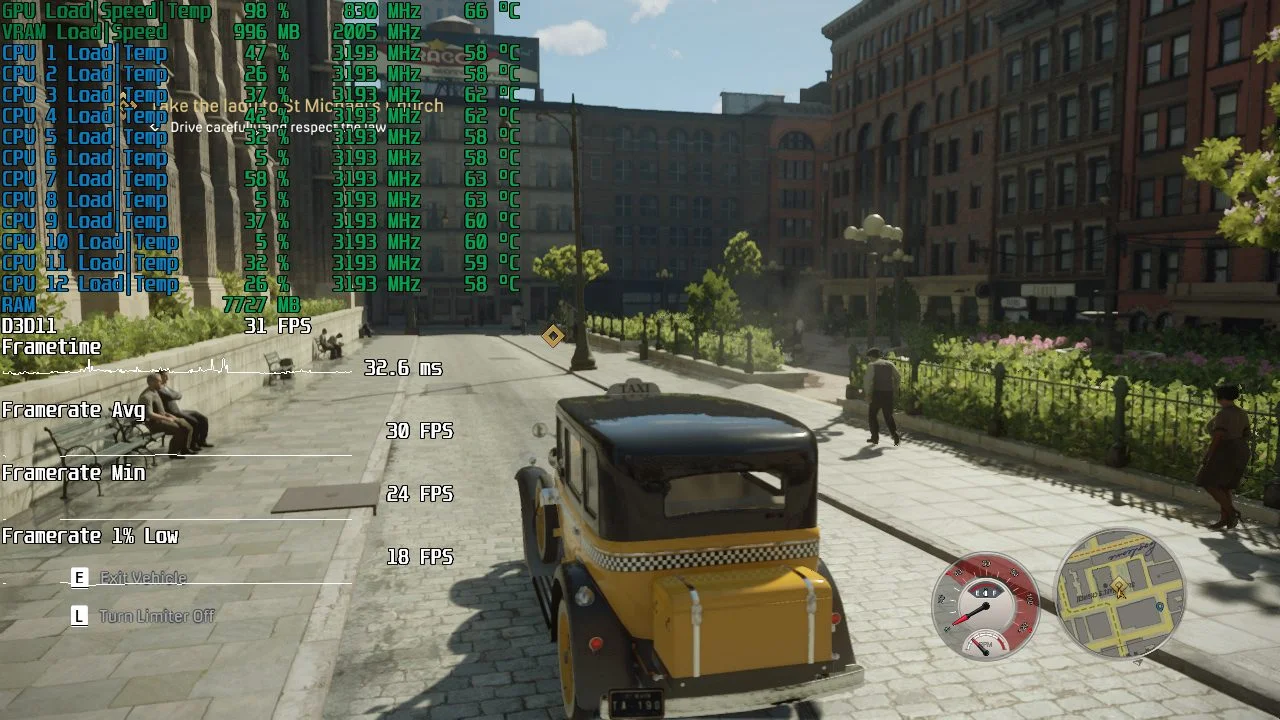
Minimum graphics settings, 1280×720 resolution.
 ⤢ ВІДКРИТИ
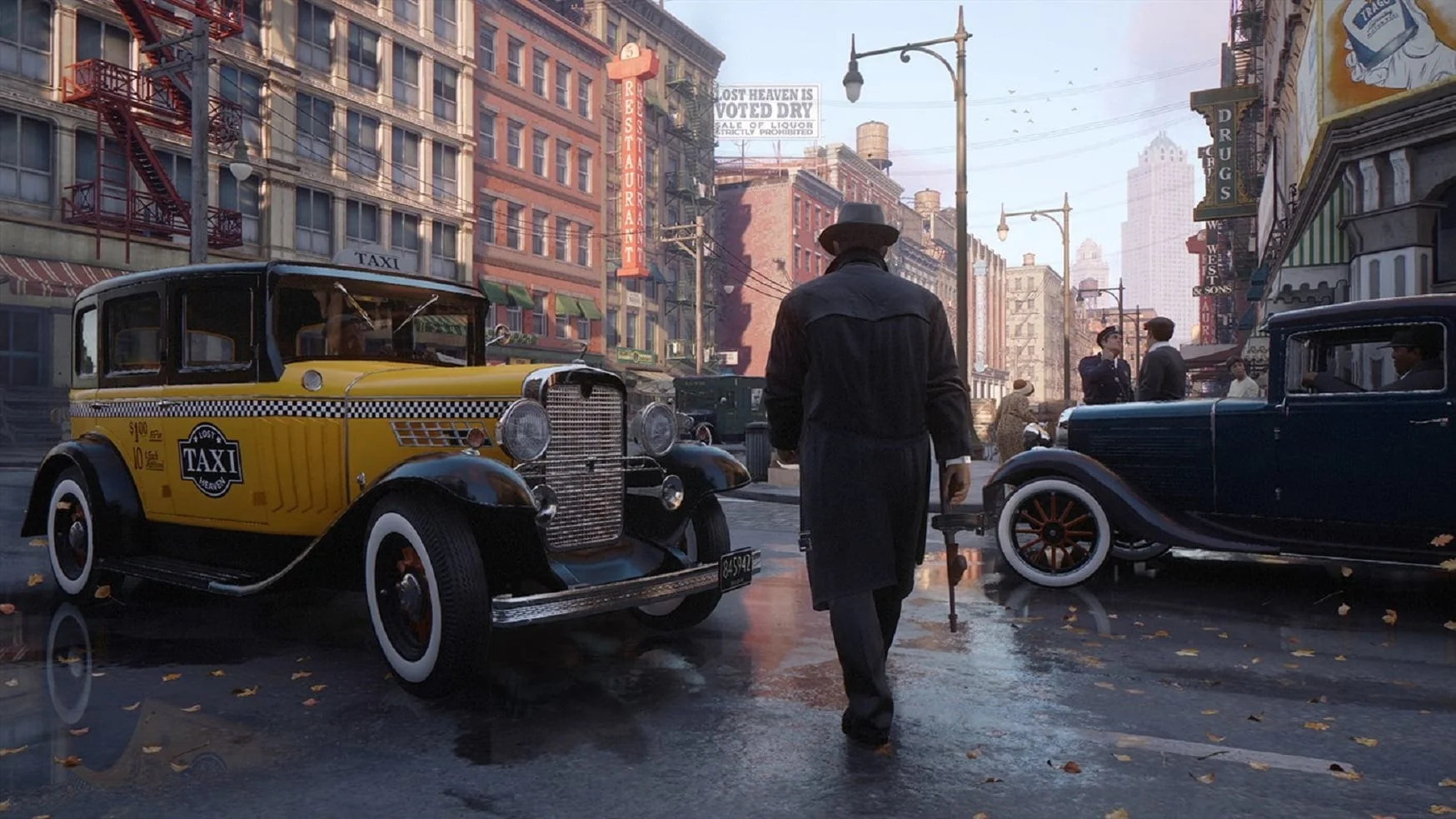
The remake of the cult classic, "Mafia: Definitive Edition," is also best played with a gamepad. Switching to mouse and keyboard reveals what can only be described as 'clunky controls.' Still, since it's a single-player title, it's worth a shot on the GTX 560 Ti.
eFootball PES 2021
 ⤢ ВІДКРИТИ
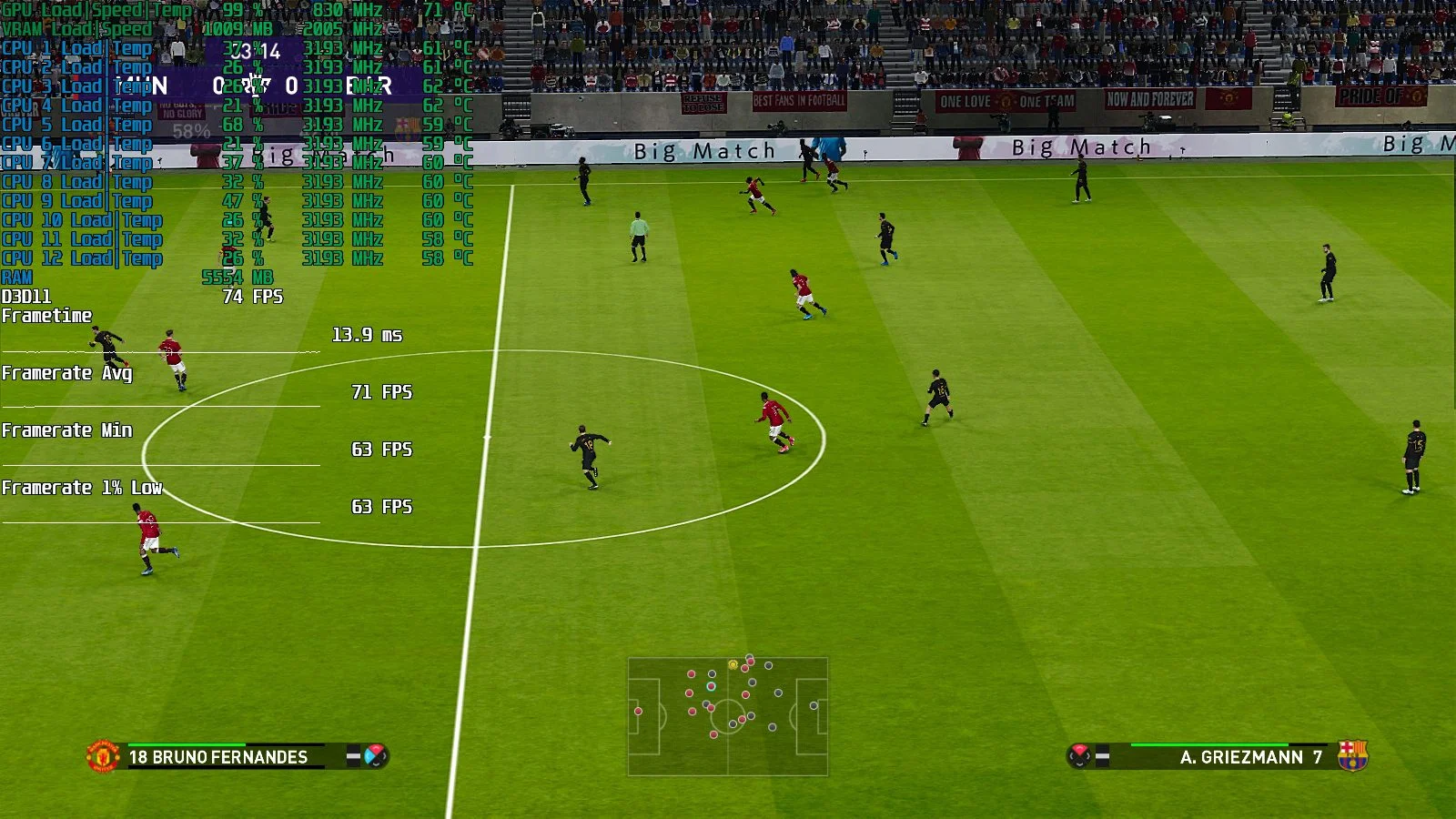
Minimum graphics settings, 1600×900 resolution.
 ⤢ ВІДКРИТИ
eFootball PES 2021 runs excellently on the GTX 560 Ti. We observed no noticeable frame rate drops or freezes, with the average FPS sitting at a solid 71.
Tom Clancy’s The Division 2
 ⤢ ВІДКРИТИ
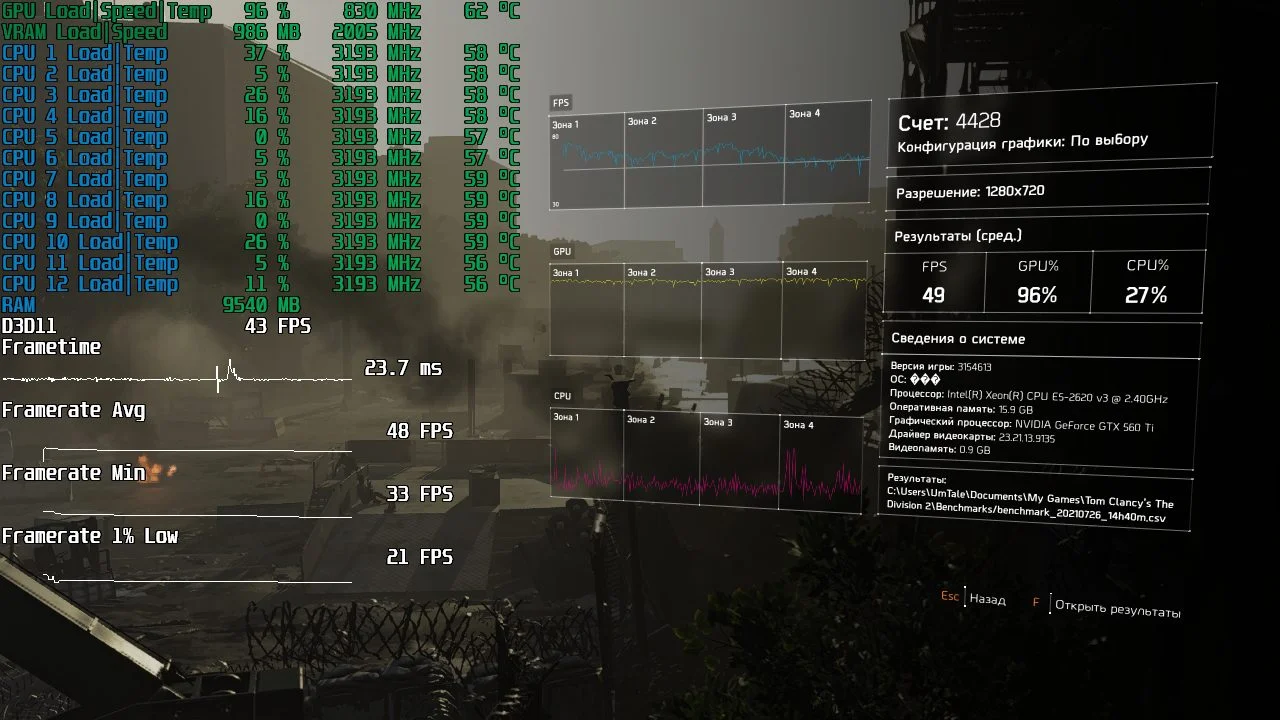
Minimum graphics settings, 1280×720 resolution, 75% render resolution.
 ⤢ ВІДКРИТИ
To hit acceptable frame rates in The Division 2, we had to drop the render resolution to 75%. Even with that significant reduction in graphic settings, the game still looks pretty good.
Watch_Dogs 2
 ⤢ ВІДКРИТИ
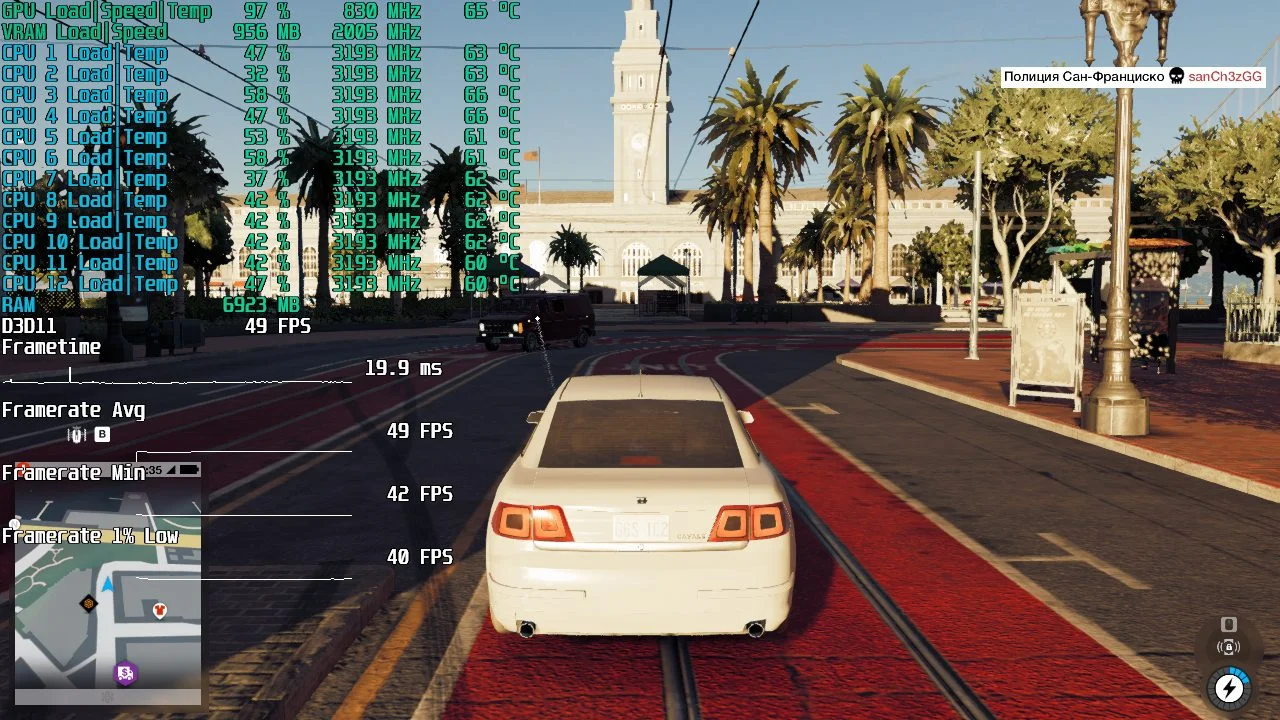
Minimum settings, 1280×720 resolution.
 ⤢ ВІДКРИТИ
The GTX 560 Ti actually handled Watch_Dogs 2 quite well. Even in one of the game's most demanding areas, we saw an average of 49 FPS, with the minimum not dipping below 40. That's an excellent result.
The Witcher 3: Wild Hunt
 ⤢ ВІДКРИТИ
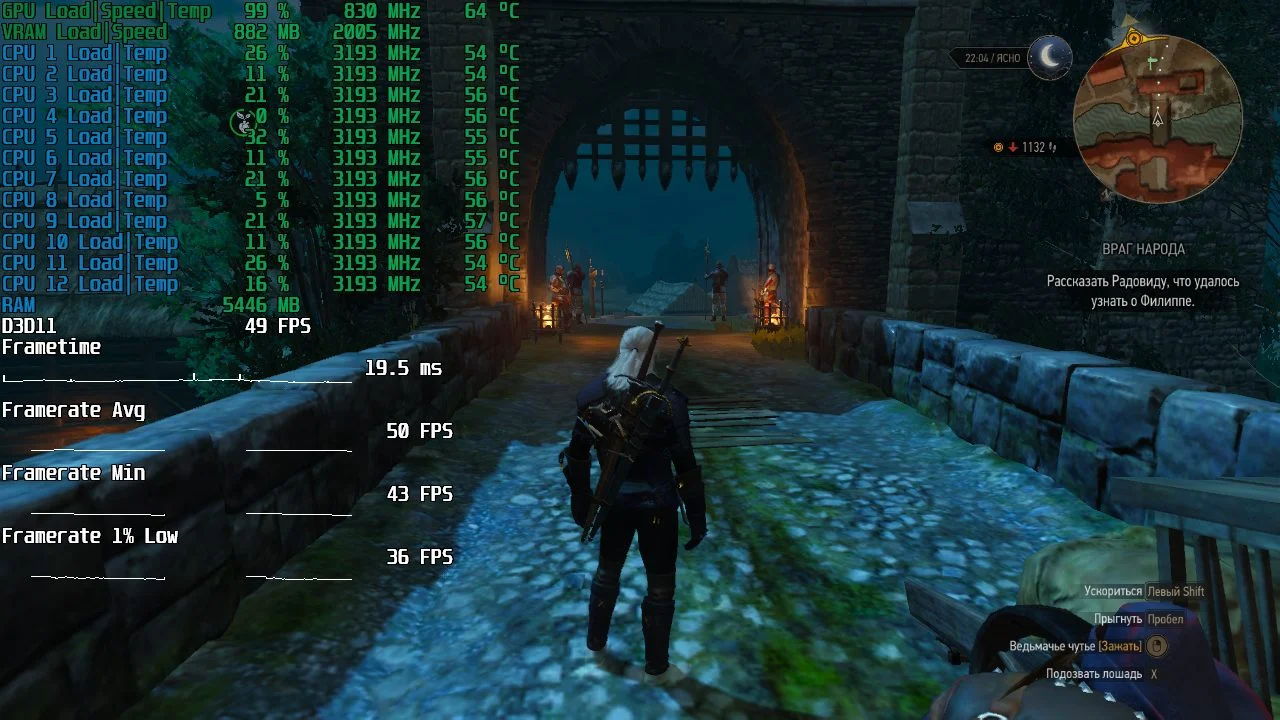
Minimum settings, 1280×720 resolution.
 ⤢ ВІДКРИТИ
We found a similar story in The Witcher 3. The GTX 560 Ti managed a respectable 50 FPS, with rare dips to 36, and that's in Novigrad — one of the most
World of Tanks
 ⤢ ВІДКРИТИ
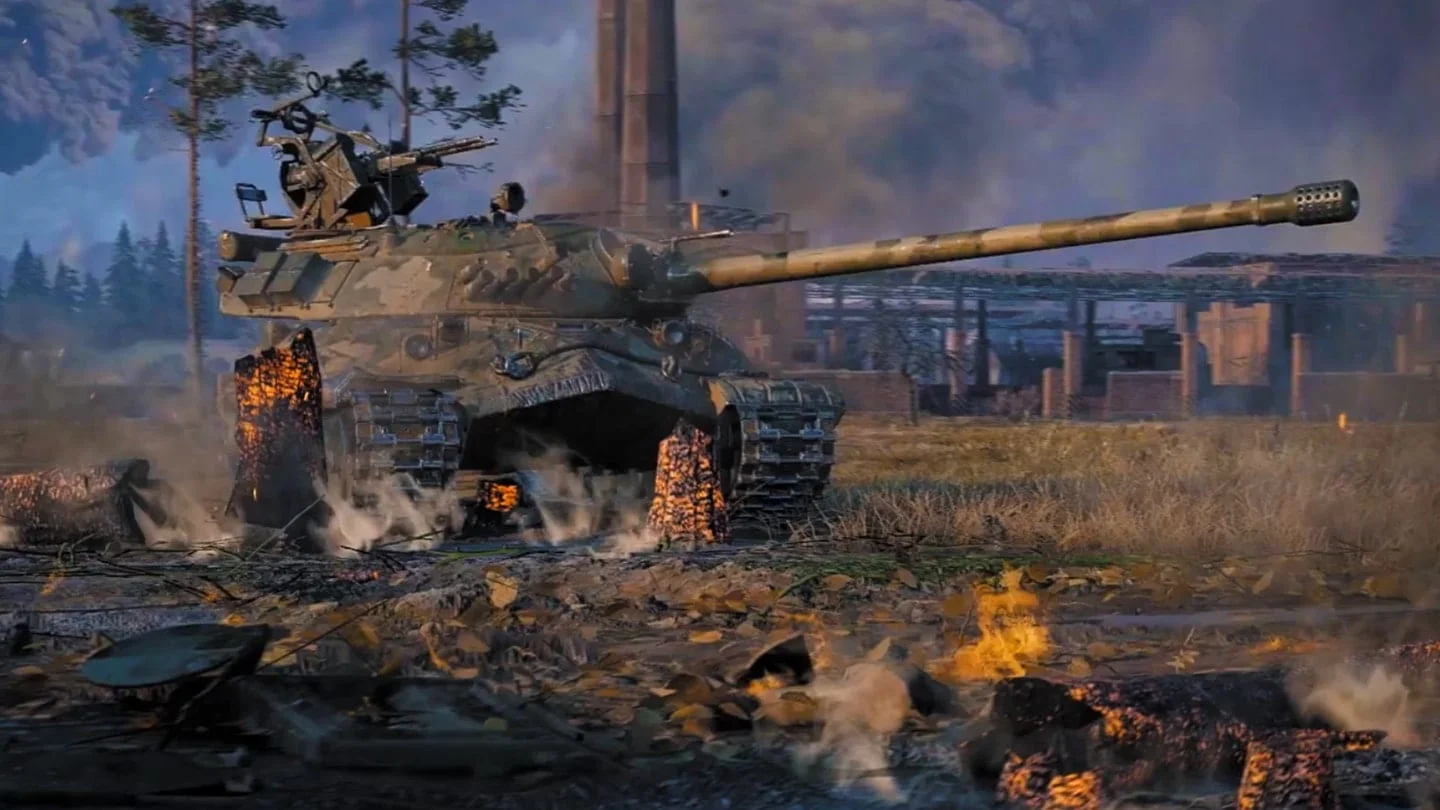
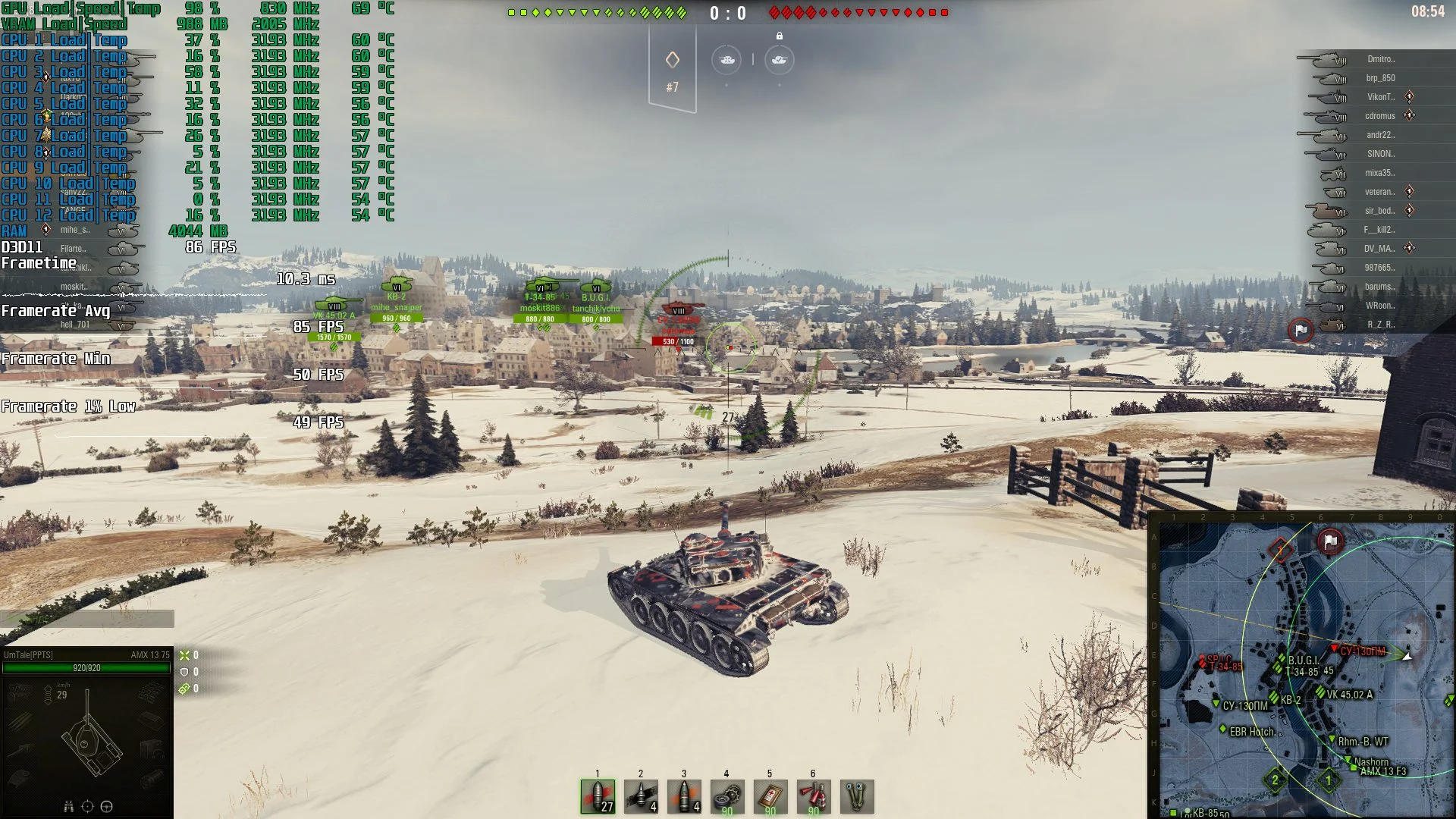
We used a pre-recorded replay for our benchmark: the "Erlenberg" map in "Assault" mode, running at medium graphics settings and 1920×1080 resolution.
 ⤢ ВІДКРИТИ
In World of Tanks, the final game in this review, we achieved an excellent average of 85 FPS at medium graphics settings and 1920×1080 resolution.
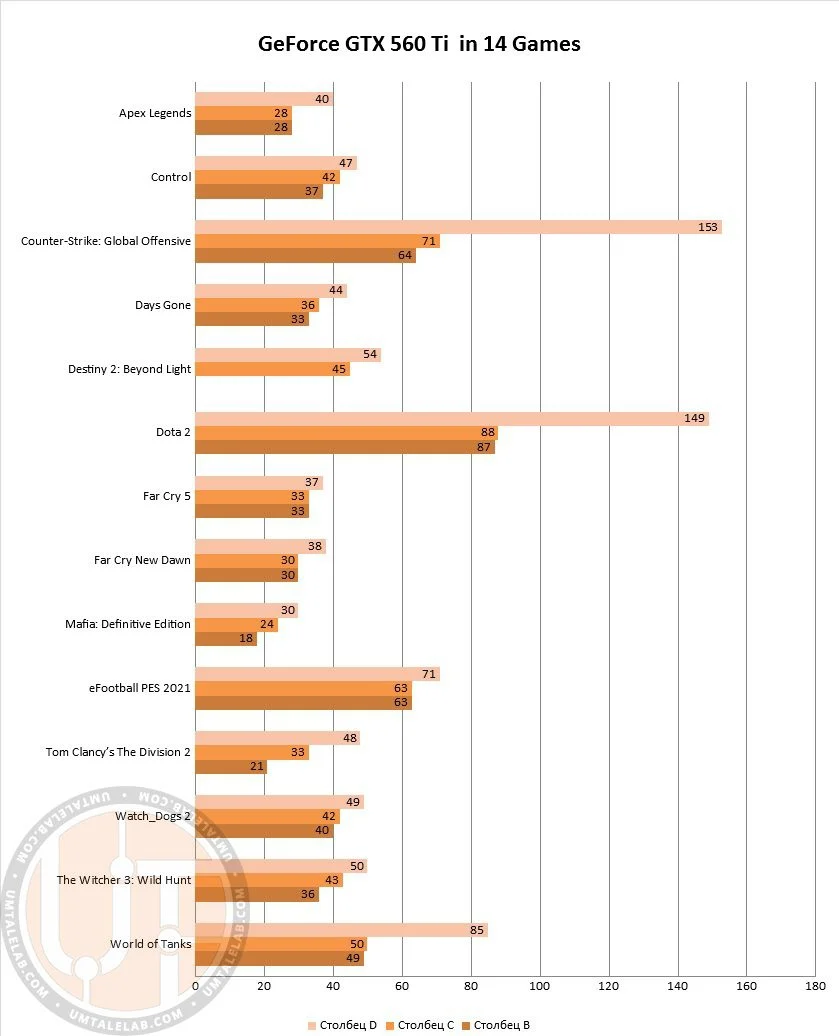
Below is a summary chart of the GeForce GTX 560 Ti's performance across 14 games:
 ⤢ ВІДКРИТИ
The graphics card delivered perfectly acceptable FPS in 13 out of 14 selected games. In fact, in titles like WoT, CS:GO, DOTA 2, and PES2021, the frame rate even surpassed the psychological 60 FPS mark! This is a truly excellent result.
Overclocking the GeForce GTX 560 Ti
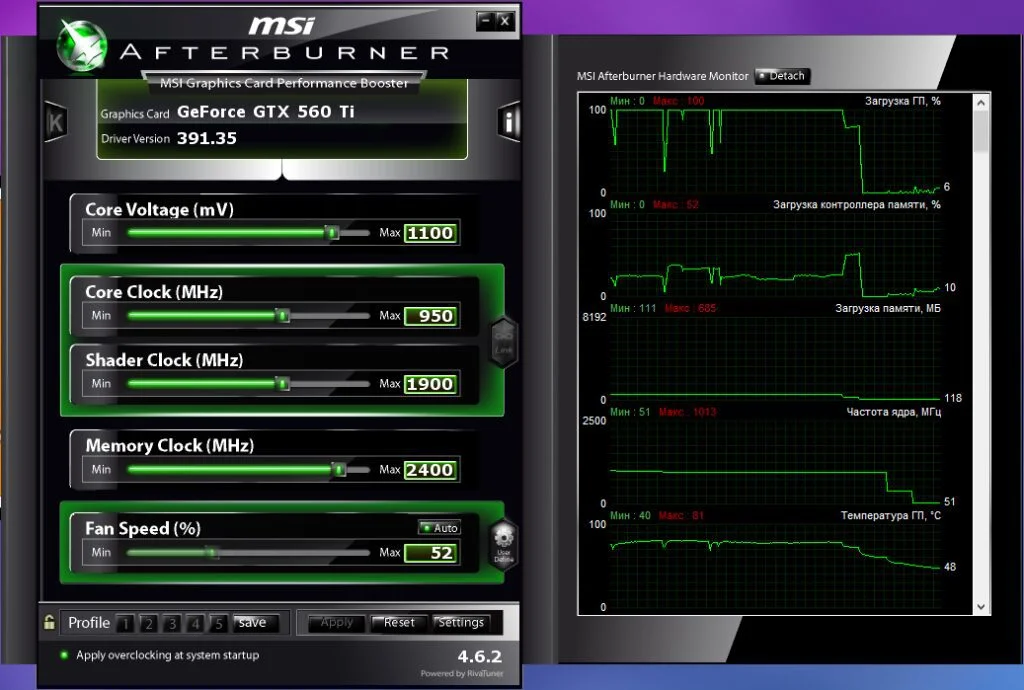
Without increasing voltage, we managed to overclock our ENGTX560 Ti DCII/2DI/1GD5 card to a modest 860/1720MHz (core/shader domain) for the GPU and a solid 4800MHz for the GDDR5 video memory. However, such a minor frequency bump simply couldn't deliver a noticeable performance gain. We therefore decided to slightly raise the GPU voltage from 1.000 to 1.100 volts and continue overclocking.
Ultimately, we achieved 950/1900MHz for the GPU and 4800MHz for the GDDR5 video memory, which is a good result for a card showing its age:
 ⤢ ВІДКРИТИ
 ⤢ ВІДКРИТИ
It's worth noting that after the voltage increase, the GPU temperature rose by an average of 10 degrees, peaking at 80.
Keep in mind that for a 10-year-old GPU, temperatures above 80 degrees are unacceptable and can lead to graphics processor failure. Therefore, always assess all risks before overclocking and only then proceed with your experiments.
Now, let's see how much the GeForce GTX 560 Ti's performance improved after this successful overclock, and while we're at it, we'll do a quick comparison with the GTX 470.
GeForce GTX 560 Ti at stock and overclocked speeds, plus a comparison with the GeForce GTX 470
Destiny 2
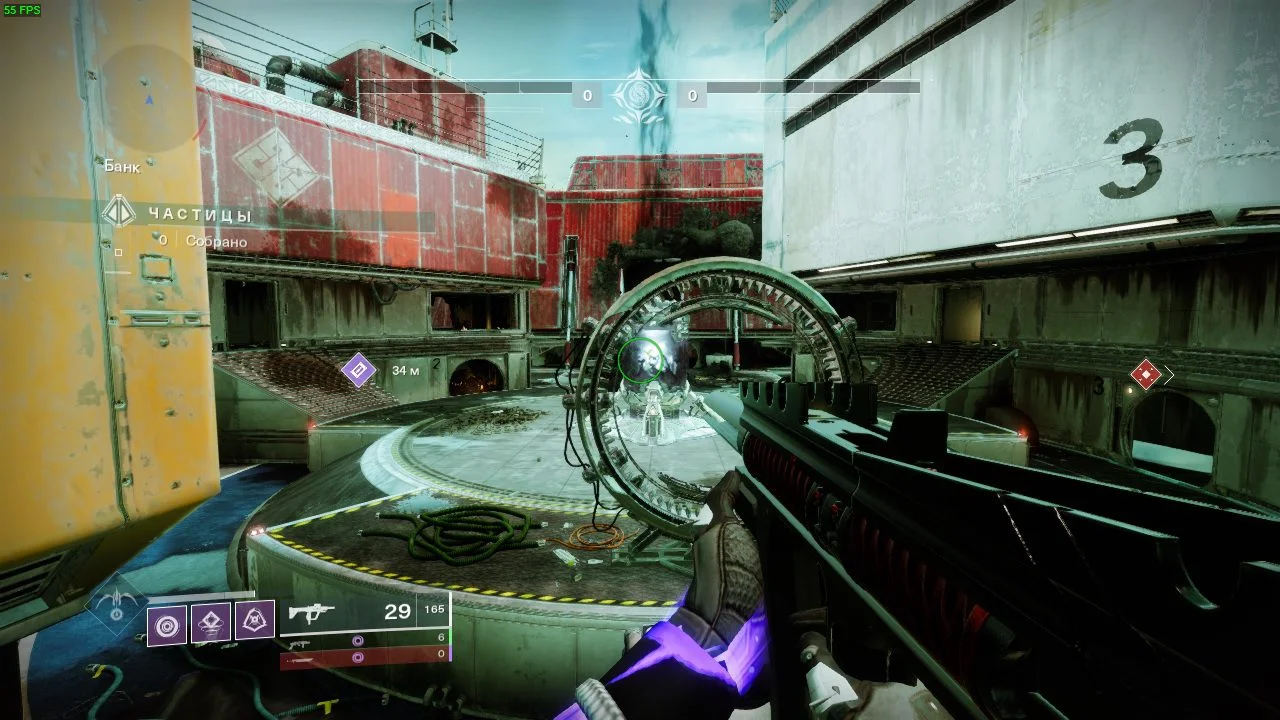
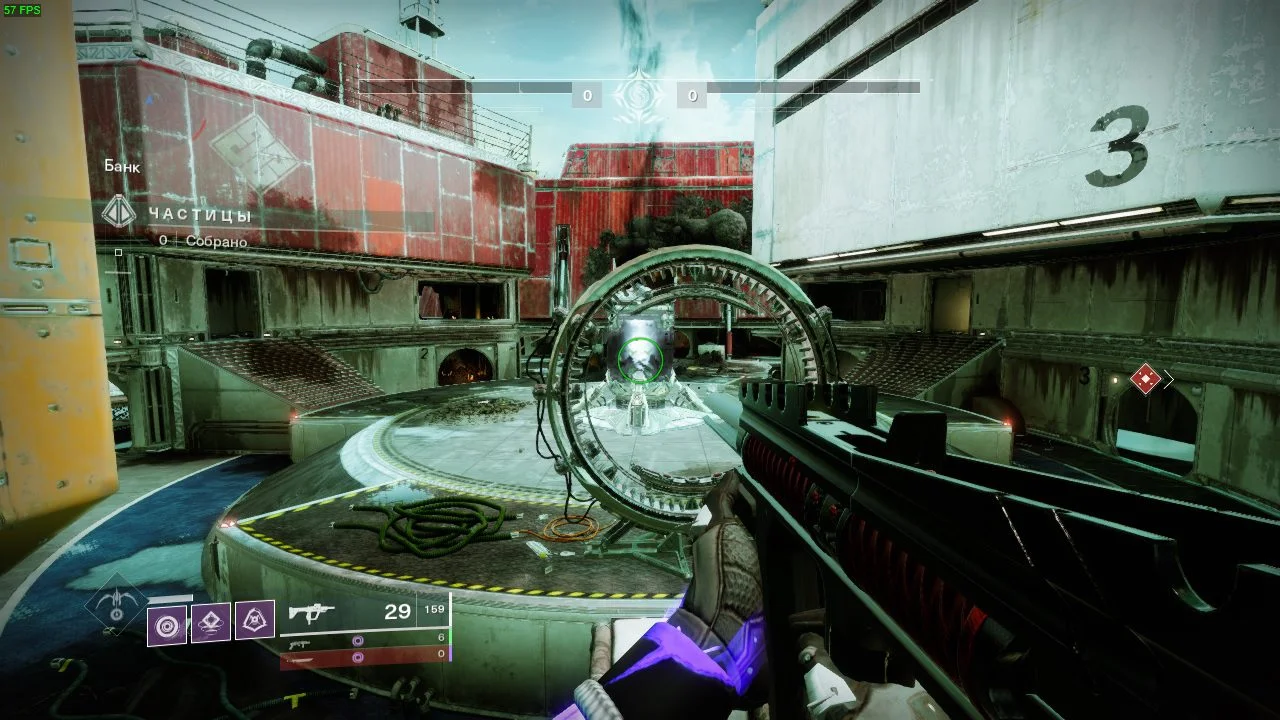
Average FPS | Minimum FPS | 1% Lows | |
GeForce GTX 560 Ti | 54 | 43 | |
GeForce GTX 560 Ti OC | 55 | 44 | |
GeForce GTX 470 | 57 | 52 |
In Destiny 2, overclocking the GeForce GTX 560 Ti didn't yield significant dividends, and certainly couldn't help the subject of this review catch up to the GTX 470.
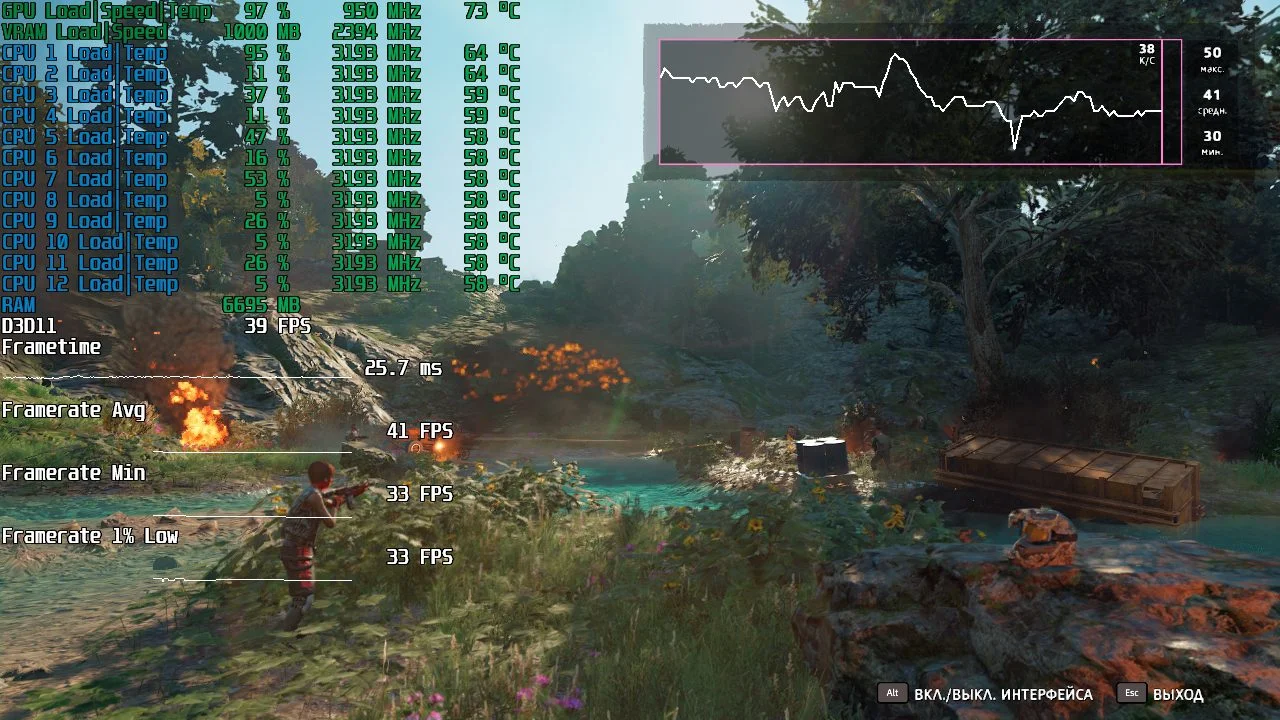
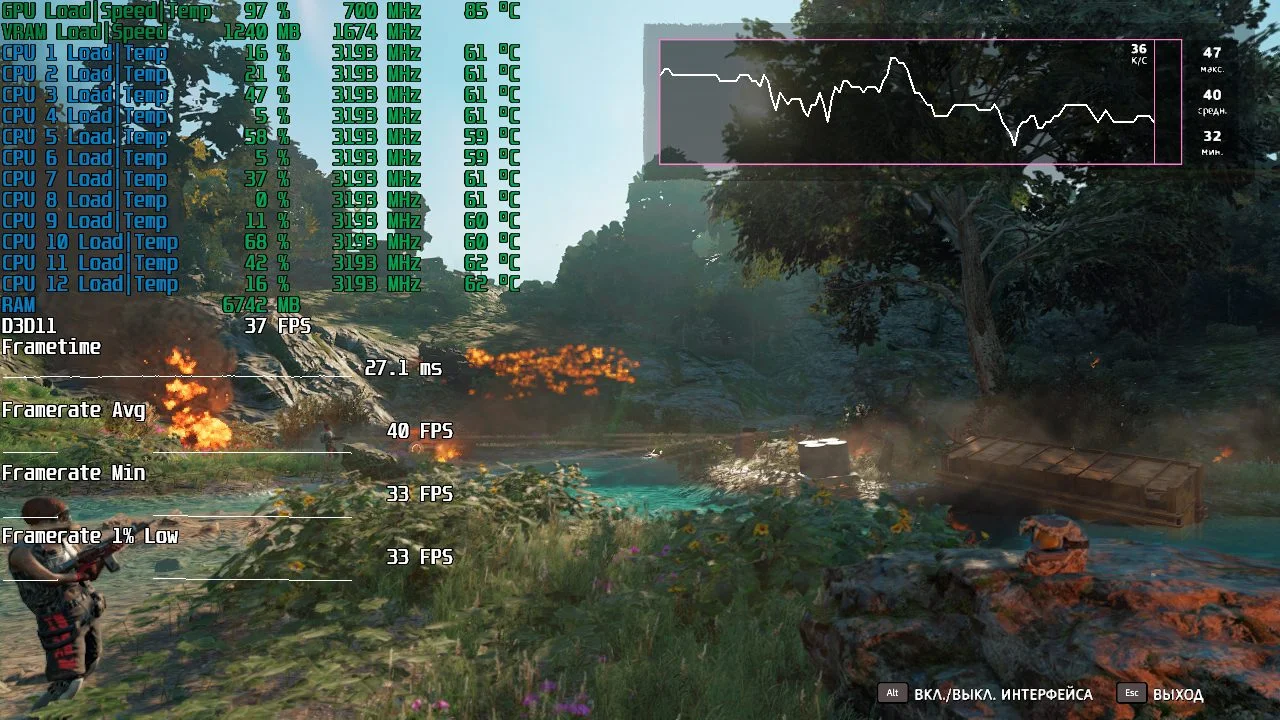
Far Cry 5
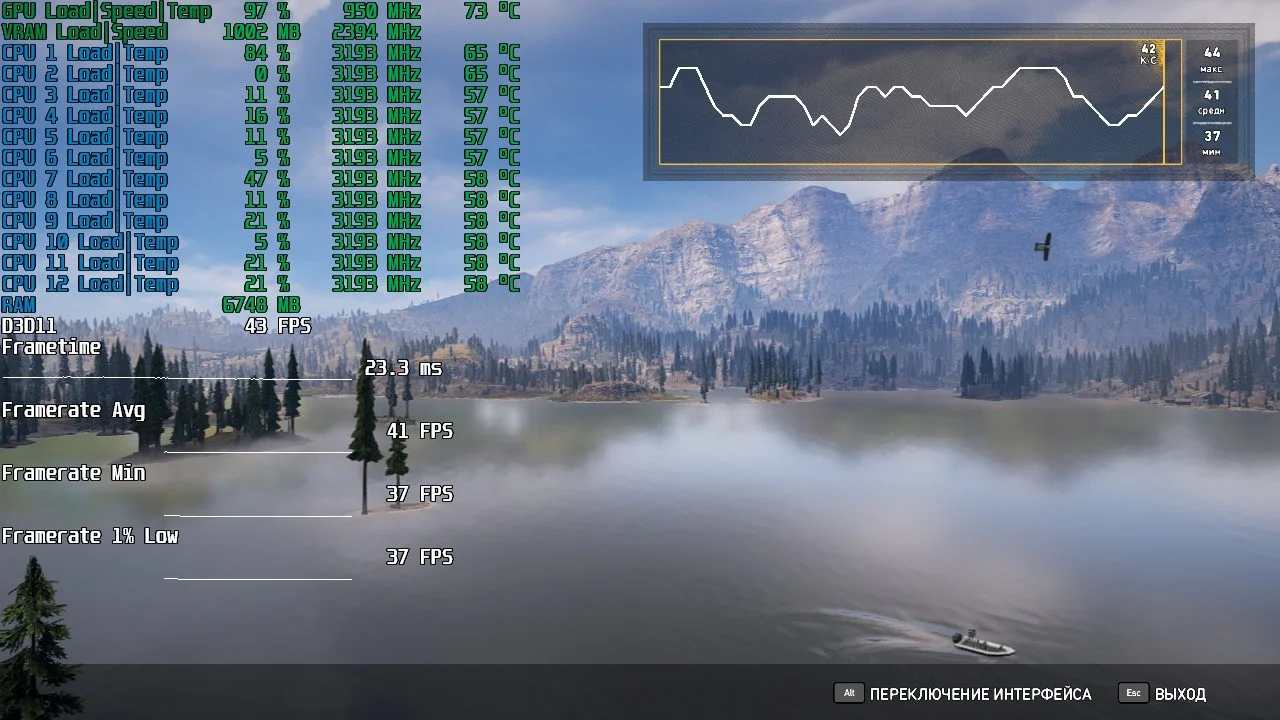
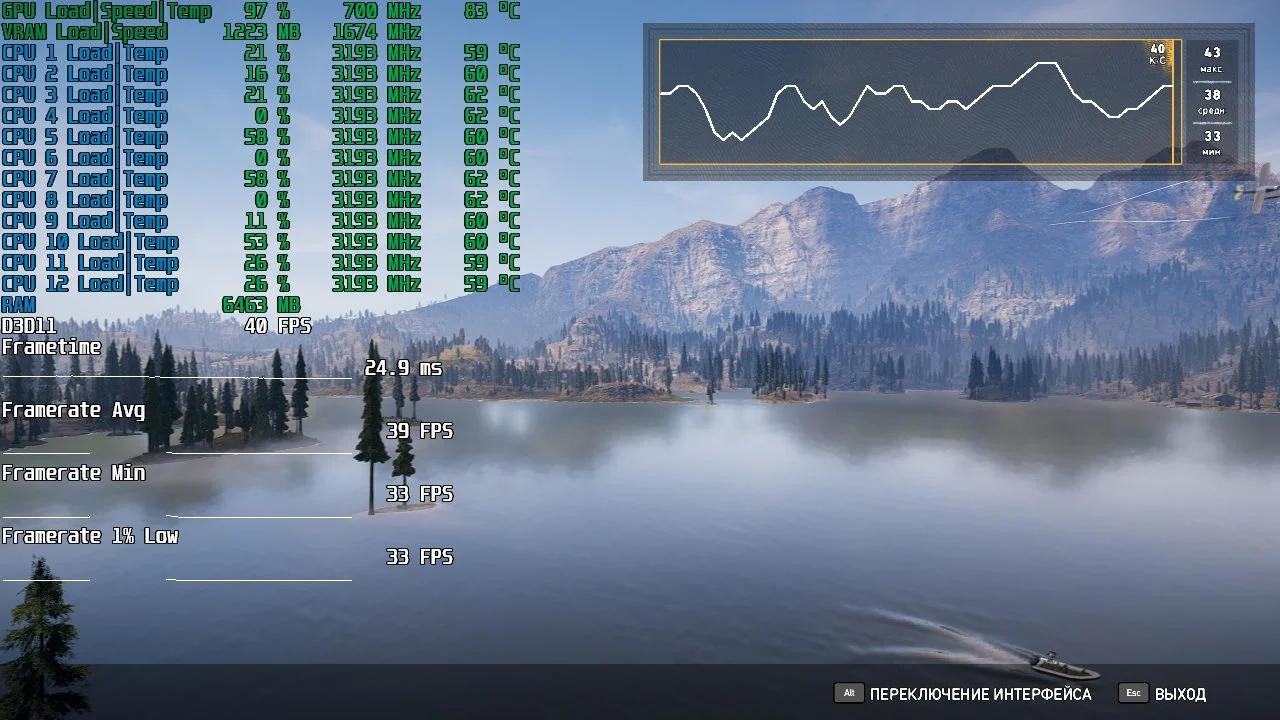
Average FPS | Minimum FPS | 1% Low FPS | |
GeForce GTX 560 Ti | 37 | 33 | 33 |
GeForce GTX 560 Ti OC | 41 | 37 | 37 |
GeForce GTX 470 | 39 | 33 | 33 |
FC5 presents a different scenario. The overclocked GTX 560 Ti easily surpasses the GTX 470, delivering a 10% performance boost compared to its stock counterpart.
Far Cry New Dawn
Average FPS | Minimum FPS | 1% Low FPS | |
GeForce GTX 560 Ti | 38 | 30 | 30 |
GeForce GTX 560 Ti OC | 41 | 33 | 33 |
GeForce GTX 470 | 40 | 33 | 33 |
FC New Dawn shows a similar trend, though the GTX 560 Ti couldn't secure a clear advantage over the GTX 470. The overclocked GTX 560 Ti only managed an 8% performance bump over the stock version, which isn't especially significant.
Tom Clancy’s The Division 2
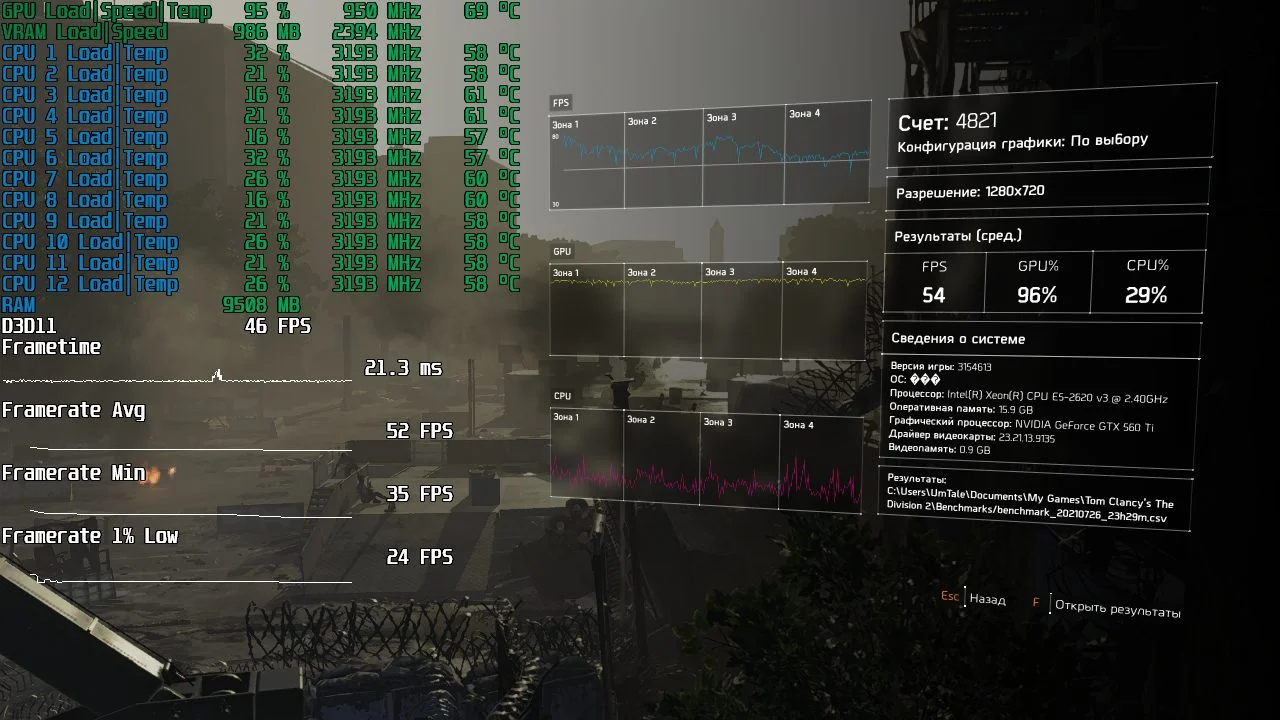
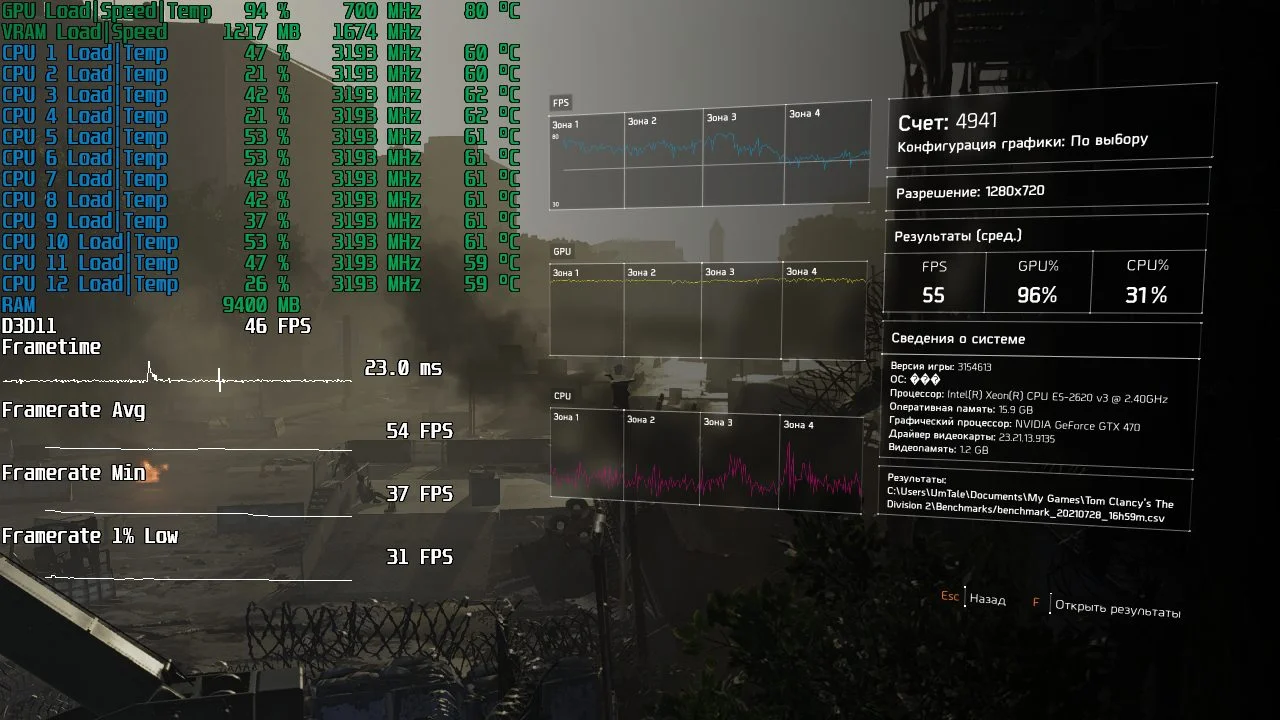
Average FPS | Minimum FPS | 1% Low FPS | |
GeForce GTX 560 Ti | 48 | 33 | 21 |
GeForce GTX 560 Ti OC | 52 | 35 | 24 |
GeForce GTX 470 | 54 | 37 | 31 |
The Division 2 also saw an 8% performance increase from overclocking, but it still wasn't enough for the GTX 560 Ti to surpass the GTX 470.
The Witcher 3: Wild Hunt
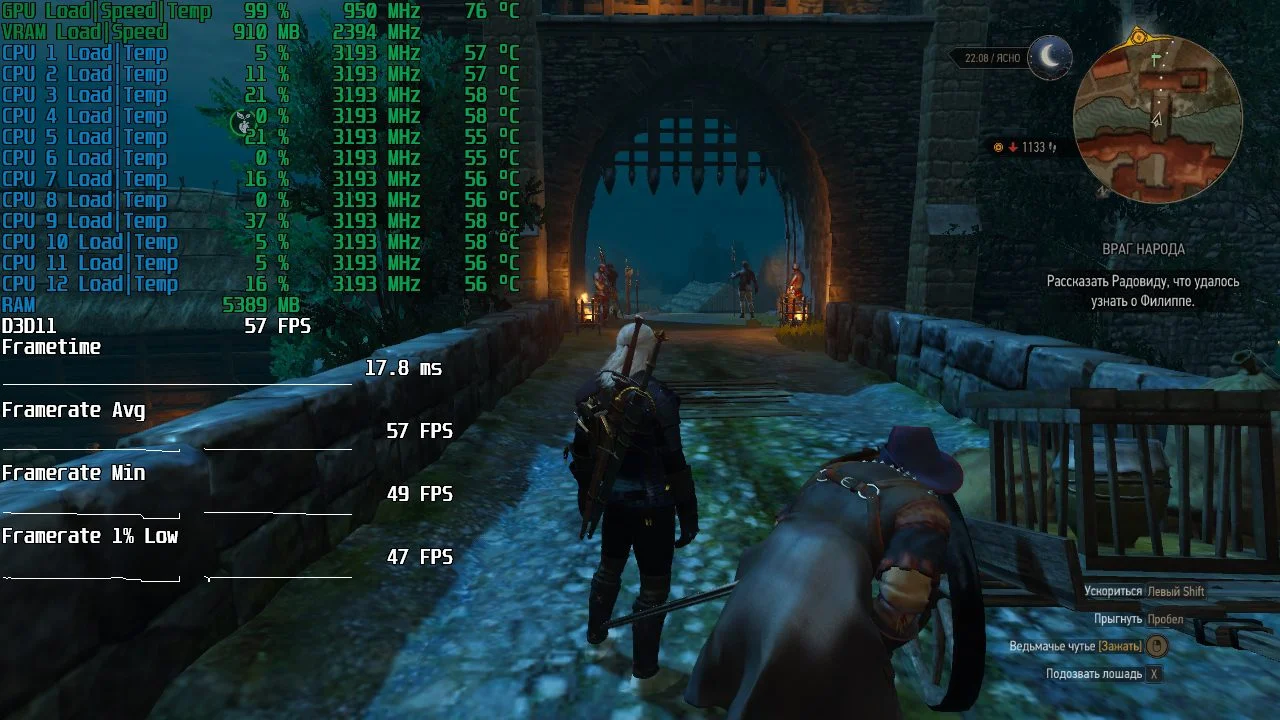
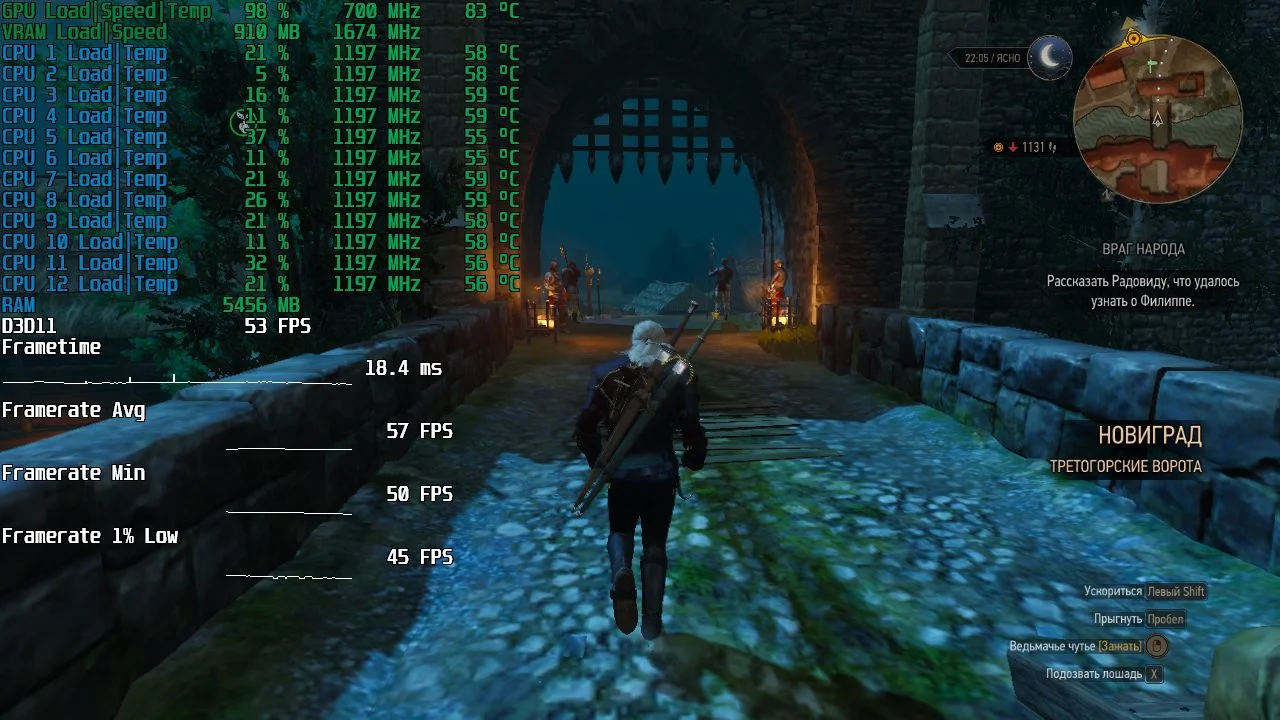
Average FPS | Minimum FPS | 1% Lows | |
GeForce GTX 560 Ti | 50 | 43 | 36 |
GeForce GTX 560 Ti OC | 57 | 49 | 47 |
GeForce GTX 470 | 57 | 50 | 45 |
The Witcher 3 saw the largest frame rate increase after overclocking the GTX 560 Ti, with a significant 14% gain. This 'phenomenon' is quite simple to explain: The Witcher 3 was the only title where the test graphics cards had enough video memory for shaders and textures.
Summary
The GeForce GTX 560 Ti turned out to be a pretty good graphics card. Even 10 years after its release, it still holds up. Unlike the GTX 470, its insane power consumption and heat generation don't hinder it as much, meaning theoretically it could serve as a stop-gap during mining booms. But it's not quite that simple.
Like any graphics adapter based on the Fermi architecture, the GTX 560 Ti is incredibly difficult to find in truly working condition. Most of these cards have either been baked or refurbished, making them hard to recommend for purchase.
Ultimately, we've only given you food for thought; it's up to you to decide if the game is worth the candle.
Thanks for reading, and stay tuned for more!
If you found this material useful and would like to see more articles like it on this resource, please support our site on Patreon! The main goal of fundraising is to expand our hardware collection and improve testing quality: replacing HDDs with a large SSD, purchasing a capture card to reduce the impact of recording gameplay with ShadowPlay on final results, etc.We'd also like to extend a special thank you to our existing patrons!Your support is extremely important to us!