![Retro overclocking: overclocking the Intel Core 2 Quad Q8200 [M1, Yorkfield]](/_next/image?url=https%3A%2F%2Fumtale-media.s3.eu-central-1.amazonaws.com%2Fimages%2Fcontent%2F8a2c5063-2484-4519-b643-156b6ad8535e.webp&w=3840&q=75)
BLOGS · OVERCLOCKING
PUBLISHED
READING6 min
Retro overclocking: overclocking the Intel Core 2 Quad Q8200 [M1, Yorkfield]
Testing the overclocking headroom of the legacy Intel Core 2 Quad Q8200, with benchmarks showing performance with and without voltage adjustments.
In this article, we'll explore the overclocking potential of the aging quad-core Intel Core 2 Quad Q8200.
Welcome to the seventh installment of our Retro Overclocking series.
The CPU
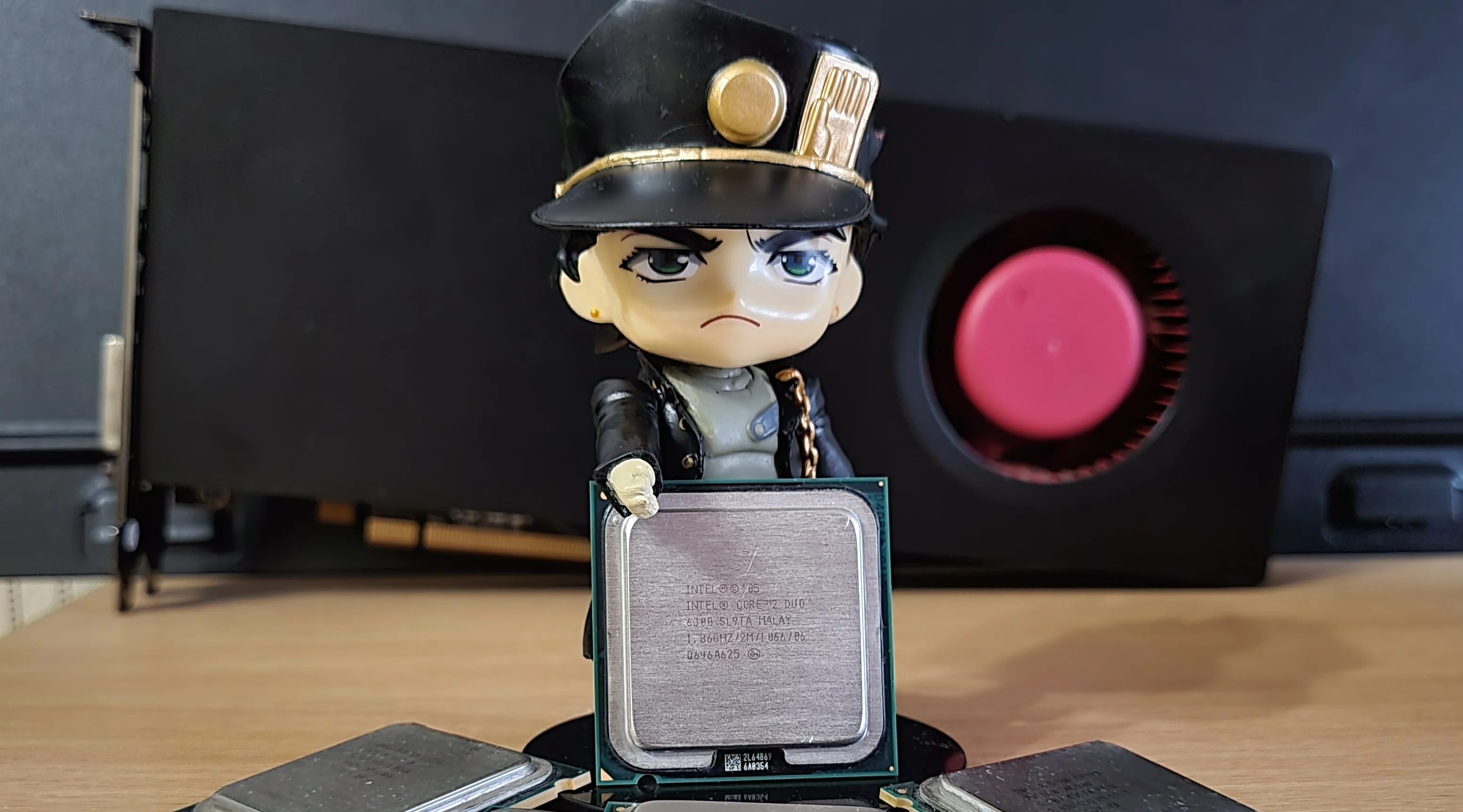
Our test sample is marked SLB5M and was manufactured in Malaysia.
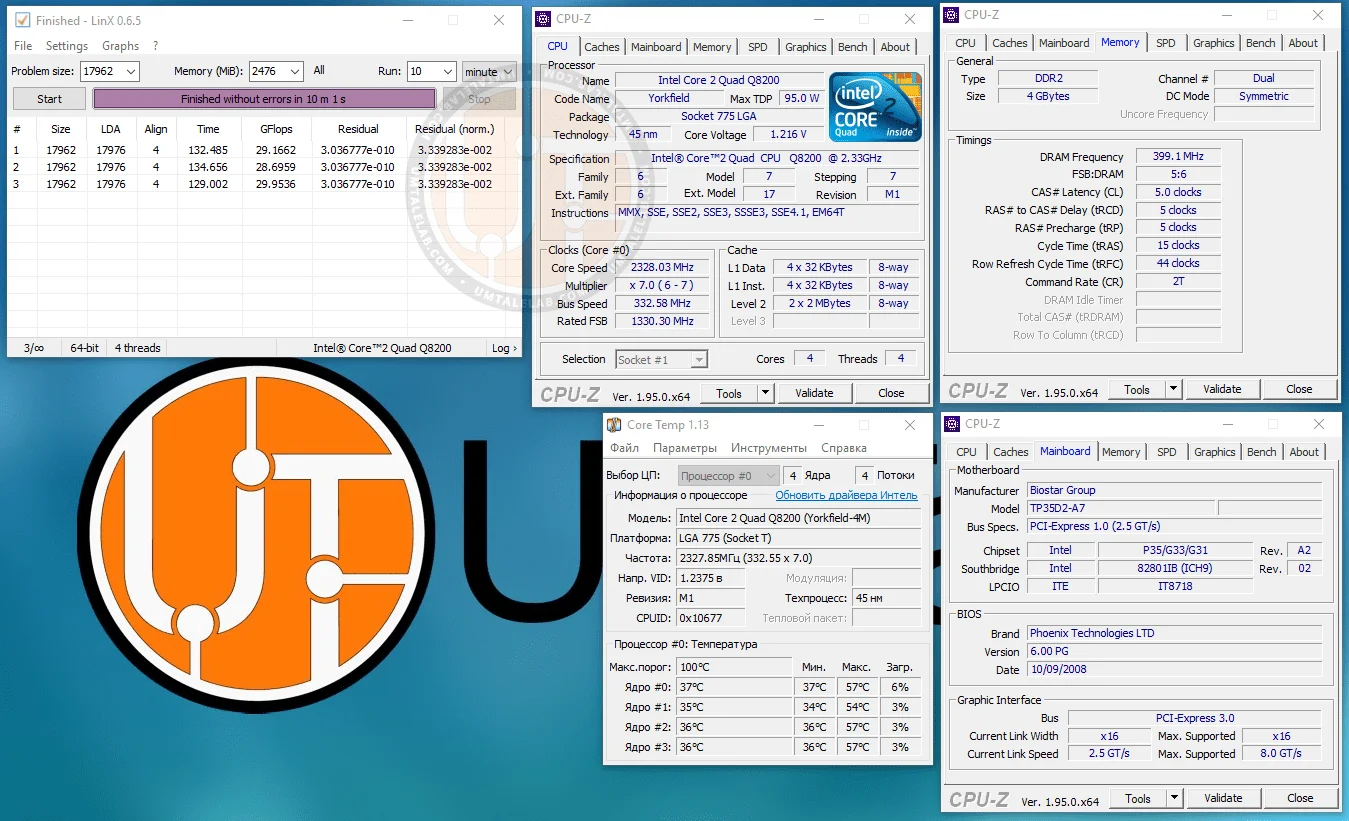
Codenamed Yorkfield (built on the Penryn architecture), the Core 2 Quad Q8200 packs two dual-core 45nm Wolfdale dies (2M modification) under its integrated heat spreader. Our test sample is an M1 revision.
The Core 2 Quad Q8200 features four cores running at a stock frequency of 2328MHz (a multiplier of 7x with a 333MHz FSB, resulting in an effective 1333MHz bus speed). The chip has 2MB of L2 cache per die, a stock voltage of 1.200V, and a TDP of 95W.
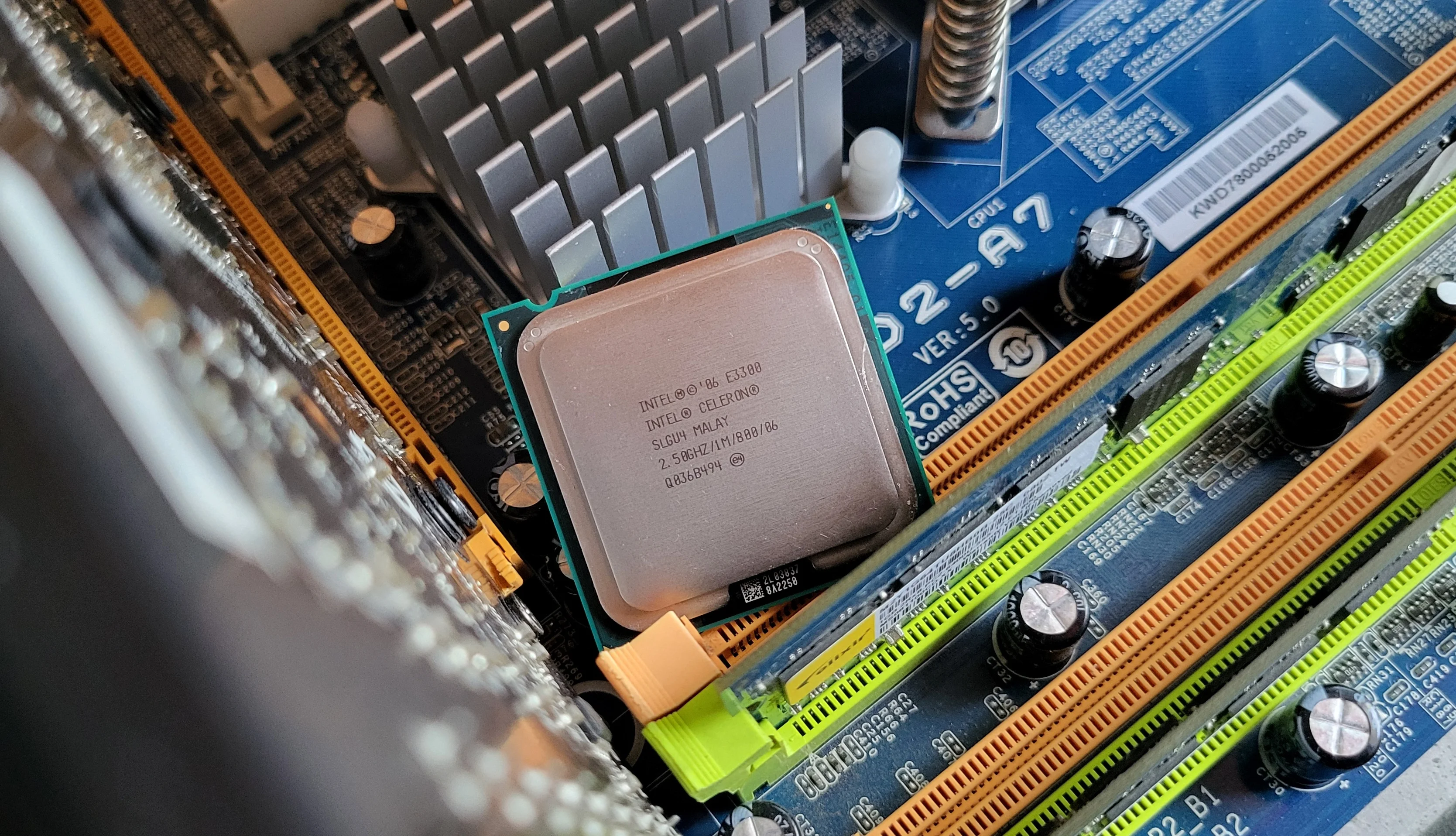
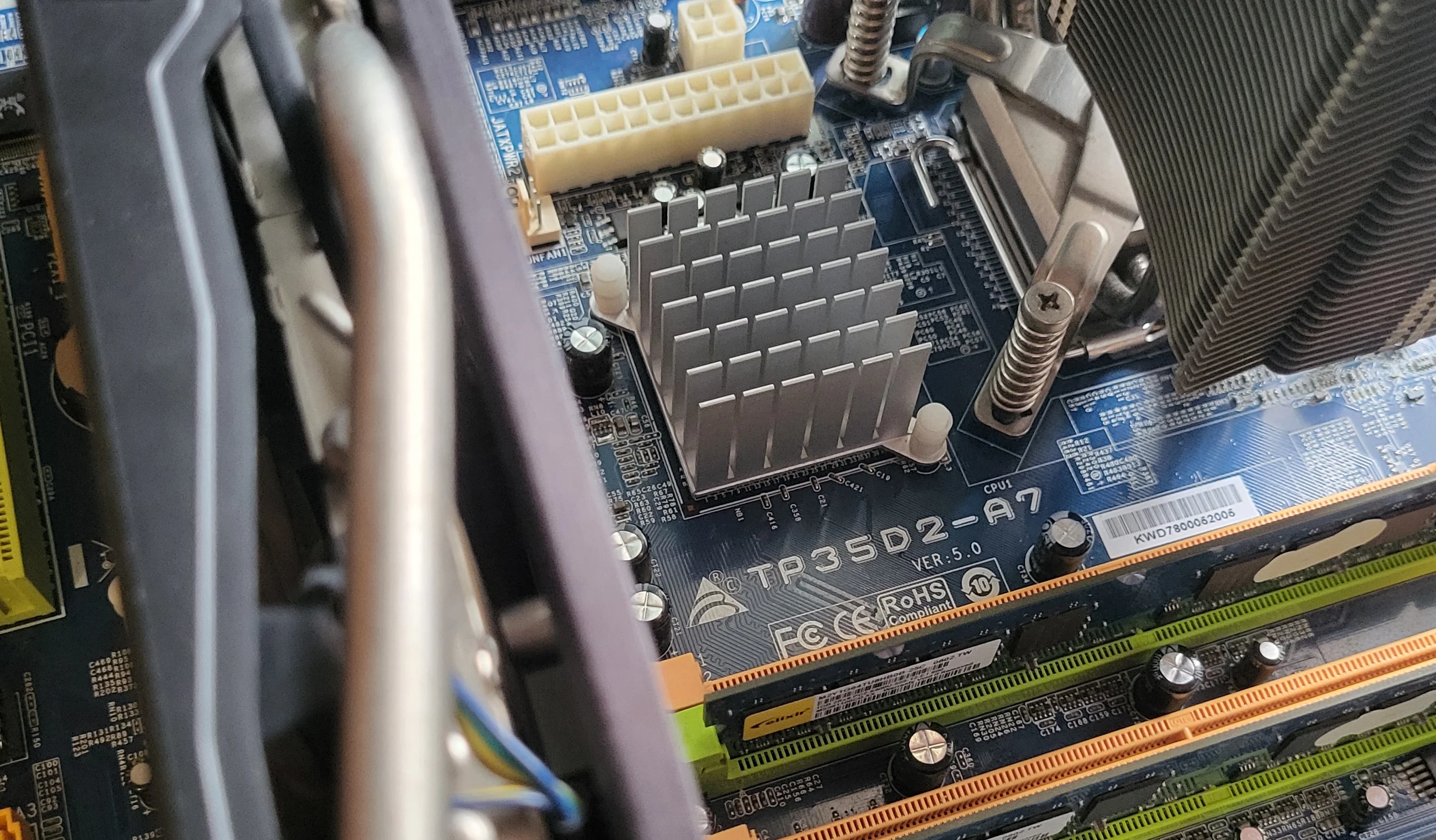
Due to the design of the LGA 775 platform, the Q8200 supports both DDR2 and DDR3 memory. That's because the memory controller is integrated into the northbridge rather than the CPU. In our case, the P35 chipset supports both standards, but our test motherboard only features DDR2 slots.
For this setup, we populated the RAM with two 2GB Kingston sticks. Their stock speed was 800MHz with timings of 5-5-5-15 2T.
 ⤢ ВІДКРИТИ
Test setup:
CPU — Core 2 Quad Q8200;
Cooling — Cooler Master Hyper 212 Black Edition (RR-212S-20PK-R1);
LGA 775 RAM — two 2GB Kingston sticks (99U5429-007.A00LF 34CC2E04) for a total of 4GB;
LGA 775 motherboard — Biostar P35D2-A7 (flashed with TP35D2-A7 BIOS);
Graphics card — KFA2 GeForce RTX 2060 SUPER 8GB (~1950/14000MHz, 112% Power Limit);
SSD — KINGSTON 120GB SA400S37120G (Windows 10/Apps);
HDD — Seagate 2TB ST2000DM008-2FR102 (Games);
Power supply — Chieftec GPS-1250C.
Overclocking the Core 2 Quad Q8200
First, let's see what our Q8200 sample can do at stock CPU, RAM, and FSB voltages.
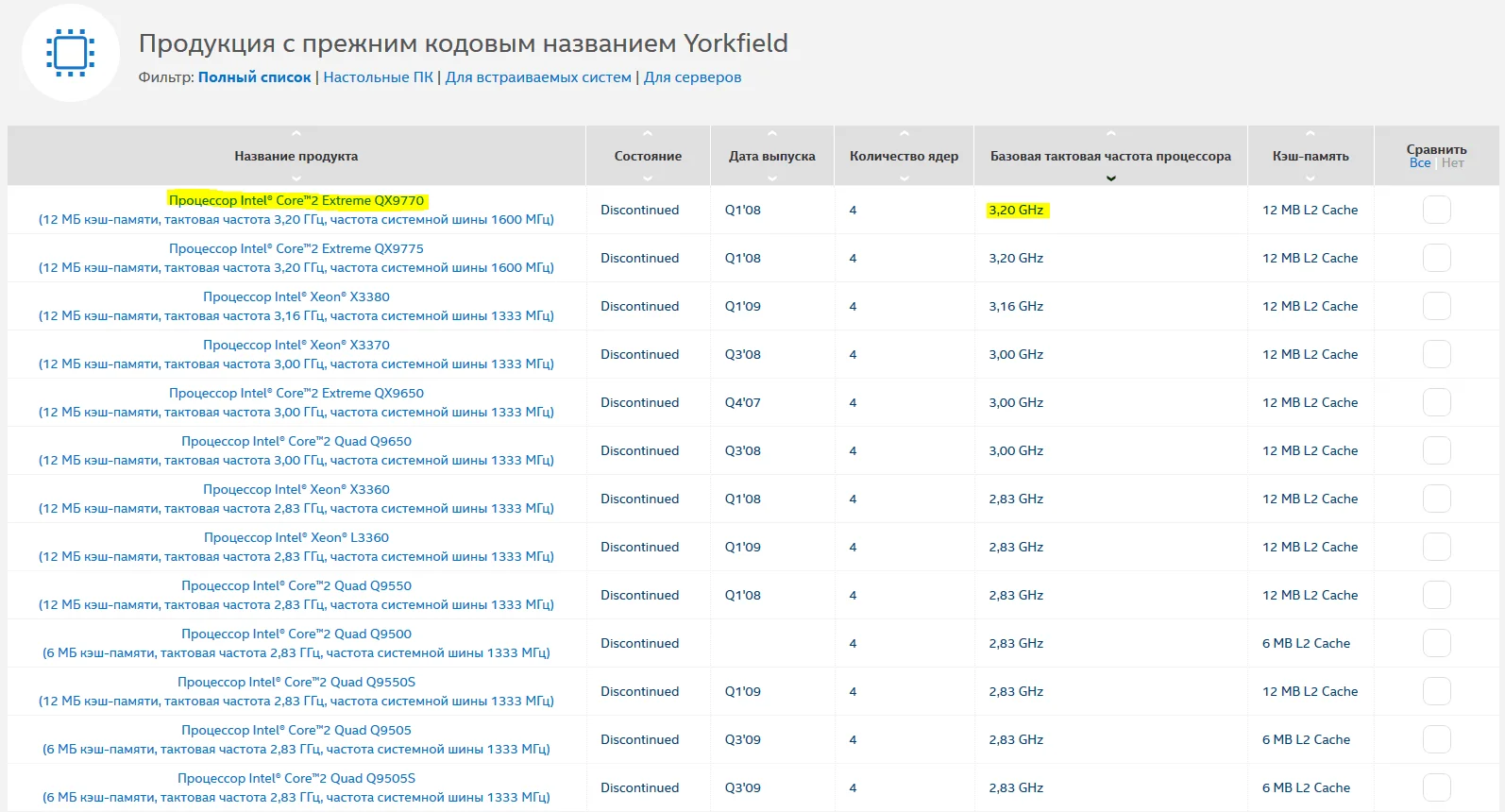
Don't worry if you aren't familiar with lithography nodes or CPU generations. To find out what your CPU is theoretically capable of, just look up its core codename (Yorkfield in our case) and google the top-tier model based on that same silicon.
 ⤢ ВІДКРИТИ
The flagship Yorkfield processor is the Core 2 Quad QX9770, which runs at 3200MHz. This means our chip should, in theory, also be able to run stable at 3.2GHz. Let's test that theory.
To hit 3200MHz, we need to push the FSB to 459MHz and lower the RAM multiplier from DDR2-800 to DDR2-667.
We reboot, only to freeze immediately during the Windows 10 boot screen. Not exactly a stellar start. Without a voltage bump, our Core 2 Quad Q8200 sample simply can't handle 3.2GHz.
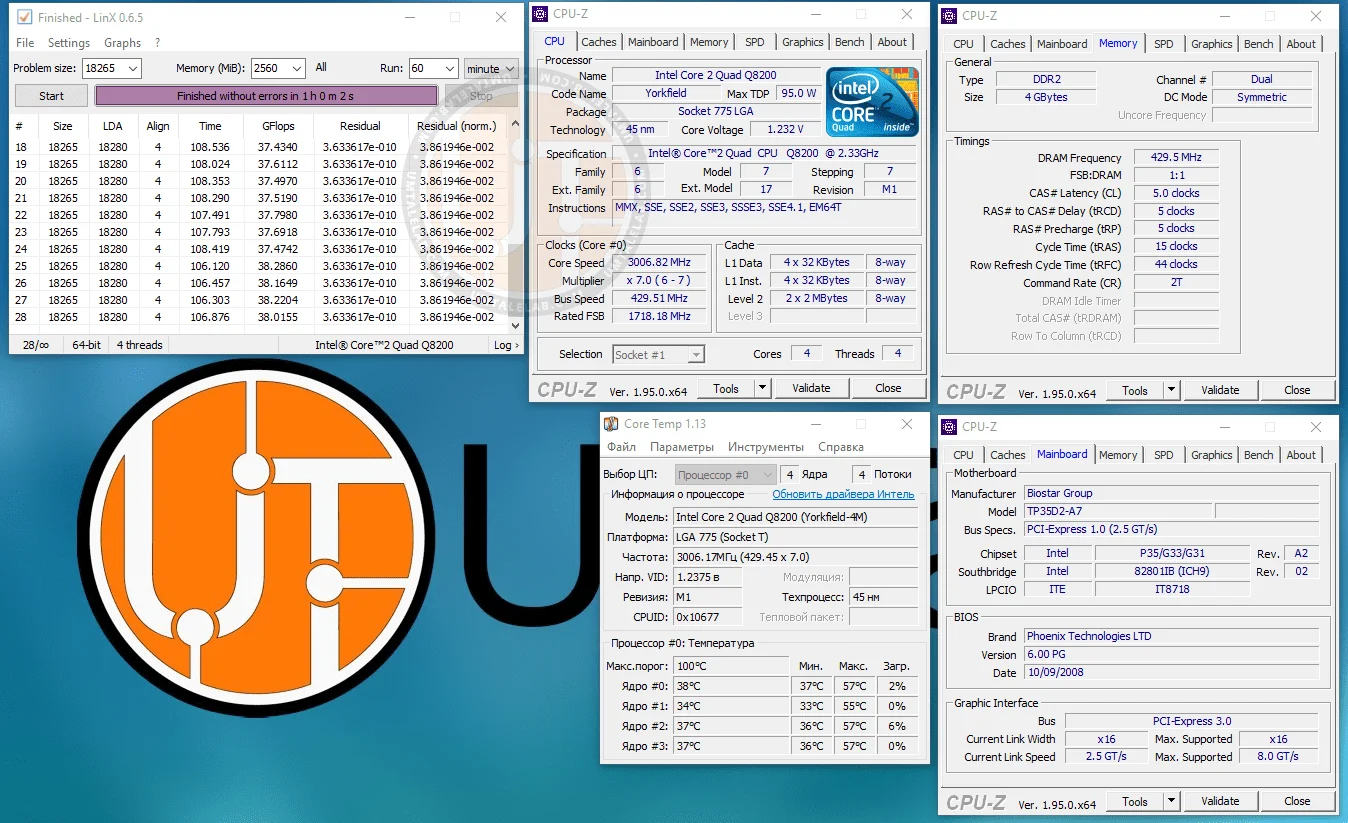
We backed the FSB down by 5MHz and tried again, but the system still locked up tight. Dropping it another 5MHz didn't help either. Only after lowering the FSB to 430MHz did the system finally boot into Windows and pass a LinX stability test. This left us with a final stock-voltage overclock of 3006MHz:
 ⤢ ВІДКРИТИ
Keep in mind that we didn't touch any voltages here. This level of overclocking shouldn't harm the CPU, motherboard, or RAM, even in the long run. That said, remember that any form of overclocking voids your warranty. As always, any hardware modifications you make are entirely at your own risk!
Here are the BIOS settings we used to hit 3006MHz:
CPU core voltage — 1.200V (+0.000V offset);
FSB frequency — 430MHz;
FSB voltage — 1.250V (+0.000V offset);
RAM multiplier in BIOS — 667MHz (resulting in an effective memory frequency of 860MHz);
RAM voltage — 1.950V (+0.000V offset).
That's a terrible result for a 45nm processor. However, you can find similar overclocking limits reported online. The explanation is pretty simple: Core 2 Quad Q8000 series chips were made from bottom-of-the-barrel Yorkfield dies. During Intel's internal testing, these dies either couldn't run at high clock speeds or had partially defective L2 cache. Naturally, neither issue bodes well for a CPU's overclocking potential.
But there is nothing we can do about that. Unfortunately, it is what it is. At the end of the day, overclocking is always a silicon lottery.
Now let's try bumping the voltage a bit to squeeze out another few hundred megahertz.
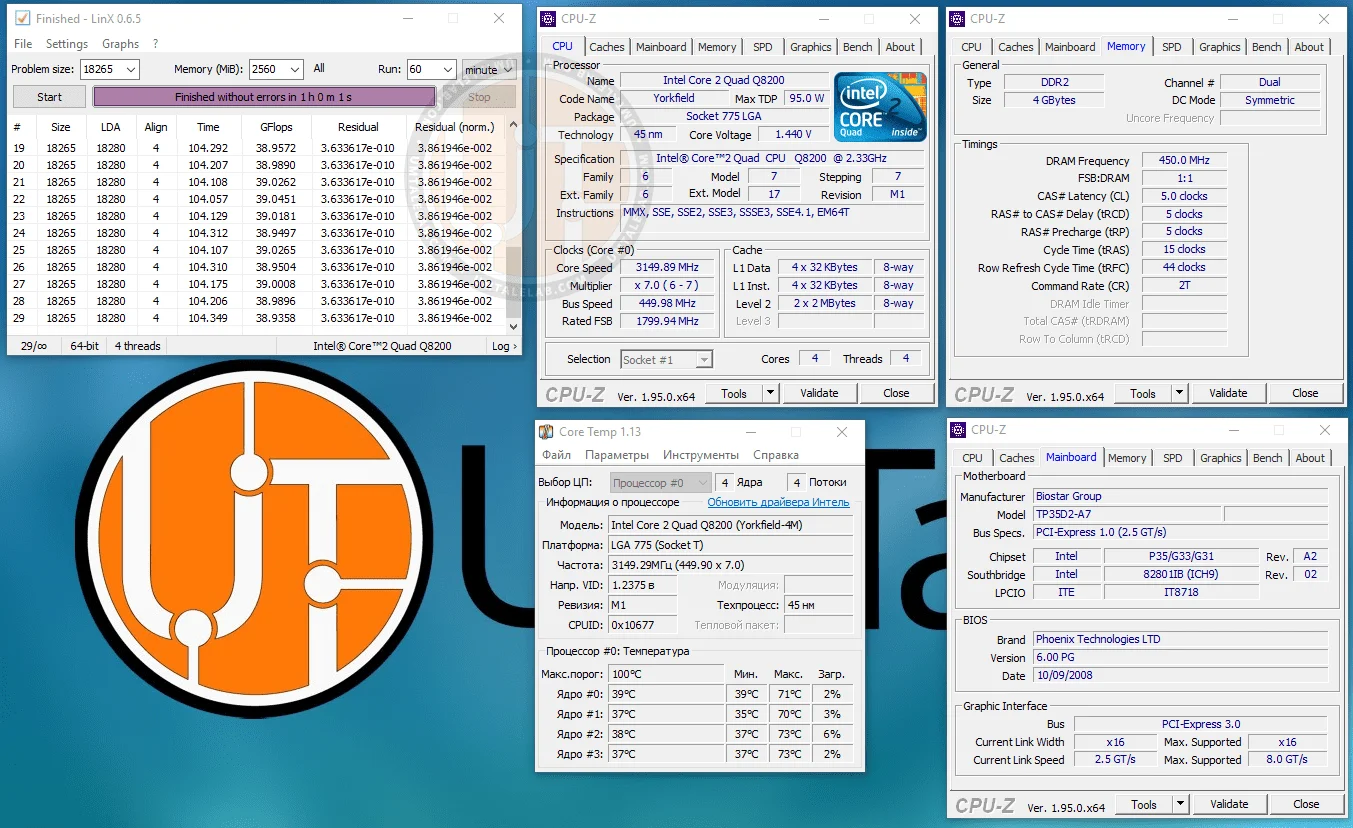
However, the processor barely responded to voltage increases. To push past 3000 MHz, I had to crank the core voltage all the way up to 1.400V. This finally let us pass a stability test at 3100 MHz. From there, overclocking the Q8200 became pure torture. Raising the NB, NB VTT, or SB voltages did absolutely nothing. Hitting 3200 MHz proved impossible, so I decided to find a stable sweet spot between 3100 and 3200 MHz.
This ultimately impractical effort resulted in a frequency of 3150 MHz:
 ⤢ ВІДКРИТИ
BIOS settings for overclocking the Core 2 Quad Q8200 to 3150 MHz:
Core voltage: 1.450V (+0.250V over stock);
FSB frequency: 450 MHz;
FSB voltage: 1.250V (stock);
RAM multiplier in BIOS: 667 MHz (which, with overclocking, resulted in an effective memory frequency of 900 MHz);
RAM voltage: 1.950V.
Why impractical? It's simple: to reach 3250 MHz, we had to significantly raise the core voltage, which in turn led to a massive spike in heat and power consumption. That extra 150 MHz is definitely not worth it. But of course, the choice is yours.
P.S.:
Our review of the Core 2 Quad Q8200 in games and applications is already in the works and, barring any changes, will be published soon.
Thanks for reading, and stay tuned for more!
If you found this article helpful and would like to see more benchmarks like this on UmTale Lab, please support us on Patreon! Our main goal is to expand our hardware inventory and improve testing quality—this includes upgrading our test bench storage to a larger SSD, buying a capture card to reduce the performance impact of ShadowPlay when recording gameplay, and more.