BLOGS · AI
PUBLISHED
READING17 min
Local waifu on AMD Polaris: Running AI on an RX 470 when ROCm is dead
Discover how to run large language models (LLMs) on older AMD RX 470 (Polaris) graphics cards using KoboldCPP and Vulkan, with tips for optimizing performance and memory.
To my surprise, the article about running Stable Diffusion WebUI on older AMD RX graphics cards garnered significant interest among enthusiasts. This indicates that Polaris owners are still pushing their GPUs beyond AMD's intended limits. Now, it's time to dive into the more hardcore aspects of keeping those old GCN cards relevant in 2026.
This article will explore running LLMs on Radeon RX 470 4GB and RX 470 8GB graphics cards. And no, we're not talking about tiny, outdated models with 0.5B or 1B parameters. We'll use a classic lineup of popular LLMs with 4B, “8B,” and 12B parameters to see what runs quickly and, more importantly, stably on each of the tested cards.
First, let's establish the baseline. I conducted my experiments on Linux Mint (a Debian-based distribution) and KoboldCPP (a local open-source server for running large language models). My test setup was as follows:
Xeon E5-2640 v4;
16 GB DDR4 2133 MHz;
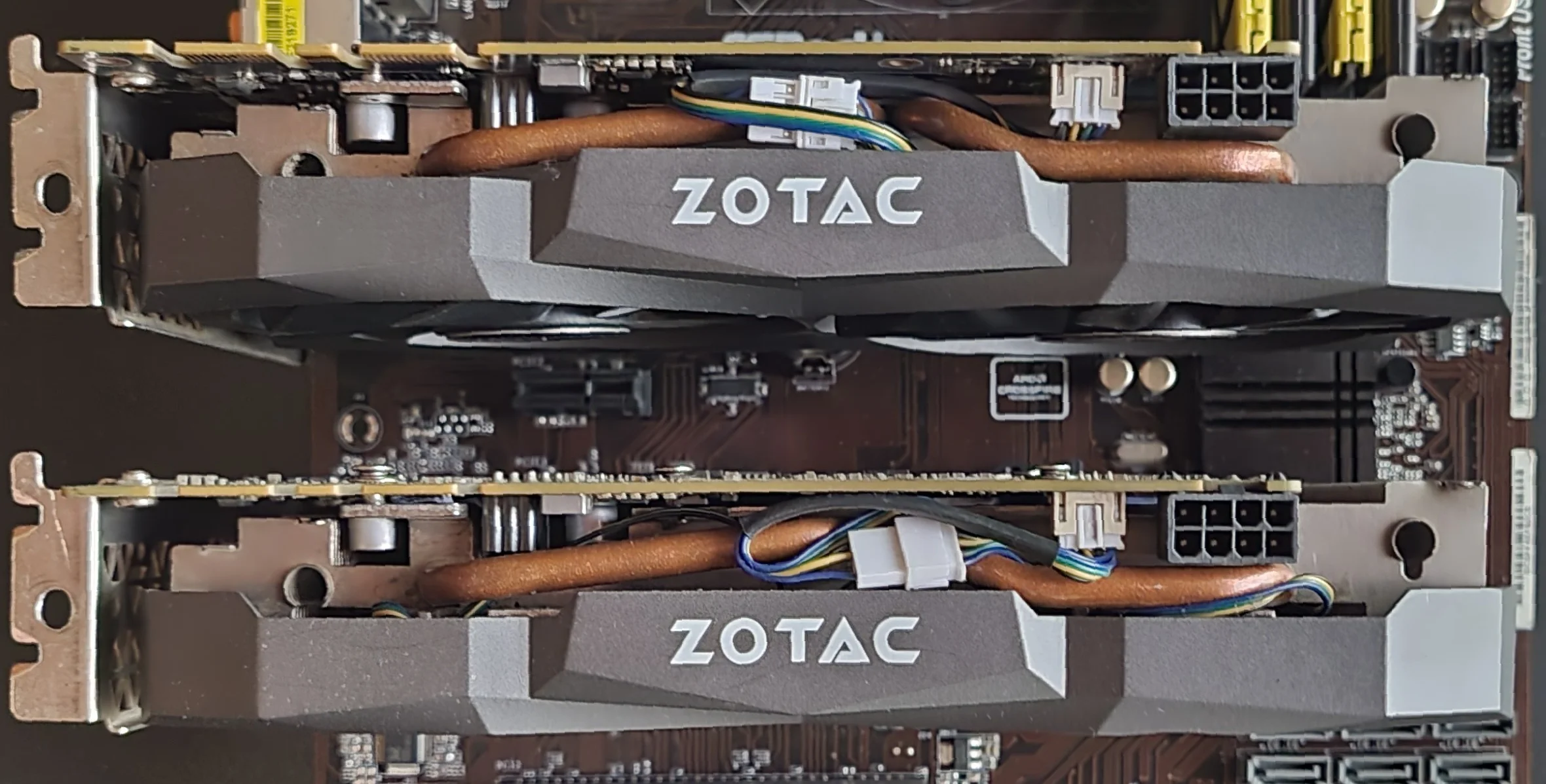
Radeon RX 470 4GB, Radeon RX 470 8GB, Radeon R9 270X 4GB;
The operating system choice isn't a critical factor here. If you're not ready to switch to Linux, you'll only sacrifice 5–10% in generation speed. Otherwise, the LLM's operational logic and KoboldCPP settings will remain identical.
Secondly, and importantly, all test graphics cards were configured as secondary accelerators. This prevented the OS and browser from impacting available VRAM. The entire VRAM of the test adapter was fully dedicated to the neural network, which is something to keep in mind if you plan to run LLMs on your system's sole GPU.
Third, and equally vital: your graphics card must support the Vulkan API and have at least 4GB of VRAM (though I've got a surprise for 2GB cards later). Nearly all AMD adapters based on GCN 1.0, 2.0, and 4.0 architectures are equipped with Vulkan support.
However, VRAM capacity presents a caveat. Radeon HD 7000 series cards are mostly limited to 2-3GB, which is catastrophically small for the KoboldCPP engine. Ultimately, we need models with 4GB+ VRAM, starting from the Radeon R9 270X 4GB (personally verified, results will be below) and extending to the popular RX 470/580, as well as Vega 56/64, and, obviously, the Radeon VII with its 16GB HBM2. (280/285/290X/370/380/390X will also work, as will the 6GB HD 7970, but that's a rare beast, so…). But let me be clear: 8GB or more is highly desirable. With that much VRAM, Vulkan performance is significantly faster and, crucially, more stable.
Disclaimer: All actions and settings described below worked specifically for my setup (operating system - Linux Mint, hardware - HD 7870 2 GB, R9 270X 4 GB, RX 470 4 GB, and RX 470 8 GB). There's a real chance my experience might not apply to your situation.
System requirements and necessary software
First, ensure you meet all requirements for successfully running KoboldCPP with the Vulkan backend. Download the required files from the official GitHub repository: koboldcpp.exe for Windows or koboldcpp-linux-x64 for Linux.
Don't fret over choosing between CUDA and noCUDA versions. I'm using the full CUDA-enabled binary, and it works perfectly with all other APIs, including the Vulkan API we need.
Minimum system requirements:
Operating system: Linux (Windows 10/11 is possible, but not recommended);
RAM: 16GB or more (I tested with 8GB, and it works, but don't expect a smooth experience);
Processor: 4-core Intel Core i5-2400, AMD FX-4300, or better (AVX instructions, at least first-gen, are mandatory; AVX2 is ideal);
Graphics card: Radeon R9 270X 4GB, Radeon RX 470 4GB, or newer, with Vulkan API support;
Storage (SSD preferred, but a fast HDD will also work): from 10GB free space for the server and one model, up to dizzying capacities of 300GB+. It all depends on how many checkpoints/models you plan to use.
KoboldCPP setup
Got the right version? Excellent. Now let's move on to setting it up. As I mentioned, I'll describe my process on Linux; simply skip the steps irrelevant to your OS.
System level (hardware optimization)
This section is a Linux-specific feature.
OMP_PROC_BIND=TRUE / OMP_PLACES=cores - Binds computations to specific cores. The processor stops 'bouncing' tasks between cores, eliminating unnecessary delays;
numactl --physcpubind=0-9 / taskset -c 0-9 - Strict limitation. We dedicate specific 10 cores to the neural network (in my case! If you have 6 PHYSICAL cores, write 0-5!) and prevent it from touching others;
RADV_PERFTEST=aco / VKD3D_CONFIG=upload_hvv - Tuning for AMD graphics cards. Accelerates shader compilation and data transfer to video memory (VRAM). THIS PARAMETER is for Linux OS only!
Engine parameters (KoboldCPP)
Here, both Linux and Windows users should pay attention.
--usevulkan 1: Uses the Vulkan graphics engine for GPU acceleration (an alternative to CUDA/ROCm);
--gpulayers 999: This is the no-compromise "put everything in GPU memory!" command. The number 999 ensures that all model layers will load into VRAM if there's enough space. A crucial point: if the engine crashes with an error or generation becomes "slow-mo" (speed drops to 0.1–0.3 t/s), it means VRAM has run out, and the model is now using slower RAM. In such cases, find out the total number of layers in your model (typically 32–33 for 4-8B models) and experimentally reduce the layer count. For example, if a model has 33 layers, try setting --gpulayers 28 or less;
--threads 8: This sets the number of dedicated CPU threads. It's best to leave a couple of cores free for system needs. For example, my system has 10 cores and 20 threads. Threads aren't directly accounted for; for the neural network, they're essentially overhead. So, with 10 actual cores, leaving two free helps the system run stably. If you have 6 cores, try --threads 4 or 5. You'll need to test what works best for your setup;
--batchsize 1024: This is the data "batch" size. A higher number speeds up the processing of long prompts at the beginning of a dialogue. This parameter is CRITICALLY important for GCN-architecture GPUs, regardless of the specific version, based on my observations. Polaris Compute Units (CUs) are often underutilized, and to fix this and boost generation efficiency, we load them to full capacity.
"Memory" and context settings
Pay close attention here! Don't skip this section; truly understand its content. The neural network's "context" is literally its active memory. In other words, all your correspondence with the neural network is stored within this context. Its size dictates whether the model remembers what you discussed an hour ago or what's generally happening in your conversation. Both your messages to the neural network and its replies become part of the context, critically loading its capacity.
Context is literally the foundation for everything we try to achieve with a neural network, whether it's a "local waifu," a "co-author," a "casual conversationalist," a "translator," or anything else.
However, context isn't free (while it's "free" on your local PC, it's not free for your graphics card). Context takes up space in your GPU's already tiny video buffer, especially if you only have 4 GB! Simple math: if a model weighs 3 GB, its uncompressed 4000-token context will consume another 500–600 MB. Add driver overhead and the Vulkan API, and that's it — your 4 GB are completely maxed out!
--contextsize 8192: This sets the dialogue memory capacity. 8k tokens roughly equate to 10-15 pages of text that the neural network keeps in memory. This number shouldn't be set in stone! It entirely depends on your model and its quantization. Further on, I'll explain exactly how to allocate the remaining VRAM for context needs;
--quantkv 2 (Q4 context compression with relatively minor loss in narrative/dialogue fidelity/accuracy): This compresses current dialogue data by 3-4 times. It saves hundreds of megabytes of VRAM with almost no loss of meaning. While you can "play around" with context size, --quantkv 2 is a must for GPUs with 4-8 GB of VRAM.
Theoretical VRAM consumption calculation for model + context window
Here, I've provided a theoretical calculation for a hypothetical setup: a Q3_K_M quantized model (far from ideal, but personally verified to be usable for work and communication) + an 8k Q4 context (--quantkv 2) + system overhead from drivers and Vulkan.
Model Size | Quantization (Q3_K_M) | Context 8k (Q4) | Total (with overhead) | Status for 8GB VRAM card |
4B (Gemma 3) | ~2.2 GB | ~0.15 GB | ~2.8 GB | Flies, plenty of free space |
8B (Mistral) | ~4.0 GB | ~0.35 GB | ~4.8 GB | Free and fast |
12B (MN-Chinofun) | ~5.8 GB | ~0.55 GB | ~6.8 GB | Ideal balance |
For a Q4_K_M quantization, the situation slightly worsens, but it remains realistic, though it's on the edge for 12B models:
Model Size | Quantization (Q4_K_M) | Context 8k (Q4) | Total (incl. overhead) | Status for 8GB VRAM card |
4B (Gemma 3) | ~2.9 GB | ~0.15 GB | ~3.6 GB | Blazing fast, with plenty of headroom |
8B (Mistral) | ~4.8 GB | ~0.35 GB | ~5.7 GB | Smooth and fast |
12B (MN-Chinofun) | ~6.9 GB | ~0.55 GB | ~7.8 GB | Tight fit, but it'll work |
I hope you followed the logic. Now, let's get practical.
Ready?
For the system prompt, I wrote:
// ВІРШ
You are Dina, a kind, emotional, and gentle woman.
You are a local waifu.
Your style is detailed, descriptive, and casual; you never give short answers. For every question, you provide an elaborate response of at least 4-5 substantial paragraphs, diving deep into details and emotions. Your primary goal is to extend the narrative as much as possible.
If you happen to like my prompt (though I have my doubts), feel free to copy it! This exact prompt was used for testing all LLMs and graphics cards.
Radeon HD 7870 2GB
Let's start with something a bit exotic. Can you really get your dusty old Radeon HD 7870, with its measly 2GB, to run a modern LLM? The answer is a resounding yes! But let's be realistic: we're not talking about huge models here. 2GB isn't just a little; it's an absolutely tiny amount for current language models. Still, we can grab a tiny one with excellent q8 quantization. For example, the gemma-3-1b-it-abliterated-v2.q8_0.gguf model with these launch parameters:
Linux
Bash
ADV_PERFTEST=boltzmann,noconflicthwm ./koboldcpp --model gemma-3-1b-it-abliterated-v2.q8_0.gguf --usevulkan 1 --gpulayers 999 --threads 6 --blasthreads 6 --batchsize 1024 --context 4096 --quantkv 2 --launchWindows (I won't be mentioning Windows again, as all you need to do is combine the "koboldcpp.exe" executable with my command starting from the --model flag).
Bash
koboldcpp.exe --model gemma-3-1b-it-abliterated-v2.q8_0.gguf --usevulkan 1 --gpulayers 999 --threads 6 --blasthreads 6 --batchsize 1024 --contextsize 4096 --quantkv 2 --launchAnd at the beginning of the context window, you'll get 40 t/s:
Bash
Processing Prompt [BATCH] (47 / 47 tokens)Generating (224 / 896 tokens)(EOS token triggered! ID:106)[17:09:26] CtxLimit:634/4096, Amt:224/896, Init:0.01s, Process:0.00s (15666.67T/s), Generate:5.55s (40.37T/s), Total:5.55sAnd at the end, during a literal stress test with context shifting (where older parts of the context are trimmed to make room for new messages), it reaches about 35 t/s:
Bash
[Context Shifting: Erased 299 tokens at position 106]Processing Prompt [BATCH] (44 / 44 tokens)Generating (642 / 896 tokens)(EOS token triggered! ID:106)[17:24:44] CtxLimit:3841/4096, Amt:642/896, Init:0.12s, Process:0.09s (494.38T/s), Generate:17.94s (35.79T/s), Total:18.03sNeed a reminder of how old this graphics card is? It first launched in March 2012. Yet, 14 years later, it's still churning out text generation speeds several times faster than a human can read. Doesn't that shut down anyone claiming you need the latest RTX cards just for AI?
Still, let's keep it real. A 1B model's "brain" isn't something you'll be having long, diverse chats with after a tough day. It's more of... just an interesting experiment. That said, here's my cold, hard assessment: no 1B model will be your waifu. However, with aggressive prompting and a low temperature setting, even this 'tiny' one-billion-parameter model can make for a decent local translator.
Radeon R9 270X 4GB
Honestly, once I got my hands on 4GB, I immediately gravitated towards testing the heaviest model in the 4B family: the huihui-ai_Huihui-gemma-3n-E4B-it-abliterated in Q3_K_M quantization. Anyone even slightly familiar with the nuances of LLM naming has probably already recoiled in horror. Yes, this is that very MatFormer model, which, despite having a true 8 billion parameters, somehow fits into about 3GB of memory.
Why? Simply because I could, and I was curious. But let's not get sidetracked; here are the launch parameters:
Bash
ADV_PERFTEST=boltzmann,noconflicthwm ./koboldcpp --model huihui-ai_Huihui-gemma-3n-E4B-it-abliterated-Q3_K_M --usevulkan 1 --gpulayers 999 --threads 6 --blasthreads 6 --batchsize 1024 --context 4096 --quantkv 2 --launchAnd, unfortunately, that's where we'll stop, because I didn't dare push it to the end of the context window due to the excruciatingly slow generation speed of around 4 t/s:
Bash
Processing Prompt [BATCH] (117 / 117 tokens)Generating (408 / 896 tokens)(EOS token triggered! ID:106)[17:56:03] CtxLimit:525/4096, Amt:408/896, Init:0.01s, Process:0.02s (4875.00T/s), Generate:95.63s (4.27T/s), Total:95.65sEnough teasing the old 270X; let's get back to the classic gemma-3-4b-it-abliterated-v2 with its excellent q4_k_m quant. Here are the launch parameters:
Bash
ADV_PERFTEST=boltzmann,noconflicthwm ./koboldcpp --model gemma-3-4b-it-abliterated-v2.q4_k_m
 --usevulkan 1 --gpulayers 999 --threads 6 --blasthreads 6 --batchsize 1024 --context 4096 --quantkv 2 --launch
Here's the resulting 19 tokens/second at the start of the context window:
Bash
Processing Prompt (27 / 27 tokens)Generating (453 / 896 tokens)(EOS token triggered! ID:106)[17:59:42] CtxLimit:896/4096, Amt:453/896, Init:0.01s, Process:0.07s (385.71T/s), Generate:22.81s (19.86T/s), Total:22.88sAnd, let's be honest, an impressive 13 tokens/second for a graphics card like this at the end, even with context shifting:
Bash
[Context Shifting: Erased 64 tokens at position 106]Processing Prompt (23 / 23 tokens)Generating (261 / 896 tokens)(EOS token triggered! ID:106)[18:08:02] CtxLimit:3460/4096, Amt:261/896, Init:0.10s, Process:0.43s (53.86T/s), Generate:18.79s (13.89T/s), Total:19.21sNot only is the gemma-3-4b-it-abliterated-v2.q4_k_m generally decent, allowing for constructive dialogue, but its generation speed, even with a full context, is quite good! What does 13 tokens per second mean in practice? It's the speed at which Dasha 'speaks' its thoughts slightly faster than you can read them. And all of this happens locally, without censorship or cloud subscriptions, on hardware many have already written off as scrap.
Radeon RX 470 4GB
If you were thinking, 'Aha, MatFormer models probably aren't for 4GB cards. My old RX probably can't handle it,' then you're mistaken. I present to you, once again, the huihui-ai_Huihui-gemma-3n-E4B-it-abliterated in Q3_K_M quant, but this time running on Polaris!
Launch parameters:
Bash
OMP_PROC_BIND=TRUE OMP_PLACES=cores RADV_PERFTEST=aco VKD3D_CONFIG=upload_hvv numactl --physcpubind=0-9 --membind=0 taskset -c 0-9 ./koboldcpp-linux-x64 --model huihui-ai_Huihui-gemma-3n-E4B-it-abliterated-Q3_K_M.gguf --usevulkan 1 --gpulayers 999 --blasbatchsize 1024 --contextsize 4096 --quantkv 2 --threads 6 --port 500217 tokens/second at the start of the context window:
Bash
Processing Prompt (23 / 23 tokens)Generating (238 / 896 tokens)(EOS token triggered! ID:106)[18:26:23] CtxLimit:596/4096, Amt:238/896, Init:0.09s, Process:0.02s (1437.50T/s), Generate:13.38s (17.79T/s), Total:13.40sAnd 16 tokens/second at the end with context shifting:
Bash
[Context Shifting: Erased 389 tokens at position 336]Processing Prompt (21 / 21 tokens)Generating (468 / 896 tokens)(EOS token triggered! ID:106)[18:36:13] CtxLimit:3667/4096, Amt:468/896, Init:0.22s, Process:0.03s (677.42T/s), Generate:28.36s (16.50T/s), Total:28.39sLet me reiterate: this isn't the ordinary Gemma 3 that flew on the 270X; this is the one that yielded 4 tokens/second on it. And yes, it absolutely soars on the RX 470 4GB. Based on my subjective tests (conversations, explorations, etc.), the gemma-3n-E4B (which only pretends to be 4B but is actually a tightly packed 8B model) absolutely demolishes the regular gemma-3-4b.
At this point, observant readers have probably noticed an important detail and, essentially, a drawback of low VRAM cards. Yes, that's right: with a 4K context limit, your hypothetical 'Waifu' AI will frequently forget its own lines or your messages. Unfortunately, with 4GB, that's just a fact.
But we still have 8GB cards — models that currently cost just over $50 (and mining versions are even cheaper, though they've already seen their share of work, and I wouldn't recommend buying them). Let's move on to Polaris's heavy artillery.
Radeon RX 470 8 GB
Let's start with my favorite. Sorry, I intentionally led you on with that notorious 8K context. Are you ready for the real 'meat' of it? Let's go!
The MN-Violet-Lotus-12B.i1 model in i-matrix (IQ3_M) quant! Now for the most interesting part: the launch parameters:
Bash
OMP_PROC_BIND=TRUE OMP_PLACES=cores RADV_PERFTEST=aco,noatc numactl --physcpubind=0-9 --membind=0 taskset -c 0-9 ./koboldcpp-linux-x64 --model MN-Violet-Lotus-12B.i1-IQ3_M.gguf --usevulkan 1 --gpulayers 999 --blasbatchsize 1024 --contextsize 16384 --quantkv 2 --threads 6 --port 5002 --no-mmapYour eyes aren't deceiving you. Yes, we really have a full 16K context here! And that's without offloading layers to RAM or encountering hallucinations (at least, I haven't noticed any serious ones, and I've spent a lot of time testing to be objective).
Context start - 16 tokens/second:
Bash
Processing Prompt (1 / 1 tokens)Generating (405 / 896 tokens)(EOS token triggered! ID:2)[13:13:47] CtxLimit:3822/16384, Amt:405/896, Init:0.08s, Process:0.00s (250.00T/s), Generate:24.84s (16.31T/s), Total:24.84sEnd of 16K + context shifting - 11 tokens/second:
Bash
[Context Shifting: Erased 231 tokens at position 380]Processing Prompt (28 / 28 tokens)Generating (389 / 896 tokens)(EOS token triggered! ID:2)[13:47:33] CtxLimit:15876/16384, Amt:389/896, Init:0.76s, Process:0.16s (175.00T/s), Generate:35.27s (11.03T/s), Total:35.43sDo I even need to say that for a 12B model, especially with the most demanding IQ3_M quant, this is an astonishing result? And if we look past the raw numbers, interacting with such a model feels incredibly lively and vibrant!
Now, there's just one final question to address in this piece: if I called the IQ3_M quant the most demanding, then presumably the classic Q4_K_M will deliver faster generation speeds? Absolutely! However, you'll sacrifice model memory — that same notorious context. The Q4_K_M model itself weighs significantly more, meaning we'd be limited to just 8K. But why am I describing this when I can simply present the data?
MN-Violet-Lotus-12B.Q4_K_M.gguf with these parameters:
Bash
OMP_PROC_BIND=TRUE OMP_PLACES=cores RADV_PERFTEST=aco,noatc numactl --physcpubind=0-9 --membind=0 taskset -c 0-9 ./koboldcpp-linux-x64 --model MN-Violet-Lotus-12B.Q4_K_M.gguf --usevulkan 1 --gpulayers 999 --blasbatchsize 1024 --contextsize 8196 --quantkv 2 --threads 6 --port 5002 --no-mmapUnsurprisingly, the lightly quantized model starts at 18 T/s:
Bash
Processing Prompt (1 / 1 tokens)Generating (127 / 896 tokens)(EOS token triggered! ID:2)[13:59:08] CtxLimit:788/8196, Amt:127/896, Init:0.05s, Process:0.01s (200.00T/s), Generate:7.00s (18.14T/s), Total:7.00sAnd finally, after context trimming, it hits 12 T/s:
Bash
[Context Shifting: Erased 206 tokens at position 380]Processing Prompt [BATCH] (366 / 366 tokens)Generating (874 / 896 tokens)(EOS token triggered! ID:2)[14:18:28] CtxLimit:8173/8196, Amt:874/896, Init:0.35s, Process:0.10s (3734.69T/s), Generate:68.52s (12.76T/s), Total:68.62sIs the model's marginal boost in accuracy and speed worth its memory footprint? Not in my opinion. Based on my subjective observations, MN-Violet-Lotus-12B.Q4_K_M.gguf only outperforms MN-Violet-Lotus-12B.i1-IQ3_M by handling pronoun endings a bit more consistently. But there's a catch: once Q4_K_M starts trimming context, it essentially reverts to IQ3_M. So, is it truly worth it? Test it yourself and share your conclusions in the comments.
Conclusion
Well, that was a long journey and an even longer test. My apologies if I omitted any details, such as specific neural network settings like temperature. There's simply too much data to fit into a single blog post; doing so would only lead to information overload and obscure the core message. And that core message is quite simple: you can easily use your old Polaris card (be it the 'weakest' RX 470 or the top-tier RX 590) to run perfectly respectable local models. Sure, these aren't 70B monsters, but I wouldn't dare call a model like MN-Violet-Lotus-12B just a 'toy'. It's a stylish, fine-tuned model capable of long-form narration, portraying virtually any character, or handling extended D&D sessions.