TESTS · VIDEOCARDS · NVIDIA
PUBLISHED
READING12 min
Kepler in 2020. Part 1: GeForce GTX 670 review and benchmarks in 13 popular games
Can the aging GeForce GTX 670 ("Kepler") still deliver acceptable performance in 2020? Our 13-game benchmark suite reveals all.
Our test lab recently got its hands on two NVIDIA "Kepler" generation graphics cards, and we decided to put them through their paces right away. We were especially curious to see if these aging 2GB adapters could still deliver acceptable performance in the demanding landscape of 2020. This inspired us to create an entire series of articles dedicated to NVIDIA Kepler-based GPUs. Fair warning, though: new entries in this series might be delayed, as we currently only have two GPUs from this generation.
We'll start with a single-GPU, near-top-tier card from the 600 series: the GeForce GTX 670. As luck would have it, our sample is a slightly modified NVIDIA reference design, manufactured by Gainward:
Gainward's engineers didn't overthink it, making only minor tweaks to NVIDIA's reference cooling system. Don't be fooled, though; the only real change was to the radial fan itself.
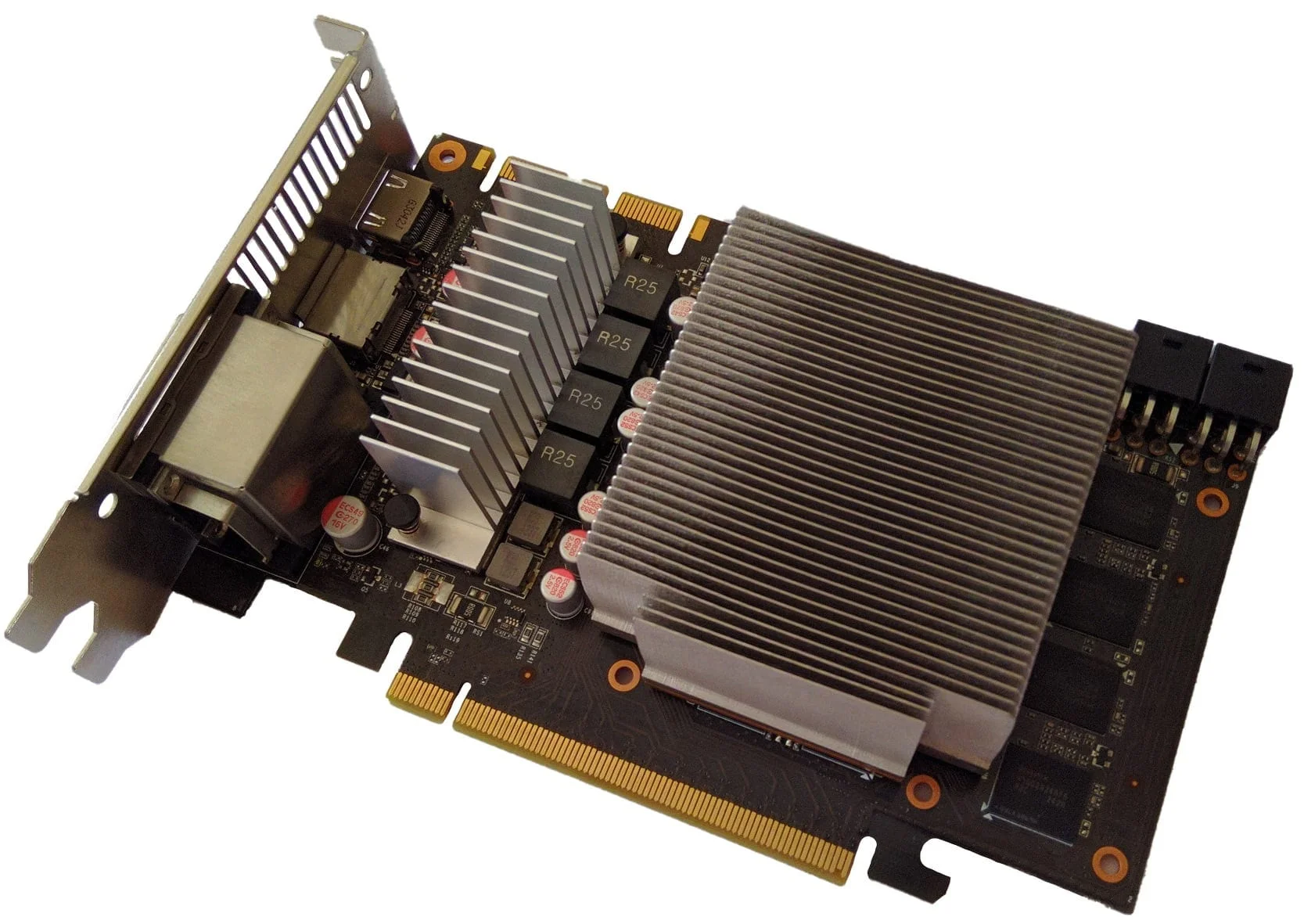
Otherwise, there are virtually no differences: we see a small reference aluminum heatsink with a copper GPU base, and a relatively large heatsink for the card's power delivery system:
 ⤢ ВІДКРИТИ
It's a rare sight, but the copper heatsink base is stamped with its manufacturing date: November 31, 2012.
The PCB and power delivery
The Gainward GeForce GTX 670 PCB has far more differences from NVIDIA's reference design than initially meets the eye. The first notable change is the GDDR5 memory chips, which are only located on the GPU side. Reference samples, in contrast, have memory soldered on both sides:
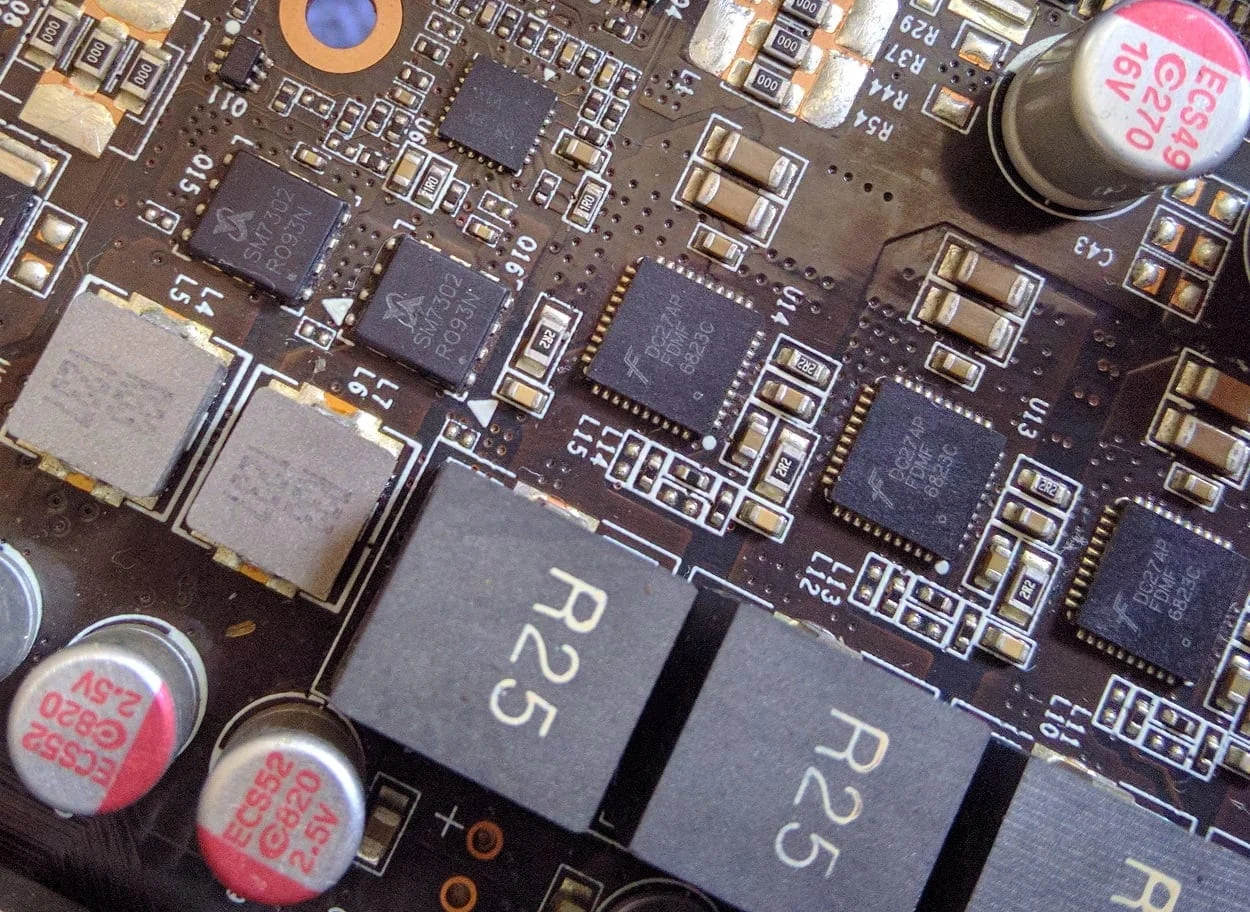
The second significant change is the use of DrMOS assemblies ("DC27 AP FDMF 6823C") in the GPU power system, replacing the usual reference MOSFETs. (DrMOS integrates MOSFETs and their drivers into a single package.) However, the graphics processor still retains its four power phases.
The GDDR5 video memory power delivery is virtually unchanged, still using standard "SM7302 R093N" MOSFETs. This means Gainward's engineers had no trouble sticking with the reference NCP5392P power controller.
 ⤢ ВІДКРИТИ
I'd love to say these DrMOS assemblies ultimately proved far more reliable and higher quality than standard MOSFETs with drivers – but unfortunately, practice shows they fail with roughly the same probability as the reference GPU power components.
Still, if you avoid overclocking (which is a definite no-go with this cooling system), set a custom fan curve, and keep the Power Limit at 100%, the card likely survived until 2020.
GPU and memory
 ⤢ ВІДКРИТИ
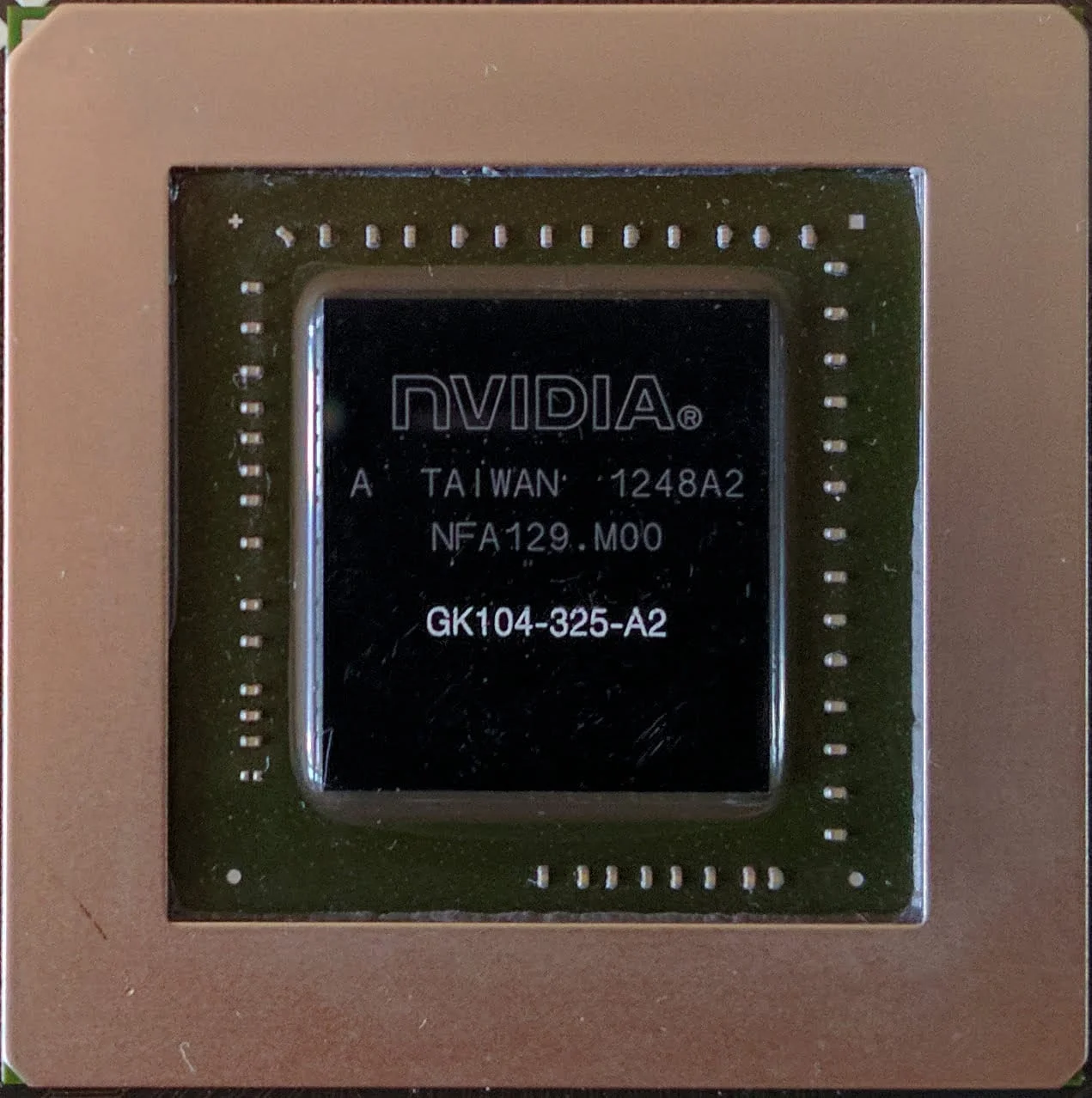
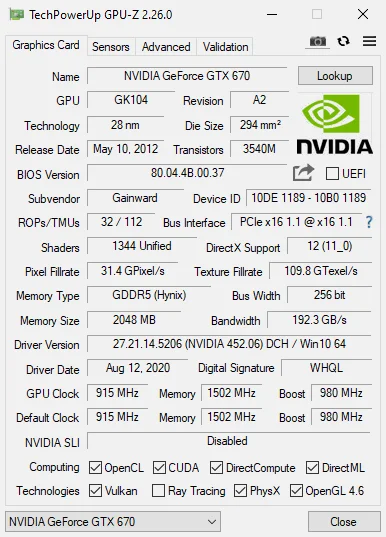
The GeForce GTX 670's core is the GK104-325-A2 GPU. Compared to its top-tier configuration in the GTX 680, it lost one SMX block, which reduced its physical compute power from 1536 stream processors and 128 texture units to 1344 and 112, respectively.
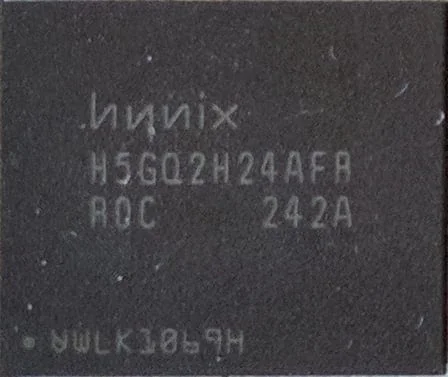
Regarding the VRAM, this GeForce GTX 670 uses eight 2-gigabit (256-megabyte) GDDR5 memory chips from SK Hynix, labeled H5GQ2H24AFR:
 ⤢ ВІДКРИТИ
According to Hynix's official website, this memory is rated for an effective frequency of 6000 MHz. H5GQ2H24AFR chips are quite common on both 2GB and rare 4GB versions of GTX 600 and GTX 700 series cards.
 ⤢ ВІДКРИТИ
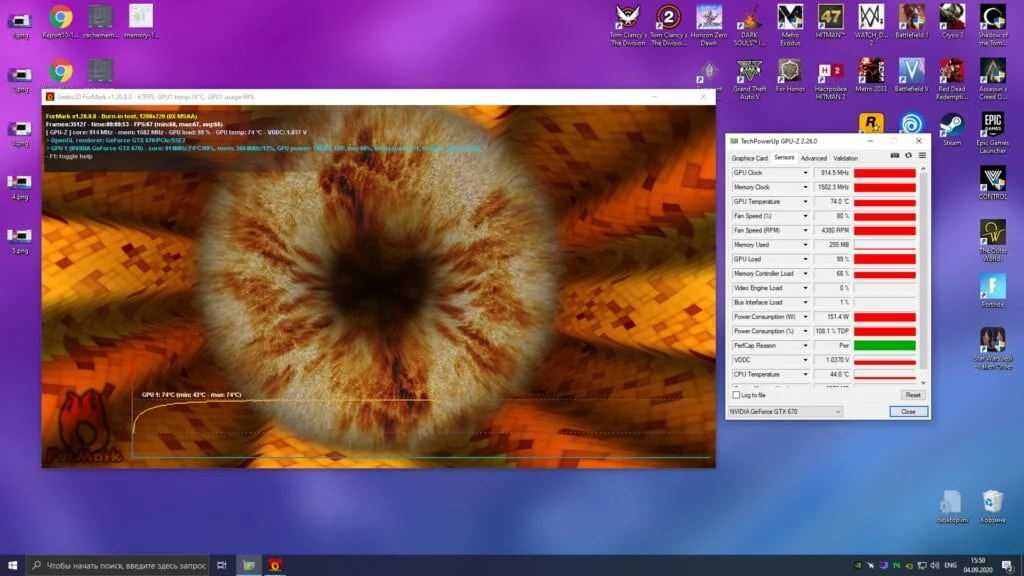
The GPU's base clock is 915 MHz, with a manufacturer-advertised boost of 980 MHz. Yet, in most games, the GPU frequency hovered between 1019-1084 MHz, typically hitting the higher end. The maximum recorded GPU voltage peaked at 1.175 volts. In the FurMark stress test, our GTX 670 sample's GPU frequency dropped to its base 915 MHz at 1.037 volts. This isn't unexpected, as the card hits its 160-170 watt Power Limit.
 ⤢ ВІДКРИТИ
The GPU's peak temperature hit 74 degrees Celsius, which is quite high, especially with an ambient room temperature of 24 degrees. In summer, this card could easily reach 80 degrees or more.
Test setup:
CPU: Xeon E5-2630L v3 @ 2800-2900MHz (unlocked Turbo Boost frequency);
GPU: Gainward GeForce GTX 670 2GB GDDR5 (stock clocks, 100% Power Limit);
Motherboard: Kllisre X99-D8 (AD12) with modified BIOS;
RAM: G.SKILL DDR4 @ 1866MHz, 4x 2GB F4-2400C15S-4GNT, 16GB total (10-10-10-24 timings);
SSD: KINGSTON 120GB SA400S37120G;
HDD: Seagate 2TB ST2000DM008-2FR102;
PSU: Chieftec GPS-1250C.
Games and graphics settings:
All games tested with the GTX 670 were updated to their latest versions.
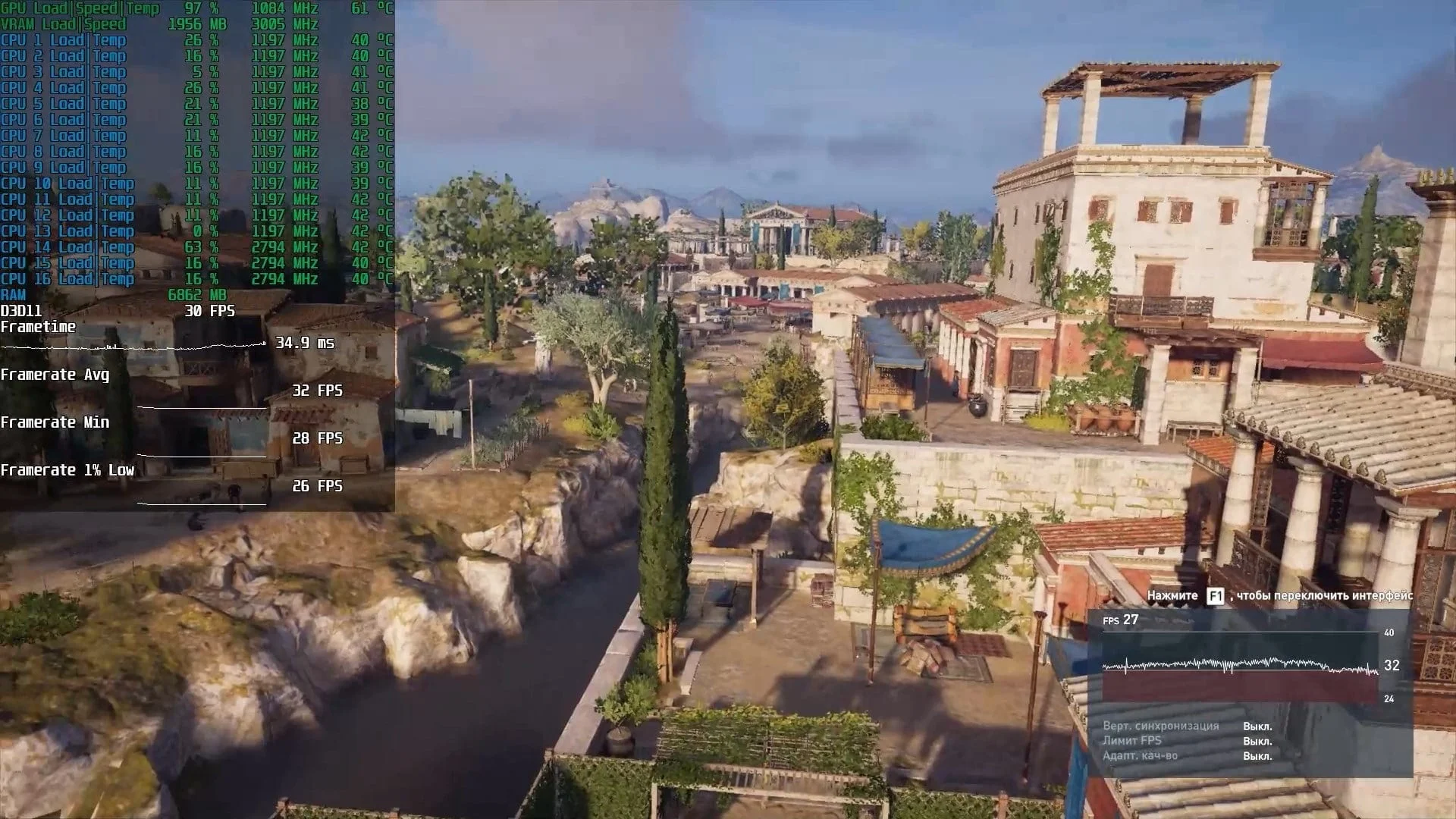
Assassin’s Creed Odyssey – 1920x1080 resolution (1920x1080 render), low graphics quality settings;
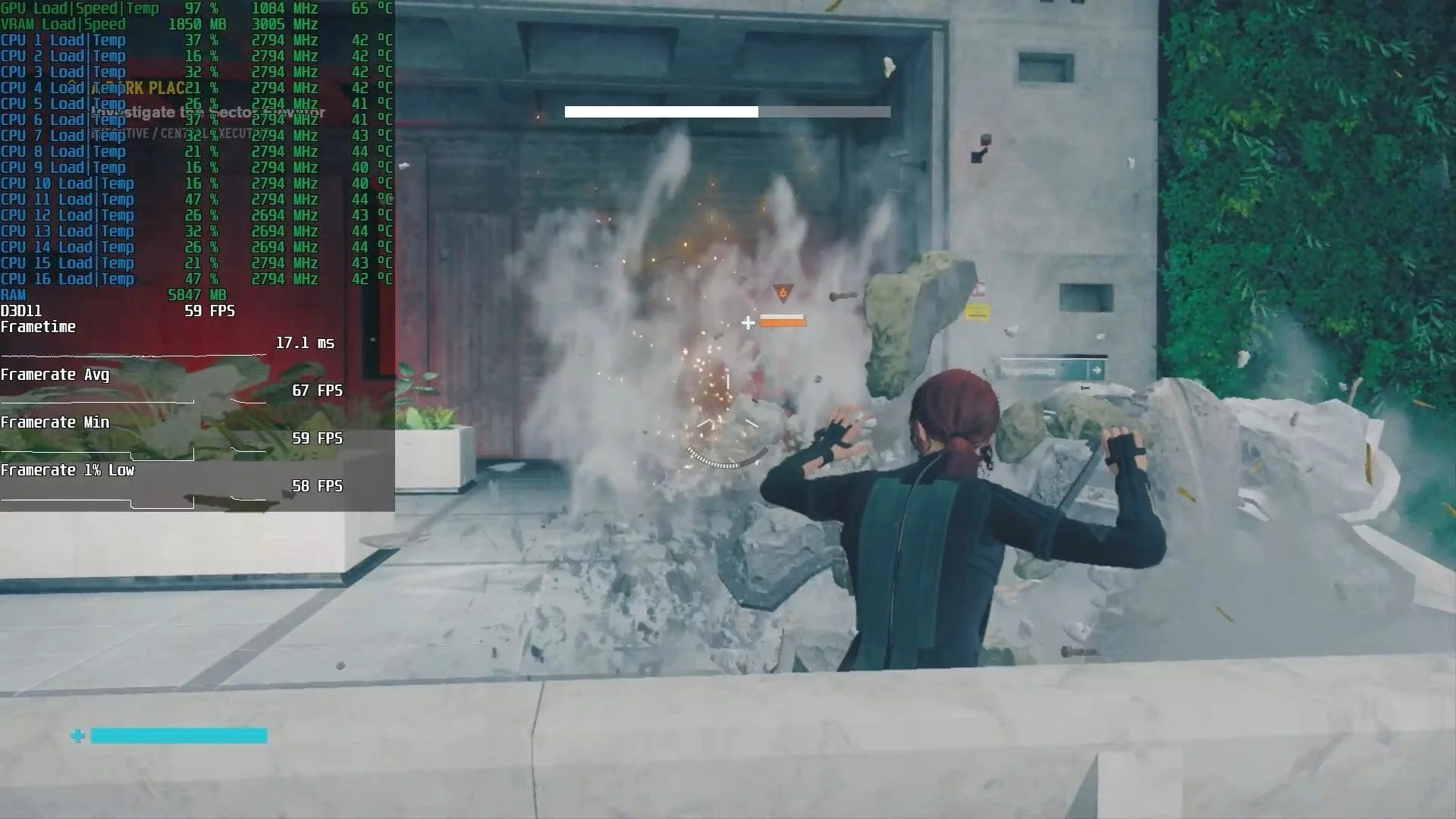
Control Ultimate Edition – 1920x1080 resolution (1366x768 render), low graphics quality settings;
Counter-Strike: Global Offensive – 1920x1080 resolution (1920x1080 render), high graphics quality settings;
Destiny 2 – 1920x1080 resolution (1920x1080 render), medium graphics quality settings;
For Honor – 1920x1080 resolution (1920x1080 render), high graphics quality settings;
Fortnite – 1920x1080 resolution (1920x1080 render), high graphics quality settings;
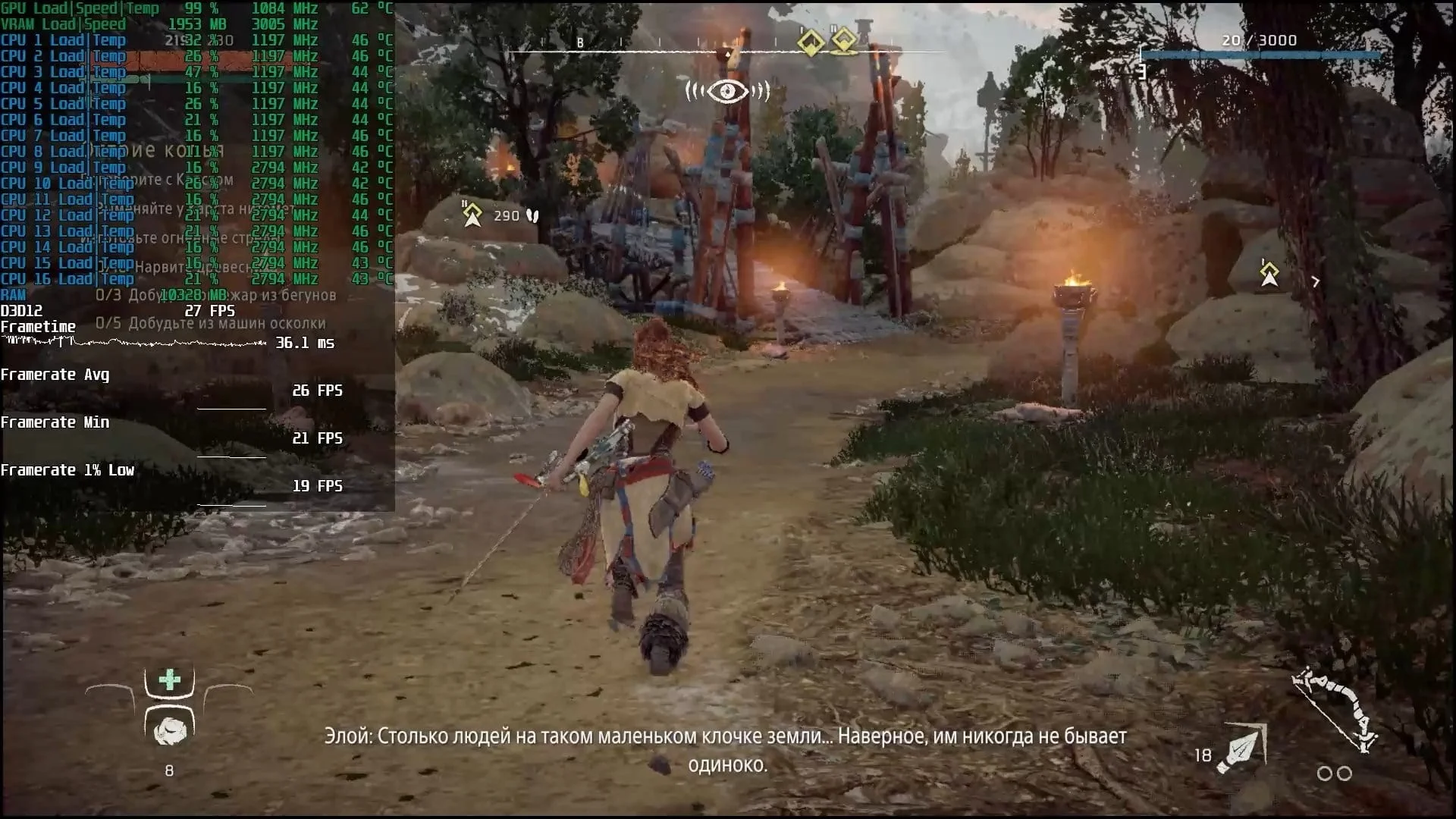
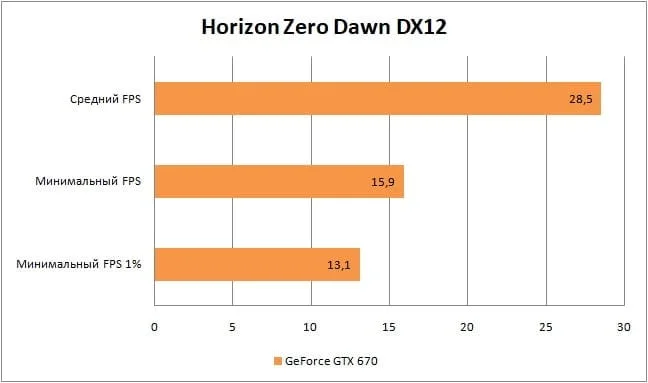
Horizon Zero Dawn (tested on patch 1.03) – 1920x1080 resolution (70% render scale, ~1280x720), ultra-low graphics quality settings;
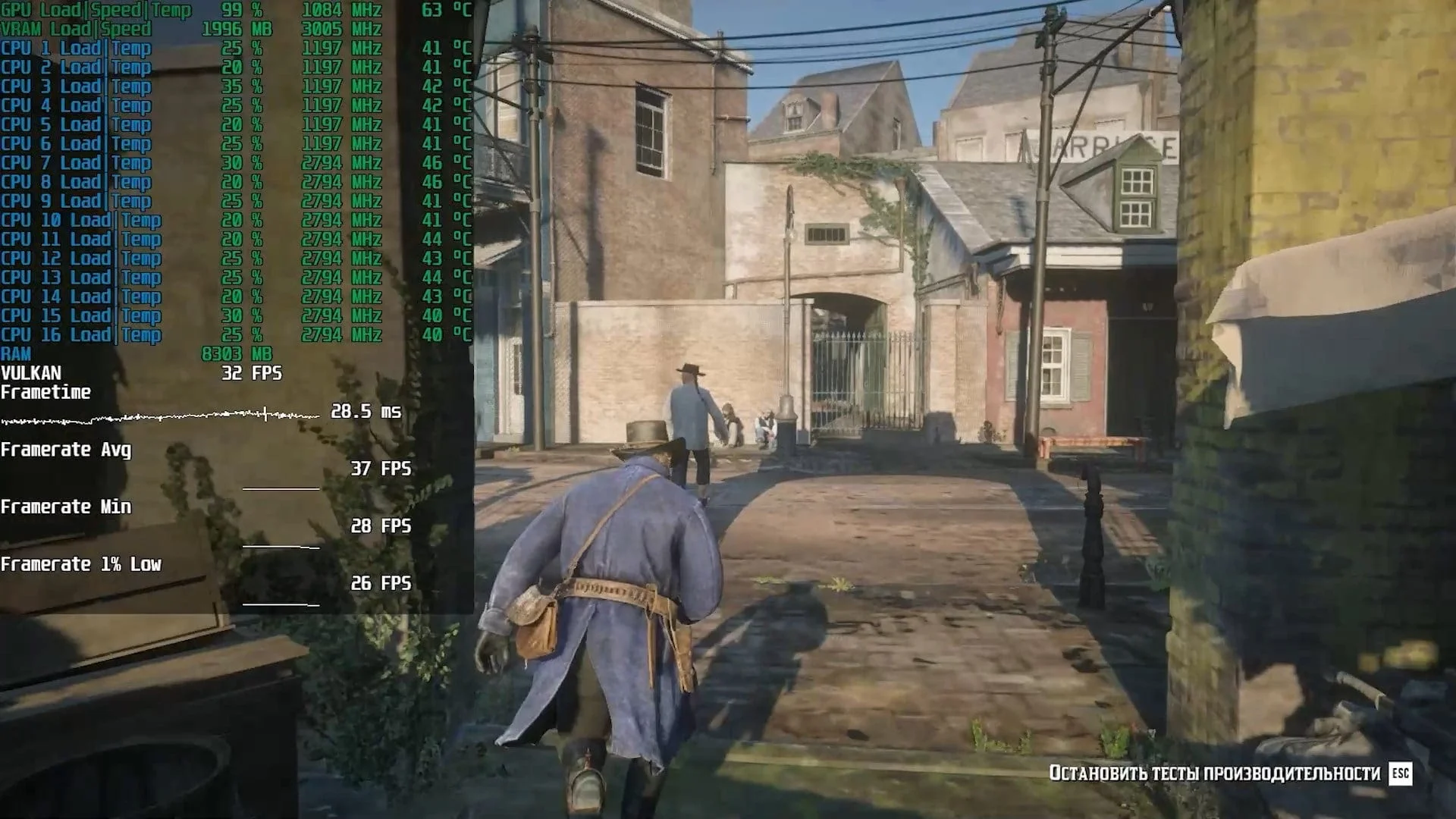
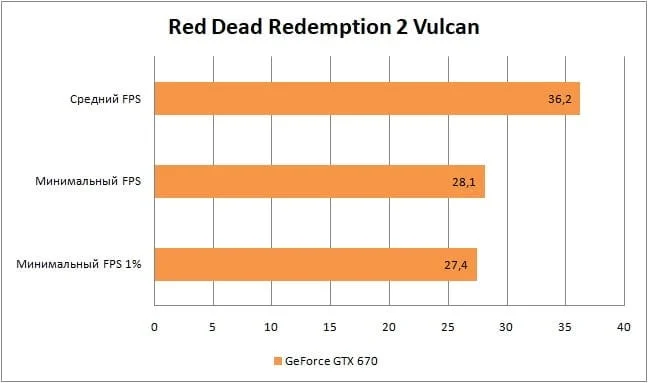
Red Dead Redemption 2 – 1600x900 resolution (1600x900 render), ultra-low graphics quality settings;
Remnant: From the Ashes – 1920x1080 resolution (1920x1080 render), medium graphics quality settings;
Outer Worlds – 1920x1080 resolution (1920x1080 render), low graphics quality settings;
Tom Clancy's The Division – 1920x1080 resolution (1920x1080 render), medium graphics quality settings;
Tom Clancy's The Division 2 – 1920x1080 resolution (1920x1080 render), low graphics quality settings;
Watch_Dogs 2 – 1920x1080 resolution (1920x1080 render), high graphics quality settings;
For more detailed graphics settings, check out the GTX 670 testing video at the end of this article.
Now, let's dive into the gaming performance of this "mid-range" Kepler card:
Assassin’s Creed Odyssey
 ⤢ ВІДКРИТИ
 ⤢ ВІДКРИТИ
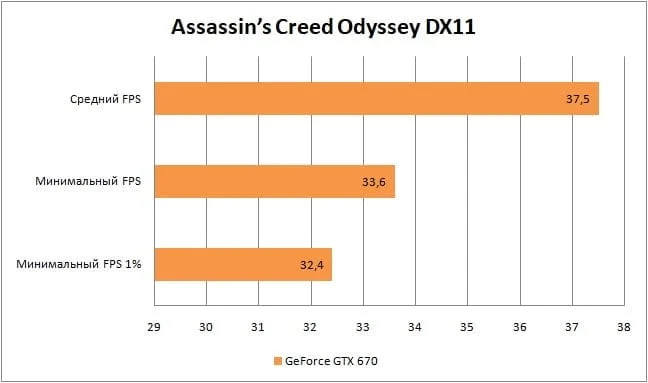
The first game on our list, Assassin’s Creed Odyssey, immediately brings us back to reality. With low graphics settings at FullHD, the GTX 670 delivers relatively weak results, hovering around the minimally acceptable 30 frames per second. If frame rate trumps visual quality for you, lowering the resolution can boost performance.
Control
 ⤢ ВІДКРИТИ
 ⤢ ВІДКРИТИ
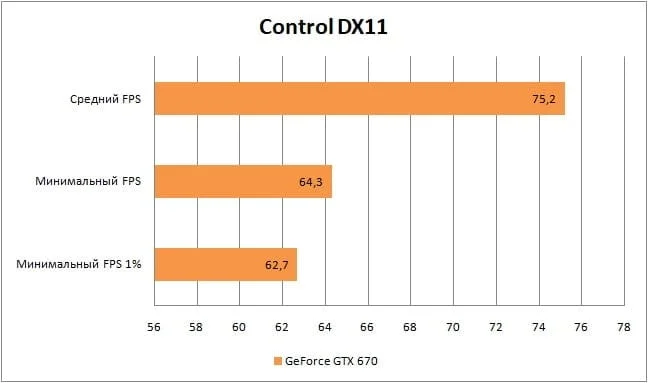
Unlike Assassin’s Creed Odyssey, Control is a more dynamic game. The 30-45 frames we saw at FullHD felt too "sluggish," but by dropping the internal render resolution to 1366x768, we hit an average of 75 FPS without a drastic hit to image quality. That's actually an astonishing result! Sam Lake and his team at Remedy Entertainment did a truly stellar job with their engine, which, fun fact, also powered their previous project, the notoriously demanding Quantum Break. Bravo!
CS:GO
 ⤢ ВІДКРИТИ
 ⤢ ВІДКРИТИ
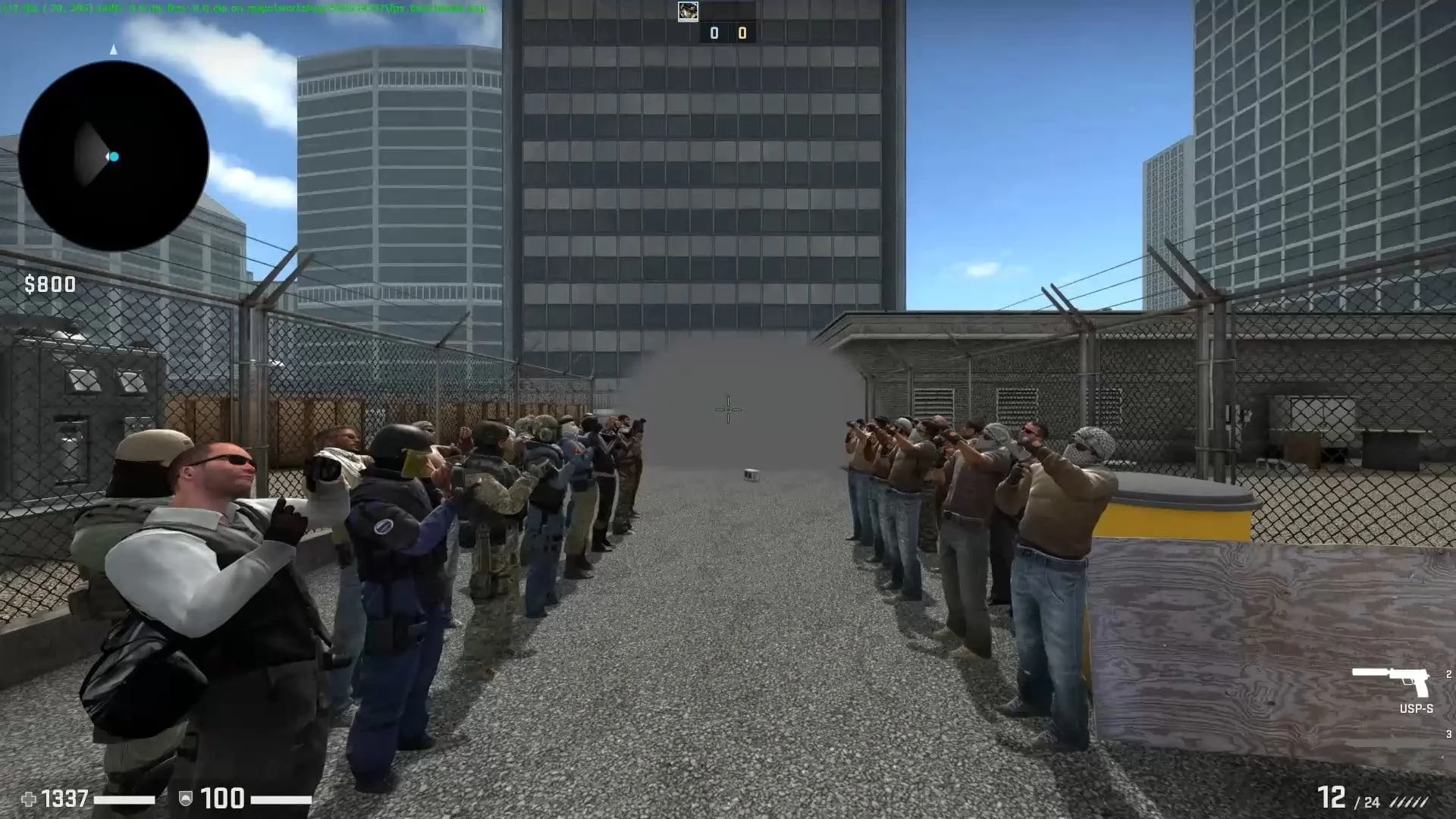
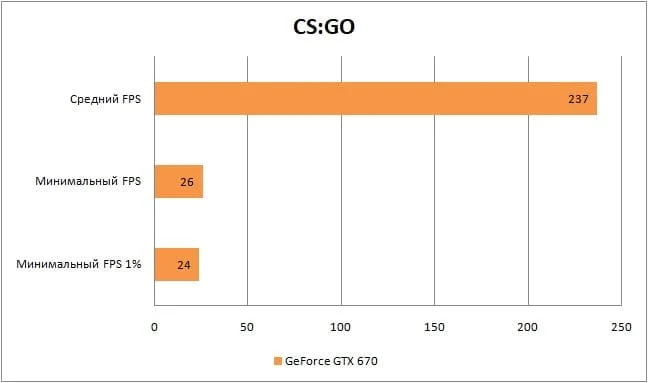
We used a benchmark from the game's workshop to test performance in Counter-Strike: Global Offensive.
While average frame rates are excellent, the GTX 670 clearly struggles with minimums. However, don't take benchmark data as gospel: it generates numerous events almost impossible to replicate in a single gameplay scenario. For example, we didn't see such low FPS on classic quick-match maps. Plus, you can always drop graphics settings further.
Destiny 2
 ⤢ ВІДКРИТИ
 ⤢ ВІДКРИТИ
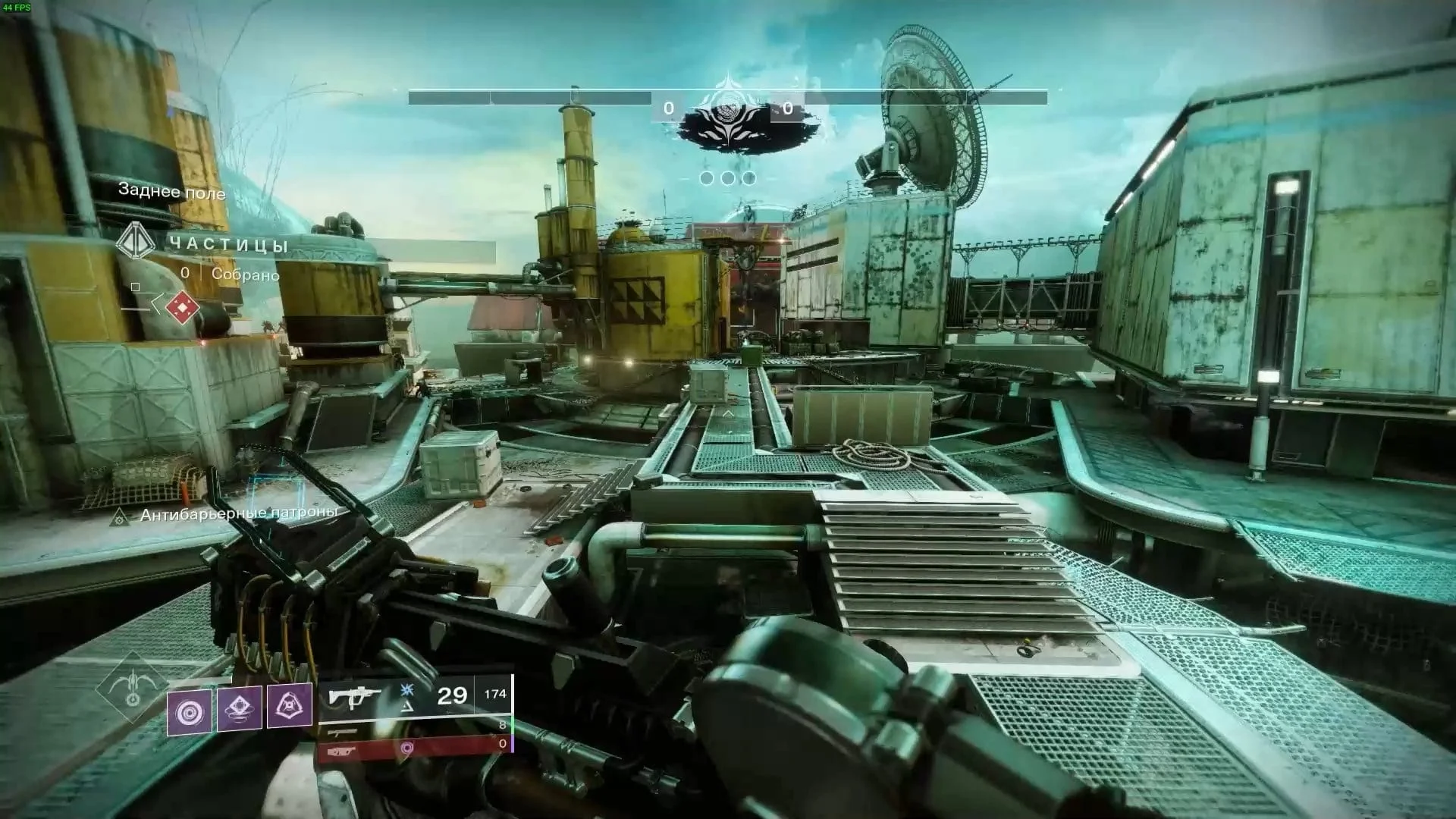
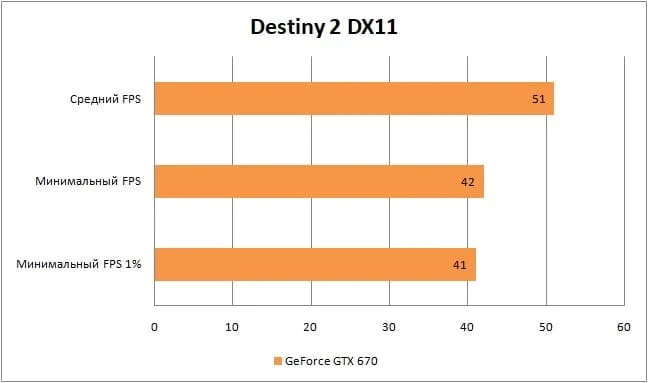
Given Destiny 2's PVE focus, an average frame rate of 51 is perfectly acceptable. However, for the "Crucible" PVP mode, you'll definitely need to drop settings to minimum.
For Honor
 ⤢ ВІДКРИТИ
 ⤢ ВІДКРИТИ
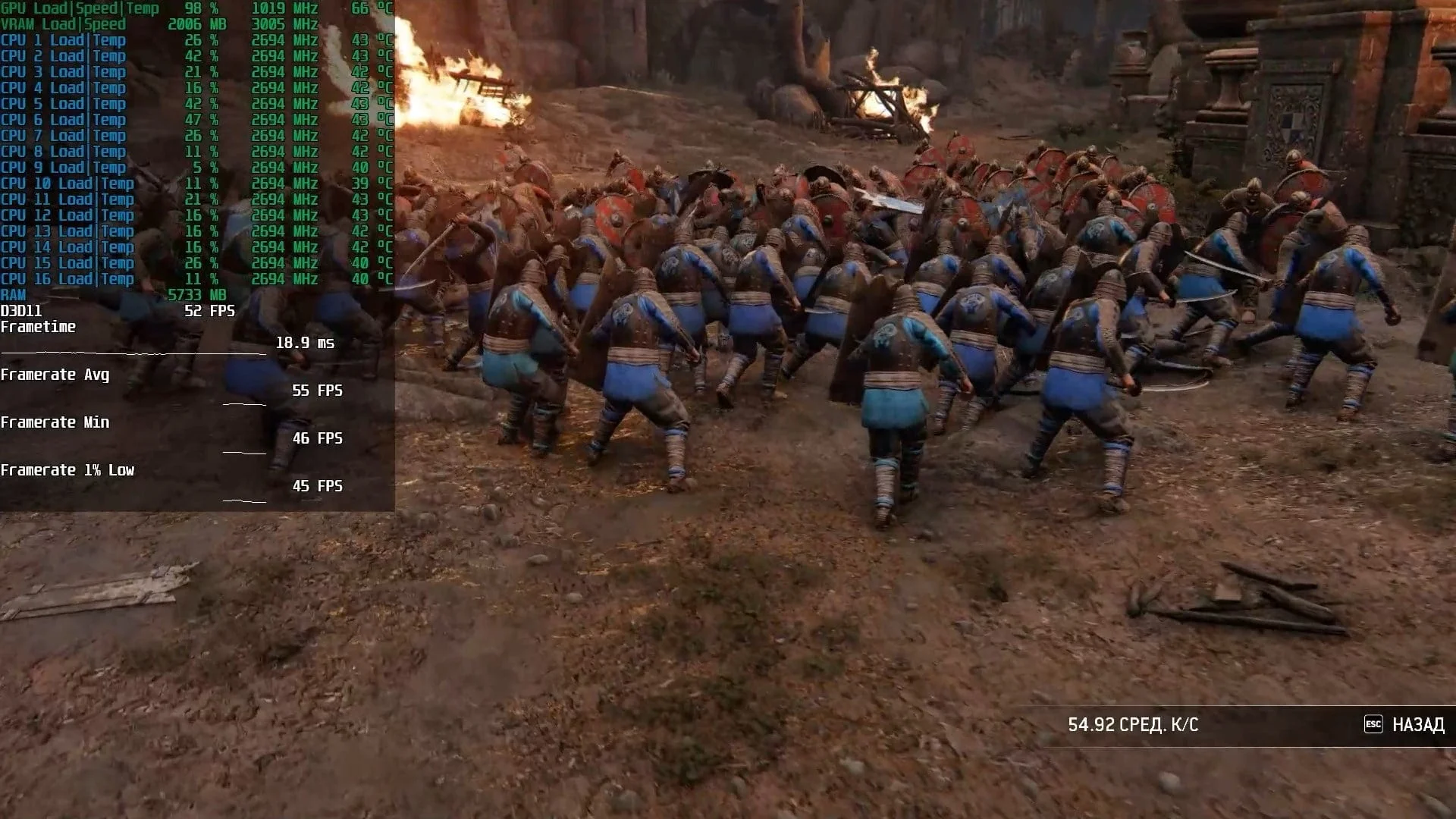
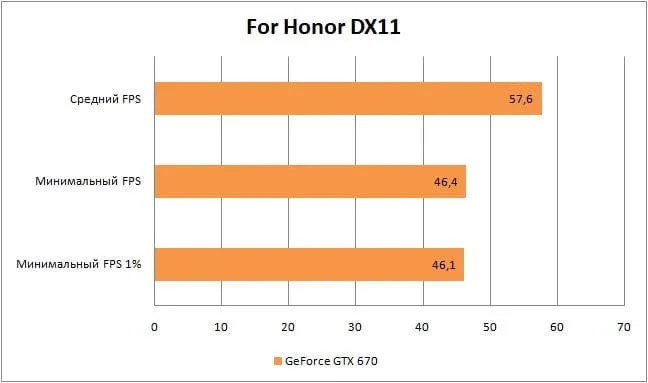
For Honor's medieval battles run at around 60 frames per second on the GTX 670, which is an astonishing result on high graphics settings!
Fortnite
 ⤢ ВІДКРИТИ
 ⤢ ВІДКРИТИ
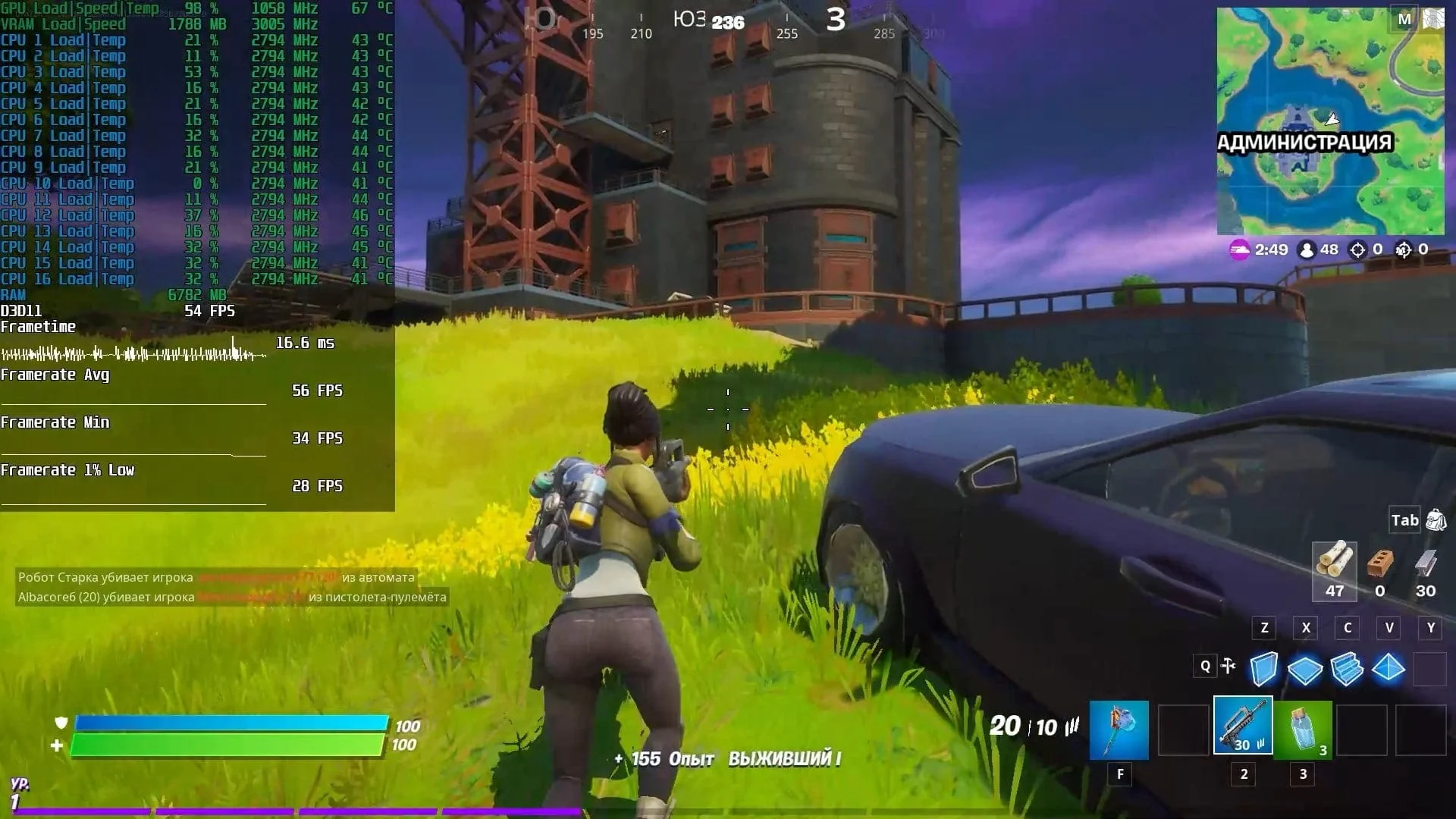
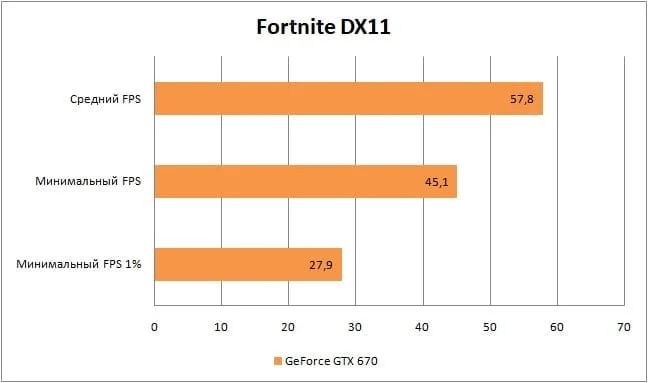
The same holds true for Fortnite. With a GTX 670 in your system, you can comfortably play Epic Games' battle royale at 1920x1080 resolution on high graphics quality settings.
There's not much point in focusing on 1% lows in this game, as they're primarily linked to data loading from the storage drive.
Horizon Zero Dawn
 ⤢ ВІДКРИТИ
 ⤢ ВІДКРИТИ
However, playing Guerrilla Games' much-hyped Horizon Zero Dawn is practically impossible. Besides flickering objects, low FPS, and frankly atrocious graphics on low settings, the game also crashes quite frequently to the desktop. While this last issue isn't tied to a specific graphics card (similar problems plague more modern cards like the RX 470, GTX 1070, or GTX 1060), patch 1.03 sadly didn't manage to fix Horizon Zero Dawn's crashes entirely.
Incidentally, we even included one of these crashes in the GeForce GTX 670 testing video, which, as I mentioned, is at the end of this article.
Red Dead Redemption 2
 ⤢ ВІДКРИТИ
 ⤢ ВІДКРИТИ
If we're talking strictly about Red Dead Redemption 2's story campaign, the GeForce GTX 670 might let you scrape by, but you'll be playing right at the edge of unplayability. The real question is, is it worth it? RDR2 is an incredibly rewarding and captivating experience, but you'd be stuck enduring constant FPS drops, ultra-low graphics settings, and resolution "jaggies" for dozens of hours. Whether it makes sense to spoil your enjoyment of a game like Red Dead Redemption 2 is, of course, your call, but the GTX 670 will only deliver an average of 36 FPS and lows of 28.
Remnant
 ⤢ ВІДКРИТИ
 ⤢ ВІДКРИТИ
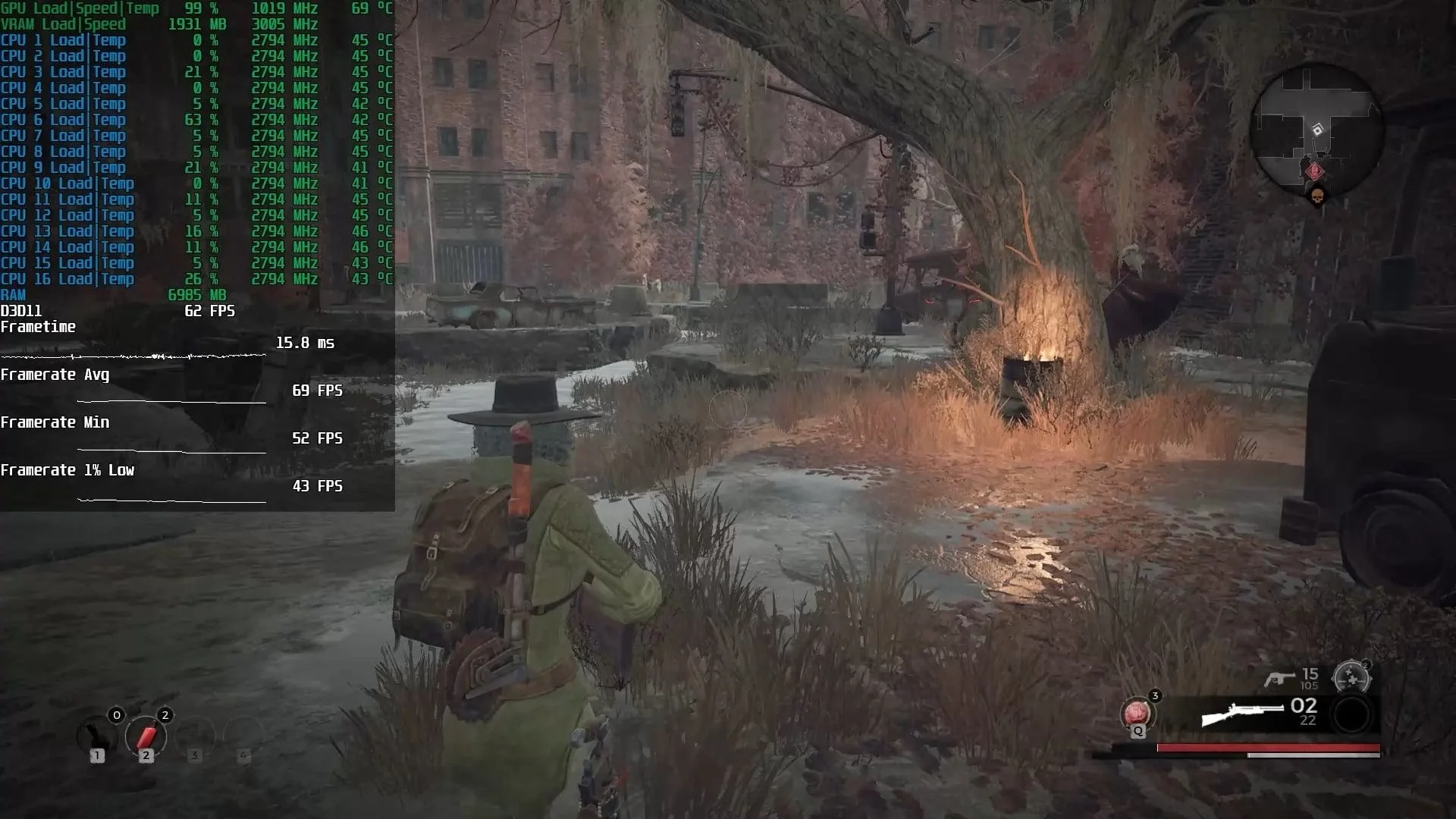
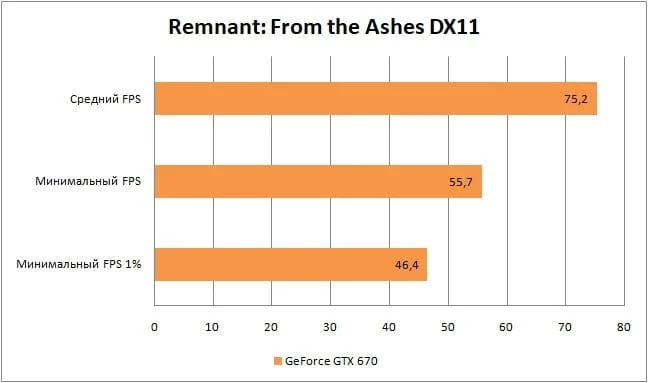
You can confidently play last year's acclaimed Souls-like action game, Remnant: From the Ashes, on the GTX 670. The game runs great, with no freezes or lags, and most importantly, a high frame rate: an average of 75 and a minimum of 55. Just don't push the graphics settings too high; otherwise, once the 2GB VRAM buffer overflows, you'll see severe FPS drops.
Outer Worlds
 ⤢ ВІДКРИТИ
 ⤢ ВІДКРИТИ
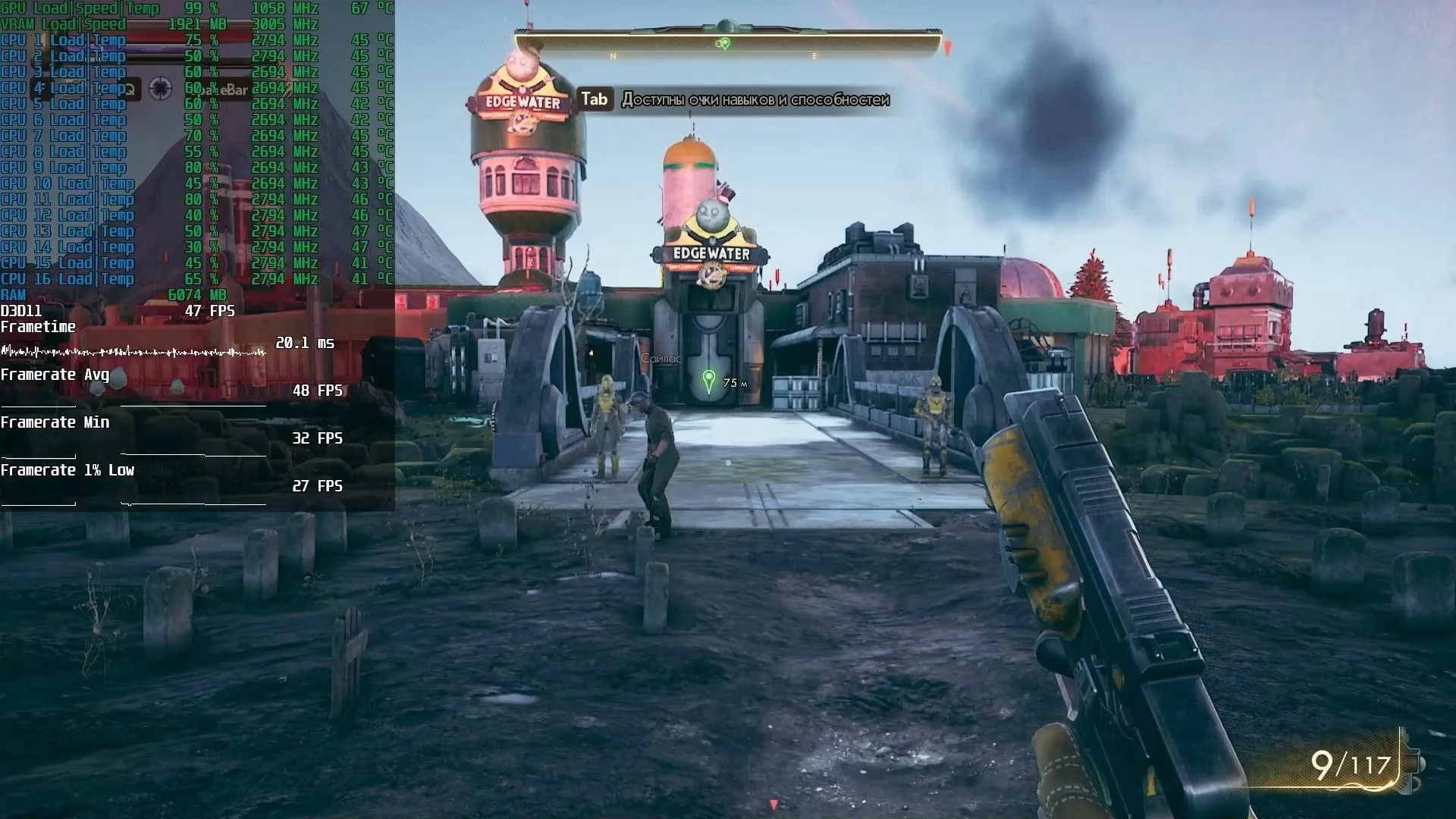
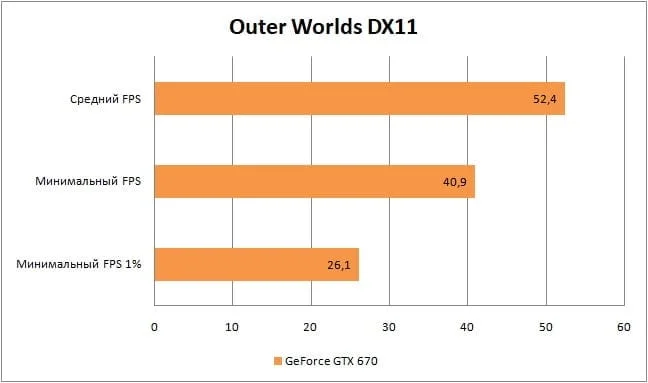
The GTX 670 delivers relatively acceptable performance in Outer Worlds. We didn't experience any significant gameplay discomfort at this framerate, but we couldn't push settings higher than "low"; the FPS quickly became completely unplayable.
The Division
 ⤢ ВІДКРИТИ
 ⤢ ВІДКРИТИ
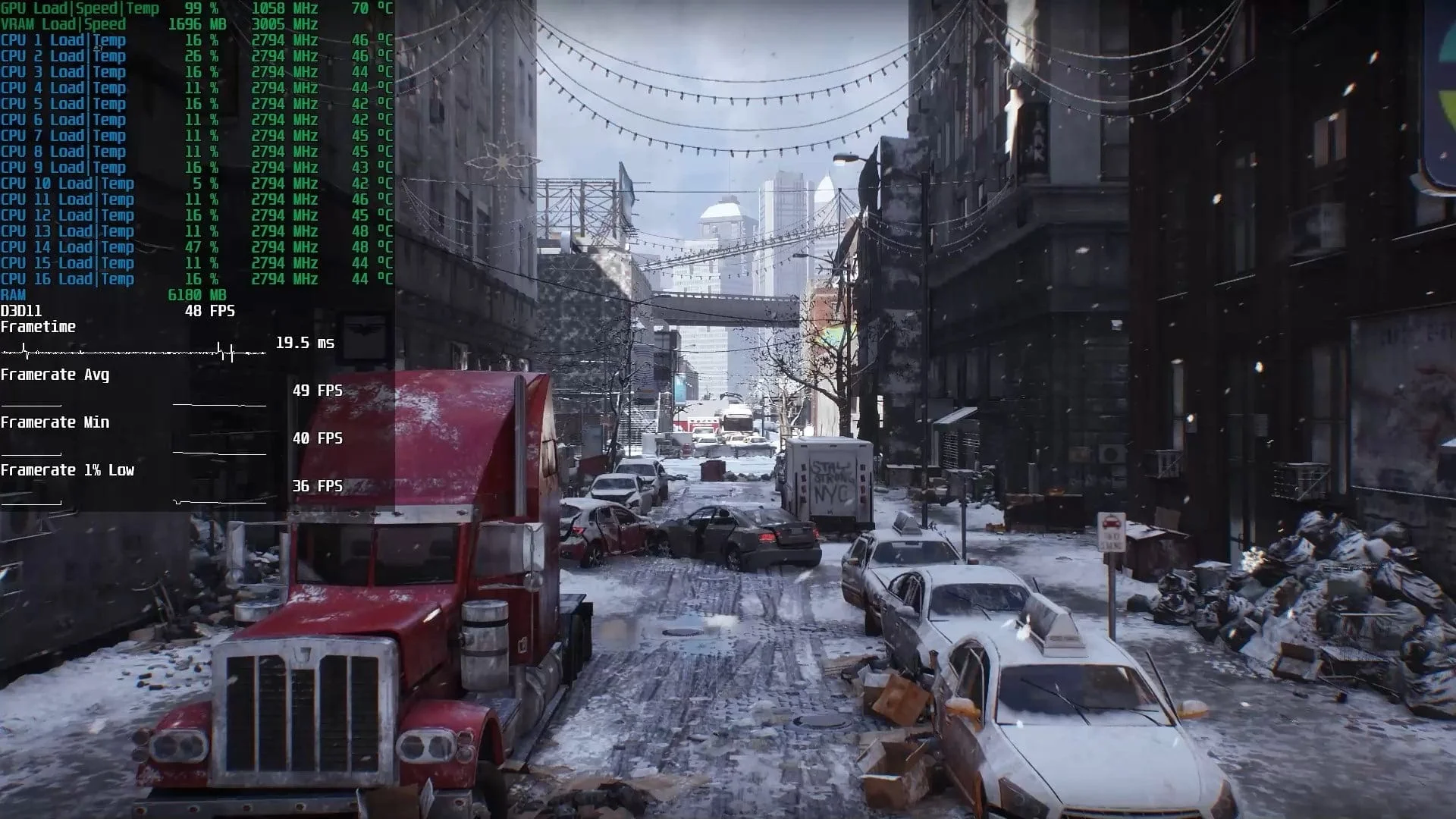
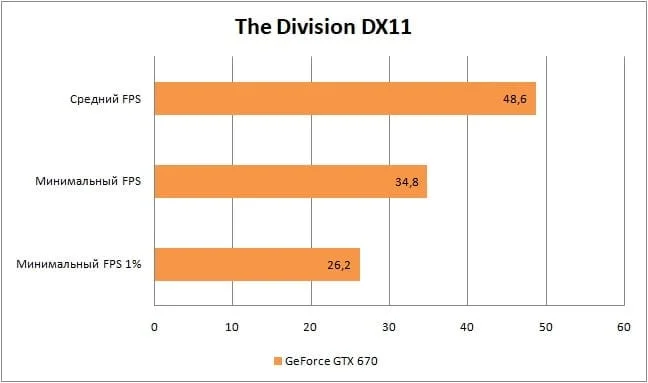
In the first MMOFPS, The Division, the situation is quite ambiguous. With the medium graphics settings chosen for testing, the GTX 670 delivers rather mediocre results, averaging 48 frames per second. However, owners of this card still have options: drop to low settings or reduce the render resolution to 1600x900.
Still, the game's PVE content is perfectly playable on medium graphics settings. But before heading into the "Dark Zone" (where you might run into PVP), it's definitely better to drop the quality to "low."
The Division 2
 ⤢ ВІДКРИТИ
 ⤢ ВІДКРИТИ
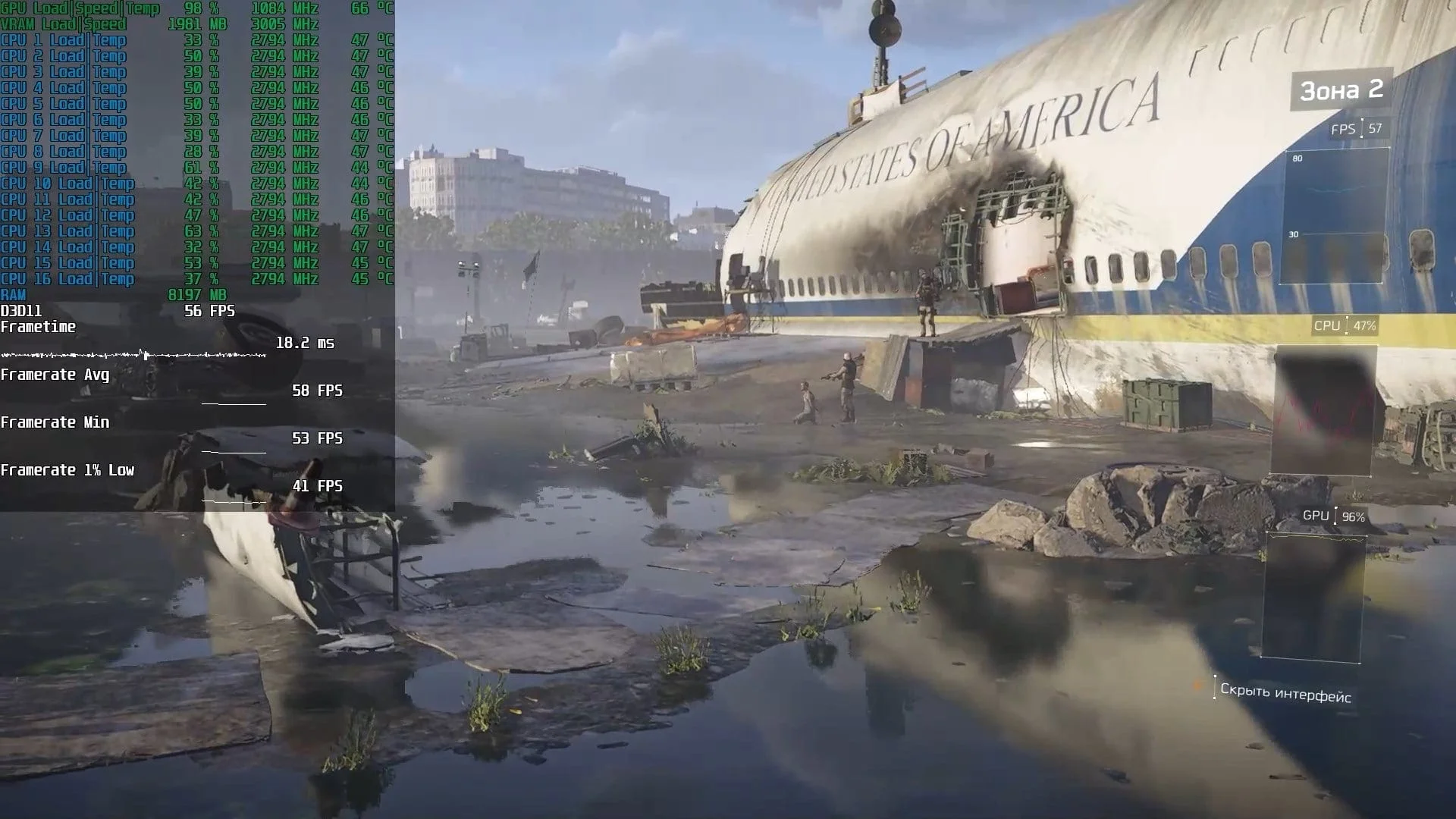
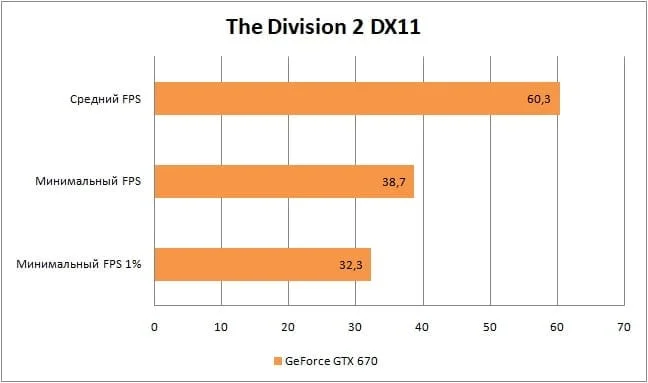
In the sequel, The Division 2, there's critically little room to maneuver: if 60 average and 38 minimum frames per second aren't enough, you'll have to sacrifice screen resolution, dropping it to 1600x900 or even 1280x720. Still, we think that's a perfectly acceptable result for enjoying The Division 2's PVE content.
Watch_Dogs 2
 ⤢ ВІДКРИТИ
 ⤢ ВІДКРИТИ
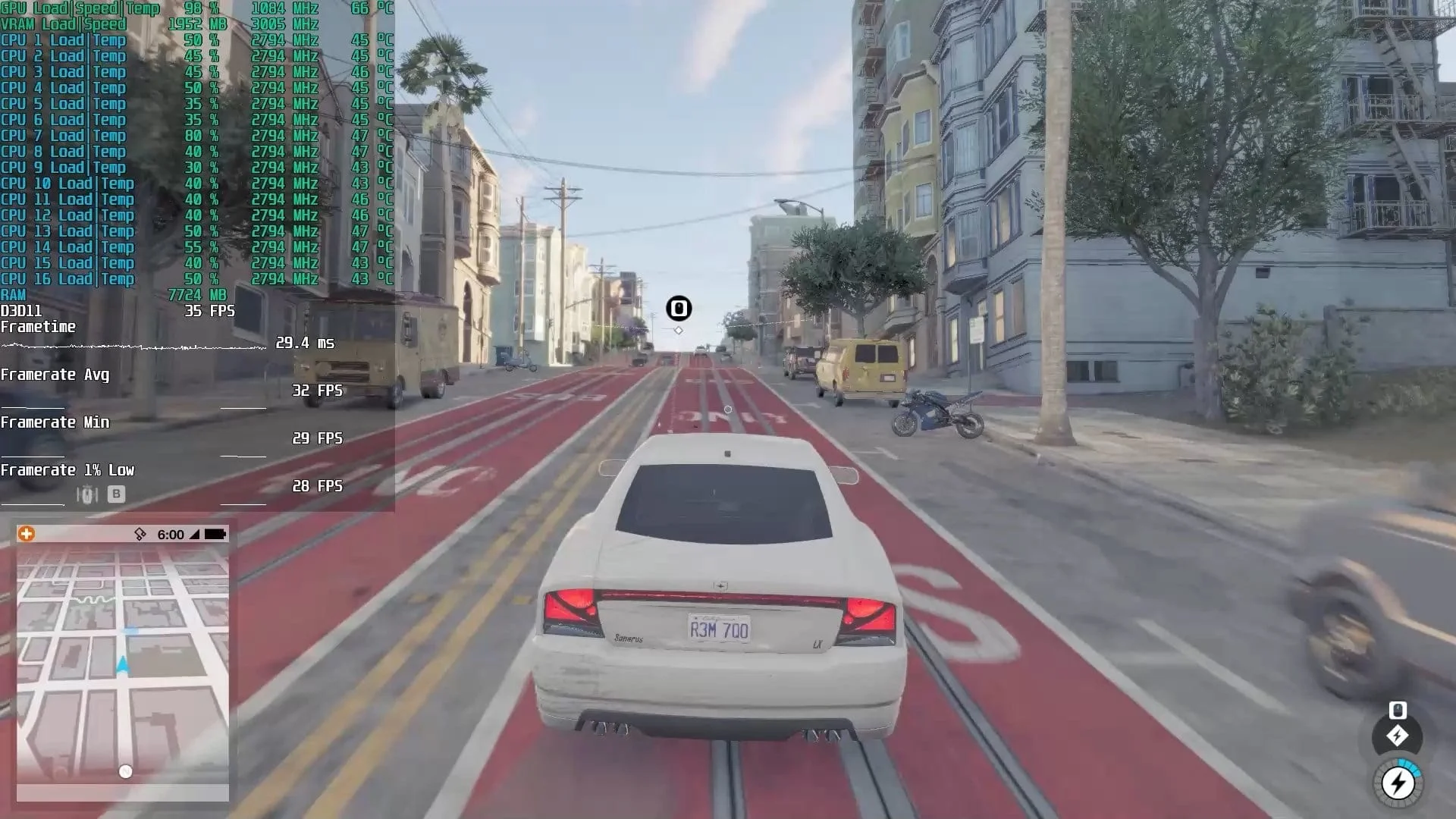
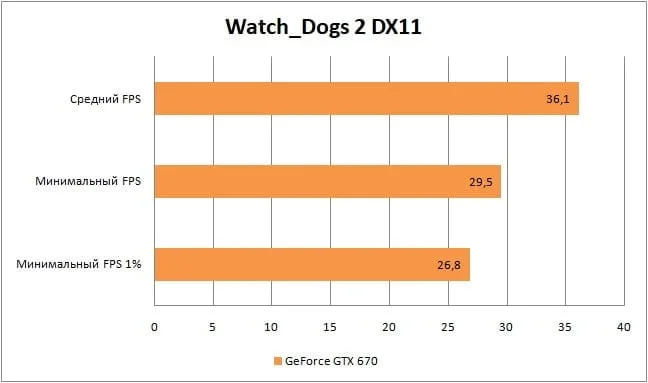
The GTX 670 handled Watch_Dogs 2 at high graphics settings. While an average of 36 FPS and lows of 29 might seem weak at first glance, in practice, it's not bad at all: gameplay doesn't feel sluggish, vehicle controls are quite comfortable, and aiming and shooting present no issues. In short, 30 frames per second in Watch_Dogs 2 looks perfectly adequate.
Plus, you can always drop graphics settings to medium for a nearly twofold performance boost. Or, better yet, custom-tune the game with a mix of low, medium, and high settings.
YouTube
By loading, you allow content from YouTube (cookies may be set).
Summary
Honestly, when I started this testing, I didn't expect the aging GeForce GTX 670 to still be capable of much. But based on our results, this budget "Kepler" card can still deliver a more-or-less playable framerate in modern and relatively modern games, even in 2020.
Unfortunately, you'll often have to dial graphics settings down to their minimum. Sometimes, you'll even need to drop below a comfortable 1920x1080 (for compatible monitors) to 1600x900, or even worse, 1366x768. But I suspect potential owners of this GPU already know that.
However, there's also good news: if your monitor doesn't support Full HD, you won't run into any issues with the GTX 670.
Finally, a few words on this graphics solution's relevance and its standing in the used components market:
Currently, cards like the GeForce GTX 670 remain quite popular, and thus are widely available on the secondary market. However, their pricing is often completely out of sync with their performance. Beyond that, a major bottleneck for the GTX 670, 680, and 690's acceptable performance is their meager 2GB of VRAM, especially by 2020 standards. This amount isn't enough even for minimal settings in the vast majority of the projects we tested.
To summarize, I absolutely wouldn't recommend buying a GeForce GTX 670 on the secondary market. Even if you're on a super tight budget, it's better to wait, save up, and consider slightly pricier cards like the Radeon RX 470 (4GB) or GeForce GTX 1060 (3GB). Those GPUs offer a completely different level of performance, yet sometimes only cost a few tens of dollars more than a GeForce GTX 670.