TESTS · VIDEOCARDS · NVIDIA
PUBLISHED
READING11 min
Pitcairn in 2020: AMD Radeon HD 7870 (2GB) tested in 16 popular games
Testing the legendary AMD Radeon HD 7870 in 16 popular games from 2020 and comparing its performance to the GeForce GTX 670.
The AMD Radeon HD 7870 graphics card was released back in 2012. Over the eight years since its launch, it went through several incarnations, first rebranded as the Radeon R9 270/270X, and later, in a slightly cut-down form (essentially down to HD 7850 levels), as the Radeon R9 370.
Back when the Radeon HD 7870 was still relevant and widely available, it struggled against the GeForce GTX 660 Ti, often losing to it and instead competing with the lower-end GeForce GTX 660. But as time went on, NVIDIA released the GeForce 900 series and abandoned driver optimization for its 600 and 700 series cards. AMD, on the other hand, kept actively optimizing its software for GCN 1.0-based GPUs (the HD 7000 series, as well as parts of the R9 200 and R9 300 series).
Of course, AMD didn't do this out of the goodness of their hearts. Users benefited because the Red camp lacked new mainstream GPUs. As a result, the HD 7870 was first rebranded (and slightly overclocked) as the Radeon R9 270X, and later, as mentioned, became the Radeon R9 370 with cut-down hardware specs.
This meant that active driver support, with plenty of optimizations and bug fixes for the Radeon HD 7870, lasted all the way up to the Radeon RX 460 launch, with some optimizations landing even a year after the 400-series debut. In other words, HD 7000 owners received fresh, optimized drivers for over five years.
Looking at benchmarks from other outlets over the last eight years, it is clear that the Radeon HD 7870 went from competing with the GeForce GTX 660 and 660 Ti to becoming a serious rival to the GTX 670 and 760, and in some games, even the GTX 680 and 770.
Unfortunately, we don't have a GTX 680 in our lab right now, so we will limit this comparison to the GTX 670. However, once we get our hands on a GTX 680, we will definitely test it against the HD 7870.
Another interesting, if somewhat theoretical, detail is that the HD 7870 has a GPU with similar raw performance to the chips powering the PlayStation 4 and Xbox One. In 2020, this makes analyzing the Radeon HD 7870's performance even more fascinating, at least for a niche group of enthusiasts.
Welcome to the final piece from our September benchmarking session!
The graphics card
We got our hands on a rather interesting and beefy custom AMD Radeon HD 7870 from HIS: the Radeon HD 7870 IceQ Turbo.
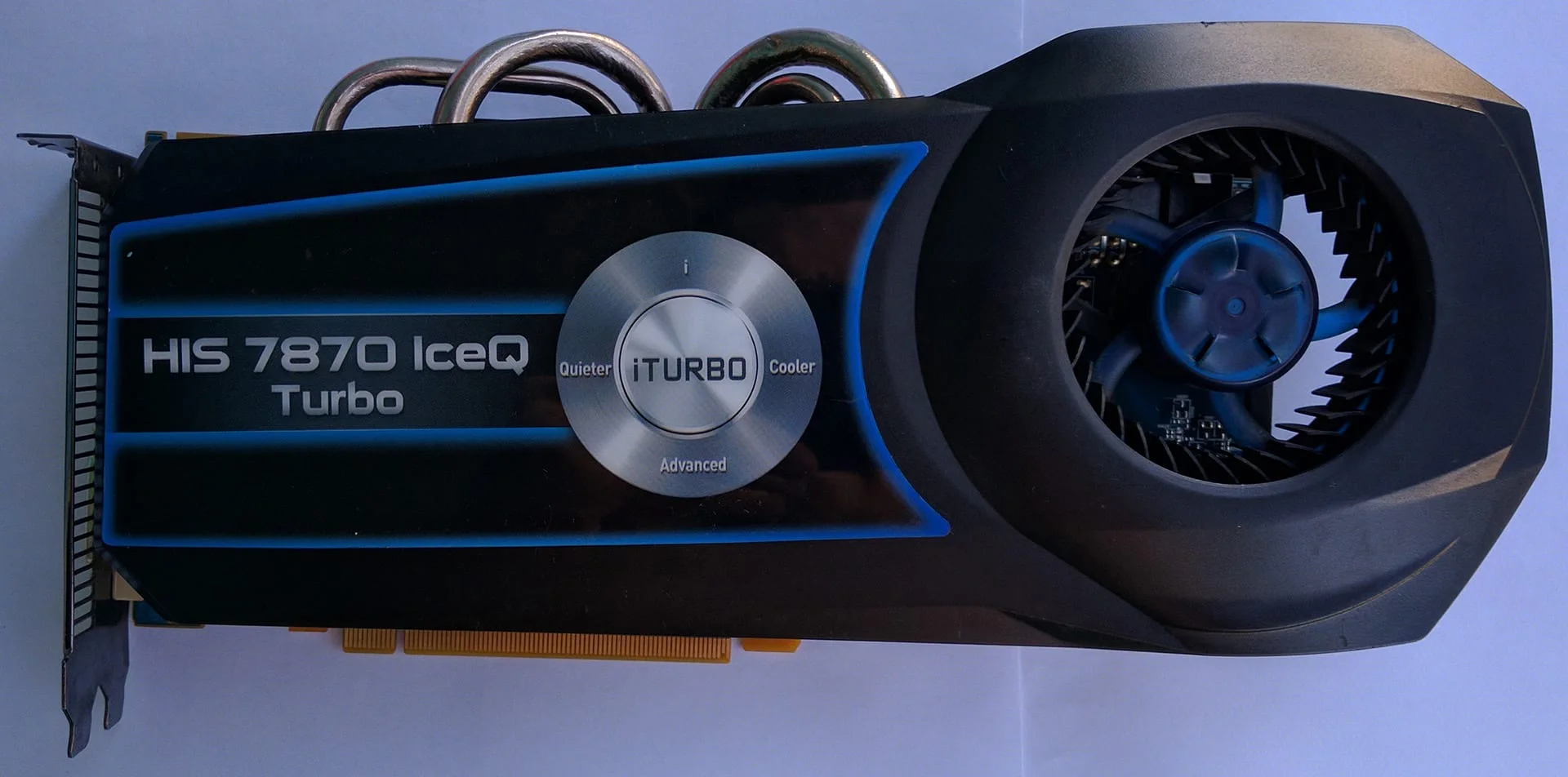
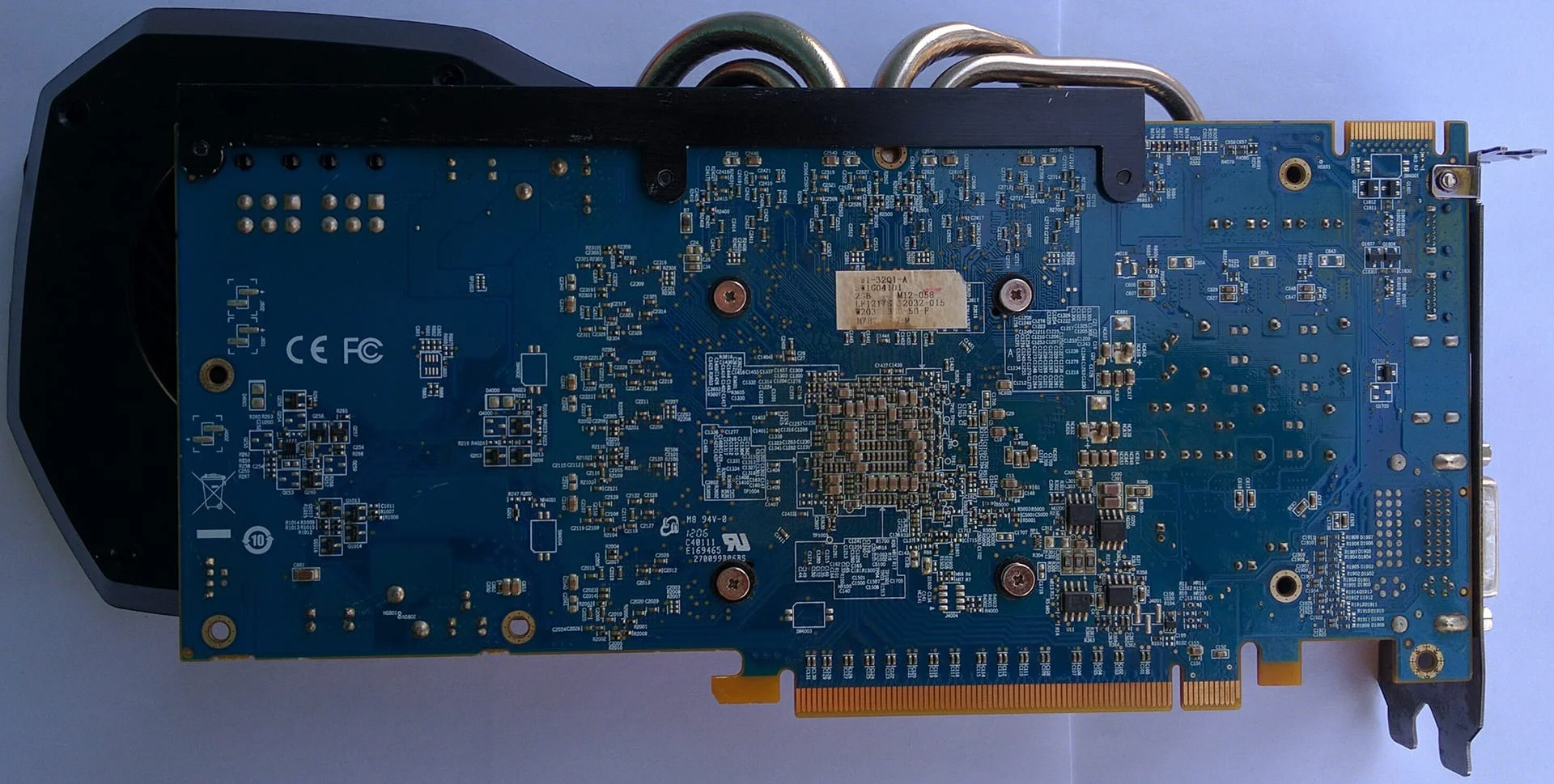
This card features a massive blower-style cooler, which doesn't usually bode well for noise or thermals. However, in practice, the Radeon HD 7870 IceQ Turbo is surprisingly pleasant to use, running both cool and quiet. The only major downside is the complete lack of cooling for the DrMOS components, which could impact their lifespan and hurt the card's overclocking potential.
PCB and power delivery
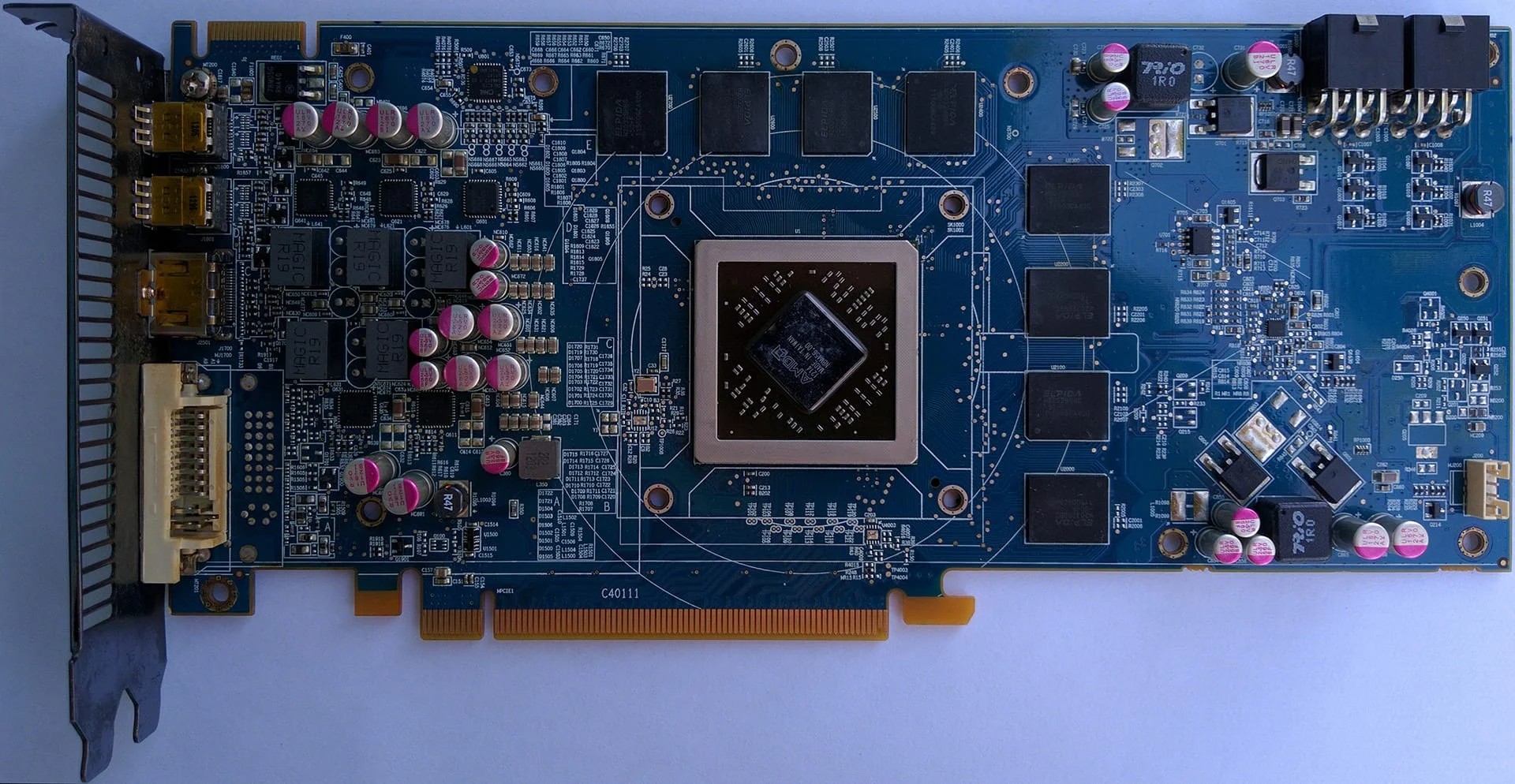
Under the hood, the Radeon HD 7870 IceQ Turbo PCB uses AMD's reference design, but in HIS's signature blue color:
 ⤢ ВІДКРИТИ
The IceQ Turbo Radeon HD 7870 uses a CHiL CHL8225 controller for power management, paired with six Renesas 20658 DrMOS power stages:
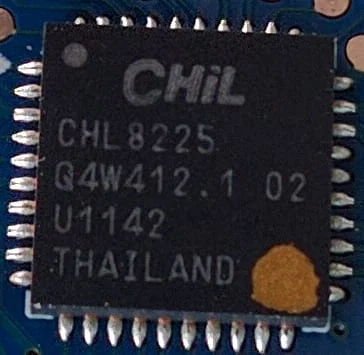
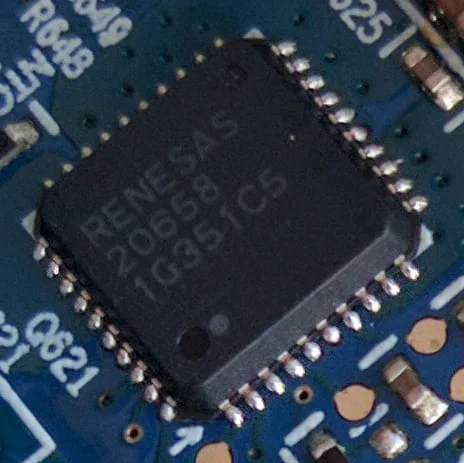
Without dedicated heatsinks, the Renesas 20658 chips run quite hot. You can even see distinct darkening on the PCB around them. And you can't blame this on the reference layout, since AMD's original blower cooler uses a baseplate that cools the power delivery components perfectly. It is a bizarre decision by HIS to leave such hot-running components completely uncooled.
GPU and memory
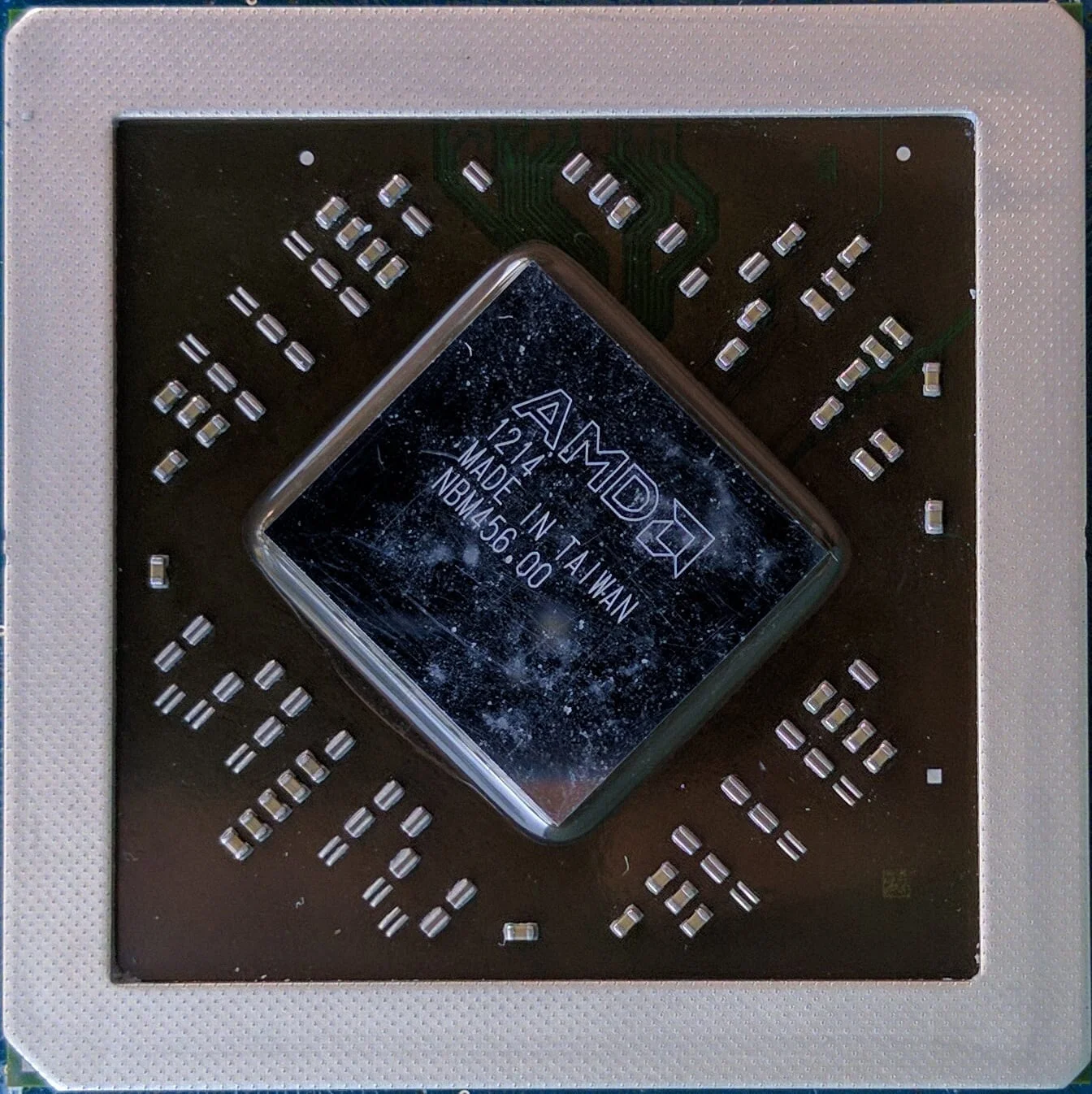
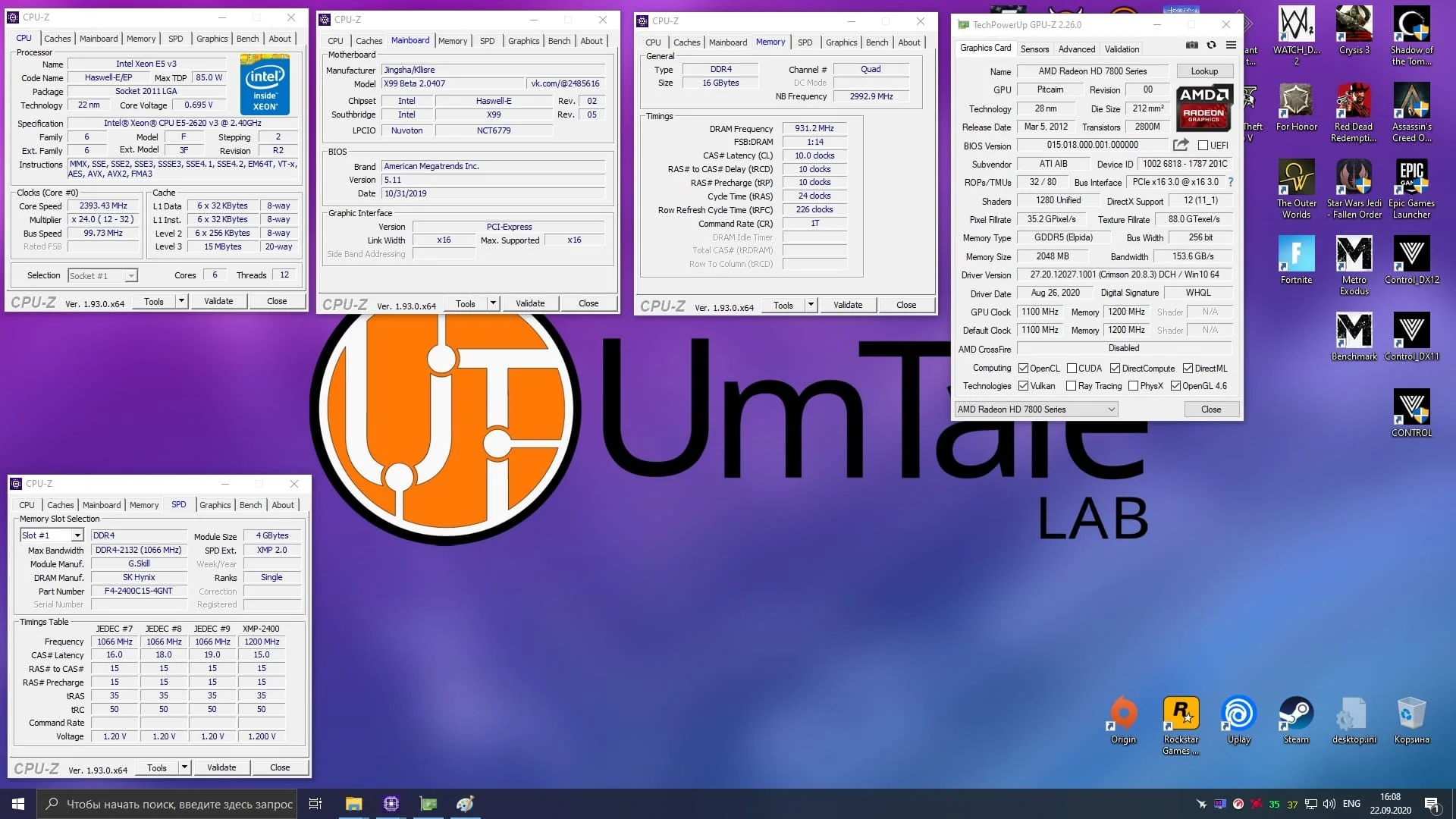
Under the hood, the HD 7870 is powered by a full-fat Pitcairn XT GPU, featuring 32 ROPs, 80 texture units, and 1,280 stream processors.
 ⤢ ВІДКРИТИ
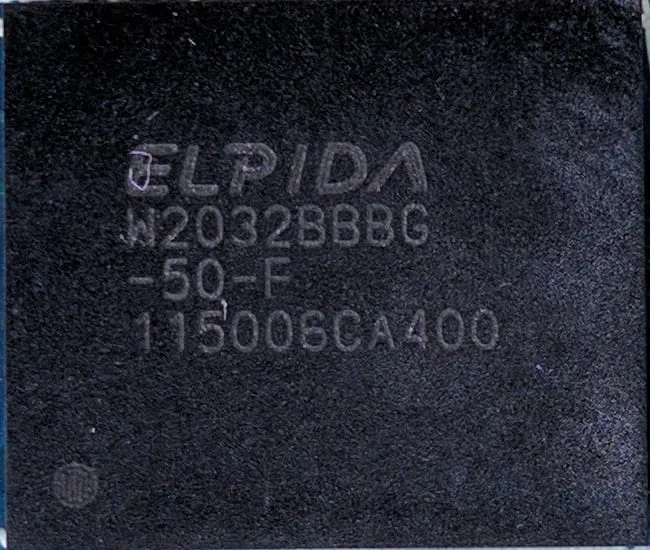
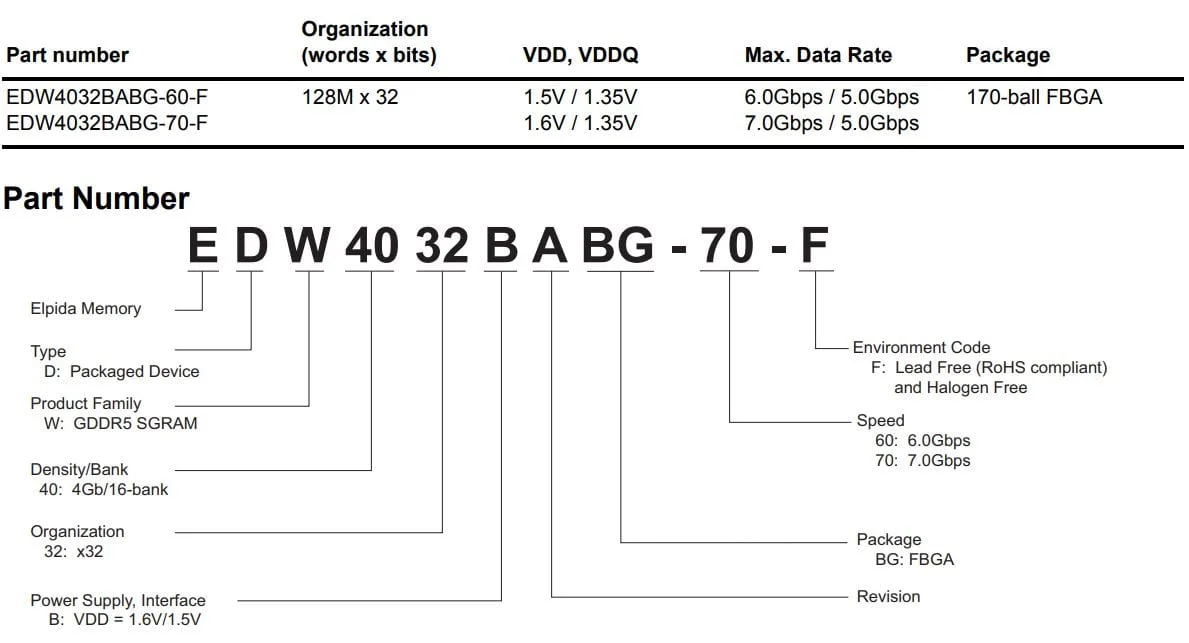
The Pitcairn XT chip is paired with 2 GB of GDDR5 memory on a 256-bit bus, made up of eight 2 Gb (256 MB) Elpida memory chips labeled W2032BBBG-50-F.
 ⤢ ВІДКРИТИ
 ⤢ ВІДКРИТИ
According to the official datasheet, these chips are rated for an effective frequency of 5000 MHz. However, on this card they run at just 4800 MHz, yielding a theoretical bandwidth of 153 GB/s.
 ⤢ ВІДКРИТИ
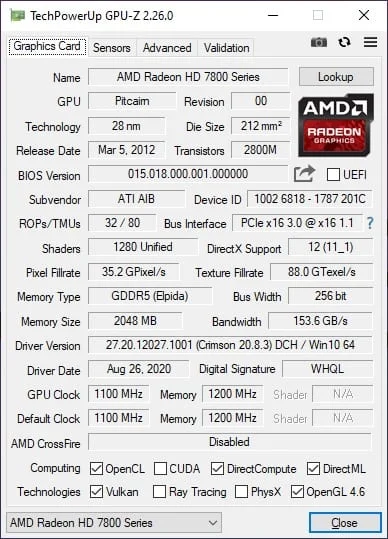
GPU-Z confirms all these specs, showing support for OpenCL, Vulkan, OpenGL 4.6, and DirectX 12. But don't get your hopes up: that DX12 support is more of a technicality than a real benefit. For instance, Hideo Kojima's popular Death Stranding refused to launch on the Radeon HD 7870, citing a lack of proper DirectX 12 API support.
Power consumption
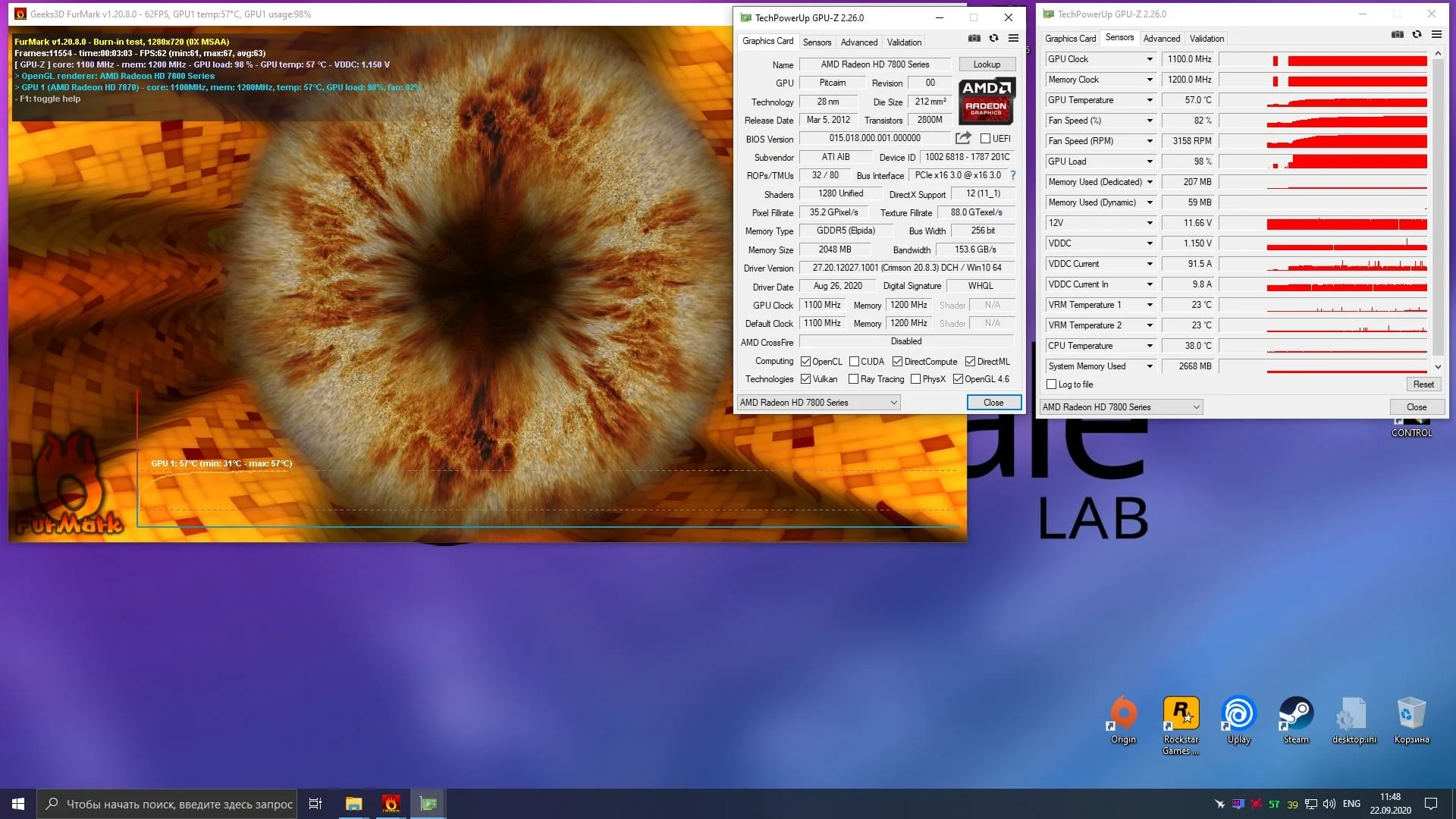
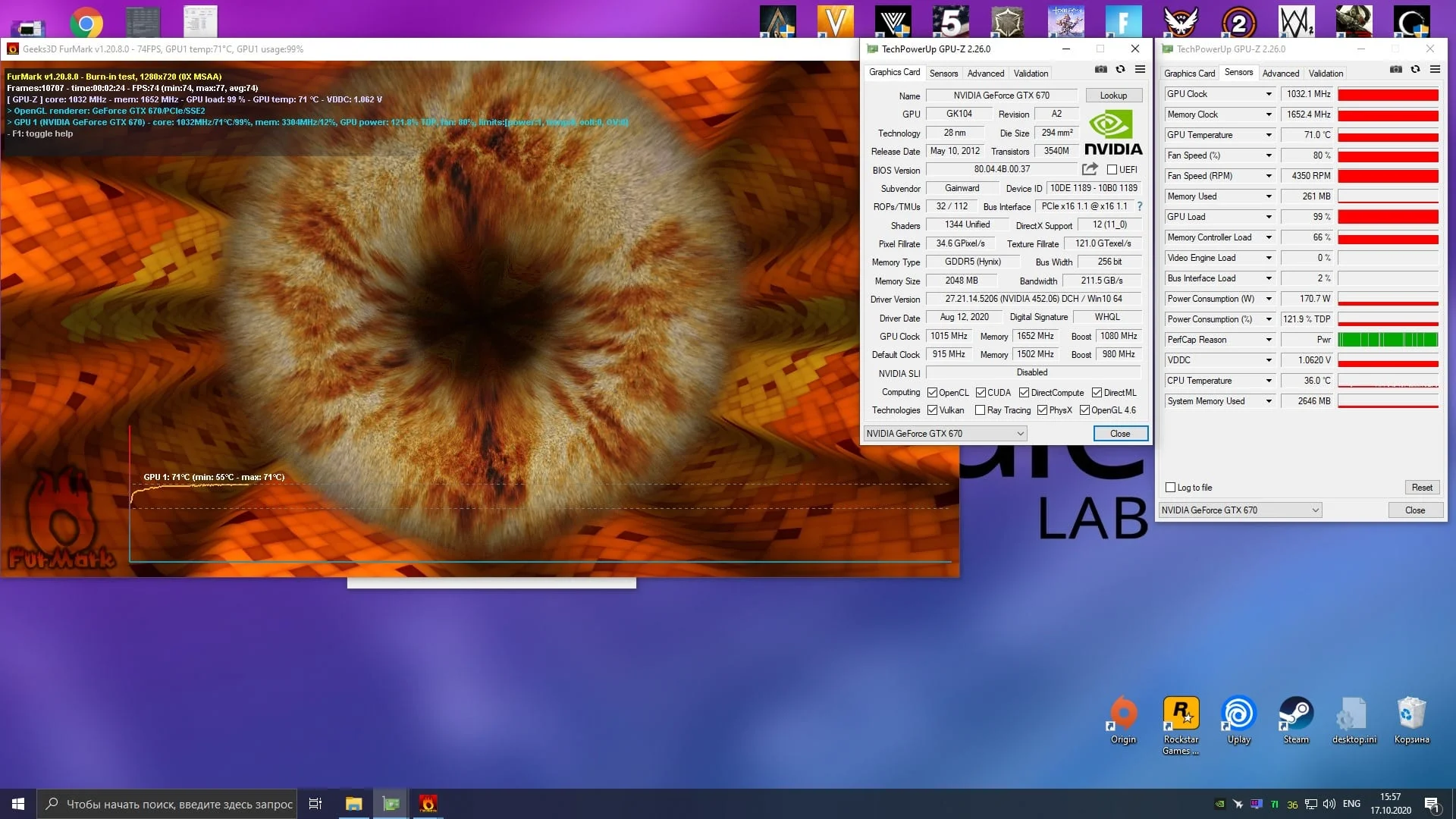
In the FurMark stress test, the HD 7870 consumed around 120W, which is significantly lower than the 170W drawn by the GTX 670. However, the AMD card's figures are somewhat vague, as they had to be calculated from amps to watts. In contrast, the NVIDIA card reports its power consumption directly in watts.
To get a clearer picture, we decided to measure the total power draw of the test bench at the wall. Even then, the AMD card was slightly more efficient: total system power draw with the HD 7870 was 286W, while the GTX 670 setup pushed past 320W.
Test bench:
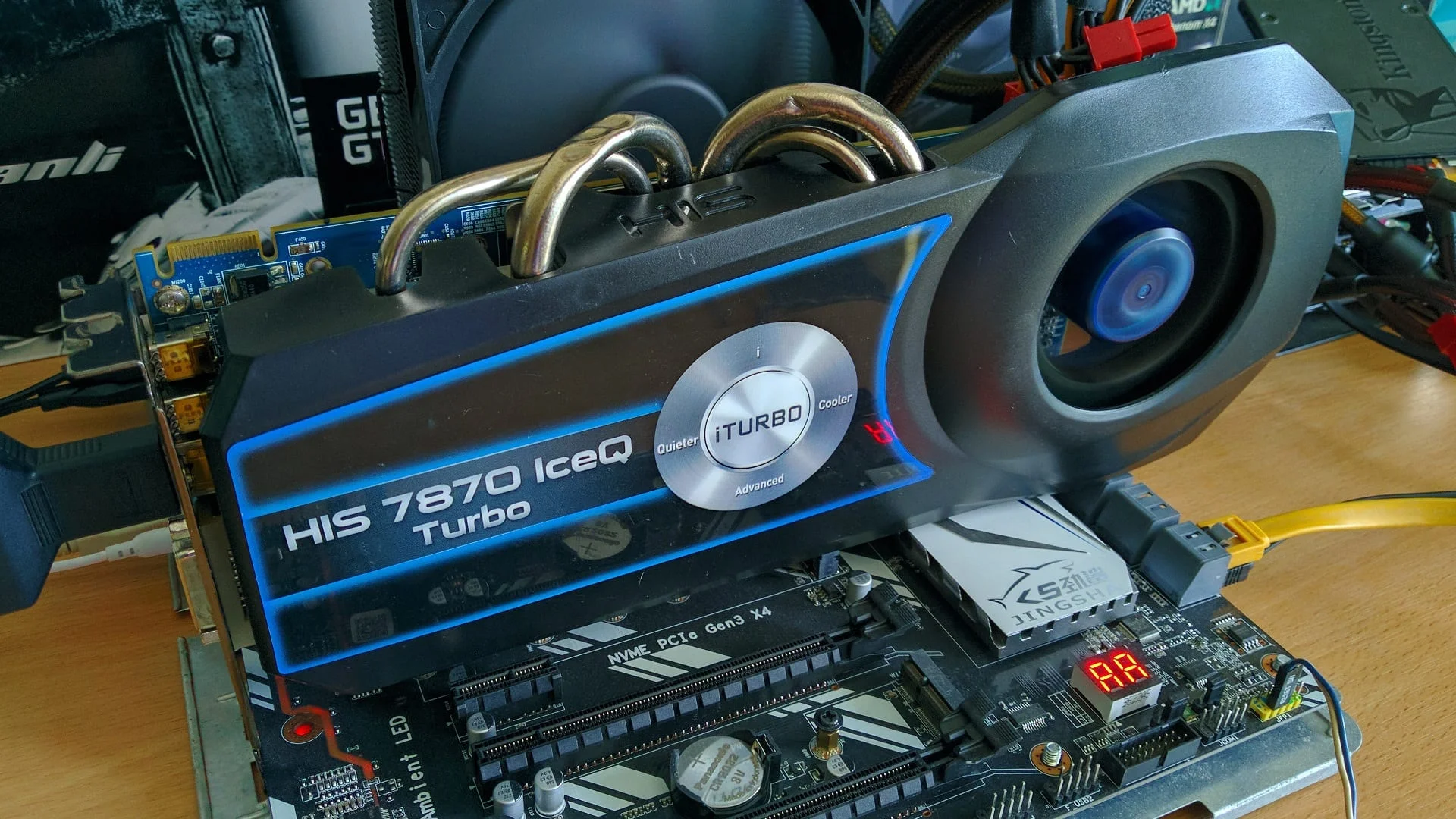
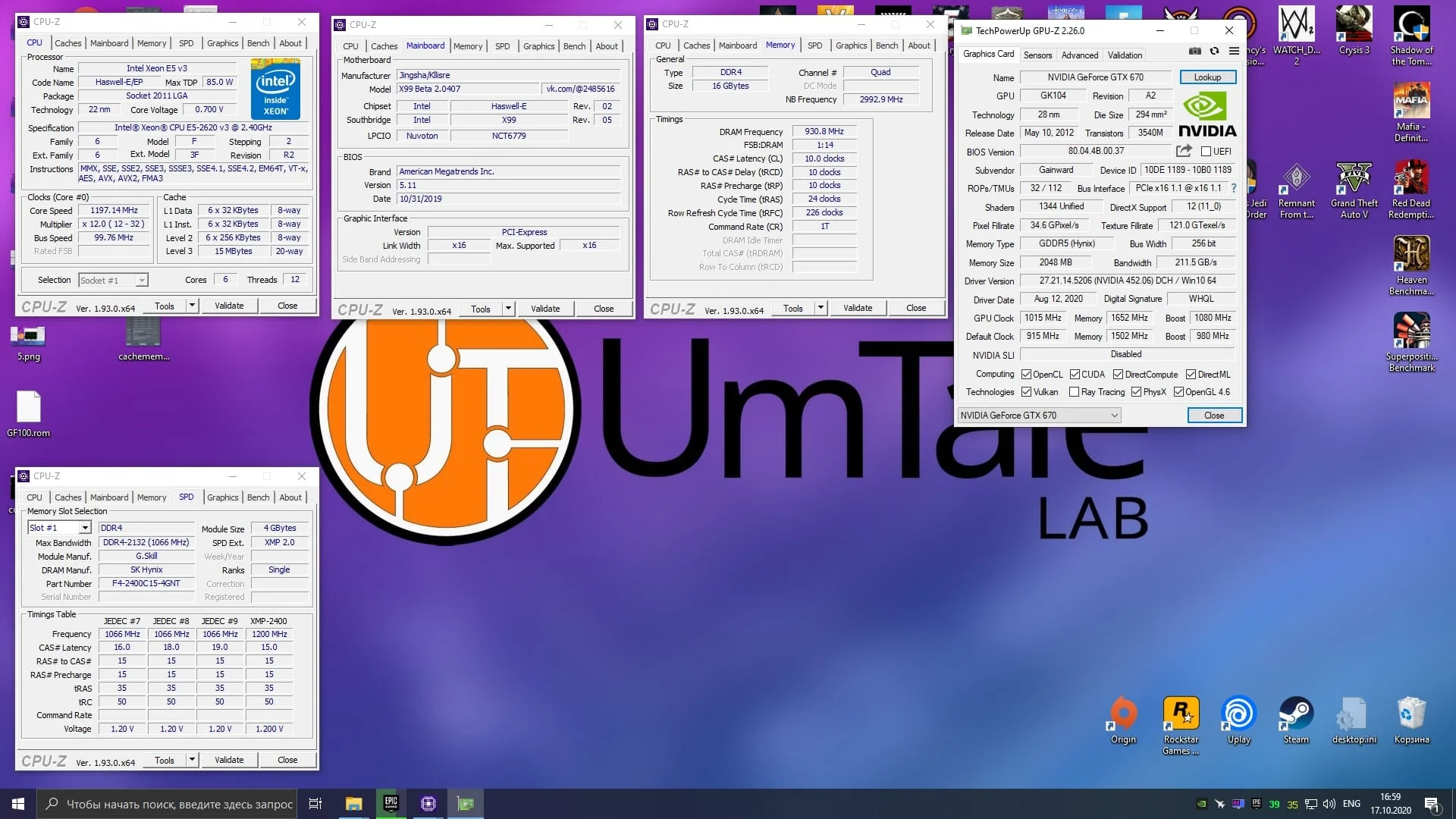
CPU — Intel Xeon E5-2620 v3 @ 3200 MHz (unlocked Turbo Boost frequency);
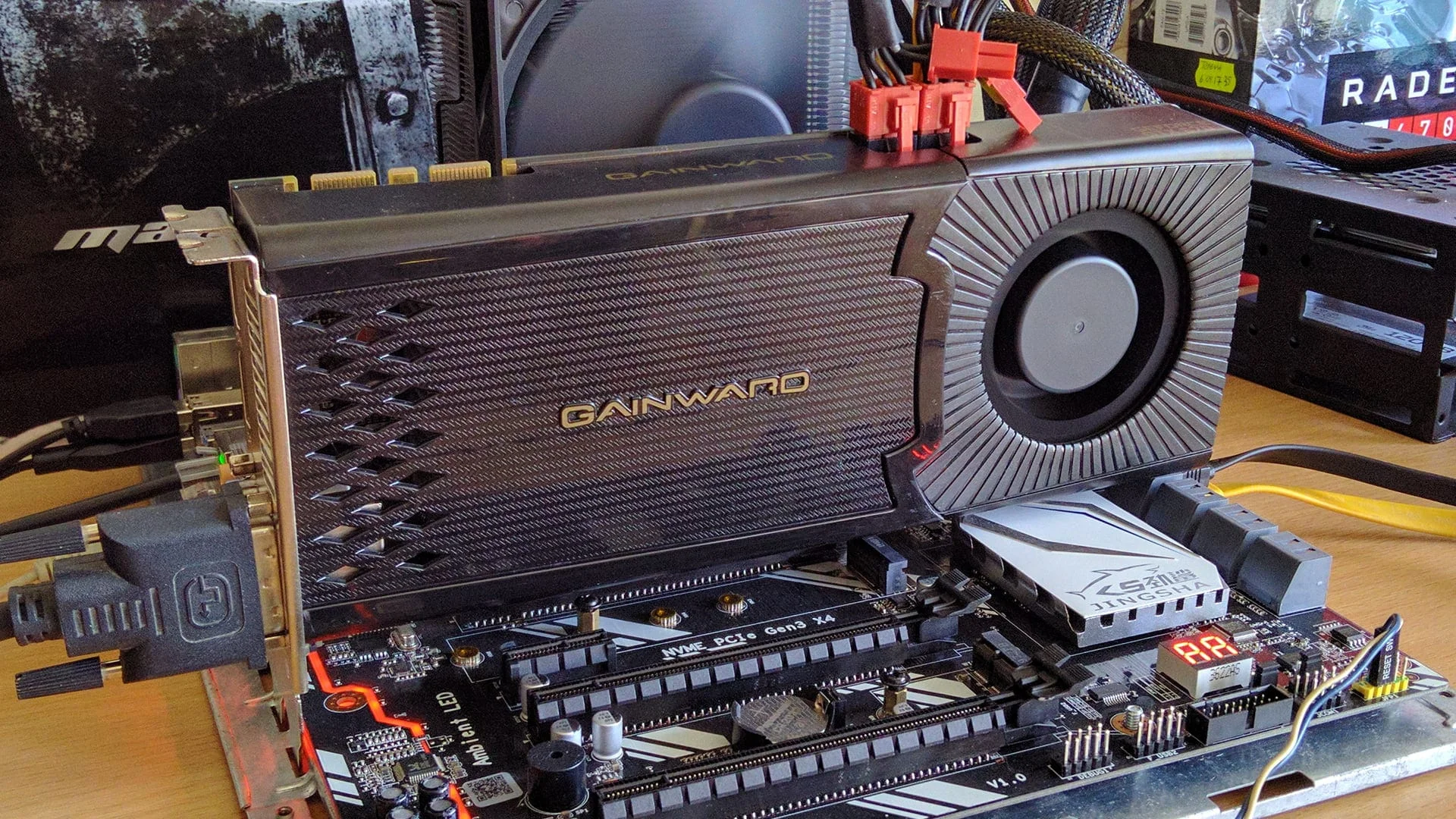
Graphics cards — HIS IceQ Turbo Radeon HD 7870 (1100/4800 MHz, +20% power limit) and Gainward GeForce GTX 670 2GB GDDR5 (1175/6600 MHz, 122% power limit, which is the maximum for this version of the GTX 670);
Motherboard — Kllisre X99-D8 (AD12) with a modified BIOS to unlock the full Turbo Boost frequency;
RAM — G.Skill DDR4 @ 1866 MHz, four 4GB F4-2400C15S-4GNT sticks for a total of 16GB (timings 10-10-10-24);
SSD — Kingston 120GB SA400S37120G;
HDD — Seagate 2TB ST2000DM008-2FR102;
Power supply — Chieftec GPS-1250C.
Games and graphics settings:
All games used for testing the HD 7870 were updated to their latest or most stable versions.
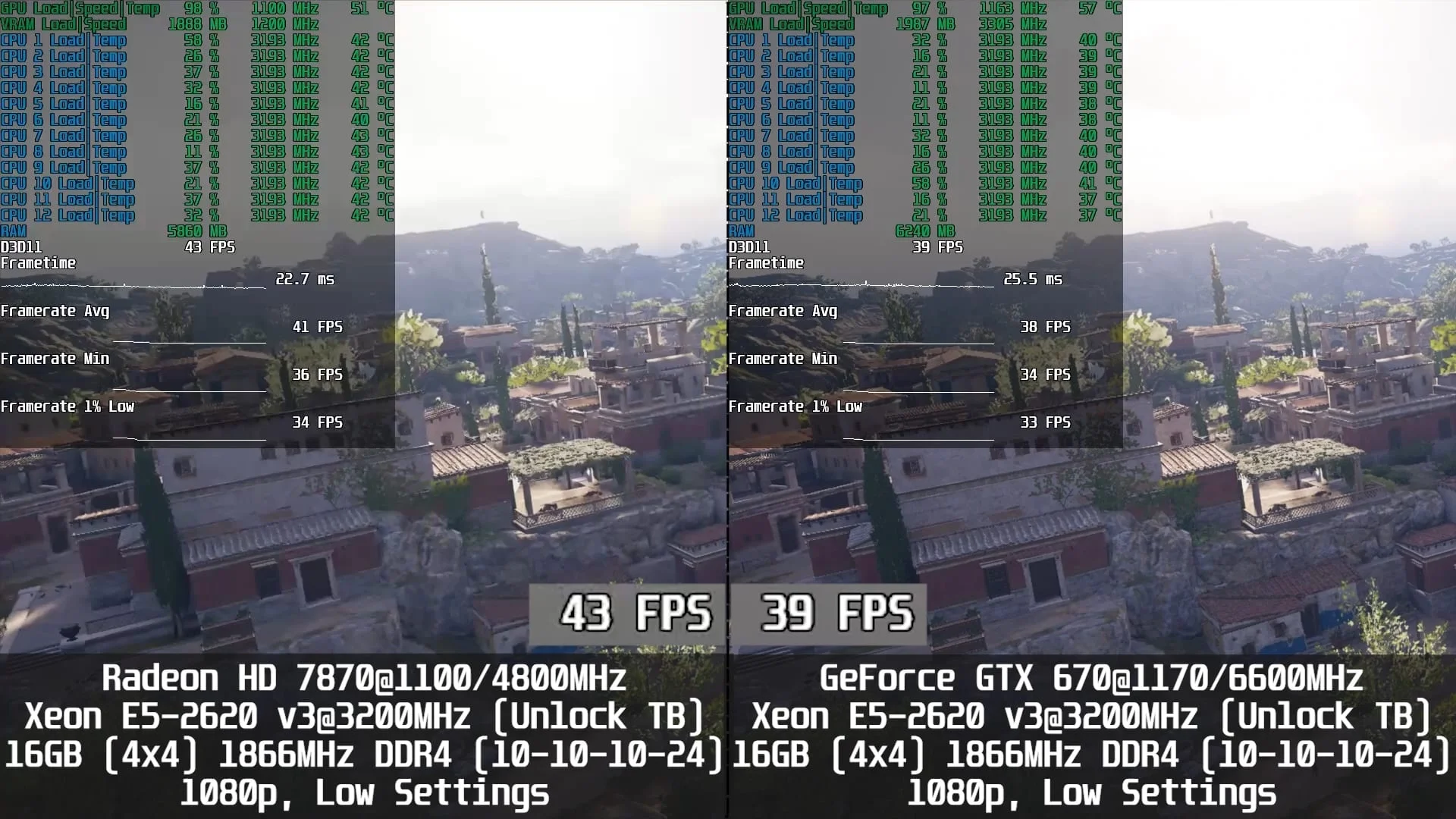
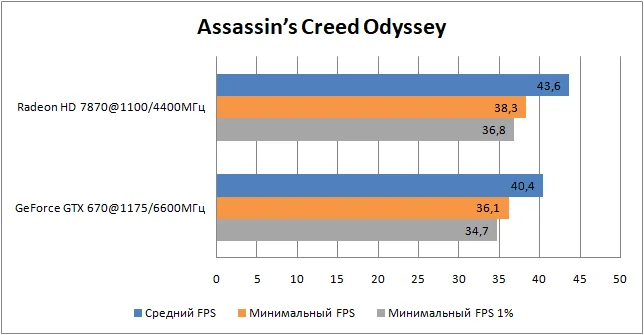
Assassin’s Creed Odyssey - DirectX 11, 1920×1080 resolution (1920×1080 render scale), low graphics settings;
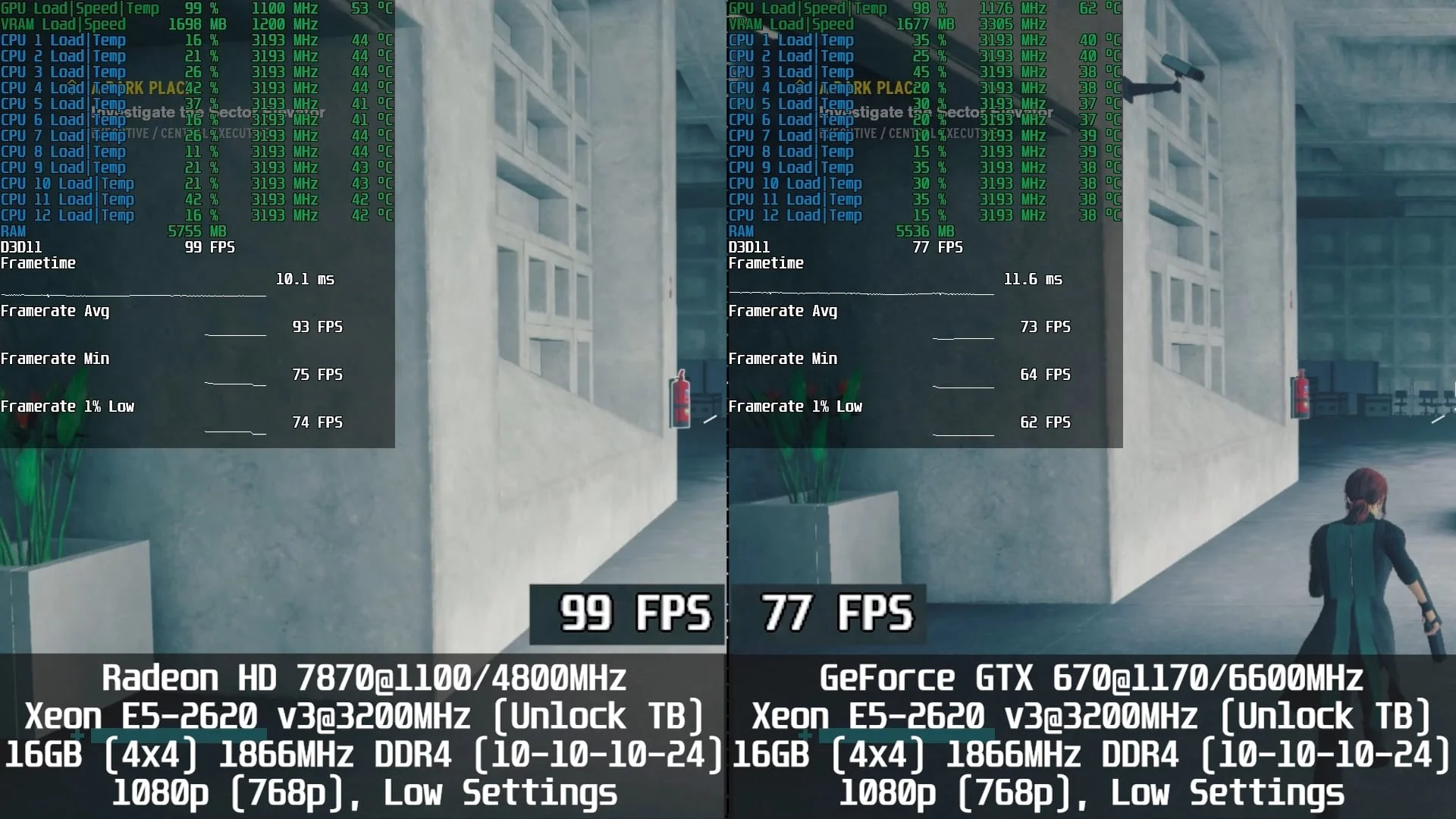
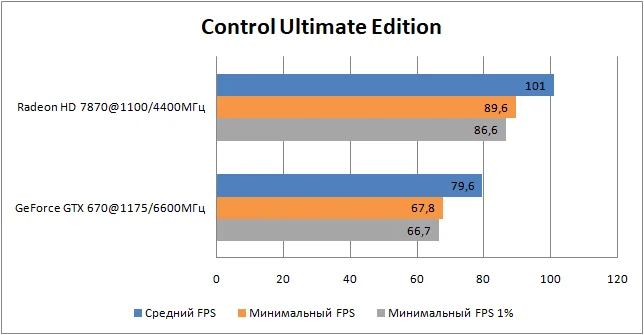
Control Ultimate Edition - DirectX 11, 1920×1080 resolution (1366×768 render scale), low graphics settings;
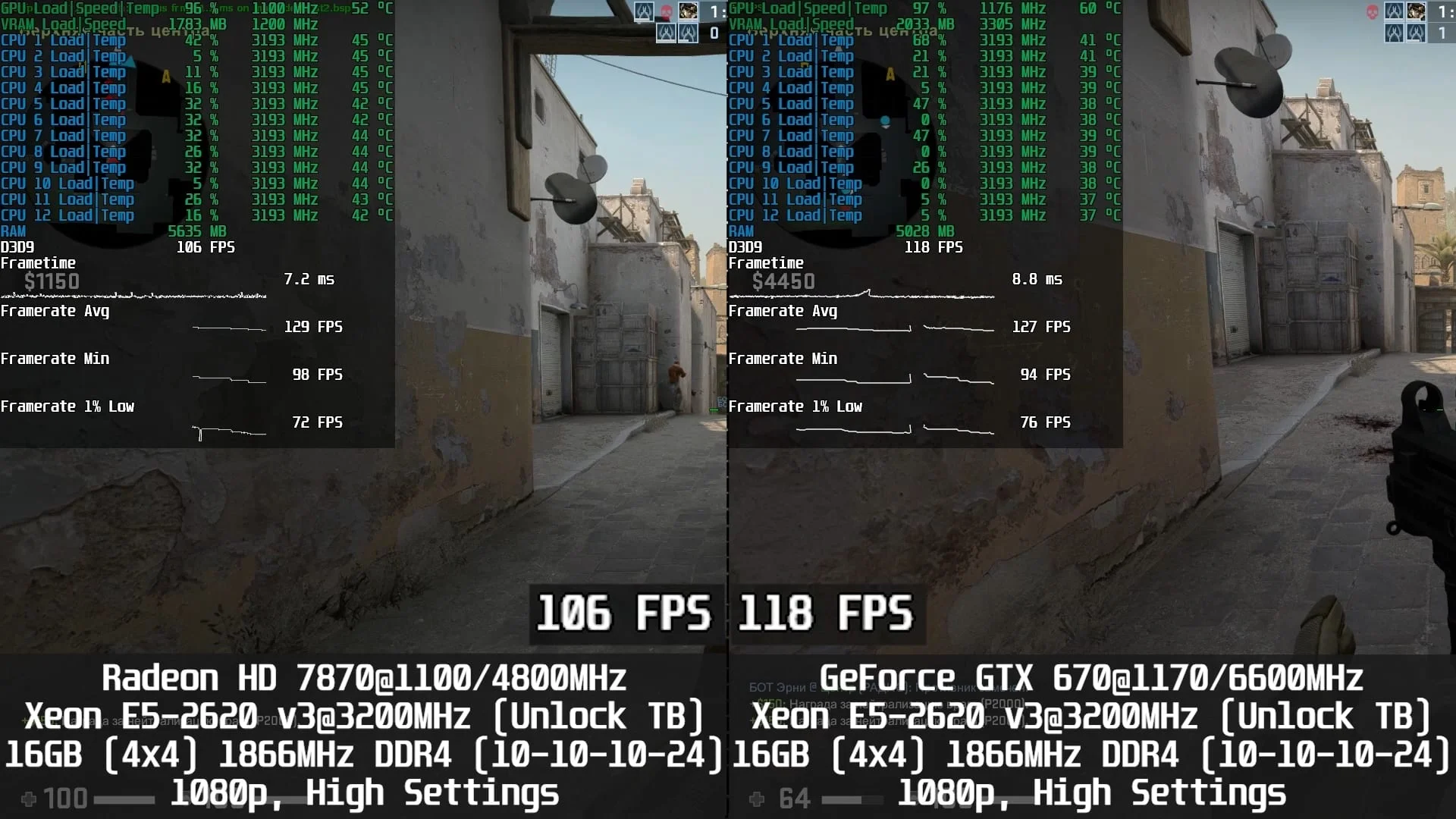
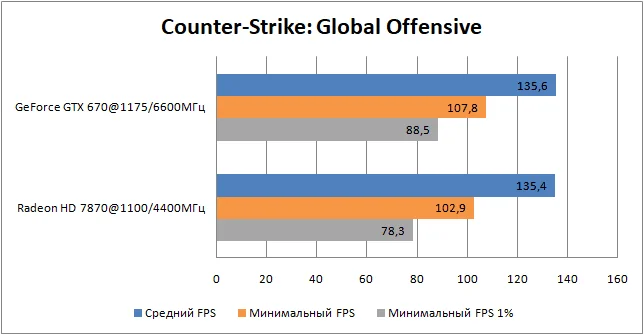
Counter-Strike: Global Offensive - DirectX 9, 1920×1080 resolution (1920×1080 render scale), high graphics settings;
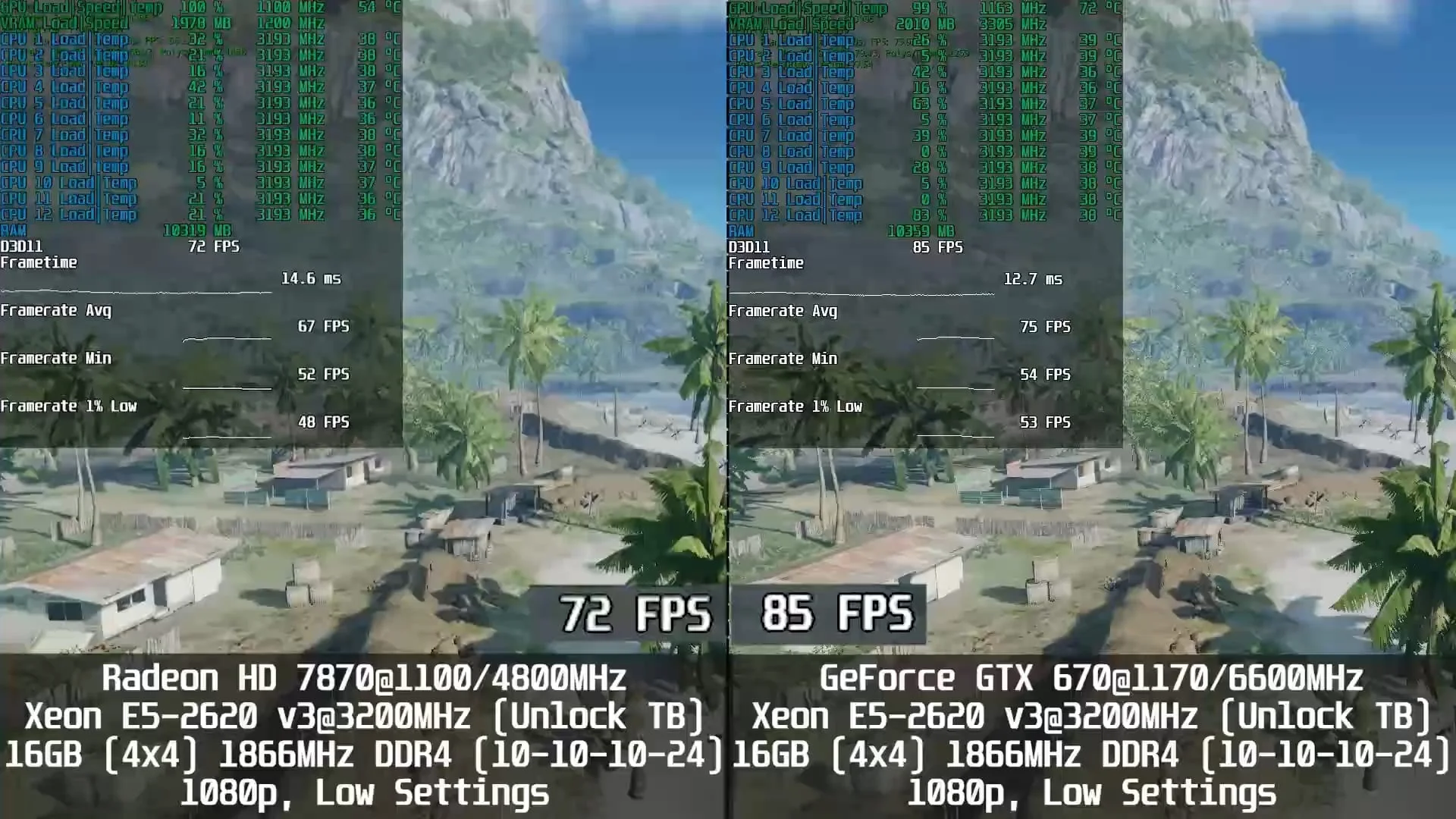
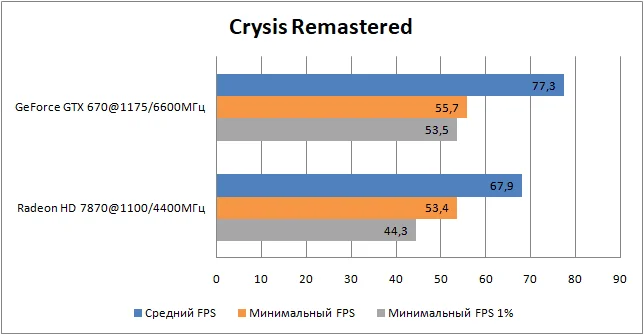
Crysis Remastered - DirectX 11, 1920×1080 resolution (1920×1080 render scale), low graphics settings;
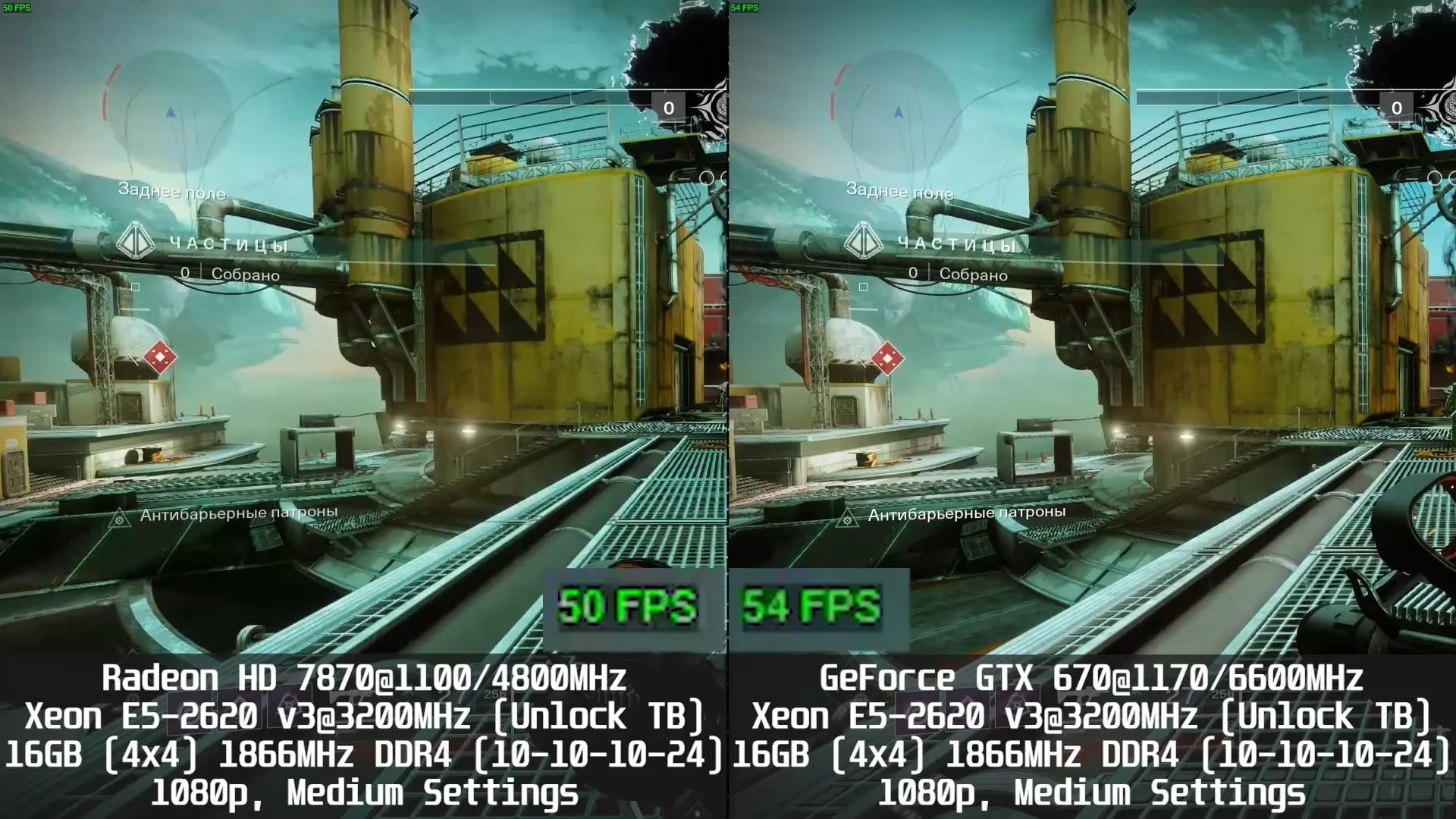
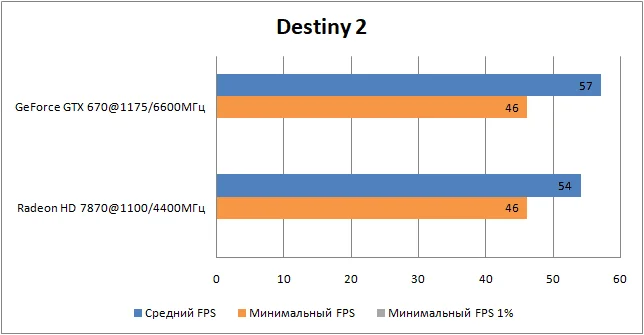
Destiny 2 - DirectX 11, 1920×1080 resolution (1920×1080 render scale), medium graphics settings;
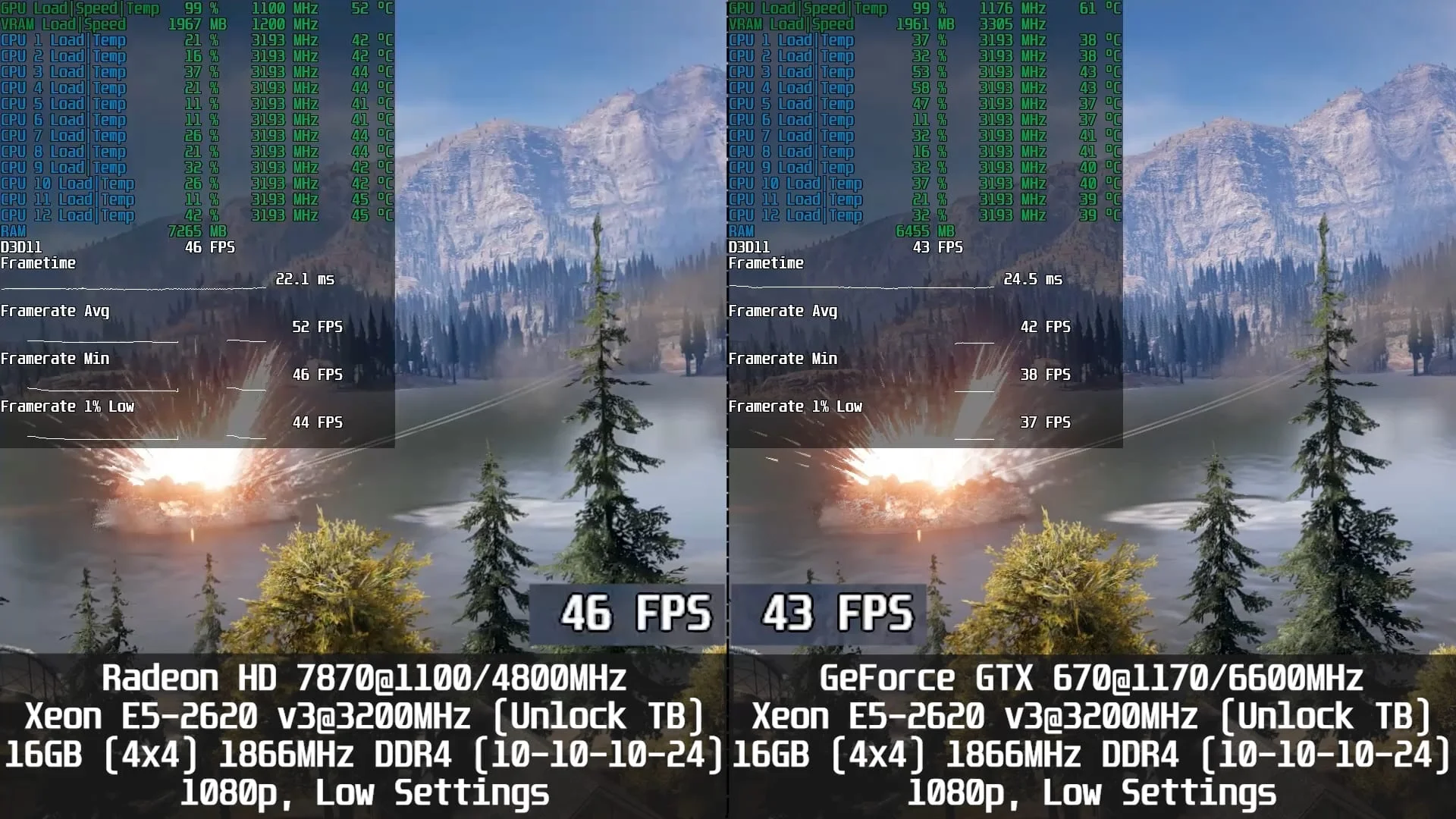
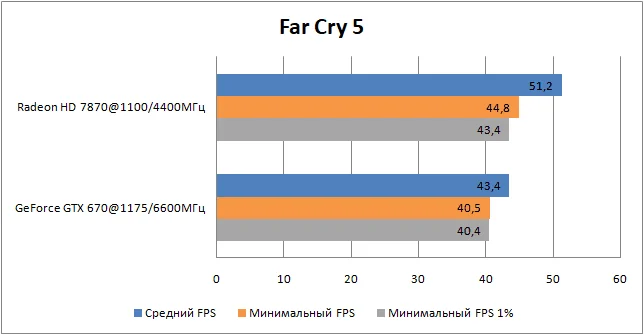
Far Cry 5 - DirectX 11, 1920×1080 resolution (1920×1080 render scale), low graphics settings;
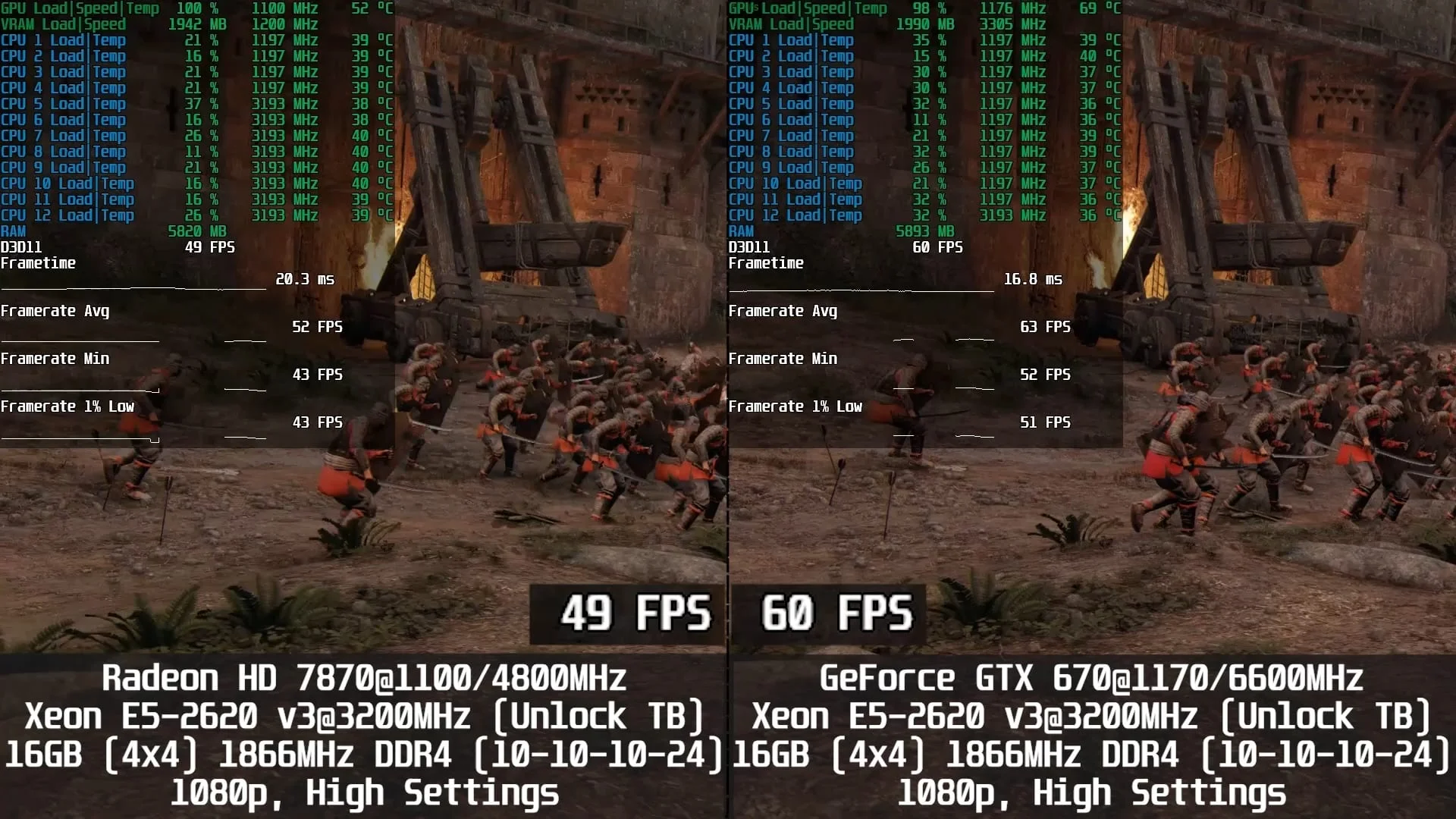
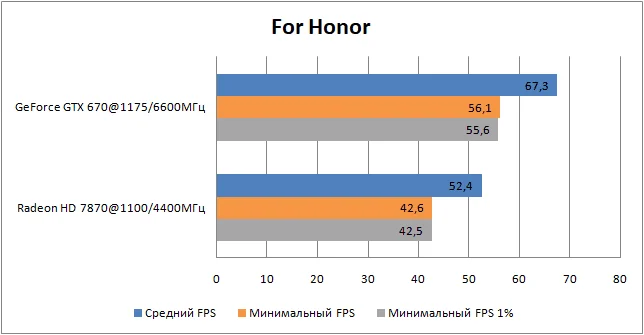
For Honor - DirectX 11, 1920×1080 resolution (1920×1080 render scale), high graphics settings;
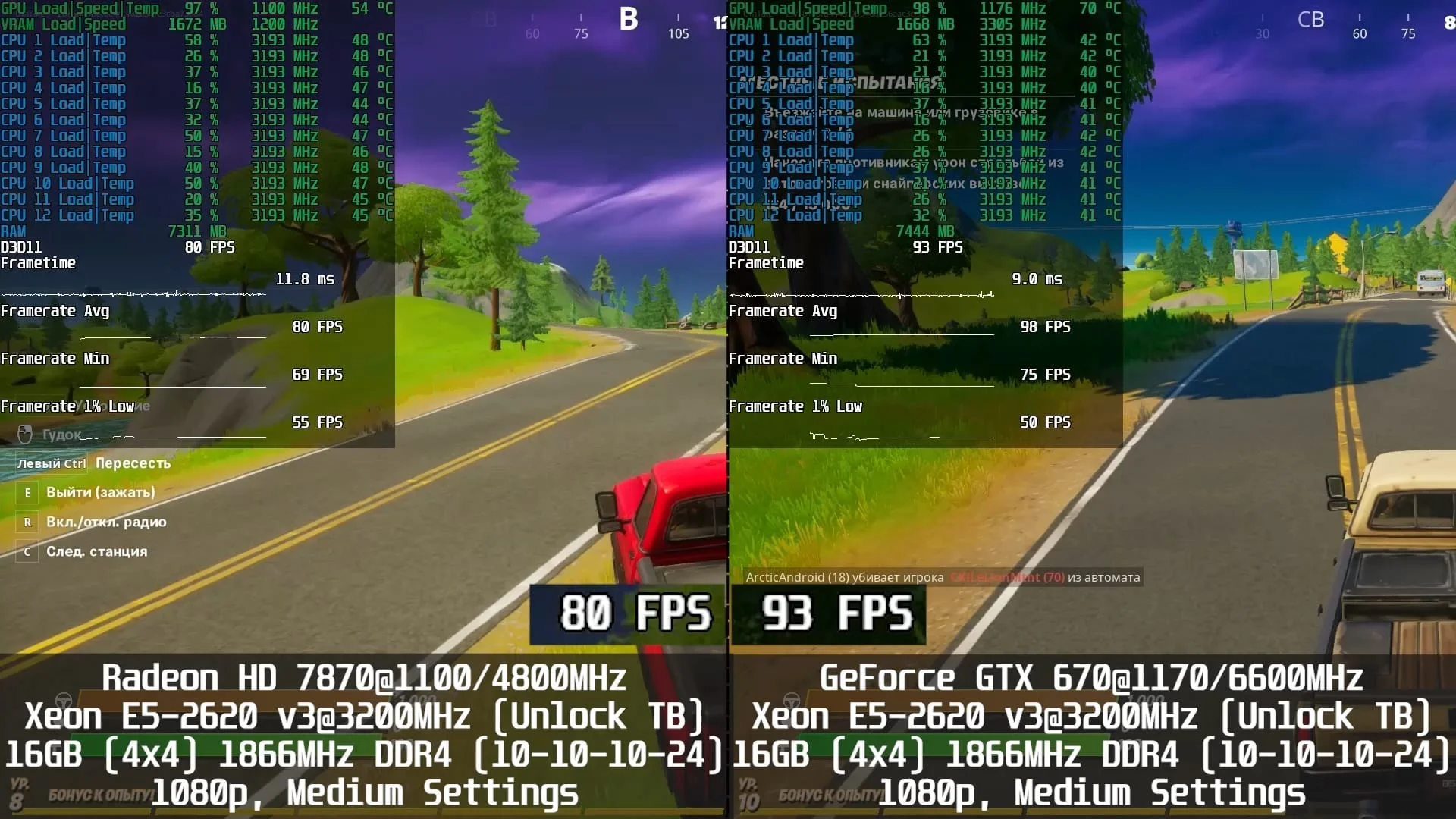
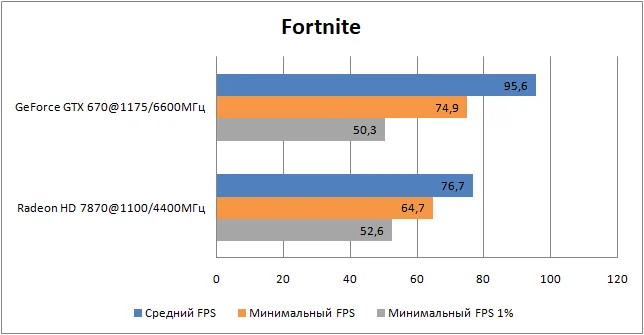
Fortnite - DirectX 11, 1920×1080 resolution (1920×1080 render scale), medium graphics settings;
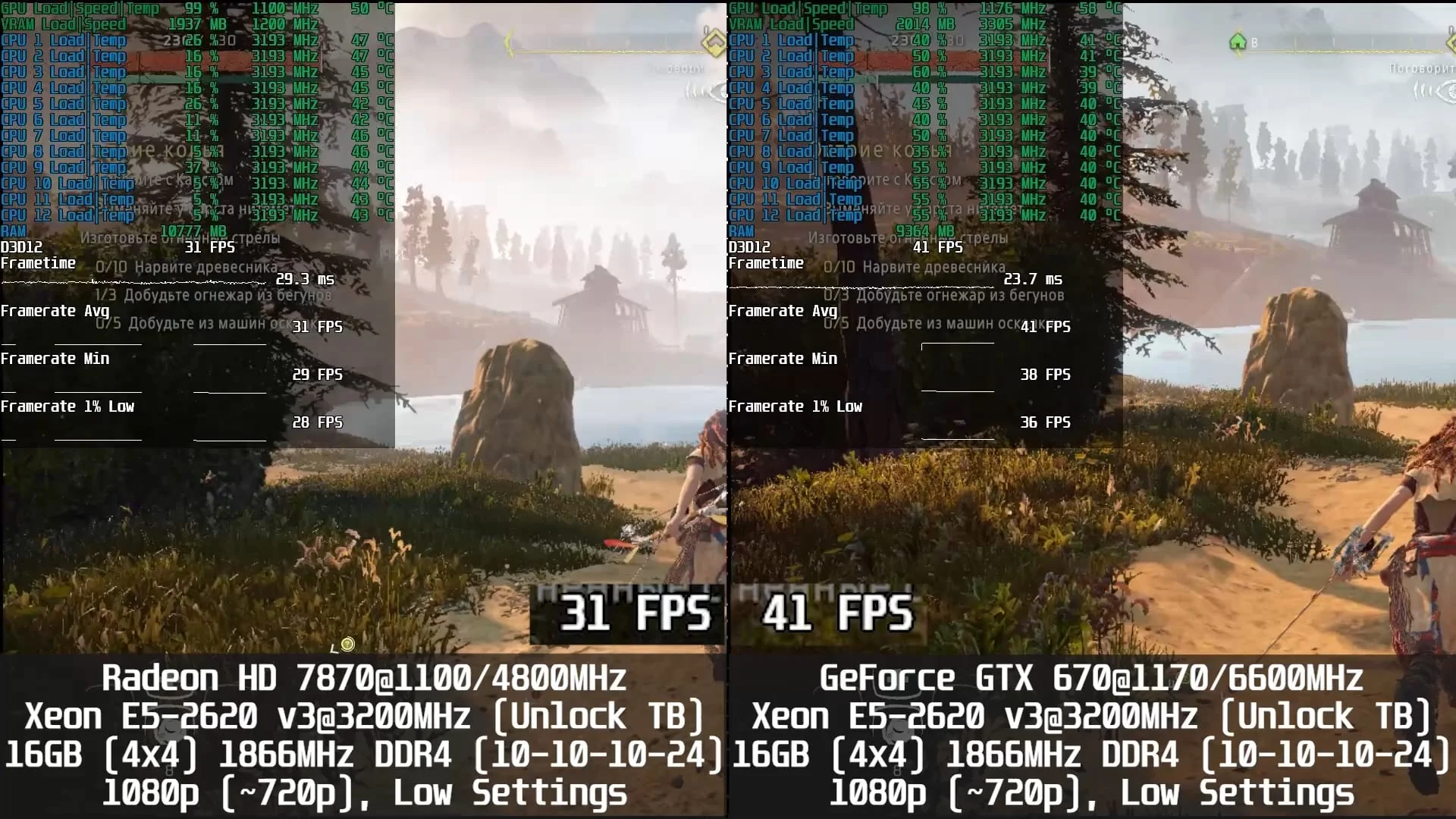
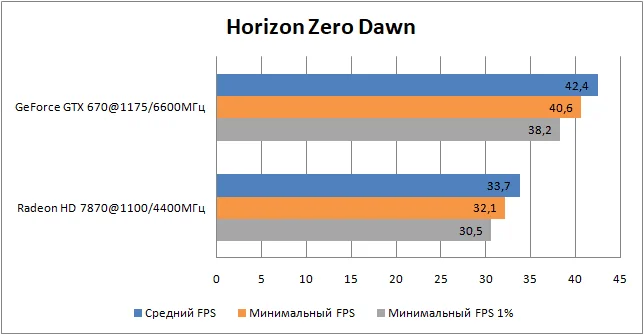
Horizon Zero Dawn (tested on patch 1.05) - DirectX 12, 1920×1080 resolution (~1280×720 or 70% render scale), ultra-low graphics settings;
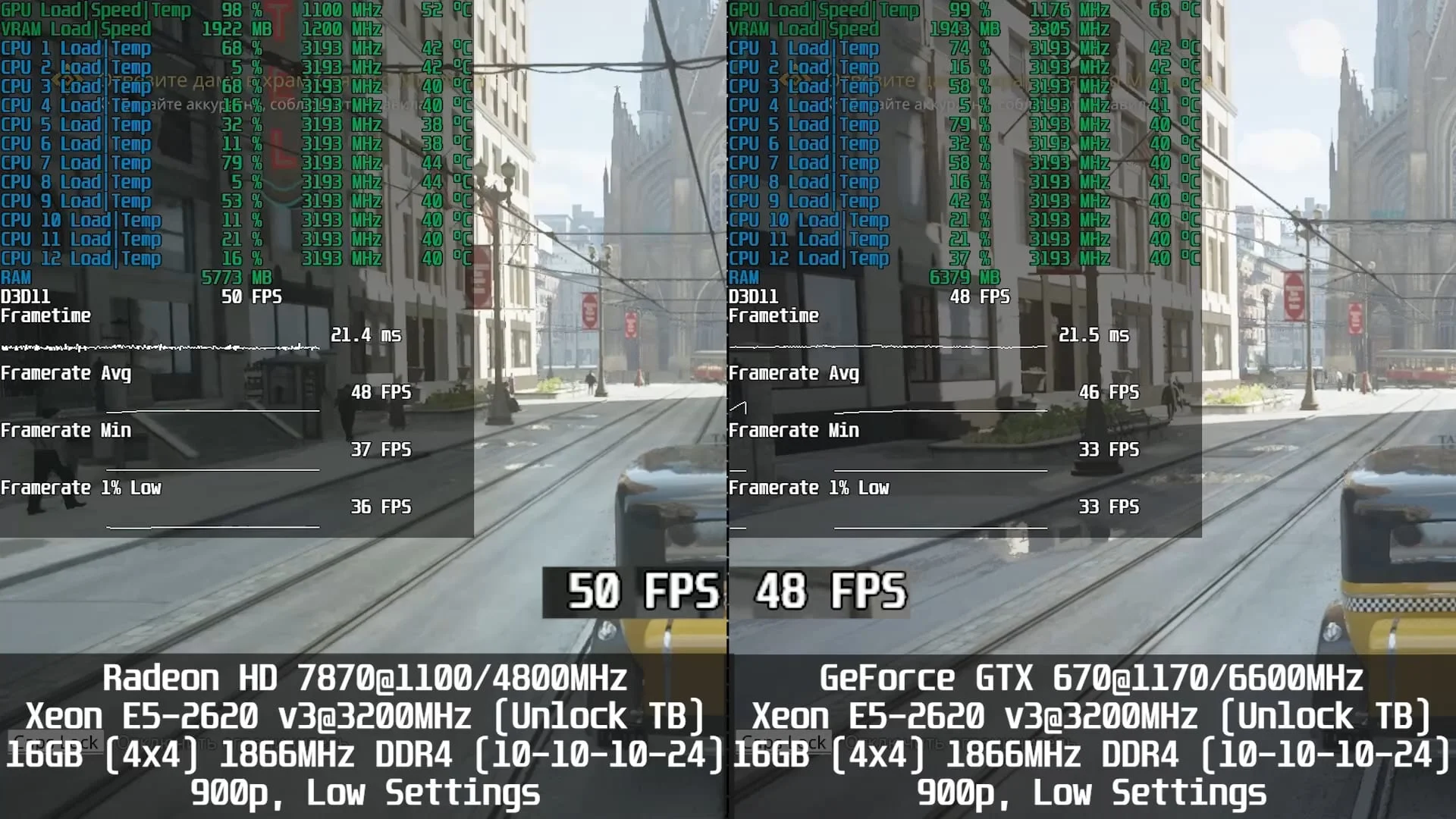
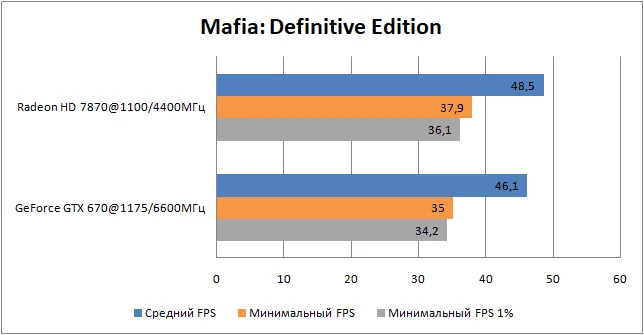
Mafia: Definitive Edition - DirectX 11, 1600×900 resolution (1600×900 render scale), low graphics settings;
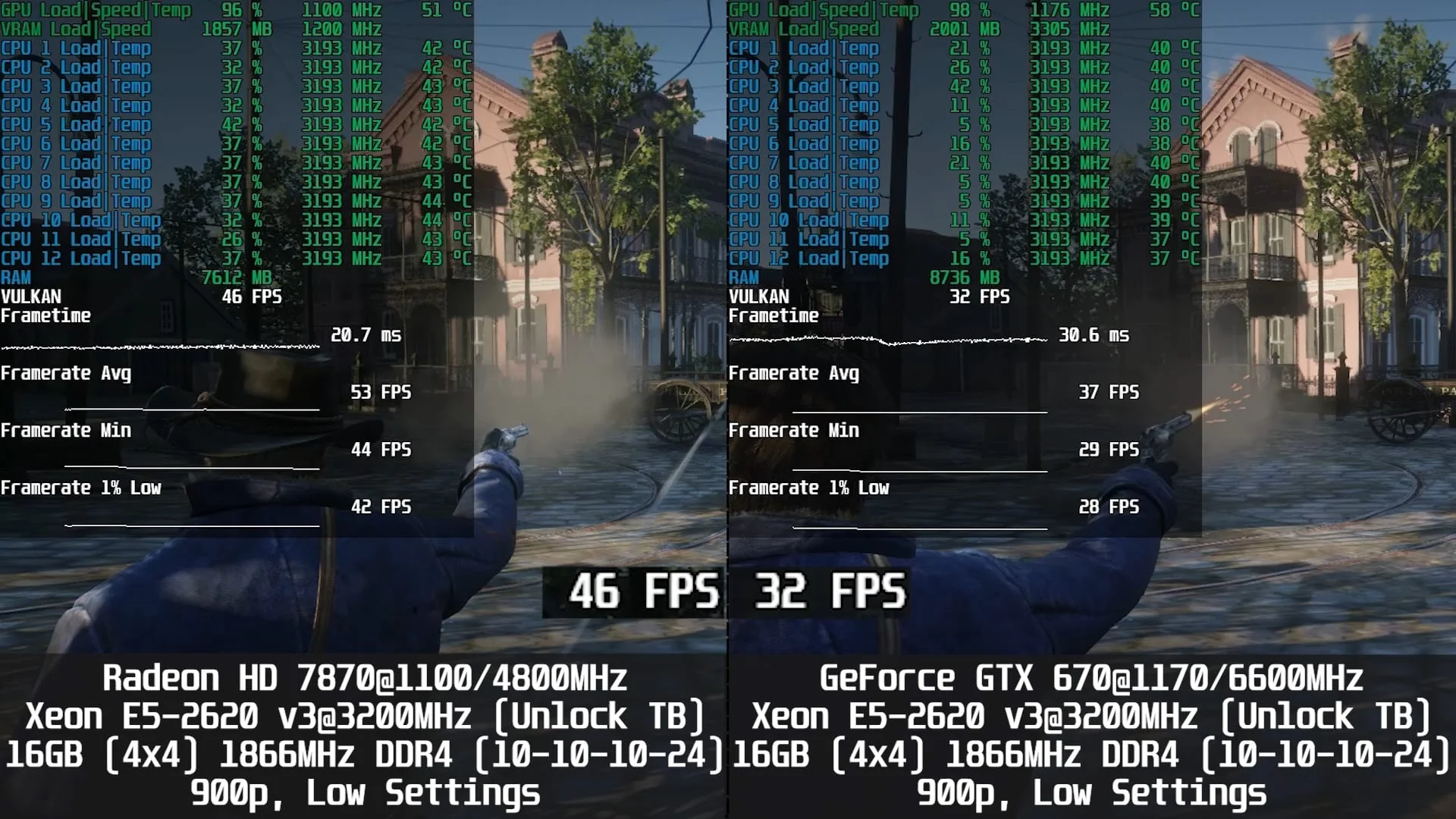
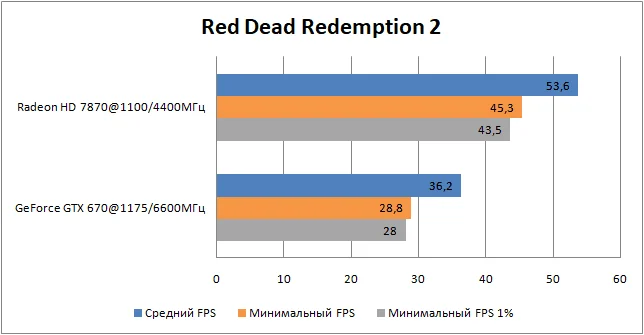
Red Dead Redemption 2 - Vulkan, 1600×900 resolution (1600×900 render scale), ultra-low graphics settings;
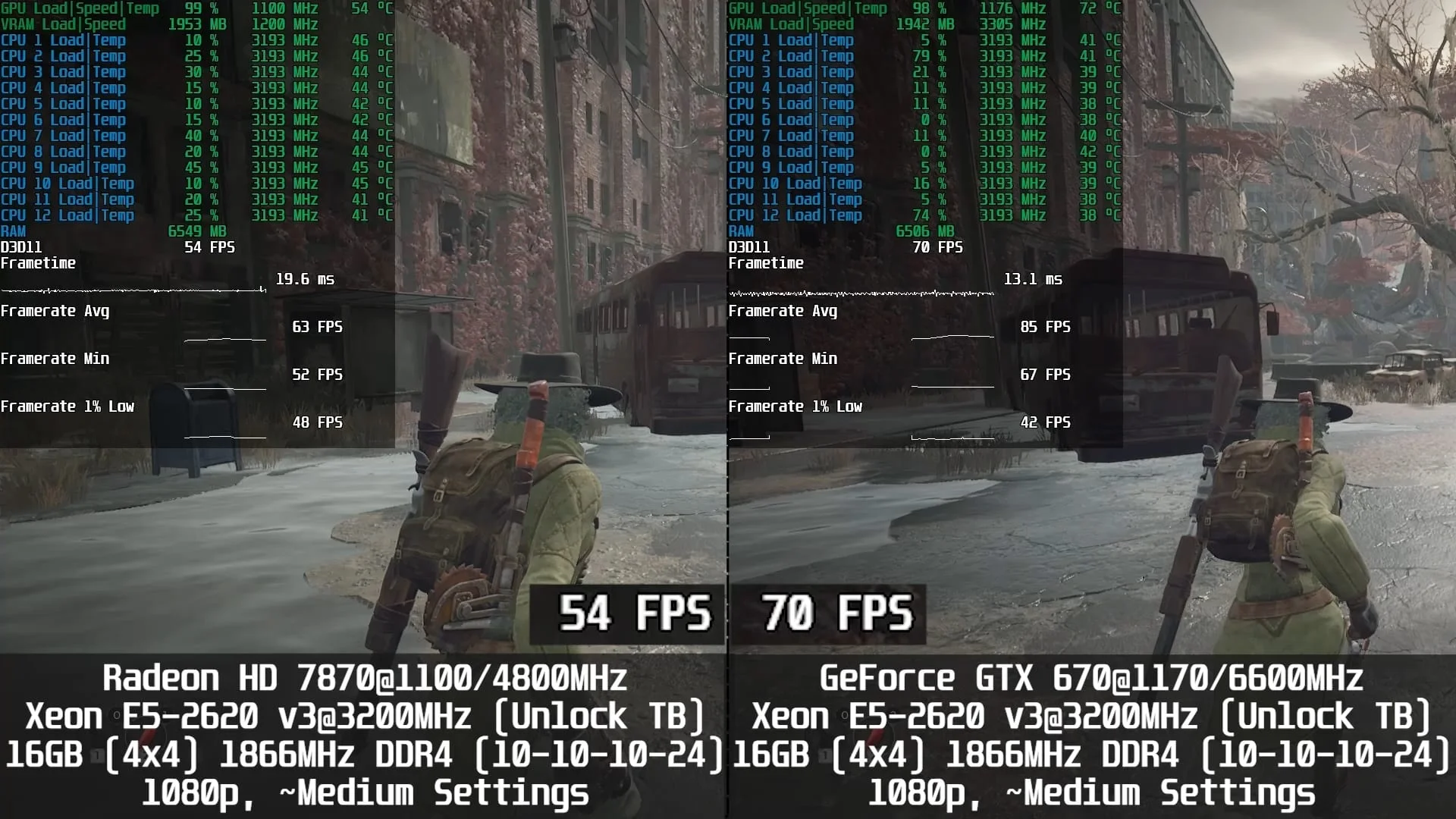
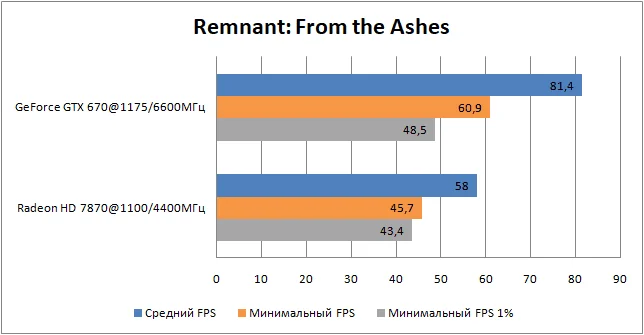
Remnant: From the Ashes - DirectX 11, 1920×1080 resolution (1920×1080 render scale), medium graphics settings;
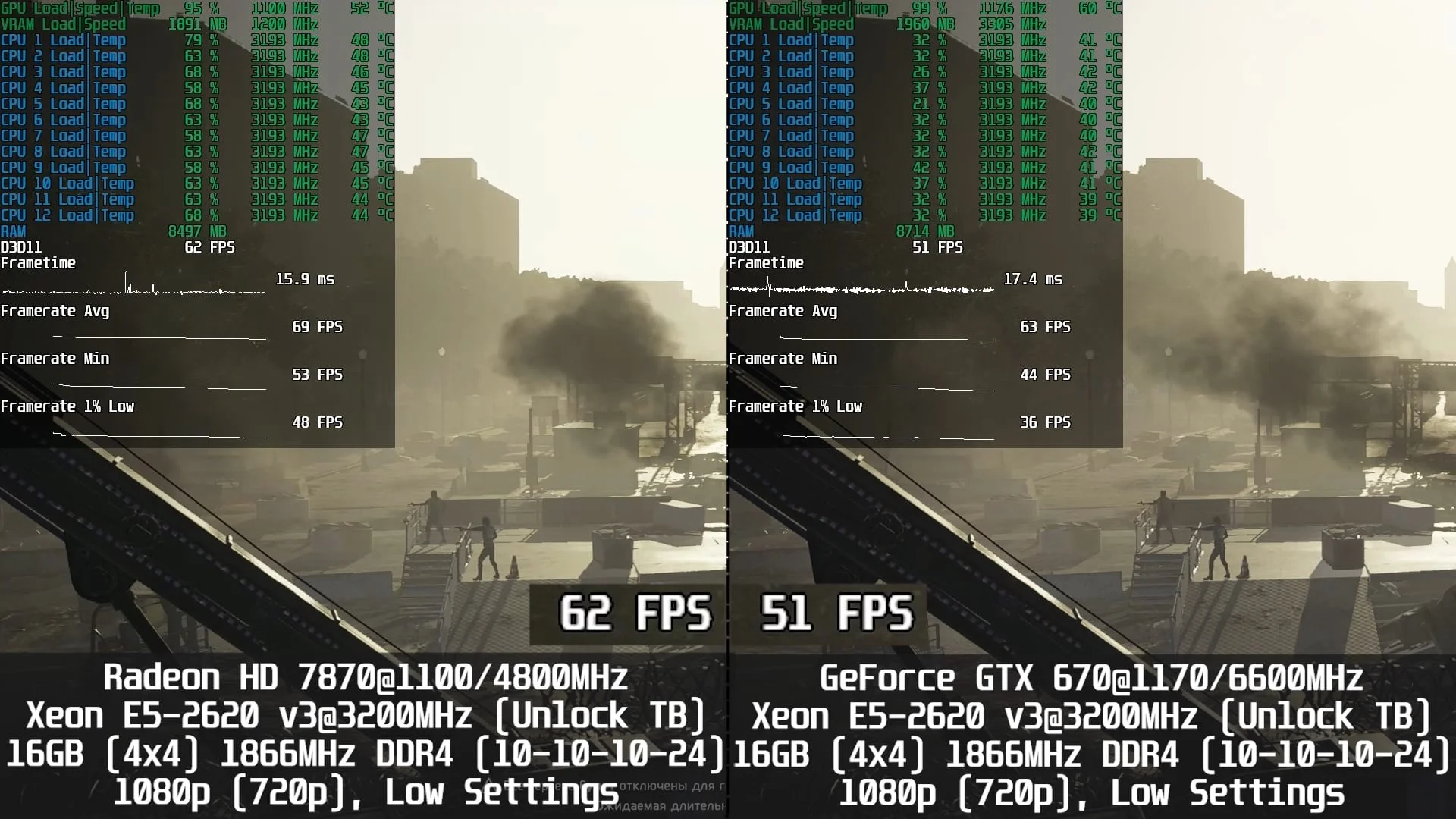
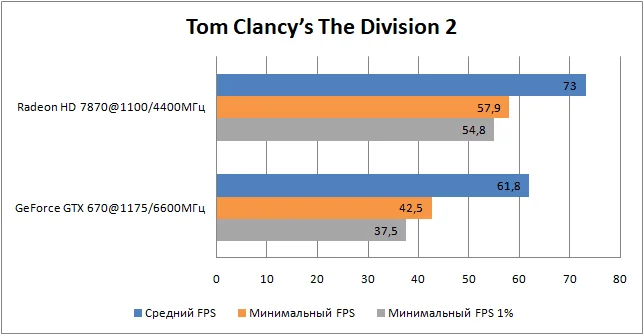
Tom Clancy’s The Division 2 - DirectX 11, 1920×1080 resolution (1920×1080 render scale), low graphics settings;
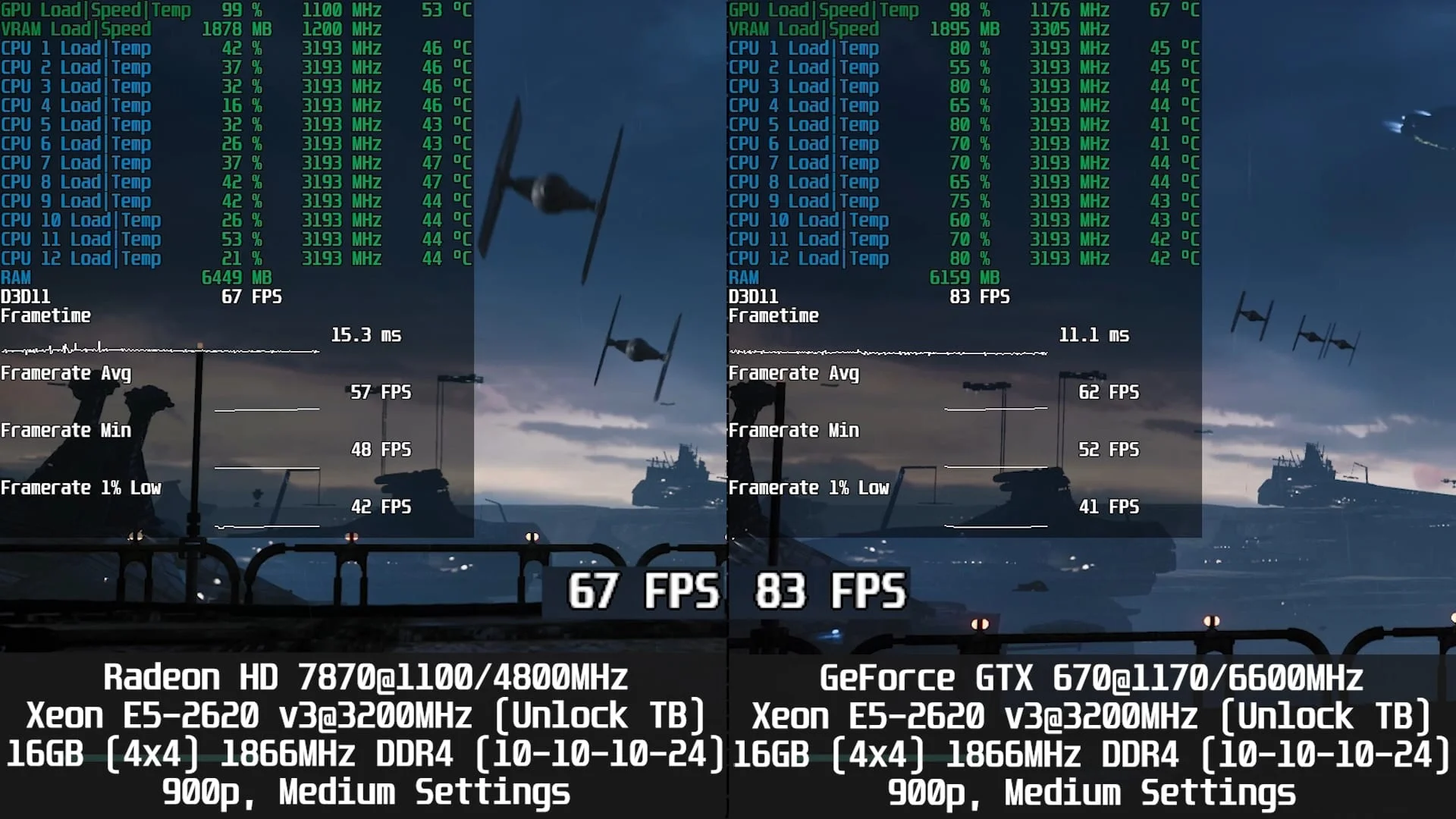
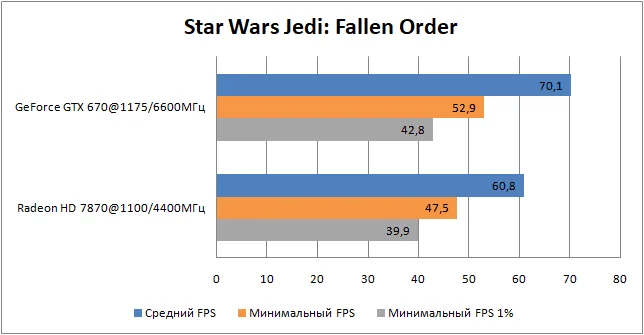
Star Wars Jedi: Fallen Order - DirectX 11, 1600×900 resolution (1600×900 render scale), medium graphics settings;
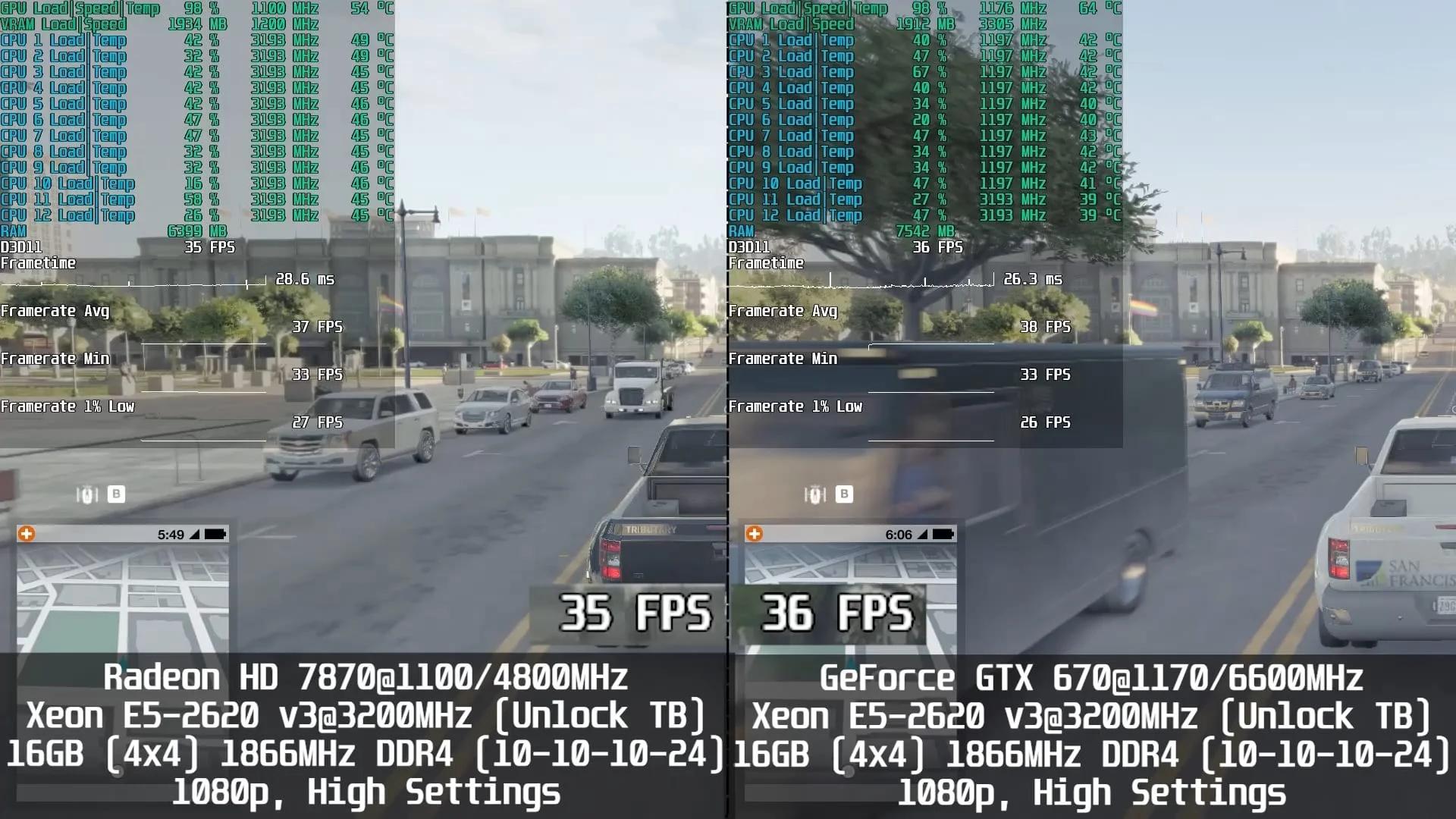
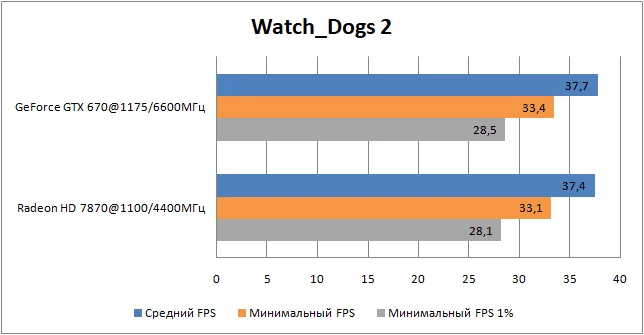
Watch_Dogs 2 - DirectX 11, 1920×1080 resolution (1920×1080 render scale), high graphics settings;
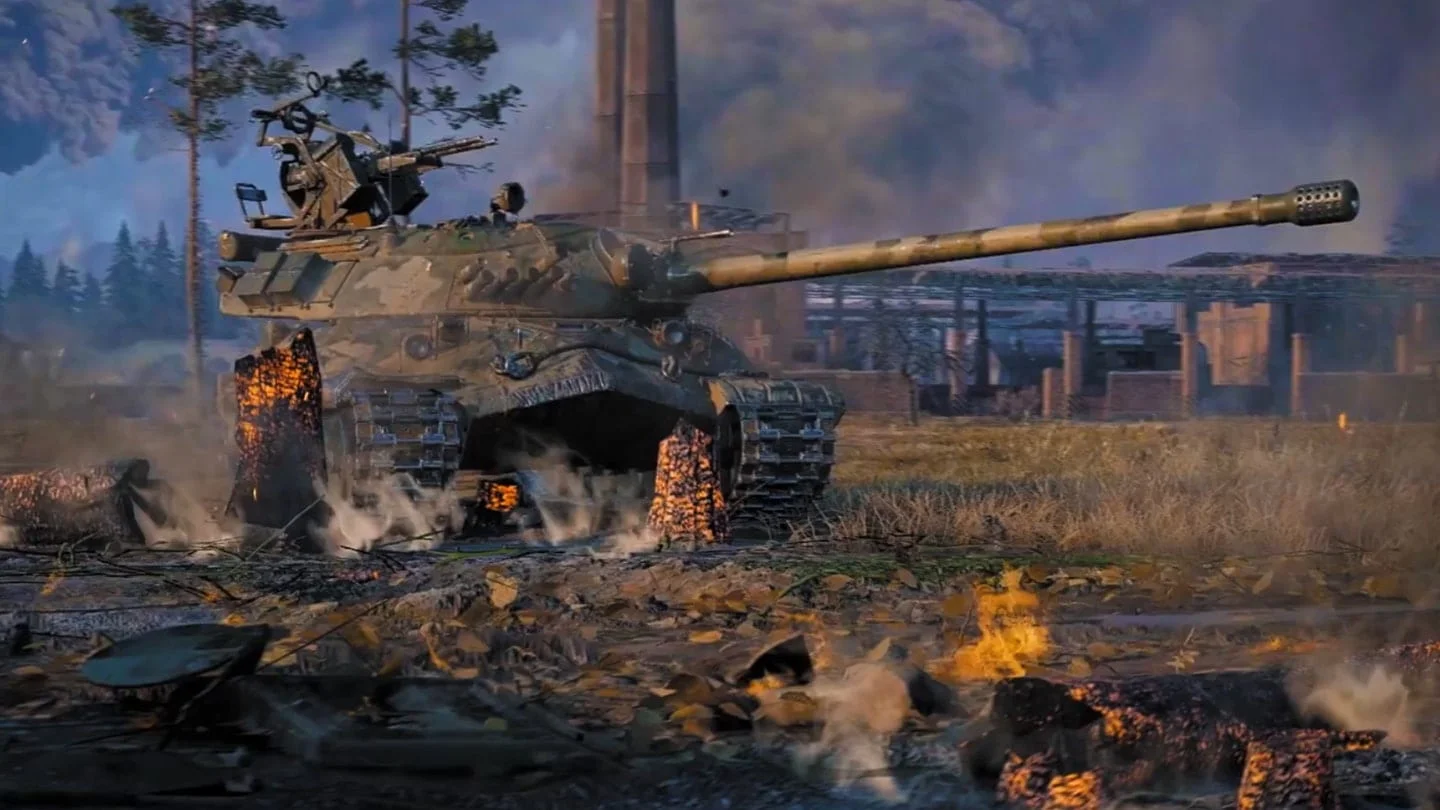
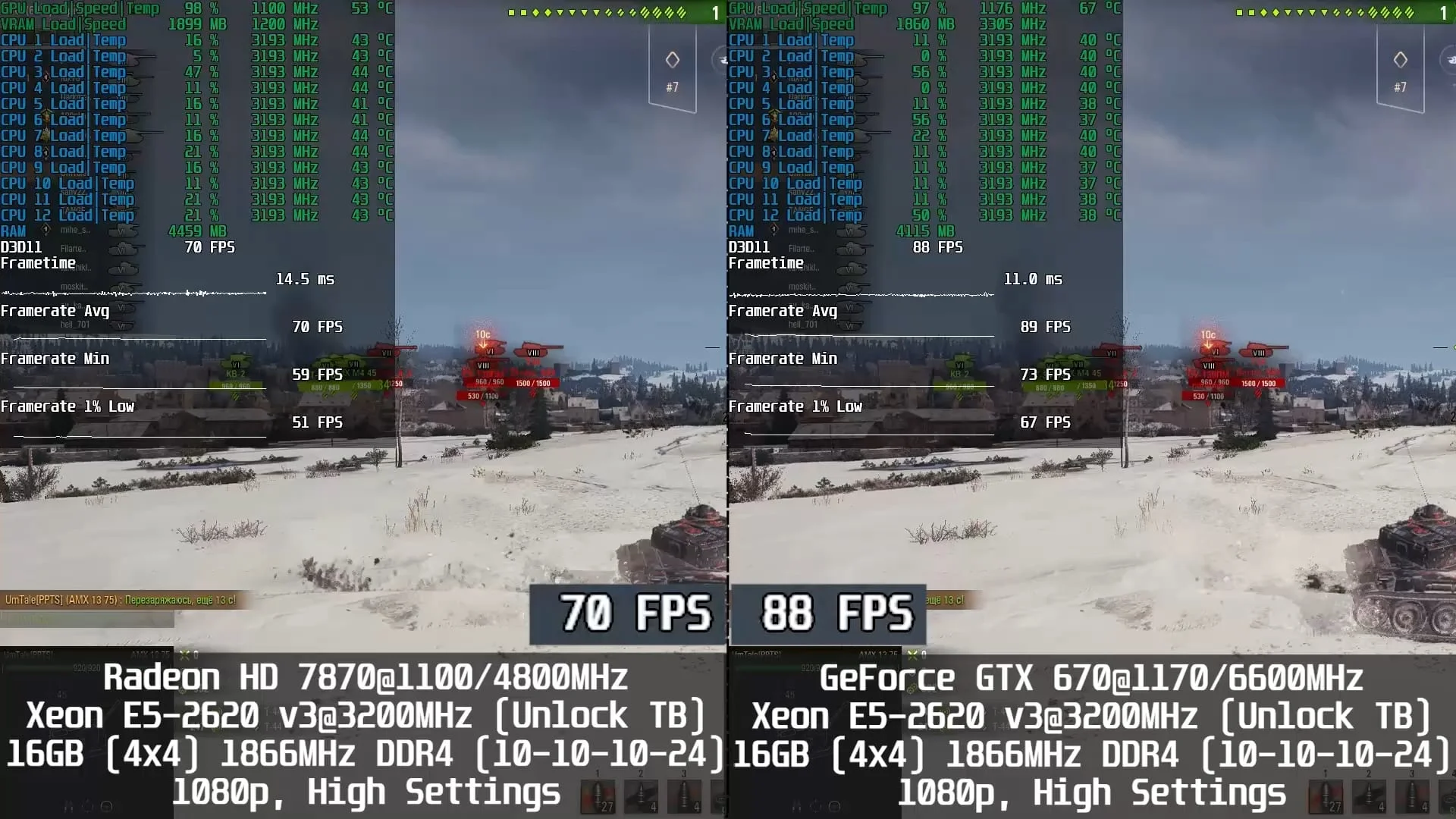
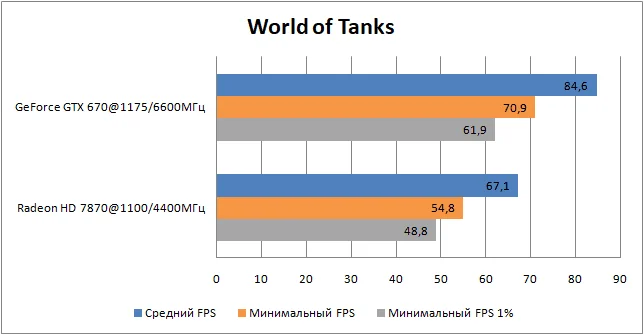
World of Tanks - DirectX 11, 1920×1080 resolution (1920×1080 render scale), high graphics settings;
You can find more detailed graphics settings in the Radeon HD 7870 benchmark video at the end of this article.
Testing and comparing the Radeon HD 7870 vs GeForce GTX 670 in 16 games:
Assassin’s Creed Odyssey
 ⤢ ВІДКРИТИ
 ⤢ ВІДКРИТИ
 ⤢ ВІДКРИТИ
Control Ultimate Edition
 ⤢ ВІДКРИТИ
 ⤢ ВІДКРИТИ
 ⤢ ВІДКРИТИ
Counter-Strike: Global Offensive
 ⤢ ВІДКРИТИ
 ⤢ ВІДКРИТИ
 ⤢ ВІДКРИТИ
Crysis Remastered
 ⤢ ВІДКРИТИ
 ⤢ ВІДКРИТИ
 ⤢ ВІДКРИТИ
Destiny 2
 ⤢ ВІДКРИТИ
 ⤢ ВІДКРИТИ
 ⤢ ВІДКРИТИ
Far Cry 5
 ⤢ ВІДКРИТИ
 ⤢ ВІДКРИТИ
 ⤢ ВІДКРИТИ
For Honor
 ⤢ ВІДКРИТИ
 ⤢ ВІДКРИТИ
 ⤢ ВІДКРИТИ
Fortnite
 ⤢ ВІДКРИТИ
 ⤢ ВІДКРИТИ
 ⤢ ВІДКРИТИ
Horizon Zero Dawn
 ⤢ ВІДКРИТИ
 ⤢ ВІДКРИТИ
 ⤢ ВІДКРИТИ
Mafia: Definitive Edition
 ⤢ ВІДКРИТИ
 ⤢ ВІДКРИТИ
 ⤢ ВІДКРИТИ
Red Dead Redemption 2
 ⤢ ВІДКРИТИ
 ⤢ ВІДКРИТИ
 ⤢ ВІДКРИТИ
Remnant: From the Ashes
 ⤢ ВІДКРИТИ
 ⤢ ВІДКРИТИ
 ⤢ ВІДКРИТИ
Tom Clancy’s The Division 2
 ⤢ ВІДКРИТИ
 ⤢ ВІДКРИТИ
 ⤢ ВІДКРИТИ
Star Wars Jedi: Fallen Order
 ⤢ ВІДКРИТИ
 ⤢ ВІДКРИТИ
 ⤢ ВІДКРИТИ
Watch_Dogs 2
 ⤢ ВІДКРИТИ
 ⤢ ВІДКРИТИ
 ⤢ ВІДКРИТИ
World of Tanks
 ⤢ ВІДКРИТИ
 ⤢ ВІДКРИТИ
 ⤢ ВІДКРИТИ
Below is a video benchmark of the Radeon HD 7870 in 16 games. Keep in mind that for the charts above, the FPS was recorded without screen capture, which eats up some performance. Consequently, the frame rates in the video are slightly lower than those shown in the graphs.
YouTube
By loading, you allow content from YouTube (cookies may be set).
Let's wrap things up. There is definitely plenty to talk about, as the results turned out to be highly mixed. See for yourself:
Game | Radeon HD 7870 | GeForce GTX 670 |
Assassin’s Creed Odyssey | + | |
Control Ultimate Edition | + | |
Counter-Strike: Global Offensive | + | |
Crysis Remastered | + | |
Destiny 2 | ~ | ~ |
Far Cry 5 | + | |
For Honor | + | |
Fortnite | + | |
Horizon Zero Dawn | + | |
Mafia: Definitive Edition | + | |
Red Dead Redemption 2 | + | |
Remnant: From the Ashes | + | |
Tom Clancy’s The Division 2 | + | |
Star Wars Jedi: Fallen Order | + | |
Watch_Dogs 2 | ~ | ~ |
World of Tanks | + | |
Total: | 6 | 8 |
Out of the 16 tested games, the HD 7870 outperformed the GTX 670 in 6, while the latter came out ahead in 8. That said, we should look closer at how relevant these games are and what audience they target.
For example:
The HD 7870 performed incredibly well in Red Dead Redemption 2, essentially doubling the performance of the GTX 670. The Team Red card also beat its Team Green rival in Tom Clancy’s The Division 2. Both are massive multiplayer titles where players easily sink dozens of hours. Additionally, the HD 7870 took the lead in single-player games like Control, Assassin’s Creed Odyssey, Far Cry 5, and Mafia: Definitive Edition.
On the other hand, the GeForce GTX 670 was significantly faster in single-player, story-driven games like Horizon Zero Dawn, Crysis Remastered, and Star Wars Jedi: Fallen Order. It also beat the HD 7870 in multiplayer titles like World of Tanks, Remnant: From the Ashes, Fortnite, and For Honor.
Conclusion
Looking strictly at the raw numbers, the GeForce GTX 670 is the clear winner. However, from a purely subjective standpoint, choosing a definitive leader is tough when you look at how both cards handled specific titles (especially Red Dead Redemption 2 and Remnant: From the Ashes). Hopefully, this gives you some food for thought. Feel free to share your conclusions and thoughts on our test results in the comments below.
Thanks for reading, and see you next time!
If you found this article helpful and want to see more content like this, please support us on Patreon! Our main goal is to expand our hardware suite and improve testing quality (like replacing HDDs with high-capacity SSDs, buying a capture card to stop ShadowPlay recording from skewing benchmark results, and so on).We also want to give a special shoutout to our current patrons!Your support is incredibly important to us!