REVIEWS · MOTHERBOARDS
PUBLISHED
READING10 min
Ultra-cheap LGA1366: review and testing of the DELL T3500 (09KPNV) motherboard
When it launched, the LGA1366 platform was an extremely expensive purchase. We'll examine the most affordable board for it: the DELL T3500.
When it first launched, the LGA1366 platform was an extremely expensive purchase. Intel essentially brought a near-server socket to the desktop segment, complete with all its pros and cons. In this article, we'll dive into one of the most affordable motherboards for the somewhat outdated, yet still relatively relevant LGA1366 platform: the DELL 09KPNV motherboard, better known as the DELL T3500, which is the core component of the workstation by the same name. I'll highlight the advantages and disadvantages of this motherboard.
Let's start with the board's specifications and advantages:
Advantages:
CPU support
The DELL T3500 motherboard uses the X58+ICH10 chipset and supports virtually all processors designed for the LGA1366 platform, including:
The Core i7-900 series, essentially useless due to its pricing. These chips were built on 45nm and 32nm processes, featuring 4 cores/8 threads and 6 cores/12 threads, respectively;
The relatively cost-effective Xeon W35xx/W36xx series, based on the same 45nm/32nm processes, offering 4 cores/8 threads and 6 cores/12 threads, respectively (full equivalents to the 9th-gen Core i7).
Finally, the most profitable processor series, the Xeon X55xx/X56xx, built on 45nm/32nm processes and offering 4 cores/8 threads and 6 cores/12 threads, respectively (and slightly faster than their Core i7 desktop counterparts).
We'll discuss the performance difference between the "X5" and "W3" series in a future article. For now, let's move on:
RAM
The official manufacturer's website states support for 24GB of DDR3 RAM at up to 1333MHz across six slots. However, this doesn't seem to apply to all memory modules.
Online, you'll often find enthusiasts who've paired the T3500 with a Xeon X55/56xx processor and successfully run 48GB of RAM using six 8GB sticks. Mentions of 8GB modules with W35xx/W36xx series CPUs are less common. However, it's equally frequent to encounter situations where only one of three 8GB modules works, with the board failing to recognize the others.
In other words: Officially, the motherboard only supports 4GB modules. Unofficially, however, when paired with top-tier processors, it can handle 8GB modules in each slot. This, combined with a six-core Xeon X5650 or a higher-frequency chip, results in a quite powerful system, not just for gaming but also for professional applications.
Nonetheless, if you plan to install 8GB modules, always test them for compatibility before buying, and never purchase sticks individually!
PCI-express
Thanks to the X58 chipset, the motherboard supports two full PCI Express x16 Gen2 slots and two PCI-e x4 slots. This allows for a dual-graphics card setup.
Again, a small disclaimer: We're using a single graphics card in this review. We haven't tested SLI/Crossfire. However, you can find reports online of multiple graphics cards working successfully. Frankly, this is a highly questionable advantage, given the performance of compatible processors.
Also, remember that this platform is old. Installing, say, two GTX 1060s or RX580s will likely yield negligible returns, as PCI-Express 2.0 bandwidth won't be sufficient for a pair of such cards.
Audio, SATA, USB.
The DELL T3500 comes with five SATA 2.0 ports. Keep this in mind, as modern SSDs ideally require SATA 3.0 to achieve their advertised bandwidth. This generally doesn't affect traditional hard drives, which still find SATA 2.0 more than sufficient.
The motherboard's rear panel offers six USB 2.0 ports. The lack of USB 3.0/3.1 is now a critical omission, but you can add these, along with SATA 3.0, via PCI Express expansion cards — thankfully, the board has plenty of those slots.
What's genuinely concerning is the absence of the "pink" microphone jack. Next to the familiar green speaker/headphone output, there's only a blue line-in port. But don't worry too much. You can reassign the line-in to a microphone input using the proprietary utility included with the audio drivers. Unfortunately, this means you'll have to choose between a microphone and, say, an electric guitar or any other device that connects to a line-in.
There's a third option: buying the front panel from a DELL T3500 workstation, or even the entire case. In that scenario, you won't have to choose between inputs, as the front panel includes a dedicated microphone jack.
We won't delve into that option, as the case itself is quite expensive. And buying a front panel is something most users can figure out on their own.
Advantages summarized:
Support for extremely cheap, yet still powerful, LGA1366 Xeon processors with up to six cores and HT.
Six DDR3 memory slots with a maximum frequency of 1333MHz.
The motherboard's price itself: ~30-45$ depending on the seller or store.
That concludes the features and advantages.
Disadvantages (it's a veritable aircraft carrier):
As unfortunate as it is, we must now turn to the disadvantages. And sadly, the DELL T3500 has significantly more of them than it does advantages:
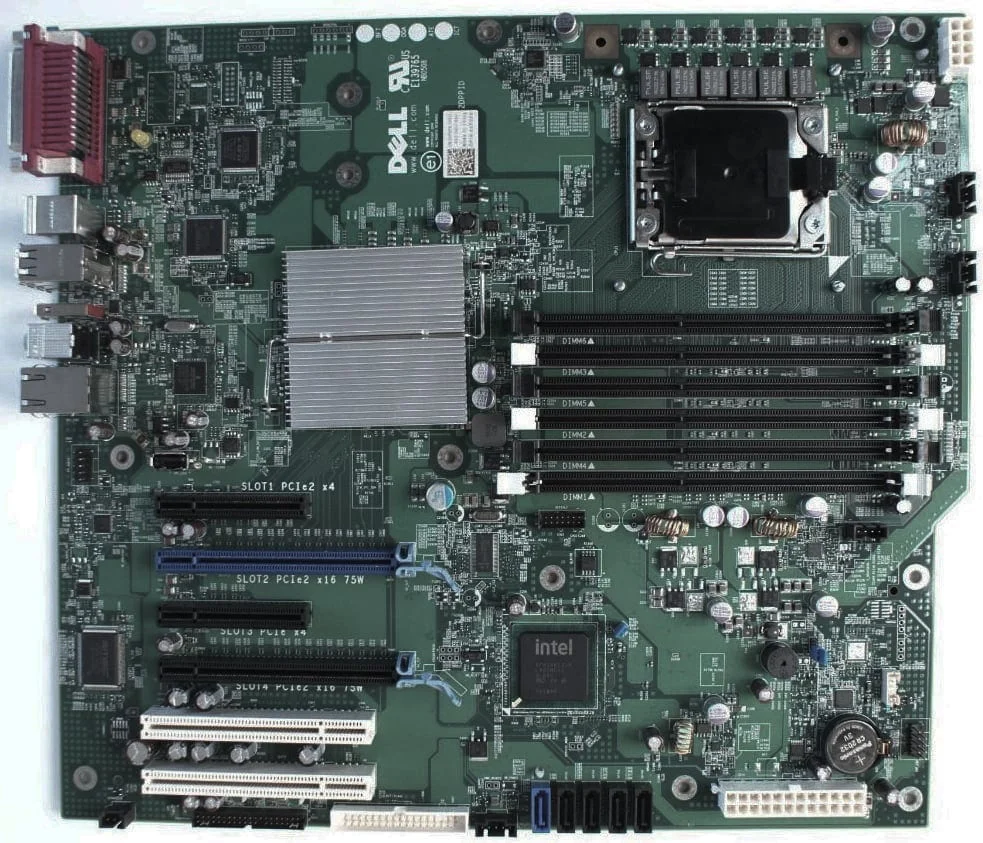
First, let's take a closer look at our subject:
 ⤢ ВІДКРИТИ
The first thing you'll notice is the unconventional placement of the CPU socket, RAM slots, and most critically, the 24-pin motherboard power connector.
Of all the above, that last point is arguably the most significant drawback. The issue is that cheap power supplies, which are typically used in budget builds like this, probably won't have cables long enough to reach it. If your case has a bottom-mounted PSU, then another problem arises: will the 4-pin or 8-pin auxiliary CPU power connector reach its socket?
If that's not an issue for you, welcome to the next, admittedly less severe, but still rather annoying quirk:
The motherboard uses a W-ATX form factor, or something similar. The exact designation isn't crucial, as it won't fit most cases without modification. If you're handy and don't mind spending time modding your case, then let's proceed:
At a minimum, you'll need to remove the hard drive and optical drive cages. Depending on your case's design, the HDD cage might need to be relocated closer to the left side panel, or even mounted at the top (which is, frankly, a terrible idea, and I absolutely don't recommend it).
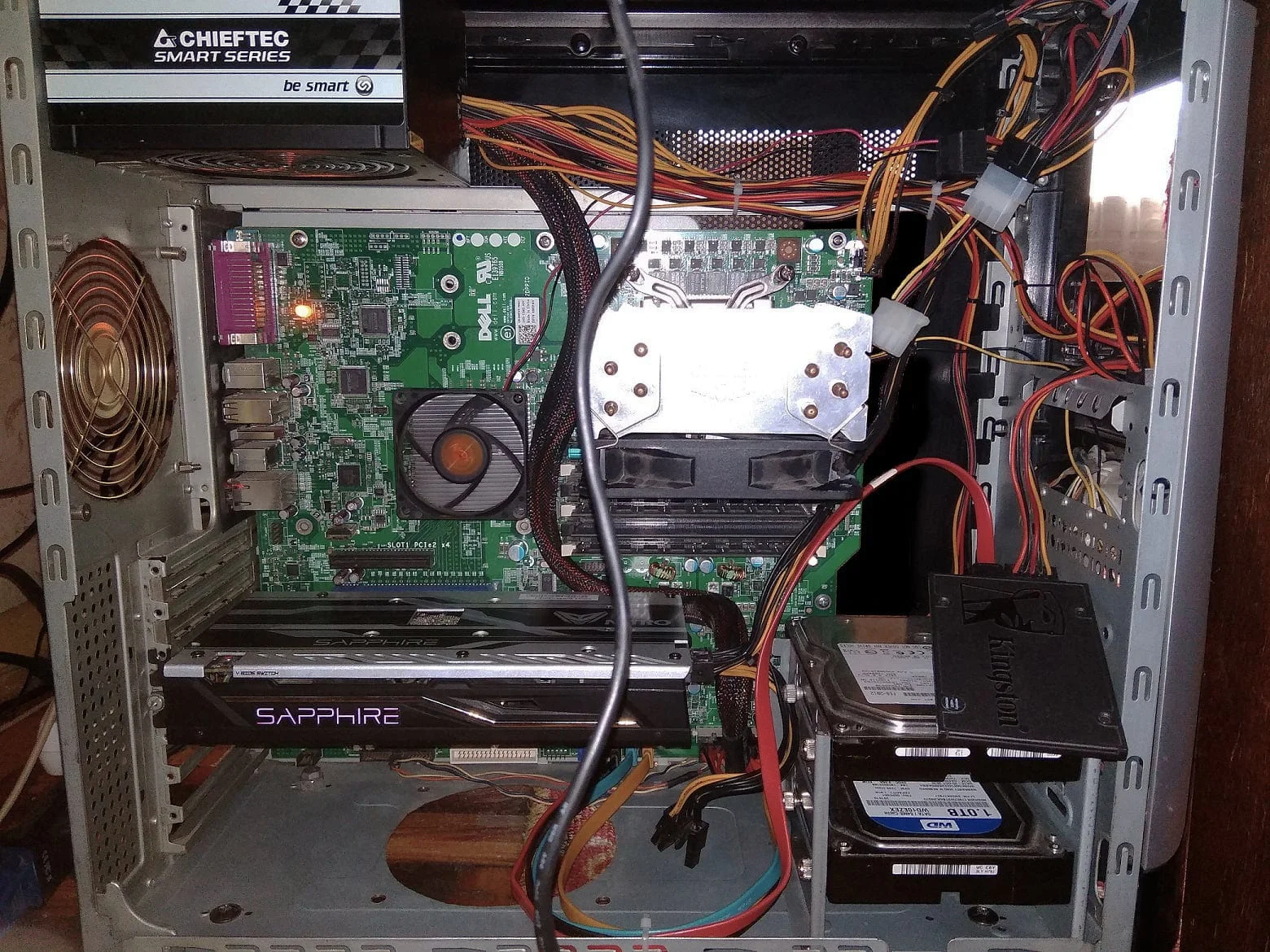
Personally, back in 2017, I did this:
 ⤢ ВІДКРИТИ
I repurposed an old HDD cage into a new one, but only for two drives, and positioned it to allow easy access to the 24-pin connector at any time.
Again, it all depends on the number of drives in your system. If you only have one, all you need to do is mount it either at the bottom or the top of the case. You can even do it without a cage (though highly inadvisable), as there are standard screw holes on the bottom of HDDs.
CPU cooling
Due to the unconventional CPU socket placement and the workstation's standard cooler mounts, not all cooling systems are compatible with the DELL T3500.
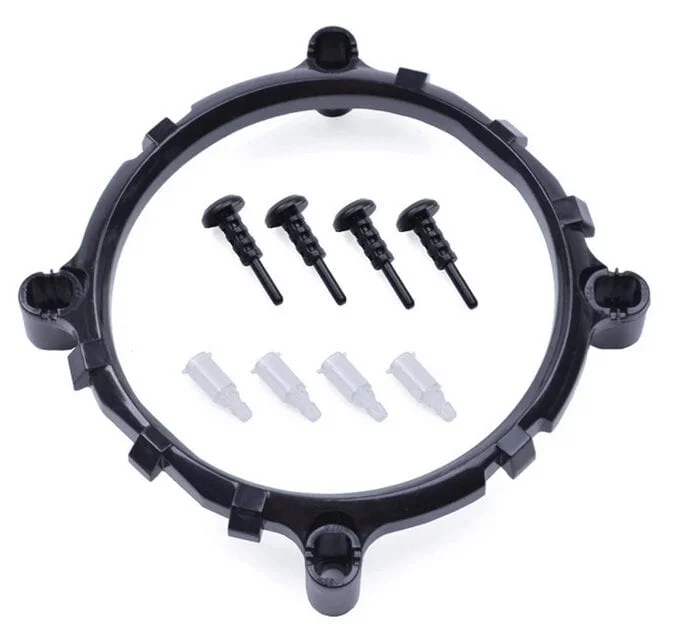
In my case, a Cooler Master Hyper 212 EVO fit without issues. But if you don't want to spend money on such a cooler, you can buy a cooling solution for AM2/AM3/AM4 sockets and an LGA 1366 to AM2 adapter bracket.
 ⤢ ВІДКРИТИ
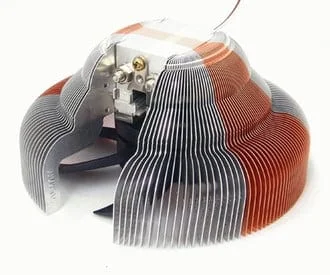
Before buying a cooler, though, make sure it's compatible with the adapter bracket! For instance, standard AMD Athlon 64 CPU coolers might require modifying the fins. While not overly complicated, do you really want that hassle? It's better to choose something with a narrow base, similar in appearance to the legendary Zalman CNPS7700-Cu:
 ⤢ ВІДКРИТИ
X58
Never leave the northbridge chipset (the one under the heatsink) without cooling. Get a fan from an AMD stock cooler, or simply buy a 70mm fan and install it on the chipset! Otherwise, the chip could fail.
Overclocking
Or rather, its complete absence. The board cannot overclock processors whatsoever. This also applies to RAM, with a maximum of 1333MHz, and even then, only in auto mode. Try to choose the highest-frequency chip possible, but don't overdo it: the board lacks VRM cooling, and transistor failures due to severe overheating are not uncommon.
About auxiliary CPU power, or spontaneous reboots with a 4-pin connection:
If you don't have an 8-pin auxiliary CPU power cable, you could jury-rig an adapter from your 4-pin. However, that's an extremely impractical, even barbaric, solution. It's much simpler to acquire an 8-pin connector and solder it onto your power supply. This will, of course, void its warranty, but if you're even considering such an operation, it's unlikely you have a recently purchased PSU.
Benchmarks
The DELL T3500 motherboard serves as our testbed for the LGA1366 socket. By watching any of the videos below, you'll get a clear picture of its performance with Intel Xeon X5570 (4 cores, 8 threads), Xeon X5660 (6 cores, 12 threads), and Xeon E5506 (4 cores) processors. Additionally, you'll be able to compare LGA1366's speed against LGA1155 (Core i5-2500K), LGA1156 (Xeon X3450 and 3470), and LGA2011 (Xeon E5-2643 and Xeon E5-2670 chips).
YouTube
By loading, you allow content from YouTube (cookies may be set).
YouTube
By loading, you allow content from YouTube (cookies may be set).
YouTube
By loading, you allow content from YouTube (cookies may be set).
YouTube
By loading, you allow content from YouTube (cookies may be set).
Conclusion
Ultimately, here's the takeaway: The DELL T3500 workstation motherboard isn't for everyone. First and foremost, you shouldn't be afraid to get your hands dirty. Some users will need to do a little work, others a lot. Alternatively, you could go a different route and buy one of the Chinese boards from AliExpress. They're standard size and don't require case modifications, but in return, you'll contend with only two to four (four at best) RAM slots, BIOS issues, and a relatively weak CPU power delivery system.
Of course, this primarily applies to ultra-budget Chinese solutions (mid-range and high-end boards are stable and don't suffer from cheap motherboard "ailments"), but only these bottom-tier options fall into the T3500's price category.
To sum it all up: If you don't want to bother with case and cooling modifications, the DELL T3500 is definitely not for you. But if you're keen on repurposing an old (or new) case to suit this finicky board's needs, then why not? Go for it.