BLOGS · GAME BLOGS
PUBLISHED
READING5 min
Setting up RPCS3 v0.0.29+ for Gran Turismo 5
Gran Turismo 5 is finally compatible with RPCS3 v0.0.29+, but it's a beast that still demands a powerful PC. Our guide shows you how to configure the emulator for stable, smooth gameplay.
The developers of the RPCS3 emulator recently announced that their project is now fully compatible with the legendary Gran Turismo game series. Until summer 2023, the fifth installment of the Japanese racing franchise suffered from serious operational issues; however, June brought a significant breakthrough in its RPCS3 emulation.
Admittedly, the game is currently very demanding on your PC's hardware (we'll cover that in more detail below). However, unlike last year, crashes and most graphical glitches are now a thing of the past.
Gran Turismo 5 emulation requirements
First, ensure your emulator version is at least RPCS3 v0.0.29 Alpha | master (main branch); update if necessary. If your version is significantly newer, some of the following settings might not even be needed. Try running the game without any additional changes. It's also possible that the game won't launch at all with the settings provided below. If that happens, please let us know in the comments for this post, and we'll try to put together a new guide as soon as possible.
Currently, Gran Turismo 5 emulation on RPCS3 still faces several issues. These range from near-constant shader compilation (the first time on each map) and occasional application crashes to extremely high CPU demands, which consequently lead to FPS drops in graphically intensive scenes.
Keep in mind that this title still hasn't officially achieved 'Playable' status. As such, no one can offer 100% guarantees that you'll be able to finish the game without encountering a critical bug.
 ⤢ ВІДКРИТИ
RPCS3 configuration for Gran Turismo 5
Launch the emulator, then right-click the “Gran Turismo 5” icon. In the dropdown menu, left-click “Change/Create Custom Configuration”:
 ⤢ ВІДКРИТИ
In this window, across each of the tabs shown, configure the settings according to the selected options and screenshots below.
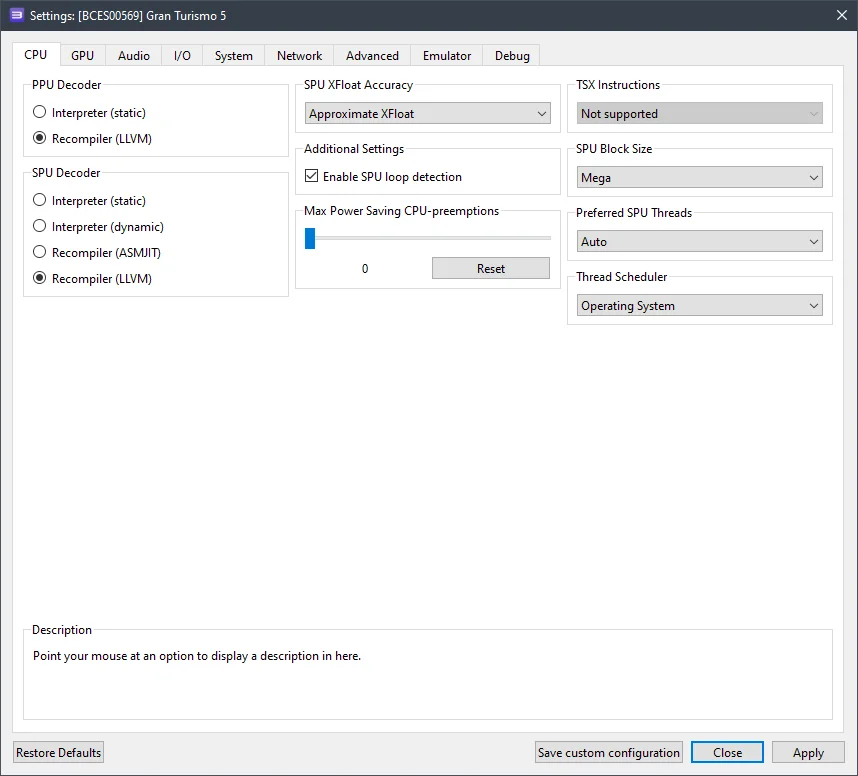
CPU configuration (CPU tab)
Setting | Option | Description |
|---|---|---|
SPU block size | Mega | Boosts performance without compromising stability. |
 ⤢ ВІДКРИТИ
You can also experiment with the SPU Decoder parameter by changing it to Recompiler (ASMJIT), especially if you're experiencing unsatisfactory performance or occasional game crashes.
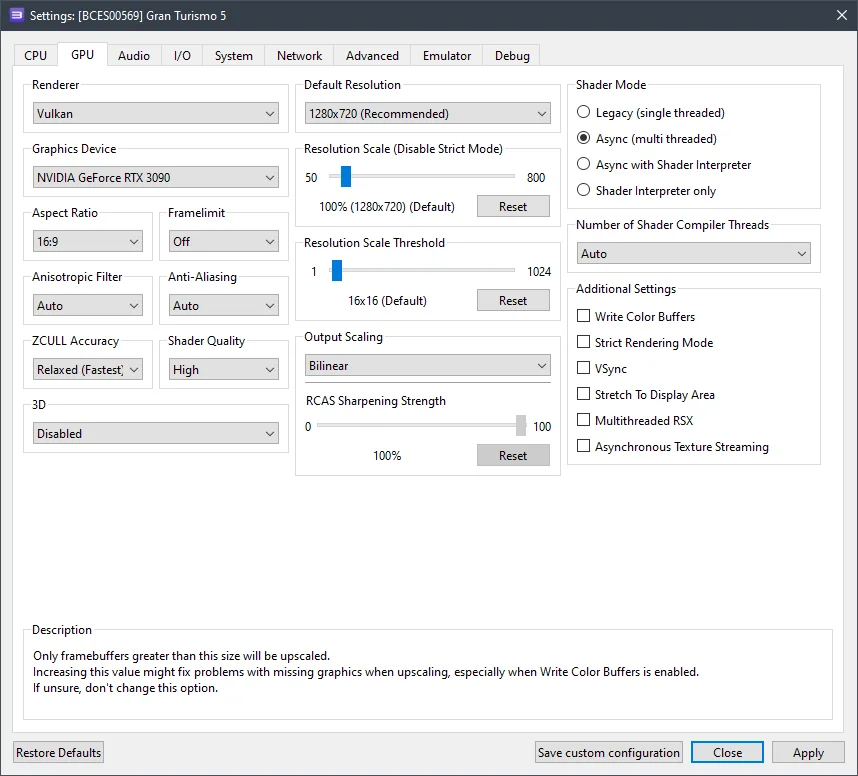
GPU configuration (GPU tab)
Setting | Option | Description |
|---|---|---|
Resolution scale | 100 | Setting this above 100% may cause game crashes. |
 ⤢ ВІДКРИТИ
Currently, increasing the resolution scale beyond 100% significantly impacts performance and often leads to game crashes on most PC builds. Nevertheless, if you have high-performance components (like Zen 4 / Alder Lake CPUs paired with RTX 3000 / RX 6000 GPUs), you might try increasing this parameter.
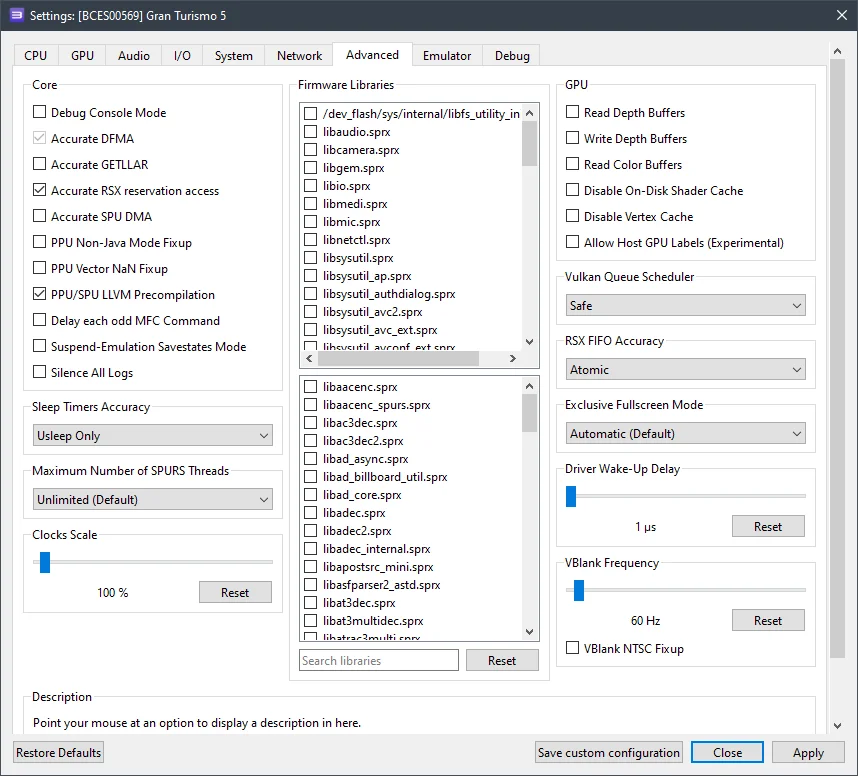
Additional settings (Advanced tab)
Setting | Option | Description |
|---|---|---|
Accurate RSX reservation access | On | If your CPU doesn't support TSX extensions (and it likely doesn't), be sure to enable this option! |
RSX FIFO accuracy | Atomic | Slightly reduces performance but significantly improves game stability. |
 ⤢ ВІДКРИТИ
Hidden settings (Debug tab)
By default, this tab is hidden in the emulator settings. To enable it, open File Explorer and navigate to the RPCS3 folder. Then, go into GuiConfigs and open the CurrentSettings.ini file. Locate the line showDebugTab=false and change it to showDebugTab=true. Save the change, restart the emulator, and reopen the game settings. The Debug tab will now be editable.
Setting | Option | Description |
|---|---|---|
Disable ZCull occlusion queries | On | Slightly improves overall game performance. |
Now, let's move on to the results.
RPCS3 configuration results for Gran Turismo 5
Unfortunately, owners of older processors (e.g., Ryzen 1000-2000 or Xeon E5-2600 v3/v4) still won't be able to comfortably play Gran Turismo 5.
With the previously mentioned settings, a PC featuring a Ryzen 5 3600 CPU and an RTX 3090 GPU achieves around 17-60 FPS on particularly demanding tracks (like night roads or cityscapes) and up to 40-70 FPS on simpler circuits.
However, the Ryzen 5 3600 isn't exactly a powerhouse CPU anymore. Emulating Gran Turismo 5 on a Core i5-12400F, we found that this chip delivers around 24-70 FPS on graphically intensive tracks and over 50-80 FPS on simpler maps. This offers a significantly more comfortable experience, making the Core i5-12400F a solid baseline for Gran Turismo 5 emulation.
Below are screenshots captured using an AMD Ryzen 5 3600 CPU and an RTX 3090 GPU:
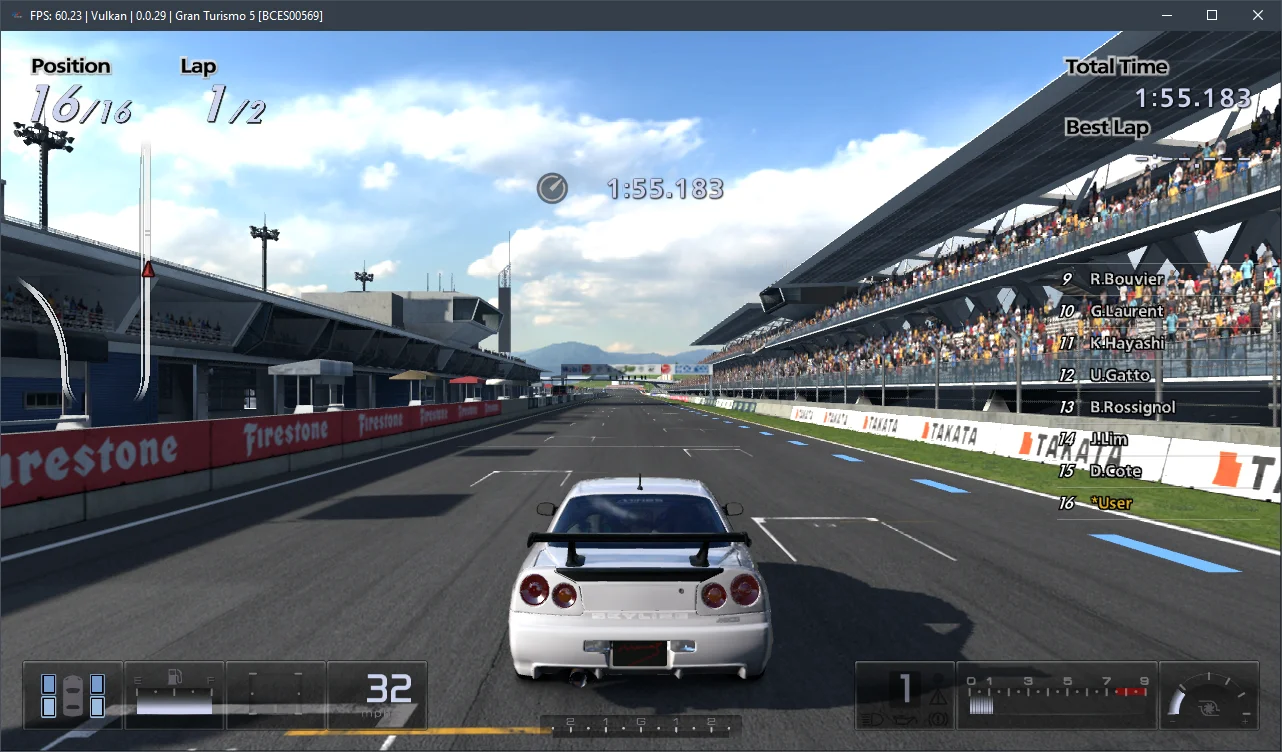
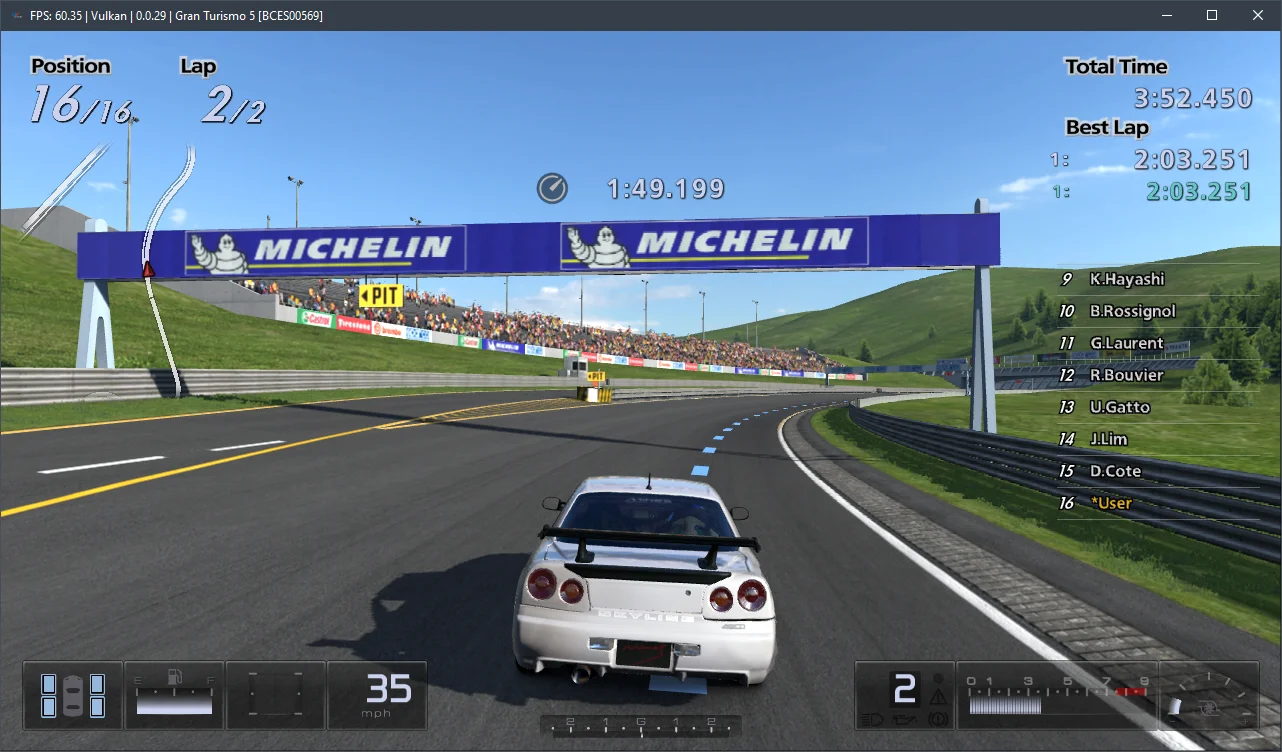
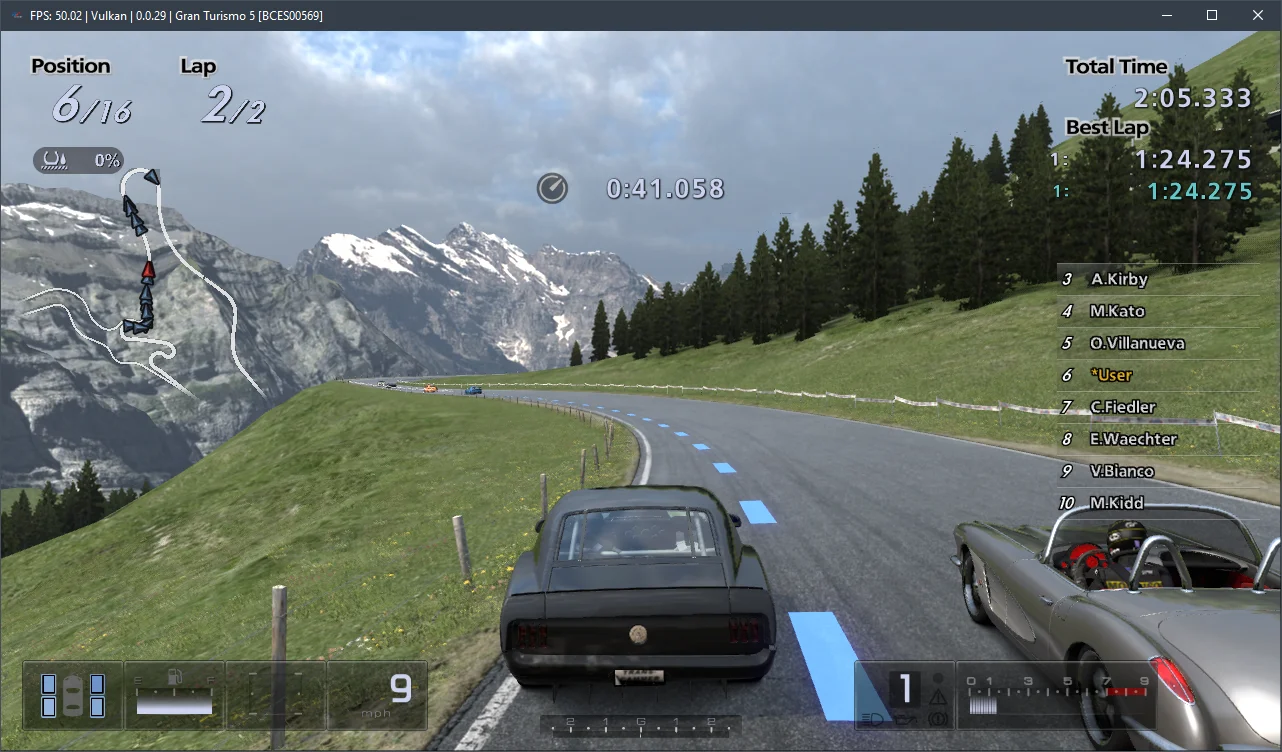
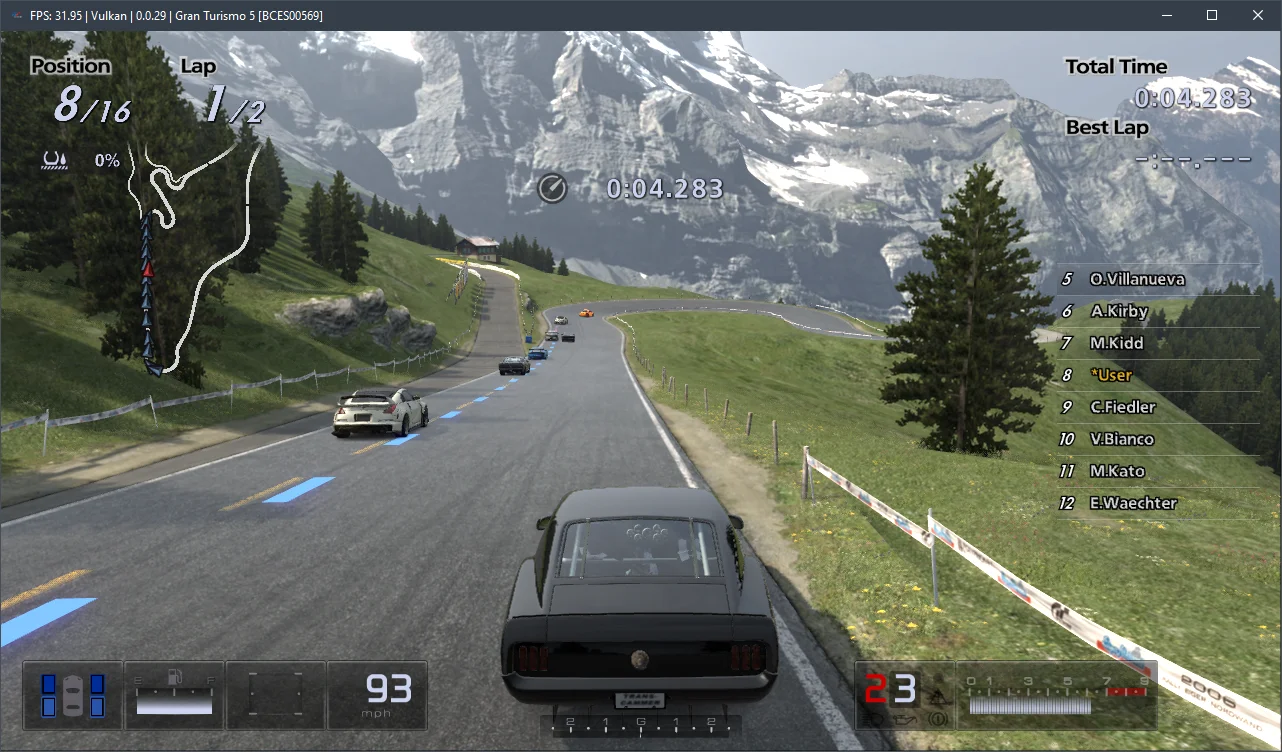
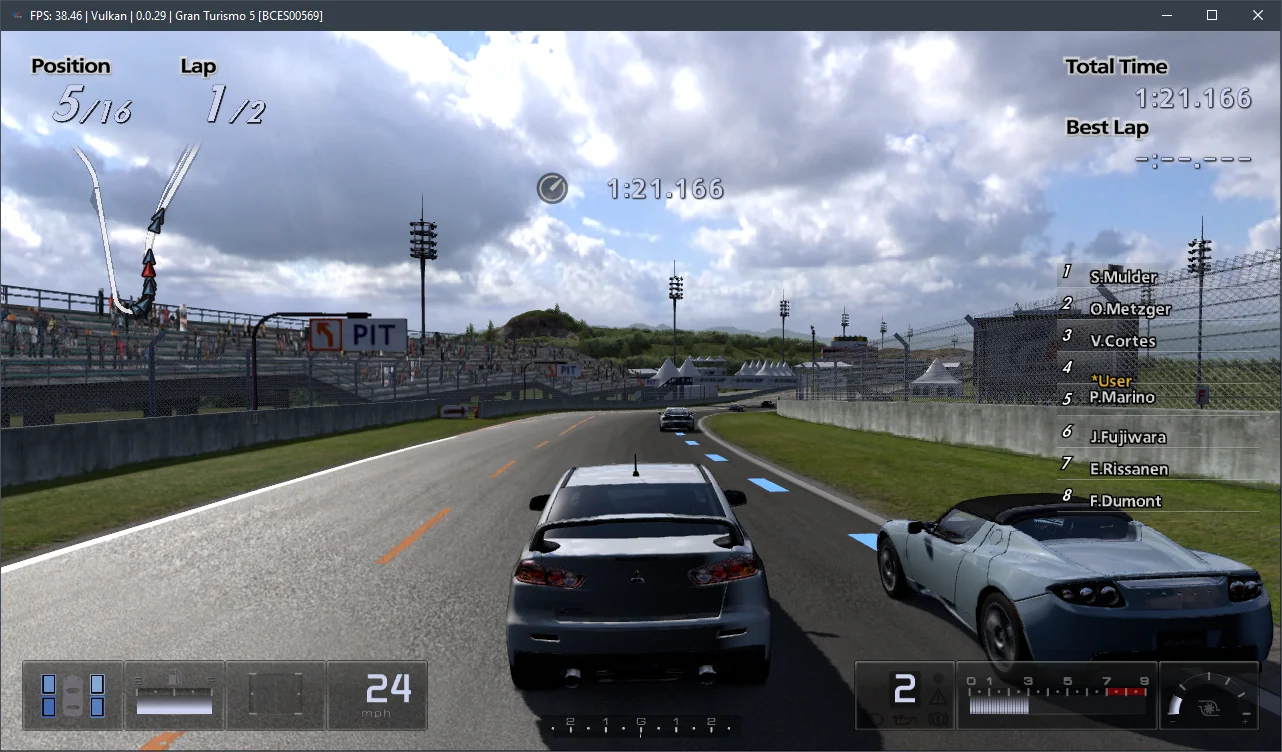
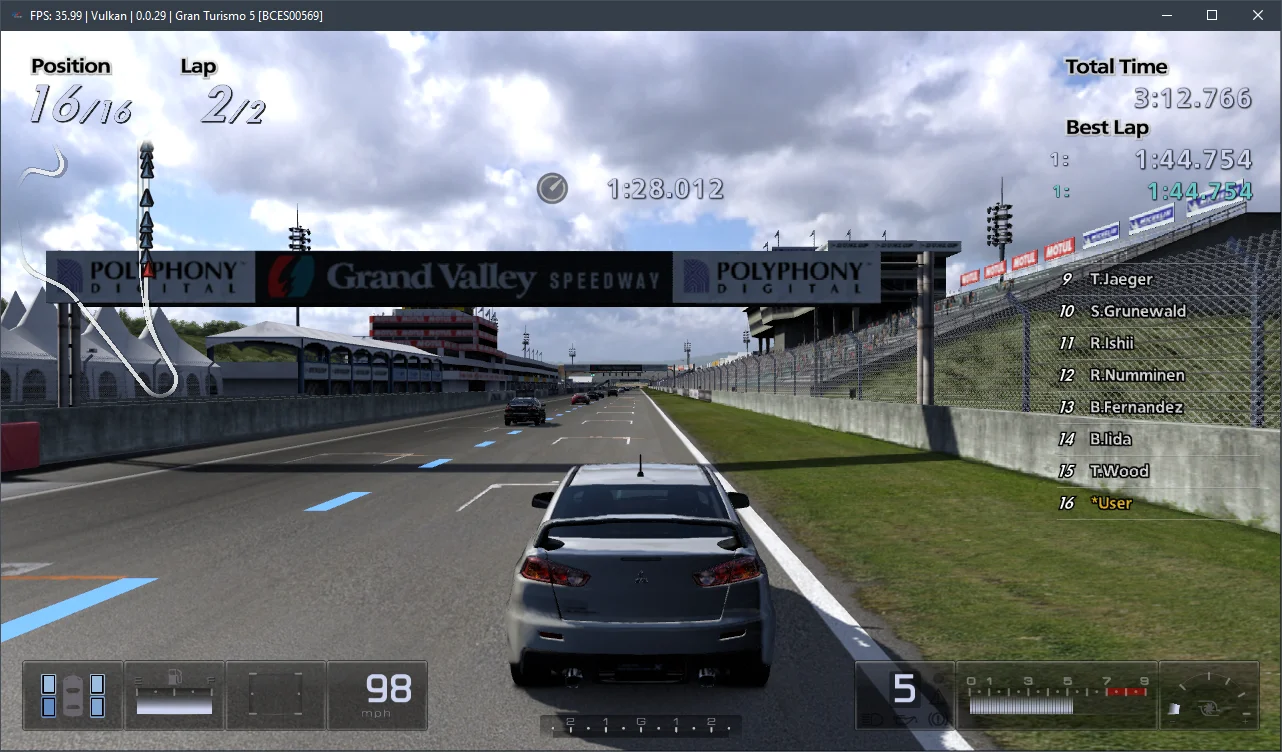
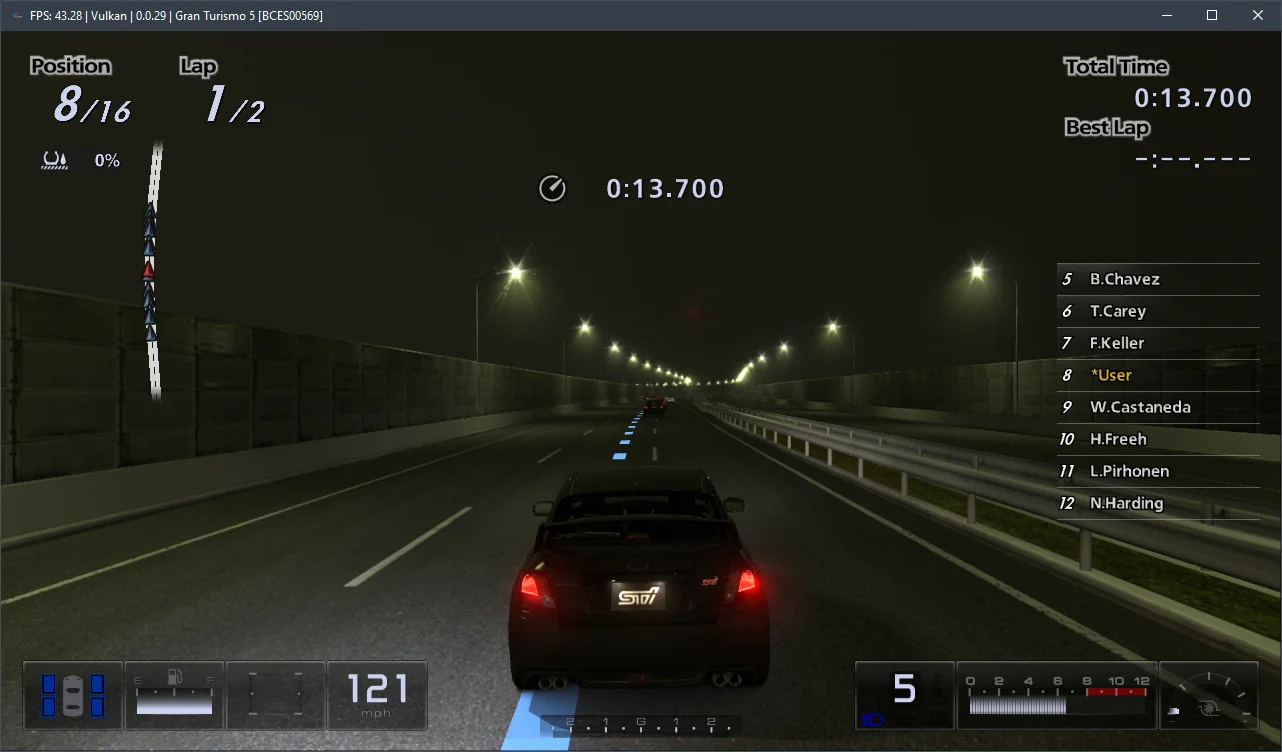
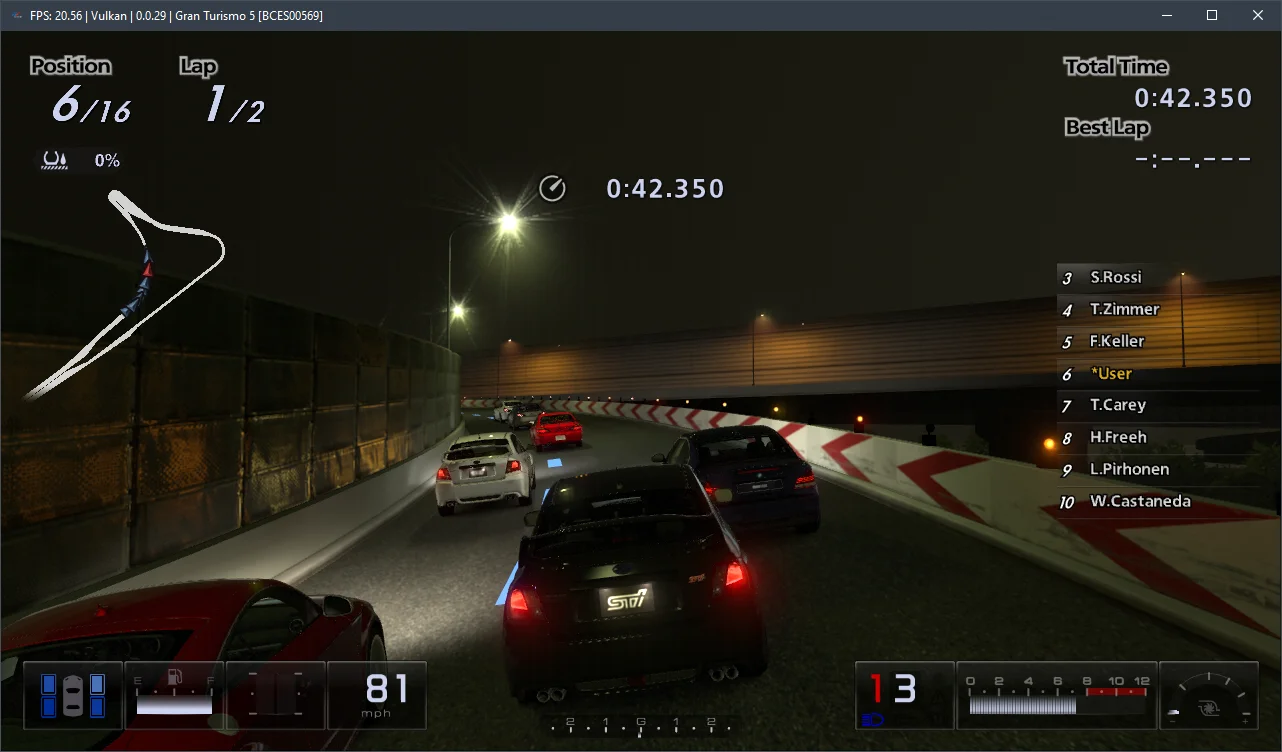
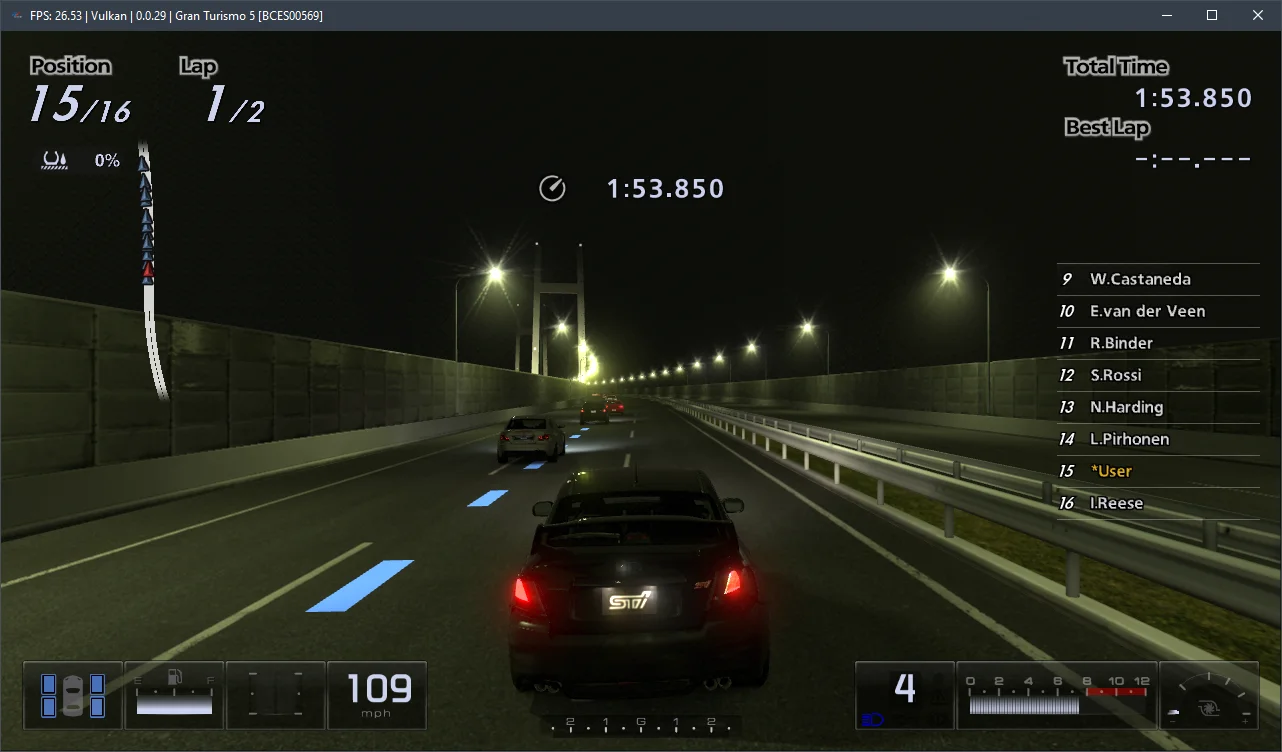
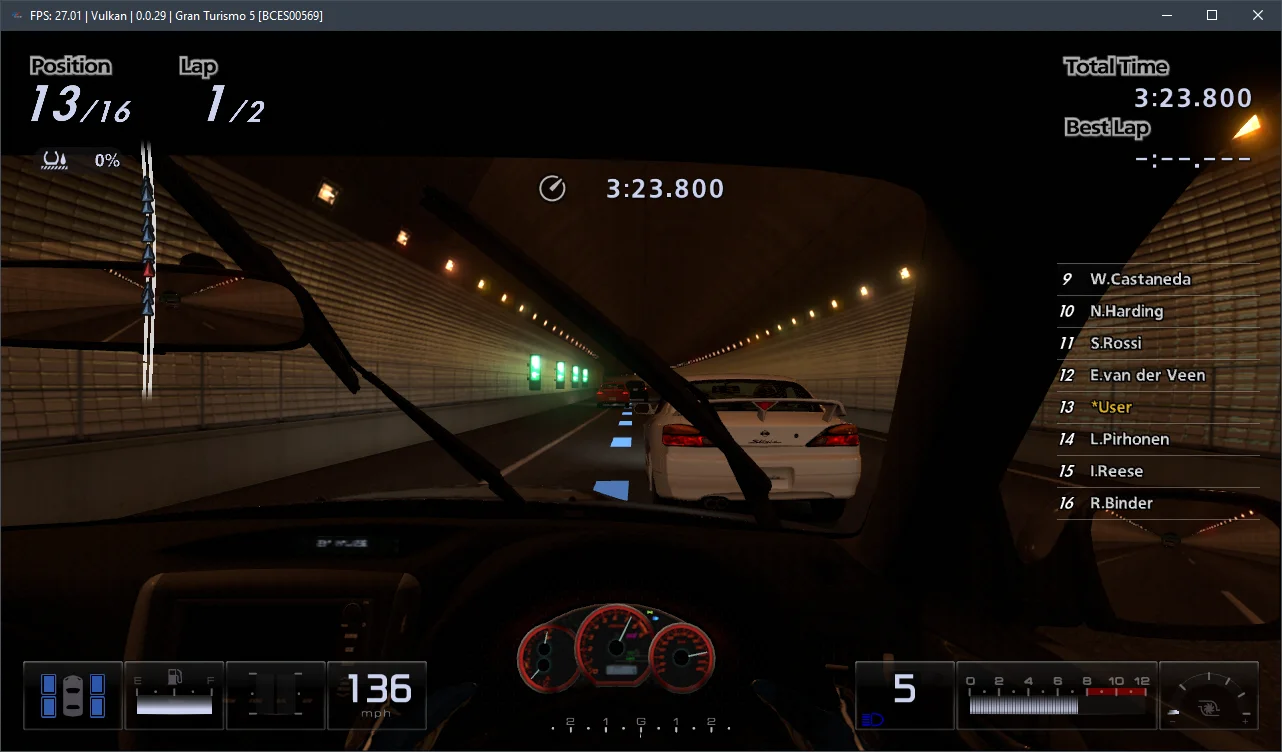
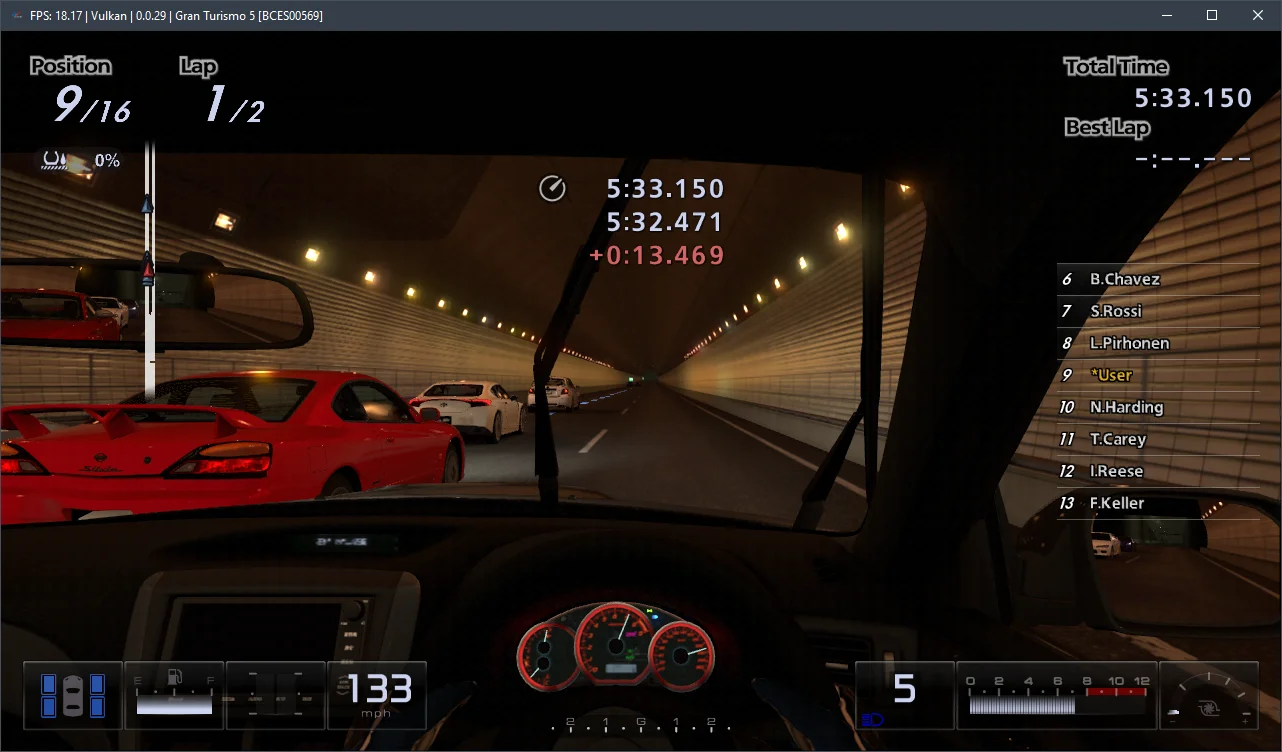
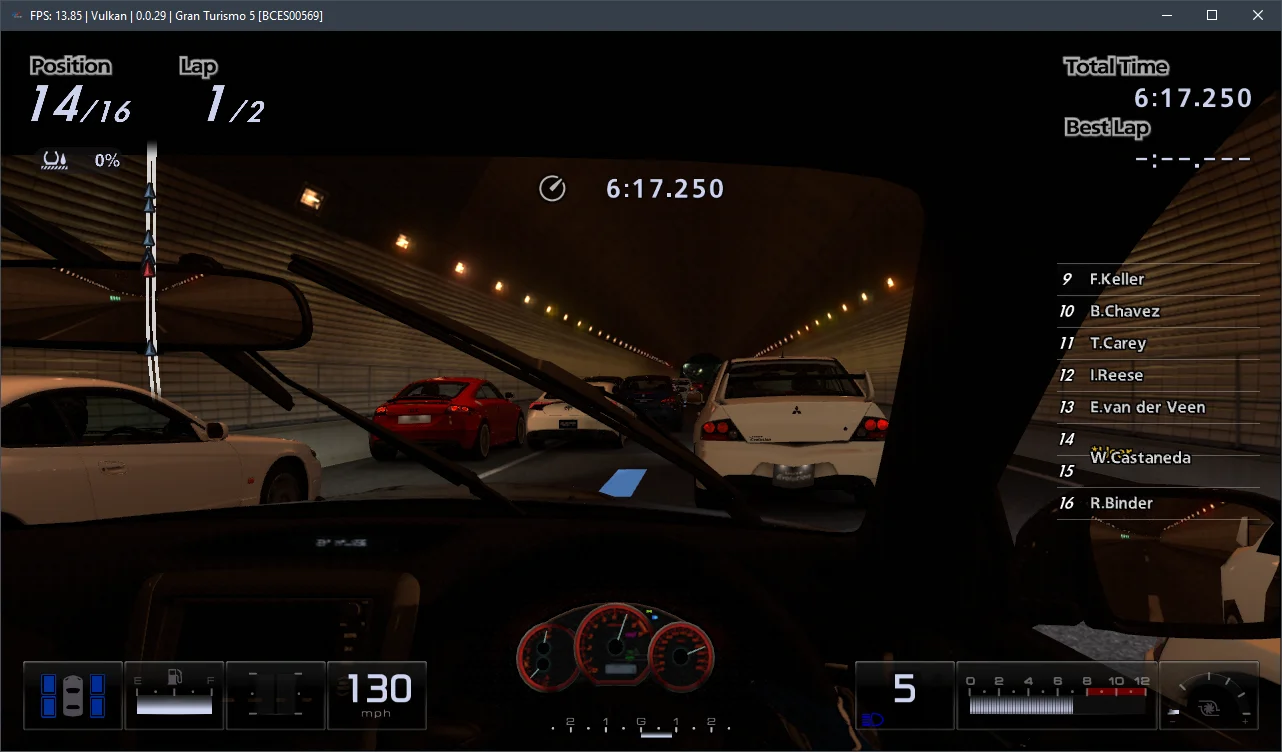
Gran Turismo 5 emulation is certainly not ideal; visual glitches and significant FPS drops occur on relatively weaker processors. However, despite these issues, the game remained remarkably stable, never crashing once over several hours of gameplay.
Regarding hardware requirements for the current RPCS3 v0.0.29+ emulator, our measurements indicate that Gran Turismo 5 runs adequately on 6-core AMD Zen 3 or Intel Rocket Lake CPUs (this is indeed the necessary baseline) and AMD Radeon RX 400 / NVIDIA GeForce GTX 1000 series graphics cards. For a truly comfortable experience with consistent 60 FPS, you'll want a high-frequency 6-core (preferably 8-core) Alder Lake (12th-14th Gen Core) or Zen 4 (Ryzen 7000) chip. Without such hardware, it will be extremely difficult to avoid substantial performance problems.
Feel free to test these settings, describe your results in the comments, and ask any questions you might have.