BLOGS · GAME BLOGS
PUBLISHED
READING4 min
Setting up RPCS3 v0.0.27+ for God of War: Ascension
Get RPCS3 v0.0.27+ running God of War: Ascension on your PC. While still buggy, the game is nearly playable with the right optimizations.
The monumental efforts of the RPCS3 emulator developers have finally paid off. Recently, one of the best PlayStation 3 exclusives has nearly reached “playable” status. If your system packs a fast, modern 6-8 core processor, you can now generally play God of War: Ascension from start to finish.
First and foremost, ensure your copy of God of War: Ascension is version 01.12. Older versions may cause the settings below to function incorrectly.
Second, and just as crucial, check your emulator version: it must be at least RPCS3 v0.0.27 Alpha | master (main branch). Update if needed. If you're on a much newer version, some of these settings might be unnecessary. Try the game without extra modifications. It's also possible these settings might prevent the game from launching. If that happens, let us know in the comments, and we'll work on a new guide as quickly as possible.
Finally, third: currently, God of War: Ascension on RPCS3 still has some issues. These range from occasional visual artifacts during shader compilation to equally rare application crashes and critical bugs. Still, these don't stop you from finishing the game.
Also, remember this title hasn't officially reached "Playable" status yet. So, there's no 100% guarantee you'll finish the game without hitting a critical bug.
 ⤢ ВІДКРИТИ
RPCS3 Configuration for God of War: Ascension
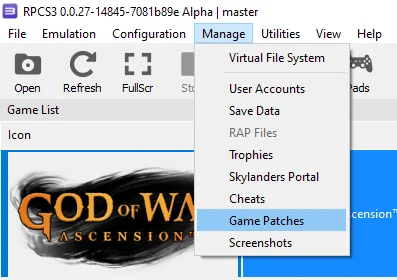
Launch the emulator and navigate to "Manage" in the top dropdown menu, then select "Game Patches":
 ⤢ ВІДКРИТИ
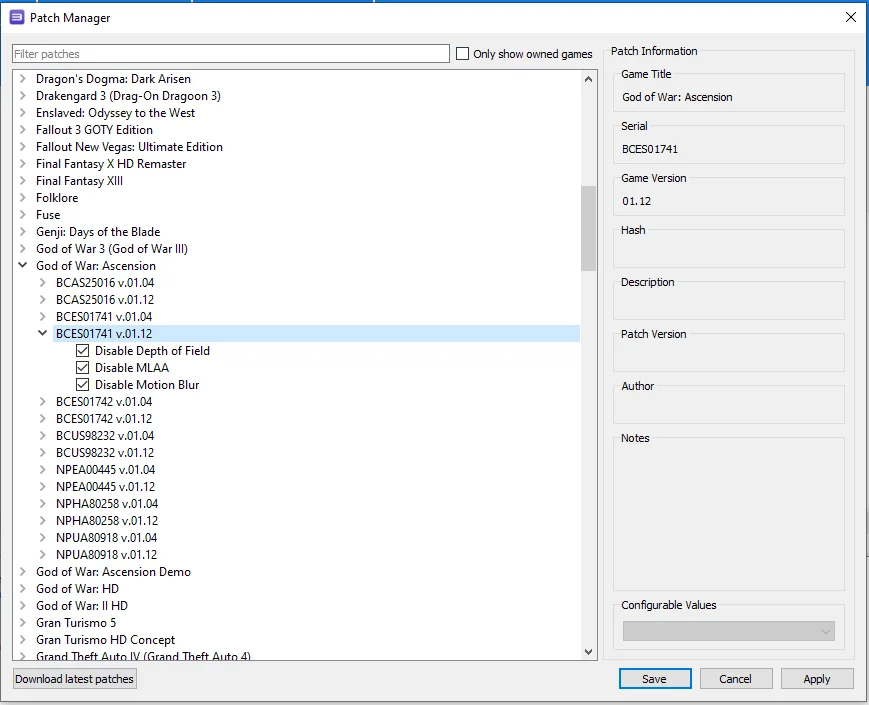
In this window, find your game disc version of "God of War: Ascension" and check the boxes next to the following items:
 ⤢ ВІДКРИТИ
"Disable Depth of Field"
"Disable MLAA"
"Disable Motion Blur"
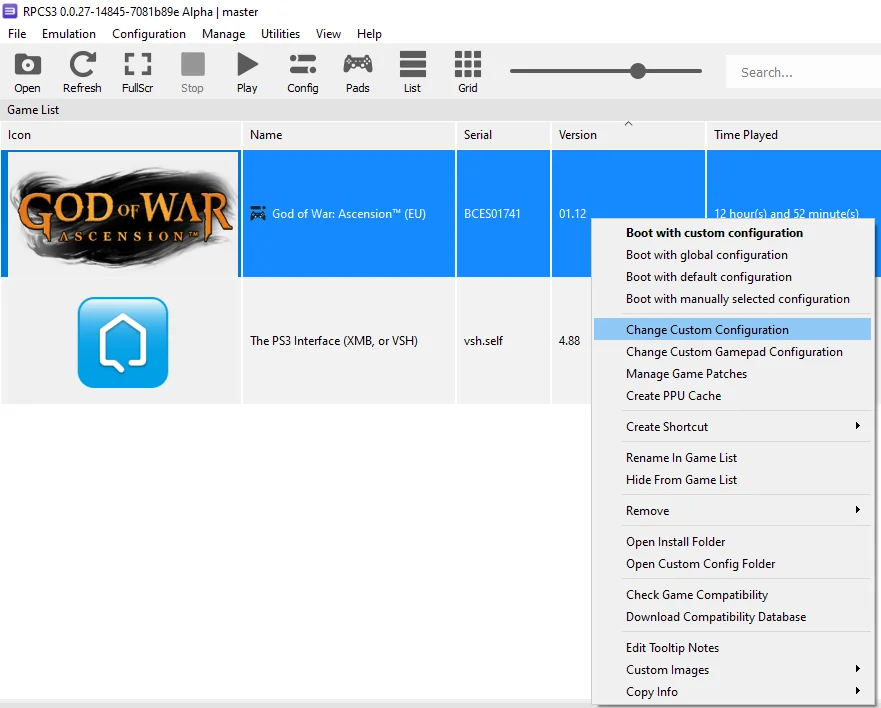
Click "Apply," then "Save," and close the window. Next, right-click the "God of War: Ascension" icon and choose "Change Custom Configuration":
 ⤢ ВІДКРИТИ
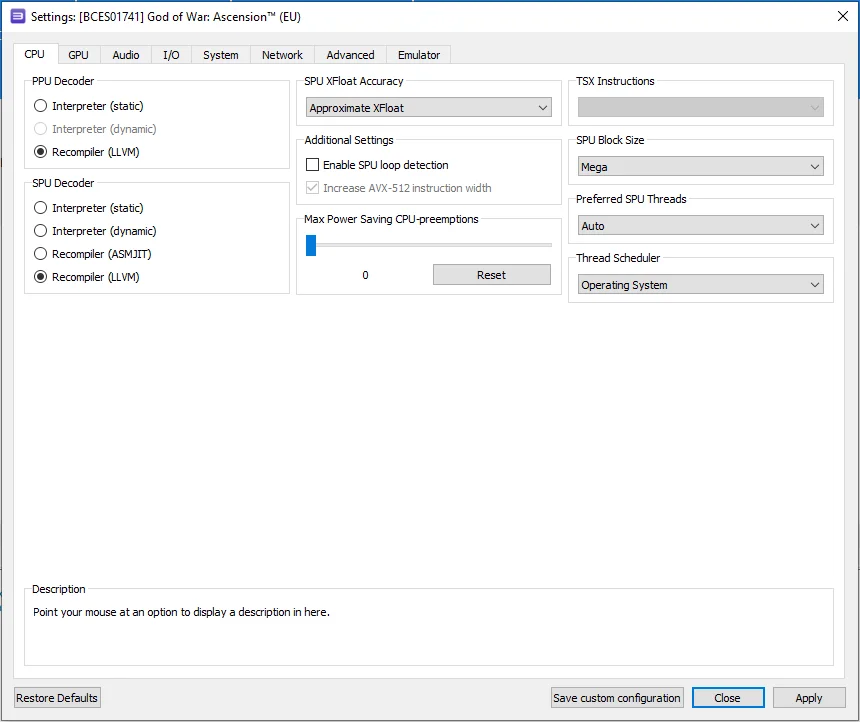
In this window, set the configurations according to the selected options and the screenshots provided below.
CPU Configuration
Setting | Option | Description |
|---|---|---|
SPU block size | Mega | Improves performance without sacrificing stability. |
 ⤢ ВІДКРИТИ
GPU Configuration
Setting | Option | Description |
|---|---|---|
ZCULL accuracy | Approximate | Improves performance compared to "precise." Avoid "relaxed" as it breaks graphics and degrades performance. |
Write color buffers | On | Fixes lighting issues in cutscenes. BUT! If you've activated patches, DO NOT ENABLE THIS OPTION! The game might fail to launch in some cases. |
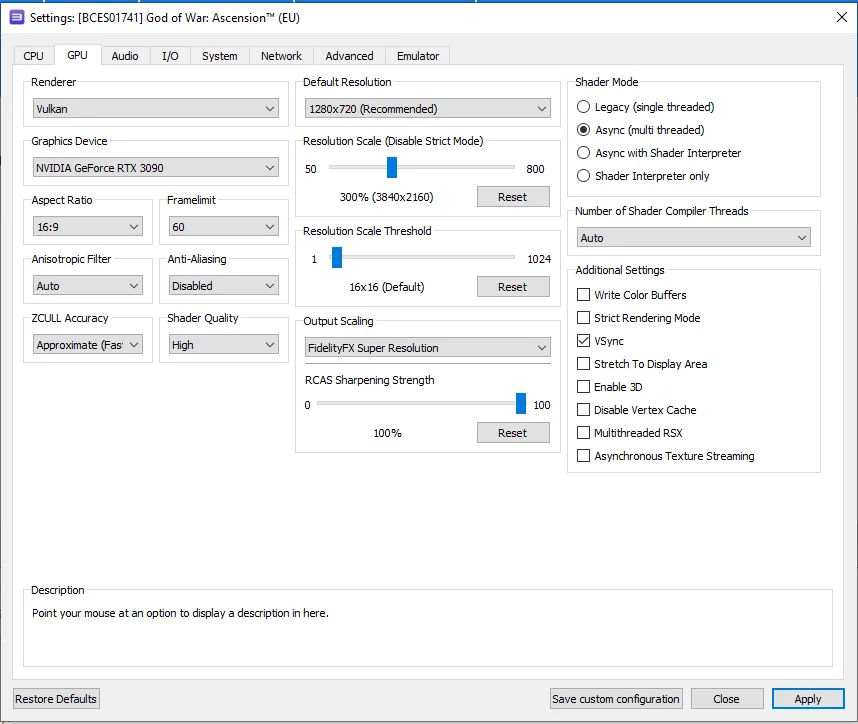 ⤢ ВІДКРИТИ
Advanced Configuration
Setting | Option | Description |
|---|---|---|
Sleep timers accuracy | As Host | Slight performance improvement. |
RSX FIFO accuracy | Atomic | Enhances stability. You can experiment with this setting if you encounter stability issues; the 'Fast' option is also viable. |
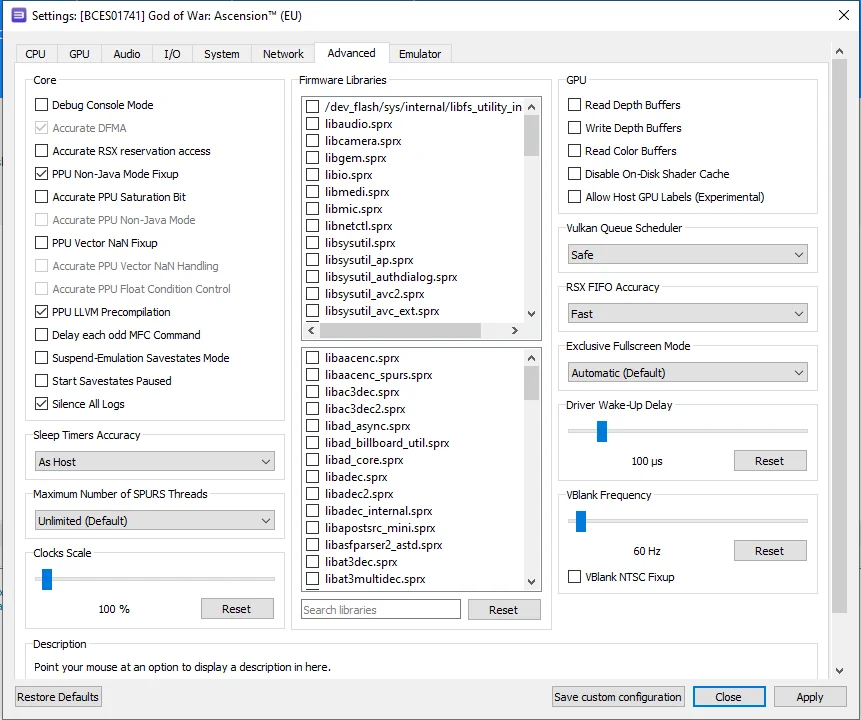 ⤢ ВІДКРИТИ
With these settings, we managed to achieve a relatively stable and, crucially, acceptable 30-60 FPS range on an Intel Core i5-12400F processor. Naturally, weaker CPUs will experience a more significant frame rate drop, but it's worth noting the game didn't perform much better on the original PS3.
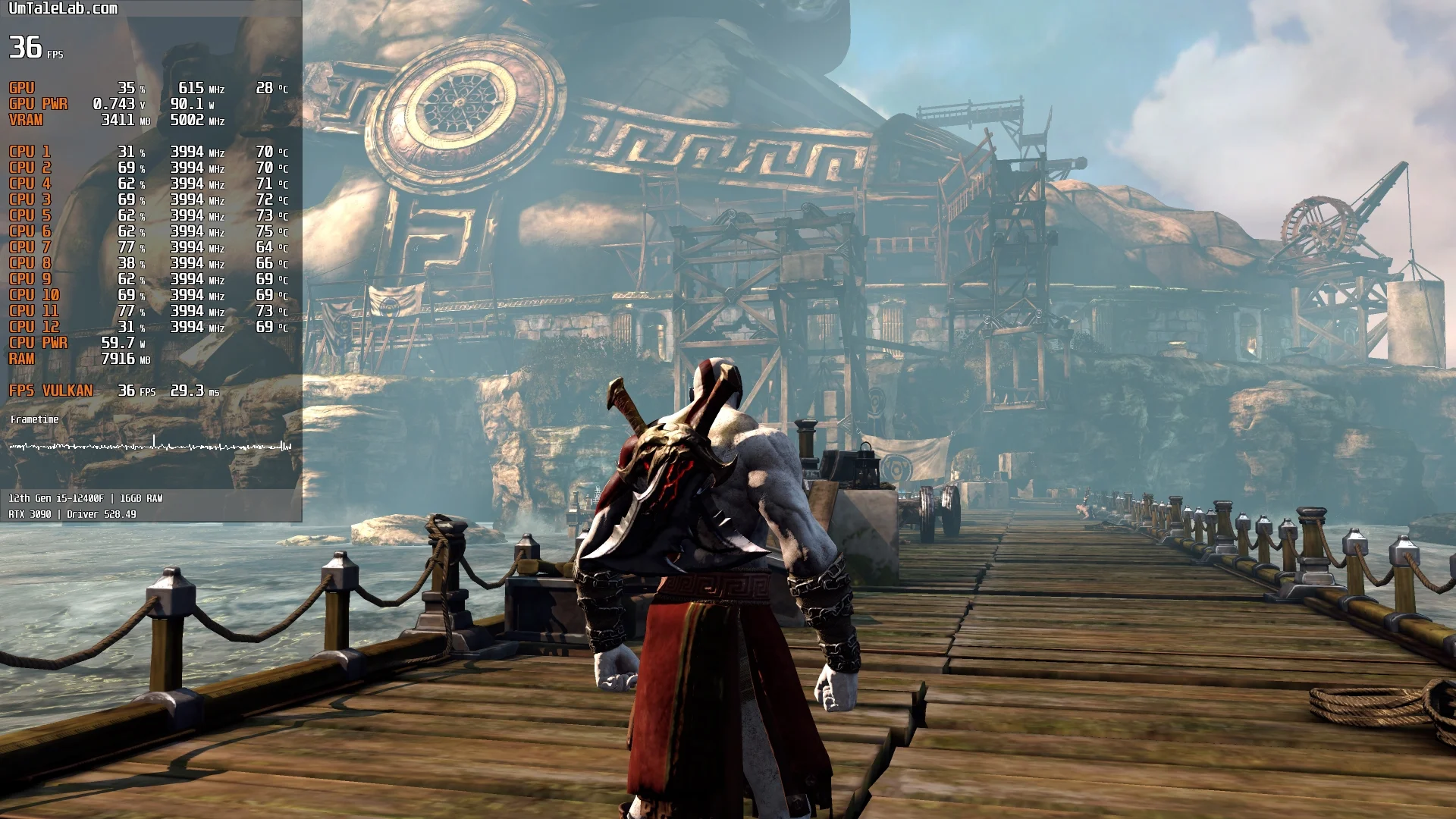
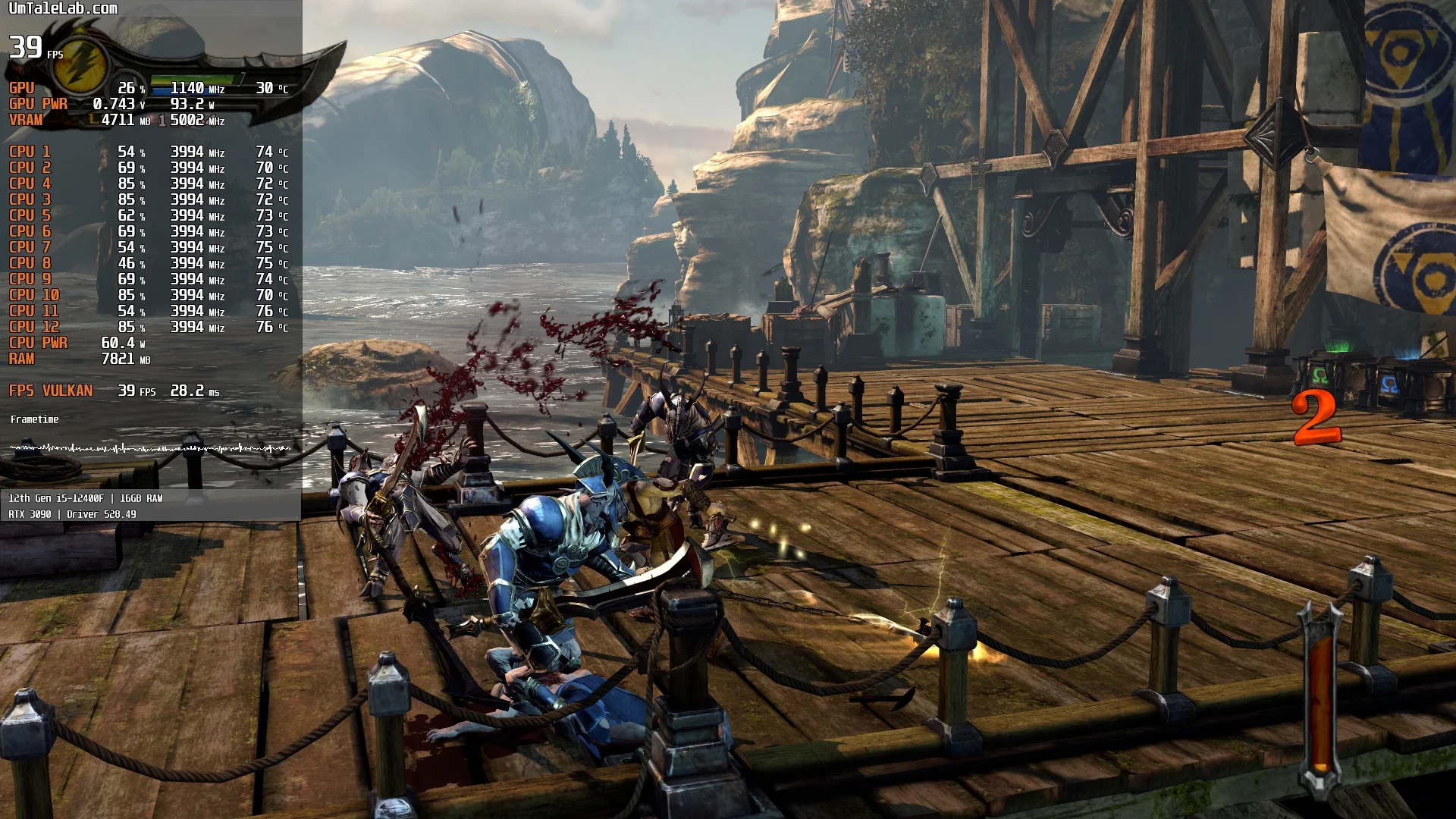
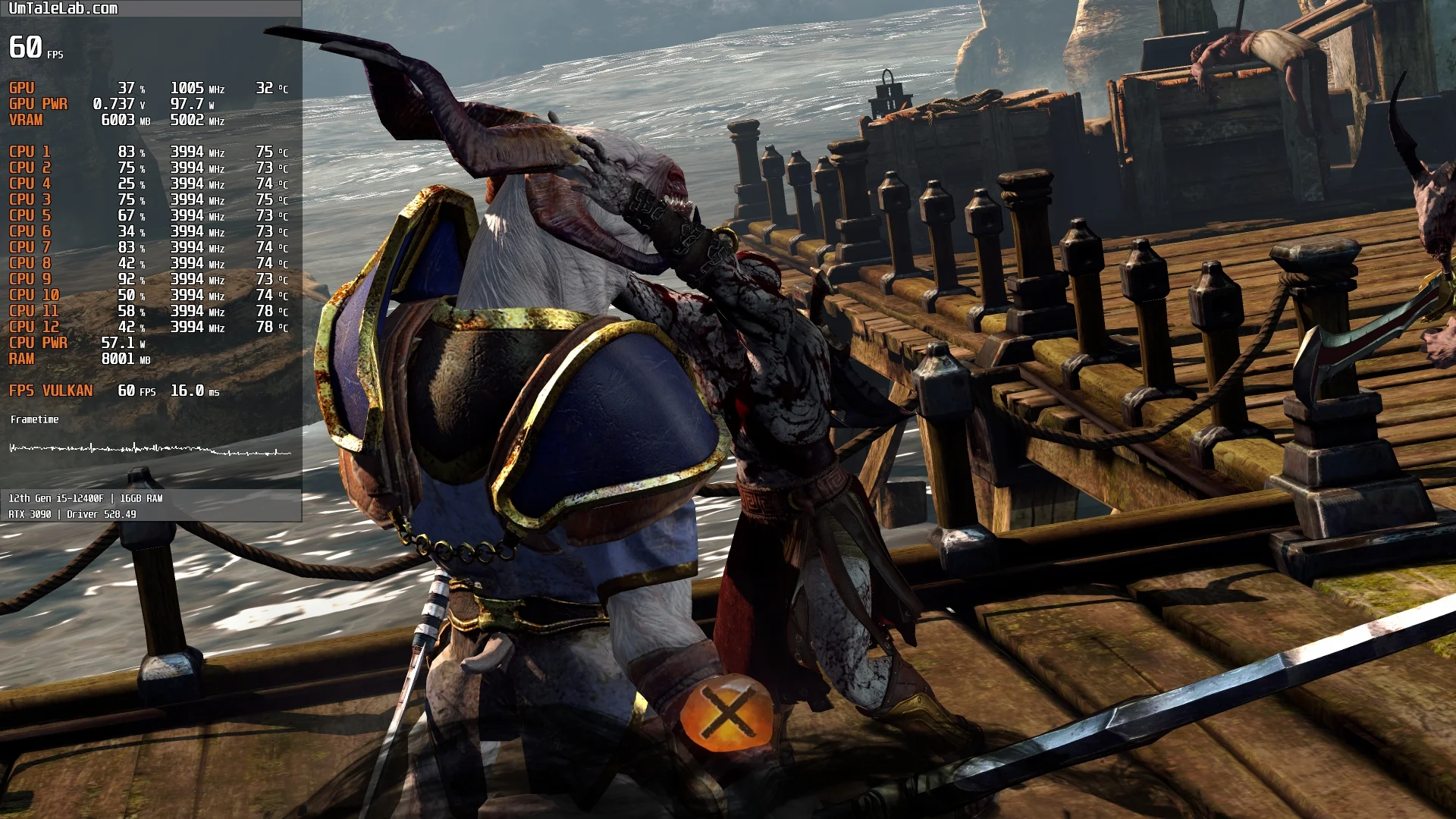
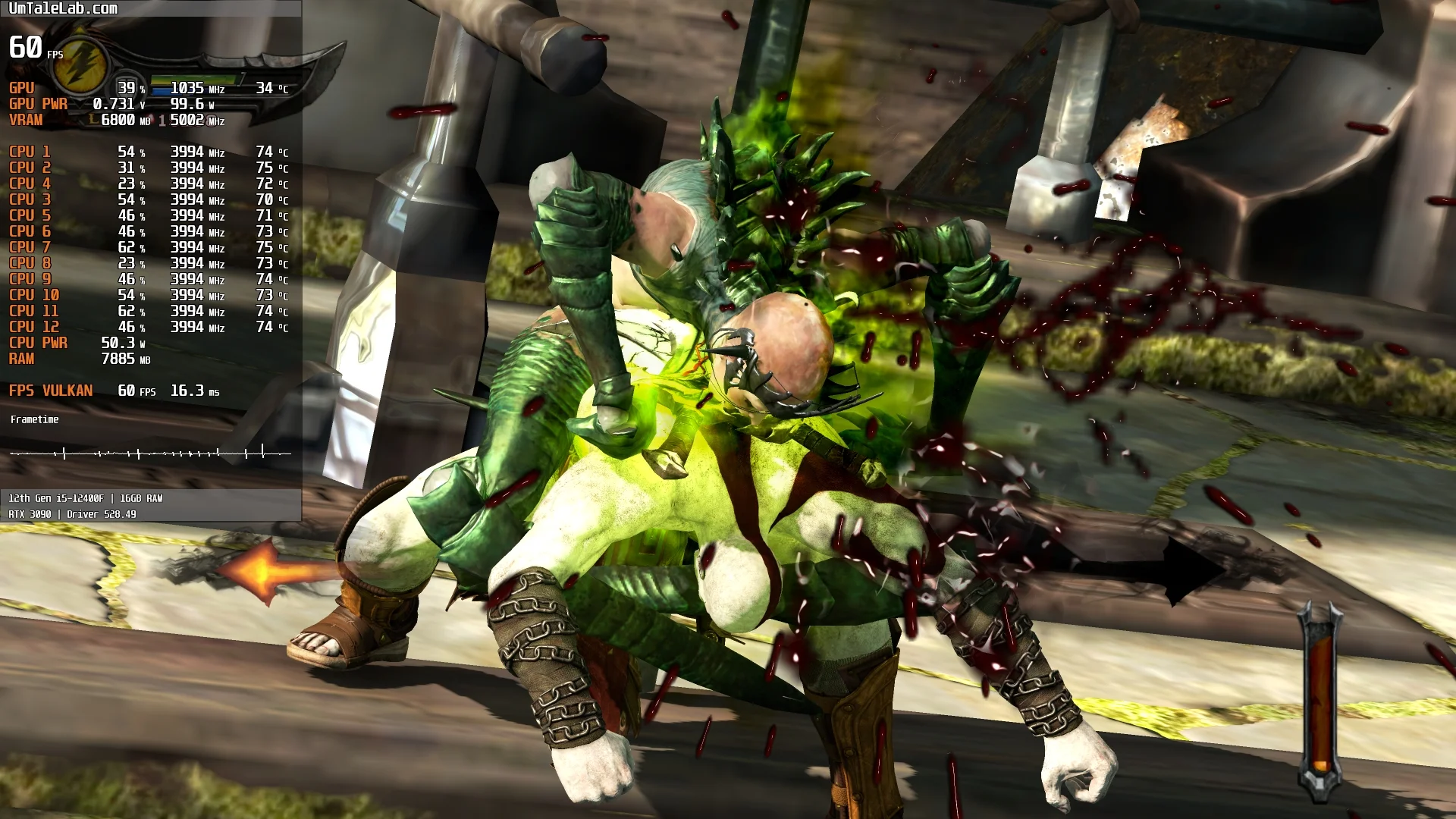
After sinking over 12 hours into God of War: Ascension, we found that emulation is far from perfect, leading to occasional random crashes. Fortunately, a quick restart allows players to pick up right where they left off.
Meanwhile, older Intel Sandy Bridge/Ivy Bridge CPUs face much more significant problems. These include prolonged loading of geometry and textures, resulting in a lack of collision detection for character interaction. This often causes Kratos to fall through game surfaces, forcing a revert to the last checkpoint.
This issue can, to a certain extent, be mitigated by pausing the game when geometry visibly fails to load and then unpausing once it appears. However, calling this an enjoyable gameplay experience would be a stretch.
Furthermore, older, weaker CPUs can suffer from incorrect script execution, leading to bosses and monsters simply failing to appear. This will corrupt your saves, making story progression impossible even after restarting the game.
Our benchmarks indicate that God of War: Ascension emulates reasonably well on 6-core CPUs from the AMD Zen 2 or Intel Coffee Lake generations, paired with AMD Radeon RX 400 or NVIDIA GeForce GTX 1000 graphics cards. Expect significant issues on anything less powerful.
Test these settings and share your results in the comments below. Feel free to ask any questions you might have.