BLOGS · GAME BLOGS
PUBLISHED
READING3 min
Setting up RPCS3 v0.0.25+ for Red Dead Redemption
Configure RPCS3 for Red Dead Redemption. Optimize CPU, GPU, and other settings to achieve maximum performance and stability.
Thanks to the painstaking work and titanic efforts of the RPCS3 developers, one of the best console exclusives of the generation before last is now almost "playable." If your PC packs a powerful enough multi-core processor, you can now experience the original Red Dead Redemption from start to finish.
First and most importantly, ensure your copy of Red Dead Redemption is the Game of the Year Edition, ideally version 1.01 (though 1.0 works too). While the settings below are compatible with the standard edition, you'll need the GOTY version if you plan to use patches to skip the intro or disable Motion Blur (via Manage > Game Patches).
Second, and just as important, check your emulator version. It should be at least RPCS3 v0.0.25-14389-661be41c Alpha | master (the main branch). Update if needed. If you're running a much newer version, some of these settings might already be obsolete; try playing without any extra tweaks first. Conversely, these exact settings might even prevent the game from launching. If that happens, let us know in the comments, and we'll work on a new guide as quickly as possible.
Finally, there's a third point: currently, Red Dead Redemption on the RPCS3 emulator isn't perfect. You might encounter rare visual artifacts during shader compilation, occasional crashes, or even critical bugs. Despite these issues, the game is still fully playable from start to finish.
Also, remember that Red Dead Redemption still hasn't officially achieved "playable" status on RPCS3. That means there's no 100% guarantee you'll finish the game without hitting some critical bug along the way.
 ⤢ ВІДКРИТИ
RPCS3 Configuration for Red Dead Redemption
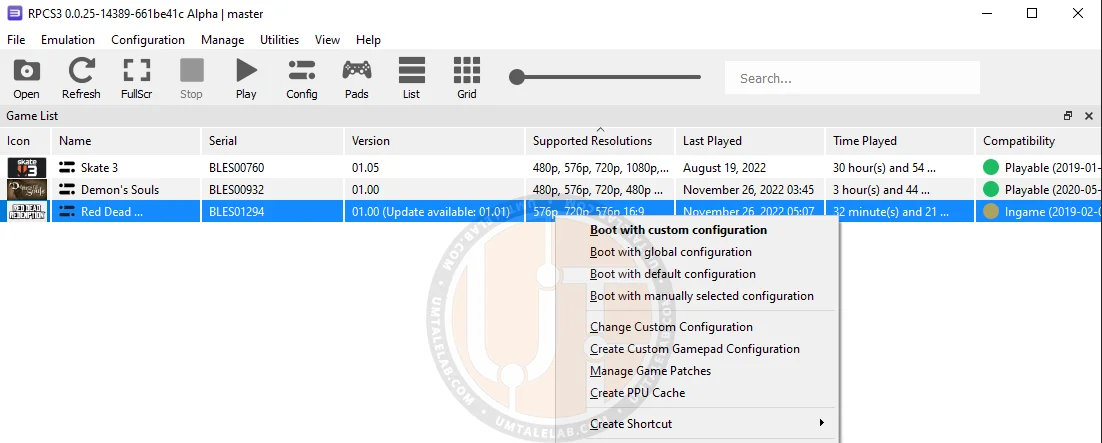
Launch the emulator, then right-click the "Red Dead Redemption" icon and select "Change Custom Configuration":
 ⤢ ВІДКРИТИ
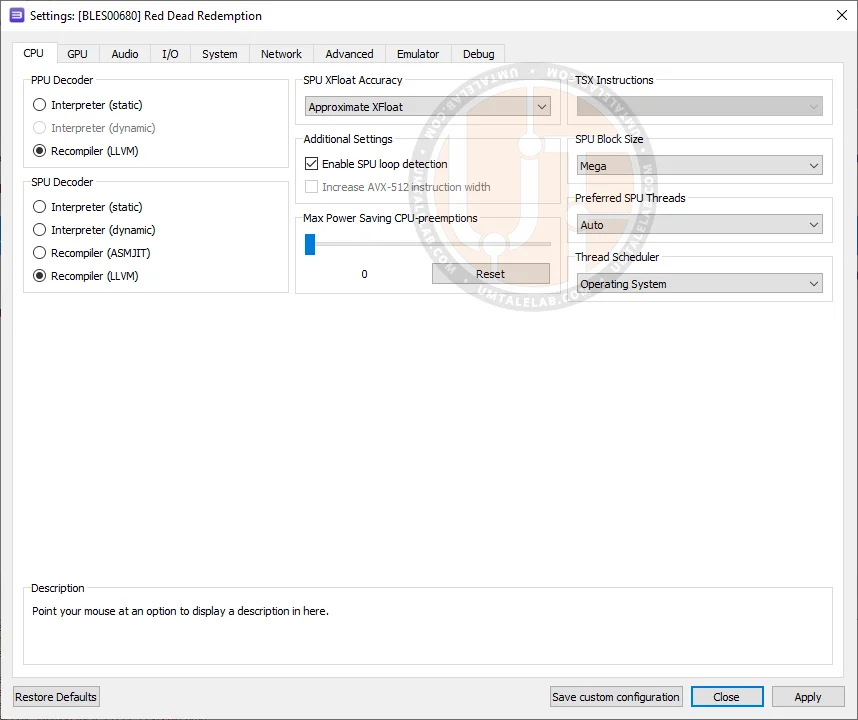
CPU Configuration
Setting | Option | Description |
|---|---|---|
SPU block size | Mega | Improves performance without noticeable issues. |
TSX instructions | Disabled | If you experience crashes, desynchronization, or terrain clipping on Intel processors with TSX, disable TSX. |
 ⤢ ВІДКРИТИ
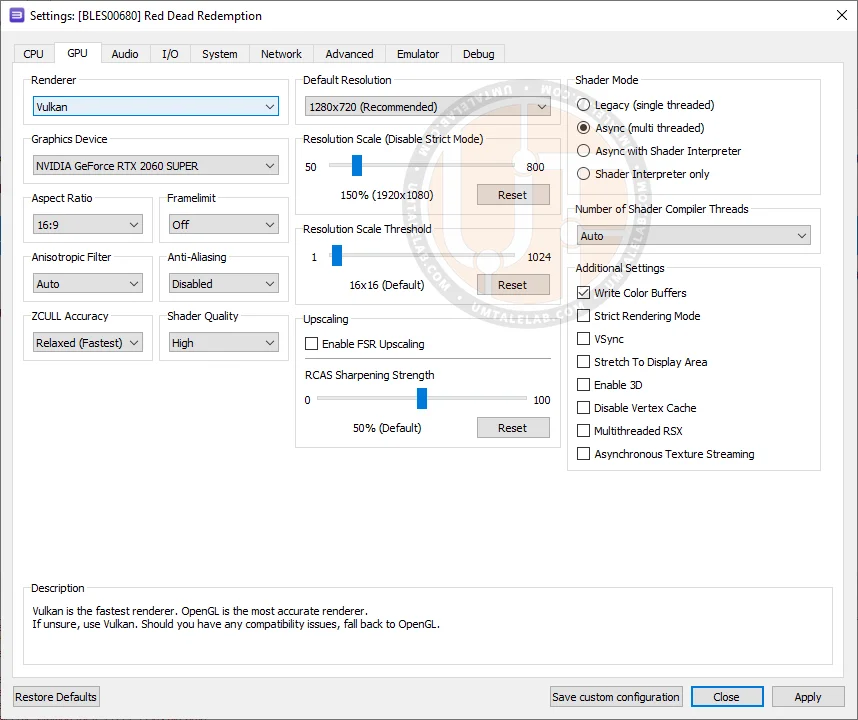
GPU Configuration
Setting | Option | Description |
|---|---|---|
Anti-aliasing | Disabled | Improves performance, but degrades the appearance of foliage and grass. |
ZCULL accuracy | Relaxed | Improves performance without noticeable issues. |
Write color buffers | On | Fixes the broken pause menu effect and incorrect lighting in night scenes. |
 ⤢ ВІДКРИТИ
Additional Settings
Setting | Option | Description |
|---|---|---|
Sleep timers accuracy | As Host | Improves performance with no noticeable issues. |
RSX FIFO accuracy | Atomic | Helps minimize game crashes and unexpected exits (!critically important option!). |
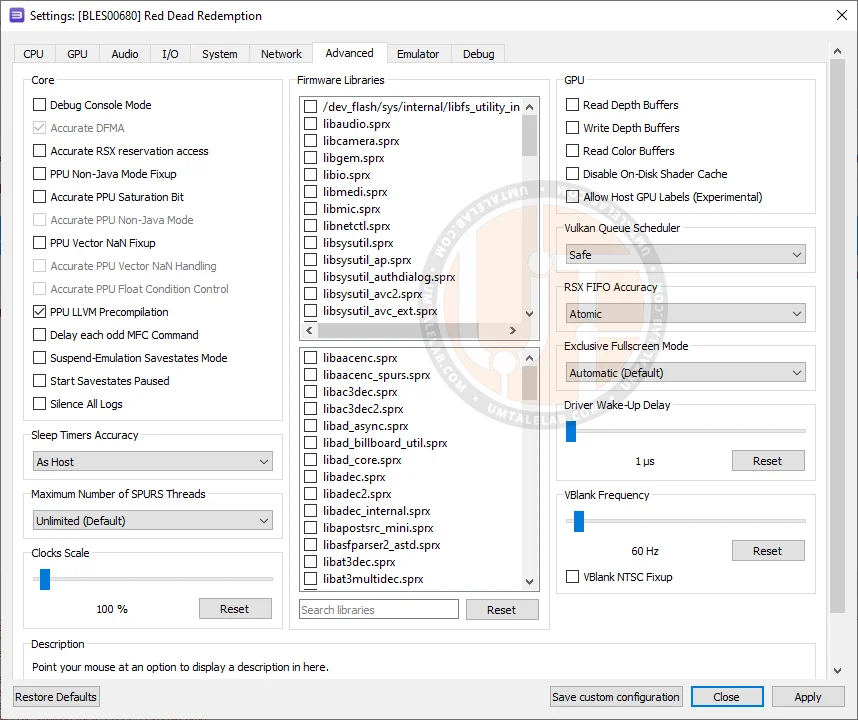 ⤢ ВІДКРИТИ
Testing was conducted on an Intel Core i5-12400F processor (6 cores, 12 threads at 4000MHz) and a GeForce RTX 2060 SUPER graphics card.
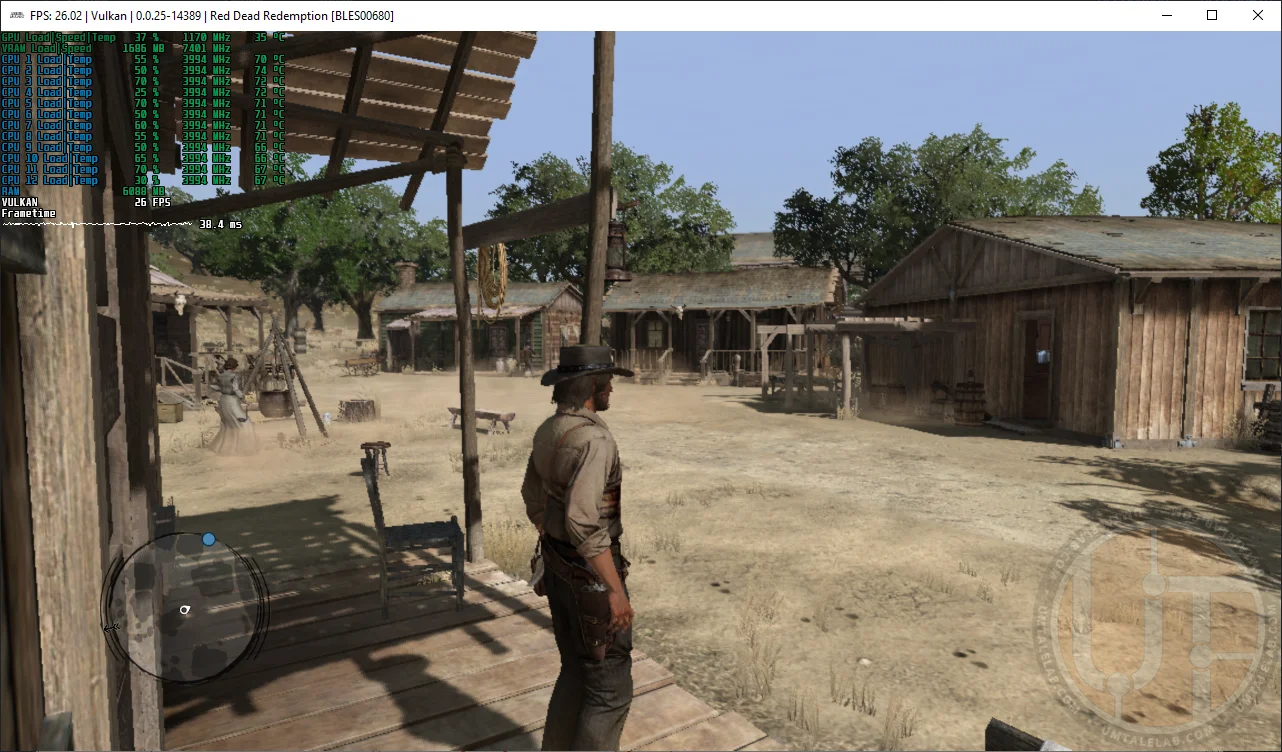
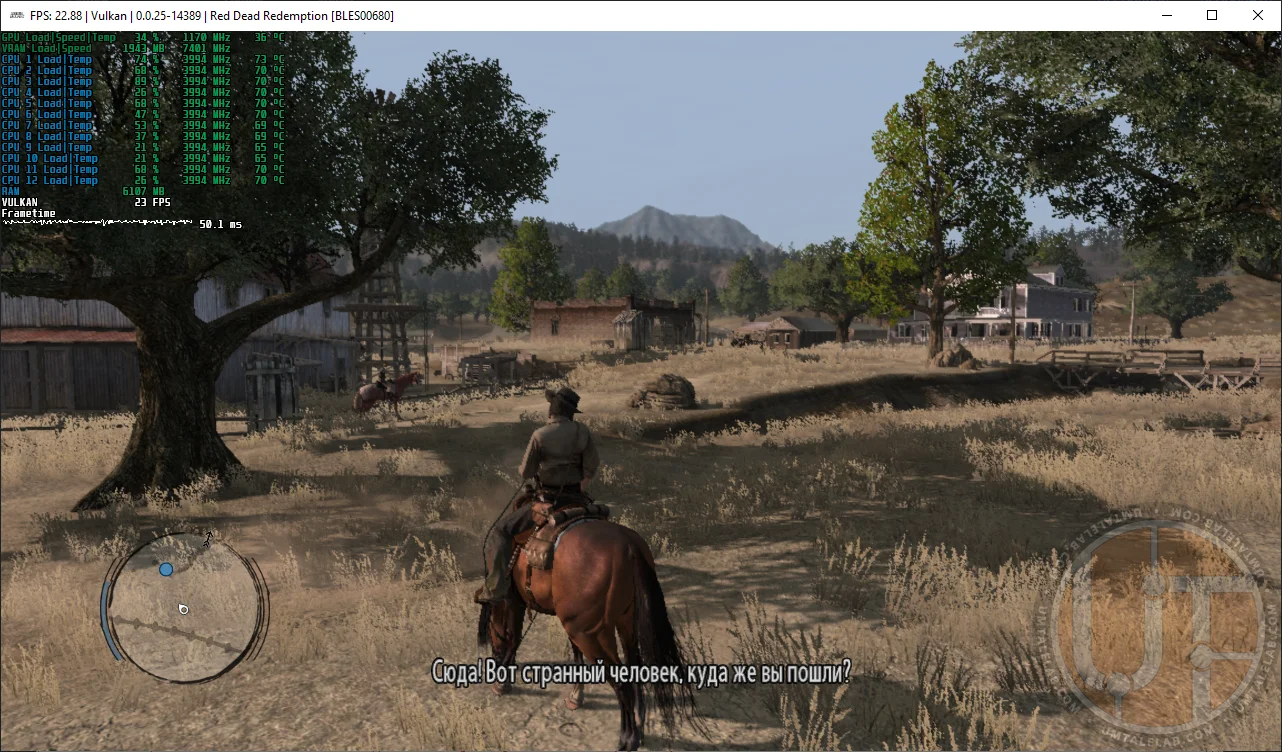
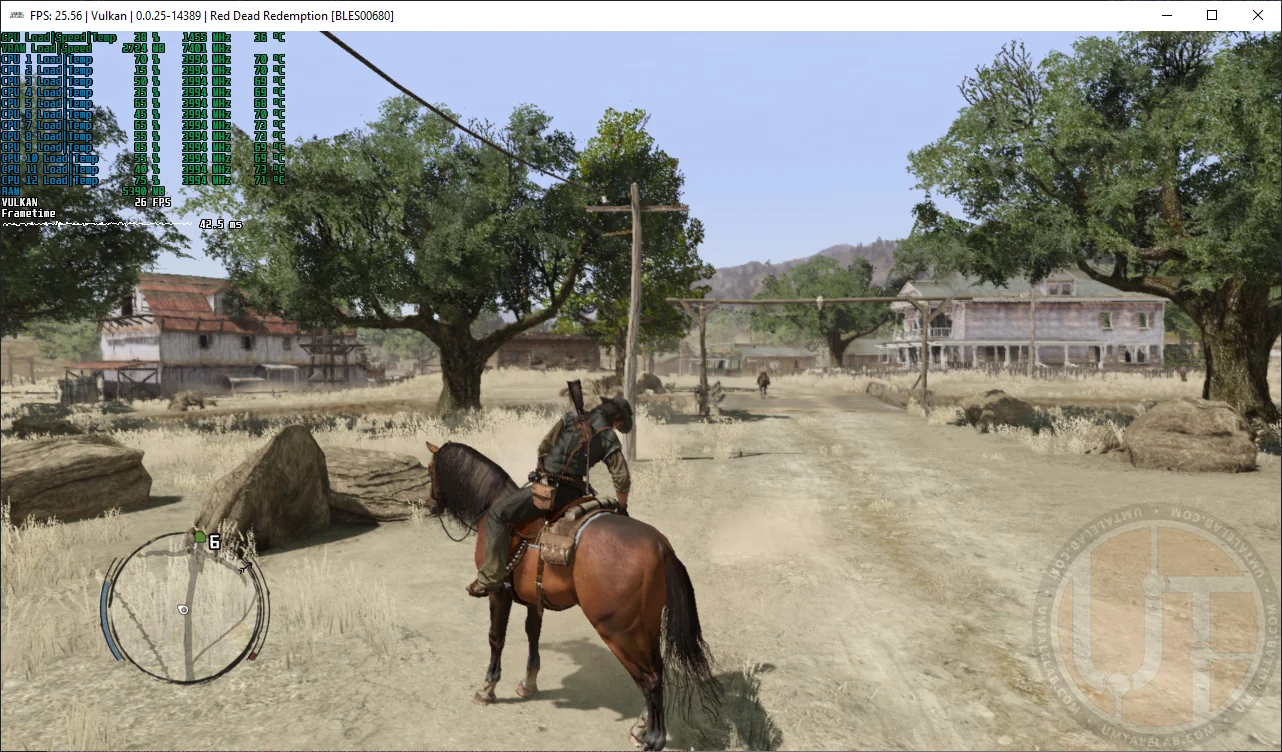
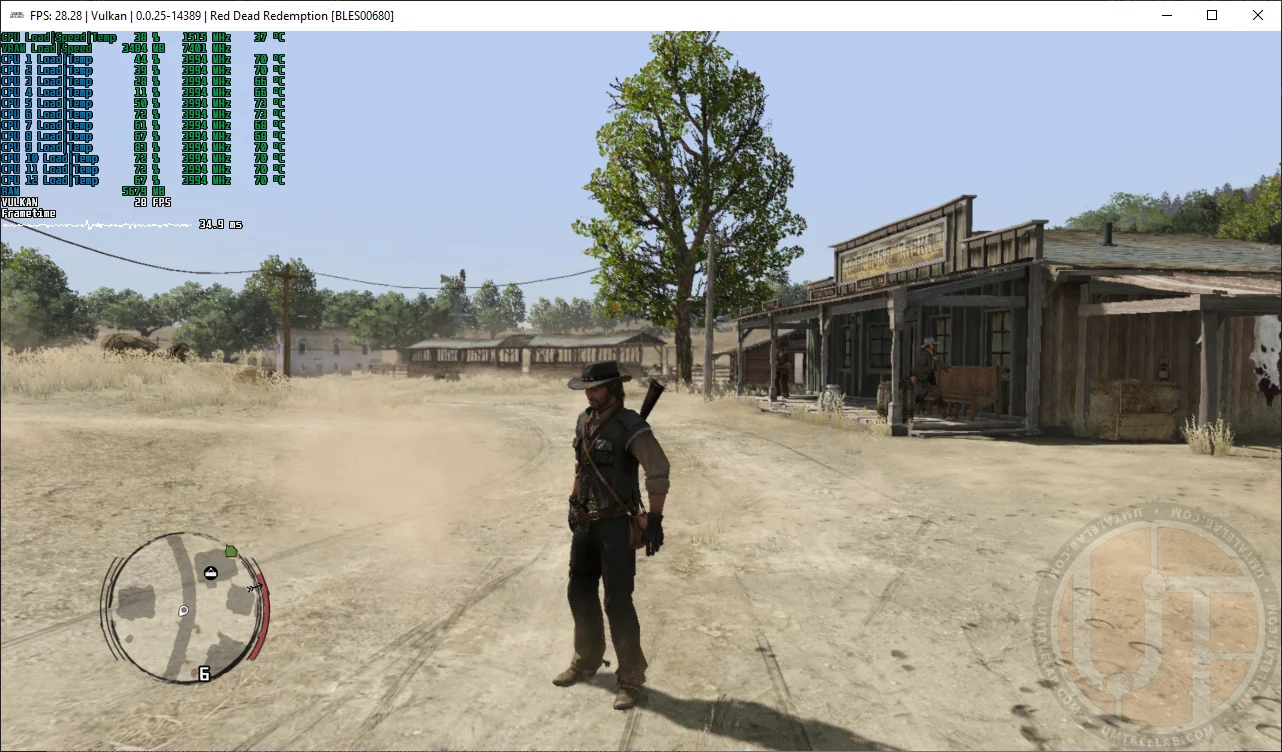
Regarding RPCS3's base configuration, you can expect a significant boost in Red Dead Redemption's performance and stability with the settings outlined above. However, for truly stable minimum FPS, a fairly powerful processor is required. For example, with an Intel Core i5-12400F, RDR runs at 20 to 30 frames per second. While that's a significant improvement over the console's 14-30 FPS, faster processors like the i7-12700K or Ryzen 5 7600X will deliver much higher performance.
Even with optimized settings, older multi-threaded CPUs like Intel Xeon processors (Haswell architecture) struggle with this project. You could, however, try disabling Hyper-Threading. On processors with 6 or more cores, this might yield a few additional FPS. Our findings are based on RDR's performance on an Intel Xeon E5-2630 v3 (8 cores, 16 threads at 3200MHz).
Test the settings above, share your results in the comments, and feel free to ask any questions you have.